
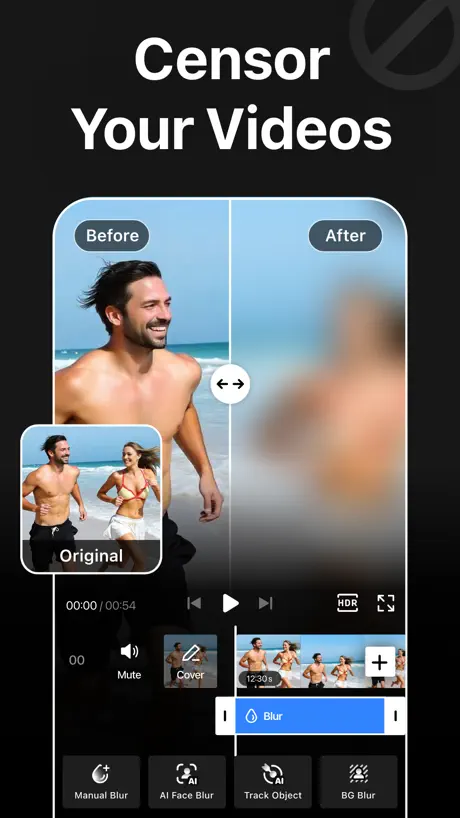
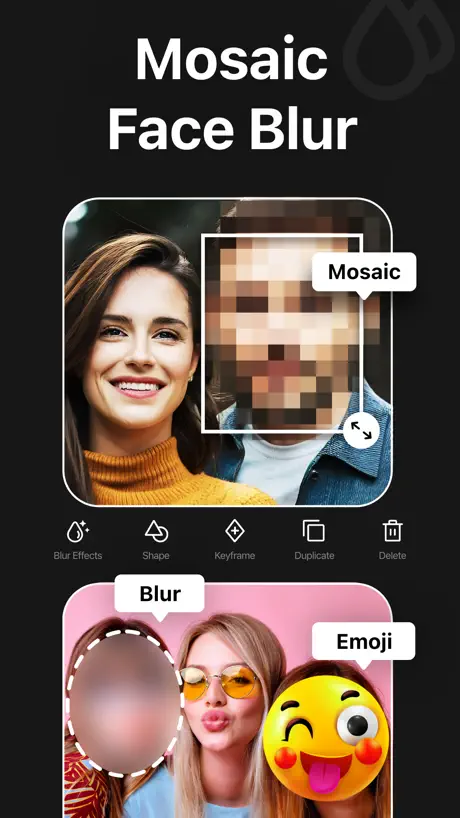
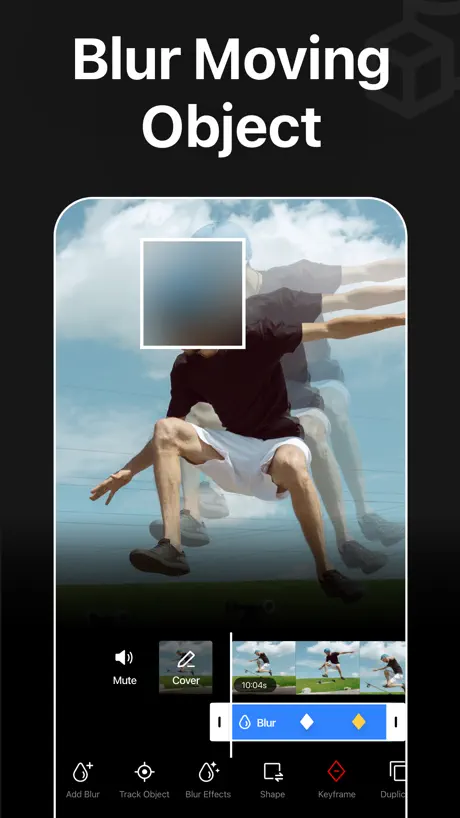
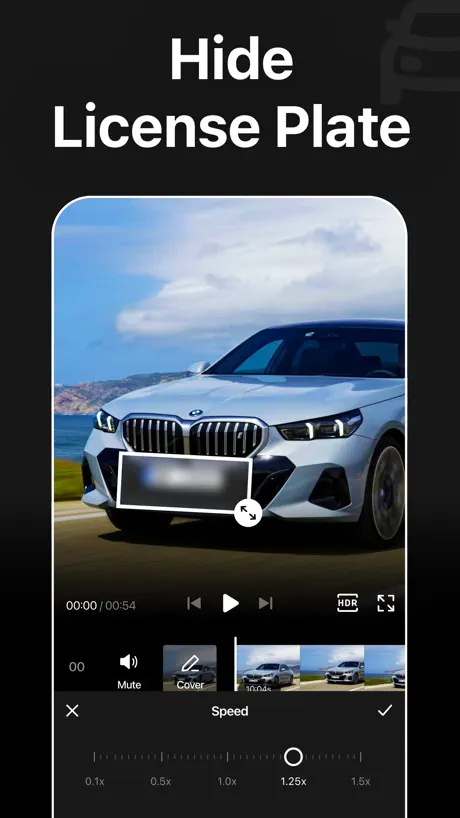
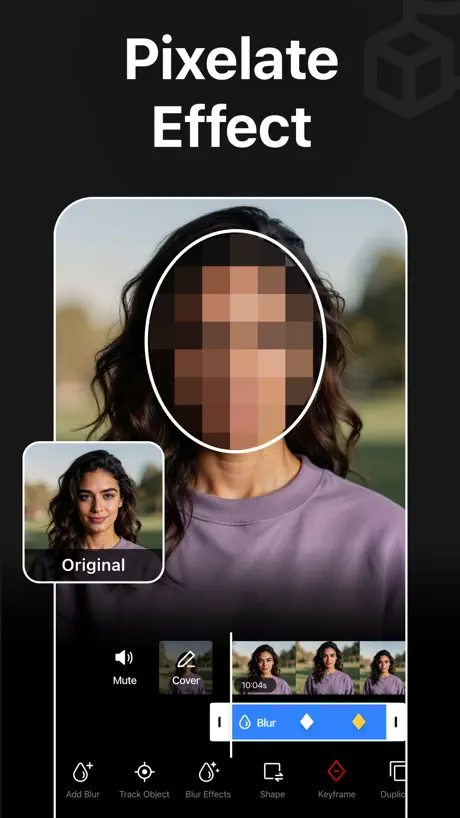
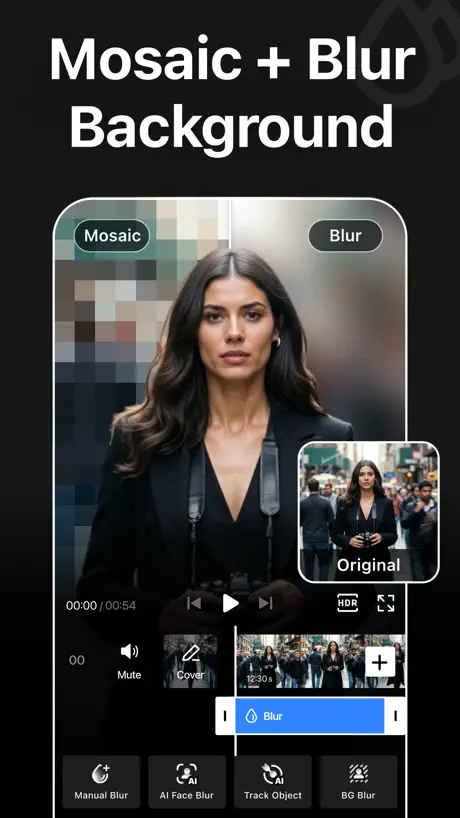
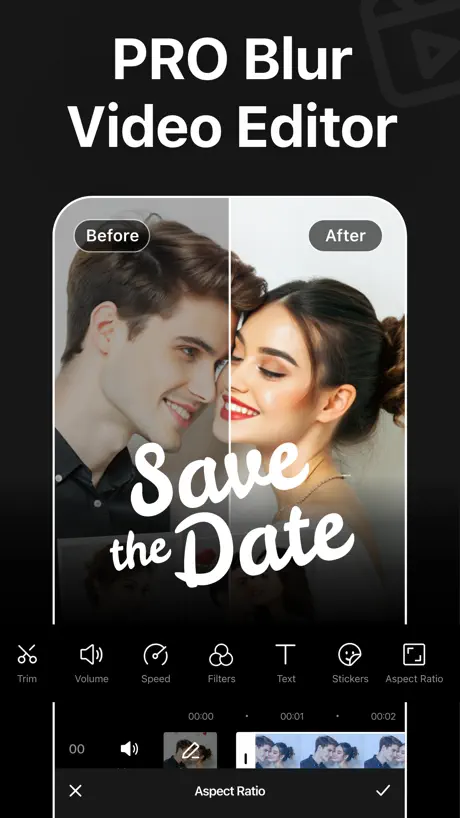
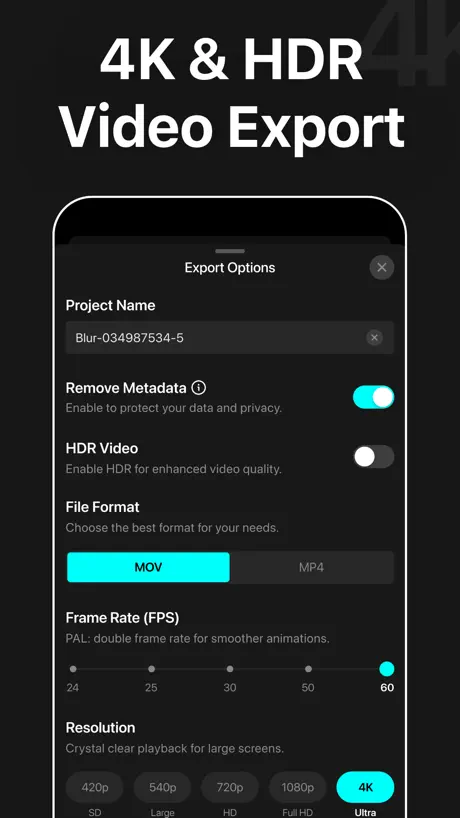
Blur Video - AI Blur Maker
Censor Face, Video Background
How much does Blur Video - AI Blur Maker cost?
Prices are current as of 4 Oct 2026.
4 subscriptions from $2.99
In the United States, Blur Video - AI Blur Maker has 4 subscriptions priced $2.99 – 19.99. It comes with a 3 days free trial.
| Subscription | Period | Price |
|---|---|---|
| Blur Video Premium | MonthlyTrial: 3 days | $2.99 |
| Blur Video PRO | WeeklyTrial: 3 days | $4.99 – 6.99 |
| Blur Video Premium | AnnualTrial: 3 days | $9.99 |
| Blur Video PRO | Annual | $19.99 |
3 one-time purchases from $9.99
In the United States, Blur Video - AI Blur Maker has 3 one-time purchases priced $9.99 – 49.99.
| Product | Price |
|---|---|
| AI Video 400 Coins Pack | $9.99 |
| AI Video 900 Coins Pack | $19.99 |
| AI Video 2500 Coins Pack | $39.99 – 49.99 |
See what Blur Video - AI Blur Maker costs in all 175 countries →
10+ alternatives to Blur Video - AI Blur Maker
| Blur Video - AI Blur Maker |   Blur Photo Editor & Mosaic Blur Photo Editor & Mosaic |   Blur Photo Effect Background Blur Photo Effect Background |   Blur Video & Photo BlurEffect Blur Video & Photo BlurEffect |   Blur Photo Blur Photo |   Blur Video & Mosaic Blur Video & Mosaic |   Blur-Video Blur-Video |   Blur Photo Editor: blur effect Blur Photo Editor: blur effect |   MovStash - Blur Video Editor MovStash - Blur Video Editor |   Blurry Photo Aрр Blurry Photo Aрр | 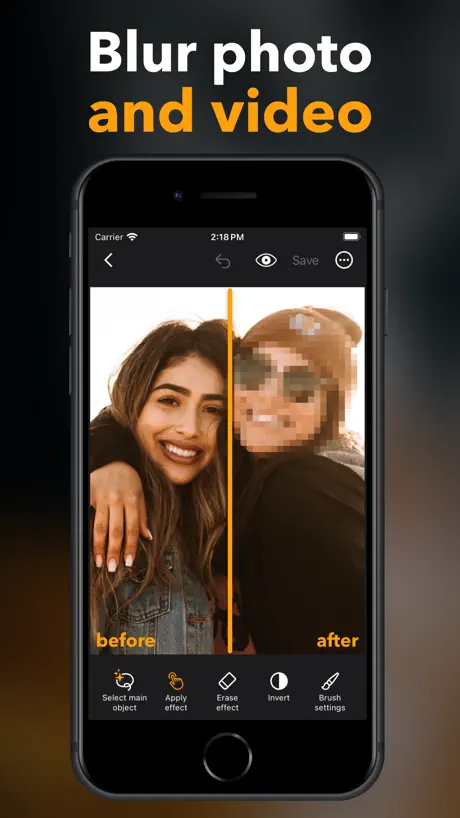  Blur Video & Photo -AI Pix App Blur Video & Photo -AI Pix App | |
|---|---|---|---|---|---|---|---|---|---|---|---|
| Rating / 5 | 4.6 | 4.7 | 4.7 | 4.6 | 4.4 | 4.5 | 4.8 | 4.6 | 4.3 | 4.4 | 4.6 |
| Reviews | 13K | 305K | 96K | 85K | 73K | 58K | 41K | 24K | 7.2K | 5.4K | 3.4K |
| Released | 2021 | 2015 | 2015 | 2016 | 2013 | 2017 | 2021 | 2021 | 2015 | 2023 | 2021 |
| Monthly price | $2.99 | $4.29 | $2.99 | $5.99 | $8.99 | $3.99 | $3.99 | — | — | — | $5.99 |
| Annual price | $9.99 | $29.99 | $11.99 | $35.99 | $29.99 | $24.99 | $9.99 | — | — | $29.99 | $29.99 |
| One-time price | $19.99 | $4.99 | $2.99 | $59.99 | — | $3.99 | — | $0.99 | — | $9.99 | $29.99 |
The going rate for each plan in United States, in its own currency, shaded from the cheapest price on the row to the dearest. Plans fewer than four in ten of the priced apps sell are left out.
Blur Video - AI Blur Maker reviews
4.6 out of 5, based on 13,322 reviews.
What people like
- Really helps keep people’s faces private in videos
- Very simple and easy for beginners to use
- Looks nice and has a clean interface
What they complain about
- It hides the free features behind a paywall
- Ads interrupt you constantly even if you paid
- Videos lose their audio after you save them
- The app crashes when you try to export
Good Blurr editing!
I love the other app too! Try this rn bro!
Did not work
I downloaded the app and then when I click the app it kicked me out of the app i clicked it again and again and it did nothing and kick me out of the game
Great But 720p quality for the other it costs?
It is good and free but for some tools it costs money it is little expensive
Very Disappointing Results
I’ve found that unless the video has only one or two faces that are always clearly defined, the results are poor or don’t blur at all. I’d hoped this app would take care of more complex cases (e.g. lots of faces in frame, some at a distance) but what it produces is nowhere near good enough… faces missed entirely, or only partially blurred. All in all, I’ve found I’ve always had to go and do manual blurring in other editors. A great idea, and maybe it’ll evolve to be more effective, but for now it seems it can only work well on the most simple cases.
Tốt
Tốt
So easy
Worth the $20 a year especially for car content!
1!!
You think I’m rating this good? Hell no, I ain’t paying for some like premium!!!
4 Stars
You had to pay for AI to follow the blur.
Havvsbsb
Shouldn’t have to pay for it and it’s overpriced
Très bien
Très bien
😡
It didn’t work
Liars
In the ad, it told me that all of it was 100% free. I downloaded it. I get into the app. It cost money for everything. One star.
Amazing
Good except for the premium
I don’t understand
I’m having trouble making the blur, blur moving objects when I tried it it was locked in place please tell me what to do with this
Telefondan tam erişim verdim
Telefondan ayarlardan tam erişime bastım albümlere giriş yapmak istiyor ben de izin izin ver dedim ondan sonra albümlere gidiyorum bir fotoğraf seçiyorum hiçbir şey olmuyor ben bundan memnun değilim
Works great
I love that I’m now able to blur faces in my videos as a photojournalist some people like privacy
Don’t use this app it does not work
Do not use this app because it did not let me blur it out
Awesome, but…
I wish I can trim clip’s length while I’m putting blur on them (don’t know if you can do that already).
Why spend money
Why do I need to spend money to track an object also the quality is trash 480 Hp really InShot is better then this
vv
t’y
Kuban
10
holy paywalls
don’t just don’t you have to pay for EVERYTHING
Bonne application
Belle application très facile à utiliser
Cutting Off Videos
After exporting, my videos are getting cut off even though I haven’t trimmed the video and edited to the end.
使いやすい
直感的に使いやすいアプリにようやく出会えました。課金します‼️
Love
Super easy to use!
Pornographic Ads
stay clear from this one, plenty of safer and better options
Ffff
Ffff
Average
Paid for a week even though it said a trial. Also doesn’t blur when asked, it kept coming off my daughter’s face.
Pes
1300 küsür TL ücret alıp hala neden reklamları uygulama içerisinde tutuyorsunuz anlamıyorum ben her defasında başka bir program aplikasyonu mu göreceğim?
It did what I asked for
When I didn’t have Blur pro, there was key frames. So that’s why I gave it 5 stars.
Misleading
I thought it was free. It’s free for 3 days, then $4.99/week or $19.99/year. Deleting.
Blur video
Mérite une attention particulière, beau travail
Face blurred
Some faces on videos don’t get all the time Blurred
Does the job
Not always the easiest thing to use. Uploaded videos are not always there when I go back to the app and I have to upload again. This is a nuisance especially if I want to work off a 4G connection.
LOVE THE BLURS
I can literally not show my face!😁😁
App is not free
app is not free in any sense
Klmm
Jghcc
0/10
crashes when you try to save a video
mmm
See it’s a really good app to blur stuff out fr but i just don’t like the fact you can’t un-blur it…like i wish you can un-blur it
Great tool
I love this app.
bad
i paid for pro and it doesn’t work any better and wasted money
C’est bof
On ne comprend pas trop comment faire et c’est payant alors que plein d’autres applis qui peuvent faire ça ne le sont pas
unimpressive
signed up for a free trial to take advantage of the allegedly advanced, ai powered face blur - it was useless. if you’re looking for an advanced software for blurring faces online that actually works, I’d recommend searching for ‘secure redact’ online.
Does the job
Fiddly interface but does the job
my thoughts
great app love this good tracking
Scam
Money scam
Comptez vous faire une mise à jour ??!
L’application plante au moment du floutage ! Des heures de perdus depuis des mois ! J’ai payé pour un an, je le regrette ! Toujours pas de solution face à ce problème déjà signalé !
No sound on video
Every time I finish blurring out the part I need to blur I save the video to my photos but comes with no sound.
No automatic tracking
Probably a good app for those familiar with key frames because there’s no automatic tracking of the part of the video you want to blur. You have to do it manually with key frames. Good luck if you want to blur a license plate on a moving vehicle.
Blur Video - AI Blur Maker price by country
A weekly subscription costs $4.68 in Pakistan and $8.23 in Sweden — 1.8× more for the same thing. Below is the going rate for each plan in every country that sells it — the middle price of what the app charges there, in the country's own currency with the dollar equivalent beneath it.
| Country | Weekly | Monthly | Annual | One-time |
|---|---|---|---|---|
| Afghanistan | $5.99 | — | $19.99 | $15.99 |
| Albania | $5.99 | $3.99 | $11.99 | $19.99 |
| Algeria | $5.99 | — | $9.99 | $15.99 |
| Angola | $5.99 | — | $19.99 | $15.99 |
| Anguilla | $5.99 | — | $19.99 | $15.99 |
| Antigua And Barbuda | $5.99 | — | $19.99 | $15.99 |
| Argentina | $5.99 | $2.99 | $9.99 | $9.99 |
| Armenia | $5.99 | $3.99 | $11.99 | $19.99 |
| Australia | A$9.99$6.94 | A$4.99$3.47 | A$14.99$10.41 | A$14.99$10.41 |
| Austria | €6.99$7.86 | €2.99$3.36 | €9.99$11.24 | €9.99$11.24 |
| Azerbaijan | $6.99 | $2.99 | $9.99 | $19.99 |
| Bahamas | $4.99 | — | $9.99 | $17.99 |
| Bahrain | $4.99 | $2.99 | $9.99 | $17.99 |
| Barbados | $5.99 | $3.99 | $11.99 | $19.99 |
| Belarus | $5.99 | $3.99 | $11.99 | $19.99 |
| Belgium | €6.99$7.86 | €2.99$3.36 | €9.99$11.24 | €9.99$11.24 |
| Belize | $5.99 | — | $19.99 | $15.99 |
| Benin | $6.99 | — | $22.99 | $19.99 |
| Bermuda | $4.99 | $2.99 | $9.99 | $15.99 |
| Bhutan | $5.99 | — | $19.99 | $15.99 |
| Bolivia | $4.99 | $2.99 | $9.99 | $15.99 |
| Bosnia & Herzegovina | €6.99$7.86 | — | €22.99$25.86 | €17.99$20.24 |
| Botswana | $4.99 | $2.99 | $9.99 | $15.99 |
| Brazil | R$39.90$7.64 | R$14.90$2.85 | R$49.90$9.56 | R$59.90$11.48 |
| British Virgin Islands | $5.99 | — | $19.99 | $15.99 |
| Brunei Darussalam | $5.99 | — | $19.99 | $15.99 |
| Bulgaria | €6.99$7.86 | €3.49$3.93 | €9.99$11.24 | €9.99$11.24 |
| Burkina Faso | $5.99 | — | $19.99 | $15.99 |
| Cambodia | $6.99 | — | $19.99 | $17.99 |
| Cameroon | $6.99 | — | $22.99 | $19.99 |
| Canada | CA$7.99$5.63 | CA$3.99$2.81 | CA$12.99$9.15 | CA$12.99$9.15 |
| Cape Verde | $5.99 | — | $19.99 | $15.99 |
| Cayman Islands | $5.99 | — | $19.99 | $15.99 |
| Chad | $5.99 | — | $19.99 | $15.99 |
| Chile | CLP 6,990$7.12 | CLP 2,990$3.04 | CLP 9,990$10.17 | CLP 9,990$10.17 |
| China | CN¥38.00$5.66 | CN¥22.00$3.28 | CN¥68.00$10.13 | CN¥98.00$14.61 |
| Colombia | COP 24,900$7.52 | COP 17,900$5.40 | COP 59,900$18.09 | COP 69,900$21.11 |
| Congo | $5.99 | — | $19.99 | $19.99 |
| Congo, Democratic Republic | $4.99 | $2.99 | $9.99 | $15.99 |
| Costa Rica | $5.99 | $2.99 | $9.99 | $9.99 |
| Cote Divoire | $6.99 | $2.99 | — | $19.99 |
| Croatia | €6.99$7.86 | €2.99$3.36 | €9.99$11.24 | €9.99$11.24 |
| Cyprus | €5.99$6.74 | €2.99$3.36 | €9.99$11.24 | €17.99$20.24 |
| Czech Republic | CZK 149.00$6.86 | CZK 79.00$3.64 | CZK 249.00$11.46 | CZK 249.00$11.46 |
| Denmark | DKK 49.00$7.37 | DKK 29.00$4.36 | DKK 89.00$13.38 | DKK 89.00$13.38 |
| Dominica | $5.99 | — | $19.99 | $15.99 |
| Dominican Republic | $4.99 | $2.99 | $9.99 | $15.99 |
| Ecuador | $4.99 | $2.99 | $9.99 | $15.99 |
| Egypt | EGP 299.99$5.74 | EGP 99.99$1.91 | EGP 299.99$5.74 | EGP 499.99$9.56 |
| El Salvador | $4.99 | $2.99 | $9.99 | $15.99 |
| Estonia | €5.99$6.74 | €2.99$3.36 | €9.99$11.24 | €17.99$20.24 |
| Fiji | $5.99 | — | $19.99 | $15.99 |
| Finland | €6.99$7.86 | €2.99$3.36 | €9.99$11.24 | €9.99$11.24 |
| France | €6.99$7.86 | €2.99$3.36 | €9.99$11.24 | €9.99$11.24 |
| Gabon | $5.99 | — | $19.99 | $15.99 |
| Gambia | $5.99 | — | $19.99 | $15.99 |
| Georgia | $5.99 | $3.99 | $11.99 | $19.99 |
| Germany | €6.99$7.86 | €2.99$3.36 | €9.99$11.24 | €9.99$11.24 |
| Ghana | $5.99 | $3.99 | $11.99 | $19.99 |
| Greece | €6.99$7.86 | €2.99$3.36 | €9.99$11.24 | €9.99$11.24 |
| Grenada | $5.99 | — | $19.99 | $15.99 |
| Guatemala | $4.99 | $2.99 | $9.99 | $15.99 |
| Guinea-bissau | $5.99 | — | $19.99 | $15.99 |
| Guyana | $5.99 | $2.99 | $9.99 | $19.99 |
| Honduras | $5.99 | $2.99 | — | $15.99 |
| Hong Kong | HK$48.00$6.11 | HK$22.00$2.80 | HK$88.00$11.21 | HK$88.00$11.21 |
| Hungary | HUF 2,490$7.60 | HUF 1,490$4.55 | HUF 4,490$13.71 | HUF 4,490$13.71 |
| Iceland | $5.99 | $3.99 | $11.99 | $19.99 |
| India | ₹599.00$6.22 | ₹299.00$3.10 | ₹999.00$10.37 | ₹999.00$10.37 |
| Indonesia | IDR 99,000$5.54 | IDR 49,000$2.74 | IDR 169,000$9.45 | IDR 199,000$11.13 |
| Iraq | $4.99 | $2.99 | $9.99 | $15.99 |
| Ireland | €6.99$7.86 | €2.99$3.36 | €9.99$11.24 | €9.99$11.24 |
| Israel | ₪19.90$6.61 | ₪9.90$3.29 | ₪34.90$11.59 | ₪34.90$11.59 |
| Italy | €6.99$7.86 | €2.99$3.36 | €9.99$11.24 | €9.99$11.24 |
| Jamaica | $5.99 | $2.99 | $9.99 | $15.99 |
| Japan | ¥1,000$6.34 | ¥400$2.53 | ¥1,500$9.50 | ¥1,500$9.50 |
| Jordan | $4.99 | $2.99 | $9.99 | $15.99 |
| Kazakhstan | KZT 3,490.00$7.86 | KZT 1,490.00$3.36 | KZT 4,990.00$11.24 | KZT 5,990.00$13.49 |
| Kenya | $5.99 | $3.99 | $11.99 | $19.99 |
| Kosovo | €6.99$7.86 | — | €22.99$25.86 | €17.99$20.24 |
| Kuwait | $5.99 | $2.99 | $9.99 | $9.99 |
| Kyrgyzstan | $4.99 | $2.99 | $9.99 | $17.99 |
| Lao Peoples Democratic Republic | $6.99 | — | $19.99 | $17.99 |
| Latvia | €5.99$6.74 | €2.99$3.36 | €9.99$11.24 | €17.99$20.24 |
| Lebanon | $4.99 | — | $9.99 | $15.99 |
| Liberia | $5.99 | — | $19.99 | $15.99 |
| Libya | $5.99 | $2.99 | $9.99 | $19.99 |
| Lithuania | €6.99$7.86 | €2.99$3.36 | €9.99$11.24 | €9.99$11.24 |
| Luxembourg | €6.99$7.86 | €2.99$3.36 | €9.99$11.24 | €9.99$11.24 |
| Macao | $4.99 | $2.99 | $9.99 | $15.99 |
| Macedonia | $4.99 | $2.99 | $9.99 | $15.99 |
| Madagascar | $5.99 | — | $19.99 | $15.99 |
| Malawi | $5.99 | — | $19.99 | $15.99 |
| Malaysia | MYR 29.90$7.33 | MYR 14.90$3.65 | MYR 49.90$12.23 | MYR 49.90$12.23 |
| Maldives | $5.99 | — | $19.99 | $15.99 |
| Mali | $5.99 | — | $19.99 | $15.99 |
| Malta | €5.99$6.74 | €2.99$3.36 | €9.99$11.24 | €17.99$20.24 |
| Mauritania | $5.99 | — | $19.99 | $15.99 |
| Mauritius | $6.99 | — | $19.99 | $19.99 |
| Mexico | MX$129.00$7.08 | MX$69.00$3.79 | MX$199.00$10.93 | MX$199.00$10.93 |
| Micronesia | $5.99 | — | $19.99 | $15.99 |
| Moldova | $5.99 | $3.99 | $11.99 | $19.99 |
| Mongolia | $5.99 | — | $19.99 | $15.99 |
| Montenegro | €5.99$6.74 | €2.99$3.36 | €9.99$11.24 | €19.99$22.49 |
| Montserrat | $5.99 | — | $19.99 | $15.99 |
| Morocco | $4.99 | $2.99 | $9.99 | $19.99 |
| Mozambique | $5.99 | — | $19.99 | $15.99 |
| Myanmar | $5.99 | — | $19.99 | $15.99 |
| Namibia | $5.99 | — | $19.99 | $15.99 |
| Nauru | $5.99 | — | $19.99 | $15.99 |
| Nepal | $6.99 | — | $22.99 | $19.99 |
| Netherlands | €6.99$7.86 | €2.99$3.36 | €9.99$11.24 | €9.99$11.24 |
| New Zealand | NZ$9.99$5.61 | NZ$4.99$2.80 | NZ$19.99$11.23 | NZ$19.99$11.23 |
| Nicaragua | $5.99 | $2.99 | — | $15.99 |
| Niger | $5.99 | — | $19.99 | $15.99 |
| Nigeria | NGN 7,900.00$5.94 | NGN 1,500.00$1.13 | NGN 4,900.00$3.68 | NGN 24,900.00$18.71 |
| Norway | NOK 79.00$8.21 | NOK 39.00$4.05 | NOK 129.00$13.41 | NOK 129.00$13.41 |
| Oman | $5.99 | $2.99 | $9.99 | $19.99 |
| Pakistan | PKR 1,300$4.68 | PKR 900$3.24 | PKR 2,900$10.44 | PKR 3,900$14.05 |
| Palau | $5.99 | — | $19.99 | $15.99 |
| Panama | $4.99 | $2.99 | $9.99 | $15.99 |
| Papua New Guinea | $5.99 | — | $19.99 | $15.99 |
| Paraguay | $4.99 | $2.99 | $9.99 | $15.99 |
| Peru | PEN 24.90$7.24 | PEN 12.90$3.75 | PEN 39.90$11.60 | PEN 44.90$13.05 |
| Philippines | ₱399.00$6.36 | ₱179.00$2.86 | ₱499.00$7.96 | ₱599.00$9.55 |
| Poland | PLN 29.99$7.71 | PLN 14.99$3.85 | PLN 49.99$12.85 | PLN 49.99$12.85 |
| Portugal | €6.99$7.86 | €2.99$3.36 | €9.99$11.24 | €9.99$11.24 |
| Qatar | QAR 19.99$5.49 | QAR 9.99$2.74 | QAR 39.99$10.99 | QAR 39.99$10.99 |
| Romania | RON 29.99$6.33 | RON 14.99$3.16 | RON 49.99$10.55 | RON 49.99$10.55 |
| Russia | RUB 499.00$5.98 | RUB 249.00$2.98 | RUB 899.00$10.77 | RUB 899.00$10.77 |
| Rwanda | $5.99 | — | $19.99 | $15.99 |
| Sao Tome & Principe | $5.99 | — | $19.99 | $15.99 |
| Saudi Arabia | SAR 24.99$6.66 | SAR 12.99$3.46 | SAR 39.99$10.66 | SAR 39.99$10.66 |
| Senegal | $6.99 | $2.99 | $9.99 | $19.99 |
| Serbia | €6.99$7.86 | — | €9.99$11.24 | €17.99$20.24 |
| Seychelles | $5.99 | $2.99 | $9.99 | $19.99 |
| Sierra Leone | $5.99 | — | $19.99 | $15.99 |
| Singapore | SGD 8.98$7.02 | SGD 3.98$3.11 | SGD 14.98$11.70 | SGD 29.98$23.42 |
| Slovakia | €6.99$7.86 | €2.99$3.36 | €9.99$11.24 | €9.99$11.24 |
| Slovenia | €6.99$7.86 | €2.99$3.36 | €9.99$11.24 | €22.99$25.86 |
| Solomon Islands | $5.99 | $2.99 | $9.99 | $19.99 |
| South Africa | ZAR 119.99$7.20 | ZAR 59.99$3.60 | ZAR 199.99$12.00 | ZAR 199.99$12.00 |
| South Korea | ₩9,900$7.36 | ₩4,400$3.27 | ₩14,000$10.41 | ₩17,000$12.64 |
| Spain | €6.99$7.86 | €2.99$3.36 | €9.99$11.24 | €9.99$11.24 |
| Sri Lanka | $4.99 | $2.99 | $9.99 | $15.99 |
| St. Kitts and Nevis | $5.99 | $2.99 | $19.99 | $15.99 |
| St. Lucia | $5.99 | — | $19.99 | $15.99 |
| St. Vincent & The Grenadines | $5.99 | — | $19.99 | $15.99 |
| Suriname | $6.99 | — | $19.99 | $17.99 |
| Swaziland | $5.99 | — | $19.99 | $15.99 |
| Sweden | SEK 79.00$8.23 | SEK 39.00$4.06 | SEK 129.00$13.44 | SEK 129.00$13.44 |
| Switzerland | CHF 5.00$6.03 | CHF 3.00$3.62 | CHF 10.00$12.06 | CHF 9.00$10.86 |
| Taiwan | NT$190.00$5.96 | NT$90.00$2.82 | NT$320.00$10.04 | NT$320.00$10.04 |
| Tajikistan | $6.99 | $3.99 | $11.99 | $19.99 |
| Tanzania | TZS 14,900.00$5.63 | TZS 6,900.00$2.61 | TZS 22,900.00$8.65 | TZS 49,900.00$18.84 |
| Thailand | THB 199.00$5.93 | THB 99.00$2.95 | THB 399.00$11.89 | THB 399.00$11.89 |
| Tonga | $5.99 | $2.99 | $9.99 | $19.99 |
| Trinidad and Tobago | $5.99 | $2.99 | $9.99 | $19.99 |
| Tunisia | $5.99 | — | $19.99 | $15.99 |
| Turkey | TRY 299.99$6.11 | TRY 69.99$1.42 | TRY 249.99$5.09 | TRY 499.99$10.18 |
| Turkmenistan | $5.99 | — | $19.99 | $15.99 |
| Turks and Caicos | $5.99 | $2.99 | $19.99 | $15.99 |
| Uganda | $5.99 | $3.99 | $11.99 | $19.99 |
| Ukraine | $6.99 | $3.99 | $11.99 | $22.99 |
| United Arab Emirates | AED 22.99$6.26 | AED 12.99$3.54 | AED 39.99$10.90 | AED 39.99$10.90 |
| United Kingdom | £5.99$7.92 | £2.99$3.96 | £9.99$13.21 | £9.99$13.21 |
| United States | $5.99 | $2.99 | $9.99 | $19.99 |
| Uruguay | $4.99 | $2.99 | $9.99 | $15.99 |
| Uzbekistan | $6.99 | $2.99 | $9.99 | $9.99 |
| Vanuatu | $5.99 | — | $19.99 | $15.99 |
| Venezuela | $5.99 | — | $19.99 | $15.99 |
| Vietnam | ₫199,000$7.67 | ₫79,000$3.04 | ₫249,000$9.59 | ₫299,000$11.52 |
| Yemen | $5.99 | — | $19.99 | $15.99 |
| Zambia | $6.99 | $2.99 | $9.99 | $22.99 |
| Zimbabwe | $6.99 | $3.99 | — | $19.99 |
Blur Video - AI Blur Maker FAQ
- Is Blur Video - AI Blur Maker free?
- Yes. The app and its basic features are free, in all 175 countries it sells in. Premium features are paid: they start from $2.99 (US), across 4 subscriptions and 3 one-time purchases.
- How much does Blur Video - AI Blur Maker cost per month?
- Blur Video Premium is $2.99 (US). The annual plan works out cheaper per month: $9.99 – 19.99 a year.
- Does Blur Video - AI Blur Maker have a free trial?
- Yes — a 3 days free trial (US).
- Where is Blur Video - AI Blur Maker cheapest?
- A weekly subscription costs PKR 1,300 (≈$4.68) in Pakistan and SEK 79.00 (≈$8.23) in Sweden, its cheapest and dearest countries.
- What are the best alternatives to Blur Video - AI Blur Maker?
- Blur Photo Editor & Mosaic (4.7 from 304,684 reviews, premium from $0.99), Blur Photo Effect Background (4.7 from 96,412 reviews, premium from $2.99) and Blur Video & Photo BlurEffect (4.6 from 84,684 reviews, premium from $5.99).
Blur Video - AI Blur Maker download
Last updated 1 month ago.
Blur Video - AI Blur Maker sells in 175 countries. It was released 5 years ago, on 12 Sept 2021. It holds a 4.6 rating from 13,322 reviews.
Supports 15 languages: English, Arabic, French, German, Italian, Japanese, Korean, Portuguese, Russian, Chinese, Spanish, Thai, Turkish, Ukrainian, Vietnamese.
How much does Blur Video - AI Blur Maker make?
Third-party estimates for the last 30 days, worldwide — not the store's own figures, which Apple publishes for nobody.
Revenue by plan
- Weekly 46%
- Annual 25%
- Monthly 23%
- One-time 6%
Revenue by country
- United States 25%
- France 11%
- Saudi Arabia 8%
- Japan 7%