PDF Editor: Edit & Convert PDF
PDF Signer, Document Editor
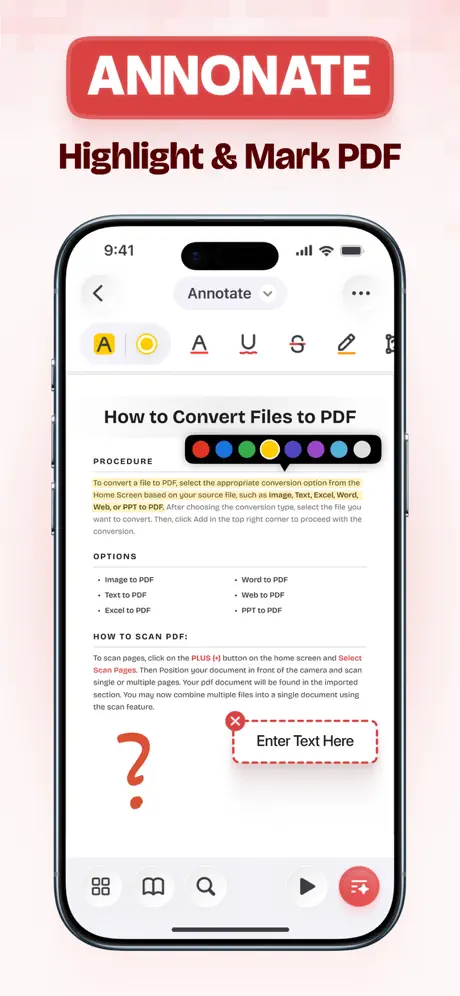
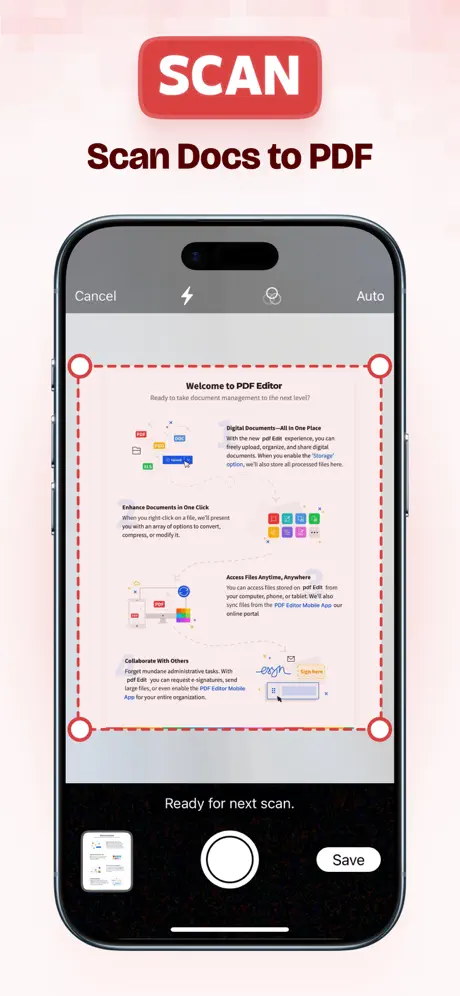
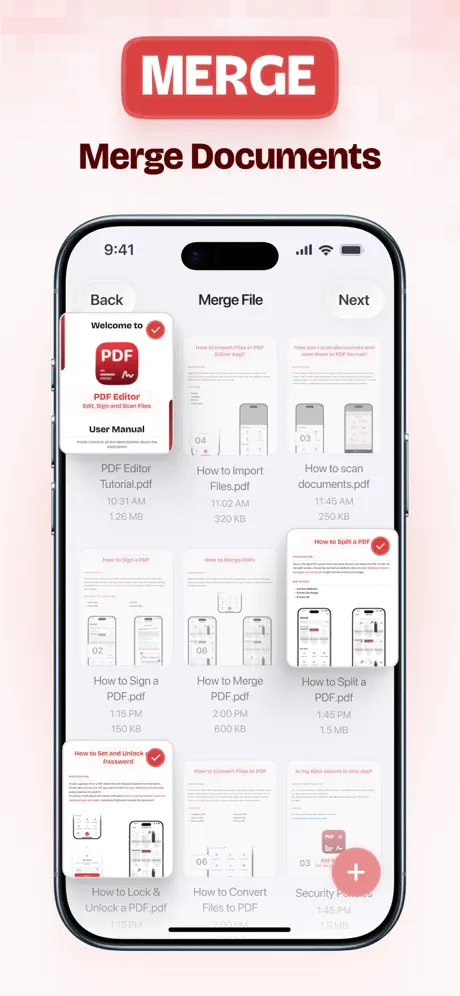
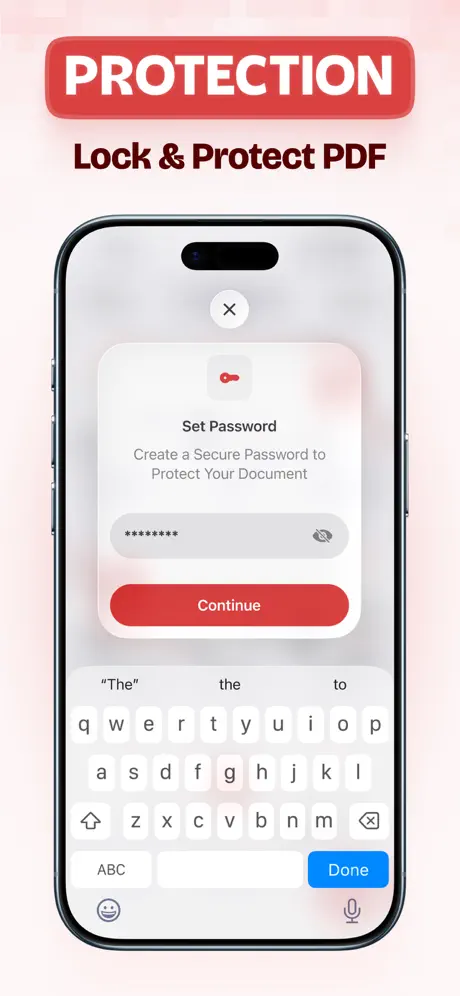
How much does PDF Editor: Edit & Convert PDF cost?
Prices are current as of 7 Oct 2026.
8 subscriptions from $4.99
In the United States, PDF Editor: Edit & Convert PDF has 8 subscriptions priced $4.99 – 49.99. It comes with a 3 days free trial.
| Subscription | Period | Price |
|---|---|---|
| PDF Editor Monthly Plus Offer | MonthlyTrial: 3 days | $4.99 |
| PDF Editor Monthly Pro | Monthly | $4.99 |
| PDF Editor Monthly Offer Plus | Monthly | $9.99 |
| PDF Editor Weekly | Weekly | $9.99 |
| PDF Editor Monthly | Monthly | $12.99 |
| PDF Editor Yearly Pro | Annual | $29.99 |
| PDF Editor Yearly Offer Plus | Annual | $49.99 |
| PDF Editor Yearly Plus Offer | AnnualTrial: 3 days | $49.99 |
See what PDF Editor: Edit & Convert PDF costs in all 175 countries →
10+ alternatives to PDF Editor: Edit & Convert PDF
| PDF Editor: Edit & Convert PDF |   PDF Hero - PDF Editor & Reader PDF Hero - PDF Editor & Reader | 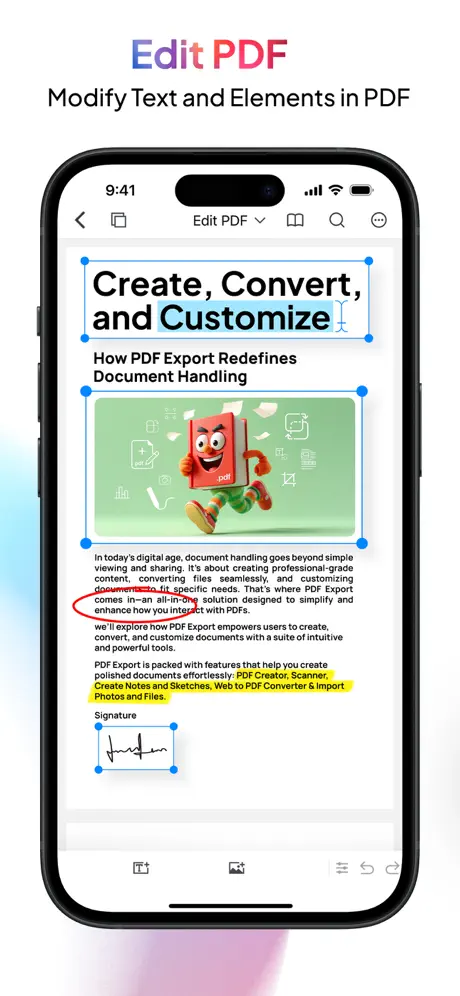  PDF Export: Editor & Converter PDF Export: Editor & Converter | 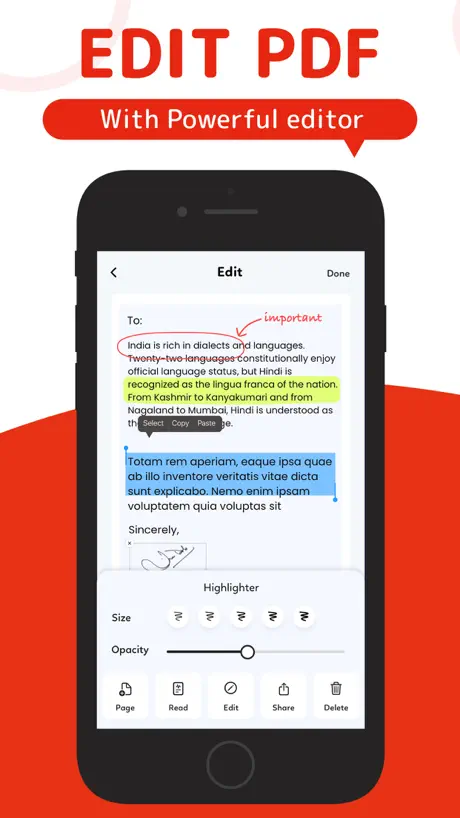  PDF Editor: Fill, Edit, e Sign PDF Editor: Fill, Edit, e Sign |   PDF Editor - Edit Everything! PDF Editor - Edit Everything! |   Swift PDF Editor: Scan & Sign Swift PDF Editor: Scan & Sign |   Smart PDF Editor Smart PDF Editor |   PDF Editor: sign, fill & more PDF Editor: sign, fill & more |   PDF Editor : PDF Reader,Signer PDF Editor : PDF Reader,Signer |   PDF Editor Docs files scanner PDF Editor Docs files scanner |   PDF Creator - Fill and Sign PDF Creator - Fill and Sign | |
|---|---|---|---|---|---|---|---|---|---|---|---|
| Rating / 5 | 4.7 | 4.6 | 4.6 | 4.5 | 4.6 | 4.2 | 3.7 | 4.7 | 4.3 | 4.0 | 4.2 |
| Reviews | 2.7K | 31K | 17K | 8K | 1.6K | 1.2K | 423 | 391 | 363 | 237 | 237 |
| Released | 2021 | 2020 | 2013 | 2021 | 2018 | 2021 | 2016 | 2023 | 2023 | 2020 | 2021 |
| Weekly price | $9.99 | $3.99 | — | $4.99 | $3.95 | $4.99 | — | — | — | — | — |
| Monthly price | $4.99 | $10.99 | — | $9.99 | $9.95 | $9.99 | — | — | — | — | — |
| Annual price | $49.99 | $89.99 | — | $29.99 | $89.99 | $49.99 | — | — | — | — | — |
| One-time price | — | — | $3.99 | — | $4.99 | $29.99 | — | — | — | — | — |
The going rate for each plan in United States, in its own currency, shaded from the cheapest price on the row to the dearest. Plans fewer than four in ten of the priced apps sell are left out.
PDF Editor: Edit & Convert PDF reviews
4.7 out of 5, based on 2,668 reviews.
What people like
- It is very easy to use.
- It works well for basic tasks.
- You can sign documents with it.
What they complain about
- It deletes your work and progress.
- The app crashes constantly when you use it.
- Hidden charges appear only after you download.
- You can't change font colors easily.
Go
He
Just another basic PDF viewer
This is just another basic PDF viewer. There are plenty of free PDF viewers. There’s no reason to spend money on a viewer when there are so many free PDF viewers to choose from.
Nice
Works really well
not good for edits
trying to edit a pdf looks like when you try to do it through word.
Gaid
My nick name
App
Best
wont let me fill in ANYTHING
Waste of time. waste of money. cancelling immediately.
Works fine but needs to be improved
The app works ok, but it need to be improved in order to be more intuitive
Files
Not sure quite how to use app but it stores good
Más malo y no te ayuda en nada
Hereje
PDF Editor
I can not get this app to receive web pages from other apps. I tried reaching out to the app creator but to no avail.
Buen
Buena
Not Great but Not Awfull
I needed an app to be able to sign documents recently so I downloaded PDF Editor. It's more complicated than I would have liked but once I got the hang of it, it wasn't too bad. I guess that I should not complain since it was free after all.
User friendly! And that says it all!
I have checked out several PDF apps and they where no way as user friendly that is very import I am sure to all!
Charges for FREE app!!!!!
Did not disclose app was not FREE before download of app. After download, then yearly or monthly charges are displayed. Now not sure what is going on.
Bella
Per me quest'applicazione è carina all'inizio non sapevo come si usava ma ho imparato
Force user to give 5 star
Force user to give 5 star
hyab
y
Garbage
Can't even change the font color... it stays at a teal color even when I go into the font setting to change it.
decent
fairly decent
Superb
Superb
Crashes all the time as I merge docs
Do not buy
Dr bak
Great
Total crap
I made the terrible mistake of purchasing this. It made a grade A mess of my resume and cover letter adding lines that don’t exist, adding blank pages that also don’t exist. Good luck editing or even getting the feedback link to work. I want a refund.
Love it
Love it love it love it👍 Gotta get this app………..your not going to see a app like this for free…………use it and enjoy it
horrible
deleted all my work and progress. Can’t even open it up anymore. Don’t get
Good
It’s great
stupid app
stupid App.... crashed everytime i tried to add a page from photos
Great App
Make sure to download this app
Horrible
Everything I edit gets deleted. It said I needed to pay. I did. Still didn’t work. I gave up and went to adobe and was able to accomplish what I have been trying to do all morning in 15 minutes. I want my money back for this product I will be DELETING and never wasting my time with again.
PDF Editor: Edit & Convert PDF price by country
A weekly subscription costs $0.72 in Pakistan and $11.99 in Armenia — 17× more for the same thing. Below is the going rate for each plan in every country that sells it — the middle price of what the app charges there, in the country's own currency with the dollar equivalent beneath it.
| Country | Weekly | Monthly | Annual |
|---|---|---|---|
| Afghanistan | $9.99 | $4.99 | $49.99 |
| Albania | $11.99 | $5.99 | $59.99 |
| Algeria | $9.99 | $4.99 | $49.99 |
| Angola | $9.99 | $4.99 | $49.99 |
| Anguilla | $9.99 | $4.99 | $49.99 |
| Antigua And Barbuda | $9.99 | $4.99 | $49.99 |
| Argentina | $9.99 | $4.99 | $49.99 |
| Armenia | $11.99 | $5.99 | $49.99 |
| Australia | A$14.99$10.48 | A$7.49$5.24 | A$74.99$52.44 |
| Austria | €7.99$8.99 | €4.99$5.61 | €39.99$44.98 |
| Azerbaijan | $11.99 | $4.99 | $49.99 |
| Bahamas | $9.99 | $5.49 | $49.99 |
| Bahrain | $9.99 | $5.49 | $49.99 |
| Barbados | $11.99 | $5.99 | $49.99 |
| Belarus | $8.99 | $5.99 | $49.99 |
| Belgium | €7.99$8.99 | €4.99$5.61 | €39.99$44.98 |
| Belize | $9.99 | $4.99 | $49.99 |
| Benin | $11.99 | $4.99 | $49.99 |
| Bermuda | $9.99 | $4.99 | $49.99 |
| Bhutan | $9.99 | $4.99 | $49.99 |
| Bolivia | $9.99 | $4.99 | $49.99 |
| Bosnia & Herzegovina | €7.99$8.99 | €4.99$5.61 | €39.99$44.98 |
| Botswana | $9.99 | $4.99 | $49.99 |
| Brazil | R$24.90$5.00 | R$27.90$5.60 | R$129.90$26.08 |
| British Virgin Islands | $9.99 | $4.99 | $49.99 |
| Brunei Darussalam | $9.99 | $4.99 | $49.99 |
| Bulgaria | €8.99$10.11 | €4.99$5.61 | €52.99$59.61 |
| Burkina Faso | $9.99 | $4.99 | $49.99 |
| Cambodia | $9.99 | $5.49 | $49.99 |
| Cameroon | $11.99 | $5.99 | $49.99 |
| Canada | CA$11.99$8.44 | CA$5.99$4.22 | CA$62.99$44.36 |
| Cape Verde | $9.99 | $4.99 | $49.99 |
| Cayman Islands | $9.99 | $4.99 | $49.99 |
| Chad | $9.99 | $4.99 | $49.99 |
| Chile | CLP 4,690$4.82 | CLP 4,700$4.83 | CLP 28,500$29.31 |
| China | CN¥33.00$4.92 | CN¥33.00$4.92 | CN¥193.00$28.76 |
| Colombia | COP 15,000$4.69 | COP 21,900$6.84 | COP 134,900$42.16 |
| Congo | $9.99 | $4.99 | $49.99 |
| Congo, Democratic Republic | $9.99 | $4.99 | $49.99 |
| Costa Rica | $9.99 | $4.99 | $49.99 |
| Cote Divoire | $11.99 | $4.99 | $49.99 |
| Croatia | €4.99$5.61 | €5.31$5.97 | €32.52$36.58 |
| Cyprus | €5.99$6.74 | €4.99$5.61 | €30.99$34.86 |
| Czech Republic | CZK 129.00$5.95 | CZK 129.00$5.95 | CZK 799.00$36.85 |
| Denmark | DKK 59.00$8.89 | DKK 39.00$5.87 | DKK 299.00$45.03 |
| Dominica | $9.99 | $4.99 | $49.99 |
| Dominican Republic | $9.99 | $4.99 | $49.99 |
| Ecuador | $4.99 | $4.99 | $29.99 |
| Egypt | EGP 79.99$1.53 | EGP 77.99$1.49 | EGP 469.99$8.98 |
| El Salvador | $4.99 | $4.99 | $29.99 |
| Estonia | €6.99$7.86 | €4.99$5.61 | €30.99$34.86 |
| Fiji | $9.99 | $4.99 | $49.99 |
| Finland | €8.99$10.11 | €5.49$6.18 | €39.99$44.98 |
| France | €9.99$11.24 | €4.99$5.61 | €49.99$56.23 |
| Gabon | $9.99 | $4.99 | $49.99 |
| Gambia | $9.99 | $4.99 | $49.99 |
| Georgia | $11.99 | $5.99 | $49.99 |
| Germany | €9.99$11.24 | €4.99$5.61 | €49.99$56.23 |
| Ghana | $11.99 | $5.99 | $49.99 |
| Greece | €5.99$6.74 | €5.49$6.18 | €30.99$34.86 |
| Grenada | $9.99 | $4.99 | $49.99 |
| Guatemala | $9.99 | $4.99 | $49.99 |
| Guinea-bissau | $9.99 | $4.99 | $49.99 |
| Guyana | $9.99 | $4.99 | $49.99 |
| Honduras | $9.99 | $4.99 | $49.99 |
| Hong Kong | HK$59.00$7.52 | HK$38.00$4.84 | HK$289.00$36.82 |
| Hungary | HUF 1,999$6.16 | HUF 1,990$6.13 | HUF 11,990$36.92 |
| Iceland | $11.99 | $6.19 | $59.99 |
| India | ₹199.00$2.06 | ₹249.00$2.58 | ₹999.00$10.36 |
| Indonesia | IDR 50,000$2.79 | IDR 65,000$3.63 | IDR 250,000$13.96 |
| Iraq | $9.99 | $4.99 | $49.99 |
| Ireland | €8.99$10.11 | €5.49$6.18 | €52.99$59.61 |
| Israel | ₪34.90$11.48 | ₪15.90$5.23 | ₪157.90$51.94 |
| Italy | €9.99$11.24 | €5.49$6.18 | €49.99$56.23 |
| Jamaica | $9.99 | $4.99 | $49.99 |
| Japan | ¥900$5.69 | ¥600$3.79 | ¥4,600$29.09 |
| Jordan | $3.99 | $4.99 | $29.99 |
| Kazakhstan | KZT 1,690.00$3.74 | KZT 2,190.00$4.85 | KZT 12,790.00$28.31 |
| Kenya | $11.99 | $5.99 | $49.99 |
| Kosovo | €9.99$11.24 | €4.99$5.61 | €52.99$59.61 |
| Kuwait | $9.99 | $4.99 | $49.99 |
| Kyrgyzstan | $9.99 | $5.49 | $49.99 |
| Lao Peoples Democratic Republic | $9.99 | $4.99 | $49.99 |
| Latvia | €5.99$6.74 | €4.99$5.61 | €30.99$34.86 |
| Lebanon | $9.99 | $4.99 | $49.99 |
| Liberia | $9.99 | $4.99 | $49.99 |
| Libya | $9.99 | $4.99 | $49.99 |
| Lithuania | €5.99$6.74 | €4.99$5.61 | €30.99$34.86 |
| Luxembourg | €8.99$10.11 | €4.99$5.61 | €49.99$56.23 |
| Macao | $9.99 | $4.99 | $49.99 |
| Macedonia | $9.99 | $4.99 | $49.99 |
| Madagascar | $9.99 | $4.99 | $49.99 |
| Malawi | $9.99 | $4.99 | $49.99 |
| Malaysia | MYR 16.99$4.15 | MYR 21.90$5.35 | MYR 132.90$32.49 |
| Maldives | $9.99 | $4.99 | $49.99 |
| Mali | $9.99 | $4.99 | $49.99 |
| Malta | €5.99$6.74 | €4.99$5.61 | €30.99$34.86 |
| Mauritania | $9.99 | $4.99 | $49.99 |
| Mauritius | $11.99 | $4.99 | $49.99 |
| Mexico | MX$89.00$4.95 | MX$115.00$6.40 | MX$469.00$26.08 |
| Micronesia | $9.99 | $4.99 | $49.99 |
| Moldova | $11.99 | $5.99 | $49.99 |
| Mongolia | $9.99 | $4.99 | $49.99 |
| Montenegro | €4.99$5.61 | €4.99$5.61 | €30.99$34.86 |
| Montserrat | $9.99 | $4.99 | $49.99 |
| Morocco | $9.99 | $4.99 | $49.99 |
| Mozambique | $9.99 | $4.99 | $49.99 |
| Myanmar | $9.99 | $4.99 | $49.99 |
| Namibia | $9.99 | $4.99 | $49.99 |
| Nauru | $9.99 | $4.99 | $49.99 |
| Nepal | $11.99 | $4.99 | $49.99 |
| Netherlands | €7.99$8.99 | €4.99$5.61 | €52.99$59.61 |
| New Zealand | NZ$14.99$8.42 | NZ$7.99$4.49 | NZ$69.99$39.32 |
| Nicaragua | $9.99 | $4.99 | $49.99 |
| Niger | $9.99 | $4.99 | $49.99 |
| Nigeria | NGN 14,900.00$11.22 | NGN 2,200.00$1.66 | NGN 22,000.00$16.56 |
| Norway | NOK 89.00$9.31 | NOK 55.00$5.75 | NOK 559.00$58.47 |
| Oman | $9.99 | $5.49 | $49.99 |
| Pakistan | PKR 199$0.72 | PKR 870$3.14 | PKR 5,200$18.79 |
| Palau | $9.99 | $4.99 | $49.99 |
| Panama | $9.99 | $4.99 | $49.99 |
| Papua New Guinea | $9.99 | $4.99 | $49.99 |
| Paraguay | $9.99 | $4.99 | $49.99 |
| Peru | PEN 16.99$4.94 | PEN 19.90$5.78 | PEN 119.90$34.85 |
| Philippines | ₱199.00$3.17 | ₱249.00$3.97 | ₱969.00$15.43 |
| Poland | PLN 21.99$5.67 | PLN 23.99$6.18 | PLN 147.99$38.14 |
| Portugal | €9.99$11.24 | €5.49$6.18 | €49.99$56.23 |
| Qatar | QAR 21.99$6.04 | QAR 17.99$4.94 | QAR 109.99$30.22 |
| Romania | RON 18.99$4.00 | RON 24.99$5.26 | RON 152.99$32.21 |
| Russia | RUB 299.00$3.52 | RUB 399.00$4.70 | RUB 1,590.00$18.72 |
| Rwanda | $9.99 | $4.99 | $49.99 |
| Sao Tome & Principe | $9.99 | $4.99 | $49.99 |
| Saudi Arabia | SAR 15.99$4.26 | SAR 19.99$5.33 | SAR 89.99$24.00 |
| Senegal | $11.99 | $4.99 | $49.99 |
| Serbia | €9.99$11.24 | €4.99$5.61 | €49.99$56.23 |
| Seychelles | $9.99 | $4.99 | $49.99 |
| Sierra Leone | $9.99 | $4.99 | $49.99 |
| Singapore | SGD 8.98$7.02 | SGD 6.98$5.45 | SGD 42.98$33.58 |
| Slovakia | €5.99$6.74 | €4.99$5.61 | €30.99$34.86 |
| Slovenia | €5.99$6.74 | €5.49$6.18 | €30.99$34.86 |
| Solomon Islands | $9.99 | $4.99 | $49.99 |
| South Africa | ZAR 69.99$4.23 | ZAR 84.99$5.14 | ZAR 399.99$24.20 |
| South Korea | ₩8,000$5.97 | ₩6,500$4.85 | ₩40,000$29.87 |
| Spain | €9.99$11.24 | €4.99$5.61 | €49.99$56.23 |
| Sri Lanka | $9.99 | $4.99 | $49.99 |
| St. Kitts and Nevis | $9.99 | $4.99 | $49.99 |
| St. Lucia | $9.99 | $4.99 | $49.99 |
| St. Vincent & The Grenadines | $9.99 | $4.99 | $49.99 |
| Suriname | $9.99 | $4.99 | $49.99 |
| Swaziland | $9.99 | $4.99 | $49.99 |
| Sweden | SEK 89.00$8.91 | SEK 55.00$5.51 | SEK 439.00$43.94 |
| Switzerland | CHF 9.00$10.82 | CHF 5.00$6.01 | CHF 40.00$48.08 |
| Taiwan | NT$135.00$4.25 | NT$150.00$4.72 | NT$900.00$28.30 |
| Tajikistan | $9.99 | $5.49 | $49.99 |
| Tanzania | TZS 8,400.00$3.17 | TZS 11,500.00$4.35 | TZS 68,900.00$26.04 |
| Thailand | THB 129.00$3.84 | THB 169.00$5.03 | THB 1,000.00$29.75 |
| Tonga | $9.99 | $4.99 | $49.99 |
| Trinidad and Tobago | $9.99 | $4.99 | $49.99 |
| Tunisia | $8.99 | $4.99 | $49.99 |
| Turkey | TRY 99.99$2.03 | TRY 89.99$1.83 | TRY 569.99$11.59 |
| Turkmenistan | $9.99 | $4.99 | $49.99 |
| Turks and Caicos | $9.99 | $4.99 | $49.99 |
| Uganda | $11.99 | $5.99 | $49.99 |
| Ukraine | $9.99 | $5.99 | $49.99 |
| United Arab Emirates | AED 19.99$5.45 | AED 18.99$5.17 | AED 114.99$31.33 |
| United Kingdom | £6.99$9.27 | £4.49$5.95 | £34.99$46.41 |
| United States | $9.99 | $4.99 | $49.99 |
| Uruguay | $9.99 | $4.99 | $49.99 |
| Uzbekistan | $9.99 | $5.49 | $49.99 |
| Vanuatu | $9.99 | $4.99 | $49.99 |
| Venezuela | $9.99 | $4.99 | $49.99 |
| Vietnam | ₫99,000$3.82 | ₫120,000$4.63 | ₫679,000$26.18 |
| Yemen | $9.99 | $4.99 | $49.99 |
| Zambia | $11.99 | $4.99 | $49.99 |
| Zimbabwe | $11.99 | $5.99 | $49.99 |
PDF Editor: Edit & Convert PDF FAQ
- Is PDF Editor: Edit & Convert PDF free?
- Yes. The app and its basic features are free, in all 175 countries it sells in. Premium features are paid: they start from $4.99 (US), across 8 subscriptions.
- How much does PDF Editor: Edit & Convert PDF cost per month?
- PDF Editor Monthly is $4.99 – 12.99 (US). The annual plan works out cheaper per month: $29.99 – 49.99 a year.
- Does PDF Editor: Edit & Convert PDF have a free trial?
- Yes — a 3 days free trial (US).
- Where is PDF Editor: Edit & Convert PDF cheapest?
- A weekly subscription costs PKR 199 (≈$0.72) in Pakistan and $11.99 in Armenia, its cheapest and dearest countries.
- What are the best alternatives to PDF Editor: Edit & Convert PDF?
- PDF Hero - PDF Editor & Reader (4.6 from 31,143 reviews, premium from $3.99), PDF Export: Editor & Converter (4.6 from 17,414 reviews, premium from $0.99) and PDF Editor: Fill, Edit, e Sign (4.5 from 8,028 reviews, premium from $4.99).
PDF Editor: Edit & Convert PDF download
Last updated 13 days ago.
PDF Editor: Edit & Convert PDF sells in 175 countries. It was released 5 years and 8 months ago, on 30 Jan 2021. It holds a 4.7 rating from 2,668 reviews.
Supports 9 languages: English, French, German, Italian, Japanese, Portuguese, Russian, Chinese, Spanish.
How much does PDF Editor: Edit & Convert PDF make?
Third-party estimates for the last 30 days, worldwide — not the store's own figures, which Apple publishes for nobody.
Revenue by plan
- Monthly 63%
- Annual 29%
- Weekly 8%
Revenue by country
- United States 31%
- Italy 12%
- Spain 9%
- Canada 8%