
AiSee_Pro

How much does AiSee_Pro cost?
Prices are current as of 26 Oct 2026.
AiSee_Pro has no in-app products on record in the United States.
10+ alternatives to AiSee_Pro
| AiSee_Pro |   人人兼职-兼职找工作 |   EndscopeTool |   Xlife |   Bebird | 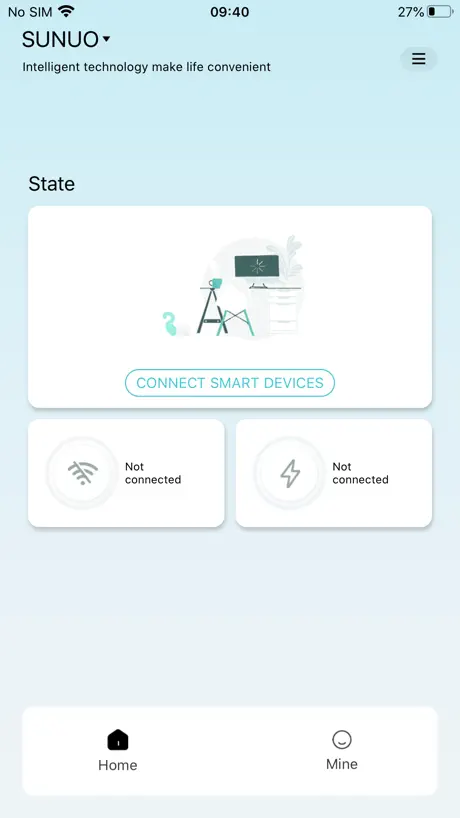  SUNUO |   坚果控 |   ALK | |
|---|---|---|---|---|---|---|---|---|
| Rating / 5 | 2.4 | 3.2 | 2.9 | 2.8 | 2.7 | 2.4 | 2.8 | 2.8 |
| Reviews | 480 | 1K | 809 | 446 | 132 | 125 | 69 | 31 |
| Released | 2020 | 2022 | 2019 | 2021 | 2018 | 2020 | 2022 | 2021 |
AiSee_Pro reviews
2.4 out of 5, based on 480 reviews.
What people like
- Camera image quality is very clear
- Works exactly as described and promised
- Easy to use once you get it
- Great for sharing ear images with doctors
What they complain about
- Connection drops or fails often
- Setup process is confusing and unclear
- Battery life is short and drains fast
- Photos disappear after taking them
Earpick
People are complaining for no reason this item is amazing and the camera quality is great would 100% recommend
Not working properly
Can’t report issue website not secure can’t get my ear pick to log into app as it connects through app it’s blinking not blinking but solid connect between phone and AiSee pick just got issue once connected to app this is new just happened
アプリの繋ぎ方について
使えました。最初は戸惑いましたが、「なるほどね!」となったのでシェアします。 この耳かき自体、電源を入れると、wifi(ネットワーク)を発します。 なので、iPhoneの設定から、「wifi」を選び、「aisee〜」というネットワークを選ぶことで、耳かきカメラとリンクすることができます。 ……ということで合っているでしょうか? アプリ自体は使えたので、今後、耳かき自体を使い続けられるのかは、耳かきのレビューに書きますね。
만약에 이거 안되면
Aisee max있는데 여기서 연결후에 이앱으로 보면됩니다
BluetoothをONにしてスマホ側のWiFi設定から繋げれば普通に使える
低評価が多いからどうかと思ったが、アプリ上からWiFiに接続ではなく、スマホ本体側のWiFi設定から耳かき(AiSee)に繋げば普通に接続して使用できた。 前提としてBluetoothがオンになっていないと駄目みたいだが、オフになっていると警告が出るのでここでつまづくことは無いと思う。 カメラに映される画質も悪くなく常にライトで照らされて見やすいため十分な性能だと思う。 ただカメラと手元の操作が慣れるまでは痒いとこに手が届かない感じでイライラさせられるかもしれない。 あと当たり前だけどWiFiに繋ぐので耳かき使用中はモバイル通信しか使えなくなるので人によっては注意が必要かも。(まあせいぜい数十分の話だが)
Great
I just used it for the first time and it worked perfectly and exactly as described
Terrible
The device worked one single time. It connects through WiFi for some reason, and even when it is connected the app interface won’t work. Tried rebooting and restarting everything multiple times. This is garbage.
説明書翻訳訂正
WiーFiに接続…とありますが、Bluetoothの間違いです。 アプリDL時、Bluetooth設定がOFFになっているので、こちらをONにすると接続出来ます。 あとは、2回目以降も問題なく使用できます。
Nobody is honest anymore
I bought this for me and my fiancé because it was on sale for Black Friday. For the price the camera is good quality except the head of it is so tiny it doesn’t actually get anything out well enough. The replacements that were free with it for Black Friday didn’t come. I’m not paying $10 everytime I want to use this thing either. Just spend that money on Q-tips.
Aisee_Pro Product
The product itself is really useful, the problem with the product is trying to connect it to your home device. I’ve found that having the product fully charged makes connecting it easier, you have to have data because you connect the product through wifi, you have to connect it to (aisee_xxx) and then wait for a notification where you would click “join” but it says it all in the manual, so the product itself is really good!
Review score?
Not quite sure why people are leaving low review scores, the app does exactly what it says it does.
Steals your info
Dont use steals all your information
中国製なので説明の日本語訳に難あり
説明書にはアプリケーション上からwifi接続するように書いてあるけど、アプリではなく本体設定のwifi接続からペアリングするとカメラが接続出来ました。そこが分かりにくくて困った程度で、接続後のカメラアプリは画面をロックして耳の中ゆっくり見れるので値段の割にいい感じ。
毎回インストール…
以前ドン・キホーテで購入しWi-Fi経由で利用しています。2回目は接続が全くできなくなるためアンインストールし、再インストールしなければ接続できません。商品としてはカメラで見えるためお気に入りですが不便すぎます。
毎回インストールし直し
2度目には繋がらなくなるので、毎回インストールし直すのが手間です。でも、安価で自分の耳の中が良い画質で見れるので気に入っています。
Excellent
Worked flawlessly first try with the Slivor VisioEar Pro. App asked for permissions to discover and connect on first launch, accepted them and turned on the device. Pressed the play button and it auto discovered and connected fairly quickly. Then pressed the home button in the middle and the camera feed showed up and was very high quality. Rotating the device rotated the rubber hook without rotating the entire camera, keeping it oriented consistently. Pressing the ear button flips the camera feed, which helps if what you see doesn’t feel like it matches your hand movements. There’s also the option to take a picture, which can be helpful if you have a large blockage or something looks wrong. Can take a picture inside your ear without touching it and share it with a doctor for advice. Be careful not to go too deep into the ear as you don’t want to touch the eardrum. The app could be improved with a dark mode, better description in the App Store and clearer UI and UX to make it easier to figure out how to use it on first launch. But overall pretty good.
It doesnt work
The directions do not correspond and it does not work.
It works, set up an tad tricky tho
It took me a little time to figure out how to get it working, but after you download the app you go to your wifi setting and you should find something on the lines of Visionpro as an wifi to connect to. Once connected to it, turn the device on from the button on the front which should also turn on the light. Then when you go back to the app the camera shows up and works. Hope this helps.
奥に
入れるのは少し怖い 実際入れすぎると痛みがある 補聴器を使うのにはいいと思う普段の耳掃除は普通に出来ているのを確認した
コツを掴めば
Wi-Fi接続や充電 少しクセがありますが、コツを掴めば耳の中が見られて、ヘッドも替えが沢山あるので耳かきで耳垢も集めやすいです
Attachments
This product works great!!! I love this so much but I cannot remember where I bout it online, and I so desperately need the attachment heads replaced!!! Some plz help!!!!
Mid
Product feels cheap, the app feels bare minimum and cheap, overall feels cheap, and you can’t see inside the ear too well.
とても良い
画像が鮮明だし、シンプルな使い方なのでわかりやすくて良い。ズーム機能が欲しい
楽しいけど
Wi-Fi全然繋げてくれない
Premières impressions
Le mode d’emploi en anglais est succinct . J’ai d’abord branché pour charger la batterie de l’appareil . Pour apparier avec iPhone il faut appuyer de façon prolongée sur le bouton de l’appareil On y arrive de façon intuitive mais un texte explicite serait un plus Les images sont belles pour les tympans sauvegarder en photo ou vidéo n’est pas évident
Works perfectly
Took a few minutes to pair the device to the phone. Amazing clarity. Easy to use. After years of plug my ears after using Qtips this is a safe cleaning solution.
It’s so bad it doesn’t go far it was a fake ad for the real thing but I got this instead
It’s so bad it doesn’t go far it was a fake ad for the real thing but I got this instead
謎仕様
問題なく使用できたけど、器具接続の際に、Bluetooth接続ではなく、器具のWi-Fiに接続し直さなければいけない謎仕様が気になった。
Ya no se conecta
Aparentemente desde la última actualización ya no se conecta
It works but requires local network access
The app works but only if you give it local network access. The website to their privacy policy is broken and doesn’t show anything. It’s worth noting that the App Store says this app doesn’t collect user data. Wish the developer would provide more information.
Easy to use and it works
I didn’t have a problem setting up and recording a video of my trying to see in my daughters ear. I couldn’t see all the way in but it worked well. Not sure why so many people having a hard time with it if they have an updated iPhone.
Scam
This trash never connects to anything, it’s just another asian scam
It’s okay
It’s great and does it’s purpose. The only thing is that the battery life is short and doesn’t really last long and sometimes the connection is finicky when turning on the tool. The app has a hard time trying to find the tool when connecting the wifi.
.
No longer connecting to WiFi no matter how many attempts has been made. Needs to be fixed
So far so good
Pretty cool and easy device to use. I had no issues setting it up on my phone.
Used to work
Worked great when I first got it, now every time I select it on my wifi settings page, when it tries to connect, the scope shuts down. Deleted and reinstalled latest app, same results. Piece of junk.
見た目は怪しいが
ドンキの耳かきで使用。 見た目は怪しいアプリだが収集する情報はないとのことでインストール。 結構見えるし、耳のボタンを押して左右反転?させるとやりやすかったです。 国産アプリであって欲しかったな。
Great app… WHEN it used to work.
This was such a great little app that aided my ear health. After a couple of updates the app will no longer connect via its WiFi setup nor will it keep a charge for the device. Very disappointing.
Easy to use
Had no issues. Such a cool device!
Mystery Photos!
I can hear the shutter sound when I tap the camera icon. Now tell me where the photos went.🤔
思ったより、、
全然ダメなのかなぁーなんて思って買ったら意外としっかり耳の中見えました! カメラと耳かきの方向感覚がちょっと難しいけど、慣れればしっかり取れそう!! とりあえず耳かき付きカメラ欲しかったので値段の割には◯かなぁと思う
Great app
Easy to use.
Doesn’t work
Won’t shoe up in WiFi settings
华为手机找不到这个App
为什么
AiSee_Pro FAQ
- Is AiSee_Pro free?
- Yes. The app is free, in all 175 countries it sells in, and it sells nothing inside it.
- Does AiSee_Pro have a free trial?
- No. None of its offers (US) come with a free trial.
- What are the best alternatives to AiSee_Pro?
- 人人兼职-兼职找工作 (3.2 from 1,004 reviews), EndscopeTool (2.9 from 809 reviews) and Xlife (2.8 from 446 reviews).
AiSee_Pro download
Last updated 11 months ago.
AiSee_Pro sells in 175 countries. It was released 6 years ago, on 30 Oct 2020. It holds a 2.4 rating from 480 reviews.
Supports 9 languages: English, French, German, Italian, Japanese, Korean, Russian, Chinese, Spanish.
How much does AiSee_Pro make?
Third-party estimates for the last 30 days, worldwide — not the store's own figures, which Apple publishes for nobody.