
BedrockTogether
Bedrock Server Connector
How much does BedrockTogether cost?
Prices are current as of 4 Oct 2026.
1 one-time purchase from $7.99
In the United States, BedrockTogether has 1 one-time purchase priced $7.99.
| Product | Price |
|---|---|
| Turn off ads | $7.99 |
10+ alternatives to BedrockTogether
| BedrockTogether |   AutoPaste - Keyboard AutoPaste - Keyboard |   Auto Paste Keyboard Auto Paste Keyboard | 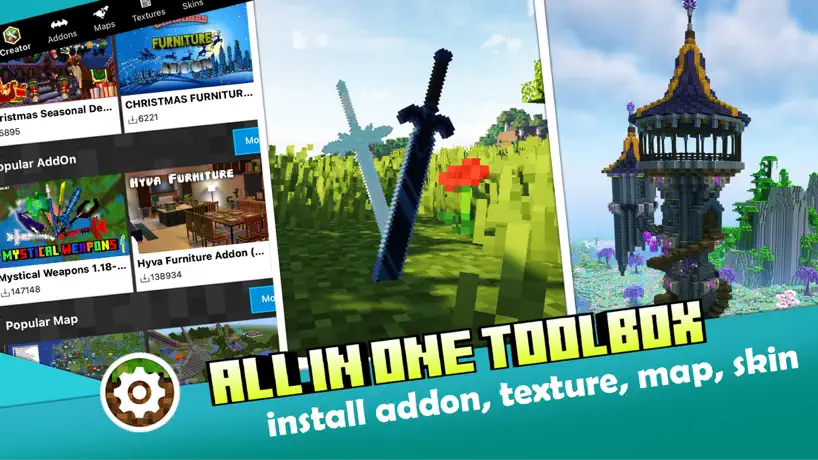  Master AddOns for Minecraft PE Master AddOns for Minecraft PE |   Auto Click - Auto Clicker app Auto Click - Auto Clicker app |   Auto Clicker - Auto Click App Auto Clicker - Auto Click App |   BedrockConnect for Minecraft BedrockConnect for Minecraft |   Unlock-r Unlock-r |   Decks Royale for Clash Royale Decks Royale for Clash Royale |   MCPEDL for Minecraft MCPEDL for Minecraft |   BuildCores: 3D PC Builder BuildCores: 3D PC Builder | |
|---|---|---|---|---|---|---|---|---|---|---|---|
| Rating / 5 | 4.5 | 4.6 | 4.7 | 4.5 | 3.9 | 4.4 | 4.4 | 3.8 | 4.5 | 3.1 | 4.6 |
| Reviews | 131K | 170K | 146K | 33K | 33K | 30K | 11K | 8.2K | 5.7K | 4.9K | 4.2K |
| Released | 2020 | 2021 | 2021 | 2019 | 2022 | 2023 | 2022 | 2024 | 2019 | 2023 | 2019 |
| Weekly price | — | $14.99 | $14.99 | — | $3.99 | — | — | $6.99 | — | — | $5.99 |
| Monthly price | — | — | $14.99 | — | — | — | $2.99 | — | — | $3.99 | $9.99 |
| Annual price | — | — | $39.99 | — | $39.99 | — | $19.99 | — | — | $29.99 | $14.99 |
| One-time price | $7.99 | $19.99 | $4.99 | $3.99 | $1.99 | $3.99 | — | $3.99 | $4.99 | — | $2.99 |
The going rate for each plan in United States, in its own currency, shaded from the cheapest price on the row to the dearest. Plans fewer than four in ten of the priced apps sell are left out.
BedrockTogether reviews
4.5 out of 5, based on 131,178 reviews.
What people like
- Works well on consoles like Xbox
- Easy to use for beginners
- Fixes lag on mobile devices
What they complain about
- Ads interrupt you constantly
- Keeps crashing when you open it
- Won’t let you join servers
It works
Thank you for existing and working properly.
Really bad
Wouldn’t let me join it said multiplayer connection failed one star!!!!!!!
Can join most servers
I am really playing on the servers that I can successfully access but a few servers that I know are mainly on Java edition aren’t working. I am using bedrock edition on ps5 but there is a server called swordmc which is a server owned by a YouTuber known as sword4000, and despite having the ip address I am unable to join this server. I downloaded the app with the hopes that I could join it, so I would like to understand why it won’t work. Overall, great app thank you!
Not good
Every time I tried to load the world it would load for a millisecond the it would save the game making me go back to the Home Screen
It’s really good but my thing keeps saying multiplayer connection issues
It pretty good but ads should be free
Easy and simple
It’s nothing complicated whatsoever. Click a button, watch ads, and join the server.
Didn’t work
Hey I’m on ps5 trying to join donut smp on my PlayStation5, but it’s not working.
It good
Everything works fine. It connects me to my servers automatically. Under three minutes sometimes after update it won’t work. Bit but then it will start working again.
Sometimes works
I watched two ads and then on my Minecraft server it showed it, but then it said it said that go to nethernet.com for more use Java instead
Cool ig
Good but ads need to be shorter and make the servers work plz
Wes
Works great
Who designed this game?
I’m trying to go to my brother’s server I can’t!!!!!!!!!!!!!!
My response
I found it very helpful but any some times it would fail to log me on to world I would still recommend this app to people
To many ads
Ive been waiting to play my favorite server but I cannot because the ads are still not loading
W
Pretty good but 3 ads in a row come on man
It has great use of the customer service
People have helped me with the experience it is great keep the work up!!!
Does not work
Does not work only works inconsistently
Ok
Works some times
Probably doing something wrong, but it’s not working
If you read the title, it’s not working for me. I might be doing something wrong though. I’m trying to join from my Xbox, and it does not connect. It connects to other servers, but not the one I’m trying to reach
Why
Not letting me join server
Work
It works so well and is easy to operate, I got it for my Xbox and I’m 12 and it was so easy to use, and now I can play donut smp
Will not work
Do not download
Semi-Works
Very good it allowed me to join servers does not work all the time though im not to sure if its the apps problem or Minecrafts also occasionally comes with the pop up message Stream Ended idk why tho
Please stop
Every time I load into a game and add pops up and it kicks me off the game and then every time I try reconnecting, it won’t let me reconnect so please don’t add ads after you connect because it keeps on kicking me off
Good
Ads are too long
It works
It works
ad fest and barely works sometimes
L
Good
Helpful
Not happy
Works 1/5 times and spams you with pointless ads which would be fine if it worked but it doesn’t and then gives you another ad and if it decides the ads didn’t make it enough money it crashes and makes you restarting I don’t know a better app for this so if you need it I could possibly recommend this but bad experience overall.
Okay
The games okay but it can be bad In general it’s a overall good app to use for servers
Thank you
Before I could only play pokey better on my phone, which was kind of horrible because of a lag, but when I found this app, everything changed now I played on my PlayStation with great graphics😃
Ads are fng it up
Your darn ads always sever the connection before I can join
4 stars
It’s really good, just a lot of ads. But other than that, at least it worked
Far too many adds
Why is this the only Minecraft server site app that’s good, but why is it riddled with ads even just by being in it, I haven’t even clicked watch ad to run, and I’m stilling getting continued ads as I load into the game.
I found a bug that won’t let me join the server it said disconnect from transfer server,end of strea
And end of stream please help
Peak
Donut smp
This app is a Scam!!!
This does not work do not recommend!
Peak review
Minecraft
Fix
Won’t let me load in to servers
Bedrock (not?) together
It is good and very useful but the ads you need to watch to run it are usually over a minute and it disconnects calls when I play the ads
Works
It’s good
Horrible app
Do not download! This is just a waste of phone storage! It doesn’t even work, and it makes you watch so many ads
Would’ve been 5 if there wasn’t an ad every time I tey to press stop
Just read the title
2 stars
To many ads
Joining servers
Trying to join donut smp it kept glitching then I tried a few times then it says I’m Online I resented Minecraft and still Says I’m Online
High
Love it but it won’t let me join dountsmp
.
Won’t let me join
f
could have more than 5 options for servers
Bro.
It always works and then a couple days ago I just stopped working
Ragebait
To much ragebait at wrong times on ps4 but it works
BedrockTogether price by country
A one-time purchase costs $7.04 in Canada and $12.05 in Colombia — 1.7× more for the same thing. Below is the going rate for each plan in every country that sells it — the middle price of what the app charges there, in the country's own currency with the dollar equivalent beneath it.
| Country | One-time |
|---|---|
| Afghanistan | $7.99 |
| Albania | $9.99 |
| Algeria | $7.99 |
| Angola | $7.99 |
| Anguilla | $7.99 |
| Antigua And Barbuda | $7.99 |
| Argentina | $7.99 |
| Armenia | $9.99 |
| Australia | A$12.99$9.02 |
| Austria | €8.99$10.11 |
| Azerbaijan | $9.99 |
| Bahamas | $8.99 |
| Bahrain | $8.99 |
| Barbados | $9.99 |
| Belarus | $9.99 |
| Belgium | €8.99$10.11 |
| Belize | $7.99 |
| Benin | $9.99 |
| Bermuda | $7.99 |
| Bhutan | $7.99 |
| Bolivia | $7.99 |
| Bosnia & Herzegovina | €8.99$10.11 |
| Botswana | $7.99 |
| Brazil | R$49.90$9.56 |
| British Virgin Islands | $7.99 |
| Brunei Darussalam | $7.99 |
| Bulgaria | €8.99$10.11 |
| Burkina Faso | $7.99 |
| Cambodia | $8.99 |
| Cameroon | $9.99 |
| Canada | CA$9.99$7.04 |
| Cape Verde | $7.99 |
| Cayman Islands | $7.99 |
| Chad | $7.99 |
| Chile | CLP 9,990$10.17 |
| China | CN¥58.00$8.64 |
| Colombia | COP 39,900$12.05 |
| Congo | $9.99 |
| Congo, Democratic Republic | $7.99 |
| Costa Rica | $7.99 |
| Cote Divoire | $9.99 |
| Croatia | €8.99$10.11 |
| Cyprus | €8.99$10.11 |
| Czech Republic | CZK 199.00$9.16 |
| Denmark | DKK 69.00$10.38 |
| Dominica | $7.99 |
| Dominican Republic | $7.99 |
| Ecuador | $7.99 |
| Egypt | EGP 399.99$7.65 |
| El Salvador | $7.99 |
| Estonia | €8.99$10.11 |
| Fiji | $7.99 |
| Finland | €8.99$10.11 |
| France | €8.99$10.11 |
| Gabon | $7.99 |
| Gambia | $7.99 |
| Georgia | $9.99 |
| Germany | €8.99$10.11 |
| Ghana | $9.99 |
| Greece | €8.99$10.11 |
| Grenada | $7.99 |
| Guatemala | $7.99 |
| Guinea-bissau | $7.99 |
| Guyana | $7.99 |
| Honduras | $7.99 |
| Hong Kong | HK$58.00$7.39 |
| Hungary | HUF 3,490$10.66 |
| Iceland | $9.99 |
| India | ₹799.00$8.29 |
| Indonesia | IDR 149,000$8.33 |
| Iraq | $7.99 |
| Ireland | €8.99$10.11 |
| Israel | ₪24.90$8.16 |
| Italy | €8.99$10.11 |
| Jamaica | $7.99 |
| Japan | ¥1,300$8.24 |
| Jordan | $7.99 |
| Kazakhstan | KZT 4,990.00$11.24 |
| Kenya | $9.99 |
| Kosovo | €8.99$10.45 |
| Kuwait | $7.99 |
| Kyrgyzstan | $8.99 |
| Lao Peoples Democratic Republic | $8.99 |
| Latvia | €8.99$10.11 |
| Lebanon | $7.99 |
| Liberia | $7.99 |
| Libya | $7.99 |
| Lithuania | €8.99$10.11 |
| Luxembourg | €8.99$10.11 |
| Macao | $7.99 |
| Macedonia | $7.99 |
| Madagascar | $7.99 |
| Malawi | $7.99 |
| Malaysia | MYR 39.90$9.78 |
| Maldives | $7.99 |
| Mali | $7.99 |
| Malta | €8.99$10.11 |
| Mauritania | $7.99 |
| Mauritius | $9.99 |
| Mexico | MX$179.00$9.83 |
| Micronesia | $7.99 |
| Moldova | $9.99 |
| Mongolia | $7.99 |
| Montenegro | €6.99$7.86 |
| Montserrat | $7.99 |
| Morocco | $9.99 |
| Mozambique | $7.99 |
| Myanmar | $7.99 |
| Namibia | $7.99 |
| Nauru | $7.99 |
| Nepal | $9.99 |
| Netherlands | €8.99$10.11 |
| New Zealand | NZ$14.99$8.42 |
| Nicaragua | $7.99 |
| Niger | $7.99 |
| Nigeria | NGN 12,900.00$9.69 |
| Norway | NOK 99.00$10.29 |
| Oman | $7.99 |
| Pakistan | PKR 2,200$7.95 |
| Palau | $7.99 |
| Panama | $7.99 |
| Papua New Guinea | $7.99 |
| Paraguay | $7.99 |
| Peru | PEN 34.90$10.15 |
| Philippines | ₱499.00$7.97 |
| Poland | PLN 39.99$10.28 |
| Portugal | €8.99$10.11 |
| Qatar | QAR 29.99$8.24 |
| Romania | RON 39.99$8.85 |
| Russia | RUB 699.00$8.37 |
| Rwanda | $7.99 |
| Sao Tome & Principe | $7.99 |
| Saudi Arabia | SAR 34.99$9.33 |
| Senegal | $9.99 |
| Serbia | €8.99$10.11 |
| Seychelles | $7.99 |
| Sierra Leone | $7.99 |
| Singapore | SGD 9.98$7.80 |
| Slovakia | €8.99$10.11 |
| Slovenia | €8.99$10.11 |
| Solomon Islands | $7.99 |
| South Africa | ZAR 149.99$9.00 |
| South Korea | ₩12,000$8.91 |
| Spain | €8.99$10.11 |
| Sri Lanka | $7.99 |
| St. Kitts and Nevis | $7.99 |
| St. Lucia | $7.99 |
| St. Vincent & The Grenadines | $7.99 |
| Suriname | $8.99 |
| Swaziland | $7.99 |
| Sweden | SEK 99.00$9.86 |
| Switzerland | CHF 7.00$8.44 |
| Taiwan | NT$290.00$9.10 |
| Tajikistan | $8.99 |
| Tanzania | TZS 22,900.00$8.65 |
| Thailand | THB 299.00$8.91 |
| Tonga | $7.99 |
| Trinidad and Tobago | $7.99 |
| Tunisia | $7.99 |
| Turkey | TRY 399.99$8.14 |
| Turkmenistan | $7.99 |
| Turks and Caicos | $7.99 |
| Uganda | $9.99 |
| Ukraine | $9.99 |
| United Arab Emirates | AED 29.99$8.17 |
| United Kingdom | £7.99$10.57 |
| United States | $7.99 |
| Uruguay | $7.99 |
| Uzbekistan | $8.99 |
| Vanuatu | $7.99 |
| Venezuela | $7.99 |
| Vietnam | ₫249,000$9.59 |
| Yemen | $7.99 |
| Zambia | $9.99 |
| Zimbabwe | $9.99 |
BedrockTogether FAQ
- Is BedrockTogether free?
- Yes. The app and its basic features are free, in all 175 countries it sells in. Premium features are paid: they start from $7.99 (US), across 1 one-time purchase.
- Does BedrockTogether have a free trial?
- No. None of its offers (US) come with a free trial.
- Where is BedrockTogether cheapest?
- A one-time purchase costs CA$9.99 (≈$7.04) in Canada and COP 39,900 (≈$12.05) in Colombia, its cheapest and dearest countries.
- What are the best alternatives to BedrockTogether?
- AutoPaste - Keyboard (4.6 from 170,146 reviews, premium from $4.99), Auto Paste Keyboard (4.7 from 145,814 reviews, premium from $4.99) and Master AddOns for Minecraft PE (4.5 from 32,949 reviews, premium from $3.99).
BedrockTogether download
Last updated 14 days ago.
BedrockTogether sells in 175 countries. It was released 5 years and 11 months ago, on 26 Oct 2020. It holds a 4.5 rating from 131,178 reviews.
Supports 10 languages: English, Arabic, French, German, Japanese, Polish, Portuguese, Russian, Spanish, Turkish.
How much does BedrockTogether make?
Third-party estimates for the last 30 days, worldwide — not the store's own figures, which Apple publishes for nobody.
Revenue by plan
- One-time 100%
Revenue by country
- United States 51%
- United Kingdom 14%
- Saudi Arabia 6%
- Canada 4%