
Walling
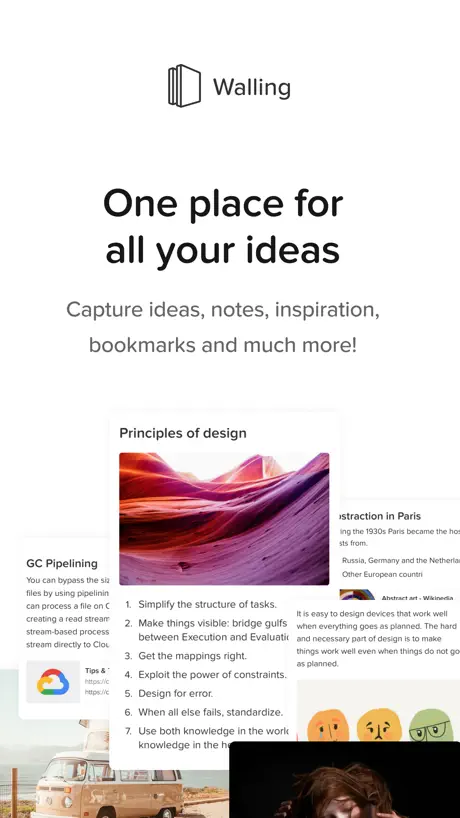
One place for all your ideas
How much does Walling cost?
Prices are current as of 20 Nov 2026.
1 subscription from $59.99
In the United States, Walling has 1 subscription priced $59.99.
| Subscription | Period | Price |
|---|---|---|
| Walling Yearly Premium | Annual | $59.99 |
10+ alternatives to Walling
| Walling |   NotePlan - To-Do List & Notes | 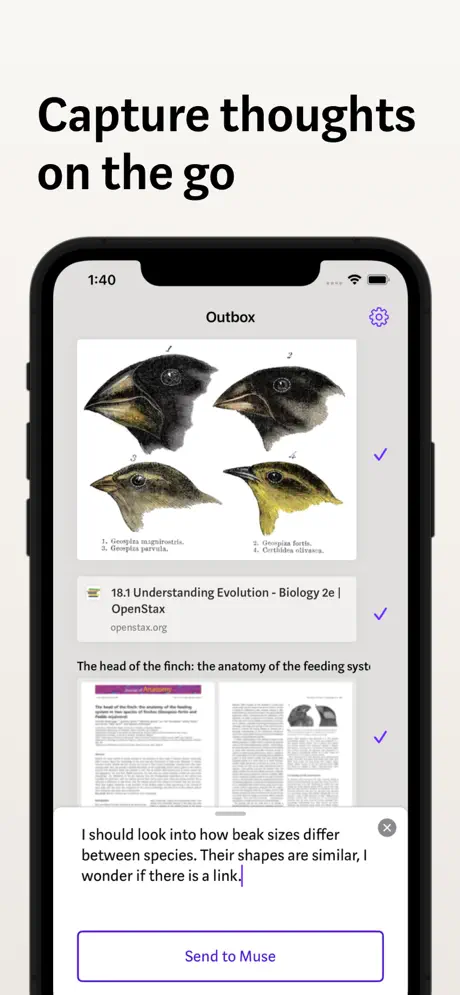  Allume — for focused thinking | 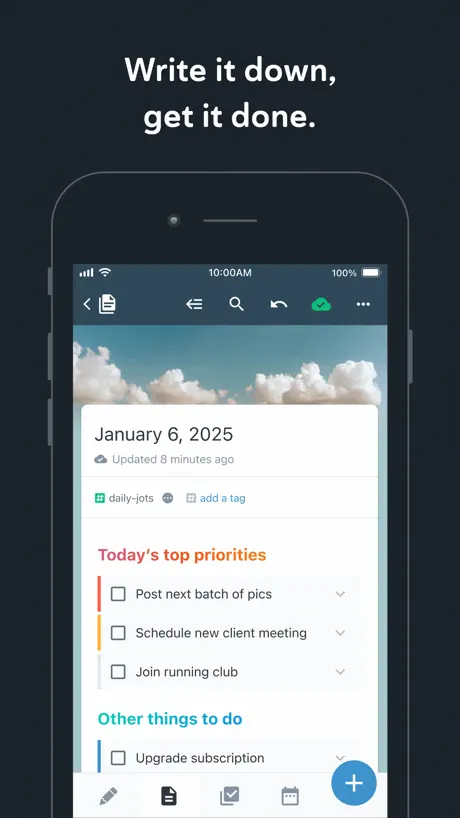  Amplenote |   OLD: Pile - Collect Bookmarks | 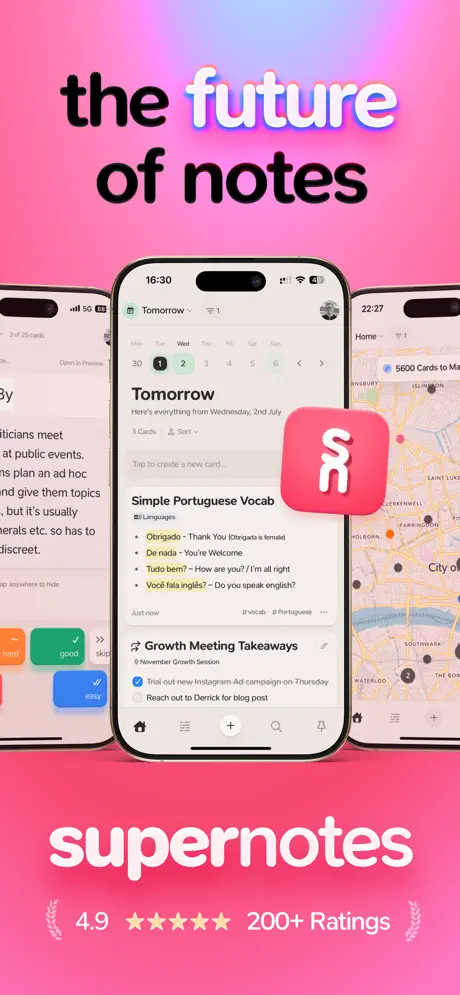  Supernotes – Notes & Journal | 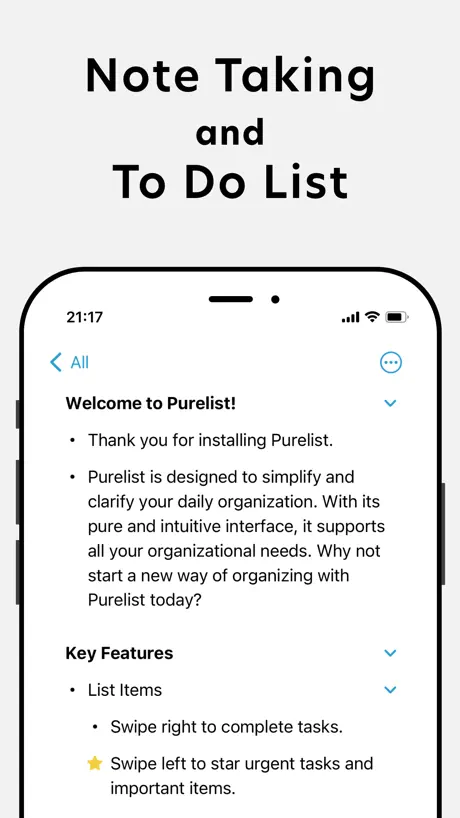  Purelist: Notes & Tasks |   DoMarks |   Ikes: Idea Notes |   Funnel - Quick Capture |   Quick Notes - Supasend | |
|---|---|---|---|---|---|---|---|---|---|---|---|
| Rating / 5 | 4.6 | 4.7 | 4.6 | 4.6 | 4.2 | 4.8 | 4.7 | 4.5 | 4.8 | 4.6 | 4.6 |
| Reviews | 803 | 3.5K | 988 | 970 | 495 | 385 | 171 | 121 | 90 | 89 | 76 |
| Released | 2020 | 2020 | 2020 | 2019 | 2021 | 2023 | 2021 | 2021 | 2020 | 2023 | 2024 |
| Monthly price | — | $11.99 | $9.99 | $7.99 | $1.99 | $11.00 | $0.49 | $2.99 | — | — | — |
| Annual price | $59.99 | $99.99 | $99.99 | $119.99 | $6.99 | $69.00 | $4.99 | $19.99 | — | — | — |
| One-time price | — | — | — | — | $24.99 | — | $24.99 | $49.99 | — | — | — |
The going rate for each plan in United States, in its own currency, shaded from the cheapest price on the row to the dearest. Plans fewer than four in ten of the priced apps sell are left out.
Walling reviews
4.6 out of 5, based on 803 reviews.
What people like
- Very easy to learn and use
- Beautiful and clean visual design
- Developers are responsive and helpful
What they complain about
- No search or tag filtering options
- App crashes and fails to load
- Missing Apple Pencil support on iPad
A final frontier (finally!)
I tried everything in need of somewhere to keep moodboards, references, and bookmarks with visual notes as an artist. Eagle.Cool is the perfect image collecting app but has no sync or arrangement tools. Pinterest and Pureref can’t do everything. Walling Can. 10/10
No login and Updates
I can no longer log in to the app, the only thing that opens is a browser window where I can use the web version. But I can't upload any pictures via the gallery. No updates for months and no information about how walling is progressing.
Creative Marketer
Imagine if Pinterest & Notion had a Baby & this baby is designed specifically for your Creative Ideas, Marketing Pitches, Storyboarding etc While they’re may not be curated content to choose from there’s an assortment of templates that make pitching ideas to teams Visually Appealing & Fun Now the app does get annoying when it comes down to data not transferring to the desktop version & to the apps inbox from a website plus a number of various formatting errors Nevertheless a great app - hopefully they keep updating and it stands the test of time
Can’t sign in
Whenever I try clicking the Apple ID it won’t open pls help
This could (have been) great
Have been using this service for a while, even on professional projects. I love the concept, but development has been stalled for a very long time. Have a feeling this is dead.
I hesitate to say “Game-changer,” but…
Okay, to be fair, I only started using this app over the last couple of days, and although I’m not what one might call “tech-savvy” or adept at big-picture productivity apps, this is one of the extraordinarily rare instances where I feel the clarity of structure without the common rigidity of other apps. On top of that—maybe I’m not too well-versed on new AI capabilities, but this is probably one of if not the best demonstration of developers using AI in a way that ISN’T lazy—quite the contrary. The blog I’m in the final stages of but require project overviews; the novel I’ve finished but juggle and fumble the core themes; the collection of essays on a brand new academic concept that fosters human empathy: I have a lot of ambitions. This is a double-edged sword, as so much abstract desire and analytical exploration often leads to a confused workflow. Walling’s AI creates templates that provide enough structure and outline but leaves enough freedom to implement your unique voice and ideas. Walling, thus far, feels like a game-changer, at least for me. I may not be a power user, but I do hope I’ve found the next integration of Notion or even Craft. I’m excited, and the future of Walling looks bright; I can’t what to see what they roll up next. ❤️
Good App, But Beware of Automatic Renewal
The app is undeniably well-crafted, which persuaded me to purchasing it for a year. I used it for a bit but found something better suited to my needs, especially because they are now focusing more on publishing and sharing aspects, which are not part of my interests. It was not my intention to renew it and use it for the second year, except that I couldn't find any way to cancel the payment as it's managed directly on Paypal with automatic payment. I discovered this on the same day of my second annual charge. I tried reaching out to Paddle three times, asking them if cancellation was possible since I wouldn't use the app further. I received no response, not one out of the three times I tried. This led me to file a complaint with Paypal, yet even here, my refund request got denied. As a result, I paid 60 dollars for nothing. I believe an app's quality is not limited to its features but also extends to aspects such as customer service. If you decide to purchase this app, be aware of the automatic renewal.
Bewertung
Also Mega App wirklich. ich hätte nur die Idee dass man vielleicht ein Papierkorb haben könnte : )
App is so limited
I though I could use this like a database so I could tag notes and then filter via those tags within the wall but there literally not even an option to search through notes/bricks let alone filter bye tags. Way too bare bones
Update
This is a brilliantly designed app but the developer keeps threatening a major update. The UI does need this, so where is it?
Great Looking App
It’s very easy to use and works awesome
List items disappearing
I use this for in the moment brainstorming ideas - which I don’t always remember the full list of ideas a couple of days later. The app is constantly losing some of the items in a list and it isn’t sequential or the latest items I added to list. For example, I may create a 30 item list over a 3 days. When I check on the 4th day, item 5, 12, 21, and 28 will all be missing even though item 5 may have been inputted on day 1 was visible the other 2 days. This inconvenience really defeats the whole value proposition of the app and service. I can’t even give it a 2 or 3 star for the other conveniences
Customização via celular.
Aplicativo muito bom e fluido, mas poderia ser tão customizável para celular quanto é para computador, seria uma praticidade maior.
App does not load
The app does not load both in my iPhone and iPad. Re-installed the app but the issue persists.
A lot of bugs:(
Unfortunately, guys don’t want to fix any bugs which are for at least 2 years with them. We contacted the owner of the app about that, then he sold the app, we thought, the new team would do anything with missing texts, mess in bricks and so on. But not. It is the main reason I will never use Walling for serious projects, it has already failed me twice.
HUGE FAN of Walling
I seriously love this app. I never liked Notion due to the learning curve and lack of integration with a lot of the tech I use for my business. Walling is straightforward, intuitive, and easy to use/manage. The notifications for due dates are extremely helpful & handy! I love the variety, customization and overall, diverse project management options!! If you didn’t like Notion for the learning curve, I’d def check out and try Walling.
Doesn’t load
The loading screen is as far as you get. I have an iPhone 14 and I am up to date software wise so it’s not on my end. Please fix it’s been going on for awhile.
I cannot edit or delete folders
It’s seems like a good app to me but this problem that I mentioned above doesn’t allow me to edit the titles of my folders, so if I made a typo it basically stays like that. I wanted to delete the tutorial folders to start up clean, but I also cannot do that. I also cannot find anything about this on your website. If there is a function like that in your app, please teach me, if not, then please do something about it. For now this is my rating, but this could change.
Clean, But…
I’m going to go berserk if I can’t drag-and-drop items in a wall.
Really like the app but….
The app is a great concept. Simple. Neat. Two big issues and dissatisfiers. The inability to copy across elements and inability to use the Apple Pencil to write. The first is annoying. For example, if I have bullet points, I can only copy bullets one at a time, not the entire block. If I have two paragraph types I have to copy one at a time. I want to be able to open the app, and jot different ideas to different walls. Then, if needed copy and paste it elsewhere. Copying each bullet makes that a nightmare on iPad. That is a key feature. The second is bizarre. I should be able to use the pencil, but no dice. That was a bummer. The app is a great concept. I can’t harness the application without those features. I gave it 3 stars because, it is still a good app, just needs those elements to make it better.
The BEST App beyond Productivity
This app has so many features that it is hard to grasp how the developers were able to tailor with such a intuitive and visually stunning user experience. I love the concepts of bricks and walls to build onto project, capture information, instill inspiration, and just the layout is just everything that I found other apps could not do. It is not just for managing tasks or projects but it serves as an inventory capture of your life and beautifully organized. I give kudos to those who came up with it and happy every year to renew my membership to this as I use this daily for my work, life, and beyond that has brought me so much joy.
AMAZING, BUT HOW?
I simply cannot understand having only 1 option to use this app; pay $59 upfront. That’s asking a lot in our current state of affairs. Charge $11.99 a month or $59 a year and make this accessible to majority in our country right now.
Great for scattered brains
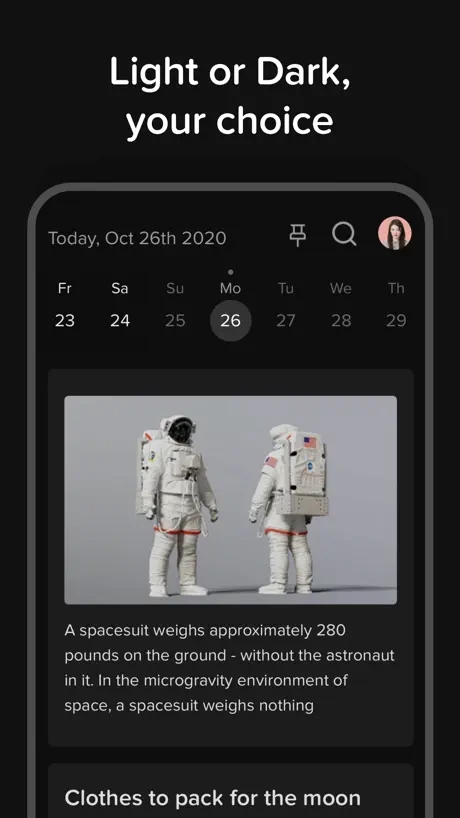
Things happen all the time in my life and i'm not great at reminding myself about them. This app feels like it was made by someone like me who faces the same problem. I only have minor complaints about how the notes are setup: There is no indication that any particular day has a note written on it. This is lame because it requires me to actually go back at each day to re-organize my motes, instead of being able to know which days i need to check and return to, which is an inefficient process. However, I expect this app to continue to develop over time and as long as the dev team actually uses their product, they'll know that this is an issue.
Close but not yet
Walling is great in some ways, but misses the mark in some important areas. It’s great that the team is expanding the capabilities, but it seems they are prioritizing that over improving Walling’s core purpose. If you plan on using Walling to mind dump or find yourself adding/editing/deleting items quickly in other apps, Walling will probably frustrate you, despite its greatness in other areas. Pros: • Minimalistic yet beautiful visual UI • Great Assortment of Templates • Their team seems to continue expanding Walling’s features. Cons: • As a mood board/link saver/idea book/etc., you would hope you could jot down, edit and delete blocks quickly, but I find it so tedious in Walling compared to all other similar apps ( not even a right click on the desktop app?). • The sharing extension on iOS currently doesn’t work for me whatsoever. If it did, don’t plan on importing links or notes in bulk, because you have to go item by item. • No Shortcuts or IFTTT integration (and lack of other integrations) means you’ll have a hard time integrating Walling with anything else, or trying to create workflows that best suit you. Have a saved bookmark folder in Safari/Chrome you want to import? Have fun entering each URL one-by-one. Walling is not a strong enough application to be a standalone (and it shouldn’t try to be), yet that’s exactly how it functions. Unless you’ve never saved anything on any other app in your life, the tediousness of setting up Walling is enough to turn any serious user off. Even if you bear through that, using the app to save and map items on a day-to-day purpose is impractical. I was a premium user on Walling early on, and while I wanted to love it, I left due to the lack of functional UI and the impracticality of day-to-day use. Over a year later, I checked-in on Walling and to my delight, they released an array of new features! I signed up for a premium account again, only to find the functionality has improved little. This seems extremely counterintuitive as, at least in my mind, Walling is falling short in the most essential areas. If Walling took notes from Raindrop, Notion, Craft Docs, etc. for adding and editing items/urls/ideas, it would be the perfect app in this space.
I want to love this app more...
Its great on desktop and I love the app overall for the hierarchical structure. Its like google keep and notion at the same time. But my notes quickly get disorganized because when I share links into the app it does not let me choose to which wall/section but automatically goes to daily desk. Also I can't rearrange/drag/drop items in bricks.
Really Awesome!
I am glad I decided to become a premium member of Walling. My journey included trying many different apps. However, I kept coming back to Walling. Reasons - simplicity, sheer elegance, well thought through structure and versatility. The support is absolutely the best. I also feel great that the community, including the developers, on Slack is always there to help if you get stuck.
Half-Baked
The concept is fine although the execution is pathetic. The free version of this app only allows you to save one hundred items so it quickly becomes useless. One might as well just save everything to the Notes app that comes installed with iOS instead — it does far more than this.
Worth a Shot
I’m going to try this for a single project to see how it goes. It seems to be a simplified version of Notion, which is useful IMO. One thing to note: After “playing” with the app the past few hours I’ve learned many of the workflow features are web-based. Ie Drag-n-drop, adding certain “widgets” within the bricks, etc. Ir, said differently, my assumption is they are web-based features because they do not work in the iOS app. So don’t be surprised if you find a brick that states “double-click next to this brick to add a new brick” or something as such and it doesn’t work in the iOS app. I would hope soon they will enhance the app with these features.
L’application n’est pas au niveau du produit
Les applis Web et MacOS sont incroyables et rendent l’utilisation du service vraiment agréable. Mais quelle déception en installant cette application iOS ! Pas de wizard, pas de recherche efficace, pas de thème sombre, etc. La version Web sur mobile est largement meilleure et très jolie, mais forcément moins bien intégrée dans l’OS. SVP faites quelque chose !
Amazing concepts but…
App keeps having errors and needs to be restarted. I love this app, please fix it
Amazing
I find this app is an amazing opportunity for me to get caught up on all the many projects I have in my head at one time. Thank you
Walling is the organizational tool you need
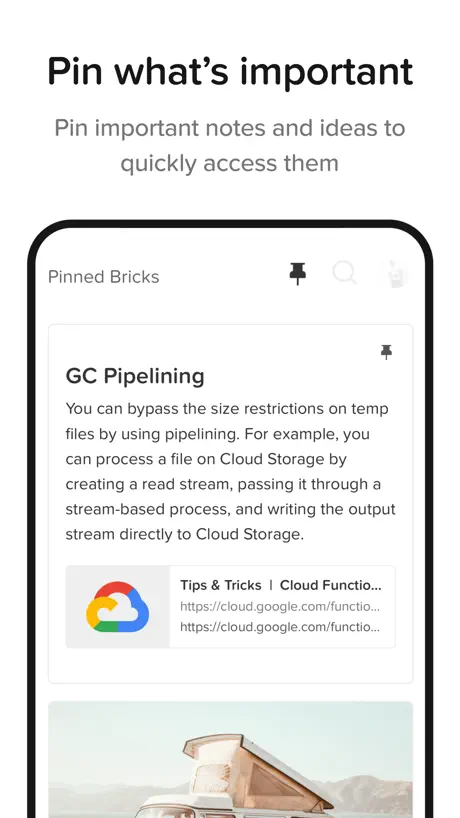
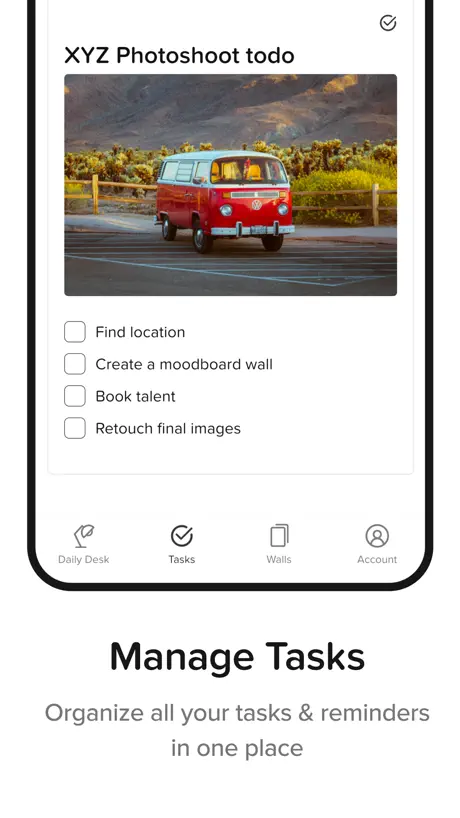
Walling is a flexible organizational tool that helps you organize information using a brick and wall metaphor. It also has a unique tagging feature that lets you see connections between bricks from a top down perspective while the brick and wall building supports a bottom-up approach. It takes only 10 minutes to get the hang of it and you’ll be able to start building your second brain.
Limited Function on Mobile
I do really like Walling but for me without the ability to search for tags the app is of no use to me. If you want to be able to quick save things to Walling to look at later on your computer it is fine, but for me it is frustrating to not be able to search for the content I’ve been accumulating and organizing over time.
No Apple Pencil Compatability
Doesn’t let you write with the Apple Pencil which basically makes an iPad note taking app useless to me. Sees like a useful application but I was looking for some doodle/scribble compatibility which is necessary for my line of work.
👍🏽
Very helpful for organizing visual assets. Customer service needs some work but overall an easy to use product.
Need improvement
Enable us to copy full text from the brick. Give us graph view on mobile app. I use obsidian just because if the graph view. Allow internal linking to the bricks or walls
potential
this app would be amazing if you had real instructions on how to use it. also if it was easier to customize and organize walls and folders, then I would keep this app.. this app has so much potential to be great but it is so hard to use.. update: The youtube tutorial doesn’t help with the app..
Handy!!!
First day using this and I must say that it’s the most comfortable note taker I’ve used on iphone. So many apps, so many notebooks. And it just seems like I can never get organized. Being a content creator, philosopher, and business owner. This is great for all three of my crafts. At least for now 🫶🏼
A fantastic concept
As some who bought into Notion - but subsequently found myself spending too much time on organising it rather than the actual content of it - Walling is a breath of fresh air. Walling is like Google Keep and Pinterest had a baby with a hint of AmpleNote (tagging / nodes) thrown in for good measure. I used AmpleNote but could not get over the price tag. Walling allows me to throw my thoughts down and arrange later on. The Daily Desk is such a simple but genius idea. I use Walling for personal use at the moment but can see me using it for work purposes ( I am a project manager) I am still finding my way around the app (using an Ipad pro) and I think the web version has more functionality and I would love for the IPad version to become more desktop like. On the ipad version I also found it tricky to delete unused bullet points and page dividers (probably me though not the app) To note: For those who use Brave Browser you may need to turn Brave Shields off in order for functionality to work in the web version.
Behaves & Feels like a WebApp
Unfortunately this App feels and behaves much like a mobile Website. It's sometimes unresponsive and slow and it's just not the same 'snappy' feeling that a truely polished native App might give you. For me this is a deal breaker.
What a great application
I have been using this app across multiple platforms as a productivity tool. It’s a great combination of being comprehensive and yet still so simple to use. The developer is also so responsive to feedback, new ideas, and very quickly turns around fixes. Great company and great product.
Walling price by country
An annual subscription costs $8.86 in Turkey and $78.97 in the United Kingdom — 9× more for the same thing. Below is the going rate for each plan in every country that sells it — the middle price of what the app charges there, in the country's own currency with the dollar equivalent beneath it.
| Country | Annual |
|---|---|
| Afghanistan | $59.99 |
| Albania | $71.99 |
| Algeria | $59.99 |
| Angola | $59.99 |
| Anguilla | $59.99 |
| Antigua And Barbuda | $59.99 |
| Argentina | $59.99 |
| Armenia | $59.99 |
| Australia | A$97.99$69.01 |
| Austria | €66.99$75.27 |
| Azerbaijan | $59.99 |
| Bahamas | $59.99 |
| Bahrain | $59.99 |
| Barbados | $59.99 |
| Belarus | $59.99 |
| Belgium | €66.99$75.27 |
| Belize | $59.99 |
| Benin | $59.99 |
| Bermuda | $59.99 |
| Bhutan | $59.99 |
| Bolivia | $59.99 |
| Bosnia & Herzegovina | €66.99$75.27 |
| Botswana | $59.99 |
| Brazil | R$249.90$49.78 |
| British Virgin Islands | $59.99 |
| Brunei Darussalam | $59.99 |
| Bulgaria | €64.99$73.02 |
| Burkina Faso | $59.99 |
| Cambodia | $59.99 |
| Cameroon | $59.99 |
| Canada | CA$79.99$57.14 |
| Cape Verde | $59.99 |
| Cayman Islands | $59.99 |
| Chad | $59.99 |
| Chile | CLP 51,900$53.24 |
| China | CN¥438.00$65.47 |
| Colombia | COP 249,900$78.74 |
| Congo | $59.99 |
| Congo, Democratic Republic | $59.99 |
| Costa Rica | $59.99 |
| Cote Divoire | $59.99 |
| Croatia | €67.69$76.06 |
| Cyprus | €66.99$75.27 |
| Czech Republic | CZK 1,690.00$78.20 |
| Denmark | DKK 509.00$76.43 |
| Dominica | $59.99 |
| Dominican Republic | $59.99 |
| Ecuador | $59.99 |
| Egypt | EGP 979.99$18.02 |
| El Salvador | $59.99 |
| Estonia | €66.99$75.27 |
| Fiji | $59.99 |
| Finland | €66.99$75.27 |
| France | €66.99$75.27 |
| Gabon | $59.99 |
| Gambia | $59.99 |
| Georgia | $59.99 |
| Germany | €66.99$75.27 |
| Ghana | $59.99 |
| Greece | €66.99$75.27 |
| Grenada | $59.99 |
| Guatemala | $59.99 |
| Guinea-bissau | $59.99 |
| Guyana | $59.99 |
| Honduras | $59.99 |
| Hong Kong | HK$473.00$60.25 |
| Hungary | HUF 23,290$71.64 |
| Iceland | $74.39 |
| India | ₹5,200.00$54.97 |
| Indonesia | IDR 939,000$52.08 |
| Iraq | $59.99 |
| Ireland | €66.99$75.27 |
| Israel | ₪209.90$67.93 |
| Italy | €66.99$75.27 |
| Jamaica | $59.99 |
| Japan | ¥6,400$40.48 |
| Jordan | $59.99 |
| Kazakhstan | KZT 22,990.00$51.25 |
| Kenya | $59.99 |
| Kosovo | €66.99$75.27 |
| Kuwait | $59.99 |
| Kyrgyzstan | $59.99 |
| Lao Peoples Democratic Republic | $59.99 |
| Latvia | €66.99$75.27 |
| Lebanon | $59.99 |
| Liberia | $59.99 |
| Libya | $59.99 |
| Lithuania | €66.99$75.27 |
| Luxembourg | €66.99$75.27 |
| Macao | $59.99 |
| Macedonia | $59.99 |
| Madagascar | $59.99 |
| Malawi | $59.99 |
| Malaysia | MYR 264.90$64.93 |
| Maldives | $59.99 |
| Mali | $59.99 |
| Malta | €66.99$75.27 |
| Mauritania | $59.99 |
| Mauritius | $59.99 |
| Mexico | MX$1,399.00$75.09 |
| Micronesia | $59.99 |
| Moldova | $59.99 |
| Mongolia | $59.99 |
| Montenegro | €66.99$75.27 |
| Montserrat | $59.99 |
| Morocco | $59.99 |
| Mozambique | $59.99 |
| Myanmar | $59.99 |
| Namibia | $59.99 |
| Nauru | $59.99 |
| Nepal | $59.99 |
| Netherlands | €66.99$75.27 |
| New Zealand | NZ$109.99$62.49 |
| Nicaragua | $59.99 |
| Niger | $59.99 |
| Nigeria | NGN 21,700.00$16.26 |
| Norway | NOK 689.00$73.53 |
| Oman | $59.99 |
| Pakistan | PKR 9,500$34.30 |
| Palau | $59.99 |
| Panama | $59.99 |
| Papua New Guinea | $59.99 |
| Paraguay | $59.99 |
| Peru | PEN 204.90$59.74 |
| Philippines | ₱3,090.00$48.75 |
| Poland | PLN 294.99$76.03 |
| Portugal | €66.99$75.27 |
| Qatar | QAR 219.99$60.44 |
| Romania | RON 309.99$65.26 |
| Russia | RUB 4,690.00$57.20 |
| Rwanda | $59.99 |
| Sao Tome & Principe | $59.99 |
| Saudi Arabia | SAR 259.99$69.33 |
| Senegal | $59.99 |
| Serbia | €66.99$75.27 |
| Seychelles | $59.99 |
| Sierra Leone | $59.99 |
| Singapore | SGD 88.98$69.52 |
| Slovakia | €66.99$75.27 |
| Slovenia | €66.99$75.27 |
| Solomon Islands | $59.99 |
| South Africa | ZAR 1,049.99$64.14 |
| South Korea | ₩80,000$60.33 |
| Spain | €66.99$75.27 |
| Sri Lanka | $59.99 |
| St. Kitts and Nevis | $59.99 |
| St. Lucia | $59.99 |
| St. Vincent & The Grenadines | $59.99 |
| Suriname | $59.99 |
| Swaziland | $59.99 |
| Sweden | SEK 739.00$74.72 |
| Switzerland | CHF 64.00$77.58 |
| Taiwan | NT$1,990.00$61.40 |
| Tajikistan | $59.99 |
| Tanzania | TZS 137,900.00$52.09 |
| Thailand | THB 1,850.00$55.08 |
| Tonga | $59.99 |
| Trinidad and Tobago | $59.99 |
| Tunisia | $59.99 |
| Turkey | TRY 439.99$8.86 |
| Turkmenistan | $59.99 |
| Turks and Caicos | $59.99 |
| Uganda | $59.99 |
| Ukraine | $59.99 |
| United Arab Emirates | AED 229.99$62.67 |
| United Kingdom | £58.99$78.97 |
| United States | $59.99 |
| Uruguay | $59.99 |
| Uzbekistan | $59.99 |
| Vanuatu | $59.99 |
| Venezuela | $59.99 |
| Vietnam | ₫1,399,000$54.13 |
| Yemen | $59.99 |
| Zambia | $59.99 |
| Zimbabwe | $59.99 |
Walling FAQ
- Is Walling free?
- Yes. The app and its basic features are free, in all 175 countries it sells in. Premium features are paid: they start from $59.99 (US), across 1 subscription.
- Does Walling have a free trial?
- No. None of its offers (US) come with a free trial.
- Where is Walling cheapest?
- An annual subscription costs TRY 439.99 (≈$8.86) in Turkey and £58.99 (≈$78.97) in the United Kingdom, its cheapest and dearest countries.
- What are the best alternatives to Walling?
- NotePlan - To-Do List & Notes (4.7 from 3,547 reviews, premium from $4.99), Allume — for focused thinking (4.6 from 988 reviews, premium from $9.99) and Amplenote (4.6 from 970 reviews, premium from $7.99).
Walling download
Last updated 2 years ago.
Walling sells in 175 countries. It was released 6 years ago, on 27 Oct 2020. It holds a 4.6 rating from 803 reviews.
Supports 1 language: English.
How much does Walling make?
Third-party estimates for the last 30 days, worldwide — not the store's own figures, which Apple publishes for nobody.
Revenue by plan
- Annual 100%
Revenue by country
- United States 55%
- United Kingdom 6%
- Germany 6%
- Canada 3%