
KMPlayer+ Divx Codec
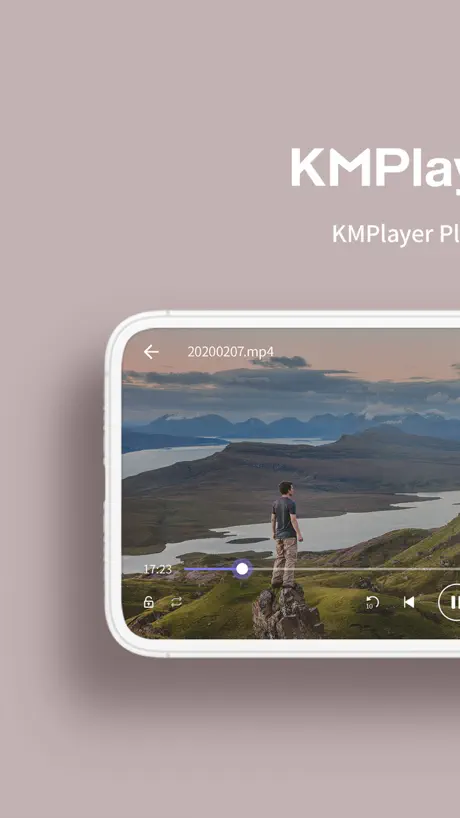
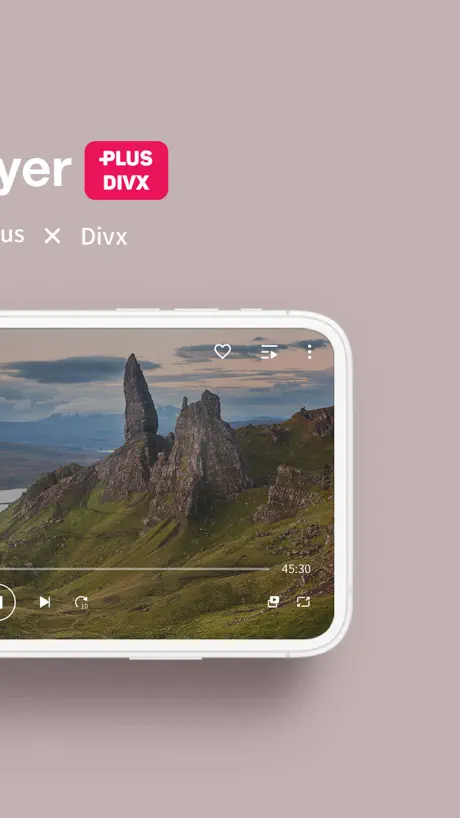
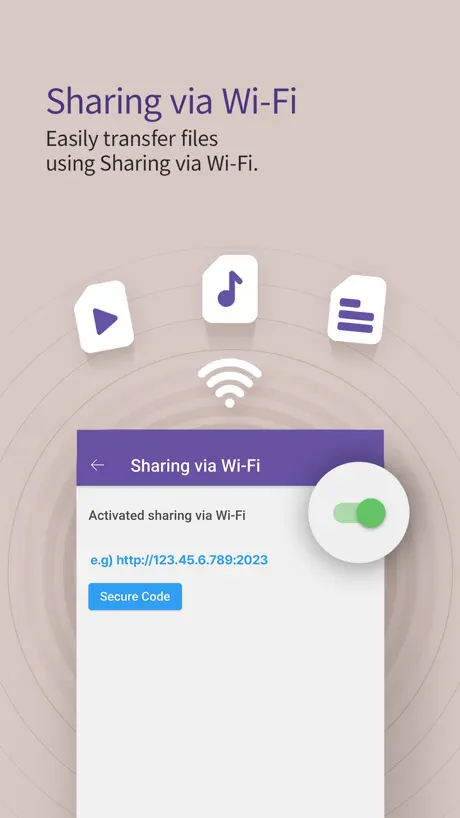
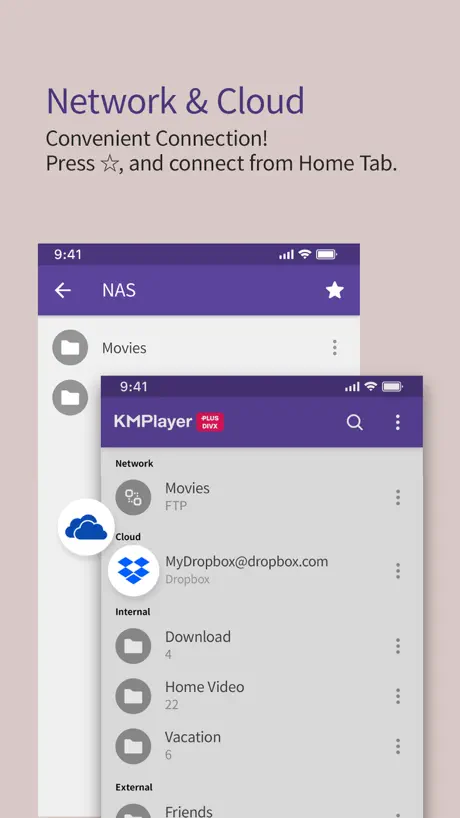
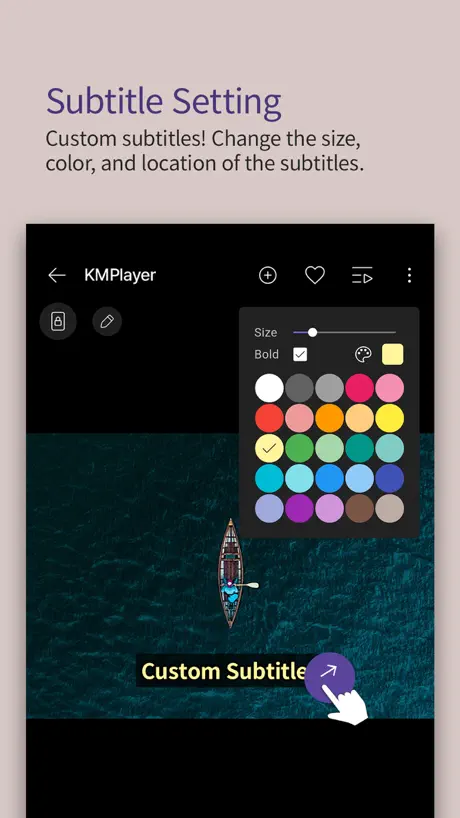
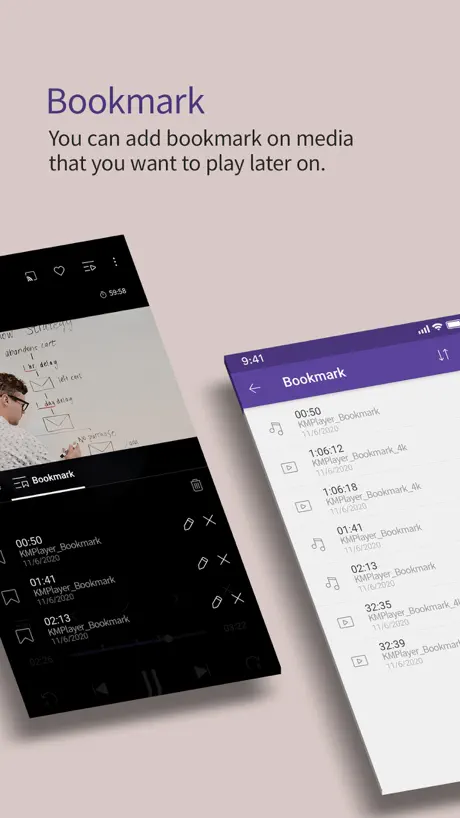
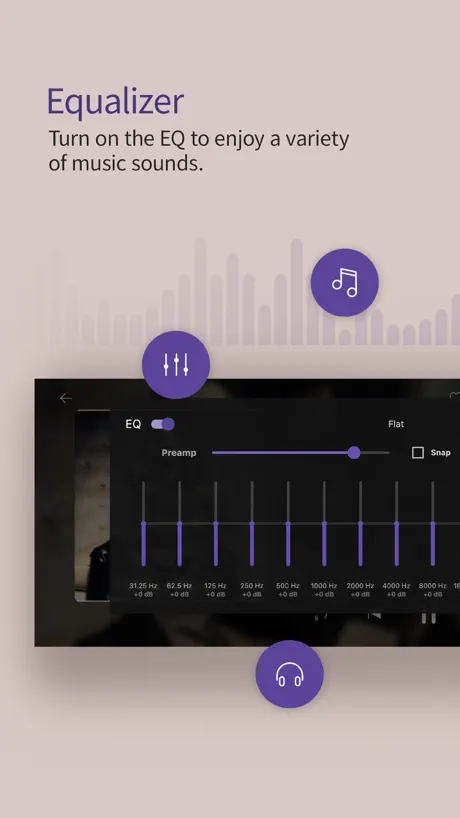
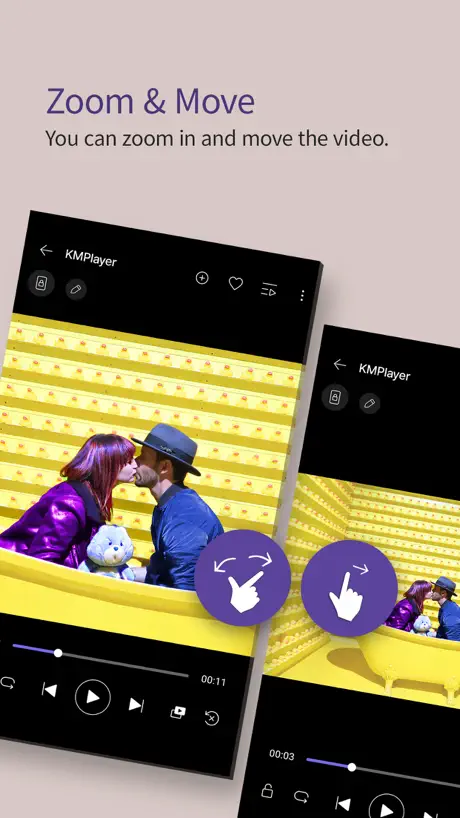
How much does KMPlayer+ Divx Codec cost?
Prices are current as of 9 Sept 2026.
KMPlayer+ Divx Codec has no in-app products on record in the United States.
KMPlayer+ Divx Codec download price by country
| Country | Price |
|---|---|
| South Korea | ₩6,600 |
| China | CN¥28.00 |
| United States | $3.99 |
| Vietnam | ₫119,000 |
| Russia | RUB 349.00 |
| Taiwan | NT$120.00 |
| Germany | €3.99 |
| Japan | ¥600 |
| Hong Kong | HK$32.00 |
| Indonesia | IDR 69,000 |
| Thailand | THB 149.00 |
| Turkey | TRY 199.99 |
| India | ₹399.00 |
| Canada | CA$4.99 |
| Czech Republic | CZK 99.00 |
| Spain | €3.99 |
| France | €3.99 |
| Saudi Arabia | SAR 17.99 |
| Australia | A$5.99 |
| Brazil | R$24.90 |
| Malaysia | MYR 19.90 |
| Poland | PLN 19.99 |
| Austria | €3.99 |
| Greece | €3.99 |
| Italy | €3.99 |
| Cambodia | $3.99 |
| Switzerland | CHF 3.00 |
| Ecuador | $3.99 |
| United Kingdom | £3.99 |
| Hungary | HUF 1,790 |
| Iraq | $3.99 |
| Kuwait | $3.99 |
| Latvia | €3.99 |
| Oman | $3.99 |
| Peru | PEN 17.90 |
| Pakistan | PKR 1,100 |
| Sweden | SEK 49.00 |
| Singapore | SGD 5.98 |
| Ukraine | $4.99 |
| United Arab Emirates | AED 14.99 |
| Bulgaria | €3.99 |
| Bolivia | $3.99 |
| Belarus | $4.99 |
| Egypt | EGP 199.99 |
| Finland | €3.99 |
| Georgia | $4.99 |
| Ghana | $4.99 |
| Croatia | €3.99 |
| Israel | ₪14.90 |
| Kyrgyzstan | $3.99 |
| Myanmar | $3.99 |
| Mexico | MX$89.00 |
| Namibia | $3.99 |
| Netherlands | €3.99 |
| Norway | NOK 49.00 |
| Nepal | $4.99 |
| Philippines | ₱249.00 |
| Qatar | QAR 14.99 |
| Romania | RON 19.99 |
| Slovakia | €3.99 |
| Afghanistan | $3.99 |
| Antigua And Barbuda | $3.99 |
| Anguilla | $3.99 |
| Albania | $4.99 |
| Armenia | $4.99 |
| Angola | $3.99 |
| Argentina | $3.99 |
| Azerbaijan | $4.99 |
| Bosnia & Herzegovina | €3.99 |
| Barbados | $4.99 |
| Belgium | €3.99 |
| Burkina Faso | $3.99 |
| Bahrain | $3.99 |
| Benin | $4.99 |
| Bermuda | $3.99 |
| Brunei Darussalam | $3.99 |
| Bahamas | $3.99 |
| Bhutan | $3.99 |
| Botswana | $3.99 |
| Belize | $3.99 |
| Congo, Democratic Republic | $3.99 |
| Congo | $3.99 |
| Cote Divoire | $4.99 |
| Chile | CLP 4,990 |
| Cameroon | $4.99 |
| Colombia | COP 19,900 |
| Costa Rica | $3.99 |
| Cape Verde | $3.99 |
| Cyprus | €3.99 |
| Denmark | DKK 39.00 |
| Dominica | $3.99 |
| Dominican Republic | $3.99 |
| Algeria | $3.99 |
| Estonia | €3.99 |
| Fiji | $3.99 |
| Micronesia | $3.99 |
| Gabon | $3.99 |
| Grenada | $3.99 |
| Gambia | $3.99 |
| Guatemala | $3.99 |
| Guinea-bissau | $3.99 |
| Guyana | $3.99 |
| Honduras | $3.99 |
| Ireland | €3.99 |
| Iceland | $4.99 |
| Jamaica | $3.99 |
| Jordan | $3.99 |
| Kenya | $4.99 |
| St. Kitts and Nevis | $3.99 |
| Cayman Islands | $3.99 |
| Kazakhstan | KZT 2,490.00 |
| Lao Peoples Democratic Republic | $3.99 |
| Lebanon | $3.99 |
| St. Lucia | $3.99 |
| Sri Lanka | $3.99 |
| Liberia | $3.99 |
| Lithuania | €3.99 |
| Luxembourg | €3.99 |
| Libya | $3.99 |
| Morocco | $3.99 |
| Moldova | $4.99 |
| Montenegro | €3.99 |
| Madagascar | $3.99 |
| Macedonia | $3.99 |
| Mali | $3.99 |
| Mongolia | $3.99 |
| Macao | $3.99 |
| Mauritania | $3.99 |
| Montserrat | $3.99 |
| Malta | €3.99 |
| Mauritius | $4.99 |
| Maldives | $3.99 |
| Malawi | $3.99 |
| Mozambique | $3.99 |
| Niger | $3.99 |
| Nigeria | NGN 6,900.00 |
| Nicaragua | $3.99 |
| Nauru | $3.99 |
| New Zealand | NZ$6.99 |
| Panama | $3.99 |
| Papua New Guinea | $3.99 |
| Portugal | €3.99 |
| Palau | $3.99 |
| Paraguay | $3.99 |
| Serbia | €3.99 |
| Rwanda | $3.99 |
| Solomon Islands | $3.99 |
| Seychelles | $3.99 |
| Slovenia | €3.99 |
| Sierra Leone | $3.99 |
| Senegal | $4.99 |
| Suriname | $3.99 |
| Sao Tome & Principe | $3.99 |
| El Salvador | $3.99 |
| Swaziland | $3.99 |
| Turks and Caicos | $3.99 |
| Chad | $3.99 |
| Tajikistan | $3.99 |
| Turkmenistan | $3.99 |
| Tunisia | $3.99 |
| Tonga | $3.99 |
| Trinidad and Tobago | $3.99 |
| Tanzania | TZS 11,900.00 |
| Uganda | $4.99 |
| Uruguay | $3.99 |
| Uzbekistan | $3.99 |
| St. Vincent & The Grenadines | $3.99 |
| Venezuela | $3.99 |
| British Virgin Islands | $3.99 |
| Vanuatu | $3.99 |
| Kosovo | €3.99 |
| Yemen | $3.99 |
| South Africa | ZAR 79.99 |
| Zambia | $4.99 |
| Zimbabwe | $4.99 |
10+ alternatives to KMPlayer+ Divx Codec
| KMPlayer+ Divx Codec |   nPlayer nPlayer |   nPlayer Plus nPlayer Plus |   zFuse - Video Player zFuse - Video Player |   OPlayer - video player OPlayer - video player |  OPlayer HD - video player OPlayer HD - video player |   예스파일 예스파일 |   애플파일 애플파일 |   온디스크(ondisk) 온디스크(ondisk) |   파일조(FileJo) - 최신영화/드라마/동영상/만화 파일조(FileJo) - 최신영화/드라마/동영상/만화 | |
|---|---|---|---|---|---|---|---|---|---|---|
| Rating / 5 | 3.9 | 4.7 | 4.7 | 4.7 | 4.5 | 4.4 | 4.2 | 4.2 | 4.1 | 2.1 |
| Reviews | 635 | 41K | 31K | 11K | 9.4K | 6.1K | 6.1K | 4.7K | 832 | 122 |
| Released | 2020 | 2016 | 2012 | 2015 | 2010 | 2010 | 2012 | 2013 | 2021 | 2017 |
| One-time price | — | — | $2.99 | — | $0.99 | $0.99 | $7.99 | $7.99 | — | — |
The going rate for each plan in United States, in its own currency, shaded from the cheapest price on the row to the dearest.
KMPlayer+ Divx Codec reviews
3.9 out of 5, based on 635 reviews.
What people like
- Easy to use with good options
- Doesn't crash and works well for price
- Great sound boost and playback speed controls
What they complain about
- Deletes files but doesn't free space
- Can't play many MKV or AVI files
- Sound lags when you pause and resume
업데이트문제
업데이트 되면서 영상 링크가 안됩니다. 일구 몇개 제외하고 전혀 안되요. 잘 사용하고 있는데, 왜이러죠. 일부러 돈 내고 구입한 앱입니다. 지우고 새로 깔아도 똑같아요. 해결책 부탁드립니다.
Not for cloud steam
Google account was blocked when i tried to connect.
Dropbox 클라우드 연동이 되지 않습니다.
안녕하세요, KMPlayer Plus를 드롭박스와 연동해서 잘 사용하고 있습니다. 그러나 어느 시점에서부터(짐작가는 건 iOS 18.3.1로 업데이트한 뒤입니다.) 드롭박스 내 영상을 재생할 수 없고, 연동 해제 후 재연동 시도 시, 아무 응답도 오지 않습니다. 이에 대해 문의 드립니다.
please cancel long press 2x speed
please cancel long press 2x speed , very unconvenient very horrible use experience
재생화면에서 옵션 설정이 되지않습니다
Ios 업데이트이후로 재생화면에서 북마크 목록등의 옵션을 누르면 잠시 떳다가 금방 사라집니다. 추후 업데이트로 수리 부탁드립니다
Great Player
I have used lots of players and this one is the best. Doesn’t crash, has lots of options for things like sound boost, subtitles, playback speed, etc. Easy to use interface. I would recommend this to anyone looking for a good player. One comment I wanted to add to the developers. When I put files on my phone in the KM Player, then watch and delete them, it does not always free up the space from the deleted items and is instead allocated to “other” when you look at the memory allocation. I also noticed that when I create sub folders and put things in them, when I delete all the items the folder disappears but if I plug the iPad into my computer the folder is still there unless I delete it manually. I was wondering if it is possible to add some kind of empty cache button that would clear out the empty folders and data that has been deleted. Thanks again for the great app and considering the above suggestion for a future update
Not useful!
This app does not work properly and doesn’t open all mkv files.
구글 드라이브
구글 드라이브 사용하고 있었는데 갑자기 안 되네요… 확인해주세용>.<
iPhone에서 동영상 편집 된 부분은 보이지가않네요
iPhone에서 편집을 해서 내가 보고 싶은 프레임 부터 볼 수있게 해 놓은 부분들은 리스트에 뜨지가 않네요 다른 플레이어에서는 지원이 가능한데 이런 부분이 너무 불편해요다른 설정 하는 부분이라 업데이트 부탁드립니다.
아이패드 파일, 아이클라우드 연동
예전에는 아이패드 파일 앱에 저장된 파일이나 아이클라우드에 저장된 파일을 불러올수 있었는데, 지금은 버튼이 없어서 안되네요?? 어떻게 해야하나요?? 왜 구글/원/드롭박스만 되는건지ㅠㅠ
New updates please
Could you please add speed to 10 and also adding pitching controls too. I love your app
I bought but my video codec not working
Unfortunately i am unhappy with this app, I bought this app for see my videos but codec not working 😔
不能像别的播放器那样播放外部存储器的视频文件
希望能改进支持播放连接手机的USB外部存储器中的文件。支持文件种类和解码功能比Oplayer强。但是Oplayer可以直接播放苹果手机的“文件”中的USB外部存储器的视频文件。KMPlayer需要导入到内部存储,才能播放。
Không truy cập được google drive
Phiên bản mới này vẫn không truy cập được vào đám mây google drive
자막 불러오기가 안 돼요
smb 네트워크 폴더에 영상과 smi자막을 같은 이름으로 넣어 놨는데, 자막을 못 불러오네요, 자막 찾아보기도 안되고, 자막 파일 자체를 브라우저에서 인식 못해서 안 보여줘요 그런데 휴대폰 안의 일반 폴더의 자막은 또 보여지네요, smb 네트워크 폴더 안의 자막 파일을 불러올수 있는 방법을 알려주세요
1
1
DO NOT PAY FOR THIS TRASH
Do not pay for it …. It’s just an scam it can’t open any codec Just download the normal kemp or any other video player
외장하드 파일을 바로 볼 수 있었으면 좋겠습니다
잘 사용하고 있습니다 다만 아이패드 내 kmplayer 폴더에 다시 저장을 해야지만 파일이 재생되는 점은 많이 불편합니다. 아이패드 용량이 많지 않아서 본걸 지우고 다시 저장하고.. 쉽지 않네요. 외부 파일을 그대로 볼 수 있다면 정말 좋겠습니다
音频播放延时问题,请尽快优化
音频播放,暂停后继续播放时有几秒的延迟 快进10秒或5秒20秒的也是,请尽快优化。
업데이트 이후 오류가 꽤 많네요.
업데이트 이후에 오류가 꽤 있습니다. 화면 일시 정지하다 다시 재생하려면 화면이 검은색으로 되는 현상 종종 발생하네요. 자막도 자동으로 설정이 아니라 한국어 유니코드? 그런걸로 설정해야 안 깨지고요. 그리고 도대체 pip모드 지원은 언제 되는건지…그리고 에어플레이도 지원 가능해졌으면 좋겠어요. 빠른 개선과 업데이트 부탁드립니다.
Excellent
Great
Can’t open any video
Can’t open any video .. the massage “ this codec is not supported “ appears every time I try to open a video Send two emails to support service with no answer !!
트랙패드로 클릭이 되지 않습니다
아이패드로 앱 쓰는 중이고 애플 정품 폴리오 키보드와 같이 쓰고 있는데 트랙패드로 앱 내에서 클릭이 안되네요.
为什么不能更改文件名称
为什么不能更改文件名称啊!!!!学习视频这么多!!!每次得挨个找!!!!!
앱 내에서 동영상 삭제 안되나요?
앱 내에서 동영상 삭제 안되나요? 아이튠즈 사용할때도 특정 동영상만 삭제가 안되는데 앱내에서 안되서 너무 불편해요..
기능 추가 제안
제스쳐로 배속 조절 있었으면 좋겠습니다
Not supported all codecs 🤬
I'm so angry that I bought this app This program does not support all codes I don’t recommend buying this program to anyone It's really better for app developers to think about this problem than just thinking about making money
매직키보드 터치패널
매직키보드 사용자입니다 터치패널로는 왜 조작이 안되나요? 화면 외곽에 있는 모든 버튼이 안눌려요 오류인가 해서 지웠다 다시 설치도 해봤는데 그거랑은 상관 없는것 같네요 유료인데 이건 좀…
Videos disappeared
This had happened before with a prior update, I don’t know how I resolved it last time, but it kept me from mentioning it here. But now I’m completely lost, all the videos that I had saved to the player have disappeared from my library and I don’t know whether they’re gone for good or not.
미디어 음량 버그?
제목 대로 두 시간 이내로 시청 중 소리가 사라집니다 음소거를 했다가 풀면 사라진 소리가 나오고요 갤럭시 쓸때는 괜찮았는데 아이폰 으로 갈아타니 문제 발생 기계 차이 인지 호환성 문제 인지
audio track
best ever but in ios how we can add or load a external audio track on movie?
It does not support mkv
It cannot open mkv file at all. But I bought it just for this. I want my 4 bucks back! Besides, it cannot read file in portable hard drive directly like other apps.
ui는 가장 좋은듯
다른 어플 대비 다 좋은데 앞으로 감기 5초로 설정하고더블탭 하면 자꾸 제자리에 있는것만 좀 고쳐줬으면...
卡
加速两倍以上画面至今变成ppt
유료 구매자입니다
아래 파일명인데 자꾸 코덱이 지원 안된다고 하네요.. 코덱때문에 유료 구매를 한건데요.. 확인 부탁 드립니다. 메일로도 문의 드렸어요 Shadow Detective Season 2.E01.1080p.DSNP-Sniper
It’s a practical usable app
I like it. It’s easy to use. 👍
Don’t waste money
I even don’t know why apple store keeping this scams .This km player does not support all codec which is required for us....... simple waisted money 3.9 $ .Need to improve . A genuine review from India .
재생 할 수 있는 폴더 경로 문의
동영상 파일을 KMP폴더 내로 이동을 해야만 볼 수가 있는데, 아이패드 공간이 넉넉치 않아 매번 옮겨가며 보기 어렵습니다. 외장 디바이스에 있는 파일을 직접 재생 할 수 있는지 확인 부탁 드립니다. 그리고 다수의 .mkv파일은 재생이 안되는데, 방법이 없는건가요?
Не читает все распространённые форматы
Не читает все распространённые форматы, в отличии версии от ПК, а ведь поэтому я её и купил, ибо ПК версия абсолютно всеядно, причём и бесплатная
영상이 중간애 멈춰요ㅠㅠ
동영상이 중간에 멈춰서…다시 재생버튼을 누르면 그대로 멈춰서 닫히거나 아니면 이미지가 다 깨져서 재생돼요ㅠㅠ
Continuous play isn’t working
Continuous play isn’t working for videos
Videos still not working
I purchased this app to play videos that didn’t work on KMPLAYER. My videos didn’t play on this app too. Paying 4$ is not justified for me.
동영상 멈췄다 다시 재생시 소리가 바로 안나옴
어제 다운받고 잘 쓰고 있습니다! 좋은 앱을 만들어주셔서 감사해요 다만 동영상을 보고 공부를 하는거라 동영상을 중간에 멈춘 후, 필기하거나 생각하는 경우가 많은데요 동영상을 멈췄다 재생하면, 영상은 돌아가나 소리가 바로 나오지 않고 3-4초 있다가 나와서 해당부분을 듣지 못한 채 넘어가게 됩니다 이부분 해결해주시면 너무 좋을 것 같아요ㅠㅠ
Разочарована
Половину файлов не могу импортировать. Отчего зависит загрузка тоже непонятно, поскольку в списке они доступны
기능이
Picture in Picture 이랑 자막 우선순위 언어 설정같은게 없어서 너무 불편해요 유로앱인데
Excellent for watching PC AVI downloaded movies to iPad
Easy to use and Works great for PC AVI formatted movies that are downloaded to and you want to watch from an iPad Air 3. Highly recommend for the $3.99 app price. Note: The other apps I tried that are ‘supposed to’ work great for watching AVIs on an iPad didn’t work well at all or were much too cumbersome to get up and running…. This was a worthwhile investment for future movie experiences to come. Kudos to the Team!
Awful screen quality...
This app's screen quality is seriously awful. Really rough and too many scan lines... I want my 4 bucks back!
불러오기 새로고침좀..
카메라롤에 있는 비디오가 다 넘어오지가 않아요 새로고침해도 똑같아서 답답하네요 혹시 무료버전이랑 다를까 싶어서 구매했는데 ㅜㅜ
can't scroll with trackpad
Please fix that bug, now I can't browser my files with scrolling by trackpad, and should support to adjust color and position on the movie of subtitle also
my file can open the locked item
my file can open the locked item
KMPlayer+ Divx Codec FAQ
- Is KMPlayer+ Divx Codec free?
- No. KMPlayer+ Divx Codec costs $3.99 (US) to download.
- Does KMPlayer+ Divx Codec have a free trial?
- No. None of its offers (US) come with a free trial.
- What are the best alternatives to KMPlayer+ Divx Codec?
- nPlayer (4.7 from 41,054 reviews), nPlayer Plus (4.7 from 30,830 reviews, premium from $2.99) and zFuse - Video Player (4.7 from 10,840 reviews).
KMPlayer+ Divx Codec download
Last updated 5 months ago.
KMPlayer+ Divx Codec sells in 175 countries. It was released 6 years and 3 months ago, on 2 Jul 2020. It holds a 3.9 rating from 635 reviews.
Supports 41 languages: English, Afrikaans, Amharic, Arabic, Bulgarian, Catalan, Croatian, Czech, Danish, Dutch, Estonian, Finnish, French, German, Greek, Hebrew, Hindi, Hungarian, Indonesian, Italian, Japanese, Korean, Latvian, Lithuanian, Malay, Norwegian Bokmål, Persian, Polish, Portuguese, Romanian, Russian, Chinese, Slovak, Slovenian, Spanish, Swahili, Thai, Turkish, Ukrainian, Vietnamese, Zulu.
How much does KMPlayer+ Divx Codec make?
Third-party estimates for the last 30 days, worldwide — not the store's own figures, which Apple publishes for nobody.