
Luck Jingle
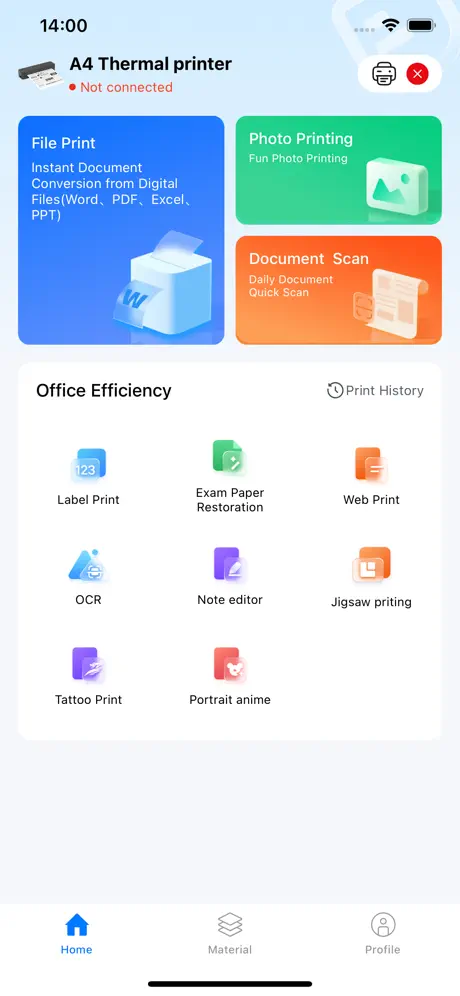
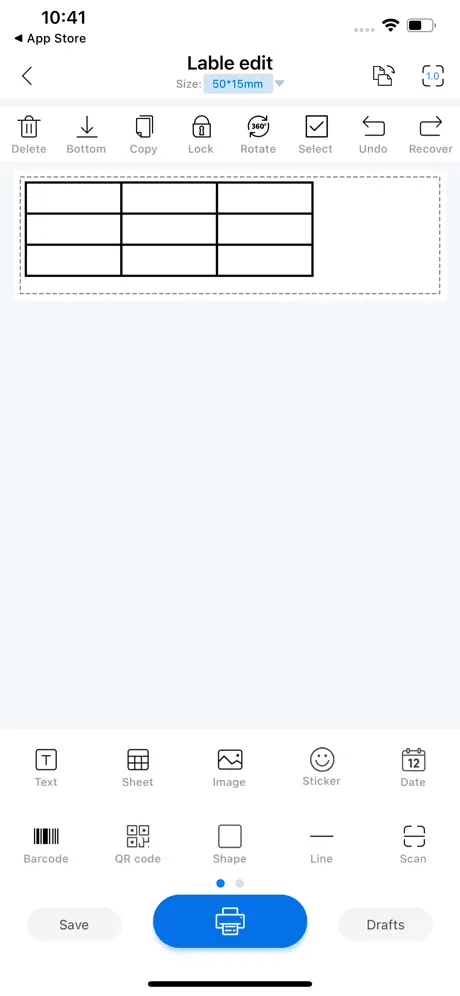
Printing makes work easier
How much does Luck Jingle cost?
Prices are current as of 9 Sept 2026.
Luck Jingle has no in-app products on record in the United States.
10+ alternatives to Luck Jingle
| Luck Jingle | 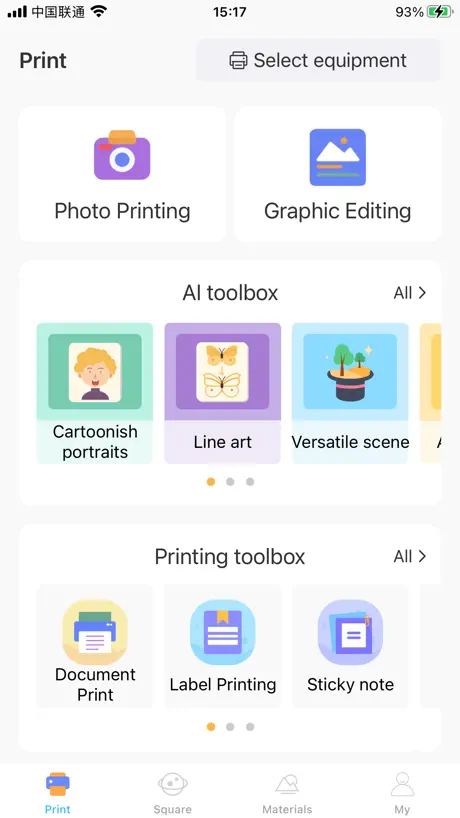  Tiny Print Tiny Print | 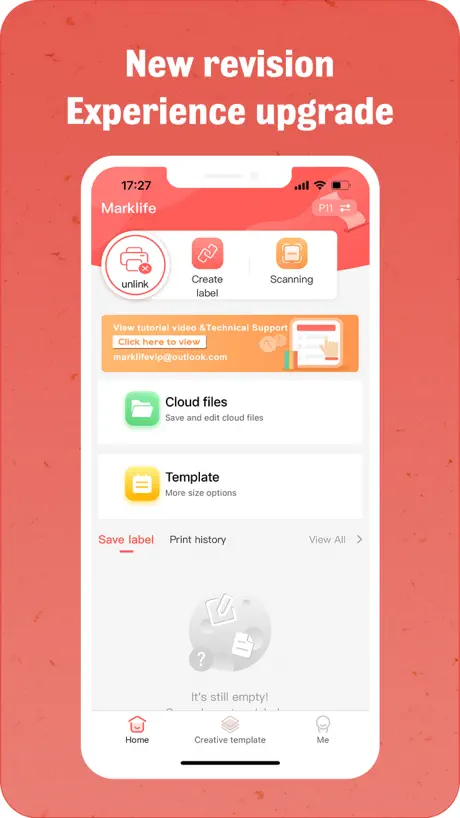  Marklife Marklife |   HerePrint HerePrint |   SharpFox SharpFox | 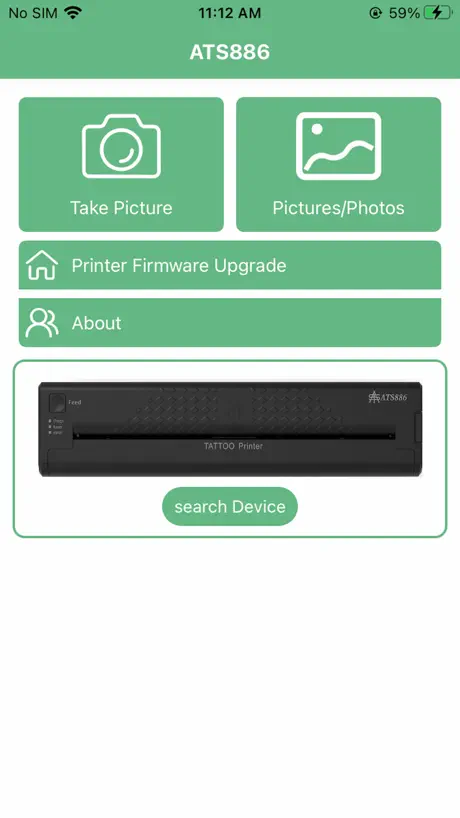  ATS886 ATS886 |   Quick Stencil Quick Stencil |   Pocket Printer Pocket Printer |   Tattoo Print Tattoo Print |   TattooPrinter TattooPrinter |   Thermal Printer Thermal Printer | |
|---|---|---|---|---|---|---|---|---|---|---|---|
| Rating / 5 | 2.8 | 2.9 | 2.7 | 3.7 | 2.4 | 2.9 | 3.0 | 3.2 | 2.5 | 2.3 | 3.0 |
| Reviews | 527 | 1.3K | 516 | 239 | 177 | 174 | 104 | 92 | 88 | 25 | 3 |
| Released | 2020 | 2021 | 2020 | 2022 | 2023 | 2022 | 2023 | 2023 | 2023 | 2022 | 2022 |
| One-time price | — | $4.99 | — | — | — | — | — | — | — | — | — |
The going rate for each plan in United States, in its own currency, shaded from the cheapest price on the row to the dearest.
Luck Jingle reviews
2.8 out of 5, based on 527 reviews.
What people like
- Easy to use right away
- Prints sharp lines and text
- Works on phones and computers
What they complain about
- Connects poorly or stops working
- App crashes constantly after updates
- Wastes paper by printing too long
5 stars
I bought this sticker printer with low expectations but wow this is amazing the kids can print ANYTHING they want which is SO fun!!!
Scam
I bought one and it is 16 + and I am not 16 I used my own card and I got scamed make a app for 9+
Nice
Very easy to work with, it connected via Bluetooth on the first try. I found it easy to understand how to use the printer and had no difficulties. I’m just wondering if being able to print colors is possible?
Honestly mostly bad.
So, I get this cute printer.good,right? Wrong. It doesn’t connect good there’s no color, red and orange turn black, it gets stuck, labels are too big, AI sorting which is incorrect, it’s unacceptable. But, it’s cute.
The fact that it says it has concept restrictions
I used to have an app recently, I’ve been looking for it and it said I needed to update. My age is not too young, but it still says I have contact restrictions so I cannot print any more stuff for now.
AMAZING
I love this app, it has so much fun things on it I love all the stickers and stuff but this app was super easy to work with and it made my printer even better
Can’t connect to Bluetooth !
In app, when I go to choose printer, my MT80 is not there to choose it. When printer disconnects from power light goes red. Can’t print!
The Best out of it
Well, I can see why people rate it a bad review Luck Jingle. Luck Jingle, I like it because I can use it as a sticker, etc. But, can you please at least make it colorful,that will attract people more! Otherwise, you will get low ratings.
Fix the bugs please
It worked fine untill updates. Now I have to switch the printer on and off to have 1 print. After every print it spits out double the print in just white and multiple prints one after another does not work either anymore. Bummer!
NEEDS NEW STICKERS…!!
Can you please update the stickers there is only so many times you can use the sticker options! Half of them you cant see when printed out so it is a waste of time when using the smaller labels. There needs to be more of a variety of every day categories like… foods, Drinks, activities, Electronics, Clothes, Pets, Vehicles, Confectionery, Household Items! There is so many plant options over 3 caterpillars and absolutely no need for a Valentine’s section when it is once a year! Please can we have more of a variety as the item is a waste of time without a wider variety…
Werkt goed
Prima app om te gebruiken voor mijn printer
Doesn’t print
I bought this printer after seeing an advertisement in my Instagram. But it disappointed me . It didn’t work. When I gave print command, it said out of paper. It had paper and I aligned it several times . Never buy this stuff again.
Very cute but….
I love this printer it’s so cool and cheap and easy to use but it not a color printer and that’s why I’m don’t use it soo often
Completely stupid update to the app
When I start using this app was fantastic because I can change the paper setting and it was only three option. The new update the app which is not the option which may make no sense and you can’t change the paper size setting which is very stupid so every time I need to print, I need to shrink it back to A4 paper to print it out. I start messing around with it. I feel I want to return this thermal copier because it’s not helping this app
Printing problems
This app sometimes works I just wasted a lot of time and the sticker sheet because it was not printing I did everything I can do to fix it but it was not printing at all
Pretty good product!
I bought this printer, followed instructions, and it works really good! Would recommend ^^
Bad update version
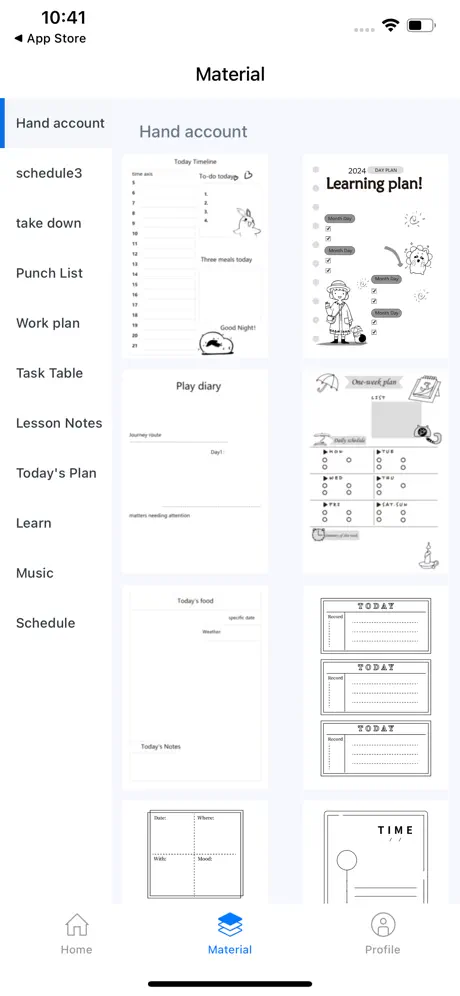
After updating from version 3.2.4 to 3.2.6, the Material tab no longer shows the built-in image categories (Basic, Figure, Person, Study, Animal, Daily, etc.). Instead it shows categories such as Manufacturing, Color Paper, Power Cable, and Warehouse, and the original image library is missing. Reinstalling the app did not fix the issue. Please restore the Material library from v3.2.4. Please Fix the issue!! It’s still not fixed even with the newer update to 3.2.7…
Pretty good
I got it for Christmas and my only complaint is that for some prints it goes a little bit too long
Bluetooth doesn’t work!
The printer worked one time, then completely stopped working and / or connecting to my mobile device and or computer. Tried everything it just doesn’t work !
BEGGING
Pls add color prints 😭
The new updates work very well
The app has 0 issues , I can print from gallery , from files, from camera too. Thanks for updates guys. Well done
HORRIBLE AGE RATING
THE APP WONT LET ME UAE IT CAUSE IM NOT OLDER THAN 16 this is no fair it used to work but now it dosent
很好用吗?
为什么越更新越不好用?图片打印不清楚,清晰度大小都调整不了,不会是次抛的吧,之前还有题库现在都没了,希望改进
App is stuck
The app is supposed to have more posibilities into making designs in Canva app so I can upload the PDF file in Luck Jingle to print it. But I don’t even have that screen where I can upload a file..
Jdhdb
It’s pretty cool to use to make stickers for my pencil box 👍
great app
great app, works perfectly, 10/10 would recommend.
Read this developers!
So I know all about this because I used to have it but I have some stupid restrictions on here so I can’t use the app!MAKE THIS FOR ALL AGES pleeeeeeese
It’s fine
I got this and it was fine no problem or issues. All you do is put the paper in and you chose I pic and print. Not hard at all. And If you read the paper you can press the button twice to print a QR code and screen it But if you have a iPad you need to buy a QR code scanning app to scan and I got a app and it did not scan or it will send me to a tv website so just read the paper.
Lots of issues printing
I use this app to print receipts but there are so many bugs. Every update it just gets worse. Now to the point where i cannot print at all anymore. Please fix it it keeps just stopping halfway whatever i do
Cute printer, but it needs some updates
This is an adorable printer, and it works pretty well but the review that stated it adds 3 inches more to your label was correct. You cannot effectively change the height of your label and when you make it short, it doesn’t print your entire text. Yes, if you just print an address on a label, you have to end up rolling your label back about 3 inches so as to not waste excess label paper. All in all, it’s a really great little printer. They just need to make an update to account for the size or length of the actual labels. Other than that, it works great.
WOAHHHH 🤬🤬🤬🤬🤬
Pretty good printer, simple to use and functional. Unfortunately the thermal paper shrank my balls 0.8 CM or approximately 96% of their total volume, overall great product with troubling long term effects.
Does not print!
Prints paper but not with images on it!
New print role
Hi is there a way where I can see how to instal a new role in my fichero printer? I dont know how to change it to a rol with etiquettes.
Feeds 5” past the label
I can’t find any settings within this app to change the Label feed. The label size is correct and it prints the label but then it continues to feed 5 inches past where it stopped printing. I then have to cut it and re-roll the paper every single print. I could do this by hand much faster.
Landscape
Is it possible to have this app in de landscape mode because I work from the iPad Pro. Number and pages files (apple) impossible to download for printing Thanks in advance Hans
MUNBYN ITP05 professional tattoo printer
The print quality of tattoo printers is impressive. Even the finest lines are reproduced precisely, which is especially important for complex tattoo designs. Operation is intuitive and the included instructions are easy to understand. One of the great things about the printer is its wide range of compatibility. It works perfectly with Android, iOS and Mac. The Bluetooth connection is stable and fast to establish. ➖ Pros and cons ➖ ✅ Lightweight and easy to transport ✅ Stable Bluetooth connection ✅ Compatible with Android, Windows, iOS and Mac ✅ High print quality ✅ Includes 10 sheets of A4 tattoo transfer paper ✅ Intuitive operation and instructions ❌10 sheets of tattoo paper is too little
Buggy buggy buggy
Unfortunately it seems we are stuck with a cool little printer because of this horrible app. It crashes all the time. It prints more than it needs… constantly need to rewind paper. I need to disconnect and reconnect the printer from my phone after each print. Extremely frustrating to use. Crash crash crash!
Works just fine
I honestly do not know why the reviews are so bad. The app works as intended and has several templates. It is as easy to use as any of these inexpensive thermal printer apps. The person who said that the printer wouldn’t print, you put the paper in upside down. I’m sure of this because you checked for ink. Thermal paper, at least the small ones off Temu, only print on one side of the paper. It looks like the roll is upside down when you have it in the printer correctly.
Unable to read Asian text
Apple messages come up and I can’t change the language to English.
更新了后显示打印出错
如题
Brilliant mini printer
The app and whimsically named mini printer functioned brilliantly right from the get go on my IPhone 14 Pro Max with IOS 17.2.1. I used scan and print from photos and I have experienced no problems with these functions. The printer produces a highly readable reproduction from both the scan and the photo. I’m not sure what the problem is with the other users, possibly incompatible OS, hardware brand, but this user is completely satisfied both with the price of this excellent and expertly made “Apple like” product. I also think the functionality is brilliant which I find highly useful when a no hassle and quick screen print is required. I hope that Xiamen Lujiang Technology Company, the developer of this fine product, continues to support the software when Apple upgrades their IOS throughout the next several years.
Worst ever
I hate this product do not get it is a scam and does not work it always says won't connect. The worst thing I have got in my life. I hate this and I hope you guys do not get any sales the worst I hope this does not continue the worst I hate the person who. MDe this the worst of the worst
Werkt zoals het hoort
Todo’s printen, web pagina’s. Zou heel mooi zijn als export vanuit programma’s zou werken, om vanuit daar te printen. Is getest met Action Fichero Pocket Printer.
能不能不要瞎更新了
更完之后的体验感还不如之前的,调节也不方便,内容还少了,字体还比以前丑,打出来还特别浅,墨特别淡
Does not work on IPhone
Only works on Android.
It's really grate the stuff that I wanted to print it came out awesome 🤩
It's really grate the stuff I wanted to print came out awesome 🤩
No help
Not working I have an iPhone 15 pro max and it won’t pair to the tattoo portable printer tried everything and still not paring
强烈建议出一个iPad版的,
因为大家买了帮助学习,很多都是有iPad的
新版本太难用了
扫描文字打印没有之前方便了,最短还得5cm,这是什么恶心设定,而且纸条还是横向的,还得翻转,一点没有之前好用,用不明白
更新
更新后没之前好用了
Luck Jingle FAQ
- Is Luck Jingle free?
- Yes. The app is free, in all 175 countries it sells in, and it sells nothing inside it.
- Does Luck Jingle have a free trial?
- No. None of its offers (US) come with a free trial.
- What are the best alternatives to Luck Jingle?
- Tiny Print (2.9 from 1,292 reviews, premium from $0.99), Marklife (2.7 from 516 reviews) and HerePrint (3.7 from 239 reviews).
Luck Jingle download
Last updated 1 month ago.
Luck Jingle sells in 175 countries. It was released 6 years and 4 months ago, on 1 Jun 2020. It holds a 2.8 rating from 527 reviews.
Supports 22 languages: English, Arabic, Czech, Dutch, Finnish, French, German, Greek, Indonesian, Italian, Japanese, Korean, Polish, Portuguese, Romanian, Russian, Chinese, Slovak, Spanish, Swedish, Thai, Vietnamese.
How much does Luck Jingle make?
Third-party estimates for the last 30 days, worldwide — not the store's own figures, which Apple publishes for nobody.