
Flowchart Designer 3
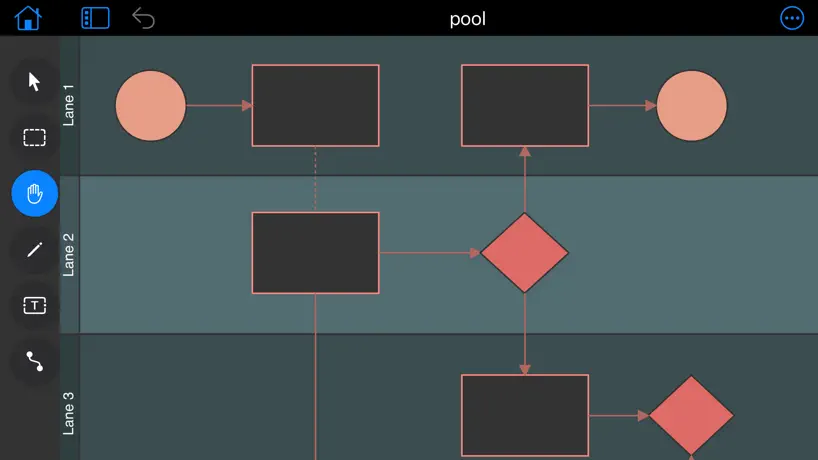
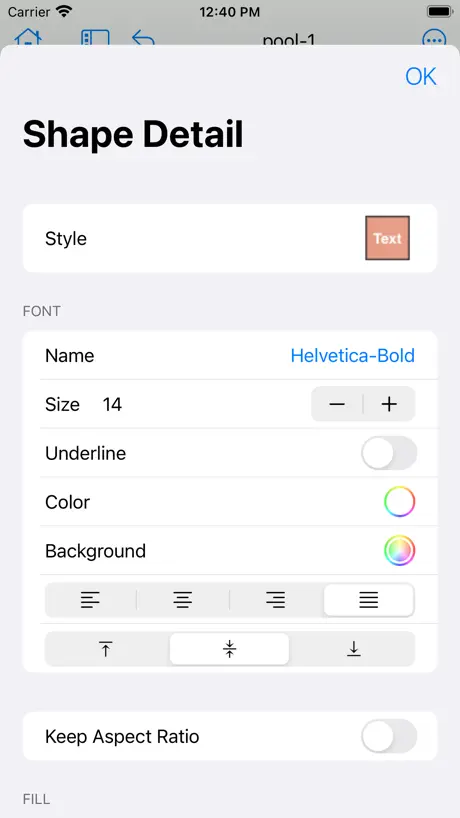
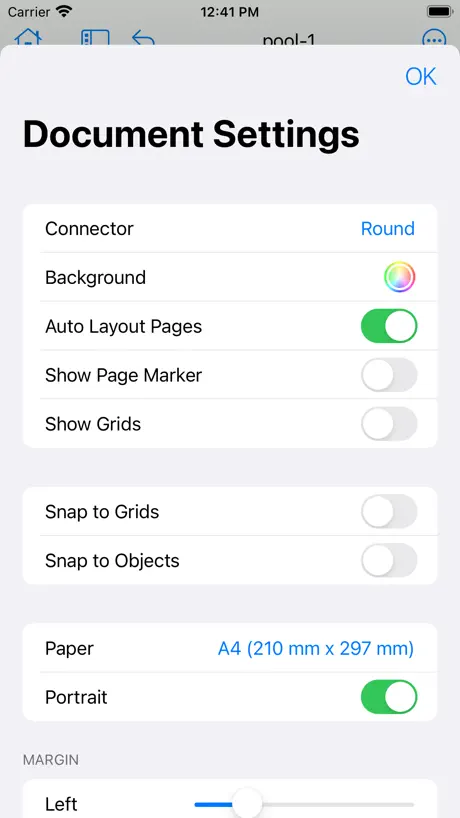
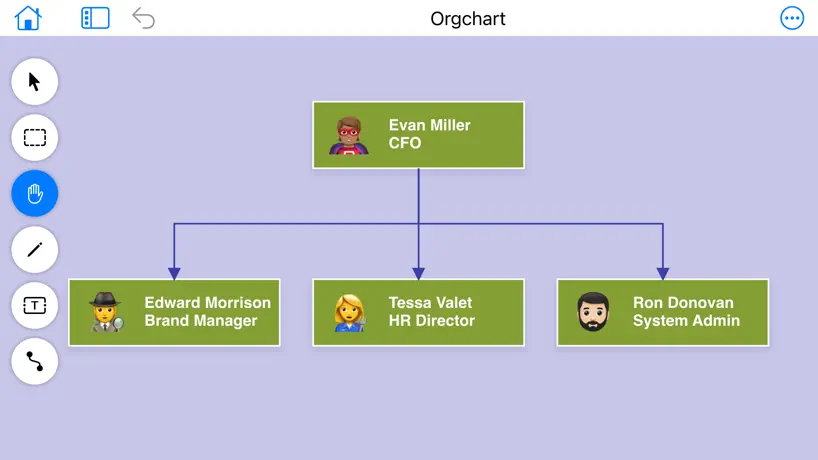
A Simple Flow Chart Maker
How much does Flowchart Designer 3 cost?
Prices are current as of 18 Nov 2026.
1 one-time purchase from $7.99
In the United States, Flowchart Designer 3 has 1 one-time purchase priced $7.99.
| Product | Price |
|---|---|
| Premium Shapes | $7.99 |
10+ alternatives to Flowchart Designer 3
| Flowchart Designer 3 | 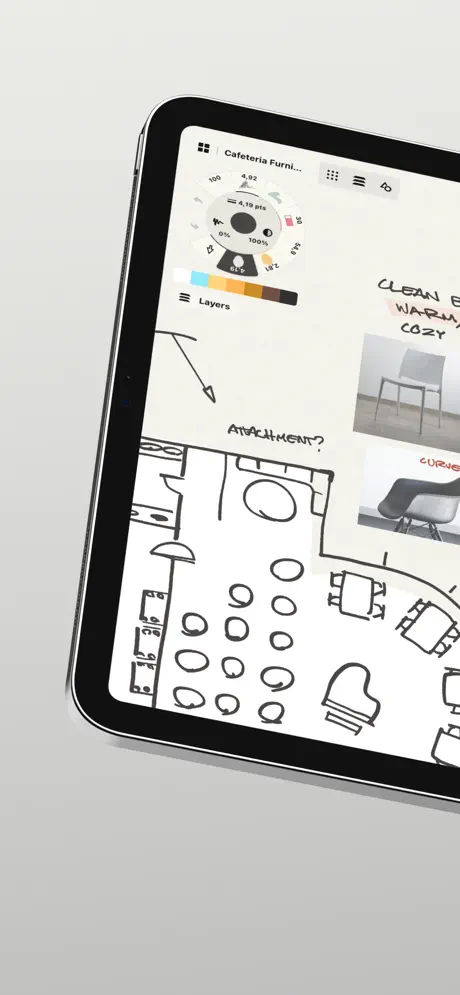  Concepts | 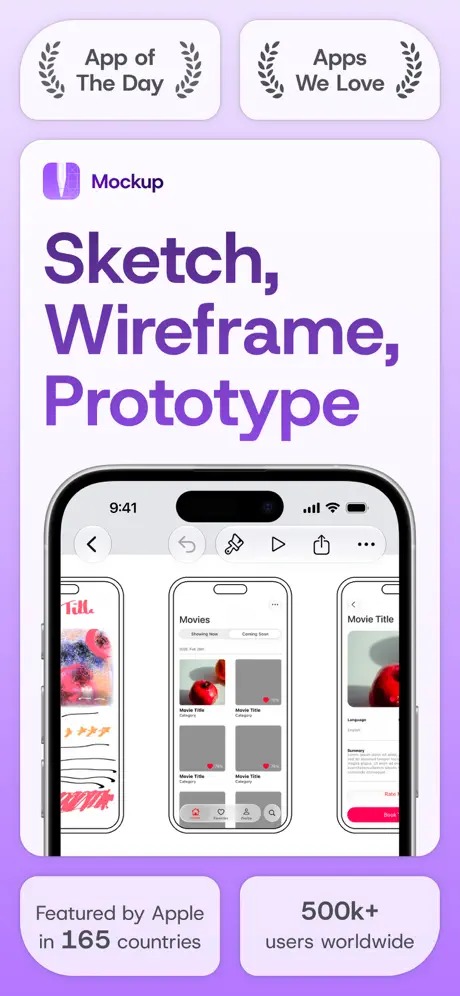  Mockup - UI/UX Design | 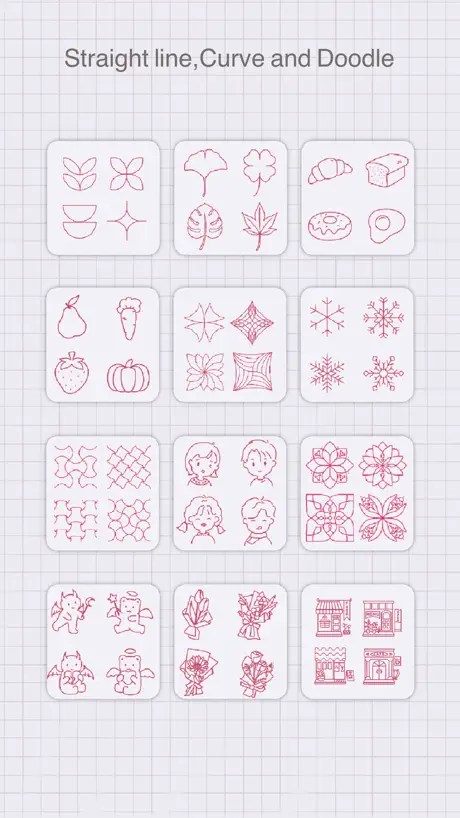  LineEase |   Fast Chart: Charts & Diagrams |   OmniGraffle 3 |   Xpage - Prototyping Design |  Cadmio - CAD visualization |   Toolbox for MS PowerPoint |   Toolbox for Microsoft Word |   Toolbox for Keynote: Templates | |
|---|---|---|---|---|---|---|---|---|---|---|---|
| Rating / 5 | 4.3 | 4.7 | 4.4 | 4.7 | 4.6 | 2.8 | 4.4 | 4.4 | 4.3 | 4.4 | 4.2 |
| Reviews | 669 | 182K | 2.6K | 2.1K | 1K | 511 | 454 | 280 | 181 | 164 | 86 |
| Released | 2020 | 2012 | 2020 | 2022 | 2022 | 2017 | 2017 | 2021 | 2020 | 2020 | 2013 |
| Monthly price | — | $4.99 | $9.99 | — | $2.99 | $12.49 | — | $10.99 | $6.99 | $6.99 | — |
| Annual price | — | $29.99 | $29.99 | — | $12.99 | $124.99 | $4.99 | $99.99 | $49.99 | $49.99 | — |
| One-time price | $7.99 | $3.99 | $119.99 | — | $17.99 | $59.99 | $1.99 | — | $4.99 | $14.99 | — |
The going rate for each plan in United States, in its own currency, shaded from the cheapest price on the row to the dearest. Plans fewer than four in ten of the priced apps sell are left out.
Flowchart Designer 3 reviews
4.3 out of 5, based on 669 reviews.
What people like
- Works great on Mac and iPad
- Reasonable one-time purchase price
- Easy to learn and use
- Makes professional charts quickly
What they complain about
- Exporting to Word is impossible
- Files can disappear or break
- App crashes and freezes often
- No clear instructions on how to use it
Quickly use
Ease of use
For free, it ain’t worth it
Wanted to set up a simple flow chart. This deleted my work twice. There’s no way to save it. That’s abundantly clear. It’s said you can save as a PDF also not abundantly clear wouldn’t waste my time on this stupid app
Like it; still learning
I had an issues using Visio on my Mac and was in a pinch so I downloaded Flowchart Designer to make a basic process map and although I had to take some time to familiarize myself with how to use it and buy some additional shapes I was able to complete my first map.
显卡卡崩无数次,mac pro
编辑一会屏幕就开始乱闪,然后黑屏
Nice APP!
Just started working with this app. I am really starting to get to know and like it alot! Nice work!
Forms
Great program. Easy to use once you play around a little. Highly recomenc
App turns your file into a Jason File
How can I use this app if I can't even go back to the project I've started and edit it? I imagine I could take a picture of it, but WOW, I just wasted my whole day completing half a document that I cannot open anymore because it is now in my library as a Jason File.
Great app! Has a few bugs...
Been using this for over a year and it's been mostly great! I've been having issues with front to back orders of objects. The move back functions work, but the bring forward options are always greyed out. Also, though I sometimes see object order correct on my screen, it doesn't print with the same object order. I have to close and reopen the file so I can see it like how it prints which isn't correct. Then I can try to fix it, but that has issues due to object order bugs.
ipad pro上闪退问题严重,难以正常使用
如题
limited
The idea of a simple flowchart app is great, but this simply does not deliver. It is difficult to edit, view and exports include unexpected margins.
Excellent Flow Charting Application
The app works very well. It is intuitive and easy to learn.
付费用户 bug
无法使用delete键 删除,请尽快完善
The BEST! Now keep adding more Features :D!!!
Easy, smooth, stable. I make process workflows for my workplace & this app has become my go-to! **Keep adding features Flowchart Designer 3 team!!! You have an excellent app!!! Don't stop now!!! Keep adding more features :D!! -::- Honest Review... I'm in Detroit, USA & bought this app with no incentive by anyone. Trust.
Does Not Work With Mac 10.13.6
Wont even open on 10.13.6. You just get a crash report
Okay, it's not BAD
That having been said, I am unpleasantly surprised at some of the functions that are not provided: 1... Fine-tuning position of objects using keyboard's arrow keys. Face it, people -- snap-to doesn't always do it. 2... Setting defaults (like font) for the file or the app. EVERY TIME I enter text into a shape, I have to go through the motions of setting the font and size for the text entered. CLUMSY. 3... Intuitive? NOT. The interface is hard to keep up with, involving a learning curve that simply does not have to be there. Fix these things for the other two stars. Looking forward to an improved experience, since the rest is really nice!
Outstanding App!
I've been looking everywhere for an app that would take me back to my days with Visio. I finally found exactly what I was looking for in Flowchart Designer 3! And on top of that, it currently is a one time purchase at a VERY reasonable price. I couldn't be happier, and am churning out the flowcharts I've been struggling to complete for a while now. Thanks much!
Terrible file management
Can’t trust this app docs disappear into the ether
An Excellent App.
This really is quite a nice little gem of an app. Thanks to the developer. Not sure it's actively support but for me it's been great. The saved files are just two JSON files in a package.
怎么批量选择内容框啊
怎么批量选择啊
not free
not free
Awesomeness
Call it a afternoon of spanking!
Clunky Software
This software is cumbersome to use at first, and does not compare to Visio. With practice is gets easier, but there are many opportunities to improve performance.
Very nice flowcharting tool
This tool reminds me of my Visio days. Very nicely done!
Great except I can’t use it
I purchased the added symbols, and I think that it was well worth it. I’m doing a major project for a nonprofit organization and have a six page flow chart designed in this app. It was really easy and quick. The only problem I’m having is that I can’t figure out how to export it to input into a word document, which is an absolute requirement. Unless I can do that, this app is useless. I’ve tried to contact the developer several times via the email address provided, but no luck! I would’ve given this review five stars had it been exportable to a usable document format.
Some glitches
For a free APP you get basic features - would have given 5 stars if there was no glitches. If a line is crossing another line you cant delete it - it will still appear in the app, line is not on the print though.
Flowcart Dersigner 3
Intuitive. Highly functional.
Directions are non-existent
Directions are non-existent
Nice design and easy to use but a bit glitchy
Overall am pretty happy with the app. It allows me to do all the things I want to do with my diagrams and in a way thats intuitive. However it is a bit glitchy, and often in the middle of my work it will freeze and every putton I try to click or any key I try to press, or really anything, I get the mac "nope/ not possible" feedback sound.
tinghao yong
hen hao yong
Can not rename file.
When I select a newly created document and rename it, the file is rendered useless. It can no longer be opened.
Simple & Powerful
I've used a lot of these programs, this one is the most streamlined and intuative apps I've come across. I have adopted it as my main process diagraming software. BTW: Dev, your website and support site are not accessible that are listed on your App Store page.
It's great
No, really. It is.
Difficult Trash
Not only did I have difficulty creating a layout, I could not print it or rename it. It is now lost… Thank you for the experience: NOT!!!
Great app
Recommend this app but I have noticed that somethimes when I cant delete something I have to close the app and restart. Some refresh/redraw bug.
So easy to use
Use this all the time to develop flowcharts for processes I write up. This tool helps me get the job done fast! Thank you!
logo丑
软件好用是真好用,非常推荐大家购买,就是这个logo太丑了,丑的一b
Works well most of the time, but some bugs
There are times when my shapes don't seem to respond and don't reflect changes that I made to them, which require me to restart the app. Once restarted, everything works as expected. Overall, I think the app is powerful and easy to use in comparison to MS Visio, which I have used on Windows PCs for years.
easy to use Mac touch pad friendly
There are a few free flow chart and design apps for the iPad, and while they do the job for me, I was thrilled to discover a Mac-compatible alternative. That moment was the best of my life. This program is a pretty straightforward chart or flowchart, and I can use it on my iPad, iPhone, and Mac mini. It doesn't matter what approach to mind mapping you're trying to adopt. Dad has all the fundamental features necessary for easily producing a professional-looking flowchart. Obviously, I shelled out for the full version, and I couldn't be happier; please keep improving flow chart designer; it's a fantastic tool. ~ Robert Smith, policy Manager
简单
易用
good
but how can i get more space ?
Flowchart Designer 3 price by country
A one-time purchase costs $7.09 in Canada and $12.31 in Colombia — 1.7× more for the same thing. Below is the going rate for each plan in every country that sells it — the middle price of what the app charges there, in the country's own currency with the dollar equivalent beneath it.
| Country | One-time |
|---|---|
| Afghanistan | $7.99 |
| Albania | $9.99 |
| Algeria | $7.99 |
| Angola | $7.99 |
| Anguilla | $7.99 |
| Antigua And Barbuda | $7.99 |
| Argentina | $7.99 |
| Armenia | $9.99 |
| Australia | A$12.99$8.96 |
| Austria | €8.99$10.08 |
| Azerbaijan | $9.99 |
| Bahamas | $8.99 |
| Bahrain | $8.99 |
| Barbados | $9.99 |
| Belarus | $9.99 |
| Belgium | €8.99$10.08 |
| Belize | $7.99 |
| Benin | $9.99 |
| Bermuda | $7.99 |
| Bhutan | $7.99 |
| Bolivia | $7.99 |
| Bosnia & Herzegovina | €8.99$10.08 |
| Botswana | $7.99 |
| Brazil | R$49.90$9.06 |
| British Virgin Islands | $7.99 |
| Brunei Darussalam | $7.99 |
| Bulgaria | €8.99$10.08 |
| Burkina Faso | $7.99 |
| Cambodia | $8.99 |
| Cameroon | $9.99 |
| Canada | CA$9.99$7.09 |
| Cape Verde | $7.99 |
| Cayman Islands | $7.99 |
| Chad | $7.99 |
| Chile | CLP 9,990$10.23 |
| China | CN¥58.00$8.68 |
| Colombia | COP 39,900$12.31 |
| Congo | $9.99 |
| Congo, Democratic Republic | $7.99 |
| Costa Rica | $7.99 |
| Cote Divoire | $9.99 |
| Croatia | €8.99$10.08 |
| Cyprus | €8.99$10.08 |
| Czech Republic | CZK 199.00$9.16 |
| Denmark | DKK 69.00$10.33 |
| Dominica | $7.99 |
| Dominican Republic | $7.99 |
| Ecuador | $7.99 |
| Egypt | EGP 399.99$7.40 |
| El Salvador | $7.99 |
| Estonia | €8.99$10.08 |
| Fiji | $7.99 |
| Finland | €8.99$10.08 |
| France | €8.99$10.08 |
| Gabon | $7.99 |
| Gambia | $7.99 |
| Georgia | $9.99 |
| Germany | €8.99$10.08 |
| Ghana | $9.99 |
| Greece | €8.99$10.08 |
| Grenada | $7.99 |
| Guatemala | $7.99 |
| Guinea-bissau | $7.99 |
| Guyana | $7.99 |
| Honduras | $7.99 |
| Hong Kong | HK$58.00$7.40 |
| Hungary | HUF 3,490$10.79 |
| Iceland | $9.99 |
| India | ₹799.00$8.51 |
| Indonesia | IDR 149,000$8.24 |
| Iraq | $7.99 |
| Ireland | €8.99$10.08 |
| Israel | ₪24.90$7.88 |
| Italy | €8.99$10.08 |
| Jamaica | $7.99 |
| Japan | ¥1,300$8.23 |
| Jordan | $7.99 |
| Kazakhstan | KZT 4,990.00$11.12 |
| Kenya | $9.99 |
| Kosovo | €8.99$10.08 |
| Kuwait | $7.99 |
| Kyrgyzstan | $8.99 |
| Lao Peoples Democratic Republic | $8.99 |
| Latvia | €8.99$10.08 |
| Lebanon | $7.99 |
| Liberia | $7.99 |
| Libya | $7.99 |
| Lithuania | €8.99$10.08 |
| Luxembourg | €8.99$10.08 |
| Macao | $7.99 |
| Macedonia | $7.99 |
| Madagascar | $7.99 |
| Malawi | $7.99 |
| Malaysia | MYR 39.90$9.83 |
| Maldives | $7.99 |
| Mali | $7.99 |
| Malta | €8.99$10.08 |
| Mauritania | $7.99 |
| Mauritius | $9.99 |
| Mexico | MX$179.00$9.64 |
| Micronesia | $7.99 |
| Moldova | $9.99 |
| Mongolia | $7.99 |
| Montenegro | €6.99$7.84 |
| Montserrat | $7.99 |
| Morocco | $9.99 |
| Mozambique | $7.99 |
| Myanmar | $7.99 |
| Namibia | $7.99 |
| Nauru | $7.99 |
| Nepal | $9.99 |
| Netherlands | €8.99$10.08 |
| New Zealand | NZ$14.99$8.42 |
| Nicaragua | $7.99 |
| Niger | $7.99 |
| Nigeria | NGN 12,900.00$9.56 |
| Norway | NOK 99.00$10.52 |
| Oman | $7.99 |
| Pakistan | PKR 2,200$7.96 |
| Palau | $7.99 |
| Panama | $7.99 |
| Papua New Guinea | $7.99 |
| Paraguay | $7.99 |
| Peru | PEN 34.90$10.20 |
| Philippines | ₱499.00$7.90 |
| Poland | PLN 39.99$10.23 |
| Portugal | €8.99$10.08 |
| Qatar | QAR 29.99$8.24 |
| Romania | RON 39.99$8.38 |
| Russia | RUB 699.00$8.50 |
| Rwanda | $7.99 |
| Sao Tome & Principe | $7.99 |
| Saudi Arabia | SAR 34.99$9.33 |
| Senegal | $9.99 |
| Serbia | €8.99$10.08 |
| Seychelles | $7.99 |
| Sierra Leone | $7.99 |
| Singapore | SGD 9.98$7.80 |
| Slovakia | €8.99$10.08 |
| Slovenia | €8.99$10.08 |
| Solomon Islands | $7.99 |
| South Africa | ZAR 149.99$9.14 |
| South Korea | ₩12,000$8.92 |
| Spain | €8.99$10.08 |
| Sri Lanka | $7.99 |
| St. Kitts and Nevis | $7.99 |
| St. Lucia | $7.99 |
| St. Vincent & The Grenadines | $7.99 |
| Suriname | $8.99 |
| Swaziland | $7.99 |
| Sweden | SEK 99.00$10.09 |
| Switzerland | CHF 7.00$8.54 |
| Taiwan | NT$290.00$8.85 |
| Tajikistan | $8.99 |
| Tanzania | TZS 22,900.00$8.68 |
| Thailand | THB 299.00$8.82 |
| Tonga | $7.99 |
| Trinidad and Tobago | $7.99 |
| Tunisia | $7.99 |
| Turkey | TRY 399.99$7.97 |
| Turkmenistan | $7.99 |
| Turks and Caicos | $7.99 |
| Uganda | $9.99 |
| Ukraine | $9.99 |
| United Arab Emirates | AED 29.99$8.17 |
| United Kingdom | £7.99$10.72 |
| United States | $7.99 |
| Uruguay | $7.99 |
| Uzbekistan | $8.99 |
| Vanuatu | $7.99 |
| Venezuela | $7.99 |
| Vietnam | ₫249,000$9.75 |
| Yemen | $7.99 |
| Zambia | $9.99 |
| Zimbabwe | $9.99 |
Flowchart Designer 3 FAQ
- Is Flowchart Designer 3 free?
- Yes. The app and its basic features are free, in all 175 countries it sells in. Premium features are paid: they start from $7.99 (US), across 1 one-time purchase.
- Does Flowchart Designer 3 have a free trial?
- No. None of its offers (US) come with a free trial.
- Where is Flowchart Designer 3 cheapest?
- A one-time purchase costs CA$9.99 (≈$7.09) in Canada and COP 39,900 (≈$12.31) in Colombia, its cheapest and dearest countries.
- What are the best alternatives to Flowchart Designer 3?
- Concepts (4.7 from 182,491 reviews, premium from $1.99), Mockup - UI/UX Design (4.4 from 2,641 reviews, premium from $6.99) and LineEase (4.7 from 2,147 reviews).
Flowchart Designer 3 download
Last updated 1 year ago.
Flowchart Designer 3 sells in 175 countries. It was released 6 years and 6 months ago, on 17 May 2020. It holds a 4.3 rating from 669 reviews.
Supports 2 languages: English, Chinese.
How much does Flowchart Designer 3 make?
Third-party estimates for the last 30 days, worldwide — not the store's own figures, which Apple publishes for nobody.
Revenue by plan
- One-time 100%
Revenue by country
- United States 32%
- China 29%
- Germany 5%
- United Kingdom 4%