Supernote Partner
How much does Supernote Partner cost?
Prices are current as of 16 Nov 2026.
Supernote Partner has no in-app products on record in the United States.
10+ alternatives to Supernote Partner
| Supernote Partner |   Noir - Dark Mode for Safari |   SpaceWalker by VITURE |   Wipr 2 |   Quiche Browser |   Private LLM - Local AI Chat |   Kagi for Safari |   Pebble Core |   XTEINK |   Clicks Keyboard |   AINOTE mobile | |
|---|---|---|---|---|---|---|---|---|---|---|---|
| Rating / 5 | 3.0 | 4.6 | 4.1 | 4.7 | 4.9 | 4.0 | 4.0 | 4.5 | 3.2 | 3.1 | 2.9 |
| Reviews | 205 | 4.3K | 3.7K | 3.5K | 2.3K | 1.7K | 408 | 255 | 242 | 160 | 48 |
| Released | 2020 | 2021 | 2023 | 2024 | 2023 | 2023 | 2022 | 2025 | 2025 | 2024 | 2024 |
| Monthly price | — | — | — | $1.99 | $3.99 | — | — | — | — | — | — |
| Annual price | — | — | — | $4.99 | $29.99 | — | — | — | — | — | — |
| One-time price | — | — | $3.99 | $19.99 | $4.99 | — | — | — | — | — | — |
The going rate for each plan in United States, in its own currency, shaded from the cheapest price on the row to the dearest.
Supernote Partner reviews
3.0 out of 5, based on 205 reviews.
What people like
- File transfer speeds are surprisingly fast.
- Handwriting to text conversion works well.
- Developers fix bugs quickly in updates.
What they complain about
- Syncing is often unreliable and fails.
- App crashes frequently during file transfers.
- Interface feels clunky and unorganized.
Works well
Works for what I need, somewhat confusing when the cloud icon doesn’t show up when the file does show up on the tablet, a bit fussy having to import files into certain folders for them to be able to be backgrounds but otherwise great app gets the job done
Not sync with my device
The note only sync until one week ago and not showing up my yesterday’s notes.
Two-Page View
Two-Page View for Mac, please.
Can’t sync files
After connection application sync only one file and don’t see all another(
Buena aplicación….. pero, tiene un problema con la sincronización.
Es una buena aplicación para poder conectar tu tabla Supernote con la computadora/teléfono, puedes subir y descargar documentos, incluso en la carpeta «Export», pero tengo ya mas de dos años usándola y me da un problema constante con la sincronización de las notas.
Essential and works well
The app does exactly what it is supposed to do, and I’ve never had a problem with it. Not sure why the low ratings. I’ve used it nearly daily for months without an issue and it’s great to see notes and files I have on my SN Manta and quickly add digests or files to the device.
Blah
Great device, great writing experience, pure trash of an app. Please allocate some R&D resources to improve the app experience. The Supernote device deserves better than this.
Love my Supernote, BUT
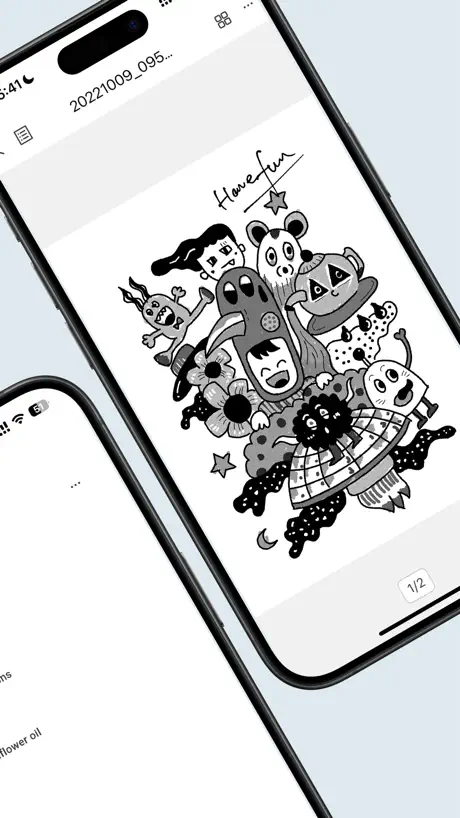
As a digital creative (graphic designer) and artist, it’s annoying to me that I can’t preview the .spd files (art-files) on my phone Other than that I‘m really in love with my device ❤️ As someone who got burnt out from doing art several times in my life already, drawing on my Manta feels so pressure-free It just gives me the creative freedom I haven’t felt since I doodled anime-Girls and chibi-characters on my exams in high school ❤️
iOS sharing problem
Since the latest update I get a permission error when sharing PDF’s directly into the app from safari
Okay for now
So first things first, the app is still pretty strange to navigate, and the functionality is quite limited. However, the potential is too great to not dedicate some app rotation space. I really hope Supernote puts some time into developing this as that would make it the most useful note tool that I have. Here’s the good: 1) When the app successfully syncs its really nice to access your notes/content on mobile 2) I have been able to successfully upload a few images to the notebook 3) The conversion from handwriting to editable text is incredible The main parts that I was really excited about, but are still lacking: 1) the actual sync features are spotty, but every now and then it cooperates and mirrors both systems files 2) Uploading to the notebook is quite limited in terms of file type and general functionality. 3) A lot of the typical features on similar set ups are missing. For example, it won’t allow you to bring assets into a drawing or note. You also cannot draw on top of an imported file (except for PDFs allegedly). Definitely in the underdeveloped category as of June 2024, but has the potential to be so incredibly useful. Looking forward to future updates!
Love my Supernote. Other reviews are overly critical
Update: LOVE the self host option. Amazing work. Please allow docker based OCR for better, more reliable text recognition. ___________ Are there ways that this app could be any better? Of course! But overall this is a great companion app to the Supernote. I wrote off buying a Supernote for a long time because of this app’s bad reviews. But I can tell you, now that I bought the Manta, this is a perfectly serviceable app!!
Network Error
Constant Network Error messages. We are simply dealing with SMALL not files here and this app cannot even open them. It’s just amazing how we spend hundreds of dollars on this product and you can’t open up your notes on your phone. You notes won’t open on their Cloud using g a Mac and Safari (you receive a “converting” message). Come on Ratta team! This is UNACCEPTABLE! Why does viewing notes across devices have to be so difficult. About to stop using the device entirely. The Company needs to do better.
Mostly seamless, with a few quirks
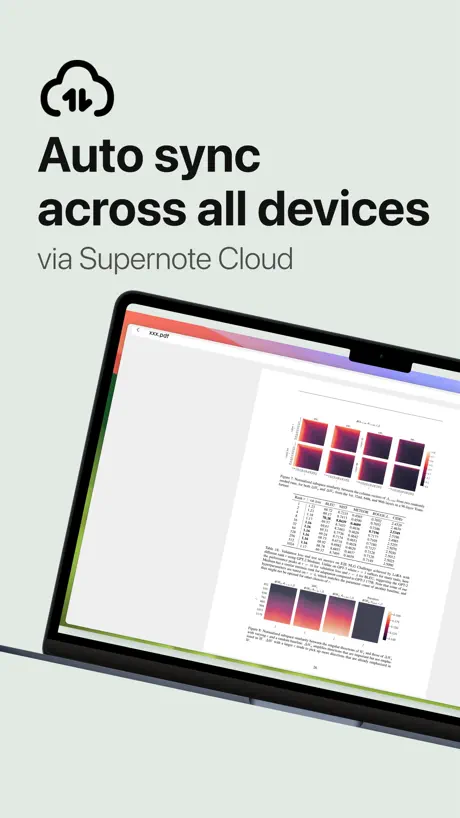
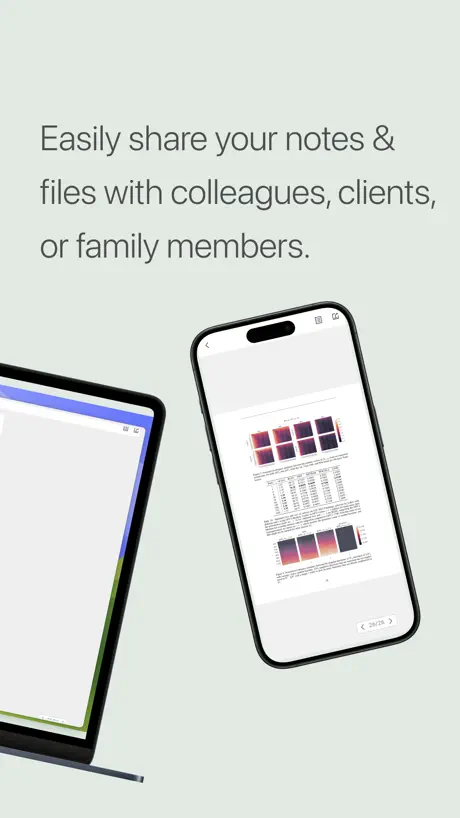
This app syncs seamlessly with the Supernote tablets once you’ve set that up, and it’s very convenient. Transferring files, new note templates, books, or anything else to the device is very easy. It is useful to be able to view documents from the device locally, but you can’t do much more than that in the partner app, at least for notes. I wish the macOS version had options to hide the dock icon when the window isn’t shown, since it does put an icon in the menu bar. A few UI elements feel a little too much like they’ve been ported from the iPad app, but overall this works pretty seamlessly across Apple devices.
Word Docs Not Opening
I have a Supernote Nomad A6X2. I have a Microsoft 365 account subscription. I have The Word app on my phone. When I try to open a word document in Supernote Partner I just see a spinning circle. This needs to be fixed asap so that users can edit word documents on there phones as expected. Thx.
Great device, but the app needs some love
I absolutely love the Supernote A6X2 Nomad, and it has become my daily companion, but both the iOS and the Mac (which is technically the iPad app) are very rudimentary, and basic. Feels like it was a school project rather than the creation of people who made the Supernote. I hope Ratta can put some love into the apps as well.
Amazing device amazing app!
I love writing on the supernote and being able to sync my notes for free and view and arrange them here is super helpful as an optional companion app!
crashes on direct file transfer
Disappointing app from a company with insane hardware and design sense. When clicking on direct transfer the app will crash when you click the back arrow. Unusable as I don’t want to create an account
Great but could use some polish.
This app is beautiful. Really helps with this super note note taking experience. It just has a lot of little issues. Synching occasionally fails and there’s no loading bar. The app is missing some helpful tools present on the actual supernote. Starred notes aren’t searchable. Some key formats just aren’t viewable in the app. It’s really useful and I love how seamless most things are , it’s just those little things that hold it back. I wouldn’t have gotten the supernote without this app, and I absolutely love what it does to streamline the experience.
A good start but missing critical features
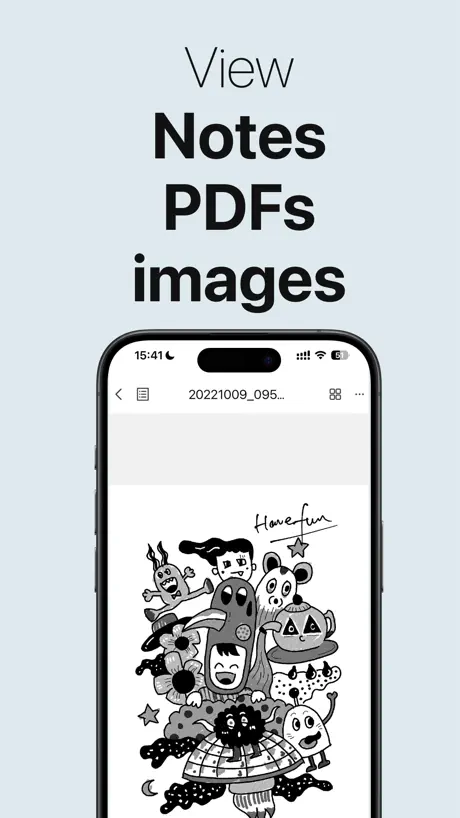
The only thing this app is good for is being able to view your notes without your Supernote. What I cannot understand, though, is why it has a button to quickly convert the note you’re viewing into an image or PDF, but yet you can’t actually do anything with those converted files! When viewing a note in PDF form, an option appears to share it to other apps, but if you do that, all it exports is the useless, proprietary .note format! What were they thinking here?!
Great idea but could be improved
The app is great for quickly checking your to do list our other notes for the day if you don’t have the device with you at te moment, however it would be nice if you improved the hyperlinks. They currently do work now, but only if it is big enough. If your hyperlink is tiny and you need to zoom in, it won’t work. I would love to not have to scroll like crazy trough my agenda once it becomes November or something, where i would have to swipe past 300 days.
Can’t Live Without It
The app is exceptionally helpful in bridging the world between my Supernote manta and everything else. I can transfer my thoughts easily from my writing to anywhere else that I want to use them, and I can create digests on the Supernote from other sources.
This app is not ok
The tablet is great. But the mobile app is so frustrating it almost makes me want to go back to pen and paper. I bought the Supernote to make taking notes easier, but the mobile app is almost impossible to use. What’s going on? Has the Supernote team ever used a mobile app before? I could design a better UX/UI mobile app in 10 minutes with a crayon and construction paper.
The app does want it’s supposed to!!!
I love the Supernote and the partner app is good. The tablet would be perfect if it had the Nook app. Not everyone is a Kindle user. I have ebooks from back when Wordpress and palm pilots were the best devices and those books ended up with B&N. Please give us the Nook app!
It’s…ok
I rather love my Supernote device and the iOS app is OK. Hopefully they will get around to improving it. Its basic functionality is good — being able to sync with the Supernote device and being able to view your notes on iOS. But there are some functions that just cause the app to spin its wheels and nothing happens. There is really only one major thing missing for me: navigation in notebooks with lots of pages of material. On the Supernote, this is done well but on the app, you have to swipe through each page manually. This is fine for shorter notebooks, but a number of mine are long.
The support team is overwhelmed
It seems not to be able to work on a satisfying solution :'-D Some things have to get fixed to make it the awesome device or is meant to be! How can i send word files to my iphone? This remains unclear Best regards :-D
Transfers files
I use it to transfer files to my Supernote and clean up old files. Works perfectly.
Keeps Crashing
Every time I initiate a direct transfer with my A6X2 the app immediately crashes when I return to the home page
Big improvement from the old version. Please add note renaming on MacOs
Big improvement from the old version Please add note renaming on MacOs. Not having this feature on MacOs means I have to switch to iPad just for the renaming step of my workflow then switch back to MacOs to complete workflow.
Missing button for login
The button for login and settings is missing. Also defaults to portrait mode with no option for landscape. Unusable.
Great App -Disregard Bad Reviews
No idea why people are hating. This is just as good as their PC Partner App, which is excellent. Download without worry.
Useless. Vague.
Whatever this is supposed to do, it’s not doing it. Connectivity is questionable, pairs to phone then immediately the Supernote forgets the device; which I’m sure Supernote will claim this is the phone’s fault & Apple will say it is the apps fault. Leaving users to just “figure it out”. UI is also not the clearest so functionality vague. Documentation & support are weak.
share sheet not sharing
While I can bring up the icon in the share sheet on safari, the exported pdf is not transferring. But with that said the update has drastically improved the app.
WAY BETTER!! 🤩
With the new recent update (today is 10/1/2024) this app has been working PERFECTLY! I have had NO problems whatsoever with this app. It never crashes, I can import files into it with no problems at all, I had no issues connecting it to my super note and transferring files, and my super note has not had any problems syncing to the cloud and the app. When I first tried using the app about four years ago, it was definitely difficult to use…. But not anymore! 😃 I’ve always loved my super note, but now that the app works great I’m just so much more happy about owning one 👍🏼
Terrible Software
The application is terrible and offers no features whatsoever. You can’t do a thing with the app, it just literally does nothing. The tablet itself is pretty bad too.
New update is rad. Good job.
Update to app. Lots of fixes and enhancements. Better than ever. This partner app is a piece of total waste of my time. They need to take a break and do some work on this garbage thing they call an app
Great Updates
Since getting my Nomad this year, I’ve only used the SN Partner app. It has been absolutely wonderful! Very easy and fast to sync notes and upload templates. I don’t have questions on where each file is going because it is mirrored in the SN. Another reviewer said to ignore older reviews - do this! The developers have put in a lot of work and effort into streamlining the usability of the app and it is definitely not the same as it was a couple of years ago.
Doesn’t work
I really wish just even the basic functionality of syncing with the Supernote would work. iPhone 13 mini on IOS 16.5 and the only way to get it to sync is to log out and log in every time. This defeats the purpose! :/
Pretty good once you get used to it
It works pretty well once you get the hang of how to use it. I just got my super note yesterday and trying to figuring everything out. You do need to make an account to access everything but as a noob Its pretty easy to understand. This has taken me probably 15 minutes to understand 40% of the app, and the file transfers are quick.
Ability to Import Files
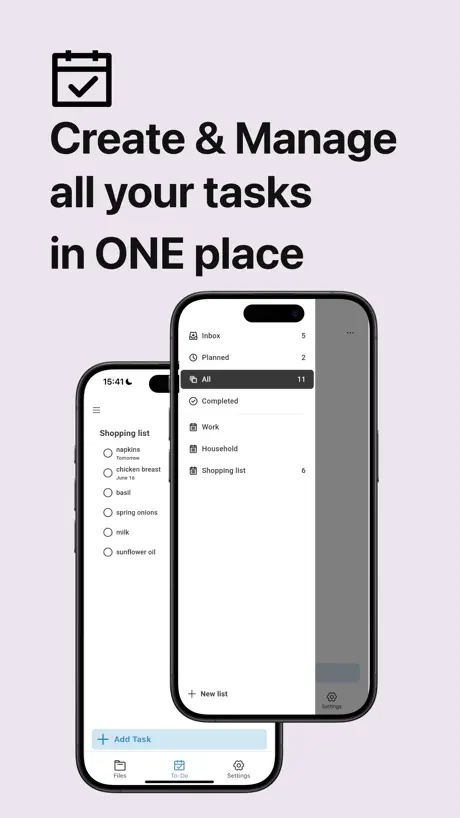
Was about to leave a 1 start review because of the lack of an import feature but that was quickly fixed. Overall simplistic and snappy design. Very up to date app that now offers auto-sync and a elementary task list that is still under improvement. Very satisfied with how the app has been improving! 5 stars!!!
Practically Nonfunctional
I scarcely write reviews, but this needs to be taken care of. The Supernote itself is absolutely fantastic and I would sell my soul for it. But this app does not meet to the standard set by the device itself. Don’t get me wrong, the idea of being able to transfer PDFs and pictures to and from my Supernote is fantastic. I love the idea of being able to view my notes or drawings on my phone to show my friends or to quickly review. However, the execution is terrible and there are ideas untapped. For one, the auto-login is extremely slow. I am running on a newer generation iPhone, yet the app will take 5 minutes or more to just completely startup. The speed of updates that are done just in the app (say, changing the profile picture) have a similar slow problem, with the addition of being incredibly clunky. Next, the UI is also a bit clunky, unresponsive, and unorganized. Sometimes, I will try to find a feature that the app is supposed to have, and it will take an incredible amount of time to get there sheerly because I don’t know where to find it. Lastly, the app never seems to get updates to despite the constant updates that the device it is supposed to be a COMPANION to receives. What I suggest is as follows: 1. Find a way to make the app much faster than it currently is in ALL regards. 2. Make a UI that is similar to that of the Supernote. By this, I mean having a main view section that takes up most of the screen and sidebar that can open on the right in order to navigate things such as files, settings, calendar, etc. while adding some additional sections like “Photo Transfer”, a place where one can send and receive photos and PDFs on their Supernote. 3. Constantly update the app so as to make it a true companion to the Supernote. I, for one, would REALLY like this app to be good because it would just be such a nice and convenient tool with my Supernote. Thank you for reading if you did!
Not bad!
Had some trouble signing in, but once I figured that out I’ve been able to do everything with the app. I did a LAN transfer with a huge medical textbook and it worked fine. I can organize my files and see my notes.
Supernote Partner FAQ
- Is Supernote Partner free?
- Yes. The app is free, in all 174 countries it sells in, and it sells nothing inside it.
- Does Supernote Partner have a free trial?
- No. None of its offers (US) come with a free trial.
- What are the best alternatives to Supernote Partner?
- Noir - Dark Mode for Safari (4.6 from 4,290 reviews), SpaceWalker by VITURE (4.1 from 3,735 reviews, premium from $3.99) and Wipr 2 (4.7 from 3,536 reviews, premium from $1.99).
Supernote Partner download
Last updated 1 month ago.
Supernote Partner sells in 174 countries. It was released 6 years and 10 months ago, on 21 Jan 2020. It holds a 3.0 rating from 205 reviews.
Supports 3 languages: English, Japanese, Chinese.
How much does Supernote Partner make?
Third-party estimates for the last 30 days, worldwide — not the store's own figures, which Apple publishes for nobody.