Carro Home
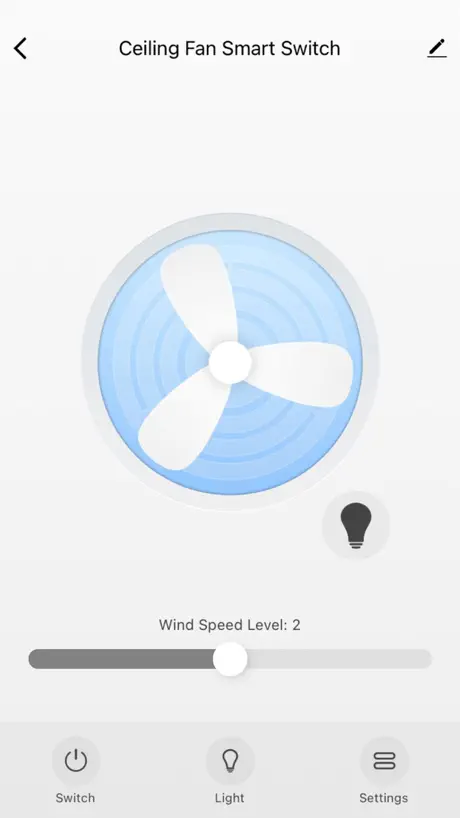
How much does Carro Home cost?
Prices are current as of 16 Nov 2026.
Carro Home has no in-app products on record in the United States.
10+ alternatives to Carro Home
| Carro Home |   TreatLife |   QuietCool Smart Control |   HunterSMART™ (SIMPLEconnect®) |   Big Ass Fans |   Holmes Fans |   dewenwils |   CloudyBay |   Touchstone Fireplace |   Fly Fans |   Honeywell Smart Ceiling Fan | |
|---|---|---|---|---|---|---|---|---|---|---|---|
| Rating / 5 | 4.4 | 4.8 | 4.7 | 3.6 | 4.8 | 4.6 | 4.5 | 2.5 | 2.4 | 3.4 | — |
| Reviews | 610 | 24K | 16K | 4.5K | 2.8K | 298 | 251 | 84 | 16 | 5 | — |
| Released | 2019 | 2020 | 2019 | 2019 | 2019 | 2021 | 2021 | 2021 | 2023 | 2021 | 2023 |
Carro Home reviews
4.4 out of 5, based on 610 reviews.
What people like
- App has zero delay for commands
- Easy to share access with family
- Great customer service when you need it
- Fan speed control is very precise
What they complain about
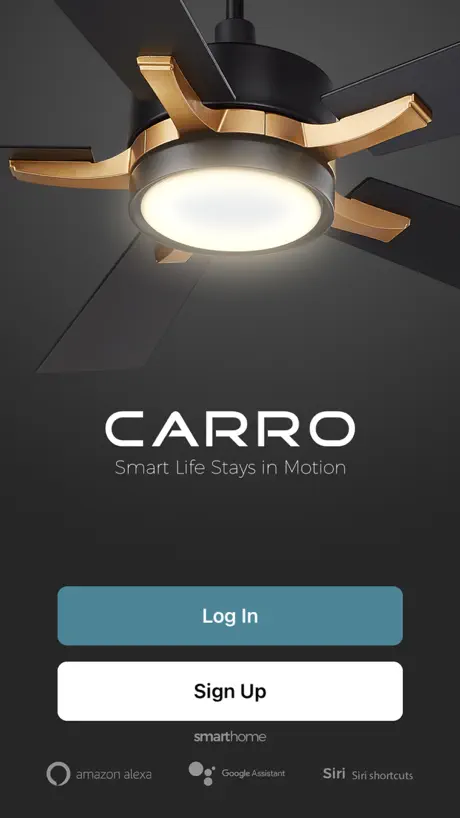
- Sign-in page often fails completely
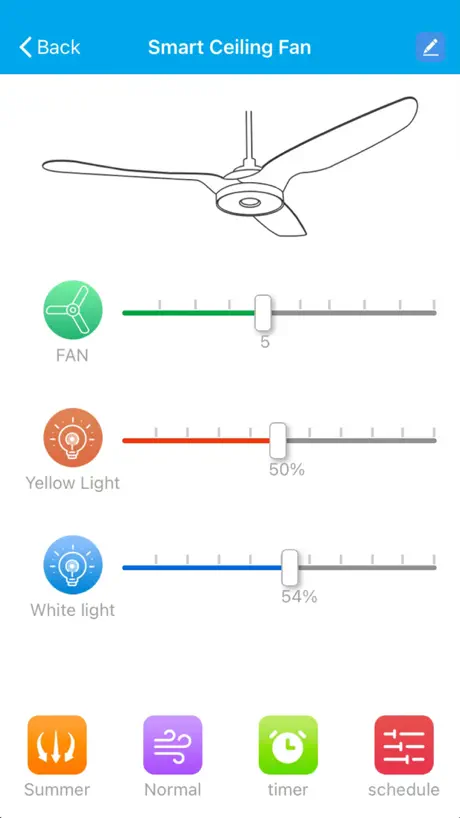
- Light controls are clunky and confusing
- No support for Apple HomeKit
- Lights turn on randomly at night
Love my fans
When I initially bought them, I had to program them so they wouldn’t shut off automatically. The company did a great job of helping me figure out how to do that. That was two years ago and they’ve been absolutely wonderful. I highly recommend this product.
Unusable
Need to register to use it. No way to register from the app. I registered on the website but the app still says I don’t exist.
Sign-in is broken
Sign in page does not work. Verified user name and password and the app does not move forward in the sign-in process. Now I cannot access my fan controls. Please fix. Edit/Update: Found a solution, press forgot password and change it. The App then allows you to sign and view your products.
UPDATE YOUR APP! ONE YEAR AGO!
Slowing down/laggy! Please add dark mode to the app, I use it to turn my fan on at night and when I wake up I open the app the white light is just blinding to me.
Basically good but opportunities remain
Adding new devices could be easier. I really wish there was an iOS widget to put my smart ceiling fan controls on my Home Screen. But the basics are all there including adding it to Siri.
Amazing App!
The Carro Home App is an amazing and easy to use app if you know what you’re doing. I’ve noticed that majority of the reviews are from people who have technology skill issues. I can control my fan, connect it to Alexa and Google Home without any issues. I can also invite my family in my home to share/ operate the fan on their own mobile phones. I can also add it to my Wi-Fi network by creating a guest 2.4GHZ network. I had some issues with connection my fan and I was able to reach out to customer service easily! There are also many YouTube videos that show how to connect the fan to the app. I would highly recommend this app to anyone who is using a Carro fan. 🔥🤩
horrible app
nothing connects to the app my “smart” ceiling fan turns on and off fan and light constantly it doesn’t connect to the app never getting carro again
Alexa
Cannot get connected to alexa
Fix the background.
Does anyone QA the app before you send out an update? Simple testing would have caught this. I would fired the Product Manager and Lead QA.
Standardize Alexa commands
To change the fan it’s; Alexa, set fan to (number). To change the light it’s; Alexa, set light to (percentage). 😒😤 Please make them the same numerically.
Clean UI, easy to use, simple layout
+This is a pretty simple app, but it’s built really well. +There is zero delay for commands +You can control the mix of warm/cool lighting individually +The fan has ten speeds which is really nice for finding the perfect speed that cools but doesn’t blow papers off your table. +The natural breeze feature is pretty cool it varies the speed randomly so you feel like you’re outside. The only feedback I have is a typo in the “Schedule” menu, the “White light” options are “ON” or “Off”. The Fs in “Off” are written “OFF” for all of the other options in the schedule menu, so the white light being lowercase must have been a mistake. It bothers me because I’m OCD about organization haha
Does not work
Constantly has had our fan as “offline” for over a year and I’m just sick of it
Poor Documentation
Horrible documentation, difficult to set up with iPhone, no documents on how to use with Alexa.
No voice assistant connection
App overall works fine ONCE paired, which is a huge pain. The workflow to connect to Google Assistant or Alexa is broken.
Scary !!!
My fans cut on by themselves , the lights will just come on . I do not have anything scheduled . The downstairs around 8:30 light cuts on . Today around 3:20 am I had both fans on I woke up both fans was off and light was on . How do I get this fix ?
Works great for me
Everything work awesome I just install it
Don’t ever change your WiFi
Switched isp and now I cannot get my fans to new network. This is literally absurd how un-user friendly this is. Why on earth wouldn’t this be a basic and easy to find feature, what happens if I sell my home?
Ok
App is overall ok but lack of HomeKit support seems strange. Especially since it’s a wi-Fi enabled device. Also not so good that it requires so many private data points from users.
Functional but clunky
I sure wish it had fully supported HomeKit out of the box. It does integrate with iOS Shortcuts, which is not nothing, but that means voice commands are isolated to the phone. I cannot ask any other hub devices to control my fan or light. I sure hope Carro’s app and products get updated to use the unified Matter protocol that was released late last year. Apple Home hubs already support it (as far as I know), but I haven’t seen any product advertising support for Matter except for the standard’s collaborators (Amazon, Google, Apple, and Zigbee). I appreciate the finer control for all things in the app as compared with the controls on the physical remote. I can get a much dimmer light with finer grades of control with the iOS app. However, the UI is garbage. Instead of being able to slide one slider for light from fully off to brightest and another for temperature between coolest to warmest (same as the interface is on the physical remote), the cool white LED set and the warm LED set have separate controls in the app. This makes it more difficult to dial in the desired brightness and color combo quickly, usually requiring to go back and forth between the light sets u til you have the desired mix. To make matters worse, on/off is an explicit action you have to take with both light sets and the fan. Why not just have the far-left position represent 0 or “off”? That would be far more intuitive and require less poking around at everything.
Great Light/Fan!
My daughter installed this in my bedroom, as I need a fan to sleep. It’s the perfect size and the I love being able to control it with my phone. I’m the laziest person alive, and apps that work perfectly are my life. Only complaint I have is that the remote only works from one angle and height, which I’m not worried about because again, I use apps for everything. Love the fan and the app!
Fan and app work for 1 person only, have a family, don’t buy
The fan and appp work good for only 1 person in a household. If you have more than 1 person, like a spouse or kids, only one person can use at a time. You would think that they would product test the app to figure out how a normal family would use this product. I am now stuck with these fans since I already installed them, do yourself a favor and buy a different smart fan and save yourself the hassle.
No HomeKit support
Besides the controls being generally clunky and cumbersome, it’s a shame there is no integration with Apple HomeKit, which would immediately improve the usability and accessibility, not to mention extend the controls to any Mac computer you have.
App is decent.
App works. Very low lag from button press to ceiling fan reaction. Biggest complaint is all of the “extra” touches required to use it. i.e. there is a widget, but it is only a shortcut to the app. Then you have to touch the icon for the function you’d like to adjust, make your selection, THEN the fan changes. Seems like there is at least one step that could be removed here.
Works perfectly
Love my fans and the app works perfectly
Want old app back
The new app disconnected my device and I cannot get it connected again. No help feature in the app
Who designed this app?
Why on earth would they have Two non-sensical controls for the light (yellow light and white light)! Instead of “light color“ and “light brightness”?
Apple Watch
The fan speed is super fast. The light is fantastic and everything but the Apple Watch app could be better. More options.
Fan No Longer Works
I have had trouble off and on with my Carro Smart Fan connecting to my WiFi. Several weeks ago it disconnected and will not connect back to my WiFi. Every other WiFi device in my house is connected. The gateway for the WiFi is in the same room as the fan! I would not recommend this fan or the app. It looks like a waste of money. I have reached out to customer service and have not received a response.
Great products great app
I bought 2 Carro fans and they’re great. App is very easy to connect and use.
App isn’t working randomly
Won’t let me sign in. User info is correct. Delete and redownload didn’t fix. Please fix.
Won’t work anymore
It worked for a while and even had it set up with Alexa, then it disconnected and I had to reconnect. This happened a couple more times and now when I go through the set up process, my Wi-Fi won’t discover it to add. I’ve tried everything and it seems like a big hassle to even keep it connected anyway so I’ll just use the remote, which is fine but I really liked the features on the app for summer and winter mode on my fan. Disappointing
Lights Randomly Turn On
Fan works great, however my lights randomly turn on all hours of the day. The most troubling issue is when m lights turn on at 3 am, which occurs several times a week. So I’ve tried everything and I cannot find a fix.
Carro Home FAQ
- Is Carro Home free?
- Yes. The app is free, in all 174 countries it sells in, and it sells nothing inside it.
- Does Carro Home have a free trial?
- No. None of its offers (US) come with a free trial.
- What are the best alternatives to Carro Home?
- TreatLife (4.8 from 24,180 reviews), QuietCool Smart Control (4.7 from 15,579 reviews) and HunterSMART™ (SIMPLEconnect®) (3.6 from 4,485 reviews).
Carro Home download
Last updated 1 year ago.
Carro Home sells in 174 countries. It was released 7 years and 1 month ago, on 2 Oct 2019. It holds a 4.4 rating from 610 reviews.
Supports 11 languages: English, Arabic, French, German, Italian, Japanese, Korean, Portuguese, Russian, Chinese, Spanish.
How much does Carro Home make?
Third-party estimates for the last 30 days, worldwide — not the store's own figures, which Apple publishes for nobody.