
Beanconqueror
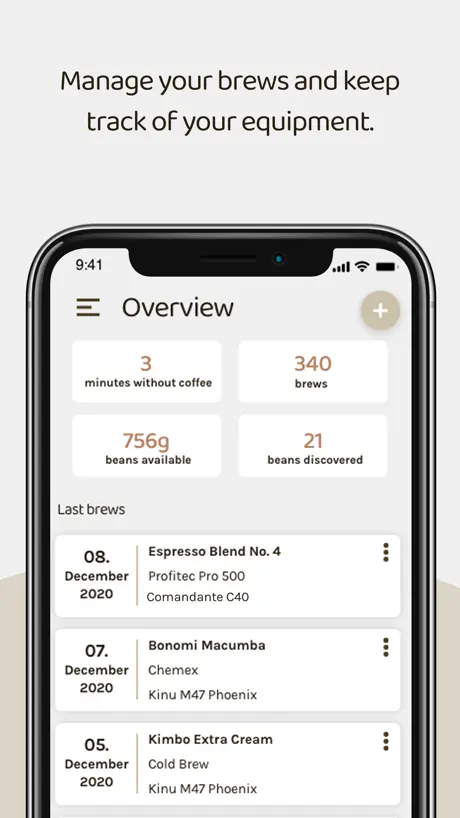
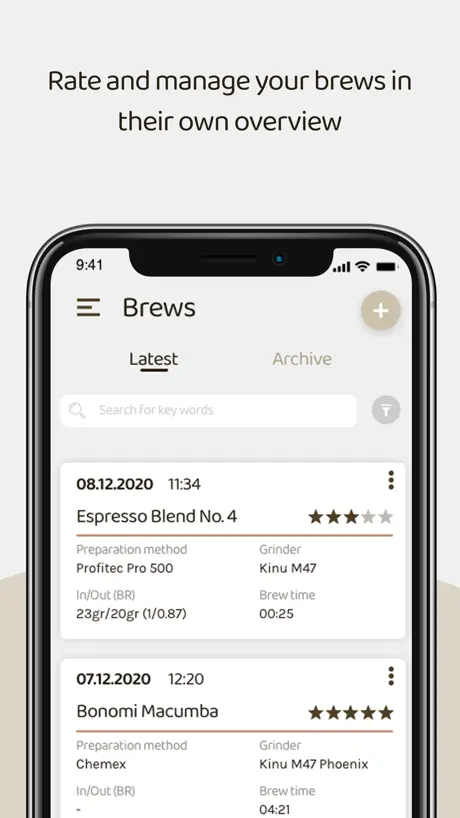
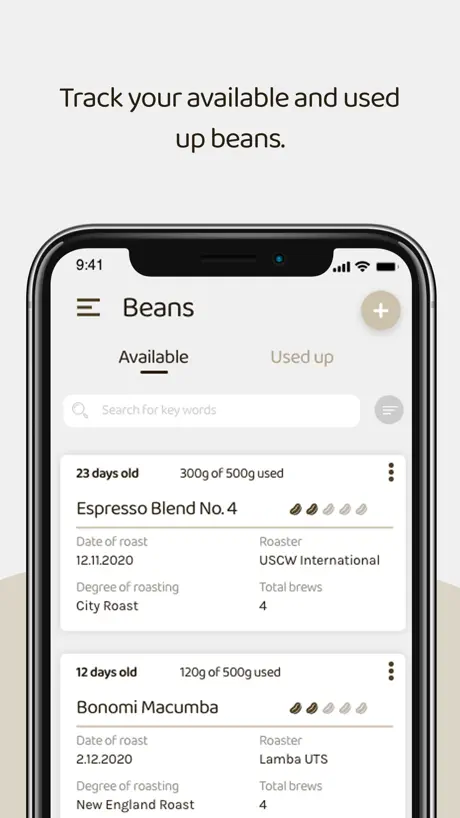
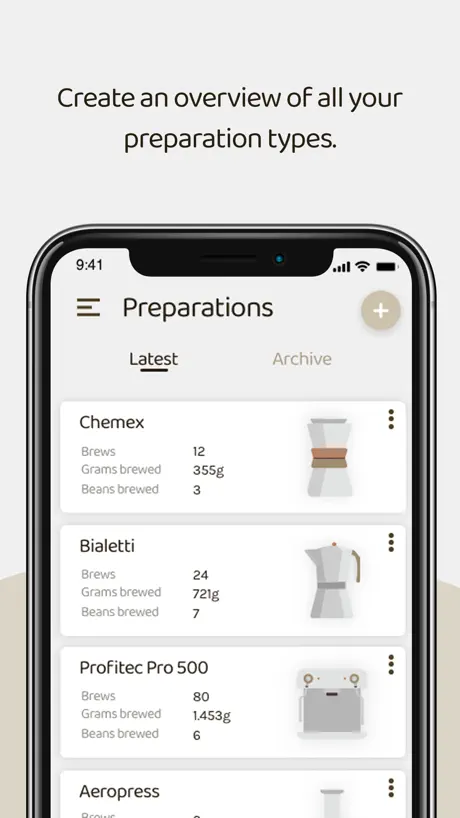
How much does Beanconqueror cost?
Prices are current as of 8 Oct 2026.
Beanconqueror has no in-app products on record in the United States.
10+ alternatives to Beanconqueror
| Beanconqueror |   Best Brew Guide: Filtru Coffee Best Brew Guide: Filtru Coffee |   Coffee Book: Brew Journal Coffee Book: Brew Journal |   Timer.Coffee Timer.Coffee | 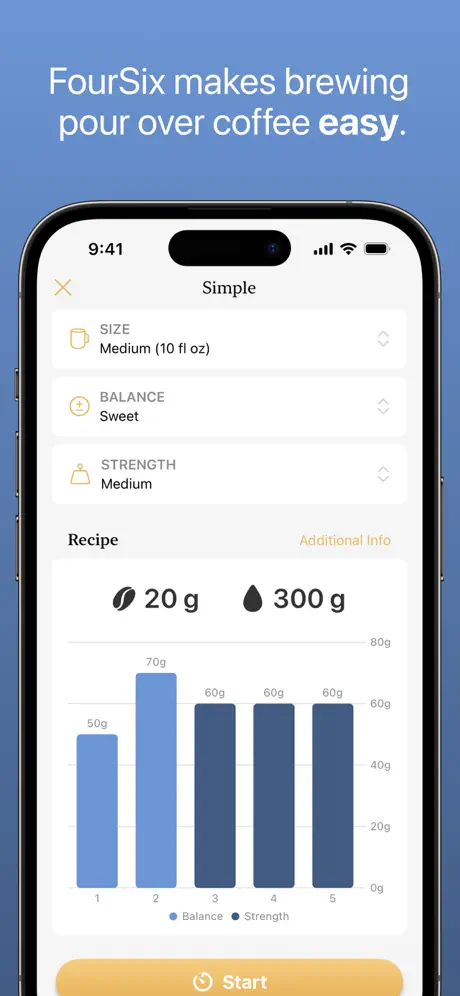  FourSix Coffee Timer FourSix Coffee Timer | 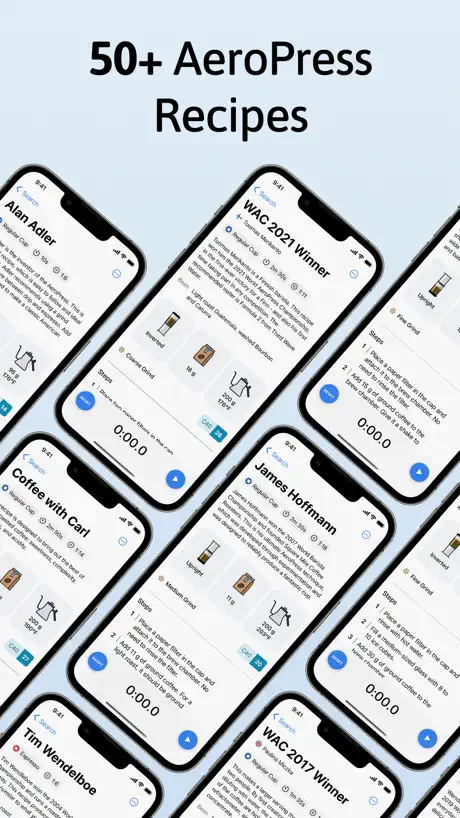  Aeromatic Aeromatic | 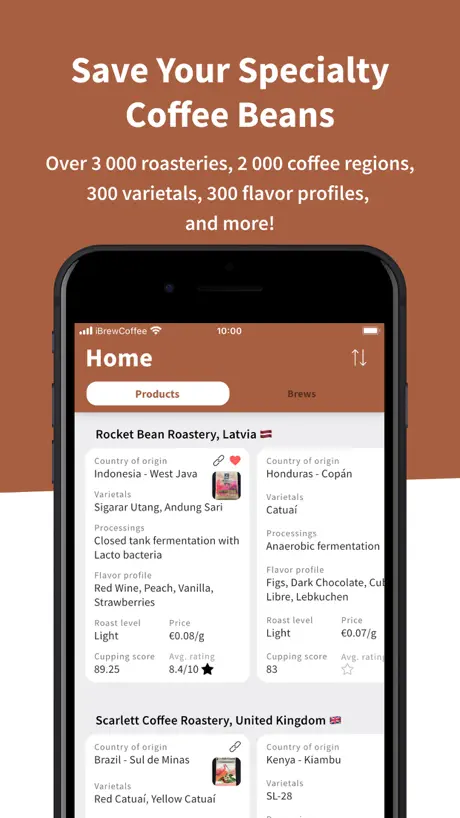  iBrewCoffee - Coffee Journal iBrewCoffee - Coffee Journal |   La Marzocco La Marzocco |   Coffee Journal - BeanBook Coffee Journal - BeanBook |   Brewmaster Brewmaster |   Acaia Updater Acaia Updater | |
|---|---|---|---|---|---|---|---|---|---|---|---|
| Rating / 5 | 4.9 | 4.8 | 4.6 | 4.9 | 4.8 | 4.8 | 4.8 | 3.5 | 4.4 | 2.0 | 2.6 |
| Reviews | 676 | 12K | 494 | 492 | 469 | 292 | 269 | 57 | 51 | 44 | 22 |
| Released | 2018 | 2017 | 2020 | 2023 | 2020 | 2021 | 2021 | 2025 | 2025 | 2015 | 2019 |
| Monthly price | — | $3.49 | $1.99 | — | $0.99 | — | $1.99 | — | — | — | — |
| Annual price | — | $32.99 | $4.99 | — | $7.99 | — | $17.49 | — | — | — | — |
| One-time price | — | $4.99 | $9.99 | — | $24.99 | $7.99 | $4.99 | — | — | — | — |
The going rate for each plan in United States, in its own currency, shaded from the cheapest price on the row to the dearest.
Beanconqueror reviews
4.9 out of 5, based on 676 reviews.
What people like
- Developers respond quickly to feedback.
- Comprehensive tracking for all coffee variables.
- Works well with many smart scales.
- Totally free but very high quality.
What they complain about
- Bluetooth scale connections are unreliable.
- No sync between iPhone and iPad.
- App crashes or fails to launch.
- UI feels clunky and unintuitive.
Lovely app
I found this app like 2 days after buying a coffee journal to track my espresso shots. And yeah, that notebook was relgated to the shelf immediately. Its been a couple months and I still haven’t touched all the features and tracking that they put into this app. It’s clear the devs really care about coffee and have thought deeply about what coffee nerds would want and need. And it is very well executed too, as a software engineer myself I am very impressed. I’m kind of shocked at how much utility I’ve gotten for free… so massive kudos and thanks to the developers for their effort. Edit: I neglected to mention the integration with my Meticulous Espresso machine, which was a delight to see. I pull a shot, click import and tadaaaa… the shot detail graph is right there in my brew. Lovely work ppl.
Barely works
Constantly complaining about some kind of backup issue, right from the first second I opened the app. Added equipment details and beans, then… nothing works. The plus (which is presumably to add a brew??) does nothing, selecting settings does nothing… Can’t make it do anything useful. Restarted the app and it’d lost all the details I just entered… bye bye.
Geniale und übersichtliche App
Ich habe 4 Sterne vergeben da mir noch eine Funktion fehlt, bzw. ich die Funktion nicht gefunden habe. Ich trinke zur Zeit sehr gerne Cold Brew, nutze dafür die App Brewli als Timer und Dokumentation. Wenn Beanconqueror noch dein Timer für den Cold Brew mit Erinnerung via Push-Benachrichtigung hätte, wäre die App perfekt für mich. Dann könnte ich 5 Sterne vergeben und die App Brewli deinstallieren. Ich gebe die Zeit in der App ein die der Cold Brew im Kühlschrank ziehen soll und wenn die Zeit abgelaufen ist, erinnert mich die App dran. Mir ist noch folgendes aufgefallen: - Im Bereich „Bohnen“ kann man die Kosten der Bohnen eintragen. Bei mir beispielsweise 6,90 € für 250g. Somit sollten da 27,60 € stehen. Es stehen jedoch „(30 €/kg)“. - Außerdem steht im selben Bereich „Bohnen“ der „Rösttyp“. Den kann ich jedoch nirgends eintragen. Edit - Antwort auf das Feedback vom Lars: Danke für die superschnelle Rückmeldung, das schätze ich sehr! - Bzgl. Cold Brew verstehe ich die Antwort nicht. Du meinst sicherlich: „Da mein Feedback ein sehr seltenes Feedback ist und sozusagen nicht von vielen bzw. niemanden außer mir angefragt wurde, wird so eine Funktion in naher Zukunft nicht kommen. Korrekt? :-)“ Sehr schade, aber das kann ich natürlich nachvollziehen, nur für einen User wird keine neue Funktion eingeführt. - Wenn man im Burger-Menü bei Bohnenparameter den Rösttyp hinzufügt, kann man diesen entsprechend hinterlegen, das klappt jetzt, danke.
Zusammenspiel mit Waage klappt rudimentär
Auf YouTube wurde die App empfohlen und sofort geladen und täglich genutzt. Mit der Waage lunar sollte angeblich die Anwendung komfortabler laufen, bei jedem fünften Bezug klappt es dann auch mal, obwohl immer eine Verbindung zum Smartphone besteht. Zudem weicht das endgültige Gewicht vom Getränk immer von dem auf der Anzeige der Waage ab und muss durch einen weiteren Klick übernommen werden - warum? Ich weiß nicht, ob ich die App noch lange nutzen werde, wenn sich das Zusammenspiel mit der Waage nicht bessert.
Bitte
Ich möchte bitte ganze Packungen auf einen Klick einfrieren ohne immer so viel rumtun zu müssen. Außerdem möchte ich bitte einfach einen Kaffee einfrieren ohne dann ein Gewicht mit Dezimalstelle eingeben zu müssen, damit die ganze Packung aus der „beziehbaren“ Bohnen verschwindet. Am wichtigsten aber; ich will aus meinen gefrorenen Bohnen auch einen Espresso machen können ohne die ganze Packung aufzutauen, den Bezug zu machen und danach dann die Restmenge wieder aufs Neue umständlich einzufrieren
Amazing app 1 issue
I love this app but I am having one issue. The brew video mode on my iPad Air gen 4 is front facing only with no way to switch. Is there any setting in the app for this or workaround anyone knows
Horrbile UX
Passionately overengineered, yet failing at the simple task of reliably recording my espresso weight. The UX is a nightmare. This app can really make your morning suck. No thanks.
For a particular person
Really simple, kinda has that “UI designed by a programmer” feel (also guilty of this) but lets you record a wealth of information. Great choice if you want a technical, utilitarian, no frills coffee journalling app.
Okay, but lots of things missing
Apps in this genre aren’t very good, sadly. The best combination I’ve found is this one (which is useful for keeping track of how much of each bean I’ve got left) and Barista (which has a far superior visual design and a recipe timer). Unfortunately, both apps have weird quirks, bad design choices, and half-baked features that make neither of them particularly satisfying. The new look of the app is alright, but it still doesn’t make sense that tapping on something (a brew, a bean) doesn’t actually open it. There really should also be a good way of using photos in the app; as of now, you have to tap (again, multiple times) to the beans and go to a completely separate section for photos. It would make way more sense to be able to tap once to go to the details page and have the photos show on there instead of navigating somewhere else entirely just to see a photo of a bag. Even better: for brews or beans with a photo, overlay the text on top of the first photo! That would drastically improve this app’s dull visual design and also make it easier to distinguish between the items that I’m scrolling through. On another note, why are the pieces of information referred to as “sort information” when you can’t actually sort anything by that information? That seems like a pretty simple bug to correct.
One glaring feature missing
This app really needs cross-device sync. I have read the developer’s explanation as to why it is difficult to implement. I think despite the difficulty, the apple platform will make it possible (i.e. with things like CloudKit), or even just a more automatic import export to iCloud Drive that you can do manually now. I would pay for this feature
excellent
So good, it has all the functionalities that i need. Thank you!
Startet nicht
Nachdem die App leider nicht mal startet kann ich nicht wirklich bewerten ob sie gut oder schlecht ist. Sie geht einfach nicht. Neues iOS und iPhone 11. Stand: Juni 2023. Wenn das behoben wird passe ich meine Bewertung an.
Chancen verpasst
Tolle ab, der Community-Ansatz fehlt jedoch komplett. Bitte Veröffentlichen und Bewerten von Rezepten ermöglichen. Ich würde dann z.B. gerne zu jeder Bohne oder Brühmethode die beliebtesten Rezepte sehen wollen.
Great app with missing features
Great app, but unfortunately no landscape support for iPad and no sync on iOS/iPadOS. Unfortunately, this severely limits the usability.
Revolutionary
I am beyond impressed with this app. It’s like somebody went into my brain and built the exact coffee journal I want but don’t have the ability to articulate. I have been literally telling everybody I know about this. The layout makes complete sense. I love the color palate and cute designs. It comes preloaded with all of the popular brewers. The features include everything I need to fully define every variable and input. It’s not bloated. It’s FREE?? This is an app I would pay money for but I hugely appreciate how accessible it is. I would much rather donate and have it remain free to people who just want to give it a try, because this really sells itself if you know literally anything about the infinite variables with coffee brewing. I have already found myself going back to my notes for numerous tweaks in my next brews. I could go back in time to every brew with any coffee and see exactly what I’ve done so I could get that same cup again, or so I knew what I did and could try another brewer to see how they compare. This app is of course only as good as you are at recording your info, but it has absolutely everything I need. My only suggestion for inputs might be to add a field for specifying what recipe I’m using, e.g. Hoffman V60, Tetsuo 4:6, or whatever custom pour structure I want so I can experiment. I can always put that into the notes but I would enjoy being able to go back in the future and compare what recipes I’ve given the highest ratings to, for example. A couple other things I’d love: -The front page is lovely, especially the “time since last cup” which is such a thoughtful touch. I would enjoy a few more options for a graphical/pictorial summary of stats. It would be cool to have a graph or table or even just a list where I could see what grinders I’ve used with what coffee, what grind setting for a specific grinder have the highest brew rating, etc. Really just a basic comparison of whatever variables I’m interested in. -The ability to create tags to improve filtering when I’m reviewing past brews based on what I’m looking for in the notes field. I would enjoy being able to search for specific conclusions like heavy/med/light body, high/med/low sweetness, etc. Any shot this will eventually include a roast log version? I would spend much more time trying to roast the right coffee if it was as easy to record as this is for pour overs.
Pflicht zum datenfoo akzeptieren.
App unbrauchbar da nach dem öffnen intransparent irgendwelche Daten erhoben werden sollen und man akzeptieren muss. Direkt wieder gelöscht ohne jemals sehen zu dürfen was die App überhaupt kann.
Tolle App
Sehr hilfreiche App mit super Features. Nur scheint es einen Bug zu geben: Bezüge, die man über das + auf der Home Seite hinzufügt werden nicht unter dem Reiter Bezüge angezeigt und umgekehrt.
App works well as a journal, too buggy with scale
I have an Acaia Pearl S, and have used other apps that can use this scale with BT paring for flow rate and just help me keep consistent brews. I found this app through Reddit and thought I’d give it a try, I like it better for keeping track of my brews because it keeps grinders, grind size and other things in memory for past brews. The issue I have is with scale paring. It’s a nightmare. The scale will disconnect and connect automatically, a pop up will appear stating that this is common with iOS devices and to just reconnect it, the issue still persists. If you don’t clear the pop-up message immediately, it will stack on top of one another and the screen will eventually go black, and you need to clear every notification to use the app again. So I just don’t use my scale, which is the main reason for the app for me. Other apps don’t have connectivity issues for me like this one does. It would be nice for the current brew you are working on, you could save the weight of the vessel, so once you finish, just add the total weight and I’ll find the difference, but you can only do that all at once, would be a nice addition imo. The app as a journal is pretty good though, some minor tweaks to the ui would be nice and the scale connectivity issues resolved, and it would be fantastic.
The best and most intuitive
Have tried multiple apps. Beanconqueror is the most intuitive and the best. Best of all, it allows you to use a Bluetooth pressure sensor and a scale made by a combination of different manufacturers. 2 requests: iCloud sync of data and maybe customization of parameter colors on the brew graph. Thank you for such a wonderful app.
Tolle Idee mit der Espresso App
Eine tolle Idee mit bereits vielen Interessanten Funktionen. Eine Basic Ansicht wäre gut. Z.b sind beim brühen manche Details für mich irrelevant, aber die Bezugs Zeit kann man nur in ganzen Sekunde ausgeben. Die Ascaso Steel gibt den Bezug aber In 100ms Schritten an. Wenn man mit volumetric arbeitet wäre das gut. Danke
Wish data would share
I wish data would share between phone and iPad. My wife has a cooking app and the data between phone and iPad automatically sync.
Great App
Awesome app for tracking coffee/ brews! Looking forward to to using this to dial in my pour overs.
Sehr gute Details
Feature Wünsche Apple watch zum tracken von Favoriten. Datenbank um sich austauschen zu können.
Very impressive app
What a great app! The author has really put a lot of thought into how it can be used, making things really accessible, taking advantage of the features of iOS, and paying attention to the details.
Cool app!
Paired my Decent scale right up but not my Skale.
Best tracking app for coffee
Amazing app
Tolle App für Home Barista!
Stern Nr. 5 gibt es erst wenn es möglich ist ein Bild hochzuladen. Beim iPhone 13 pro, stürzt die App ab beim Versuch ein Bild hinzuzufügen.
This app is great
This is a great app, especially for people getting into coffee (espresso for me specifically), and helps keep track of a ton of data. The creator has also been quick to respond, and very helpful with learning the app. Definitely recommended!
Super App!
Eine wirklich ausgezeichnete App. Bin sehr zufrieden und der Funktionsumfang ist wirklich klasse! Jedoch ist mir ein kleiner Bug aufgefallen. Wenn die „zu dir genommene Koffeeinmenge“ gespeichert werden soll, (in Apple Health) passiert dies nur, wenn man eine neue Brühung hinzufügt. Bei dem Punkt: „Schnelle Brühwiederholung“ werden diese Date wohl nicht gespeichert und nicht an Apple Health übergeben. Bei dem hinzufügen einer neuen, manuellen Brühung funktioniert dies tadellos. Daher erstmal nur 4**** :) Danke und weiter so!
I can’t believe this is free!
Devs work very hard to make this accessible and address issues asap. They support all the common coffee gadgets (without support from some manufacturers). And the app does it all. Quality work from quality people.
Probably the best brewing app but...
For the most part it is a very comprehensive brewing app but unfortunately not in a way that I personally find helpful in getting consistent brews. What it doesn’t do is give the ability to record weight and start/finish time of each pour for a given brew. This is really the most important information for brewing consistently. It would also be helpful to be able to record the time you finish pouring the bloom. I find the built in timer to be too small and a lot of the icons are not dark enough and not so easy to distinguish. On the positive side it does record brew water temp, brew water, TDS and will calculate extraction if you can measure TDS, among other things. It’s bean and brew method information storage is pretty comprehensive also but while on one hand it will subtract your brew dose weight from the recorded coffee weight of whatever bean you use the adjusted bean weight will never really be accurate as there will always be some loss between weighed out beans and the actual dose weight. Some may not notice this without a precise and accurate scale. It would be helpful to have a bean weight for each brew that is used to subtract from the bean’s total weight and then a dose weight that is used to correctly calculate extraction and keep brew repeatability. So when you add brew method info... DO NOT archive it unless you will not use it. You can unarchive it and then use it. Maybe a stupid mistake on my part but I did it and it wouldn’t let me brew initially.
Beanconqueror FAQ
- Is Beanconqueror free?
- Yes. The app is free, in all 175 countries it sells in, and it sells nothing inside it.
- Does Beanconqueror have a free trial?
- No. None of its offers (US) come with a free trial.
- What are the best alternatives to Beanconqueror?
- Best Brew Guide: Filtru Coffee (4.8 from 12,065 reviews, premium from $3.49), Coffee Book: Brew Journal (4.6 from 494 reviews, premium from $0.99) and Timer.Coffee (4.9 from 492 reviews).
Beanconqueror download
Last updated 2 months ago.
Beanconqueror sells in 175 countries. It was released 7 years and 9 months ago, on 16 Dec 2018. It holds a 4.9 rating from 676 reviews.
Supports 1 language: English.