Cross Stitch Saga
How much does Cross Stitch Saga cost?
Prices are current as of 11 Sept 2026.
Cross Stitch Saga has no in-app products on record in the United States.
Cross Stitch Saga download price by country
| Country | Price |
|---|---|
| Russia | RUB 1,500.00 |
| China | CN¥98.00 |
| Ukraine | $19.00 |
| United States | $15.00 |
| Belarus | $19.00 |
| Germany | €17.00 |
| Poland | PLN 69.99 |
| Canada | CA$19.00 |
| Spain | €17.00 |
| France | €17.00 |
| United Kingdom | £15.00 |
| Kazakhstan | KZT 9,000.00 |
| Australia | A$25.00 |
| Netherlands | €17.00 |
| Bulgaria | €17.00 |
| Italy | €17.00 |
| Moldova | $19.00 |
| Israel | ₪49.90 |
| Lithuania | €17.00 |
| Latvia | €17.00 |
| Turkey | TRY 900.00 |
| Belgium | €17.00 |
| Switzerland | CHF 14.00 |
| Chile | CLP 17,990 |
| Czech Republic | CZK 399.00 |
| Hungary | HUF 6,990 |
| Mexico | MX$299.00 |
| Norway | NOK 199.00 |
| Vietnam | ₫499,000 |
| Austria | €17.00 |
| Denmark | DKK 129.00 |
| Georgia | $19.00 |
| Ireland | €17.00 |
| Portugal | €17.00 |
| Romania | RON 79.99 |
| Serbia | €17.00 |
| Singapore | SGD 19.98 |
| Uzbekistan | $17.00 |
| Armenia | $19.00 |
| Azerbaijan | $19.00 |
| Brazil | R$99.90 |
| Cyprus | €17.00 |
| Ecuador | $15.00 |
| Finland | €17.00 |
| South Korea | ₩25,000 |
| Montenegro | €14.00 |
| Malaysia | MYR 69.90 |
| New Zealand | NZ$29.00 |
| Panama | $15.00 |
| Taiwan | NT$490.00 |
| United Arab Emirates | AED 59.99 |
| Afghanistan | $15.00 |
| Antigua And Barbuda | $15.00 |
| Anguilla | $15.00 |
| Albania | $19.00 |
| Angola | $15.00 |
| Argentina | $15.00 |
| Bosnia & Herzegovina | €17.00 |
| Barbados | $19.00 |
| Burkina Faso | $15.00 |
| Bahrain | $17.00 |
| Benin | $19.00 |
| Bermuda | $15.00 |
| Brunei Darussalam | $15.00 |
| Bolivia | $15.00 |
| Bahamas | $17.00 |
| Bhutan | $15.00 |
| Botswana | $15.00 |
| Belize | $15.00 |
| Congo, Democratic Republic | $15.00 |
| Congo | $15.00 |
| Cote Divoire | $19.00 |
| Cameroon | $19.00 |
| Colombia | COP 69,900 |
| Costa Rica | $15.00 |
| Cape Verde | $15.00 |
| Dominica | $15.00 |
| Dominican Republic | $15.00 |
| Algeria | $15.00 |
| Estonia | €17.00 |
| Egypt | EGP 799.99 |
| Fiji | $15.00 |
| Micronesia | $15.00 |
| Gabon | $15.00 |
| Grenada | $15.00 |
| Ghana | $19.00 |
| Gambia | $15.00 |
| Greece | €17.00 |
| Guatemala | $15.00 |
| Guinea-bissau | $15.00 |
| Guyana | $15.00 |
| Hong Kong | HK$118.00 |
| Honduras | $15.00 |
| Croatia | €17.00 |
| Indonesia | IDR 249,000 |
| India | ₹1,499.00 |
| Iraq | $15.00 |
| Iceland | $19.00 |
| Jamaica | $15.00 |
| Jordan | $15.00 |
| Japan | ¥3,000 |
| Kenya | $19.00 |
| Kyrgyzstan | $17.00 |
| Cambodia | $17.00 |
| St. Kitts and Nevis | $15.00 |
| Kuwait | $15.00 |
| Cayman Islands | $15.00 |
| Lao Peoples Democratic Republic | $17.00 |
| Lebanon | $15.00 |
| St. Lucia | $15.00 |
| Sri Lanka | $15.00 |
| Liberia | $15.00 |
| Luxembourg | €17.00 |
| Libya | $15.00 |
| Morocco | $15.00 |
| Madagascar | $15.00 |
| Macedonia | $15.00 |
| Mali | $15.00 |
| Myanmar | $15.00 |
| Mongolia | $15.00 |
| Macao | $15.00 |
| Mauritania | $15.00 |
| Montserrat | $15.00 |
| Malta | €17.00 |
| Mauritius | $19.00 |
| Maldives | $15.00 |
| Malawi | $15.00 |
| Mozambique | $15.00 |
| Namibia | $15.00 |
| Niger | $15.00 |
| Nigeria | NGN 24,900.00 |
| Nicaragua | $15.00 |
| Nepal | $19.00 |
| Nauru | $15.00 |
| Oman | $15.00 |
| Peru | PEN 69.90 |
| Papua New Guinea | $15.00 |
| Philippines | ₱999.00 |
| Pakistan | PKR 3,900 |
| Palau | $15.00 |
| Paraguay | $15.00 |
| Qatar | QAR 49.99 |
| Rwanda | $15.00 |
| Saudi Arabia | SAR 59.99 |
| Solomon Islands | $15.00 |
| Seychelles | $15.00 |
| Sweden | SEK 199.00 |
| Slovenia | €17.00 |
| Slovakia | €17.00 |
| Sierra Leone | $15.00 |
| Senegal | $19.00 |
| Suriname | $17.00 |
| Sao Tome & Principe | $15.00 |
| El Salvador | $15.00 |
| Swaziland | $15.00 |
| Turks and Caicos | $15.00 |
| Chad | $15.00 |
| Thailand | THB 499.00 |
| Tajikistan | $17.00 |
| Turkmenistan | $15.00 |
| Tunisia | $15.00 |
| Tonga | $15.00 |
| Trinidad and Tobago | $15.00 |
| Tanzania | TZS 39,900.00 |
| Uganda | $19.00 |
| Uruguay | $15.00 |
| St. Vincent & The Grenadines | $15.00 |
| Venezuela | $15.00 |
| British Virgin Islands | $15.00 |
| Vanuatu | $15.00 |
| Kosovo | €17.00 |
| Yemen | $15.00 |
| South Africa | ZAR 299.99 |
| Zambia | $19.00 |
| Zimbabwe | $19.00 |
10+ alternatives to Cross Stitch Saga
| Cross Stitch Saga | 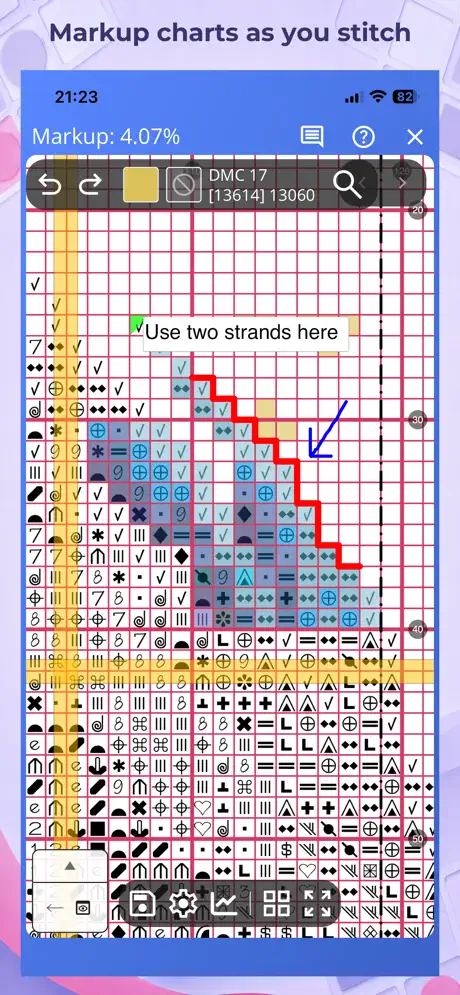  Markup R-XP Markup R-XP | 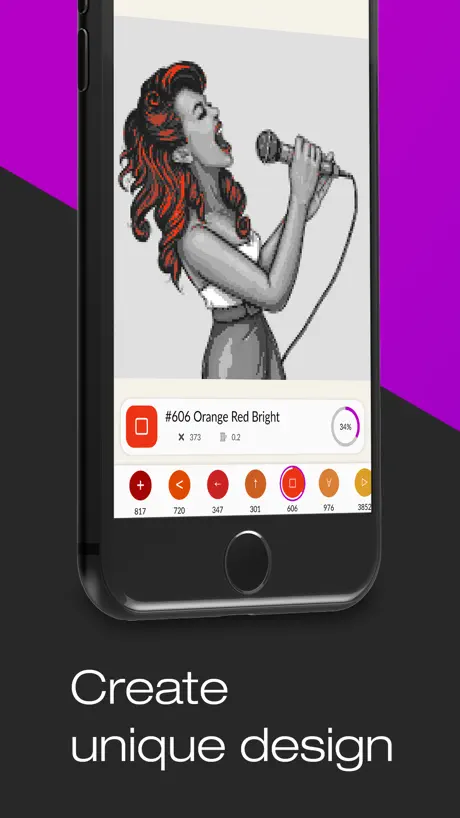  Magic Needle: Cross-Stitch Magic Needle: Cross-Stitch |   Cross Stitch Calculators Cross Stitch Calculators |   receptacle receptacle |   Needlentory Needlentory |   Makosh Makosh |   Cross Stitch: Magic Embroidery Cross Stitch: Magic Embroidery |   Fantastitch Fantastitch |   Cross Stitch Journal Cross Stitch Journal | |
|---|---|---|---|---|---|---|---|---|---|---|
| Rating / 5 | 4.6 | 4.7 | 4.5 | 4.7 | 4.7 | 4.3 | 4.2 | 3.2 | 3.8 | 4.7 |
| Reviews | 1.1K | 4.8K | 4.3K | 510 | 375 | 353 | 131 | 84 | 66 | 41 |
| Released | 2018 | 2021 | 2017 | 2019 | 2020 | 2020 | 2024 | 2023 | 2025 | 2022 |
| Monthly price | — | — | $6.99 | — | — | — | — | — | — | — |
| 6-month price | — | — | $29.49 | — | — | — | — | — | — | — |
| Annual price | — | $19.99 | $41.99 | — | — | — | — | — | — | — |
| One-time price | — | $9.99 | $2.99 | — | — | — | — | — | — | — |
The going rate for each plan in United States, in its own currency, shaded from the cheapest price on the row to the dearest.
Cross Stitch Saga reviews
4.6 out of 5, based on 1,128 reviews.
What people like
- Great features for reducing stitching mistakes
- Highly customizable view options for your eyes
- Developer responds quickly to technical issues
What they complain about
- Does not work with standard PDF files
- Very hard to find compatible pattern files
- Support is rude and unhelpful
It is THE app for cross stitching
Honestly, I'm astonished how some people blame the tool for not doing what it's not supposed to be. And have no reading compression or just common sense. This app is not a pdf reader - it is an app for electronic patterns that come in a special format; this app reads all of these special formats and it's not a magic ai pdf transformer because it was not supposed to be (also let me break it to you - ai is bad in working with patterns, you can't have magic from just a pdf). So, this is an amazing tool for working with proper patterns and it is the main app for doing so - watch YouTube if you are confused
So disappointed! Heartbroken.
This app requires your PDF to their SAGA format. I can only find services, not apps, to do this and they charge $10 to $30 per pattern file. AI can’t convert it either. So I clicked support when it takes me to a web page in maybe Russian??? So no support, for an app that cost $15, that doesn’t work with a PDF, and in a language I do not read or speak. Ugh.
Нельзя подсветить один значок
После обновления пропала функция подсветки одного значка, который выбираешь для вышивки. Светится все невышитое, а выбранном значке только циферки появляются( количество крестиков). Теперь очень неудобно, как понять какой разброс одного цвета? Теперь все в глазах рябит. С таким успехом можно и по бумажной схеме вышивать, зачем сага?
Where to download patterns for cross sitting???
Where to download patterns for cross sitting???
Добавьте совместимость с macOS.
Всё идеально, но читать схему неудобно с айфона. Будет очень круто, если немного повозитесь и добавите в Appstore для mac. Хотя бы разрешить использовать iPad версию на macOS. Тоже подойдёт.
The best cross stitch markup app out there
In my opinion, this is currently the best markup app for cross stitch. If you’re considering purchasing, however, ***read the section on compatible file types first — it does not work with PDF files unless the design is converted to one of the supported file types. The customization possibilities are amazing! I’ve been using the app for 2 years and am still discovering new features. I hope that the developer will update the support document to reflect the changes in the interface and other changes/updates. It has so many features that it can feel overwhelming at first, but once you get the hang of it, it’s a joy to stitch with. Perhaps someday she can make it compatible with PDF patterns, but I still love it. More designers are becoming aware of it and are willing to provide a compatible file format when asked.
Disappointed
I know I can’t get a refund.. hopefully $$ will be put to good use. I can’t find any patterns I want using this format ( I did find some AI patterns that I won’t buy). Will continue using my other app and write this off as a big mistake.
Не открывается формат xsd
Добрый день, после обновления до последней версии не открывается файлы с форматом xsd. Выходит сообщение, что схемы нет и это HTML-файл. Как можно исправить ситуацию?
闪退
更新了最新的,总是闪退
Не синхронизируется приложение на планшете и в айфоне. Раньше такого не было
Исправьте ошибку
Excellent
This is fantastic app!!!
$16.23 Monthly Charge
I was signed up for Apple Services without my permission when I downloaded this app. I was required to log into my Apple account before I was allowed to download Saga. Then I got a notice via email that I’ll be charged monthly. This is supposed to be on a try before you buy bases and Apple Services is no what I wanted.
Непривычно
Я с вами почти с самого начала, привыкла к розовому при отметке вышитого, пожалуйста, верните его обратно) прочитала ваш ответ о том, что можно настроить - можно, конечно, но это теперь всю жизнь цвет менять на каждой схеме? Сейчас вообще в каждой схеме разные - черный, бирюзовый, зеленый, ну очень неудобно и некрасиво Upd Цвет изменился после недавнего обновления практически на всех загруженных схемах, на первый взгляд абсолютно рандомно - зелёный, салатовый, чёрный, бирюзовый. Как вы говорите розового/зелёного нет почти. Как вернуть их?
PDF compatibility
Please make pdf or other common files compatible
苹果商店的介绍里是支持中文的
实际上app里并没有中文选项。Why?
Best app ever!
I can't use anything else after using Cross Stitch Saga. I just wish more saga or other compatible pattern files were readily available. It is best cross stitch/needlepoint app ever, there is nothing I dislike about, nothing.
waste of time & money
if you buy patterns off etsy, don’t use this app. 99% of sellers don’t give you the file types this app offers because svg and pdf are standard. converting them to the files this app requires is impossible. don’t waste 14$ on an app that is very specific on what it requires (which is files you can’t convert) update: and when you give a review they get rude. definitely don’t waste your money, use a better app than this one with nicer developers! :)
好用,但确实没有中文版,造成不便
Great App,but,We strongly request a Chinese version!
更新之后
话说,虽然我很喜欢更新之后的分类能力,但是他能不能把那个排序搞好啊啊啊啊啊啊,为啥新的在最底下,调整了也没用!还有bug她老是自动到最下面,好烦啊!!!
The best one
Guys, thank you for this app, life is not life without it! Convenience, simplicity and functionality are a dream. Thank you for your support and improvement, it is always a gift from you!
Не открываются схемы
Не открываются схемы от дизайнеров, пишет что схема коррумпированная
看到有简体中文就下载了🥲
一打开天都塌啦😅说好的三种语言呢??
支持中文
文字能不能再出个中文版呀 让不会英文 不会俄文的人怎么看嘛
10/10!
I adore this app! Revolutionized my cross stitching! And I just want to say thank you for adding the ability to toggle on or off for the restrictive box! Having it appear where I’m working is game changer for me! If it were possible I’d be giving this app more than 5 stars!!
Scam
Has only 2 projects, and you can not add more total scam
Не оправдало моих ожиданий
Смотрела инструкции прежде, чем это купить. Многие восхищались приложением и чуть ли не клялись, что работать удобнее, быстрее и прочее. Я же вижу далеко не интуитивный интерфейс, видео-инструкции на заблокированном ютубе. Есть функция изоляции отдельных символов, приложение само их подсчитывает, и это удобно. Но нельзя выделить один цвет нити и изолировать его. Если допустим нижний стежок выполняется цветом 1, верхний цветом 2, а есть символ, в котором оба стежка цветом 1, то нельзя выбрать цвет 1 и вышивать все им. То же самое со сложением в одну нить. Уважаемые разработчики, сделайте пробную версию хотя бы на 1 день, чтобы пользователи понимали, что получат за свои деньги
新版本好难用
求换回旧版本!!!
Great app
The best app for cross stitching
Отвратительно
Последняя версия просто отвратительная. Постоянно зависает. Не могу не увеличить не уменьшить. Не могу закрасить уже вышитые символы. Всё виснет до бесконечности. И нет у меня не старый планшет. И нет я не косорукая.
希望有中文版
开发个中文版
中文版本什么时候有
谢谢
Самое лучшее приложение!
С Сагой уже много лет, ещё со старых версий, уже и разучилась по бумаге шить! Очень хочется чтоб сделали папки в приложении, куда готовые процессы можно перенести или схемы «про запас».
Sadly this App is worthless to me
Doesn’t work with Modern Folk Embroidery, Witchy Stitcher or HAED. Not one of my cross stitch charts I own will load into this app. Just wasted $10.49
什么时候有中文
求求了。 什么时候才能有中文
怎么没有中文啊
看不懂,什么时候会有中文字幕
I’m a huge huge fan
I pretty much only stitch on projects if I can get my hands on a saga file. It makes stitching so enjoyable and really reduces the number of mistakes I make and have to rip out. I can zoom in on just the section I’m working on or highlight just a single color and saves my eyes so much strain. It also helps me with all my planning - cutting my fabric to size based on the count and determining how much of each color I need and if I need to buy about how long it will take me based on the number of stitches etc. I love the tracking and all the data it has of my project. It has so many amazing features and so many ways to customize the view for what works for your brain and whatever way you stitch (parking, cross country, diagonal). I’ve had the app for about 4 years and every update has new amazing features that I love. I once had an issue with an update because I was on an older operating software and they responded immediately, I sent a video of what was happening and they updated something on their end and it was fixed in a release by the morning. Amazing. I’m frankly too dependent on this app. I have such a hard time using a paper pattern now 😆 I highly recommend if you have access to the files (depends on designer) or can make them yourself using pattern maker.
???
I can’t get this app to work. There are no directions on how to use it. It was a complete waste of money. I’m giving it a no star rating. Very upset.
建议
开发者您好,我想提几点我的建议。 1.添加分组的功能。这样就可以按自己想要的分类整理了。 2.增加翻页功能。现在所有图纸都在一页上面,每次添加新图纸的话,下面的就会被覆盖,往后翻的话只能滑动。 3.批量处理功能。 4.收藏夹功能完善。现在仅有收藏图标显示,无法显示收藏了那些图纸。 望采纳,谢谢!
灵动岛不匹配
之前在12和ipad上用的都很好,结果在14promax上有一条很粗的黑线,不知道是不是跟灵动岛不匹配的关系,希望尽快修复这个bug。
Awesome support
This is a fantastic app for iOS users that create/stitch full coverage. It supports cross-country (highlighting symbols), diagonals (draws the 10-stitch lines) and zooms in super close! The only drawback is that it does not (yet, hopefully) support PDF charts. Soon, I hope! Support is also amazingly responsive and solved my load issue quickly.
It’s probably not what you’re looking for!
This is not what I thought it was. You can’t use this app to actually make a pattern, you can only upload existing. And it supports odd file types. So disappointed, it’s hard to find help in English too, everything seems to be Russian. It’s been a total waste of $18! Wish I could get my money back!
Refund please
I was looking for an app where I could create a pattern. This seems like a cool app for what it does but just not what I want. And I don’t have a problem with that. My issue is that apple says I can’t get a refund?! Please help
Love it even more if it was pdf friendly
Great program, would be even better if you can use the split screen on iPad with the program, and if it was pdf compatible it would get 5 stars
Cross Stitch Saga FAQ
- Is Cross Stitch Saga free?
- No. Cross Stitch Saga costs $15.00 (US) to download.
- Does Cross Stitch Saga have a free trial?
- No. None of its offers (US) come with a free trial.
- What are the best alternatives to Cross Stitch Saga?
- Markup R-XP (4.7 from 4,759 reviews, premium from $9.99), Magic Needle: Cross-Stitch (4.5 from 4,345 reviews, premium from $0.99) and Cross Stitch Calculators (4.7 from 510 reviews).
Cross Stitch Saga download
Last updated 2 months ago.
Cross Stitch Saga sells in 175 countries. It was released 7 years and 11 months ago, on 28 Oct 2018. It holds a 4.6 rating from 1,128 reviews.
Supports 7 languages: English, French, Japanese, Portuguese, Russian, Chinese, Spanish.
How much does Cross Stitch Saga make?
Third-party estimates for the last 30 days, worldwide — not the store's own figures, which Apple publishes for nobody.