Cash Flow Planner
Expense tracker & budget tool
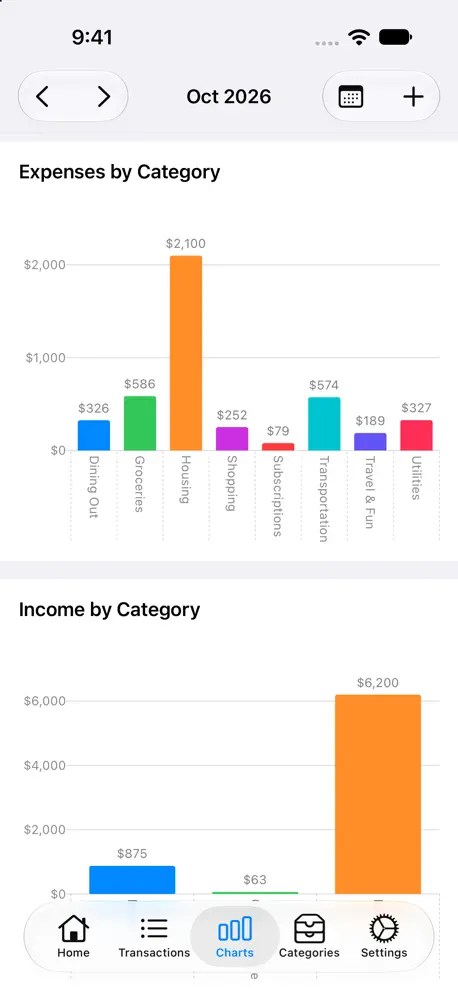
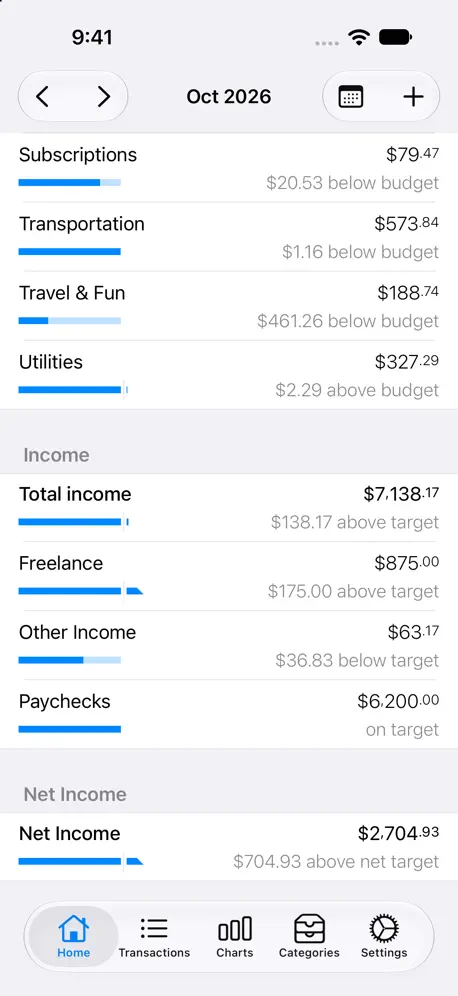
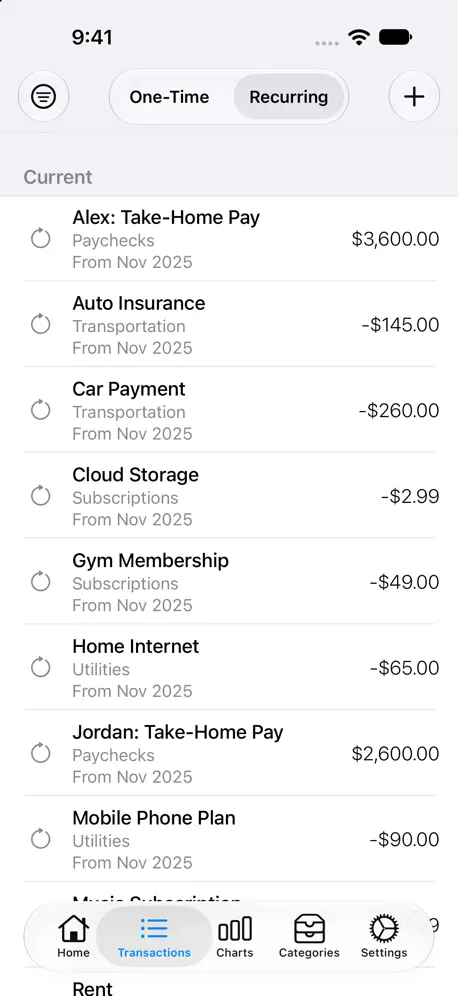
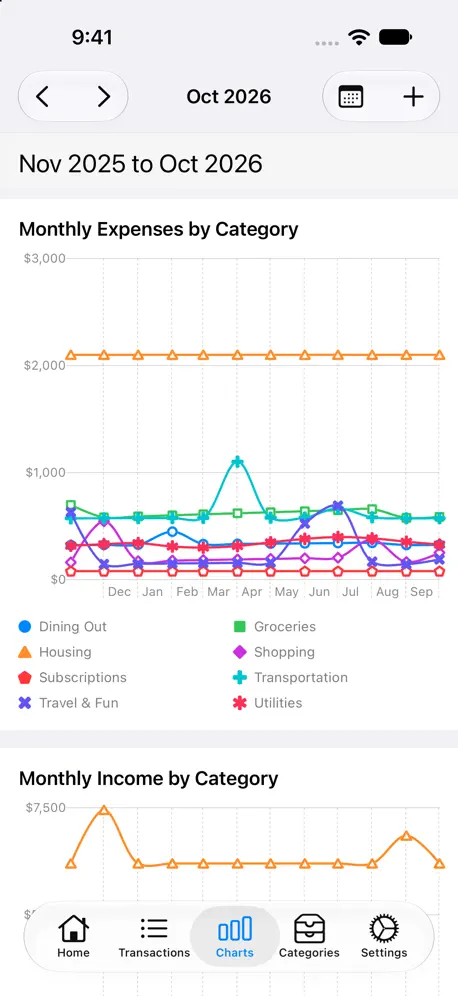
How much does Cash Flow Planner cost?
Prices are current as of 8 Nov 2026.
Cash Flow Planner has no in-app products on record in the United States.
10+ alternatives to Cash Flow Planner
| Cash Flow Planner |   Converter AM |   Paste Keyboard | MagicBoard AI |   Units: Unit converter |   Habit Tracker - HabitStack |   Time Tracker : Timy |   HabitGrid - Goal tracker |   Cat Keyboard - Easy Paste |   Bridges: Link Formatting |   Less Notes |   Juno: Task & Project Manager | |
|---|---|---|---|---|---|---|---|---|---|---|---|
| Rating / 5 | 4.6 | 4.6 | 4.7 | 4.8 | 4.7 | 4.4 | 4.4 | 4.6 | 4.5 | 4.8 | 5.0 |
| Reviews | 640 | 1.6K | 835 | 671 | 612 | 420 | 159 | 67 | 33 | 19 | 4 |
| Released | 2018 | 2019 | 2022 | 2020 | 2024 | 2024 | 2023 | 2024 | 2023 | 2023 | 2023 |
| Monthly price | — | $0.99 | $4.99 | $0.99 | $0.99 | $6.99 | $1.99 | — | — | — | — |
| Annual price | — | $4.99 | $19.99 | $4.99 | $6.99 | $19.99 | $9.99 | — | — | — | — |
| One-time price | — | $9.99 | $30.99 | $9.99 | $19.99 | $9.99 | $19.99 | — | — | — | — |
The going rate for each plan in United States, in its own currency, shaded from the cheapest price on the row to the dearest. Plans fewer than four in ten of the priced apps sell are left out.
Cash Flow Planner reviews
4.6 out of 5, based on 640 reviews.
What people like
- Completely free with no in-app purchases
- Simple and easy to use interface
- Does not connect to bank accounts
What they complain about
- Hard to read text in dark mode
- Filter option does not work properly
- Math rounds down cents incorrectly
Cash Flow
I see graphics now. Thank you!
Dark Mode
Difficult to see Alpha Numeric when phone is in Dark Mode
opus
good job
Works good but hard to read
I’m not sure if its a glitch on my end but its hard to read in some areas. I would attach a screenshot but it wont allow me to.
Needs a fix for UI
My system is set to dark mode and the app follows the same. The problem is the text on the 4th menu is all black and very hard to read. Also no way to change the app light or dark preference in app.
Recommend
Excellent app I ever used to track my money flow
Doesn’t work
Whenever you try to add or change a category, the font disappears. Script needs to be fixed. Must have added “$” on the wrong line. 😆
screen color
I’ve set my phone screen to black for battery saving and eye comfort, but this app also turns completely black, making the text unreadable. It would be great if there was an option to adjust the background color within the app
I like it BUT
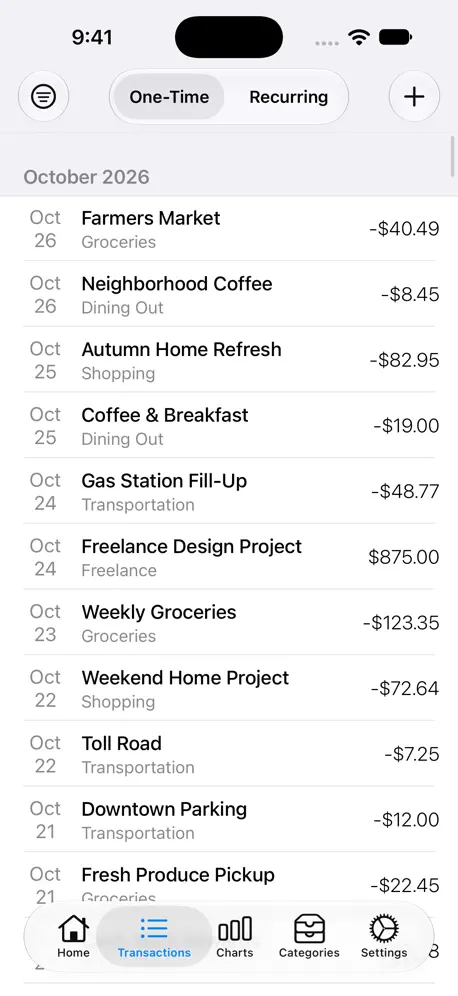
Can’t print document without just doing screenshots if I use my iPhone on black display, I can’t read all numbers otherwise I think it’s great
Nice easy to use
It would be nice to have some reports by week or month
Review
Too rigid Should at least be able to customize labels! Deleted immediately.
I can’t see the amounts the font is darker than the screen
I like the app so far, but there needs to be a way to see the amounts. A way to adjust the color of the amounts so that I can see them better. It’s helping me manage cash.
UI needs fix
On iPhone in dark mode, the text in the app is almost unreadable, no option in the app to change into light mode.
lightweight, private, handy
this is what the internet should look like. thank you erik! love from prc
The filter option does not work . Other wise ok..
The filter option does not work . Other wise ok..
Great app
Great app but would be better if the homepage showed the budget to the penny rather than rounding up to the nearest pound.
Can be improved
It’s easy to use but I suggest adding these features: adding comma in the figures’ format, show all transactions per category view, changing bar color to red whenever you exceed the budget in a category, adding summary on a monthly view and adding a remaining budget line item.
Wow
This is, quite literally, the best budgeting app on the App Store. AND 0 in-app purchases?? If you have a patreon or something, you should place it in the app as a link so some of us can donate to you for being such a good Dev
Really love it.
I downloaded every budget out there. This one is the easiest to use. I’m waiting to find out if expenses get subtracted from your budget for that category. If it does, it will be the best app out there. I’ve been with a wonderful app for years. I’ve been paying $50. In January they are doubling it to $100!!!!! I really didn’t do everything the app could do because it just got way to hard to understand. If I can get this app to subtract as I use it, it will be such an easy way to track your expenses.
Easy to Use
It is easy to use but still lacking. It will be better if an automatic calculator will add and deduct expenses to income.
I never write reviews
I have experience using budgeting apps and the other apps get in the way of the true purpose of budgeting with all the extra shenanigans. This app is the core of budgeting, it’s as simple as using a calculator and it has a dated transaction log. One thing that would icing on the cake would be a notes feature for my categories. By far the best budgeting app
Need to add one more option
Add an option which deducts the expenses from the income and shows the balance amount automatically. This will help to keep better track of the Balance Amount.
Ok app needs a few more features.
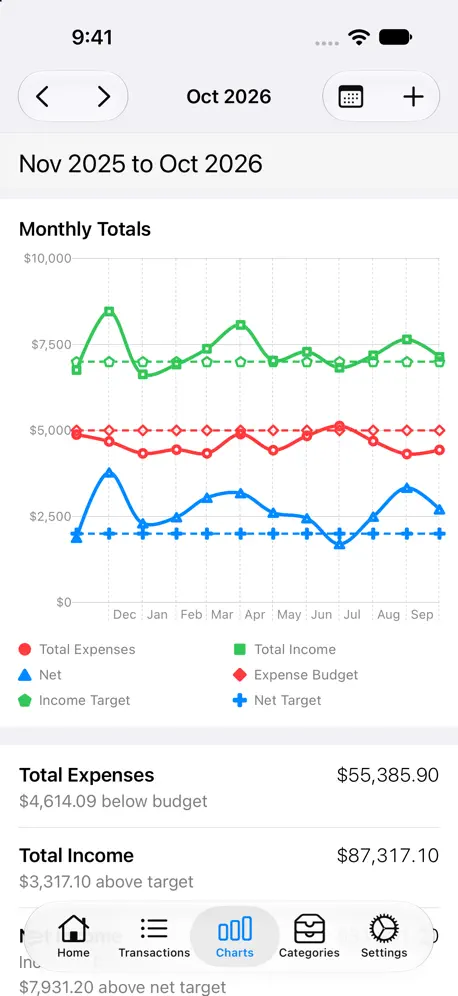
It would be great if you could change the settings so you carry your balances forward every month. I want to see when I accumulate extra cash in diff categories over several months, or the converse... see that I’m overspending and I’m accumulating a lot of debt in one category. I also want to see a trend report. And I also want to be able to split an expense, for example, when I have one receipt that has purchased from multiple categories and don’t want to go through the mental math and extra steps to properly allocate the purchase.
Easy to use
Just what I was looking for. Easy to use and clean look.
Great overall with one downside
Love this app for its simplicity, but I couldn’t get the filter feature to work. Whenever I tried to review expenses in a category the relevant transactions never showed up. If this is fixed soon this would be an awesome app.
What’s not right.
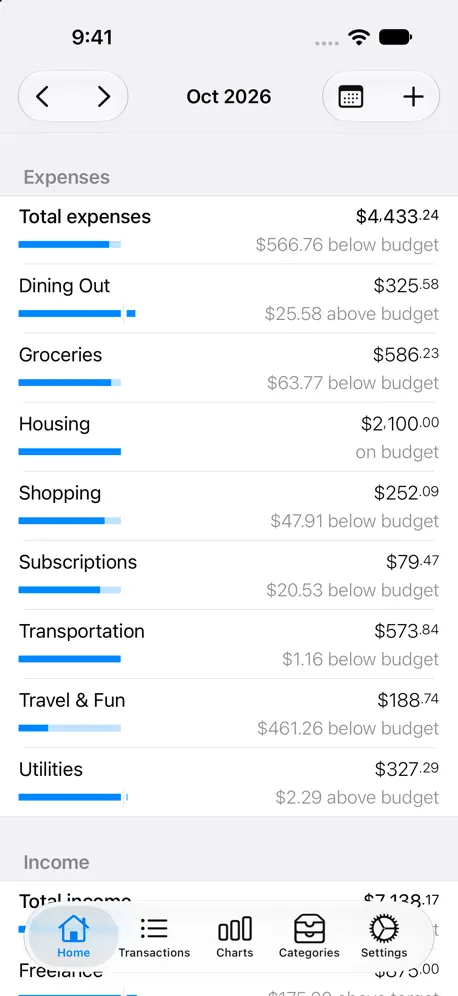
The math that is used always drops the cents to the lower dollar amount. I think this is backwards. Example: If I buy gas and it fills my tank , stops at $35.76, this system, when viewing @ Home section, only shows the $35.00 and also says I spent only $35.00 of a $100.00 budget, when I actually used almost $36.00. Another example Cat.= Insurance, water line Budget= $12.00 per month Actual expend=$11.98 This system says I used $11.00 and shows I’m $1.00 dollar below budget, when in reality I’m not below, I really did use $11.98
Thanks a lot !
I was searching for this app from my young days from 21 years old or so finally found at the age of 40 pluse
New User
Ask me in 30 days. Just downloaded this app. Would like recurring have weekly or BI-monthly option. Otherwise So far, so good.
Super Simple
Very easy to use and easily the best expense tracker I’ve ever used on mobile. Really awesome app.
Review
It’s very basic, easy to account. But doesn’t give any reports, comparison of expenses to last month or alert on abnormal expenses, no vendor info etc. as I said it’s very very basic
Great Find!
Simple yet satisfying! Straight to the point budget tool. Thanks for the simplicity!
Nice
I enjoy the simplicity yet packing of features such as adding of categories and other ways of specifying certain purchases, how it doesn’t hook up to my account so I feel safe altho am not a hundred percent on that, and I’m also quite glad of the settings which allows you to turn on and also changing the purchase date. No bugs so far, nice. Not asking for much, but it does fulfill what I need rn, which is gr8! Thank you! I searched their website and they seem legit, and their privacy policy in this app has such clear language -it’s quite surprising how clear the language is- really makes things convenient!- what a plus. Imo.
Cash Flow Planner FAQ
- Is Cash Flow Planner free?
- Yes. The app is free, in all 175 countries it sells in, and it sells nothing inside it.
- Does Cash Flow Planner have a free trial?
- No. None of its offers (US) come with a free trial.
- What are the best alternatives to Cash Flow Planner?
- Converter AM (4.6 from 1,642 reviews, premium from $0.99), Paste Keyboard | MagicBoard AI (4.7 from 835 reviews, premium from $0.99) and Units: Unit converter (4.8 from 671 reviews, premium from $0.99).
Cash Flow Planner download
Last updated 1 month ago.
Cash Flow Planner sells in 175 countries. It was released 8 years and 1 month ago, on 7 Oct 2018. It holds a 4.6 rating from 640 reviews.
Supports 1 language: English.
How much does Cash Flow Planner make?
Third-party estimates for the last 30 days, worldwide — not the store's own figures, which Apple publishes for nobody.