Bridges: Link Formatting
ProductivityUtilities

Bridges: Link Formatting

Jonathan Ruiz · released 9 Nov 2023 · Open in App Store ↗

Revenue 30d not estimated
Downloads 30d not estimated
Rating 4.52 33 reviews

No in-app products collected for this app.

Rating
United States52%174.41
United Kingdom9%35.00
Brazil6%23.00
China6%25.00
Spain6%25.00
Australia3%15.00
Germany3%15.00
Mexico3%15.00
Romania3%15.00
Russia3%15.00
Turkey3%15.00
Taiwan3%13.00

The store shows a different set in every country

Description

Bridges is the best way to collect custom formatted links. Saving a link for your podcast, newsletter, or blog post has never been easier.

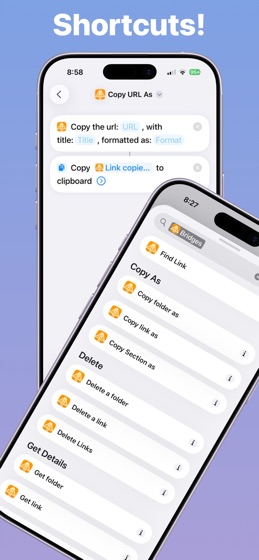
If you’ve ever had the task to collect links for a project you’ll love Bridges. Bridges eliminates any tedious URL editing for making a raw URL more human readable. When saving a link to Bridges you give it a title and it can be used when you copy the link later on. Need a link with a custom title in markdown? One tap away. Need a URL as a hyperlink? One tap away. Even better if you set all the links into a folder you can copy all of these links in the format you need in a few taps. The supported formats include: Hyperlink, Markdown, JSON, HTML, URL.

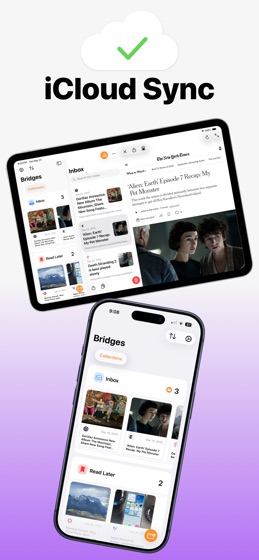
Organize the links into different folders and keep each folder in a section. All your data is stored locally and synced with iCloud so all your devices are up to date. If you download the separate macOS app for Bridges all your links and data will be there.

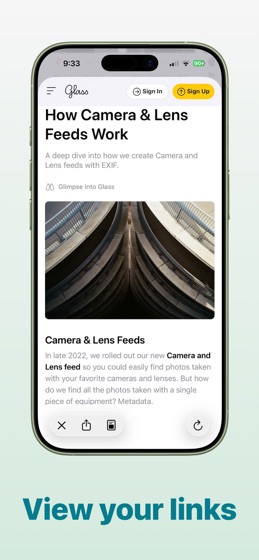
Use the share sheet to save links to Bridges quickly and easily. When saving a link it will show a rich preview of the links info: Link Title, Hero Image, Favicon, and URL. From the share sheet it’s easy to save to any folder you’ve made in the app. The custom title for the link is automatically filled in with the URL’s link title.

With Bridges saving links is easy and fun. Bridges is built by one person and aims to give you more time back by reducing tedious tasks.

For more information about the app visit https://www.bridgesapp.app/.

To see our privacy policy: https://www.bridgesapp.app/privacy-policy.

Terms of service: https://www.bridgesapp.app/terms-of-service.