
My Kubota
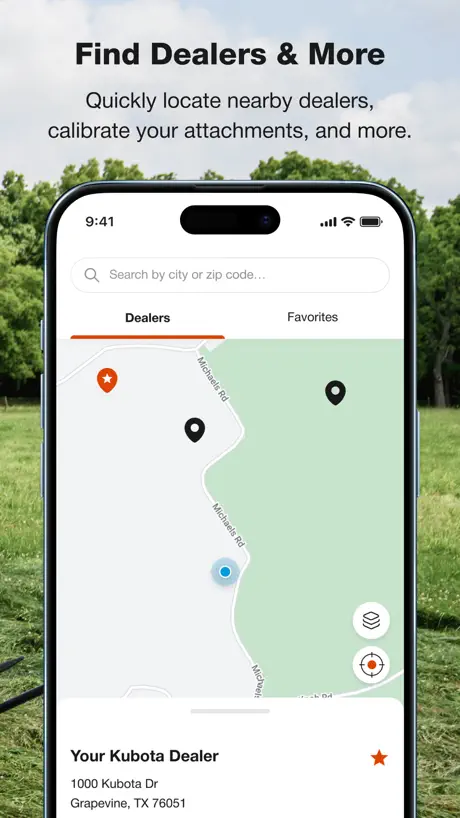
The Kubota Virtual Glovebox
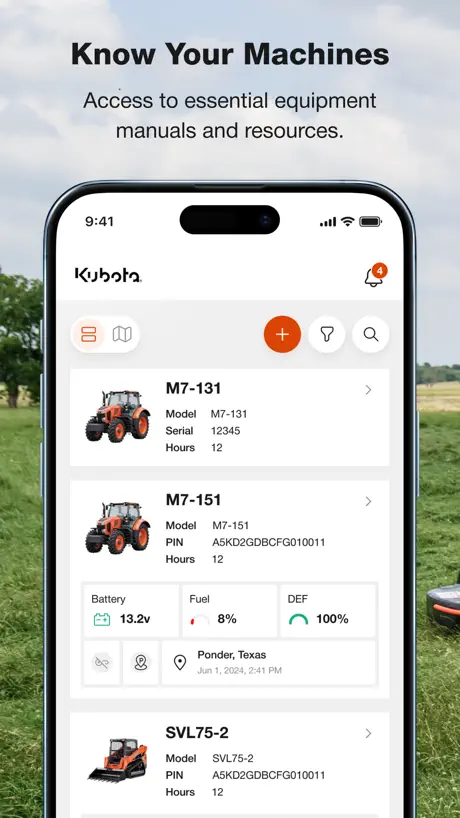
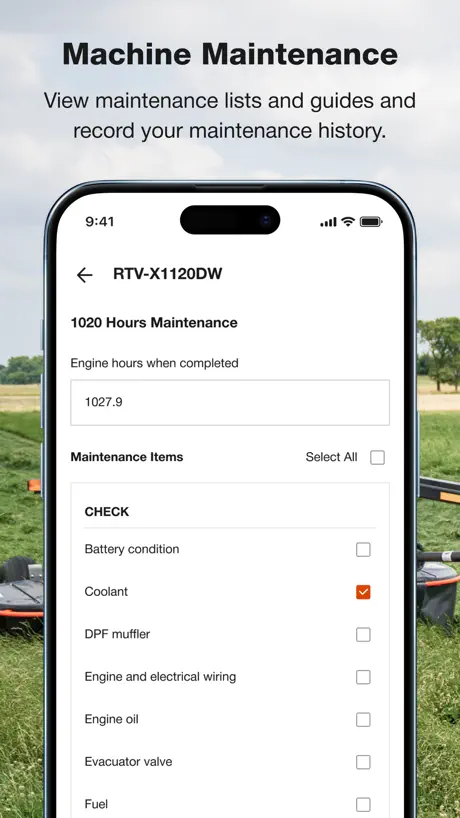
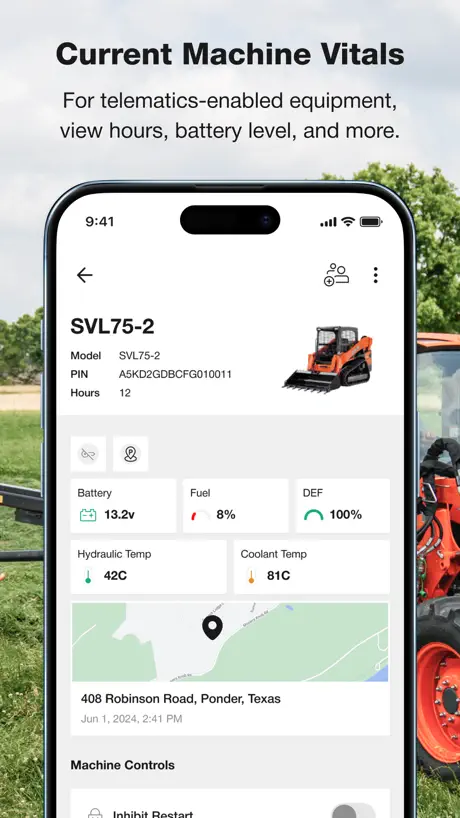
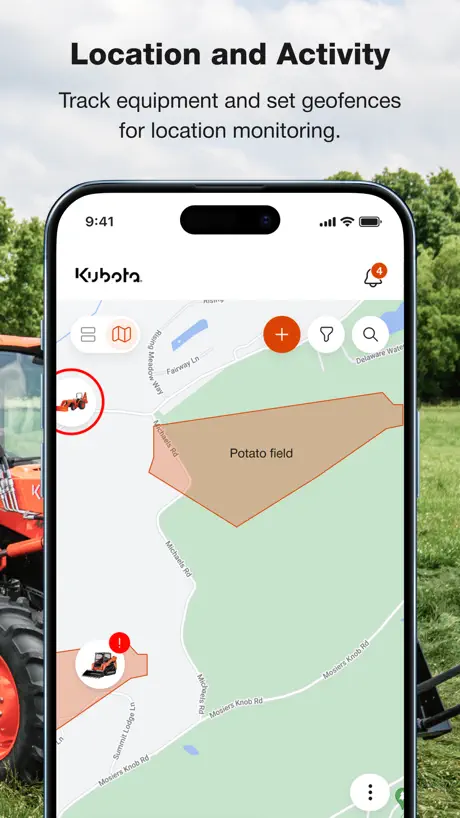
How much does My Kubota cost?
Prices are current as of 6 Oct 2026.
My Kubota has no in-app products on record in the United States.
10+ alternatives to My Kubota
| My Kubota |   TractorHouse: Farm Equipment TractorHouse: Farm Equipment |   MyFinancial MyFinancial | 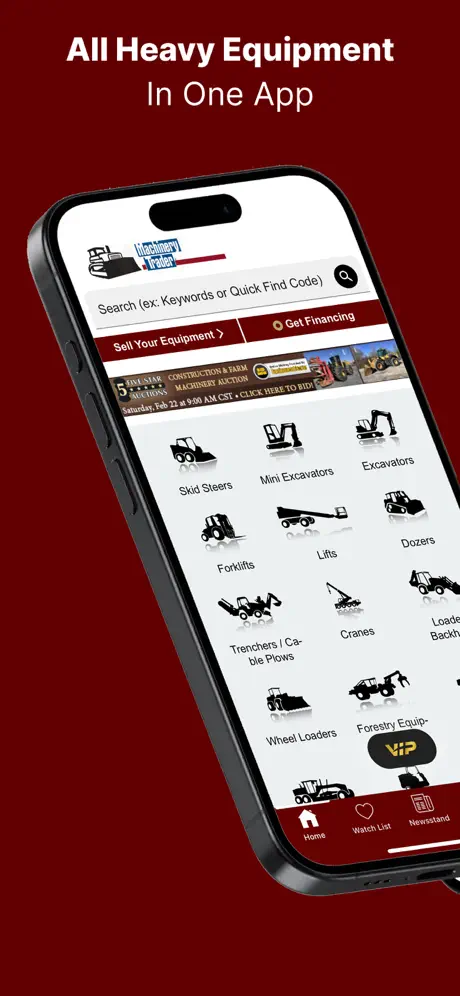  MachineryTrader: Buy Equipment MachineryTrader: Buy Equipment |   Cat® Central Cat® Central |   Equipmentfacts Live Auctions Equipmentfacts Live Auctions |   Sheffield Financial Sheffield Financial |   Silencer Shop Silencer Shop |   SiteOne SiteOne |   Equipment Mobile Equipment Mobile | 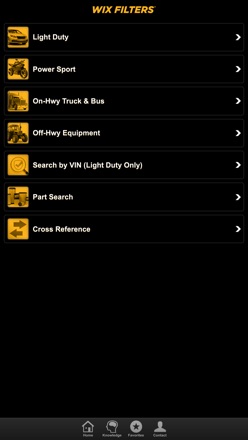  Wix Filters Mobile Catalog Wix Filters Mobile Catalog | |
|---|---|---|---|---|---|---|---|---|---|---|---|
| Rating / 5 | 3.9 | 4.6 | 4.9 | 4.7 | 4.6 | 4.8 | 1.4 | 3.1 | 3.4 | 3.1 | 3.4 |
| Reviews | 208 | 17K | 12K | 7K | 5.8K | 4.9K | 442 | 133 | 97 | 71 | 63 |
| Released | 2018 | 2010 | 2021 | 2010 | 2022 | 2022 | 2023 | 2016 | 2021 | 2023 | 2020 |
My Kubota reviews
3.9 out of 5, based on 208 reviews.
What people like
- Helps recover stolen machines with tracking
- You can download manuals for offline use
- Remote locking feature gives peace of mind
- Great for keeping track of service history
What they complain about
- Telematics show wrong fuel and hours
- Can’t edit or delete past maintenance logs
- App crashes and deletes your equipment list
- Manuals often link to the wrong model
Great App!
I used this Kubota app for all my maintenance needs and information regarding my zero turn mower and it works perfectly. I also use it to track my hours of use mowing and when all maintenance has been performed. Couldn’t be happier with it!
Can’t add RTV & hard time establishing password
First it took about 6 tries to add the password even though I was using their parameters. Then the VIN # plate wasn’t on the RTV where the app said it would be to scan to add the RTV. So I tried to add it manually but it didn’t recognize the VIN or model number. Never did get it to work.
Tracker
Overall it’s nice to keep up with where equipment is located. I am having troubles with the excavator tracking and sending faulty info primarily fuel level and hours. Need to get fixed but understand that local shop may not be adequately staffed right now.
Pointless
Absolutely the worst app online. Can’t stay signed in and will loose your equipment every other month.
Problems with telematics
Telematic is not working right. You do geofence and when they leave the section it was mark I don’t get. No modifications. That why it a 3
My Kubota rating
I think that the my Kubota app is an amazing app for tracking maintenance for all of your Kubota machines, to keep track of everything, exc. I think this is an amazing app and if you have any Kubota machines you need to set it up for it.
Bought my 3rd Kubota tractor and equipment. MyKubota app doesn’t even load on my IPhone
App started out as a great tool with my 1st tractor. It’s just dead after my 3rd tractor. Thankfully utube works
Great app
I love this app, it has a lot of good information.
Missing Model
The app is missing model SBP1174 snowblower.
account error
States account error , no account yet its shown the information, but i cannot update anything , hours or servicing nothing working
Works like managing your equipment in the 21st century should
Absolutely love the app, the fuel level is super handy. Allows me to have peace of mind knowing that the machine can be locked out remotely.
KX040 Telematics drained battery and replaced. Now only get battery level and location.
Bought KX040 with telematics. It originally worked as advertised but would drain battery in two weeks and stopped updating location. Battery and telematics replaced now it shows location but doesn’t displays equipment information like temps or fuel level and the machine hours are incorrect.
6 machines
I have 6 Kubota tractors and this app is extremely helpful, it’s actually helped me recover 3 stolen machines. It would be very helpful if you guys could add a way for us to see the daily utilization of the equipment. Let us see when it was started, how long it idled. Caterpillar has vision link and it works really well with that but they don’t have some of the options Kubota has. If those 2 platforms could merge , that would be the world’s absolute best tractor management app!!!
Buggy
Add equipment button will appear only when it wants to be seen.
App slow to load
Does what it says it does, great app. But too slow to load
Owner operator
Best machine app just would like a bit more details like fuel per hour def per hour but minor
Telematics/app issue
I just purchased the KX040 with telematics. I’ve added my machine to the app and confirmed all my info. However, I’m unable to see any info I should be able to see through KubotaNow. I’ve talked to the dealer multiple times about this with no luck. They are able to see my machine through the telematics but this app isn’t working for me. Extremely aggravating. I’ve tried deleting the app and reinstalling multiple times with no avail. The telematics was an expensive add-on option that is now worthless to me.
Works okay
The app works ok, but it doesn’t do a whole lot for my particular product. It shows documents, manuals, maintenance schedule and I can manually enter the amount of hours my product has on it. It’s kind of a glorified instruction manual. I appreciate it and it’s better than nothing, so 4 stars.
Does not have L2248 bucket in system or L2502HST
L2502HST pulls up manual for L2500 which is incorrect. Also not be able to add all parts to app even though it’s just a bucket.
Adhoc maintenance schedule
Why not add the ability to add any type of maintenance anytime? Currently, you can only add scheduled maintenance intervals like 50 or 200 hours. Why not allow any maintenance to be added with any number of hours for tracking purposes? That would make the app more useful.
Good Information
I keep all my equipment on here which makes getting the information to do repairs and ding questions I have easy to do. Very helpful to get quick answers. I like it a lot.
No Kubota now
Bought the telematics for our excavator, installed them and downloaded the app. The app has no menu for Kubota now telematics. The dealer can access the telematics through the dealer K-Service app but not my Kubota.
Great App, but needs to allow edit & delete of equipment
This app would get 10 stars, if only it could have a way of revising your equipment as you change tractors or implements.
Only Battery Voltage and Hours in correct
Telematics did not work on delivery of equipment. Dealer came out to job site and changed bad harness. Now the modem connects and can see location of machine but only telemetry that shows up is hours and battery voltage, and the hours are incorrect. Dealer said it will update but after 2 days it hasn’t updated. I can see when the machine is running and the battery voltage changes but no other telemetry data is available. Not impressed with this option yet.
Maps
I have tried everything and am not able to add my tractor to the map so not very useful.
One safe
Must have resource to track tons of information on our Kubota’s!
Horrible app
The app update deleted my equipment. I tried re-entering the equipment but the app hangs and stops responding. This app is now completely useless.
Creating a password
Choosing the option to create your own password fails after creating “new” when you go to confirm it automatically starts the process over of choosing one for you.
Can’t change tracked maintenance entries
Made a mistake on my 1st entry for maintenance. The date of the maintenance entry defaults to current date when you change the info in an existing entry. You can’t change it back to the correct date of the maintenance. You can’t change the hours for an existing maintenance entry. You can’t delete an existing maintenance entries. I use a different app to track my maintenance.
Svl 97-3
Helps track machine activity and alerts
Great Product TERRIBLE Web/App Developers
App crashes and logs me out while using it….over and over!
Works
After switching my iPhone local to the right country I can add machines! Useful when working.
Kubota attachment not supported by app
I have a Kubota tractor snowblower attachment, model B2782B, that is not known by the app. The app would be more useful if I could include all of my Kubota equipment.
Fire
This app is so amazing legit the best app ive ever used. Once I downloaded it I started making freinds and all the girls loved me!!!! Thank you Kubota 🤧🤧🤧
Absolutely useless for older models
Have a 2006 KX161-3. This app does nothing for that model.
Nice with a few small issues
Overall very nice. Thanks for developing this app. I was disappointed that a sign in registration is required to add equipment. The app itself doesn’t tell the user a registration is required, the add equipment just fails with no explanation. Also I would like to be able to add my loader and backhoe buckets just so I can easily track those model numbers. The app could not find those two items.
Kubota L3560
I got this app hoping to track my maintenance history for my new tractor. I really like the app but the maintenance records are wrong for my tractor. All it shows is air conditioner maintenance. Please update the maintenance tracking for the L3650. Thanks
Excellent
Works great. All my equipment is listed and I can download PDFs of my manuals right to my phone. I have terrible service at my place so having the offline manuals really help. Thanks!
Well I use to like it
App won’t even open at all since it upgraded and fixed the bugs🤦🏻🤦🏻🤦🏻
Maintenance history?
I can’t find a function to add and track service history. That would be very helpful.
Deleting old or obsolete equipment
Can’t remove items I’ve ever owned or SOLD.
I’m impressed!!
Not perfect but pretty good coming from Kubota ! As we know , Kubota presence online (website, possibility to find info, buy stuff etc ) is pretty lame overall, even more if we compared to Deere.com but this app is surely a step in the right direction. Absolutely. I’d like to have more information , more stuff like having more details in those « How to » guides, like torque value and more pictures but coming from Kubota, i’d give them 5 stars
Bug ridden, awkward to use, missing manuals
When I registered my Kubota LX4020 tractor a snowblower manual was retrieved instead. I repeated this procedure three times with the same results then I want to searching for a Kubota, LX 4020, and it’s not in their system. The program is not written for iPads (would be nice to have high resolution for reading manuals).
Wish they would support landscape orientation
I just heard about the app today and downloaded it. I have it on my android phone and my ipad. My ipad has a bluetooth keyboard and stand-up case. But the app uses only the middle 1/3 of the ipad screen so it looks like a phone. Why not support an ipad properly? I rotated the ipad and it fills the screen, but that makes the keyboard just a bit awkward to use. It’s not that hard to do. DO IT.
My Kubota FAQ
- Is My Kubota free?
- Yes. The app is free, in all 2 countries it sells in, and it sells nothing inside it.
- Does My Kubota have a free trial?
- No. None of its offers (US) come with a free trial.
- What are the best alternatives to My Kubota?
- TractorHouse: Farm Equipment (4.6 from 16,737 reviews), MyFinancial (4.9 from 11,984 reviews) and MachineryTrader: Buy Equipment (4.7 from 6,968 reviews).
My Kubota download
Last updated 7 days ago.
My Kubota sells in 2 countries. It was released 7 years and 10 months ago, on 6 Dec 2018. It holds a 3.9 rating from 208 reviews.
Supports 2 languages: English, French.
How much does My Kubota make?
Third-party estimates for the last 30 days, worldwide — not the store's own figures, which Apple publishes for nobody.