
Hubitat
Elevate your Environment
How much does Hubitat cost?
Prices are current as of 16 Nov 2026.
Hubitat has no in-app products on record in the United States.
10+ alternatives to Hubitat
| Hubitat | 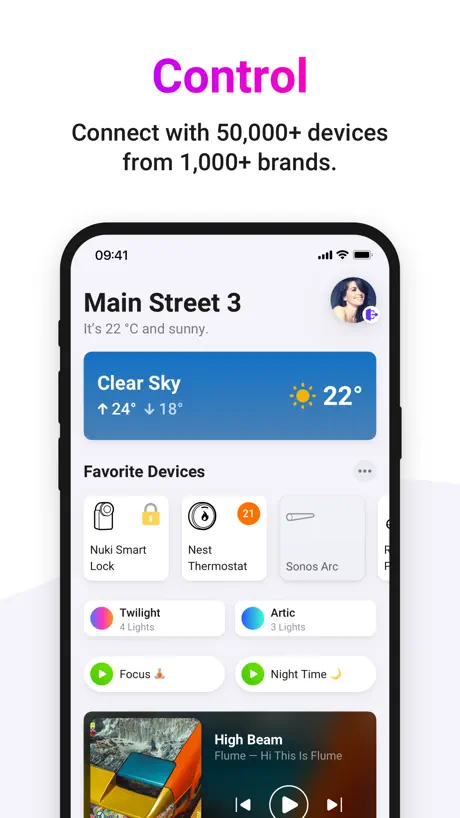  Homey — A better smart home | 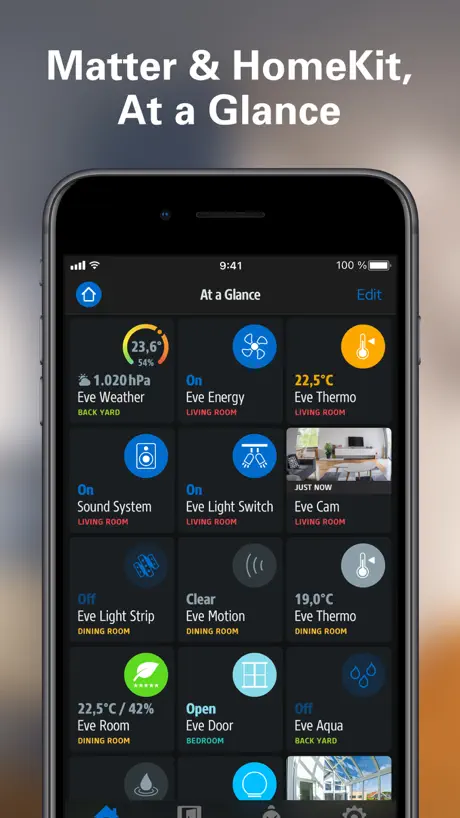  Eve for Matter & HomeKit | 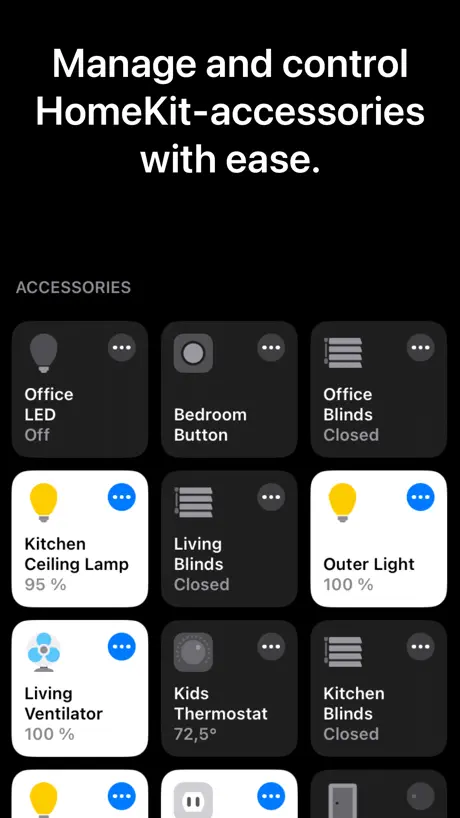  Home+ 6 |   HomeDevices for HomeKit |   HomePass for HomeKit & Matter |   HOOBS |   Third Reality |   3R-Installer |   MiOS |   Ezlo Protect | |
|---|---|---|---|---|---|---|---|---|---|---|---|
| Rating / 5 | 2.9 | 4.5 | 4.1 | 4.4 | 4.5 | 4.1 | 1.3 | 2.2 | 2.9 | 3.2 | 4.5 |
| Reviews | 219 | 19K | 12K | 3K | 1.7K | 662 | 42 | 40 | 24 | 13 | 12 |
| Released | 2019 | 2019 | 2015 | 2015 | 2021 | 2018 | 2024 | 2018 | 2023 | 2021 | 2022 |
| Monthly price | — | $0.99 | — | — | — | $1.99 | — | — | — | — | — |
| One-time price | — | $8.99 | — | $4.99 | — | $39.99 | — | — | — | — | — |
The going rate for each plan in United States, in its own currency, shaded from the cheapest price on the row to the dearest. Plans fewer than four in ten of the priced apps sell are left out.
Hubitat reviews
2.9 out of 5, based on 219 reviews.
What people like
- Works completely without the cloud
- Supports many older devices well
- Automations are fast and local
What they complain about
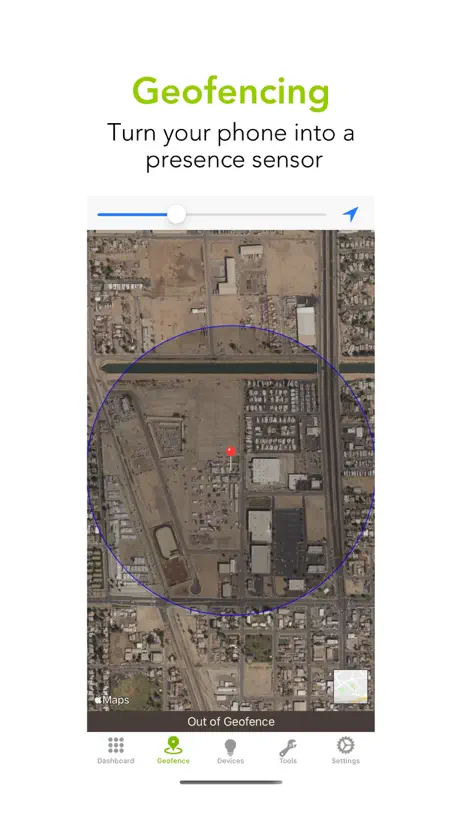
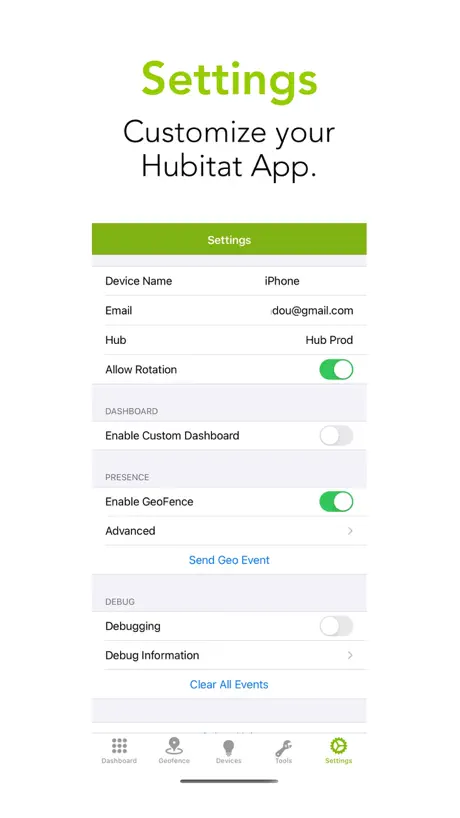
- Geofencing presence detection is unreliable
- App drains battery very quickly
- Interface looks old and ugly
SmartThings
If you are thinking about switching you won’t regret it I promise!
Ugly UI
The possibilities of Hubitat hub is really great but app UI is pure pain.
Good upgrade coming from Wink
You will have way more capability and reliability with this service than with Wink. However be prepared to invest a lot of time in trying to get it to do what you want. A rudimentary knowledge of programming is a prerequisite for using this service.
Have they just left us?
This app gas always been buggy and hasn’t been updated in a year. That’s pathetic.
Used to work…..now…not so much
Everytime I open, it says it can’t find hub instead of just going directly to dashboard. I have to go back to hub and find dashboards again and back in. It’s pain. Will have to find something else
Such a flexible platform, do anything
Hubitat is terrific. A bit of a learning curve, but lots of help online. And you can make it do almost anything you can think of. App not perfect, but plenty good enough.
Cannot find my Hubitat C8
App is useless. I have my Elevation C-8 working perfectly controlled through Safari at websit and also on Homekit. Hubitat app says there are no hubs. I thought it would be a quicker way to connect and control the hub but it simply doesn’t work. I am on Iphone 15 with latest updates.
Not bad
Gave it a bad review previously. Just updated to the new version. It’s ok
Good gone bad
Not sure what’s going but really starting to wonder about this product. It seemed good as it was much more open then other platforms but for the last two weeks the app is just useless, just opens and crashes right away. The legacy app works better than the new one!! Time to start looking at other options I think.
UI needs work
It seems to be pretty much functional, but the UI a lot of improvement. And it needs a detailed manual.
An excellent app
Hubitat is great for the serious home automaters or the ones that want to become serious home automaters. Works out of the box with Lutron Caseta and Lutron RA2 (even both at the same time. Give it a little time and you will figure it out!!!!
Geofence Not Working
I noticed an update to app lists geofence improvements. But app does not trigger hub when arriving/departing as of 10/30/23.
Good start
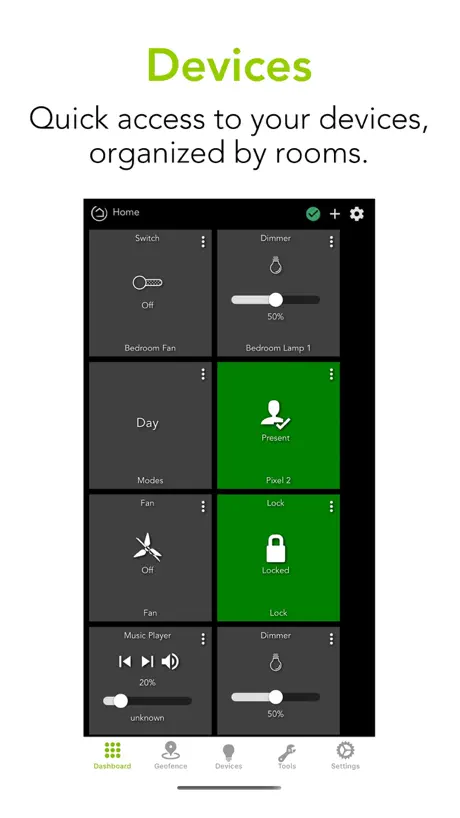
I'm glad Hubitat released a mobile app, which helps bridge a gap in their otherwise excellent platform. However, it could use some improvement. The geofence feature is inconsistent across devices and unreliable. No matter what options I choose, it doesn't seem to work right on my iPhone X. My Location settings for the app are set to Always, and I'm also using Precise Location. The app will sometimes detect when I'm inside/outside the geofence while running in the background and other times it does nothing, unless I manually go to its Settings > Send Geo Event. On my girlfriend's iPhone XS, the app seems to falsely detect that it is outside the geofence while running in the background. Thankfully, Hubitat hub has a built-in app for Life360, which has been very reliable in tracking our presence. We've disabled the geofence feature in the Hubitat iOS app and are relying on Life360 now. I'm confident the geofence feature will mature over time, as it did for SmartThings. I remember back in 2015-2016 when the geofence location of the SmartThings app was a joke, not the mention that the app would constantly logout the user while running in the background. That app has come a long ways, and I'm sure Hubitat will do the same given the same amount of time. While I've gotten used to the tile layout of the dashboards, that could be improved. It would be a welcome feature if the mobile app could allow for tiles to be moved around by simply tapping & holding a tile, then dragging it to a new location. That would be an example of where the mobile app offers an advantage over accessing the mobile web UI in Safari. It would also be nice if the dashboards could better adapt to different screen sizes. Right now one can set the tile size to dynamic, but that doesn't often render correctly on different devices, making it difficult to read the tile's content or causing the labels and icons to overlap. I think the only way to overcome this CSS/JavaScript/HTML5 limitation is by divorcing the mobile app from the Web UI and creating a truly native user interface using iOS or Android frameworks. The web UI should only be used for web browsers. Anyway, thank you for releasing this mobile app. I understand that it's still in its infancy and will be going through a lot of changes over time. I really appreciate the Hubitat platform, which I moved to recently from SmartThings. I'd been a loyal user of SmartThings since 2015, but my patience with regards to their frequent cloud outages had run out. Samsung apparently views SmartThings as a pet project rather than a serious product. And now that I've had to the chance to move everything over to Hubitat, I can really appreciate that it doesn't depend on a cloud platform. They still offer cloud access to dashboards, but it's optional. For folks with VPN access to their home networks, they can keep everything completely local, which is awesome and refreshing in an age of SaaS, PaaS, etc. where your data is stored, processed, and transmitted in someone's cloud, relying on someone else to keep the data secure and available to the owner. SmartThings has shown how reliance on the cloud can be a really terrible idea. Thank you Hubitat! Keep up the great work.
Clunky and buggy
A Windows 98 style interface, while being less reliable and more buggy. Quite surprised by the lack of investment into the iOS app, given that this will be the primary means of control for most users, and probably one of the primary reasons new users will avoid Hubitat.
Falla Homekit
Falla Homekit
New Devices Section is Awesome
The devices by room controls is a game changer and makes things way easier and faster. Hubitat has left Smarthings in the dust long ago and keeps getting better and better.
Please fix duplicate devices!
Please fix duplicate devices!
Could be a 4 or 5
Update: my mistake if you tab the tile and look in the upper right hand corner there is a link there for the motion history. Raised my review from 3 to 4. Please add the ability to see motion sensors logging activity from the dashboard. Seems it would be an easy item to include. Just bring up the logging activity when the tile is pressed. I’m sure many would greatly appreciate it.
Good server, bad app
I use the C7 base server. It works very well. The mobile app is awful. The icons are ugly and the performance is barely acceptable. The geofence feature is unreliable. A few days ago, the foyer lights turned on at bedtime, as my iOS phone sent the arrival signal five hours late.
Presence detection unreliable at best.
I really wish they’d get the built in presence detection sorted. Based on what I’ve found reading in forums etc this seems to be an issue which plagues a lot of users.
Excellent replacement for Wink, with a learning curve
Hubitat takes all of what makes consumer level home automation fun and useful and adds a degree of professional capability. The app mirrors your configurations. There is a bit of a learning curve and it’s better to set up using the webpage on a computer, but once you’re there, the app and system response is lightning fast and reliable. The options are endless which has rekindled the desire to go smart. Keep up the great work!
Can’t get passed first page
Ios 16.6.1 Downloaded app, created account, copied verification code from email to app and now there’s no way after doing this to minimize the keyboard and hit continue button which is covered by keyboard. Not going Hubitat until the software is fixed.
Great start
This app is pretty good. I find dashboard doesn’t always refresh well after backgrounding the app and geofence size sometimes resets back to default size. Aside from that it works pretty well. Using it to detect presence based on iPhone location is handy
Downhill recently
Started off promising but in the last couple years the quality has gone down and the UI issues remain. Recently there’s firmware that almost bricks it and you feel a bit confused at how a consumer product can no longer be supported because they can’t release updates that work with it. All that aside it was when I tried to help them diagnose an issue and their response was to call me a liar, not the best at owning their own product. You can make your own decisions but please thing long and hard about a product whose developers can’t do no wrong and how that works out long term.
1.2.8 - Presence Broken
The presence feature has been working reliably for me until this update. After our phones updated to this version, the app no longer updates our presence when entering or leaving the defined geofence. This has been reported on the Hubitat forum but there has been no response from Hubitat (they have been tagged in comments) The only responses seem to be from other users saying that it is and always has been unusable. Please remove the feature if does not work.
Steep learning curve but will do anything you want if your patient
I was an Iris by Lowes user until they shut down in March 2019. I love Iris sensors because you only have to replace the batteries about ever 2 years. I also love that I get to use them again. Thank you Hubitat for writing the code. For the record I got really frustrated with Hubitat because I was used to working with SmartThings. I did’t realize I needed to take a step back and relax. I know now that the Hubitat community is amazing and there to help. It took time but I’m getting my issues sorted out. There is a solution. Example: Iris v1 devices pair and function as intended but Iris devices v2 & v3 not so much. Iris V2 & V3 devices you have to search online for alternate drivers to make them work better than what Hubitat provides. (Example: offset humidity, temp and power meters)This takes hours and days to research, ( maybe that’s the point ) of this system. To get the satisfaction of finding a driver and making that driver work better than Hubitats? I hope to learn coding so I can help make these devices work better with the hub. I have the Hubitat C7 hub and I’m looking forward to the day I can disconnect from SmartThings as that was the system I was told to go to after Iris by Lowes. The main reason I went to home automation was my mother. If she falls, she’s only laying there for no more than a half a day. Iris by Lowes had this really cool feature called “care and protect, I think” “if no motion of any kind (for a time you select 1 to 24 hours or days) send a text message. I finally figured out that I had to create a virtual switch that motion turns on and off with logging turned on then send a message based off that virtual switch. SmartThings you can only choose an hour of no movement, who wants to be bothered every hour??? Anyway thanks again Hubitat for resurrecting Iris V1 devices. I look forward to updates to your coding to make your system even better.
Consuming too much of my battery.
The Hubitat app is one of several on my phone that Always has access to location information (Home, Hue, Insurance app, etc.), but battery history indicates that this app uses 50% of my battery power, none of the other Aways access location type apps even comes close, and the Hubitat app is opened to the screen the least of all of them.
Small changes and it would be 5 star
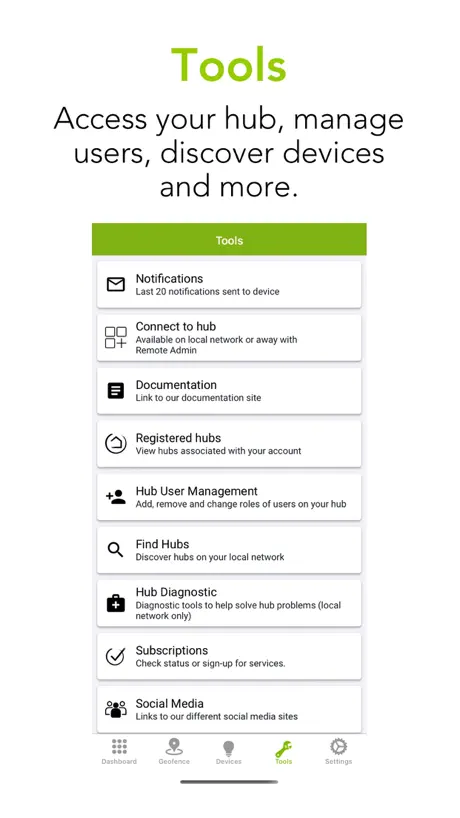
Moving the locations of notifications to the main screen instead of settings. Also, have the app light up with red over the icon that’s there a notification before you open. Lastly, allowing multiple geofence locations. If these can be added in later releases it will be an awesome app.
Hire a UX designer
Can you guys please hire a user experience designer? The UI and copywriting can be drastically improved. So far I’m unimpressed. Step back and try testing this experience out with a new user. If you have to explain everything to them in detail while you watch them fumble through your screens it’s not good enough.
New user as of mid June 2022
The main issue I have with the app is the amount of battery drain from the background app refresh. Before having the app I could go to bed with battery around 70% and wake up to 60%. Now it goes from 70% down to 10%. I’m pretty sure it has to deal with the geofencing settings but still trying to figure it all out. Other than that I was an Apple HomeKit guy who switched to Hubitat because I wanted something with better response times and way more conditional logic for automations. This was a nice start and still learning all of the things it can do.
App adds even more value
Wow, these Home Automation guys are really delivering the goods ! Not only is the actual Hubitat Elevation Hub awesome and actively being improved but they’ve just dropped a compatible mobile app. Brilliant
It used to work ok
After the last update, I can no longer connect to my hub from the iPhone app. Even when it works, it mostly works - most automations work but not all. Update - it looks like the automations still work mostly/sporadically, I just can’t connect from the iPhone app - I don’t know how to connect to the hub to make any changes
Lots of bugs
Switching between dashboard and lights adds a group each time. Other bugs too
Selling Hubitat
Hi we are a company in kuwait that use hubitat and provide the service to clients. It is an amazing device compatible to nearly everything. But one problem is the dashboard a lot of our customers complaining that the dashboard looks old or outdated so if it’s possible to upgrade or change the format of the dashboard would be better.
Speedy local and private
Wanting to control my gear with local automations rather than relying one the cloud was really important to me. This hub does that. The mobile app adds a layer so I can monitor my gear away from the house. They’re constantly working on the system. Always impresses me how hard they work at adding device support.
Trash
Piece of trash. I went through great expense to require my house with all of the requisite switches. This app is not plug and play, it isn’t simple, and my wife sure as heck can’t use it. Unless you want your hobby to be dicking with this thing, DO NOT GET IT. All I want is for my automation rules to run (very simple, lights sun up to sun down) and have a few scenes. It runs fine for months and then out of nowhere it loses its database and then I have to soft reset and restore. Thumbs down.
Dissapointment
After reading some very good reviews I decided to get Hubitat c7 Hub. Had it for over a year with Zigbee Zoos switches and it’s been a disappointment the app and dashboard is very slow to respond to the switches, the switches loose connectivity, simple setting like sun rise trigger doesn’t work. There is always something that isn’t right and needs constant attention. I have kasaa outlet plugs and those work perfect with lighting fast response, never dropped off the network, never had an issue it following simple routines. Also their app is 100 more simple to use. I really don’t care for the advanced features of Hubitat, I don’t have the confidence that this can execute simple timer routines without dropping my switches let alone complex ones. Should have went wifi with my light switches with kasaa.
Needs iPad Landscape view
I don’t understand that a developer these days codes not release iPhone and iPads versions of these apps. Drives me crazy.
Hubitat just makes it easy!!
The first release of this app had some issue with geofencing disabling itself on iOS. Two days in with the update and it’s no longer and issue. This app easily make your Hubitat dashboard available anywhere without the need to log into a cloud web page. An great addition to an awesome platform.
Come on
I had to switch what I was doing for geofence, and I thought an easy fix to get me by was the Hubitat app. Nope App is updating location Tells me I am inside or outside of the geofence Never updates the hub. (Only once when first installed) Notification are received, but say invalid token when you go to view them. I can update the location by manually sending an event, but it won’t do it automatically. All I did was install it, let it make the device on the hub, enabled all required settings (health, background refresh, and location always) and it just doesn’t work. Smh
Geofence is still a problem
Everything seems to work good in this app except for Geofence. The app itself knows if it’s inside or outside of the geofence but fails to send that data reliably to the hub to update presence on the hub. I have proved this by using debug and it clearly isn’t even attempting to send the ENTER geoevent to the hub at all unless I specifically press the button to send the geofence manually. At the same time the app clearly knows it’s in or out of the geofence. Point is: you cannot rely on the geofence performed in this application. I would recommend everyone turn geofence off and use something else for presence detection.
background Battery usage is very high under ios14
10 day background usage is over 231h!
Happy
Does what I was missing: Geofencing :) Thanks guys! the Hub is amazing. Only minus so far: Please add Logitech Harmony support soon....
Absolutely useless app
This app used to be somewhat useful when you could connect locally. However, now they require you to add s subscription for an app that barely functions. This is not even worth the time to troubleshoot. This app was VERY badly written and does nothing but cause aggravation. Uninstalled.
Terribly Design
The app is terribly designed. It’s even missing basic things like a back button to exit out of a screen without having to relaunch the app entirely. (Just click on the confirm code link). It’s as though they just made a bad port from an Android build, for devices with physical (or OS) back buttons. I just got my hubitat. I blame myself for the disappointment. I should have done more research. The dashboard design is horrible looking; reminds me of the interfaces for manufacturing equipment in the early 90s. Just plain, and boring. I really don’t want the ugly UI shown on the tablets mounted on the walls throughout the home. The app is no different, thought I could display the app on the tablets instead but it’s just as unappealing as the webUI. The app accounts for a large portion of battery usage, according to the data provide by iOS battery settings. This is probably due to the constant checking of location. Perhaps an option to limit the time between checking? If this already exists I must have missed it in the app. I’ll be contacting Hubitat to request a return & refund, hopefully the support is smoother than the ugly UI they have..
Unable to use, locked at what’s new screen
Last update shows a What’s New screen which cant be dismissed. App is now unusable. iPhone 11 Pro Max. Have tried killing app and a power off. Required deleting app and reinstalling.
Hubitat FAQ
- Is Hubitat free?
- Yes. The app is free, in all 175 countries it sells in, and it sells nothing inside it.
- Does Hubitat have a free trial?
- No. None of its offers (US) come with a free trial.
- What are the best alternatives to Hubitat?
- Homey — A better smart home (4.5 from 18,908 reviews, premium from $0.99), Eve for Matter & HomeKit (4.1 from 12,242 reviews) and Home+ 6 (4.4 from 3,014 reviews, premium from $1.99).
Hubitat download
Last updated 2 years ago.
Hubitat sells in 175 countries. It was released 7 years and 5 months ago, on 24 May 2019. It holds a 2.9 rating from 219 reviews.
Supports 2 languages: English, Spanish.
How much does Hubitat make?
Third-party estimates for the last 30 days, worldwide — not the store's own figures, which Apple publishes for nobody.