
Komi Reader - TXT & PDF
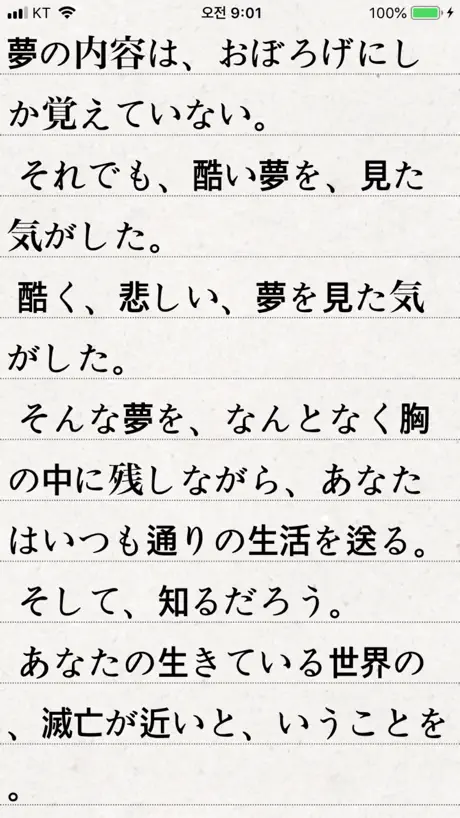
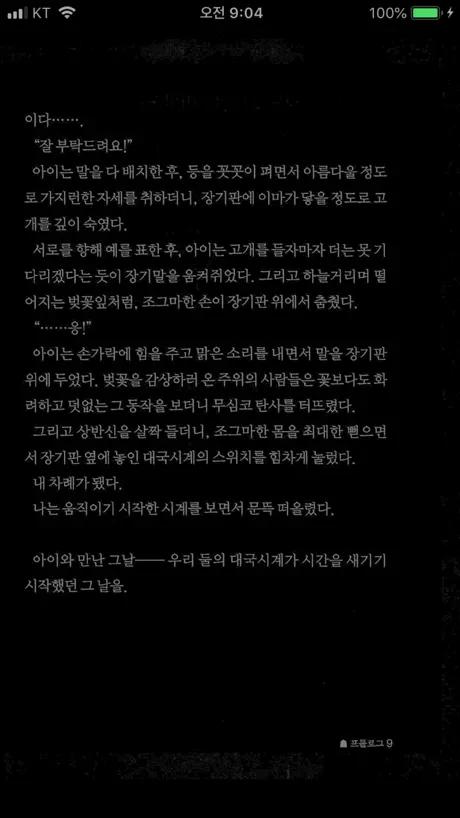
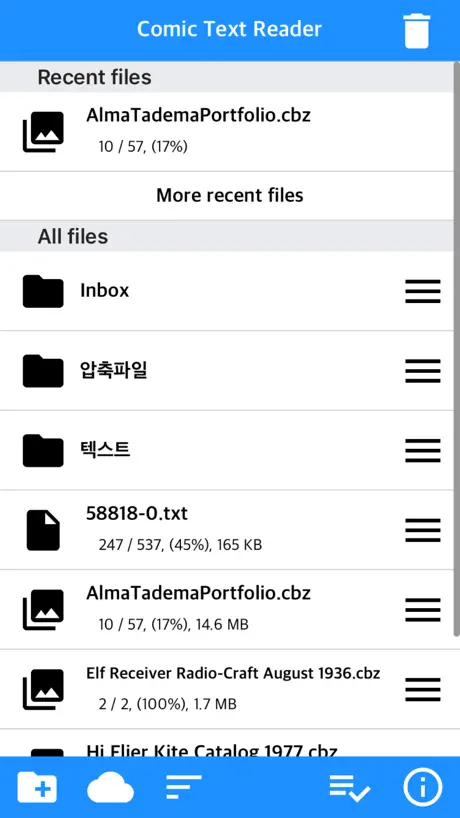
Text, Manga, PDF all in one


How much does Komi Reader - TXT & PDF cost?
Prices are current as of 7 Oct 2026.
4 one-time purchases from $0.99
In the United States, Komi Reader - TXT & PDF has 4 one-time purchases priced $0.99 – 7.99.
| Product | Price |
|---|---|
| Sponsor 1 | $0.99 |
| Sponsor 2 | $1.99 |
| Sponsor 3 | $3.99 |
| Sponsor 4 | $7.99 |
See what Komi Reader - TXT & PDF costs in all 173 countries →
Komi Reader - TXT & PDF download price by country
| Country | Price |
|---|---|
| South Korea | ₩6,600 |
| United States | $3.99 |
| Japan | ¥600 |
| Canada | CA$4.99 |
| Thailand | THB 149.00 |
| Australia | A$5.99 |
| France | €3.99 |
| Indonesia | IDR 79,000 |
| Philippines | ₱249.00 |
| Vietnam | ₫119,000 |
| Malaysia | MYR 19.90 |
| New Zealand | NZ$6.99 |
| India | ₹399.00 |
| Italy | €3.99 |
| Russia | RUB 349.00 |
| Azerbaijan | $4.99 |
| Germany | €3.99 |
| United Kingdom | £3.99 |
| Taiwan | NT$120.00 |
| Ukraine | $4.99 |
| United Arab Emirates | AED 14.99 |
| Austria | €3.99 |
| Belgium | €3.99 |
| Switzerland | CHF 3.00 |
| Chile | CLP 4,990 |
| Denmark | DKK 39.00 |
| Spain | €3.99 |
| Guatemala | $3.99 |
| Hungary | HUF 1,790 |
| Ireland | €3.99 |
| Cambodia | $3.99 |
| Kazakhstan | KZT 2,490.00 |
| Mexico | MX$89.00 |
| Netherlands | €3.99 |
| Poland | PLN 19.99 |
| Romania | RON 19.99 |
| Singapore | SGD 5.98 |
| Turkey | TRY 199.99 |
| Uzbekistan | $3.99 |
| Afghanistan | $3.99 |
| Antigua And Barbuda | $3.99 |
| Anguilla | $3.99 |
| Albania | $4.99 |
| Armenia | $4.99 |
| Angola | $3.99 |
| Argentina | $3.99 |
| Bosnia & Herzegovina | €3.99 |
| Barbados | $4.99 |
| Burkina Faso | $3.99 |
| Bulgaria | €3.99 |
| Bahrain | $3.99 |
| Benin | $4.99 |
| Bermuda | $3.99 |
| Brunei Darussalam | $3.99 |
| Bolivia | $3.99 |
| Brazil | R$24.90 |
| Bahamas | $3.99 |
| Bhutan | $3.99 |
| Botswana | $3.99 |
| Belarus | $4.99 |
| Belize | $3.99 |
| Congo, Democratic Republic | $3.99 |
| Congo | $4.99 |
| Cote Divoire | $4.99 |
| Cameroon | $4.99 |
| Colombia | COP 19,900 |
| Costa Rica | $3.99 |
| Cape Verde | $3.99 |
| Cyprus | €3.99 |
| Czech Republic | CZK 99.00 |
| Dominica | $3.99 |
| Dominican Republic | $3.99 |
| Algeria | $3.99 |
| Ecuador | $3.99 |
| Estonia | €3.99 |
| Egypt | EGP 199.99 |
| Finland | €3.99 |
| Fiji | $3.99 |
| Micronesia | $3.99 |
| Gabon | $3.99 |
| Grenada | $3.99 |
| Georgia | $4.99 |
| Ghana | $4.99 |
| Gambia | $3.99 |
| Greece | €3.99 |
| Guinea-bissau | $3.99 |
| Guyana | $3.99 |
| Honduras | $3.99 |
| Croatia | €3.99 |
| Israel | ₪12.90 |
| Iraq | $3.99 |
| Iceland | $4.99 |
| Jamaica | $3.99 |
| Jordan | $3.99 |
| Kenya | $4.99 |
| Kyrgyzstan | $3.99 |
| St. Kitts and Nevis | $3.99 |
| Kuwait | $3.99 |
| Cayman Islands | $3.99 |
| Lao Peoples Democratic Republic | $3.99 |
| Lebanon | $3.99 |
| St. Lucia | $3.99 |
| Sri Lanka | $3.99 |
| Liberia | $3.99 |
| Lithuania | €3.99 |
| Luxembourg | €3.99 |
| Latvia | €3.99 |
| Libya | $3.99 |
| Morocco | $4.99 |
| Moldova | $4.99 |
| Montenegro | €3.99 |
| Madagascar | $3.99 |
| Macedonia | $3.99 |
| Mali | $3.99 |
| Myanmar | $3.99 |
| Mongolia | $3.99 |
| Macao | $3.99 |
| Mauritania | $3.99 |
| Montserrat | $3.99 |
| Malta | €3.99 |
| Mauritius | $4.99 |
| Maldives | $3.99 |
| Malawi | $3.99 |
| Mozambique | $3.99 |
| Namibia | $3.99 |
| Niger | $3.99 |
| Nigeria | NGN 6,900.00 |
| Nicaragua | $3.99 |
| Norway | NOK 49.00 |
| Nepal | $4.99 |
| Nauru | $3.99 |
| Oman | $3.99 |
| Panama | $3.99 |
| Peru | PEN 17.90 |
| Papua New Guinea | $3.99 |
| Pakistan | PKR 1,100 |
| Portugal | €3.99 |
| Palau | $3.99 |
| Paraguay | $3.99 |
| Qatar | QAR 14.99 |
| Serbia | €3.99 |
| Rwanda | $3.99 |
| Saudi Arabia | SAR 17.99 |
| Solomon Islands | $3.99 |
| Seychelles | $3.99 |
| Sweden | SEK 49.00 |
| Slovenia | €3.99 |
| Slovakia | €3.99 |
| Sierra Leone | $3.99 |
| Senegal | $4.99 |
| Suriname | $3.99 |
| Sao Tome & Principe | $3.99 |
| El Salvador | $3.99 |
| Swaziland | $3.99 |
| Turks and Caicos | $3.99 |
| Chad | $3.99 |
| Tajikistan | $3.99 |
| Turkmenistan | $3.99 |
| Tunisia | $3.99 |
| Tonga | $3.99 |
| Trinidad and Tobago | $3.99 |
| Tanzania | TZS 11,900.00 |
| Uganda | $4.99 |
| Uruguay | $3.99 |
| St. Vincent & The Grenadines | $3.99 |
| Venezuela | $3.99 |
| British Virgin Islands | $3.99 |
| Vanuatu | $3.99 |
| Kosovo | €3.99 |
| Yemen | $3.99 |
| South Africa | ZAR 79.99 |
| Zambia | $4.99 |
| Zimbabwe | $4.99 |
10+ alternatives to Komi Reader - TXT & PDF
| Komi Reader - TXT & PDF |   SERIES - 네이버 시리즈 SERIES - 네이버 시리즈 |   밀리의서재 밀리의서재 |   교보문고 교보문고 |   윌라 윌라 |   알라딘 eBook 알라딘 eBook |   TecViewer - Text Viewer TecViewer - Text Viewer |   Booklover - eBook Reader Booklover - eBook Reader |   ReadMe - Novel & Comic Reader ReadMe - Novel & Comic Reader |   문피아 웹소설 문피아 웹소설 |   ComicGlass ComicGlass | |
|---|---|---|---|---|---|---|---|---|---|---|---|
| Rating / 5 | 4.8 | 4.5 | 4.5 | 4.2 | 4.2 | 4.0 | 4.7 | 4.6 | 4.6 | 3.4 | 3.8 |
| Reviews | 6.3K | 114K | 48K | 15K | 5.1K | 3.4K | 2.4K | 2K | 1.9K | 1.8K | 1.4K |
| Released | 2018 | 2011 | 2017 | 2011 | 2017 | 2015 | 2020 | 2015 | 2018 | 2014 | 2010 |
| Monthly price | — | — | $10.99 | $6.99 | $9.99 | — | — | — | $1.99 | — | — |
| One-time price | $1.99 | $4.99 | — | $6.99 | — | — | $1.99 | — | $3.99 | $6.99 | — |
The going rate for each plan in United States, in its own currency, shaded from the cheapest price on the row to the dearest. Plans fewer than four in ten of the priced apps sell are left out.
Komi Reader - TXT & PDF reviews
4.8 out of 5, based on 6,306 reviews.
What people like
- Supports many file formats well
- Connects easily to cloud storage
- Very affordable for what it does
What they complain about
- It crashes and fails to open
- The interface is confusing and ugly
- Donation requests clutter the screen constantly
최고의 리더앱
성능도 좋고 지속적인 업데이트로 아주아주 좋음
파일 다운로드중에 자주 작동을 안함
...
오류발생이요
개발자님 최근 업데이후로 하단바가 설정에서도 보입니다 수정 부탁드려도 될까요
Issue on logging to onedrive with 2fa
The app just works functionally as expected although the clumsy UI requires users annoying learning curve. The file import feature from onedrive doesn’t work with 2fa, just clicking “login” at the bottom returns no response. (It worked without 2fa.) Also, I couldn’t find any option to reset the stored credential/access token to the supported cloud storage.
와이파이 업로드시 이미지만 선택 가능해요
폰으로 와이파이 업로드를 하려고하니, 사진만 선택가능하도록 바꼈네요.
Worth it
Turns books of most file formats into a customizable infinite-scroll experience. Far and away the most modular and powerful phone reader I have ever used! Worth every penny.
Don t Work
Ne carefull this app don t work
รบกวนสายตา
อยากให้สามารถลบแถบล่างจอได้
버그 신고
이번 업데이트후 화면 자동잠금 안됨. 읽다 잠드면 밤새 화면 켜져있음. 아이패드 프로와 미니 두 기기 모두 발생
책읽기에는 최고
세세한 설정도 좋고 책이나 이미지 다 잘불러옵니다^^ 아주 잘 사용하고 있어요 기능하나 추가가 가능하실지 문의드려요 SMB, FTP도 정말 편한데 OPDS도 연결이 가능했으면 더할나위가 없을것 같습니다 좋은앱 만들어주셔서 감사합니다
탈옥 한적도 없는데 탈옥햇다고 그럽니다
사지마세요 여러분
재시작만 반복
오늘업데이트된 것은 아이패드미니에서 재시작안내 창만 뜨고 실행이 안됩니다. 몇시간전까지 잘쓰다 뭔 날벼락인지 얼른 수정바랍니다
만화 보는데 핀치 줌이 안되는듯 합니다
제가 설정할줄 몰라서 그런지 아니면 기능이 없는건지 도와주세요
텍스트 배경화면 썸네일
텍스트 배경화면도 적용할수 있으면 좋갰네요! 플레이스토어 텍뷰같이!
とても便利
PDFを高速で表示してくれるので、クラウドに保存した資料の閲覧に重宝します。 ただ検索機能が欲しいですね。
Healthy Potential, Needs some Clean up
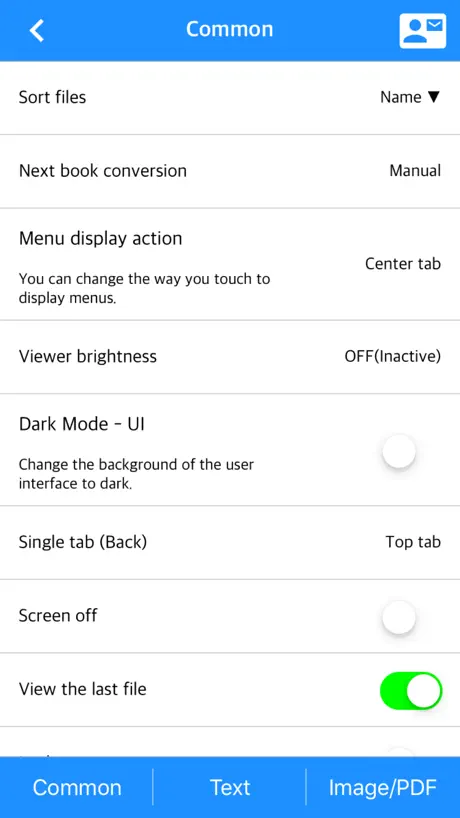
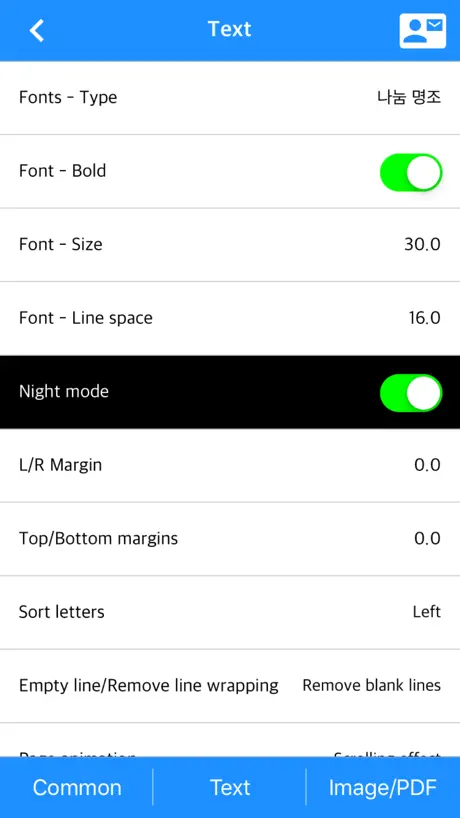
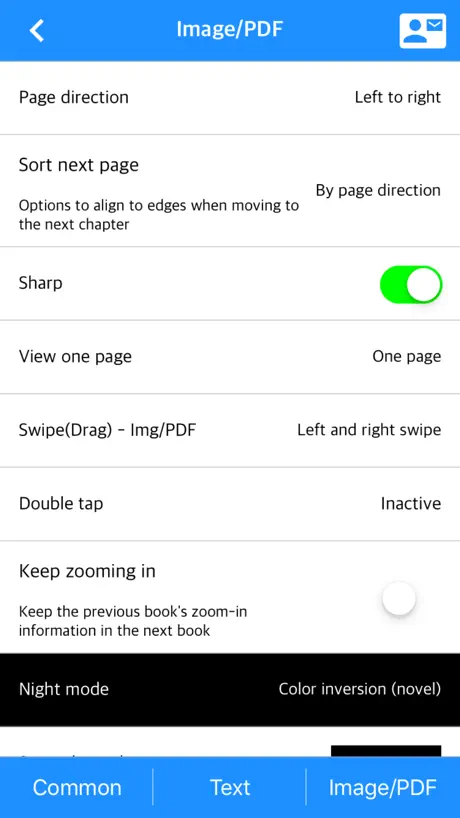
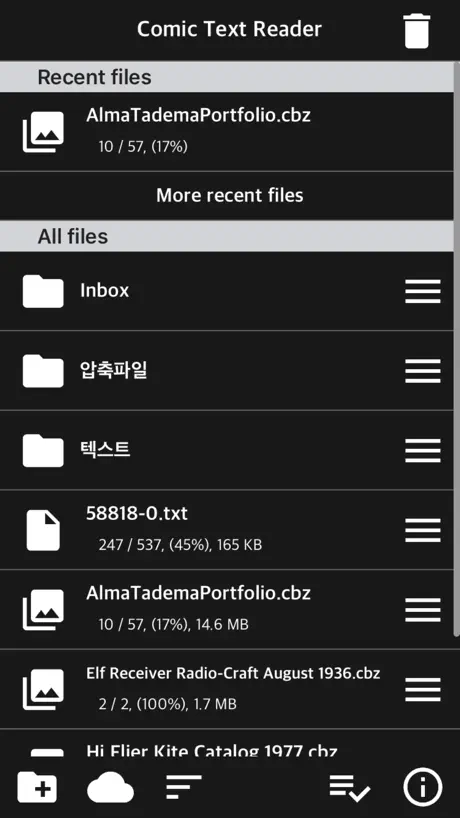
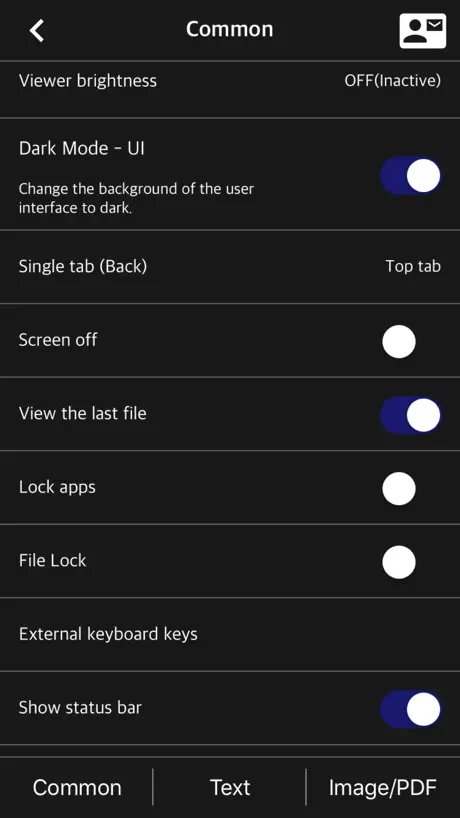
Updated 5/26/20: upon receiving the developer response, I’ve decided to update the rating, based on the provided answers. I can only find little confidence in English spokesmen from that response. To better accommodate possible use of translator softwares, I have updated some parts of the review. I can’t find the better way to put it, so I’ll say it. It’s as if I bought something from a dollar store, and it’s more useful than I thought. This app is exactly that. It comes in ugly box, but still delivers. There is nice core of potential, but it needs to shed its bargain sale non-sense. Off the bat, as a reader app, this is solid. You open a file, it opens it, and displays it. Simple, perhaps too simple. I prefer to keep things default other than key bindings and touchscreen behaviors, and this app does not have dedicated settings for it. Again, I do not use them and was not expecting it in this app. There are some controls you have in the settings, but it is limited. Importing the files, accessing server, and cloud service support are also solid. The app knows its boundaries and offloads its duties accordingly. If your database is on your own private server, –which is my case– as long as everything is standardized and can be accessed via iOS Files app, you can get it. If you prefer Cloud, FTP, WebDAV, SMB, it has it. For the record, I was looking for an app that would work best with iOS default app, which is Files app; your experience may be different depending on the service. Now this is where it gets all cheap. It has a terrible UI and UX. This is the sole reason why I gave 4 stars originally. There is an unnecessary learning curve to use this app, as a user cannot identify what each button will do by looking at it. Let me write down few of them: - 4 different apps with similar features; they are also supposed to be different, but I see too many overlapping features. Even the icons are all book-shaped. This is actually against the App Store anti-spam policy. - Rarely used or disabled icons taking up space on the menu bar, i.e. heart, bin, copy to clipboard - Begging for money, i.e. donation icon always on the menu bar. - Unpolished extra features, i.e. recent tab. - Long pop-ups, i.e. importing files pop-up. - Unusable dark mode, i.e. ambiguous monochrome GUI. - Icons already have differently established meaning, i.e. heart for favorites, sun for brightness or light/dark mode, ink for typeface - Identically themed icons being used more than once, i.e. bookmark in viewer app. - Acronyms or buttons that are obscure and not immediately obvious, i.e. “Auto”, “Tap”. - Identically themed icons with unrelated set of functions are clustered together, i.e. go-to-end arrows and quit viewer mode arrow. - Nearly identical information presented more than once, i.e. status bar in viewer mode - Settings are not organized, only listed. Looking at the developer response, I’m afraid the translation issue is not going to be resolved easily. Nowhere in my original review or the app description itself promotes “Comic Text Reader” to be a professional-grade viewer or editor app. I believe that must be a mistranslation from “professionally done app”, which is me asking for a well done app. Thus, I have since lowered the rating to 3. The case of lost-in-translation, or lack thereof, really goes on: - “Cloud app” is actually “Files app” - “Night mode” is actually “Dark mode” - Not having a unique name, i.e. “Comic”, “Text”, “Reader” are all common words. - Having an ambiguous name, i.e. “Comic” and “Text” can also be read as text boxes in comics. - Having undistinguishable names from other products, i.e. both “Comic Text Reader” and “Manga Viewer” relate to opening comic strips. But I don’t want to deter anyone from purchasing this particular app. As I am updating this review, I am also using this app as my primary reader/viewer app for my personal datas. Professional grade apps, ones I use for work, are not the same caliber as this one. I can guarantee no one is looking for a professional grade app at this price point. It is simply not the same league. The point here is that the core feature does work, and it works with other services well. However, looking at other paid apps in the same league, such as ComicGlass, AirComix, UI and UX of this particular app does fall short. The only advantage I see is that the developers are still maintaining their work; both developers behind the competing apps have stopped updating for awhile. That being said, there are more restrained ways to find financial supports than to spam donation icons everywhere. Traditionally, there was paid major version upgrade. Recent boom is subscription. And most one-time paid apps of this caliber usually do not ask for more money on the front page. Heck, I would be willing to pay more for UI and UX upgrade. Let me pay for better features, not donations. All in all, you get what you paid for. This is a $2 app. Perhaps I am seeing things that are not meant to be. In which case, I will probably move on if I find a better built app. But until then, I’d be delighted to see upcoming patches and improvements for this app. And some feature requests: - iPadOS keyboard support, i.e. space bar for next page
Excellent app
Hope this app can read mobi files in the future
가볍고 좋긴 한데요. 디자인이 너무 구려요
텍뷰라는 어플좀 보고 메뉴 디자인좀 배우시길 바랍니다
내가 생각할수있는 모든기능이 다 구현되있다
이러다가 동영상재생도될듯..
良い
読むこと、読みやすさに特化していて、とても良いです。細かくカスタマイズできます。もしかするとepubでの目次機能と拡大機能が無いのかな?
Good text reading App
I like to use this app when I try to read some novels. Very stable, easy to access google drive ,and easy way to use pdf, text. That’s why I still use this app.
기능 추가
하이라이트 기능이 없어 조금 아쉽네요.
만족하며 쓰고 있습니다.
주로 Txt뷰어를 많이 쓰는데 아주 만족하고 있습니다.
갑자기 실행이 안됨.
잘 되다가 갑자기 실행이 안되네요. 왜 이럴까요?
정말 잘 쓰고 있습니다.
편리한 기능도 많고, 가격도 저렴합니다.
+CN
add chinese pls
이미지 색반전 옵션 부탁드려요.
이전 버전 텍스트 뷰어 사용하다가 이미지뷰어까지 통합된 이걸로 냉큼 구매했습니다. - 야간모드를 위해 이미지 색반전 옵션이 있으면 다른 뷰어 안써도 될만큼 완벽한 듯 합니다. - 텍스트 뷰에서 외부 폰트 추가 가능한지도 알고 싶네요.
Komi Reader - TXT & PDF price by country
A one-time purchase costs $1.61 in Israel and $3.09 in Colombia — 1.9× more for the same thing. Below is the going rate for each plan in every country that sells it — the middle price of what the app charges there, in the country's own currency with the dollar equivalent beneath it.
| Country | One-time |
|---|---|
| Afghanistan | $1.99 |
| Albania | $1.99 |
| Algeria | $1.99 |
| Angola | $1.99 |
| Anguilla | $1.99 |
| Antigua And Barbuda | $1.99 |
| Argentina | $1.99 |
| Armenia | $1.99 |
| Australia | A$2.99$2.09 |
| Austria | €1.99$2.24 |
| Azerbaijan | $1.99 |
| Bahamas | $1.99 |
| Bahrain | $1.99 |
| Barbados | $1.99 |
| Belarus | $1.99 |
| Belgium | €1.99$2.24 |
| Belize | $1.99 |
| Benin | $1.99 |
| Bermuda | $1.99 |
| Bhutan | $1.99 |
| Bolivia | $1.99 |
| Bosnia & Herzegovina | €1.99$2.24 |
| Botswana | $1.99 |
| Brazil | R$12.90$2.59 |
| British Virgin Islands | $1.99 |
| Brunei Darussalam | $1.99 |
| Bulgaria | €1.99$2.24 |
| Burkina Faso | $1.99 |
| Cambodia | $1.99 |
| Cameroon | $1.99 |
| Canada | CA$2.99$2.11 |
| Cape Verde | $1.99 |
| Cayman Islands | $1.99 |
| Chad | $1.99 |
| Chile | CLP 1,990$2.05 |
| Colombia | COP 9,900$3.09 |
| Congo | $1.99 |
| Congo, Democratic Republic | $1.99 |
| Costa Rica | $1.99 |
| Cote Divoire | $1.99 |
| Croatia | €1.99$2.24 |
| Cyprus | €1.99$2.24 |
| Czech Republic | CZK 49.00$2.26 |
| Denmark | DKK 19.00$2.86 |
| Dominica | $1.99 |
| Dominican Republic | $1.99 |
| Ecuador | $1.99 |
| Egypt | EGP 99.99$1.91 |
| El Salvador | $1.99 |
| Estonia | €1.99$2.24 |
| Fiji | $1.99 |
| Finland | €1.99$2.24 |
| France | €1.99$2.24 |
| Gabon | $1.99 |
| Gambia | $1.99 |
| Georgia | $1.99 |
| Germany | €1.99$2.24 |
| Ghana | $1.99 |
| Greece | €1.99$2.24 |
| Grenada | $1.99 |
| Guatemala | $1.99 |
| Guinea-bissau | $1.99 |
| Guyana | $1.99 |
| Honduras | $1.99 |
| Hungary | HUF 999$3.08 |
| Iceland | $1.99 |
| India | ₹199.00$2.06 |
| Indonesia | IDR 39,000$2.18 |
| Iraq | $1.99 |
| Ireland | €1.99$2.24 |
| Israel | ₪4.90$1.61 |
| Italy | €1.99$2.24 |
| Jamaica | $1.99 |
| Japan | ¥300$1.90 |
| Jordan | $1.99 |
| Kazakhstan | KZT 999.00$2.21 |
| Kenya | $1.99 |
| Kosovo | €1.99$2.24 |
| Kuwait | $1.99 |
| Kyrgyzstan | $1.99 |
| Lao Peoples Democratic Republic | $1.99 |
| Latvia | €1.99$2.24 |
| Lebanon | $1.99 |
| Liberia | $1.99 |
| Libya | $1.99 |
| Lithuania | €1.99$2.24 |
| Luxembourg | €1.99$2.24 |
| Macao | $1.99 |
| Macedonia | $1.99 |
| Madagascar | $1.99 |
| Malawi | $1.99 |
| Malaysia | MYR 9.90$2.42 |
| Maldives | $1.99 |
| Mali | $1.99 |
| Malta | €1.99$2.24 |
| Mauritania | $1.99 |
| Mauritius | $1.99 |
| Mexico | MX$39.00$2.17 |
| Micronesia | $1.99 |
| Moldova | $1.99 |
| Mongolia | $1.99 |
| Montenegro | €1.99$2.24 |
| Montserrat | $1.99 |
| Morocco | $1.99 |
| Mozambique | $1.99 |
| Myanmar | $1.99 |
| Namibia | $1.99 |
| Nauru | $1.99 |
| Nepal | $1.99 |
| Netherlands | €1.99$2.24 |
| New Zealand | NZ$3.99$2.24 |
| Nicaragua | $1.99 |
| Niger | $1.99 |
| Nigeria | NGN 3,200.00$2.41 |
| Norway | NOK 29.00$3.03 |
| Oman | $1.99 |
| Pakistan | PKR 500$1.81 |
| Palau | $1.99 |
| Panama | $1.99 |
| Papua New Guinea | $1.99 |
| Paraguay | $1.99 |
| Peru | PEN 9.90$2.88 |
| Philippines | ₱129.00$2.05 |
| Poland | PLN 9.99$2.57 |
| Portugal | €1.99$2.24 |
| Qatar | QAR 7.99$2.20 |
| Romania | RON 9.99$2.10 |
| Russia | RUB 199.00$2.34 |
| Rwanda | $1.99 |
| Sao Tome & Principe | $1.99 |
| Saudi Arabia | SAR 9.99$2.66 |
| Senegal | $1.99 |
| Serbia | €1.99$2.24 |
| Seychelles | $1.99 |
| Sierra Leone | $1.99 |
| Singapore | SGD 2.98$2.33 |
| Slovakia | €1.99$2.24 |
| Slovenia | €1.99$2.24 |
| Solomon Islands | $1.99 |
| South Africa | ZAR 39.99$2.42 |
| South Korea | ₩3,300$2.46 |
| Spain | €1.99$2.24 |
| Sri Lanka | $1.99 |
| St. Kitts and Nevis | $1.99 |
| St. Lucia | $1.99 |
| St. Vincent & The Grenadines | $1.99 |
| Suriname | $1.99 |
| Swaziland | $1.99 |
| Sweden | SEK 29.00$2.90 |
| Switzerland | CHF 2.00$2.40 |
| Taiwan | NT$60.00$1.89 |
| Tajikistan | $1.99 |
| Tanzania | TZS 5,900.00$2.23 |
| Thailand | THB 79.00$2.35 |
| Tonga | $1.99 |
| Trinidad and Tobago | $1.99 |
| Tunisia | $1.99 |
| Turkey | TRY 99.99$2.03 |
| Turkmenistan | $1.99 |
| Turks and Caicos | $1.99 |
| Uganda | $1.99 |
| Ukraine | $1.99 |
| United Arab Emirates | AED 7.99$2.18 |
| United Kingdom | £1.99$2.64 |
| United States | $1.99 |
| Uruguay | $1.99 |
| Uzbekistan | $1.99 |
| Vanuatu | $1.99 |
| Venezuela | $1.99 |
| Vietnam | ₫59,000$2.27 |
| Yemen | $1.99 |
| Zambia | $1.99 |
| Zimbabwe | $1.99 |
Komi Reader - TXT & PDF FAQ
- Is Komi Reader - TXT & PDF free?
- No. Komi Reader - TXT & PDF costs $3.99 (US) to download, and its premium features are extra: 4 one-time purchases starting from $0.99.
- Does Komi Reader - TXT & PDF have a free trial?
- No. None of its offers (US) come with a free trial.
- Where is Komi Reader - TXT & PDF cheapest?
- A one-time purchase costs ₪4.90 (≈$1.61) in Israel and COP 9,900 (≈$3.09) in Colombia, its cheapest and dearest countries.
- What are the best alternatives to Komi Reader - TXT & PDF?
- SERIES - 네이버 시리즈 (4.5 from 114,202 reviews, premium from $0.49), 밀리의서재 (4.5 from 47,820 reviews, premium from $10.99) and 교보문고 (4.2 from 15,370 reviews, premium from $3.99).
Komi Reader - TXT & PDF download
Last updated 17 days ago.
Komi Reader - TXT & PDF sells in 173 countries. It was released 8 years and 7 months ago, on 3 Mar 2018. It holds a 4.8 rating from 6,306 reviews.
Supports 3 languages: English, Japanese, Korean.
How much does Komi Reader - TXT & PDF make?
Third-party estimates for the last 30 days, worldwide — not the store's own figures, which Apple publishes for nobody.
Revenue by plan
- One-time 100%
Revenue by country
- South Korea 92%
- United States 5%
- Japan 2%
- Canada 1%