
TimeFinder: Time Blocking
Daily Schedule, Hourly Planner
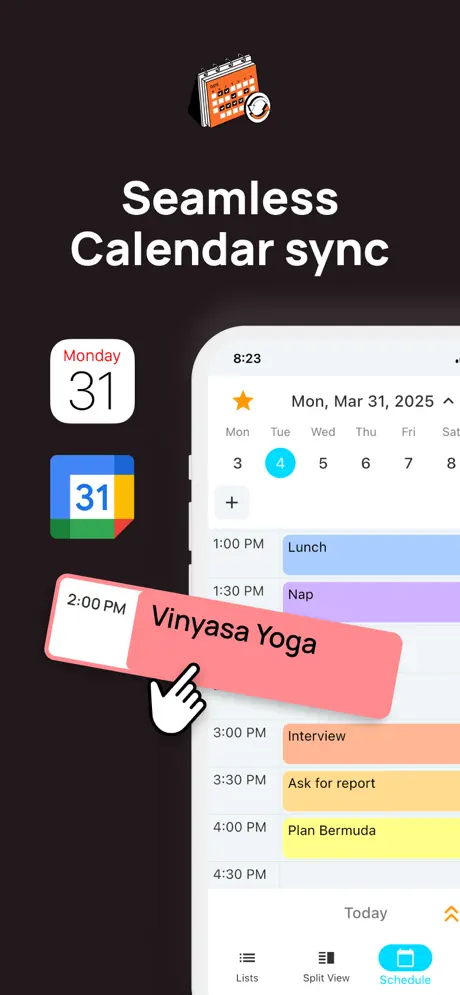
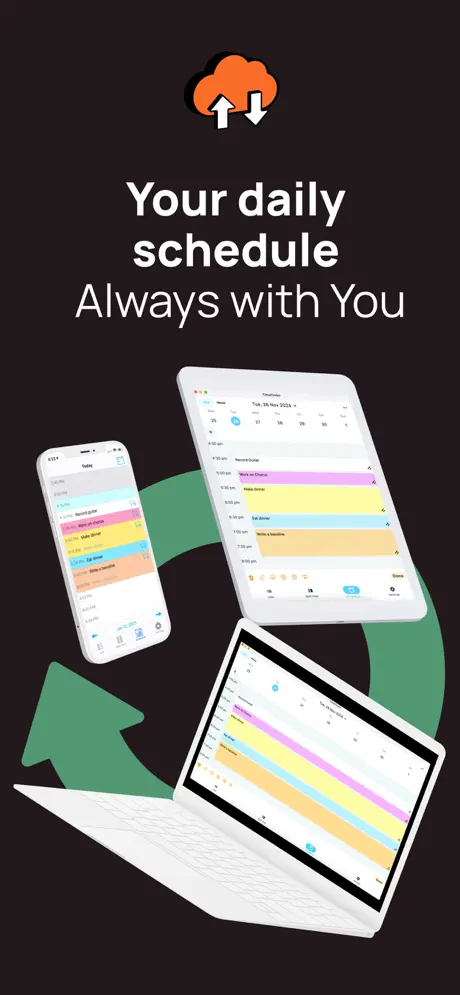
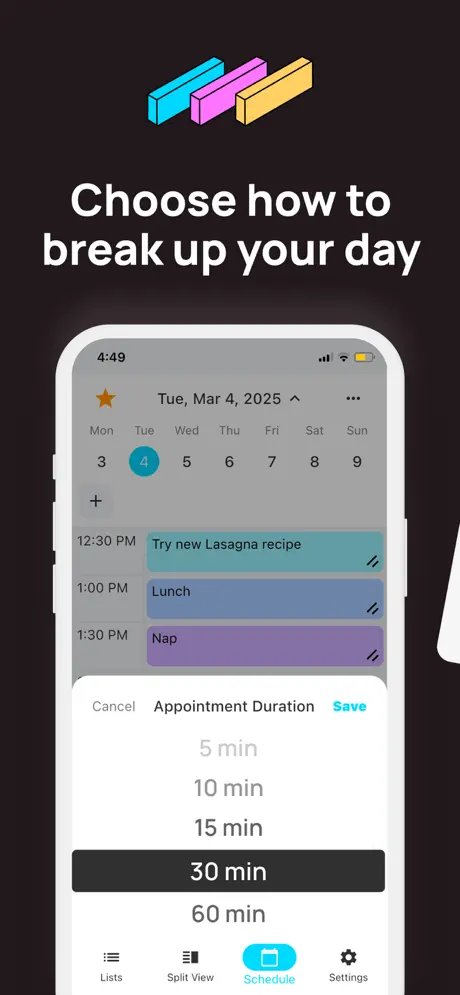
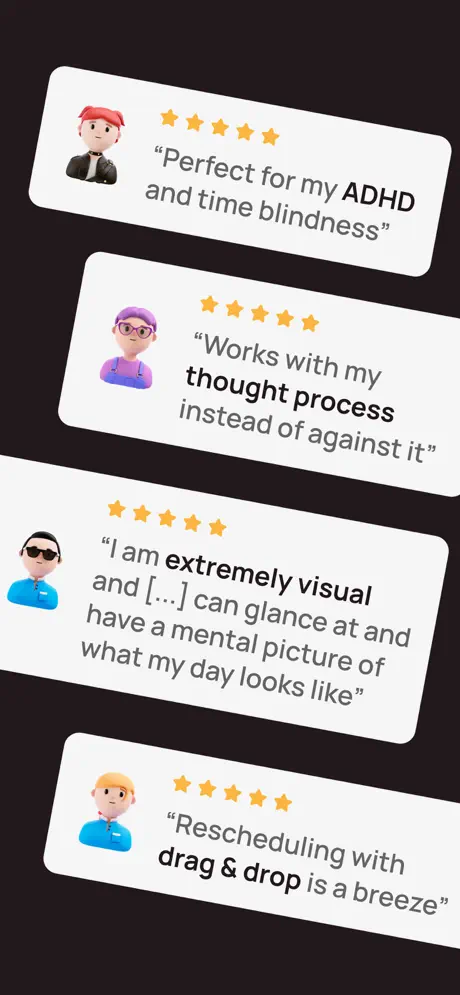
How much does TimeFinder: Time Blocking cost?
Prices are current as of 4 Oct 2026.
2 subscriptions from $4.99
In the United States, TimeFinder: Time Blocking has 2 subscriptions priced $4.99 – 39.99. Free trials run 7 days or 1 year.
| Subscription | Period | Price |
|---|---|---|
| TimeFinder Premium | Monthly | $4.99 – 7.99 |
| TimeFinder Premium | AnnualTrial: 7 days, 1 year | $14.99 – 39.99 |
2 one-time purchases from $79.99
In the United States, TimeFinder: Time Blocking has 2 one-time purchases priced $79.99 – 119.99.
| Product | Price |
|---|---|
| TimeFinder Premium | $79.99 |
| TimeFinder Premium Lifetime | $119.99 |
See what TimeFinder: Time Blocking costs in all 174 countries →
10+ alternatives to TimeFinder: Time Blocking
| TimeFinder: Time Blocking |   Routine Planner, Habit Tracker Routine Planner, Habit Tracker |   TimeBloc - Daily Planner TimeBloc - Daily Planner |   RoutineFlow: Routine for ADHD RoutineFlow: Routine for ADHD |   Day Flow: AI Daily Planner Day Flow: AI Daily Planner |   Productivity - Daily Planner Productivity - Daily Planner | 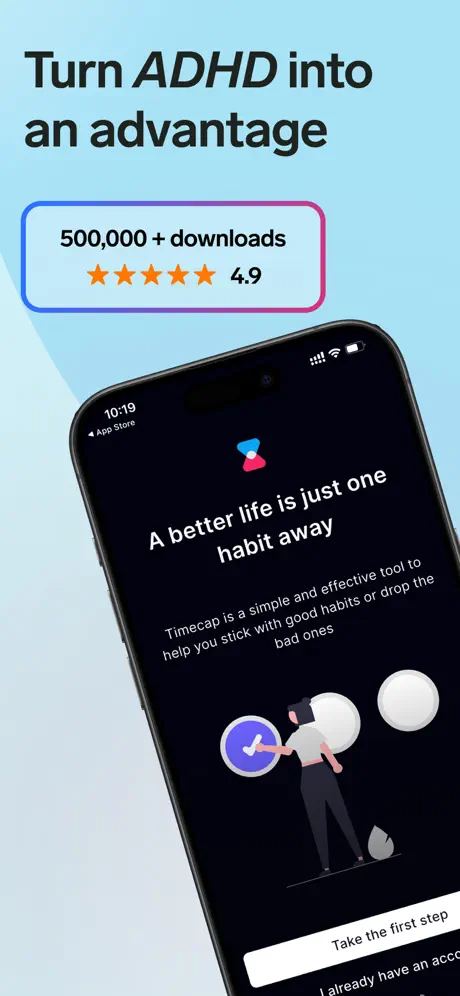  ADHD Organizer, Daily Planner ADHD Organizer, Daily Planner | 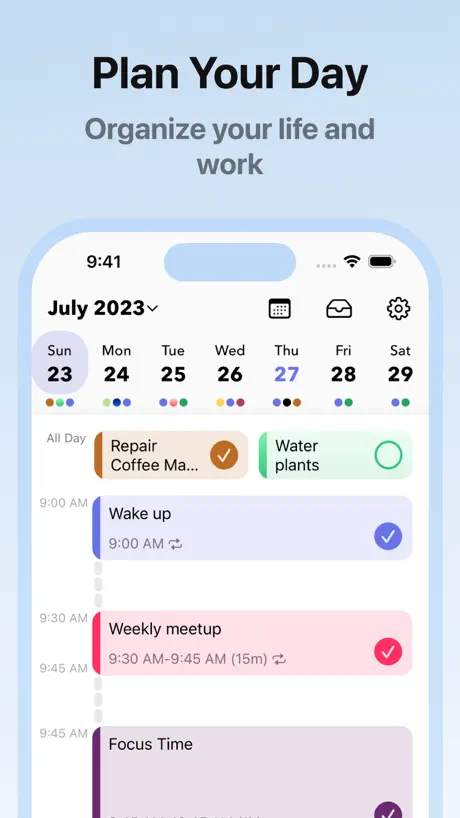  Daily Schedule Planner - MyDay Daily Schedule Planner - MyDay | 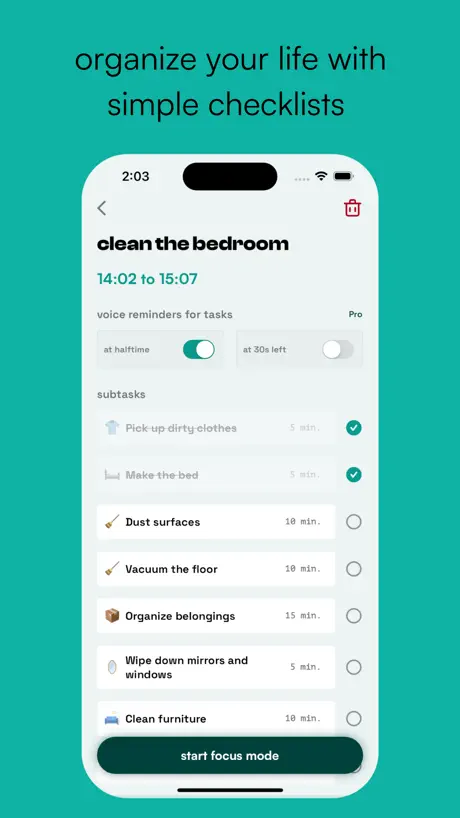  neurolist: AI Planner for ADHD neurolist: AI Planner for ADHD | 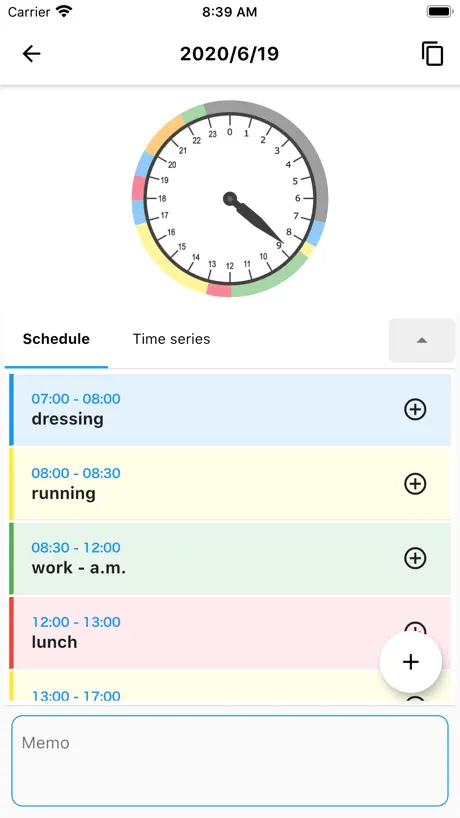  1day Schedule 1day Schedule |   Sunsama Sunsama | |
|---|---|---|---|---|---|---|---|---|---|---|---|
| Rating / 5 | 4.6 | 4.7 | 4.3 | 4.7 | 4.5 | 4.7 | 4.7 | 4.6 | 4.7 | 4.4 | 4.3 |
| Reviews | 3.4K | 43K | 11K | 5K | 4.4K | 3.7K | 2.7K | 2.6K | 2.5K | 1.1K | 874 |
| Released | 2018 | 2019 | 2019 | 2022 | 2023 | 2013 | 2020 | 2022 | 2023 | 2020 | 2022 |
| Weekly price | — | $0.99 | — | $5.99 | $7.99 | — | $2.99 | $4.99 | — | — | — |
| Monthly price | $7.99 | $5.00 | $4.99 | $8.99 | $19.99 | $6.49 | $2.49 | $4.99 | $8.99 | — | — |
| Annual price | $29.99 | $36.00 | $39.99 | $29.99 | $79.99 | $39.99 | $19.99 | $19.99 | $39.99 | — | — |
| One-time price | $79.99 | — | $19.99 | $99.99 | $99.99 | $24.99 | $119.99 | $30.00 | — | $3.99 | — |
The going rate for each plan in United States, in its own currency, shaded from the cheapest price on the row to the dearest. Plans fewer than four in ten of the priced apps sell are left out.
TimeFinder: Time Blocking reviews
4.6 out of 5, based on 3,396 reviews.
What people like
- Developer personally fixes issues very quickly
- Drag and drop makes scheduling easy
- One-time fee is much cheaper than subscriptions
- Visual time blocking really helps stay organized
What they complain about
- Forces payment before you can actually try it
- Sync issues between phone, watch, and computer
- App crashes or freezes unexpectedly often
- Annoying pop-ups block the free version completely
Helpful, easy scheduling app
I’ve been using this app for years. Mostly for my dog walking business so I can plan out the timing of each walk. I use it for to-dos and personal activities too. Super helpful and easy to use!
What in the world
When I wanted to use timefinder I thought it was free im 10! If you don’t fix your act I’ll tell all of my friends to stop using TimeFinder before they start and I have a LOT of friends
From a Neurodivergent Perspective
The app is great for blocking out time and managing some semblance of a schedule. However, there are a few lack of functions that are meltdown-inducing.
Cant open Focus on iPhone SE
I downloaded because I wanted a focus app and a calendar app, so seemed like a great two-fer. However like most apps, this is formatted for larger iPhones with bigger screens; when I open the Focus section on my iPhone SE 2nd Gen, it shows two options, details how they differ, then there appears to be a blue button, which I can only see a sliver of the top of, the rest of which is hidden by the navigation bar. When I try to click, it takes me to whatever nav button was in the area instead. If there were a drop-down to hide the option details, I could click the button to start the focus.
Notifications
Notifications won’t turn on since the last update. I love this app but so many problems since the last 2 updates. Also problems with the watch app . I hope you can fix the issues soon.
Good
I reached out to the founder of the app with issues that I had and he promptly fixed the issue within the app, which I deeply appreciate. I believe he truly cares about his customers. The app is function and works well for its purpose. 5/5 stars.
Misleading
download free software locked behind a paywall… huge bummer because app functionality feels great
Widget issue
This could be because I’m on IOS 18. My widgets don’t work
Not free -
I really just wish apps would be honest about pricing etc. before we take time to answer questions, etc.. only to find out you have to pay to utilize any features. The app developer does seem very invested in the app and users, and that’s a plus. But in this economy, subs add up and I need to know that I will use them and they add value to my life, before paying.
Helpful app
This app is essential for scheduling. The Phone app version is very easy to use and has new features continuously coming out. It would be helpful to also have the desktop version. The desktop version I’ve had issues with - I sign in and it ends up crashing, so I’m unable to view anything. Overall I still highly recommend this app.
The app that fulfilled my 25-year search
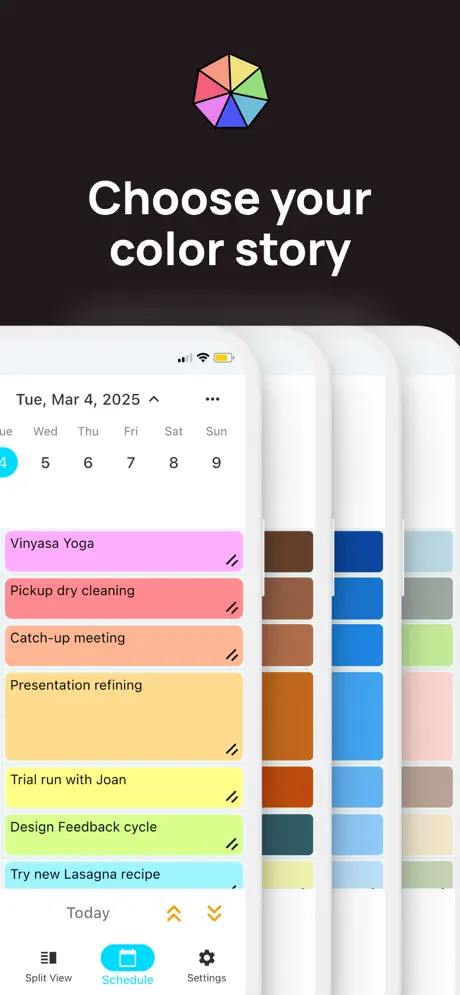
This app provides everything I need on a daily basis to map out how to spend my time. When I was a very-young-adult, I found that a strict time schedule worked very well for me to work consistently toward my goals, but life is much more complicated now and I need something that provides flexibility along with structure. The functionality in this app is amazing - customizable to my heart’s desire - and incredibly fun and satisfactory to use. Every day I look forward to using it to help me stay on point and be able to pivot on a moment’s notice. It is especially helpful when I have to budget for a specific window of time so that I can realistically plan what I can achieve by a specific deadline. The color coding (including abundant color palettes to choose from) and ability to set color “rules” (so that any key word I program automatically turns the color I want) gives the app another layer or dimension for staying organized. The ability to drag and drop, copy and paste, and expand, shrink, and lock time blocks provides the flexibility that my middle-aged life requires, while still giving me the type of solid plan that worked for me decades ago. With options to view time at different scales (single day, 3-day, week, and month), and with multiple ways to enter information onto the calendar and multiple ways to make changes, this app can accommodate anyone’s needs and preferences. The bulk import feature makes it an absolute breeze to migrate your to-do lists to this app. This is the single best useful app I have ever paid for, and I can’t imagine my life without it now. So thankful for Luke and all his hard work! He is constantly striving to make this app better, and every update makes that evident.
0/10
Lowkey sucks there isn’t even a free version
Great! But one thing…
Okay, so I was looking for a scheduling app, and then I saw this one and I looked at all the reviews and then I asked my mom if I could have it. Then she said yes, and so we bought it. Next, I logged in, then I entered in the password and email but it said it wasn’t right. So my mom checked again (her password) and it WAS right! So then I just tried closing the app and then opening it again, and then it worked. I don’t know why it was doing that weird at the beginning and then working again so please fix this. - Daphne 🍬
Not sure about app, didn’t get to use it
App does not serve its basic purpose without making an account and submitting credit card info. Uses predatory time-investment-technique of letting you set up preferences and choose options without an account, then turns around and throws up a paywall before you even get to use/demo it. I’m sorry but I adamantly refuse to use an app or company that is exploitative and petty like that. I forced to assume it must not be that good of a product if they have to trick you into using it.
Needs a few touches otherwise awesome!
I wish you could have a simpler layout one more like the iPhone calendar. This one feels cluttered. I love the the color blocking it helps me so much. Could we add category function? I have things that are always the same length in time but the time I do them changes. It would make repeating variables events easier to track
Game changer
This is exactly the app i was looking for to help organize my life. A little background, i use to be a consistent time blocker and scheduler a few years back and then through various events I stopped doing it and fell off. A couple weeks ago I realized life hasn’t been as fulfilling as it once was, and it was for various reasons, but one thing I thought back was to when i was time blocking how excited I was to start my day. But one thing was I could never find an app that can be as flexible as I was, or one thst was user friendly. This is a GOD SEND, I hope God blesses the person and the team that made this possible abundantly. 20 dollars is a STEAL for the year, i would easily pay 2x thst for this functionality. I love the focus mode too; it combines a future schedule with current tracking when you want it, LOVE everything about this app
Pointless
It’s actually not free. You need a subscription to use it.
Great app!
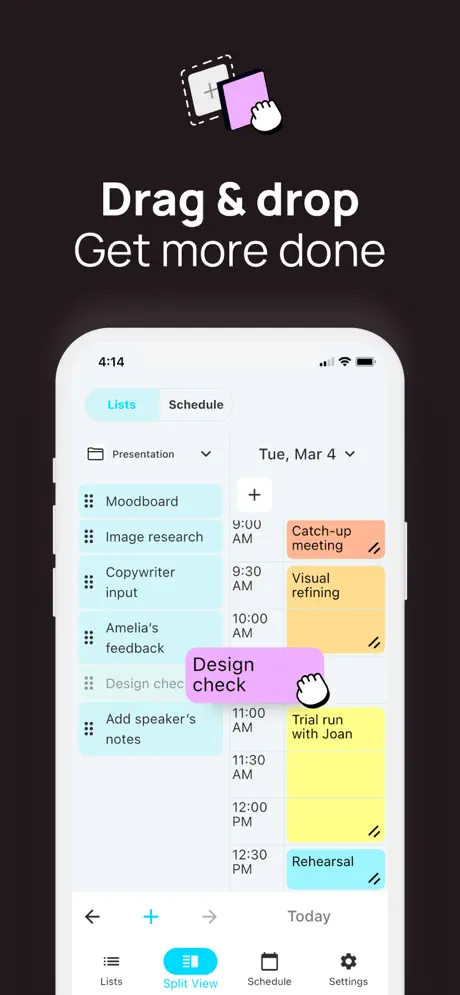
Love this app!!! Straightforward, intuitive to use! I love the drag & drop feature from the list to the daily schedule & how easy it is to adjust the length of time for a task. Easy to use, visually pleasing!!!
Lagggg
Was my favorite app, but out of nowhere it started lagging soooo bad that I can now hardly use it :(
Unable to use without purchasing
I have just recently downloaded this app and I was so excited to use it, but then all of a sudden a pop-up appeared on my screen, and I am not able to click out of it. I wanted to try out the app first and use the free tier, but it seems i am completely unable to do anything without paying. I am extremely sad and disappointed!!!
Best Scheduling App
I have been using this for a few months and it’s been one of the only apps that I have found that works for me. It makes visualizing my time easy and clear. Every time I thought something could be improved, the developer has fixed it or added it in the next update. He obviously has a genuine care for this app and keeps adding new features that make it even better! I also love that it’s a one time charge to go premium and not a subscription. Thank you, Luke!
Not free at all!
Should tell us beforehand that this is only paid. Can’t use the app without subscription
Please fix
The app is great however on the Apple Watch, it is a bit low like I’m not able to see the full screen from the top. It’s empty and it’s more so dragged on the lower side. Can you please fix this?
was expecting better for the pricing…
ui isn’t there yet and no FREE version… crazy there’s no FREE version. Overall the monthly pricing monthly is too much for a unfinished app & the lifetime is priced as 79.99 . I’ll have to come back one day & see if things change
Nagging,persistent pro upgrade reminders ruin otherwise promising app
I like the look of TimeFinder. It appears to be a well thought out and cleverly designed app. I trialled the pro option a while ago but didn’t want to commit to the one time purchase at the time, so opted to keep the free version and double check that the app fitted into my workflow. But I am now at the end of my patience with one huge flaw in TimeFinder. Constant, repetitive reminders to upgrade to Pro with no way to dismiss the nags. No cross to close the screen. No option to say no thank you. I even tried to submit feedback within the app and the dreaded Pro upgrade screen stopped me from writing the email to the developer. I want to like TimeFinder. But for anyone wanting to try it out in free mode it is literally useless with this problem blocking every attempt to do so. Such a shame. Please fix.
Notes feature!!
Now with TimeFinder’s added encryption, I’d love to see the ability to add note snippets that sync with our computers/other devices! Sometimes I want to make short notes to remind myself of something each day, and that would make TimeFinder an all in one planning app for me
Forced subscription
I really loved this app and used it all the time until I had a pop up for a free trial. I took it and decided I would keep the free version, but now the pop up for the free trial is back with no way to exit and return to the app without paying. So frustrating!
Almost perfect!
I love being able to move tasks around and adjust the length of the activity quickly without extra buttons or hassle. I just wish there were undo/redo buttons for when I accidentally touch/shift existing schedules while dragging and dropping things on the calendar view as I don’t want to lock every single activity…
Premium-Abo
Mein Premium-Abo wird anscheinend nicht freigeschaltet. Kann nicht irgendwer mal so eine App entwickeln, die nicht mehr Arbeit macht als sie abnehmen soll?!
Recurrent tasks
Good App but why you can’t see the recurrent tasks that happen tomorrow or another day. You only see the recurrent tasks that happen that happens today which makes it difficult to plan for the days ahead. Such a basic thing that is not covered. Shame cause the app looks good!
This app just keeps getting better.
I never write reviews, but I felt compelled to here. With every update, the Developer just keeps polishing the features and adding new things! An update or two ago was Apple watch integration (I like avoiding my phone in the morning), this update was Todoist and TickTick integration! If you want to time-block your day, this is the app! So many colors and customizations and integration across all devices, it’s really the best. Only thing I don’t like is that sometimes sync is weird among MacOS, phone, and watch. Like if I update something on my laptop, it might not synchronize on my watch until I open my phone. Great app, thank you creator!
Purchase required
Can’t even use the app without a subscription
I like it✨
Maybe lower the price for the supreme part. And I can’t figure out how to get out of the supreme part so maybe we fix that and add an X button
Neues Design ist schrecklich 😭
Ich habe die App super gerne genutzt und sie war die erste, mit der ich unkompliziert, übersichtlich und schnell alle ToDos immer auf einem Blick hatte. Seit heute ist das neue Design, eigentlich sollte es ja dann noch besser werden, leider nicht in diesem Fall. Es wirkt alles klobiger, unübersichtlicher und ich will die App nicht mehr verwenden. Finde es super schade. Vielleicht kommt das alte Design wieder zurück, dann würde ich sie wieder nutzen.
promising
The long start-up time can still be seen from time to time. But what about allowing the lists pane in the split view to be resizable?
CHANGING MY LIFE
I fell off track for a while. Been through some hard times and lost my momentum in everything. I needed something that could get and keep me on track with my tasks and duties for the day, not just in a list but time blocked. I’ve downloaded different tool before, even bought some Etsy templates but they didn’t work for me. I seen this in the App Store and thought I’d give it a try. I started with the free trial and knew from there I’d pay for the yearly subscription. I absolutely LOVE this app! It’s everything that I needed and more, and this is just the beginning. I’ve shared it with so many others and they love it as well. Thanks Luke! ♥️
NOT SATISFIED
THE APP WORKED WELL DURING THE FREE TRIAL. I WAS VERY PLEASED. ONCE I FINALLY PAID THE YEAR AND DOWNLOADED THE APP FOR MY MOBILE IT NEVER WORKED CORRECTLY AGAIN.
Nice app, a few improvements to make it even nicer.
Because I am unable to login to the (‘external’) support site using email privacy I’d like to request features such as: 1. copy and paste tasks ( Just get the ‘no’ OS sound) 2. extending a task into next day by dragging horizontally, like dragging in Numbers/Excel spreadsheet, makes the task recurring at the same point 3. Move does work, for some reason it wasn’t working, it is now. 4. The app website doesn’t seem to present a way to add feature requests, am I looking at the wrong site?
Sadly doesn’t live up to its promise
Text not always visible in settings menus, Only syncs one way with calendar (from Calendar to TimeFinder but not the other way) Very basic interface. The drag and drop function takes several times to catch the entry in order to move it. Overall just rather ‘clunky’ Very sad as it was so almost exactly what i was looking for
Was going good till it stopped working!
I’m currently on day 2 of the app and on a trial at the moment. I was enjoying the app throughly in the last two days of use it’s made a difference to my life! And then it suddenly crashed and has stopped working. I spent hours organising my calendar and now that’s been wasted as the app just opens up to a blank screen. There’s no way to report app failures and the website has nothing of substance. I would have been a paying customer but currently not impressed sadly!!!
keep up support for ticktick!
ticktick makes up for this apps faults. match made in heaven. really hope you continue support.
Focus timer is faulty
I used to like the focused timer, but unfortunately, as of recent every time you check off a task, what happens is it stays there and it doesn’t let you bring up another task .horrible. I hope you’ll work on it.
More time
This app has been a great help to me. I’ve got more productive and made better use of my time. There’s definitely room for more features but overall it’s the best app I’ve found. Been using Structured since it came out but I prefer this as I can see time linearly which works better at time management in my opinion. To features for the future: Ticking off tasks - would be more intuitive to have a box on each one instead of dragging the left hand side and clicking (how they do it in reminders) Also I keep accidentally ticking a task off in the schedule when amending, thinking the tick is to save the amendment Duration countdown - on the current task if there was clock/numbers in the box on schedule that would be helpful - as someone who struggles with calculating time that would help with a quick glance how much time I have left on said task
Énorme potentiel mais ...
J'espère que cette application continuera de se développer, car elle possède de nombreuses forces. Par contre, actuellement je ne suis pas prêt à débourser pour l'abonnement annuel pour les raisons suivantes: La synchronisation se fait à sens unique (importation de calendrier seulement). On doit donc utiliser 2 type d'applications pour arriver à nos buts. Les couleurs associées au types d'événement enregistrés constituent la force de cet outil. Cependant, Toutes les couleurs se ressemblent et ont peu de contraste entre elles. De plus La synchronisation des couleurs des différents calendriers semble buggée (elles apparaissent aléatoirement, lorsqu'on touche l'évènement). L'aspect visuel est à revoir. L'œil est rapidement surchargé, surtout en mode pleine page: les heures et titres d'un événement sont répétés à chaque intervalle, en plus des zones rayées, des petits carreaux et ont peine à distinguer les journées. Quelques fonctions à mon avis essentielle à bonifier : l'espace pour prendre des notes sur un événement est pertinent, mais il est difficile à consulter et parfois il ne s'ouvre pas au touché. Je n'ai pas su comment déplacer plusieurs cases du même événement (rare sont les événement uniquement de 15 minutes). Il serait pertinent de les déplacer en bloc, car les rendez-vous changent régulièrement et on doit le repérer pour chaque intervalle. Ce sont ces choses qui rendent ce type d'outil actuellement inefficace pour moi et ce malgré ses puissantes fonctions: créer des listes de tache récurrentes, associer des couleurs, synchroniser à des application de tâches et bien plus. Si les mises à jour venaient à corriger les problèmes mentionnés, je m'abonnerais à vie. Bonne chance.
Great app but it wiped all my data?
I got this app and it works great for me, but I logged in one day and all the plans I had put into the diary had just disappeared? I’m scared to put it all in again incase the same happens again. Very frustrating.
Great app with some of the best customer service around
The app is enjoyable and helps me stay on top of my schedule. I also really love the reminders sync, but enough good things can’t be said about the customer service. If you run into an issue, the owner himself will reply to you. He fixed my own issue within 24 hours. He is also such a nice guy! Thanks again Luke!
Not even base features free?
I used this in med school while it was free because I only needed the most barebones features. Thought I’d give it another shot now but unfortunately it doesn’t do anything without a subscription. Feels scammy to not be up front about that but whatever, easy to download the free similar apps 🤷🏾♀️
fantastic app, although now keeps crashing?
I have used this app for years, as a premium setup, I think the latest update has caused an issue. The app is stuck on the schedule screen and just closes out if i try to access any of my lists, or becomes unresponsive. I have tried closing and opening, re-downloading and switching my phone on and off. I am hoping this is fixed soon, as i rely on this for my meal plans and daily schedule 🤔
Has such GREAT potential
This app is what I’ve been searching for for a year now. It’s perfect for a busy student, you can tell it was made with care to help people. I am even sharing it with my friends. However, it’s buggy. It doesn’t properly carry over reoccurring events, sometimes deletes tasks, and just requires more work where not needed. Hope this can be fixed soon, -E
Great app - but not connected
I love this app but I can’t use it because it doesn’t connect to my calendar. Please put in this fix to make it useable. Thanks.
TimeFinder: Time Blocking price by country
A monthly subscription costs $0.99 in Argentina and $10.38 in Denmark — 10× more for the same thing. Below is the going rate for each plan in every country that sells it — the middle price of what the app charges there, in the country's own currency with the dollar equivalent beneath it.
| Country | Monthly | Annual | One-time |
|---|---|---|---|
| Afghanistan | $1.99 | $14.99 | $29.99 |
| Albania | $2.59 | $22.99 | $99.99 |
| Algeria | $1.99 | $19.99 | $79.99 |
| Angola | $1.99 | $14.99 | $29.99 |
| Anguilla | $4.49 | $14.99 | $29.99 |
| Antigua And Barbuda | $4.49 | $14.99 | $29.99 |
| Argentina | $0.99 | $19.99 | $79.99 |
| Armenia | $4.19 | $17.99 | $34.99 |
| Australia | A$12.99$9.02 | A$49.99$34.72 | A$129.99$90.27 |
| Austria | €5.99$6.74 | €22.99$25.86 | €129.99$146.22 |
| Azerbaijan | $4.19 | $17.99 | $34.99 |
| Bahamas | $4.99 | $19.99 | $29.99 |
| Bahrain | $3.99 | $19.99 | $89.99 |
| Barbados | $5.29 | $17.99 | $34.99 |
| Belarus | $4.19 | $22.99 | $99.99 |
| Belgium | €5.99$6.74 | €22.99$25.86 | €89.99$101.23 |
| Belize | $1.99 | $14.99 | $29.99 |
| Benin | $1.99 | $17.99 | $34.99 |
| Bermuda | $4.49 | $14.99 | $29.99 |
| Bhutan | $1.99 | $14.99 | $29.99 |
| Bolivia | $1.99 | $19.99 | $79.99 |
| Bosnia & Herzegovina | €2.49$2.80 | €17.99$20.24 | €34.99$39.36 |
| Botswana | $7.99 | $29.99 | $59.99 |
| Brazil | R$24.90$4.77 | R$99.90$19.14 | R$499.90$95.77 |
| British Virgin Islands | $4.49 | $14.99 | $29.99 |
| Brunei Darussalam | $4.49 | $14.99 | $29.99 |
| Bulgaria | €2.49$2.80 | €19.99$22.49 | €89.99$101.23 |
| Burkina Faso | $1.99 | $14.99 | $29.99 |
| Cambodia | $1.99 | $19.99 | $89.99 |
| Cameroon | $1.99 | $17.99 | $34.99 |
| Canada | CA$9.99$7.04 | CA$24.99$17.60 | CA$149.99$105.63 |
| Cape Verde | $1.99 | $14.99 | $29.99 |
| Cayman Islands | $4.49 | $14.99 | $29.99 |
| Chad | $1.99 | $14.99 | $29.99 |
| Chile | CLP 5,990$6.10 | CLP 22,990$23.41 | CLP 99,990$101.82 |
| Colombia | COP 8,900$2.69 | COP 99,900$30.16 | COP 399,900$120.75 |
| Congo | $1.99 | $14.99 | $34.99 |
| Congo, Democratic Republic | $1.99 | $14.99 | $29.99 |
| Costa Rica | $4.49 | $19.99 | $79.99 |
| Cote Divoire | $1.99 | $17.99 | $34.99 |
| Croatia | €2.49$2.80 | €22.99$25.86 | €89.99$101.23 |
| Cyprus | €3.99$4.49 | €22.99$25.86 | €89.99$101.23 |
| Czech Republic | CZK 129.00$5.94 | CZK 499.00$22.97 | CZK 1,990.00$91.62 |
| Denmark | DKK 69.00$10.38 | DKK 179.00$26.92 | DKK 999.00$150.23 |
| Dominica | $1.99 | $14.99 | $29.99 |
| Dominican Republic | $2.49 | $19.99 | $79.99 |
| Ecuador | $2.49 | $19.99 | $79.99 |
| Egypt | EGP 249.99$4.78 | EGP 999.99$19.13 | EGP 3,999.99$76.51 |
| El Salvador | $2.49 | $19.99 | $79.99 |
| Estonia | €3.99$4.49 | €22.99$25.86 | €89.99$101.23 |
| Fiji | $1.99 | $14.99 | $29.99 |
| Finland | €3.99$4.49 | €22.99$25.86 | €89.99$101.23 |
| France | €5.99$6.74 | €22.99$25.86 | €89.99$101.23 |
| Gabon | $1.99 | $14.99 | $29.99 |
| Gambia | $1.99 | $14.99 | $29.99 |
| Georgia | $4.95 | $17.99 | $34.99 |
| Germany | €8.99$10.11 | €34.99$39.36 | €89.99$101.23 |
| Ghana | $1.99 | $22.99 | $99.99 |
| Greece | €5.99$6.74 | €22.99$25.86 | €89.99$101.23 |
| Grenada | $1.99 | $14.99 | $29.99 |
| Guatemala | $2.49 | $19.99 | $79.99 |
| Guinea-bissau | $1.99 | $14.99 | $29.99 |
| Guyana | $1.99 | $14.99 | $29.99 |
| Honduras | $2.49 | $19.99 | $79.99 |
| Hong Kong | HK$38.00$4.84 | HK$148.00$18.85 | HK$888.00$113.12 |
| Hungary | HUF 1,290$3.94 | HUF 8,990$27.45 | HUF 34,990$106.85 |
| Iceland | $4.19 | $22.99 | $34.99 |
| India | ₹499.00$5.18 | ₹1,999.00$20.74 | ₹7,900.00$81.98 |
| Indonesia | IDR 89,000$4.98 | IDR 349,000$19.52 | IDR 2,299,000$128.56 |
| Iraq | $1.99 | $19.99 | $79.99 |
| Ireland | €5.99$6.74 | €22.99$25.86 | €89.99$101.23 |
| Israel | ₪17.90$5.87 | ₪69.90$22.92 | ₪249.90$81.93 |
| Italy | €8.99$10.11 | €34.99$39.36 | €89.99$101.23 |
| Jamaica | $1.99 | $19.99 | $79.99 |
| Japan | ¥1,200$7.60 | ¥4,500$28.51 | ¥13,000$82.37 |
| Jordan | $4.99 | $19.99 | $79.99 |
| Kazakhstan | KZT 2,100.00$4.73 | KZT 9,990.00$22.50 | KZT 49,990.00$112.57 |
| Kenya | $5.99 | $17.99 | $99.99 |
| Kosovo | €2.49$2.80 | €17.99$20.24 | €34.99$39.36 |
| Kuwait | $3.99 | $19.99 | $79.99 |
| Kyrgyzstan | $4.19 | $14.99 | $29.99 |
| Lao Peoples Democratic Republic | $1.99 | $14.99 | $29.99 |
| Latvia | €3.99$4.49 | €22.99$25.86 | €89.99$101.23 |
| Lebanon | $1.99 | $19.99 | $79.99 |
| Liberia | $1.99 | $14.99 | $29.99 |
| Libya | $1.99 | $19.99 | $79.99 |
| Lithuania | €5.99$6.74 | €22.99$25.86 | €89.99$101.23 |
| Luxembourg | €5.99$6.74 | €22.99$25.86 | €89.99$101.23 |
| Macao | $3.99 | $19.99 | $79.99 |
| Macedonia | $2.59 | $19.99 | $79.99 |
| Madagascar | $1.99 | $19.99 | $29.99 |
| Malawi | $1.99 | $14.99 | $29.99 |
| Malaysia | MYR 22.90$5.61 | MYR 99.90$24.49 | MYR 599.90$147.03 |
| Maldives | $4.49 | $14.99 | $29.99 |
| Mali | $1.99 | $14.99 | $29.99 |
| Malta | €3.99$4.49 | €22.99$25.86 | €89.99$101.23 |
| Mauritania | $1.99 | $14.99 | $29.99 |
| Mauritius | $1.99 | $19.99 | $34.99 |
| Mexico | MX$179.00$9.83 | MX$599.00$32.89 | MX$2,499.00$137.23 |
| Micronesia | $4.99 | $14.99 | $29.99 |
| Moldova | $4.19 | $17.99 | $34.99 |
| Mongolia | $1.99 | $19.99 | $79.99 |
| Montenegro | €2.49$2.80 | €19.99$22.49 | €69.99$78.73 |
| Montserrat | $4.49 | $14.99 | $29.99 |
| Morocco | $1.69 | $19.99 | $99.99 |
| Mozambique | $1.99 | $14.99 | $29.99 |
| Myanmar | $4.99 | $14.99 | $79.99 |
| Namibia | $1.99 | $14.99 | $29.99 |
| Nauru | $4.49 | $14.99 | $29.99 |
| Nepal | $1.99 | $22.99 | $99.99 |
| Netherlands | €8.99$10.11 | €22.99$25.86 | €129.99$146.22 |
| New Zealand | NZ$14.99$8.42 | NZ$39.99$22.47 | NZ$199.99$112.35 |
| Nicaragua | $4.99 | $19.99 | $29.99 |
| Niger | $1.99 | $14.99 | $29.99 |
| Nigeria | NGN 3,900.00$2.93 | NGN 24,900.00$18.71 | NGN 129,900.00$97.62 |
| Norway | NOK 46.00$4.78 | NOK 249.00$25.88 | NOK 999.00$103.85 |
| Oman | $4.19 | $19.99 | $79.99 |
| Pakistan | PKR 1,300$4.70 | PKR 4,900$17.70 | PKR 19,900$71.89 |
| Palau | $4.99 | $14.99 | $29.99 |
| Panama | $2.49 | $19.99 | $79.99 |
| Papua New Guinea | $1.99 | $14.99 | $29.99 |
| Paraguay | $1.99 | $19.99 | $29.99 |
| Peru | PEN 11.99$3.49 | PEN 89.90$26.13 | PEN 349.90$101.72 |
| Philippines | ₱299.00$4.78 | ₱999.00$15.96 | ₱7,990.00$127.62 |
| Poland | PLN 13.49$3.47 | PLN 99.99$25.70 | PLN 399.99$102.83 |
| Portugal | €3.99$4.49 | €22.99$25.86 | €89.99$101.23 |
| Qatar | QAR 14.49$3.98 | QAR 69.99$19.23 | QAR 299.99$82.41 |
| Romania | RON 29.99$6.33 | RON 99.99$21.09 | RON 399.99$84.39 |
| Russia | RUB 449.00$5.38 | RUB 1,790.00$21.44 | RUB 6,990.00$83.71 |
| Rwanda | $1.99 | $14.99 | $29.99 |
| Sao Tome & Principe | $1.99 | $14.99 | $29.99 |
| Saudi Arabia | SAR 19.99$5.33 | SAR 89.99$24.00 | SAR 499.99$133.33 |
| Senegal | $1.99 | $17.99 | $34.99 |
| Serbia | €2.49$2.80 | €22.99$25.86 | €89.99$101.23 |
| Seychelles | $1.99 | $19.99 | $29.99 |
| Sierra Leone | $1.99 | $14.99 | $29.99 |
| Singapore | SGD 9.98$7.80 | SGD 39.98$31.23 | SGD 99.98$78.11 |
| Slovakia | €3.99$4.49 | €22.99$25.86 | €89.99$101.23 |
| Slovenia | €2.49$2.80 | €22.99$25.86 | €89.99$101.23 |
| Solomon Islands | $1.99 | $14.99 | $29.99 |
| South Africa | ZAR 99.99$6.00 | ZAR 399.99$24.01 | ZAR 1,499.99$90.04 |
| South Korea | ₩6,600$4.90 | ₩29,000$21.52 | ₩129,000$95.74 |
| Spain | €5.99$6.74 | €22.99$25.86 | €89.99$101.23 |
| Sri Lanka | $1.99 | $19.99 | $79.99 |
| St. Kitts and Nevis | $4.49 | $14.99 | $29.99 |
| St. Lucia | $1.99 | $14.99 | $29.99 |
| St. Vincent & The Grenadines | $1.99 | $14.99 | $29.99 |
| Suriname | $1.99 | $14.99 | $29.99 |
| Swaziland | $1.99 | $14.99 | $29.99 |
| Sweden | SEK 69.00$6.87 | SEK 249.00$24.80 | SEK 1,495.00$148.90 |
| Switzerland | CHF 8.00$9.65 | CHF 30.00$36.19 | CHF 70.00$84.44 |
| Taiwan | NT$150.00$4.71 | NT$690.00$21.66 | NT$2,490.00$78.15 |
| Tajikistan | $4.95 | $14.99 | $29.99 |
| Tanzania | TZS 5,200.00$1.96 | TZS 59,900.00$22.62 | TZS 89,900.00$33.95 |
| Thailand | THB 199.00$5.93 | THB 699.00$20.83 | THB 3,990.00$118.89 |
| Tonga | $1.99 | $14.99 | $29.99 |
| Trinidad and Tobago | $4.49 | $19.99 | $79.99 |
| Tunisia | $1.99 | $19.99 | $79.99 |
| Turkey | TRY 199.99$4.07 | TRY 899.99$18.32 | TRY 3,999.99$81.42 |
| Turkmenistan | $4.19 | $14.99 | $29.99 |
| Turks and Caicos | $4.49 | $14.99 | $29.99 |
| Uganda | $1.99 | $17.99 | $34.99 |
| Ukraine | $9.99 | $22.99 | $99.99 |
| United Arab Emirates | AED 19.99$5.45 | AED 79.99$21.80 | AED 299.99$81.74 |
| United Kingdom | £4.99$6.60 | £29.99$39.67 | £119.99$158.72 |
| United States | $7.99 | $29.99 | $79.99 |
| Uruguay | $4.49 | $19.99 | $79.99 |
| Uzbekistan | $4.99 | $19.99 | $29.99 |
| Vanuatu | $1.99 | $14.99 | $29.99 |
| Venezuela | $1.99 | $14.99 | $29.99 |
| Vietnam | ₫129,000$4.97 | ₫499,000$19.23 | ₫2,499,000$96.29 |
| Yemen | $1.99 | $14.99 | $29.99 |
| Zambia | $1.99 | $17.99 | $34.99 |
| Zimbabwe | $1.99 | $17.99 | $34.99 |
TimeFinder: Time Blocking FAQ
- Is TimeFinder: Time Blocking free?
- Yes. The app and its basic features are free, in all 174 countries it sells in. Premium features are paid: they start from $4.99 (US), across 2 subscriptions and 2 one-time purchases.
- How much does TimeFinder: Time Blocking cost per month?
- TimeFinder Premium is $4.99 – 7.99 (US). The annual plan works out cheaper per month: $14.99 – 39.99 a year.
- Does TimeFinder: Time Blocking have a free trial?
- Yes — free trials of 7 days or 1 year (US), depending on the plan.
- Where is TimeFinder: Time Blocking cheapest?
- A monthly subscription costs $0.99 in Argentina and DKK 69.00 (≈$10.38) in Denmark, its cheapest and dearest countries.
- What are the best alternatives to TimeFinder: Time Blocking?
- Routine Planner, Habit Tracker (4.7 from 43,121 reviews, premium from $0.99), TimeBloc - Daily Planner (4.3 from 11,476 reviews, premium from $4.99) and RoutineFlow: Routine for ADHD (4.7 from 4,984 reviews, premium from $5.99).
TimeFinder: Time Blocking download
Last updated 3 days ago.
TimeFinder: Time Blocking sells in 174 countries. It was released 8 years and 7 months ago, on 3 Mar 2018. It holds a 4.6 rating from 3,396 reviews.
Supports 17 languages: English, Danish, Dutch, French, German, Hindi, Italian, Japanese, Korean, Polish, Portuguese, Russian, Chinese, Spanish, Thai, Turkish, Ukrainian.
How much does TimeFinder: Time Blocking make?
Third-party estimates for the last 30 days, worldwide — not the store's own figures, which Apple publishes for nobody.
Revenue by plan
- Annual 68%
- One-time 16%
- Monthly 15%
Revenue by country
- United States 68%
- Germany 6%
- United Kingdom 5%
- Japan 4%