
Connector+
Motor That Talks Back
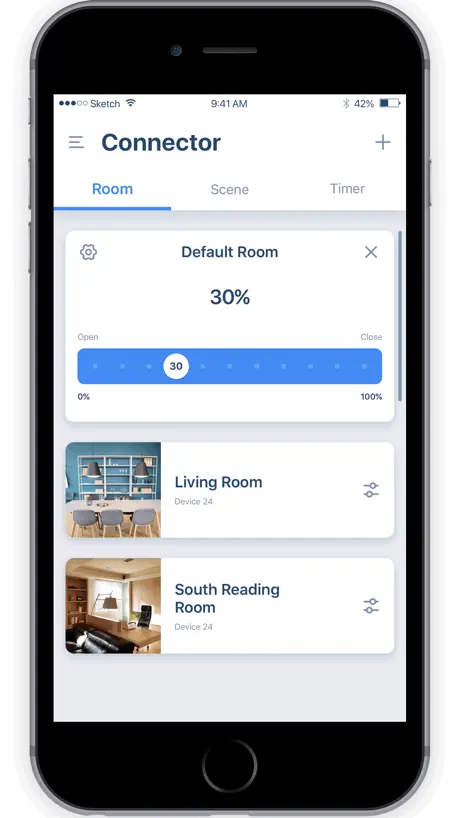
How much does Connector+ cost?
Prices are current as of 6 Nov 2026.
Connector+ has no in-app products on record in the United States.
10+ alternatives to Connector+
| Connector+ |   TaHoma by Somfy | 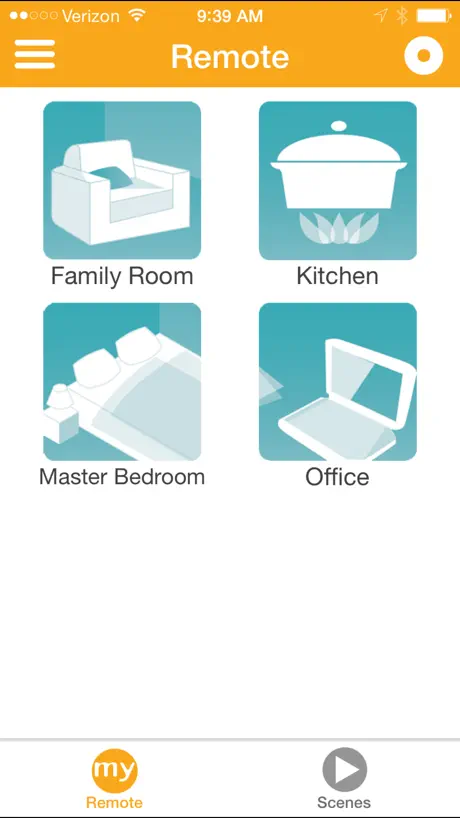  Somfy myLink |   Lutron App |   Bond Home |   TaHoma pro by Somfy |   Neo Smart Blinds |   Control4 |   Motionblinds Bridge |   SHC Budget Blinds |   Udiconnect Plus | |
|---|---|---|---|---|---|---|---|---|---|---|---|
| Rating / 5 | 2.8 | 4.1 | 4.3 | 4.8 | 4.8 | 4.7 | 3.8 | 3.5 | 2.4 | 2.8 | 1.3 |
| Reviews | 291 | 127K | 11K | 7.8K | 4.5K | 631 | 178 | 118 | 85 | 82 | 69 |
| Released | 2018 | 2021 | 2014 | 2014 | 2019 | 2021 | 2015 | 2025 | 2018 | 2019 | 2023 |
Connector+ reviews
2.8 out of 5, based on 291 reviews.
What people like
- Alexa pairing works really well
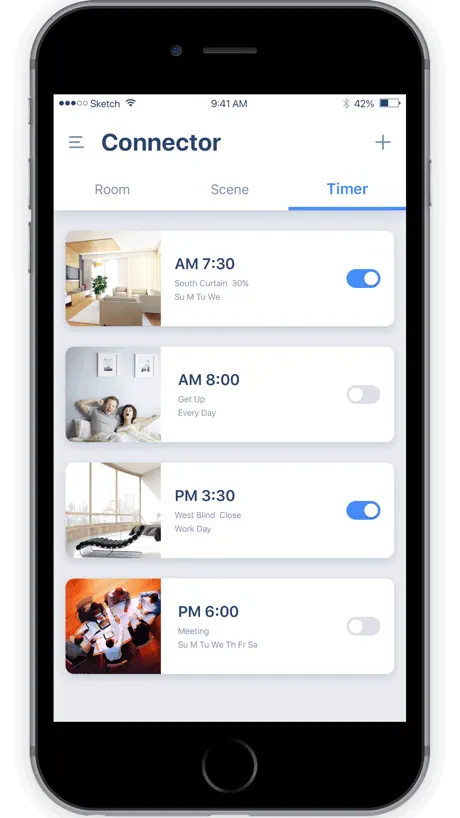
- Easy to set up timers
- Siri shortcuts are quite powerful
- Good for grouping and controlling blinds
What they complain about
- Crashes constantly on iOS 17
- No Apple HomeKit support available
- Google Home integration is unreliable
- Hard to reset forgotten passwords
Works great!
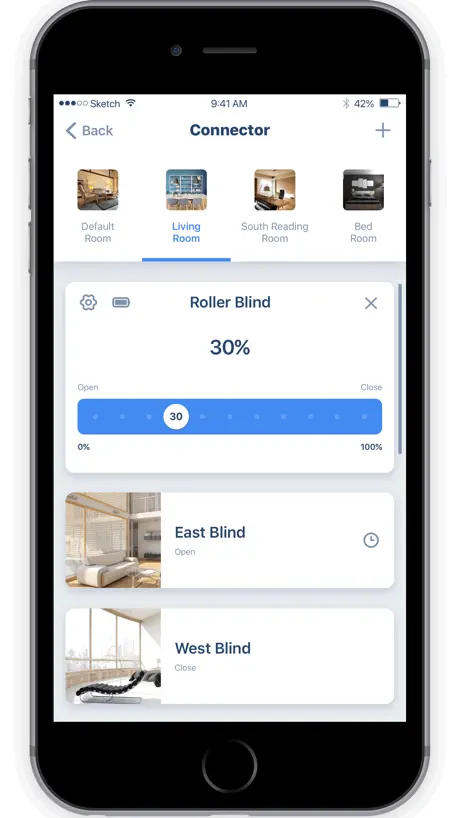
Pairs easily with WiFi and all of our roller blinds. Easily programmable to individually control them or in groups. Easy to set timers as well. And each blind can be set to partially open if desired (we have two of ours set this way). Great little app.
Can’t find my blinds
App is not working. Can’t find my blinds
Question
Hello, I was wondering if it will be technically Possible to add a button on the app “open all” And all the blinds go up ? That would be super useful for customer Tried to send feedback on the app and it didnt work Thanks
Limited iphone siri integration
Overall it does a good job connecting to bridge and sending signals to open or close shades for me. Works great with Amazon Alexa. However, has very limited functionality with apple’s Siri. The way you can add siri commands is by creating scenes, and it has a limit of 20 scenes, and basically I can configure 10 open and 10 close scenes. I have 37 blinds 27 with one bridge and 10 with another. I do need about 22 open and 22 close commands. I do not know why there is a limit of 20 siri shortcuts, I hope they can increase the limit to 50, and that would solve my problem with having the hardware and not able to fully utilize the function because of this software’s limitation.
Stopped working with Alexa. Siri ok.
I used this as the main controller for my “NoBull blinds”, but they pulled support a few months ago. It does still work with Siri, so you can call “Hey Siri, open the blinds”, but that’s a second place to supporting Alexa in our house.
Shades
These guys are awesome. The app was amazing very useful. Better than other apps I’ve used
Terrible app
Just give up you won’t figure it out. The installer of the blind should have set it up
feature request
The app was very useful until I decided to not use gps at all on my phone. The app is wrongly requiring gps data for setting wifi when adding the bridge to the app. Please remove this boundary, so it does not depend on gps data. At least please make gps option separately settable for the feature you want it to use for. I don't see the gps reason valid for my usecase as I only want to add only this bridge to the app. Distinguishing wifi networks/bridges could also be achieved by being able to add separate apartments to the app. And add wifi/bridge to apartment.
Please persist sign-ins
App works ok, but every time they update it I get signed out. Please persist sign-ins so I don’t have to sign in every time there’s an update.
Trouble and need help
My app controls my storm smart blinds. The problem is the app says the blinds are closed when they are open and Open when they are closed. I need it to be accurate so I know if the blinds are up or down when I am remote. Please help🙏
So far so good
Used to control smart rolldown shades. So far it works well even though I was confused at first, because gateways do not show up as devices.
Terrible app
Does not pair to the hub as it should. Avoid at all costs!
Great App Homekit needed
The app is great and very responsive but it lacks Apple Homekit support, it would be a very nice and useful addition.
Mostly works
I have my shade paired and opening on timers. That part is great. However, some nights I need more sleep and go and disable the timers on the app, and it shows as disabled, but the shade still opens at that time. This has happened to me twice now. Very frustrating.
Good app, when it works
Our app seems to have trouble connecting to the bridge, and there doesn’t seem to be any way to work out what’s going on. Is there anywhere to get support for this? Our bridge just flashes green, and won’t connect when I try and reset and set it up again.
Works Great
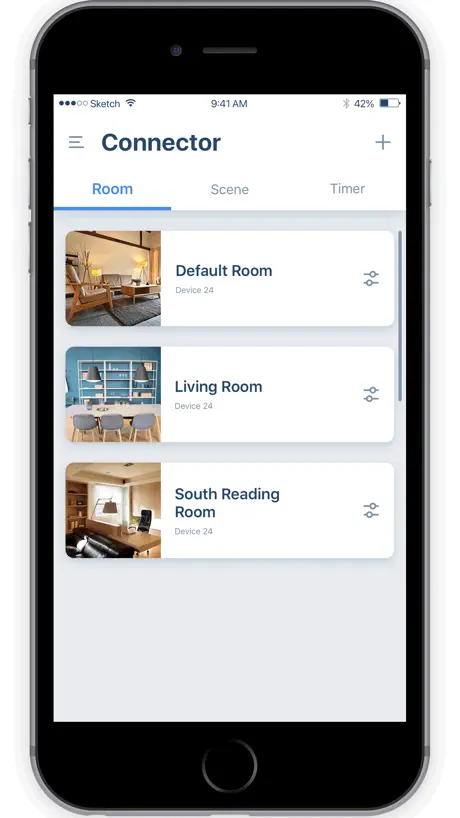
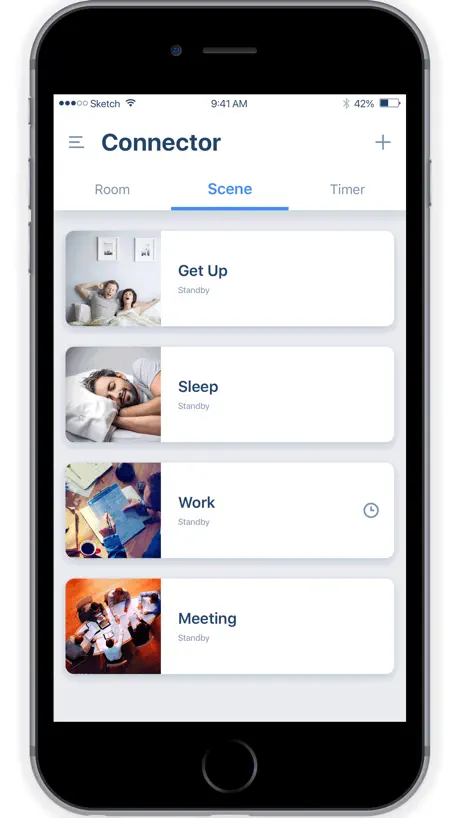
It works like a charm. Maybe I’m just lucky. Or the developers may have fixed all the bugs. I’ve got nothing to complain about. It’s super intuitive to set up. I can create room, connect devices (shade rotor), create scenes (full sun, full shade etc) and set timer to activate scenes. It’s so powerful!
App is total junk
It’s complete junk…when following directions to wifi pair a device I am stuck in an endless doom loop. I pair the hub, no problem. I then try to bridge/connect to a device, but the app forces connection to the hub via WiFi. I thought the entire reason I just paired the hub to my network was so I could communicate to it via my WiFi. But regardless we press on. Now the hub cannot connect to the app via WiFi unless in pairing mode. When the hun is put in pairing mode you can’t connect a device. And back to the beginning you go. I also tried radio, since the blind remote isn’t WiFi. Nope…didn’t work. Just got an unable to connect screen. Yes, I set my Eero WiFi to 2.4 only mode, that is troubleshooting step 1. This is just dumb…an engineer with decent IT savvy should be able to do this.
Pretty good app - worth using if you have the right equipment.
Just installed 10 blind motors and a hub. I am a “do it yourselfer”. There were some problems linking the hub to my network - but it was fixed with a hard reset of the hub. Otherwise it has been a pretty good experience. Nicely done. One bug fix - sometimes when you want to control an individual blind, the touch screen (on iPhone 12 at least) gets a bit confused and send the signal to the blind above on the list to the one being changed. It may be that if my finger drifts off the scale a little it actually moves the scale for the one above? Not sure. Actually two bugs - tried to send this feedback using the option in the app. Didn’t work as it kept telling me to set up email! I don’t use iPhone mail (Outlook), so maybe the app was a bit confused? Thank you.
Needs a lot of work
It took forever to connect the remote to the app. I have the awning with the lights but that option in the app doesn’t work. I had to connect with the non-light control option. Not very intuitive or user friendly. The app has potential but needs a lot of work.
Lacks HomeKit support
Good app let down by no HomeKit support.
Works great for us
Controls five new motorized Inspired roller shades. They can be individually controlled or grouped. Timers can be set to raise or lower. Just very functional.
App Force Closes
the app force closes whenever i try to set a timer on a scene. Using iOS 17.
Issues with Google Home integration
Great app, though it has some issues with Google Home integration. After successful pairing shutters appear in Google Home, but they cannot be controlled from the application.
Frissítés kellene az appnak
Abból a szempontból elég gyenge hogy ha más felhasználó is belép akkor kidobja az előzőt.
Works well
Works well with iphone
App works great
This app works great, does its basic functions of controlling the shades and has the ability to create schedules and scenes. It pairs really well with both Alexa and Siri. We are very happy with it.
It doesn’t work
Regardless you are at home or remotely you can’t trust this app at all. Garbage
Basic app, does what it’s supposed to do
We use this app with a hub that connects the rolling shutters on our windows. It’s pretty straightforward and offers a lot of options for grouping shutters together to facilitate opening and closing. We also like the timer option so we can open have them open automatically at a predetermined time. One feature I would really like to see added is the ability to create a scene with a partially opened shutter. The app only allows opened or closed. In the morning, I open the east facing shutters about one-third of the way and it would be really cool if the app would let me save that as a scene instead of manually pausing each window.
How do I get access to the API Key?
How do I get access to the API Key? I need it to integrate with home assistant
Good but no longer works with ifttt
This app is great but today it no longer works with ifttt which is all I want it for. I don’t want to use the app to open blinds, I ask google to do it for me. Fix it please! Under which blind it says not options found’ when creating or editing an action.
Works well
Works well most of the time. Every so often I have to refresh or restart the app and very rarely, I have to use the actual remote. Otherwise very happy with it.
Terrible app, avoid!
This app is connected to our window shutters. You can not easily adjust the settings like you would with an air conditioning app for example-it takes many many buttons to make any small change in settings. There’s no way to set the shutters to partially open. Also no way to set an “out of the house protocol”. It takes several minutes to access the time settings which are hidden within icons rather than being easily accessible. By far the worst app I’ve ever had.
Control4 Integration
The app works great for my 12 roller shades. Integration with alexa also is fantastic. My only wish is that the app would offer integration with Control4
Crashing on iOS17
App is crashing on iOS17 when I try to change/create a Timer .
Forgot Password Function does not work
The app is working well except for the forgot password function. I tried to multiple times to click on the forgot password but not emails came into my email account for me to reset the password. Please look into the issue. Thanks.
Works well for me
I was originally sketched out by the bad reviews but it works well for me and the integration with shortcuts gets around most issues such as not having a widget which would be nice.
Stopped working
Did great for 3 months, then stopped working and required logging in again. Wouldn’t accept login, wouldn’t reset password. Tried to create new account, but then wouldn’t connect to hub. nowhere to go for support.
Sunset, sunrise fault
After the last update the timer section (sunrise, sunset options) not working perfectly.... sometimes some shutter no response for the command
Wifi Issue - APP not working
I have outdoor blinds (10 months) connected via wifi which have worked fine up til now but for some reason I cannot get them to connect by bridging. I have tried various things to fix but nothing seems to work. I am using 2.4ghz wifi and I have even had the hub replaced as I thought it may be faulty. I have even deleted the app and reinstalled. Done resets etc. Nothing seems to work. Please help I would like to get this issue fixed. Thanks. SV.
Google home - something went wrong
Hi, I’ve had your app working with a hub for our blinds for nearly a year. Yesterday (27/03/2020) google stopped being able to reach to Connector. I can control the blinds via the Connector app no problem. I unlinked Connector from Google home but when trying to relink it Google says ‘something went wrong’. I’ve updated the hub firmware to the latest 0.7.8 but the error continues. What changed in the past 48 hours?
Add To Siri
Question, some iPhone show “Add to Siri” icon in IoT screen and some iPhone (both are iPhone 11, ios 14.4) does not , how we can add that icon to those iPhone not having this function ? It is fantastic to use Siri by using its shortcut.
No App Support
I need a password reset and the email link in the app goes to an unsecured server that won’t open. No other way to reach support. The support link in the App Store goes to some weird website with no connection to the products the app is supposed to support
App stopped connecting to google home
Hi team, Great app but for some reason it stopped connecting to the google home app in the last 3 days. Any idea how I can fix this? When I try to link it says “linked” then it says “something went wrong. Try again”
Please fix Siri Shortcut integration!
Currently on latest versions of app an iOS. Used to reliably work with Apple Siri Shortcuts until recently…stopped working after either recent iOS or Connector app upgrades.
HomeKit support?
I bought a hub that uses this connector app as I was led to believe it included HomeKit support. Is this something that will be coming to the app?
Brilliant
I’m using Moritz lithium motors and find this super easy to use, fast, efficient. Love being able to add photos of my rooms too.
Help! With Amazon Alexa
Is the connector app no longer supported by Alexa? I tried to click on “add to Alexa” in th IoT settings and it doesn’t do anything. I clicked on the video link also and nothing happened. I tried to manually search for the app name inside the Alexa app and there is no option. Developer please respond
Can’t pair to the bridge hub
Using iPhone X and whilst I can get through the first steps when it comes to the connection to the bridge hub, it will time out and then say that the connection failed asking to start over. Is this something to do with the bridge hub or the app? Should I be trying something? Thank you
Good App but can’t reset password if forgotten
Can’t find anyway to reset password if forgotten. Doesn’t seem to be any tangible support for app either.
App is good but backend needs improvement
I’ve been using this app for 6 months it works great. Recently the server side certificate expired and the app stopped working completely. It was fixed in a few hours, nevertheless the developer should get assistance how to build a more reliable backend infrastructure. It would be great if there were API to integrate with other home automation systems. Please provide a channel for support.
Connector+ FAQ
- Is Connector+ free?
- Yes. The app is free, in all 174 countries it sells in, and it sells nothing inside it.
- Does Connector+ have a free trial?
- No. None of its offers (US) come with a free trial.
- What are the best alternatives to Connector+?
- TaHoma by Somfy (4.1 from 126,787 reviews), Somfy myLink (4.3 from 10,696 reviews) and Lutron App (4.8 from 7,809 reviews).
Connector+ download
Last updated 1 month ago.
Connector+ sells in 174 countries. It was released 8 years and 9 months ago, on 6 Feb 2018. It holds a 2.8 rating from 291 reviews.
Supports 14 languages: English, Czech, French, German, Greek, Italian, Japanese, Korean, Polish, Portuguese, Russian, Spanish, Swedish, Ukrainian.