
Superimpose X
Rich Photo Editor With Layers
How much does Superimpose X cost?
Prices are current as of 28 Sept 2026.
5 subscriptions from $2.99
In the United States, Superimpose X has 5 subscriptions priced $2.99 – 34.99. Free trials run 3 days or 7 days.
| Subscription | Period | Price |
|---|---|---|
| Pro Membership (Monthly) | Monthly | $2.99 |
| Superimpose X (Monthly) | Monthly | $4.99 |
| AI Membership (Yearly) | AnnualTrial: 7 days | $17.99 |
| Pro Membership (Yearly) | Annual | $17.99 |
| Superimpose X Pro (Yearly) | AnnualTrial: 3 days | $34.99 |
2 one-time purchases from $3.99
In the United States, Superimpose X has 2 one-time purchases priced $3.99 – 6.99.
| Product | Price |
|---|---|
| 500 Pro AI Coins | $3.99 |
| 1000 Pro AI Coins | $6.99 |
Superimpose X download price by country
| Country | Price |
|---|---|
| United States | $4.99 |
| United Kingdom | £4.99 |
| Germany | €5.99 |
| Canada | CA$6.99 |
| Australia | A$7.99 |
| Netherlands | €5.99 |
| Italy | €5.99 |
| Taiwan | NT$150.00 |
| China | CN¥38.00 |
| Japan | ¥800 |
| Mexico | MX$99.00 |
| Brazil | R$29.90 |
| Spain | €5.99 |
| France | €5.99 |
| Saudi Arabia | SAR 19.99 |
| India | ₹499.00 |
| Switzerland | CHF 4.00 |
| Hong Kong | HK$38.00 |
| Malaysia | MYR 22.90 |
| Philippines | ₱299.00 |
| Sweden | SEK 69.00 |
| Russia | RUB 449.00 |
| Thailand | THB 199.00 |
| Austria | €5.99 |
| Ireland | €5.99 |
| United Arab Emirates | AED 19.99 |
| Belgium | €5.99 |
| Indonesia | IDR 99,000 |
| South Korea | ₩7,700 |
| Turkey | TRY 249.99 |
| Denmark | DKK 39.00 |
| New Zealand | NZ$9.99 |
| Vietnam | ₫149,000 |
| Israel | ₪14.90 |
| Greece | €5.99 |
| South Africa | ZAR 99.99 |
| Finland | €5.99 |
| Norway | NOK 59.00 |
| Portugal | €5.99 |
| Argentina | $4.99 |
| Poland | PLN 24.99 |
| Singapore | SGD 6.98 |
| Ukraine | $5.99 |
| Hungary | HUF 1,990 |
| Romania | RON 29.99 |
| Chile | CLP 5,990 |
| Colombia | COP 24,900 |
| Kuwait | $4.99 |
| Egypt | EGP 249.99 |
| Guatemala | $4.99 |
| Bahrain | $4.99 |
| Czech Republic | CZK 129.00 |
| Jamaica | $4.99 |
| Kazakhstan | KZT 2,990.00 |
| Peru | PEN 22.90 |
| Pakistan | PKR 1,300 |
| Qatar | QAR 19.99 |
| Bulgaria | €5.99 |
| Georgia | $5.99 |
| Luxembourg | €5.99 |
| Oman | $4.99 |
| Paraguay | $4.99 |
| Azerbaijan | $5.99 |
| Dominican Republic | $4.99 |
| Ecuador | $4.99 |
| Honduras | $4.99 |
| Croatia | €5.99 |
| Cambodia | $4.99 |
| Lebanon | $4.99 |
| Latvia | €5.99 |
| Macedonia | $4.99 |
| Serbia | €5.99 |
| Slovakia | €5.99 |
| El Salvador | $4.99 |
| Bosnia & Herzegovina | €5.99 |
| Belarus | $5.99 |
| Costa Rica | $4.99 |
| Algeria | $4.99 |
| Iraq | $4.99 |
| Jordan | $4.99 |
| Myanmar | $4.99 |
| Malta | €5.99 |
| Mauritius | $5.99 |
| Panama | $4.99 |
| Slovenia | €5.99 |
| Senegal | $5.99 |
| Trinidad and Tobago | $4.99 |
| Yemen | $4.99 |
| Afghanistan | $4.99 |
| Antigua And Barbuda | $4.99 |
| Anguilla | $4.99 |
| Albania | $5.99 |
| Armenia | $5.99 |
| Angola | $4.99 |
| Barbados | $5.99 |
| Burkina Faso | $4.99 |
| Benin | $5.99 |
| Bermuda | $4.99 |
| Brunei Darussalam | $4.99 |
| Bolivia | $4.99 |
| Bahamas | $4.99 |
| Bhutan | $4.99 |
| Botswana | $4.99 |
| Belize | $4.99 |
| Congo, Democratic Republic | $4.99 |
| Congo | $5.99 |
| Cote Divoire | $5.99 |
| Cameroon | $5.99 |
| Cape Verde | $4.99 |
| Cyprus | €5.99 |
| Dominica | $4.99 |
| Estonia | €5.99 |
| Fiji | $4.99 |
| Micronesia | $4.99 |
| Gabon | $4.99 |
| Grenada | $4.99 |
| Ghana | $5.99 |
| Gambia | $4.99 |
| Guinea-bissau | $4.99 |
| Guyana | $4.99 |
| Iceland | $5.99 |
| Kenya | $5.99 |
| Kyrgyzstan | $4.99 |
| St. Kitts and Nevis | $4.99 |
| Cayman Islands | $4.99 |
| Lao Peoples Democratic Republic | $4.99 |
| St. Lucia | $4.99 |
| Sri Lanka | $4.99 |
| Liberia | $4.99 |
| Lithuania | €5.99 |
| Libya | $4.99 |
| Morocco | $5.99 |
| Moldova | $5.99 |
| Montenegro | €4.99 |
| Madagascar | $4.99 |
| Mali | $4.99 |
| Mongolia | $4.99 |
| Macao | $4.99 |
| Mauritania | $4.99 |
| Montserrat | $4.99 |
| Maldives | $4.99 |
| Malawi | $4.99 |
| Mozambique | $4.99 |
| Namibia | $4.99 |
| Niger | $4.99 |
| Nigeria | NGN 7,900.00 |
| Nicaragua | $4.99 |
| Nepal | $5.99 |
| Nauru | $4.99 |
| Papua New Guinea | $4.99 |
| Palau | $4.99 |
| Rwanda | $4.99 |
| Solomon Islands | $4.99 |
| Seychelles | $4.99 |
| Sierra Leone | $4.99 |
| Suriname | $4.99 |
| Sao Tome & Principe | $4.99 |
| Swaziland | $4.99 |
| Turks and Caicos | $4.99 |
| Chad | $4.99 |
| Tajikistan | $4.99 |
| Turkmenistan | $4.99 |
| Tunisia | $4.99 |
| Tonga | $4.99 |
| Tanzania | TZS 14,900.00 |
| Uganda | $5.99 |
| Uruguay | $4.99 |
| Uzbekistan | $4.99 |
| St. Vincent & The Grenadines | $4.99 |
| Venezuela | $4.99 |
| British Virgin Islands | $4.99 |
| Vanuatu | $4.99 |
| Kosovo | €5.99 |
| Zambia | $5.99 |
| Zimbabwe | $5.99 |
10+ alternatives to Superimpose X
| Superimpose X |   Superimpose+:Background Eraser Superimpose+:Background Eraser | 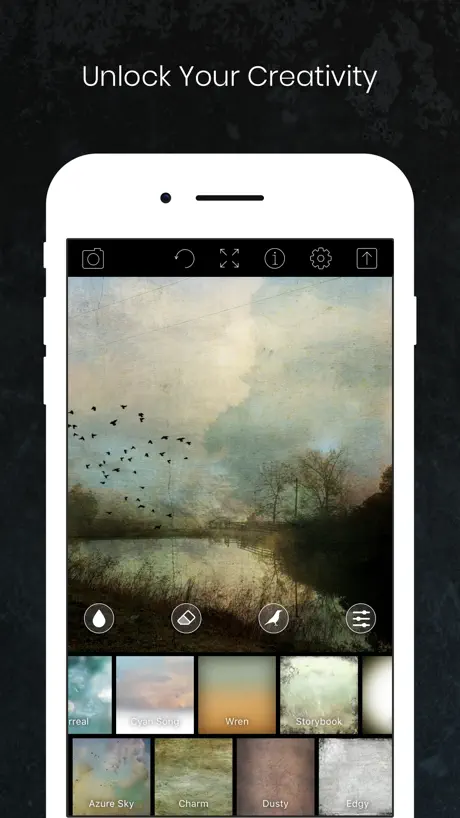  Distressed FX : Photo Editor Distressed FX : Photo Editor |   Color Splash Color Splash |   Slow Shutter Cam Slow Shutter Cam |   Fine - Photo Editor Fine - Photo Editor |   Image Blender Image Blender |   LensFlare Optical Effects LensFlare Optical Effects | 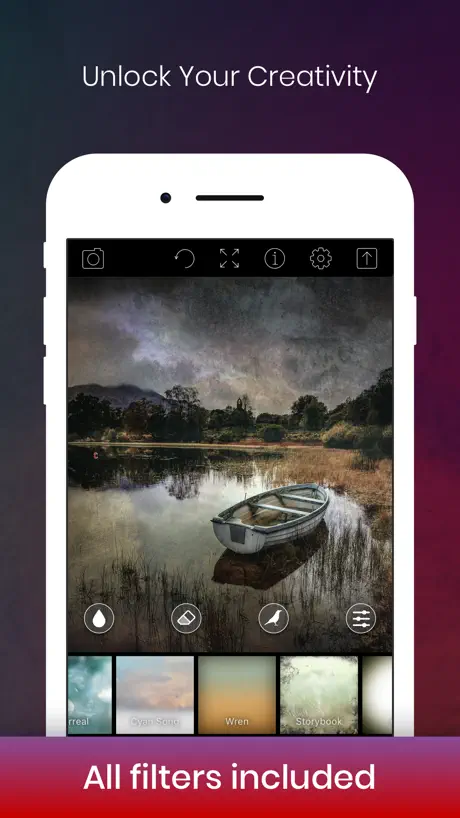  Distressed FX : Plus Distressed FX : Plus |   Dramatic Black & White Dramatic Black & White | 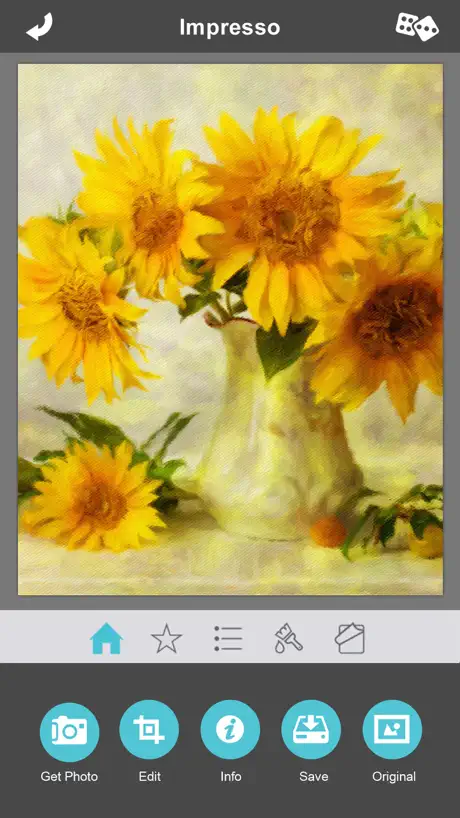  Artista Impresso Artista Impresso | |
|---|---|---|---|---|---|---|---|---|---|---|---|
| Rating / 5 | 4.7 | 4.7 | 4.8 | 4.8 | 4.6 | 4.8 | 4.8 | 4.7 | 4.8 | 4.7 | 4.7 |
| Reviews | 5K | 189K | 16K | 15K | 11K | 6.9K | 5.6K | 2.2K | 2K | 989 | 863 |
| Released | 2017 | 2013 | 2012 | 2009 | 2010 | 2018 | 2011 | 2010 | 2019 | 2011 | 2015 |
| Monthly price | $2.99 | $5.99 | — | — | — | — | — | — | — | — | — |
| Annual price | $17.99 | $34.99 | — | — | — | — | — | — | — | — | — |
| One-time price | $3.99 | $3.99 | $1.99 | — | — | — | — | — | — | — | — |
The going rate for each plan in United States, in its own currency, shaded from the cheapest price on the row to the dearest.
Superimpose X reviews
4.7 out of 5, based on 5,015 reviews.
What people like
- Powerful enough for professional results
- Developers update it frequently
- Great for layering and compositing images
What they complain about
- Users hate the subscription model
- App crashes and lags often
- Interface is confusing and hard to use
- Saving as PNG fails or adds white background
100%
Love this app I’m always using it never once’s had any problem with it worth it Even after I come home from work and I use this app it takes my mind away from a bad day at work as you have to put your mind to what you do on it
Was a good app
Use the app for very long time, suddenly almost everything is paid now, not cool
Love it
Can’t ask for more ❤️
4/10
Jammer van de AI editor.
Recent Issue with Text
This used to be my go to editing app that I recommended to everyone but recently whenever I add a layer with text it just doesn’t show up. I rearrange the layers and change the colour but the text just doesn’t appear anymore once edited.
Superimpose X
What a great program and it keeps improving. Well done 👏
Does not download
I’m not happy I just paid £4.99 and the app will not download it’s just frozen
The base app is great
The base app is great but the Ai replace when I just want to replace a small circle always puts a face in there. Like I want to replace an eye from a generated image and it places a face smack dat in there. Even if you tell it no faces, no humans. Or I find that one hair sticking out annoying and jup you get a head on top of your hair… Pls fix then I will give 5/5 stars
Bloody subscription
Showed promise. Realised it was a subscription based model. Deleted straight away. Should have checked. You have pay for apps. What is it with developers going to subscription all the time. Just let us purchase a version of an app and that’s it rather than locking people into it, using us as cash cows.
Don’t update
Since the new update, whenever you cut out an image and go to edit it on a new canvas, it will create a border around where you’ve cut, and in removing it, you remove half the image you actually want. This was never an issue before the update, and the app used to work brilliantly before that
A splendid app for multi-image-making,
I’m very impressed with this ‘app’. The ability to edit and to be able to return to a particular ‘layer’ is very welcome. It’s very versatile. Just one small appeal, it would be even better if it was easier to take successive images with the built-in camera on the ‘phone or iPad. It can be done but the route is a bit of a workaround. Something more directly accessible would make a splendid app, ‘splendiferous!’
A solid bug carrier
The program hangs up all the time in ios16 and iPhone 12. Couldn’t finish one single job.
Amazing!
Great and easy to use app
Can't use online pics
System say the form isn't correct
Komme sonst nicht weiter
Super
Photo editor
One of the best one photo editors for me on iphone
Unbrauchbar!!!
maximale Ausgabequalität ist absolut Unterirdisch !!!
Love this app, BUT..
I generally think this app is great and it is one of my favourite editing apps for mobile. However, I keep having problems with PNGs and low pixel/dimension images. A lot of PNGs, especially "small" ones, will constantly have a white background instead of transparent which is annoying. I use the "paste" feature – which allows the background to be transparent but always cuts off the image!!!
Nicht eindeutig
Jede andere App zum bearbeiten ist besser! Und hier für zahlt man Geld! Die App ist total unverständlich aufgebaut und hat nicht die Funktionen die man braucht
Nice app.
Nice app with lots of editing options.
Quick & Powerful
Been using this for years and it’s so quick to add layers and the results are so much better than my selfies of us! Just also liking the addition edits - please can we have a de-blur or sharpen/change focus/bokeh?
Layers
I used to be able to do more than 8 layers now it doesn’t let me do that. Why?
Works well
The app does the job well but I think I need more time with it to fully appreciate what it can do. I added a cutout into a photo but the edge of the cutout showed a grey halo. Is there an edge fuzzer/smoother/blender tool? Currently I load the photo into another app to blend the edges. It’s a one shot payment and it looks and feels slick, more practice from me will move it from 4 to 5 stars I think?
NOT SHARP!
Its very blurry after the new update... FIX IT PLEASE!
PS will always be better.
This app is good, and has a lot of features. The dev obviously has a good knowledge of that side of writing an app. However… the GUI is terrible. Almost to the point of being unusable. It’s hard work to find the function I need, and even on an iPad it’s too fiddly to get anywhere near accurate. Even with a stylus, it’s next to impossible. I just end up sending the photo to my PC and editing on that. Whoever invented the mouse needs a gold medal!!! The app also seriously needs an instruction manual. One that’s built into the app. Not one that’s somewhere on the internet. Give me PS and I can do almost anything with a photo. But this app just leaves me angry, and wondering why I bothered to open it.
Invaluable
One of my 3 or 4 essential editing apps! Love it! Just repeating what I said earlier. Such a brilliant app! Thank you! I use it everyday!
Froze
Platform locked and would allow any of the features to work at all - including just the simple task of loading up a photo - I deleted and will be getting my money back
Very good bit not for thumbnails with text
app is great BUT everytime i want a solid coloured Box behind the text (so the text can be read very easily (no, shadow and contour isnt good enough) i have to switch to a app who can add a blackbox behind the letter. For thumbnails its essentiell to have this simple feature. Keep up your good work Best wishes
Great but crashes and pauses
Great features and the tools work but it constantly crashes on my iphone6s. Also it pauses on opening and will relaunch if you switch to other apps.
Good, but lacks some basic features
Good tutorials and simple interface, but doesn’t have any iCloud sync or ability to open and save from cloud storage or the Files app. There also doesn’t seem to be the ability to create a layer mask.
AI Artist
=]]
New updated killed the app
The app was good (just glitched a lot when using erase tool) This new update is horrible everything has changed and it makes the editing more difficult
Make two in one
Please combine SuperimposeX and Leonardo in one App. There my Favoriten APPs. But i must change between the APPs for working on my Pictures. Ist Not good. Together in one App was a Perfect App. Please do it. Then River Stars. Sorry for my Bad english. Thanks
Save function faulty
Id give this 5 stars cause it’s amazing to use but when saving images as PNGs they get saved as JPEG’s which is really annoying. If that gets fixed I’ll give it 5 stars.
iPad graphics
I create a wide range of graphics, originally using an iPad and now the iPad Pro — and throughout that journey, Superimpose X has consistently been at the heart of my workflow. I often collaborate with seasoned photo editors who use Photoshop on PC, and they’re regularly impressed by the quality of the images I produce, especially when they learn that most of the work is done using this app. Superimpose X is an incredibly powerful and versatile tool. Even as an experienced user, I know I’ve only scratched the surface of what it can do. It remains my go-to app for creative image manipulation and detailed photo handling, and I can’t recommend it highly enough to anyone looking for professional-level results on iPad.
New Format.
The new format is almost impossible to fathom. How do I return to the old format?
Bitte Texte hinzufügen
Ich liebe die APP, aber könnt Ihr bitte die Möglichkeit hinzufügen Texte einzufügen? Ich brauche aktuell immer noch eine zweite App um einen Text einzufügen. Sonst alles top.
Overpriced
I really like the app, but the standard brush is buggy. I once send feedback and video etc. to the maker but he just didn’t care it seemed. I feel like it’s the most used masking tool so it really is important. Such bugs really should be in an quite expensive app, hence the 3 stars. Being able to name the sessions is also a big missing thing. Because I always use the duplicate session function to be able to live with only 5 layers. So please add more layers or the possibility to name the sessions and fix the brush.
Class app
I have been using this application for just over 2 years now (on and off), and I can conclude that it is by far the most useful and intricate photo editing software I’ve ever used. Furthermore, the constant updates that the developers roll out presents a positive trajectory for the future of SuperImposeX.
Does not do what is advertised
Absolutely awful, will not even let me change the background of a photo
Good app
Good app. I’ve created some hilarious creations super imposing my friends faces onto other photos. I’m so good at it now using this app (on my iPhone) that they request these sorts of images all the time for jokes. The only reason i gave it 4/5 stars is because the menu could be better on the editing options etc. but it had almost everything you need. Works great on my iPhone 12 Pro screen.
Needs work
Good app but very slow. It constantly hangs. Unresponsive. Then you have to wait again, and it happens all the time. I’m using it on a new Xs with lots of memory so it’s obviously a problem with the app. Needs some serious work, but has potential. It has many uses.
Good
Best app ever
some bug ?????? what’s happening
Im so mad paid almost $10 for this app and it wont even crop the pics normally
Update
Seit dem Update ist alles komplizierter geworden! Die einfache Bedienung ist nicht mehr! Um zb. was auszuschneiden, Teilbereiche zu löschen usw. Die Vorgängerversion war besser! Nachtrag: Danke für die info! Hab wieder auf die Bedieneroberfläche der Vorgängerversion umgeschaltet. Ist gleich wieder viel angenehmer!
Awesome, BUT...
Awesome app and never had any issues, until a couple of weeks ago when the app just started CRASHING every time. There’s also a lot of lag. PLZ FIX!
Superimpose X price by country
A monthly subscription costs $2.04 in Turkey and $4.64 in Hungary — 2× more for the same thing. Below is the going rate for each plan in every country that sells it — the middle price of what the app charges there, in the country's own currency with the dollar equivalent beneath it.
| Country | Monthly | Annual | One-time |
|---|---|---|---|
| Afghanistan | $2.99 | $17.99 | $3.99 |
| Albania | $3.99 | $19.99 | $4.99 |
| Algeria | $2.99 | $17.99 | $3.99 |
| Angola | $2.99 | $17.99 | $3.99 |
| Anguilla | $2.99 | $17.99 | $3.99 |
| Antigua And Barbuda | $2.99 | $17.99 | $3.99 |
| Argentina | $2.99 | $17.99 | $3.99 |
| Armenia | $3.99 | $19.99 | $4.99 |
| Australia | A$4.99$3.56 | A$29.99$21.42 | A$5.99$4.28 |
| Austria | €2.99$3.41 | €19.99$22.77 | €3.99$4.54 |
| Azerbaijan | $2.99 | $19.99 | $4.99 |
| Bahamas | $2.99 | $19.99 | $3.99 |
| Bahrain | $2.99 | $19.99 | $3.99 |
| Barbados | $3.99 | $19.99 | $4.99 |
| Belarus | $3.99 | $19.99 | $4.99 |
| Belgium | €2.99$3.41 | €19.99$22.77 | €3.99$4.54 |
| Belize | $2.99 | $17.99 | $3.99 |
| Benin | $3.99 | $19.99 | $4.99 |
| Bermuda | $2.99 | $17.99 | $3.99 |
| Bhutan | $2.99 | $17.99 | $3.99 |
| Bolivia | $2.99 | $17.99 | $3.99 |
| Bosnia & Herzegovina | €2.99$3.41 | €19.99$22.77 | €3.99$4.54 |
| Botswana | $2.99 | $17.99 | $3.99 |
| Brazil | R$14.90$2.87 | R$99.90$19.25 | R$24.90$4.80 |
| British Virgin Islands | $2.99 | $17.99 | $3.99 |
| Brunei Darussalam | $2.99 | $17.99 | $3.99 |
| Bulgaria | €3.49$3.97 | €19.99$22.77 | €3.99$4.54 |
| Burkina Faso | $2.99 | $17.99 | $3.99 |
| Cambodia | $2.99 | $19.99 | $3.99 |
| Cameroon | $3.99 | $19.99 | $4.99 |
| Canada | CA$3.99$2.83 | CA$24.99$17.72 | CA$4.99$3.54 |
| Cape Verde | $2.99 | $17.99 | $3.99 |
| Cayman Islands | $2.99 | $17.99 | $3.99 |
| Chad | $2.99 | $17.99 | $3.99 |
| Chile | CLP 2,990$3.11 | CLP 19,990$20.77 | CLP 4,990$5.19 |
| China | CN¥22.00$3.27 | CN¥128.00$19.05 | CN¥28.00$4.17 |
| Colombia | COP 14,900$4.47 | COP 79,900$23.96 | COP 19,900$5.97 |
| Congo | $2.99 | $17.99 | $4.99 |
| Congo, Democratic Republic | $2.99 | $17.99 | $3.99 |
| Costa Rica | $2.99 | $17.99 | $3.99 |
| Cote Divoire | $3.99 | $19.99 | $4.99 |
| Croatia | €2.99$3.41 | €19.99$22.77 | €3.99$4.54 |
| Cyprus | €2.99$3.41 | €19.99$22.77 | €3.99$4.54 |
| Czech Republic | CZK 79.00$3.69 | CZK 499.00$23.32 | CZK 99.00$4.63 |
| Denmark | DKK 29.00$4.42 | DKK 149.00$22.71 | DKK 39.00$5.95 |
| Dominica | $2.99 | $17.99 | $3.99 |
| Dominican Republic | $2.99 | $17.99 | $3.99 |
| Ecuador | $2.99 | $17.99 | $3.99 |
| Egypt | EGP 149.99$2.90 | EGP 999.99$19.33 | EGP 199.99$3.87 |
| El Salvador | $2.99 | $17.99 | $3.99 |
| Estonia | €2.99$3.41 | €19.99$22.77 | €3.99$4.54 |
| Fiji | $2.99 | $17.99 | $3.99 |
| Finland | €2.99$3.41 | €19.99$22.77 | €3.99$4.54 |
| France | €2.99$3.41 | €19.99$22.77 | €3.99$4.54 |
| Gabon | $2.99 | $17.99 | $3.99 |
| Gambia | $2.99 | $17.99 | $3.99 |
| Georgia | $3.99 | $19.99 | $4.99 |
| Germany | €2.99$3.41 | €19.99$22.77 | €3.99$4.54 |
| Ghana | $3.99 | $19.99 | $4.99 |
| Greece | €2.99$3.41 | €19.99$22.77 | €3.99$4.54 |
| Grenada | $2.99 | $17.99 | $3.99 |
| Guatemala | $2.99 | $17.99 | $3.99 |
| Guinea-bissau | $2.99 | $17.99 | $3.99 |
| Guyana | $2.99 | $17.99 | $3.99 |
| Honduras | $2.99 | $17.99 | $3.99 |
| Hong Kong | HK$22.00$2.81 | HK$148.00$18.88 | HK$32.00$4.08 |
| Hungary | HUF 1,490$4.64 | HUF 7,990$24.90 | HUF 1,790$5.58 |
| Iceland | $3.99 | $19.99 | $4.99 |
| India | ₹299.00$3.12 | ₹1,999.00$20.84 | ₹399.00$4.16 |
| Indonesia | IDR 49,000$2.73 | IDR 299,000$16.68 | IDR 79,000$4.41 |
| Iraq | $2.99 | $17.99 | $3.99 |
| Ireland | €2.99$3.41 | €19.99$22.77 | €3.99$4.54 |
| Israel | ₪9.90$3.25 | ₪59.90$19.64 | ₪12.90$4.23 |
| Italy | €2.99$3.41 | €19.99$22.77 | €3.99$4.54 |
| Jamaica | $2.99 | $17.99 | $3.99 |
| Japan | ¥400$2.54 | ¥3,000$19.05 | ¥600$3.81 |
| Jordan | $2.99 | $17.99 | $3.99 |
| Kazakhstan | KZT 1,490.00$3.37 | KZT 9,990.00$22.57 | KZT 2,490.00$5.63 |
| Kenya | $3.99 | $19.99 | $4.99 |
| Kosovo | €2.99$3.41 | €19.99$22.77 | €3.99$4.54 |
| Kuwait | $2.99 | $17.99 | $3.99 |
| Kyrgyzstan | $2.99 | $19.99 | $3.99 |
| Lao Peoples Democratic Republic | $2.99 | $19.99 | $3.99 |
| Latvia | €2.99$3.41 | €19.99$22.77 | €3.99$4.54 |
| Lebanon | $2.99 | $17.99 | $3.99 |
| Liberia | $2.99 | $17.99 | $3.99 |
| Libya | $2.99 | $17.99 | $3.99 |
| Lithuania | €2.99$3.41 | €19.99$22.77 | €3.99$4.54 |
| Luxembourg | €2.99$3.41 | €19.99$22.77 | €3.99$4.54 |
| Macao | $2.99 | $17.99 | $3.99 |
| Macedonia | $2.99 | $17.99 | $3.99 |
| Madagascar | $2.99 | $17.99 | $3.99 |
| Malawi | $2.99 | $17.99 | $3.99 |
| Malaysia | MYR 14.90$3.66 | MYR 79.90$19.63 | MYR 19.90$4.89 |
| Maldives | $2.99 | $17.99 | $3.99 |
| Mali | $2.99 | $17.99 | $3.99 |
| Malta | €2.99$3.41 | €19.99$22.77 | €3.99$4.54 |
| Mauritania | $2.99 | $17.99 | $3.99 |
| Mauritius | $2.99 | $17.99 | $4.99 |
| Mexico | MX$69.00$3.89 | MX$399.00$22.49 | MX$89.00$5.02 |
| Micronesia | $2.99 | $17.99 | $3.99 |
| Moldova | $3.99 | $19.99 | $4.99 |
| Mongolia | $2.99 | $17.99 | $3.99 |
| Montenegro | €2.99$3.41 | €17.99$20.49 | €3.99$4.54 |
| Montserrat | $2.99 | $17.99 | $3.99 |
| Morocco | $2.99 | $17.99 | $4.99 |
| Mozambique | $2.99 | $17.99 | $3.99 |
| Myanmar | $2.99 | $17.99 | $3.99 |
| Namibia | $2.99 | $17.99 | $3.99 |
| Nauru | $2.99 | $17.99 | $3.99 |
| Nepal | $3.99 | $19.99 | $4.99 |
| Netherlands | €2.99$3.41 | €19.99$22.77 | €3.99$4.54 |
| New Zealand | NZ$4.99$2.82 | NZ$29.99$16.94 | NZ$6.99$3.95 |
| Nicaragua | $2.99 | $17.99 | $3.99 |
| Niger | $2.99 | $17.99 | $3.99 |
| Nigeria | NGN 4,900.00$3.69 | NGN 29,900.00$22.53 | NGN 6,900.00$5.20 |
| Norway | NOK 39.00$4.10 | NOK 229.00$24.08 | NOK 49.00$5.15 |
| Oman | $2.99 | $17.99 | $3.99 |
| Pakistan | PKR 900$3.25 | PKR 4,900$17.70 | PKR 1,100$3.97 |
| Palau | $2.99 | $17.99 | $3.99 |
| Panama | $2.99 | $17.99 | $3.99 |
| Papua New Guinea | $2.99 | $17.99 | $3.99 |
| Paraguay | $2.99 | $17.99 | $3.99 |
| Peru | PEN 12.90$3.81 | PEN 79.90$23.57 | PEN 17.90$5.28 |
| Philippines | ₱179.00$2.87 | ₱999.00$16.00 | ₱249.00$3.99 |
| Poland | PLN 14.99$3.90 | PLN 99.99$26.04 | PLN 19.99$5.21 |
| Portugal | €2.99$3.41 | €19.99$22.77 | €3.99$4.54 |
| Qatar | QAR 9.99$2.74 | QAR 69.99$19.23 | QAR 14.99$4.12 |
| Romania | RON 14.99$3.24 | RON 99.99$21.60 | RON 19.99$4.32 |
| Russia | RUB 249.00$2.96 | RUB 1,490.00$17.70 | RUB 349.00$4.15 |
| Rwanda | $2.99 | $17.99 | $3.99 |
| Sao Tome & Principe | $2.99 | $17.99 | $3.99 |
| Saudi Arabia | SAR 12.99$3.46 | SAR 79.99$21.33 | SAR 17.99$4.80 |
| Senegal | $3.99 | $19.99 | $4.99 |
| Serbia | €2.99$3.41 | €19.99$22.77 | €3.99$4.54 |
| Seychelles | $2.99 | $17.99 | $3.99 |
| Sierra Leone | $2.99 | $17.99 | $3.99 |
| Singapore | SGD 3.98$3.11 | SGD 24.98$19.52 | SGD 5.98$4.67 |
| Slovakia | €2.99$3.41 | €19.99$22.77 | €3.99$4.54 |
| Slovenia | €2.99$3.41 | €19.99$22.77 | €3.99$4.54 |
| Solomon Islands | $2.99 | $17.99 | $3.99 |
| South Africa | ZAR 59.99$3.68 | ZAR 399.99$24.51 | ZAR 79.99$4.90 |
| South Korea | ₩4,400$3.24 | ₩25,000$18.44 | ₩6,600$4.87 |
| Spain | €2.99$3.41 | €19.99$22.77 | €3.99$4.54 |
| Sri Lanka | $2.99 | $17.99 | $3.99 |
| St. Kitts and Nevis | $2.99 | $17.99 | $3.99 |
| St. Lucia | $2.99 | $17.99 | $3.99 |
| St. Vincent & The Grenadines | $2.99 | $17.99 | $3.99 |
| Suriname | $2.99 | $19.99 | $3.99 |
| Swaziland | $2.99 | $17.99 | $3.99 |
| Sweden | SEK 39.00$3.93 | SEK 229.00$23.08 | SEK 49.00$4.94 |
| Switzerland | CHF 3.00$3.62 | CHF 18.00$21.71 | CHF 3.00$3.62 |
| Taiwan | NT$90.00$2.83 | NT$590.00$18.57 | NT$120.00$3.78 |
| Tajikistan | $2.99 | $19.99 | $3.99 |
| Tanzania | TZS 9,900.00$3.73 | TZS 49,900.00$18.78 | TZS 11,900.00$4.48 |
| Thailand | THB 99.00$2.96 | THB 699.00$20.92 | THB 149.00$4.46 |
| Tonga | $2.99 | $17.99 | $3.99 |
| Trinidad and Tobago | $2.99 | $17.99 | $3.99 |
| Tunisia | $2.99 | $17.99 | $3.99 |
| Turkey | TRY 99.99$2.04 | TRY 799.99$16.34 | TRY 199.99$4.09 |
| Turkmenistan | $2.99 | $17.99 | $3.99 |
| Turks and Caicos | $2.99 | $17.99 | $3.99 |
| Uganda | $3.99 | $19.99 | $4.99 |
| Ukraine | $3.99 | $19.99 | $4.99 |
| United Arab Emirates | AED 12.99$3.54 | AED 69.99$19.07 | AED 14.99$4.08 |
| United Kingdom | £2.99$4.05 | £17.99$24.38 | £3.99$5.41 |
| United States | $2.99 | $17.99 | $3.99 |
| Uruguay | $2.99 | $17.99 | $3.99 |
| Uzbekistan | $2.99 | $19.99 | $3.99 |
| Vanuatu | $2.99 | $17.99 | $3.99 |
| Venezuela | $2.99 | $17.99 | $3.99 |
| Vietnam | ₫79,000$3.05 | ₫499,000$19.24 | ₫119,000$4.59 |
| Yemen | $2.99 | $17.99 | $3.99 |
| Zambia | $3.99 | $19.99 | $4.99 |
| Zimbabwe | $3.99 | $19.99 | $4.99 |
Superimpose X FAQ
- Is Superimpose X free?
- No. Superimpose X costs $4.99 (US) to download, and its premium features are extra: 5 subscriptions and 2 one-time purchases starting from $2.99.
- How much does Superimpose X cost per month?
- Pro Membership (Monthly) is $2.99 – 4.99 (US). The annual plan works out cheaper per month: $17.99 – 34.99 a year.
- Does Superimpose X have a free trial?
- Yes — free trials of 3 days or 7 days (US), depending on the plan.
- Where is Superimpose X cheapest?
- A monthly subscription costs TRY 99.99 (≈$2.04) in Turkey and HUF 1,490 (≈$4.64) in Hungary, its cheapest and dearest countries.
- What are the best alternatives to Superimpose X?
- Superimpose+:Background Eraser (4.7 from 188,976 reviews, premium from $3.99), Distressed FX : Photo Editor (4.8 from 15,655 reviews, premium from $1.99) and Color Splash (4.8 from 15,273 reviews).
Superimpose X download
Last updated 11 days ago.
Superimpose X sells in 175 countries. It was released 8 years and 9 months ago, on 16 Dec 2017. It holds a 4.7 rating from 5,015 reviews.
Supports 8 languages: English, French, German, Italian, Japanese, Portuguese, Chinese, Spanish.
How much does Superimpose X make?
Third-party estimates for the last 30 days, worldwide — not the store's own figures, which Apple publishes for nobody.
Revenue by plan
- Monthly 45%
- Annual 41%
- One-time 13%
Revenue by country
- United States 69%
- United Kingdom 4%
- Germany 4%
- Canada 3%