GeoGebra Geometry
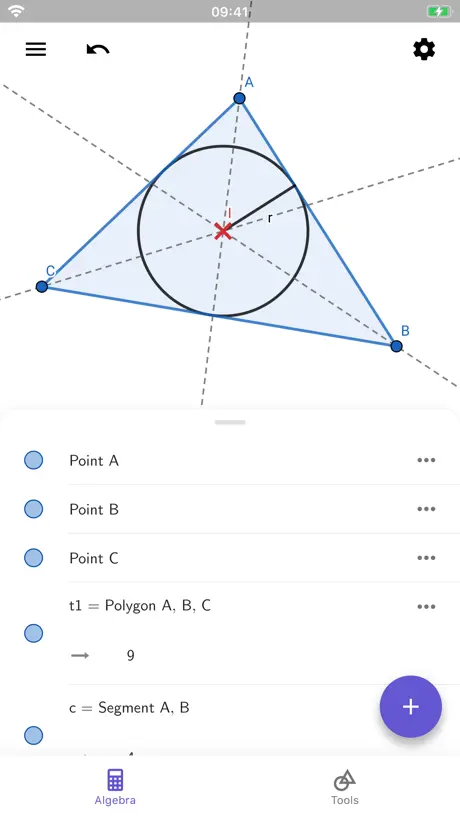
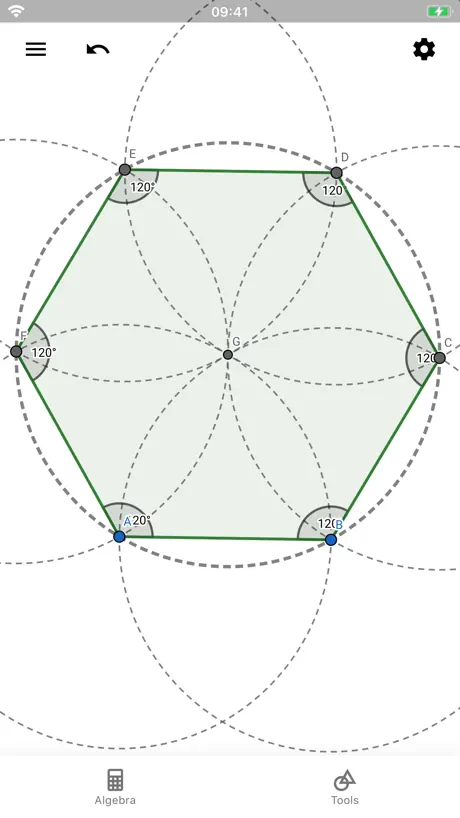
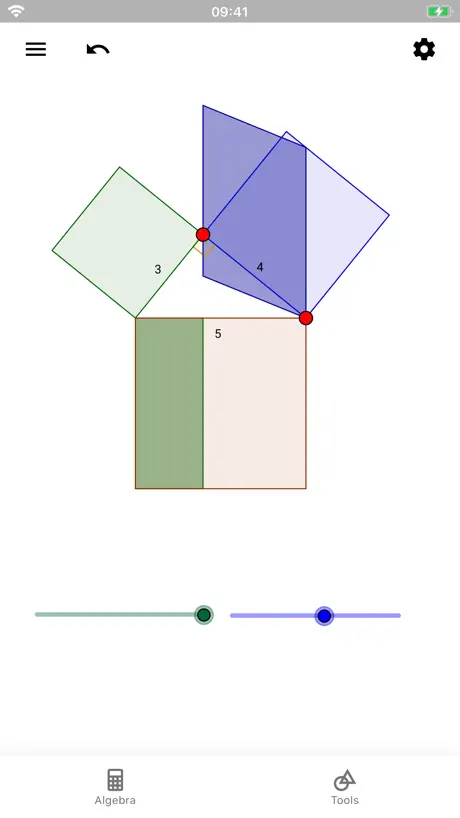
How much does GeoGebra Geometry cost?
Prices are current as of 15 Nov 2026.
GeoGebra Geometry has no in-app products on record in the United States.
10+ alternatives to GeoGebra Geometry
| GeoGebra Geometry |   Physics Lab AR |   Periodic Table: Chemistry 2026 |   NB实验室-最强大脑Dr.魏推荐 |   组卷-中小学智能题库 |   中学化学实验室-中考必备 |   Desmos Graphing Calculator |   笔袋-打印5分 |   Volume and Geometry |  Geometry Pad | |
|---|---|---|---|---|---|---|---|---|---|---|
| Rating / 5 | 4.3 | 4.8 | 4.8 | 4.8 | 4.9 | 4.5 | 4.4 | 4.8 | 4.5 | 3.9 |
| Reviews | 2.3K | 164K | 39K | 32K | 25K | 7.4K | 4.4K | 4.1K | 1.1K | 7 |
| Released | 2017 | 2017 | 2019 | 2020 | 2022 | 2023 | 2013 | 2023 | 2017 | 2012 |
| Monthly price | — | $1.49 | $0.99 | $4.99 | — | $2.99 | — | — | — | — |
| Annual price | — | — | $6.99 | $39.99 | — | $7.99 | — | — | — | — |
| One-time price | — | $1.99 | $24.99 | $39.99 | $9.99 | — | — | $9.99 | $0.99 | — |
The going rate for each plan in United States, in its own currency, shaded from the cheapest price on the row to the dearest. Plans fewer than four in ten of the priced apps sell are left out.
GeoGebra Geometry reviews
4.3 out of 5, based on 2,291 reviews.
What people like
- Shows algebra behind geometric constructions clearly
- No ads and very easy to use
- Great for learning geometry by experimenting
What they complain about
- Saving work is confusing and unreliable
- App crashes often and loses progress
- Tool palette is clumsy and hard to use
Perfect companion for Geometry
I love the fact that it shows the algebra behind my constructions, further adding animations where applicable. Also with no ads, too good to be true. I appreciate you guys ✌🏾
Mf
Worst “Science”
请问怎么作角平分线
请问怎么作角平分线
app lỗi
tao xoá đường thẳng hoặc đường tròn mà gắn với cạnh nào đó thì tất cả cạnh gắn với nó cũng bị xoá hết
screen mirroring error 屏幕镜像错误
use screen mirroring to show the iPad on the TV,not success as before。当使用iPad的时候想把画面投屏到TV上面,不像之前能够镜像投屏了。
Have a memory of recent construction(s)
For the love of Gauss, have a cache of recent constructions!! I’m loosing unsaved builds most of the times I switch out from the app for just a minute. Please?!
Crashing
Please fix
希望非超越方程能给出精确解
希望开发者能够设置一个程序:超越方程给出近似解,但是不是超越方程的解能给出精确解(比如说解为圆周率,对数,根号之类的)
闪退
还可以,但如题
App不能打开本地
App不能打开本地,网页可以
Dear geogebra
This app is really cool and useful. Thanks to it, even if I don't have access to my notebook, I can still solve problems. However, I do have one request for the developers: add the ability to save projects within the app itself.
Nop
J’aïe dog water arrêter la personne qui a fait sa …!
恩
不会用
Delightful trial version, lacks "Open File"
A trial version delightful to explore and that even allows to save one's work, BUT not to actually open files again. Where can one buy a fully functional version?
what the hell is wrong wilh naming something
analitic geometry exists you know
IPad user/Physics major re-studying geometry for fun
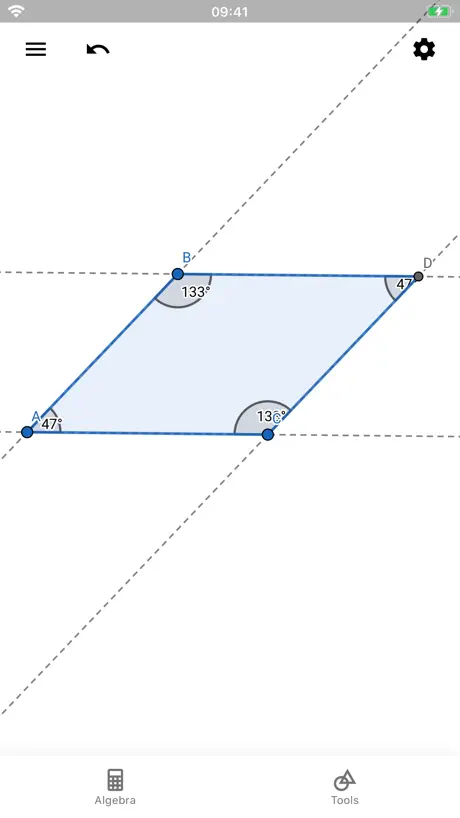
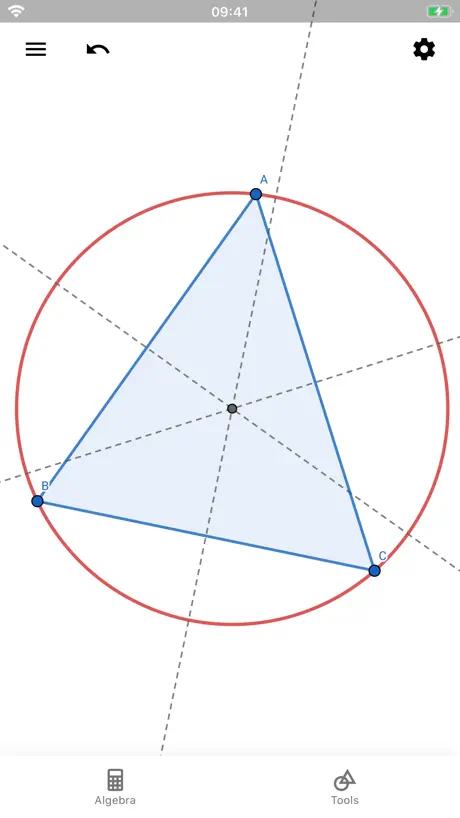
I’m going through Schaum’s Outline of Geometry, working many of the exercises. A great (to me) theorem I came across says that for any triangle, the medians (midpoint-to-vertex) will all intersect and will be partitioned by that intersection into 2 segments, and those segments will have a 2:1 length ratio. I found that disturbing and fascinating and wanted to “prove it,” which I eventually did using just two medians, making a midpoint-to-midpoint line segment, and then considering (what else?) similar triangles. But then I wanted to see it on a computer program (and using BASIC to make graphics is disgustingly no longer a viable option in this day and age), and I tried Desmos but that was brutal (you have to come up with 6 line segment equations for each triangle). So I looked at geometry apps, found this one, and voila! It was great! I can make as many examples as I want, and it will measure angles and lengths and show everything I want to show.
C vraiment nul
Cette app est dog water, litelrally so free.
希望增加的功能
①极轴捕捉 ②画等长线段 ③画等角
精度太差了
那个角度,一会显示0.4,一会显示0.3,精度太差
希望多加功能
希望无理数可以用分数,根号表示,至少在设置里给个切换的按钮啊……另外几何希望增加中点,外接圆内切圆等等就更好了
Amazing - and saving files was easy…
First - if you are interested by and want to not just learn, but really understand geometry then this app is for you. As a curious individual - I learn by experimenting and proving to myself things… and this helps by converting the drawings in to algebra and vice versa. Everyone seems to complain about ‘saving’ files. There is an export button - you export the file and in the iOS share sheet - save it to some cloud store - I use iCloud. Then open from iCloud by tapping the file and then, again, via the share sheet, selecting the app. Piece of cake.
Not working and poorly optimized
It crashes every 2 seconds and how do I use it?
帮助卡着出不来
有的功能不知道怎么用,只是想玩玩,点帮助总是卡半天,希望能修复一下
Bilder einfügen???
Gut, um Schulaufgaben nachzubauen oder geometrische Zusammenhänge zu illustrieren. Was ich überhaupt nicht verstehe: ich kann mittels des „Bild“ Werkzeugs nur Fotos mit der Kamera einfügen, nicht aber gespeicherte Bilder laden. Das ist natürlich, äh, schon ziemlich dämlich …
No way to save files… after all these years!
First off, Geogebra is an awesome system and the Geometry engine is a masterpiece. It’s smooth and useful for all sorts of purposes, such as understanding geometry proofs, definitions of conic sections, or just playing around. But! The iOS version is useless for anything other than quick and dirty sketches because *you still can’t reliably save your work even after all these years*. Sure, if you look online, after extensive searching you will find various people explaining workarounds for how you can supposedly save your work, but you will find just as many people complaining that it doesn’t work right. It didn’t work for me: I used the “share” menu, exported it to files, and ended up with a .ggb file… but then when I went through the ridiculous workaround to open it, the file was corrupted and didn’t even remotely contain what I started with. In the support forums I see years of people complaining about this inability to save files. It’s kind of ridiculous. I encourage the developers to either support iOS or not… but don’t make a frustratingly incomplete app.
Great Tool!
For a few years now, I've been doing visual coding in the P5.js and Processing environments. Just as a hobby, really. I'm very particular about the visuals, and I sometimes want to draw a complex geometrical shape. Normally, this would mean switching out the numbers until it looked just right, but I started using Geogebra Geometry to sketch them out and it's been working a charm! I only recently discovered how it doubles as a graphing calculator, too. The only improvement I would make is a small interaction tweak: when "snap to grid" is turned on, I really expected it to be more..."magnetic"? Fix to grid works, but if you want to use snapping, you need steady hands. It's not very accessible feeling.
Very Bad App
I’m very salty about how this app works. It’s too confusing for my brain and makes me hurt inside
图片导入有问题
图片只能从相机导入,不能导入本地的图片,望修复
부곡중앙중학교
수학수업
Gute App stürzt leider zu oft ab
Mit der App kann man gut konstruieren, leider stürzt sie bei mir oft ab und alles ist weg. Schade!
Works great so far
I looked quite a few iPad programs to find something similar to the original Geometer’s SketchPad. This was the best I could find. Thanks you so much for developing this!
Junk
This app is dog
画笔写出来的字是反的有人遇到过么
只有这个软件的画笔写的字自动中心对称,有用户知道原因么?
Feature-poor and unstable
There is a lot of potential here, but basic functionality like saving your work locally is barely implemented, and a pain to use (an external file manager seems to be necessary to load anything. The app also reliably crashes as soon as you interact with one circle reflected in another (which will lose most people all of their work).
Ouvrir des fichiers ggb depuis la tablette
Bonjour comment fait-on pour ouvrir des fichiers ggb depuis l'application ?
Excellent
so useful app
Crashes A Lot
Completely unstable. Will randomly crash on you for no apparent reason, making you lose all your work and force you to start from scratch
手机版能正常用, iPad端就连打都打不开,希望能修复
我用的是 iPad Pro 2022,绝对不是设备的问题 我刚我刚刚发现,打开台前调度时是不能正常打开的,除非在点开的瞬间趁它还没完全闪退时拉到全屏之后才能正常打开,之后再使用台前调度变小就不会闪退了,就离谱
수학쌤이 깔으라고 하네요
전 수업하고 아마 지울것같네요
Good, but could be great
I had high hopes for this iPad app because the PC version is the most accurate of any geometry program I’ve used. I’ve been trying to use CAD apps to create complex geometries due to them having basic features like SAVE & LAYERS that this app doesn’t have, but quite a few of the iPad CAD apps don’t actually attach lines and segments to the points like the PC versions. *looking at you AutoCAD* You don’t realize this until you export the file and zoom in to review it on a PC. Unfortunately, I can only create temporary, not-very-complex constructions in Geogebra because there’s no option to save my work! I can export an image, but there’s no way to save it to come back to add on to or finish later. Each time I open the app, my previous work has disappeared and I have to start all over. PLEASE ADD THE OPTION TO SAVE OUR WORK. I also like to compare geometries between different constructions to find possible shared lines, intersections, points, etc. Why are we not able to create geometry in layers so that base layers could be locked and new layers constructed over the top of them? OR at the very least, make it so that previous color/thickness/shape applies to each new point/segment/line until the attributes are changed the next time so we can change the colors as we go progress to a new “imaginary” layer w/o having to change the attributes of each point/segment individually. The option of actual layers would be preferable, especially if we could set color/size/thickness attributes for each layer, leave the base layer and delete upper layers, make layers visible/hidden during demonstrations and/or for teaching purposes, etc. Of course, layers won’t matter at all if we can’t save our work within the app to add or work on layers at a later time. Many of the other geometry app have these options, but not the algebra that goes with it. Just for the sake of being able to save projects to come back to later, at this point I’d rather use other apps and do without the added math. This could could be the greatest geometry app ever if you could give us just a few more options.
Awesome sauce!
I really like this app! I work with wood and don't have a protractor handy with me. I found all the angles I needed for the design I am making!! Super easy, and fun to use😁
Crashes constantly
I’m just trying to draw about 20 lines on the graph paper and get some angles and measurements. It crashed on me like 4 times after 10 minutes and I keep losing the work. Kinda surprised, I’ve never had anything crash on an apple device before. iPad Pro.
Very good; UI could be smoother
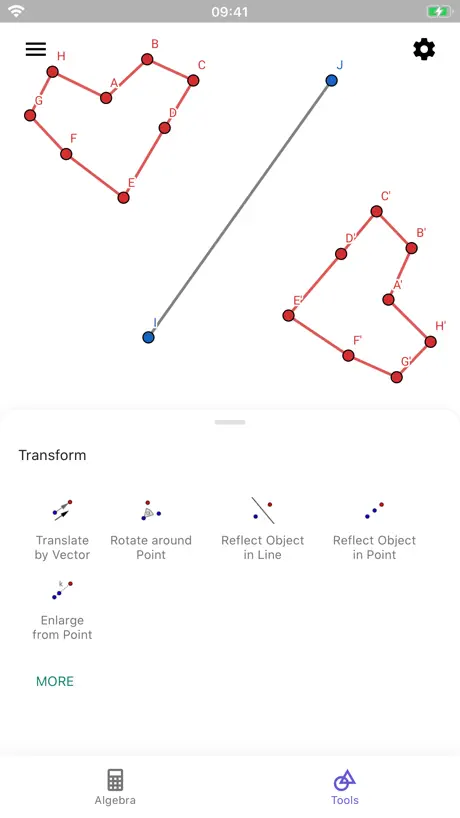
Overall this app is very good. I haven't found anything as useful for geometric construction other than Geogebra Classic. However, the tool palette is clumsy, especially compared to the one in Geogebra Classic. It takes a lot of scrolling up and down to get to frequently-used tools, where the Classic UI makes them all readily available. (The screenshot here in the app store shows the icons on the palette in usefully compact arrays. They aren't like that in the actual app, and I can't find any setting to create that arrangement.)
cant prove a geometry problem
app crash when proving detail
J’aime non merci
Trash
AMAZING
I’ve learned so much from this app helped me study for my unit tests, extremely helpful I recommend!!
LAGS!!! 😫😫😫
This app indeed lags A LOT. I don't recommend you to use it if you can download it on a laptop. Cet application bogue extrêmement, alors je ne vous recommande vraiment pas de l'utiliser. Si vous avez un ordi, vous devriez le télécharger celui sur l'ordinateur. Il est bien meilleur.
Amazing App
I love the app as it really enables a lot of interaction and flexibility to design lessons and examples. The drawback is the learning curve to use the app. More refined demonstration is needed to clarify the tools. The app does randomly close as well but not so often that I would not recommend it. One key feature I would like to see added to the app is the ability to move labels around so they are not clipping the image created. Overall, once I learned to use the app, I enjoy using it for practice exercises with my students.
Fermeture
L’interface de l’application est super et toutes les fonctions sont faciles à utiliser. C’est très compatible avec iPad. Par contre, l’application ferme souvent toute seule. Les élèves perdent soient leurs constructions.
If I understand correctly
So I think this is a great app in many ways. It is much easier to criticize then to create. That said I believe the user experience of this app needs a little push in the friendly direction. In many ways this app succeeds where other geometry apps fail. It has a more fluid feel than some other apps of its kind. I love the in app icons, which are clear and easy to read! Some suggestions. *When deleting points and lines, it tends to delete in groups. I assume this has to do with the math behind the surface of the program. From the users experience this very frustrating. *I would like to see, two finger tool rejection when panning and zooming. It’s impossible to create segments that are far apart or when two points are close together, without the ability to zoom and pan. *Deselect tool (arrow) should be part of the main screen and not at the bottom of the screen in the tool pallet. More front and center. *Other ways to create angles. A copy and move segment would be helpful. I am finding it difficult to create an angle in the right orientation sometimes (parallel and perpendicular tools works great but sometimes i want to adjust more freely). I like the angle tool but sometimes I don’t have a line to build off of and I need to create one blind and in the right orientation. *Building on that idea. creating an angle by its bisector might helpful. *Adjust a preexisting angle possibly by clicking on the angle on the screen. angles are hard to select on screen. *Move a line or constrained point. The move tool only works for unconstrained points as far as I know. *Help banner when selecting tools might show a quick help snippet. Possible clarifying the tool without opening the help section. *Building a tool set would allow you to choose your favorite tools without the need to shuffle through the very long wonderful list of choices. I like the idea of creating a narrow toolbar set on the side which would take up less space on the screen. *Finally, I believe files are not automatically saved to a destination in the cloud. I don’t believe the app has a stored folder there. I learned this when the file I was working on crashed and I lost the file. In conclusion. Is this app designed mainly for mathematicians or can it be used more broadly. Are artists like me considered too.
GeoGebra Geometry FAQ
- Is GeoGebra Geometry free?
- Yes. The app is free, in all 175 countries it sells in, and it sells nothing inside it.
- Does GeoGebra Geometry have a free trial?
- No. None of its offers (US) come with a free trial.
- What are the best alternatives to GeoGebra Geometry?
- Physics Lab AR (4.8 from 164,034 reviews, premium from $0.99), Periodic Table: Chemistry 2026 (4.8 from 39,381 reviews, premium from $0.99) and NB实验室-最强大脑Dr.魏推荐 (4.8 from 31,707 reviews, premium from $4.99).
GeoGebra Geometry download
Last updated 9 days ago.
GeoGebra Geometry sells in 175 countries. It was released 9 years and 6 months ago, on 16 May 2017. It holds a 4.3 rating from 2,291 reviews.
Supports 78 languages: English, Afrikaans, Albanian, Amharic, Arabic, Armenian, Azerbaijani, Bambara, Basque, Bangla, Bosnian, Breton, Bulgarian, Burmese, Khmer, Catalan, Croatian, Czech, Danish, Dutch, Esperanto, Estonian, Faroese, Finnish, French, Galician, Georgian, German, Greek, Hebrew, Hindi, Hungarian, Icelandic, Indonesian, Irish, Italian, Japanese, Kannada, Kazakh, Korean, Latvian, Lithuanian, Macedonian, Malay, Malayalam, Marathi, Mongolian, Nepali, Norwegian Bokmål, Norwegian Nynorsk, Persian, Polish, Portuguese, Romanian, Russian, Sanskrit, Serbian, Chinese, Sinhala, Slovak, Slovenian, Spanish, Swedish, ty, Tajik, Tamil, Telugu, Thai, bo, Turkish, Uyghur, Ukrainian, Urdu, Uzbek, Vietnamese, Welsh, Xhosa, Yiddish.
How much does GeoGebra Geometry make?
Third-party estimates for the last 30 days, worldwide — not the store's own figures, which Apple publishes for nobody.