Sleep Music Alarm
Music Alarm & Sleep Tracking
How much does Sleep Music Alarm cost?
Prices are current as of 28 Sept 2026.
1 subscription from $0.99
In the United States, Sleep Music Alarm has 1 subscription priced $0.99. It comes with a 7 days free trial.
| Subscription | Period | Price |
|---|---|---|
| Premium Service | MonthlyTrial: 7 days | $0.99 |
1 one-time purchase from $24.99
In the United States, Sleep Music Alarm has 1 one-time purchase priced $24.99.
| Product | Price |
|---|---|
| Remove ADs | $24.99 |
10+ alternatives to Sleep Music Alarm
| Sleep Music Alarm |   Step Counter Maipo - Pedometer Step Counter Maipo - Pedometer |   Simple Training Timer - STT - Simple Training Timer - STT - | 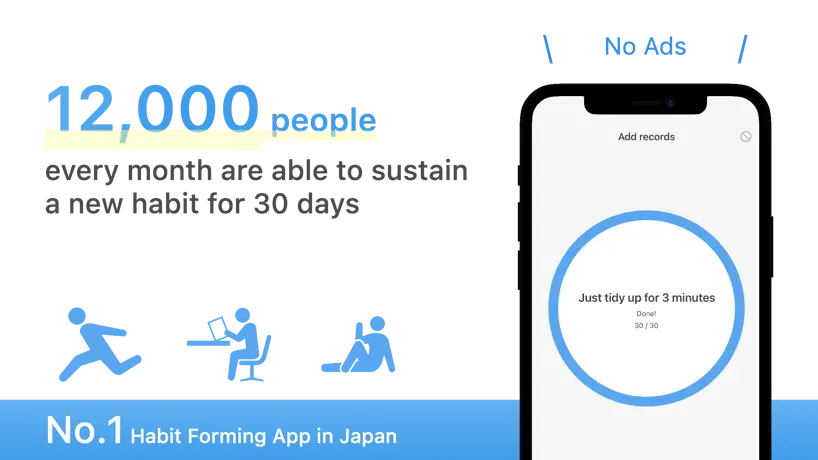  Habit: Goal & Streak Tracker Habit: Goal & Streak Tracker | 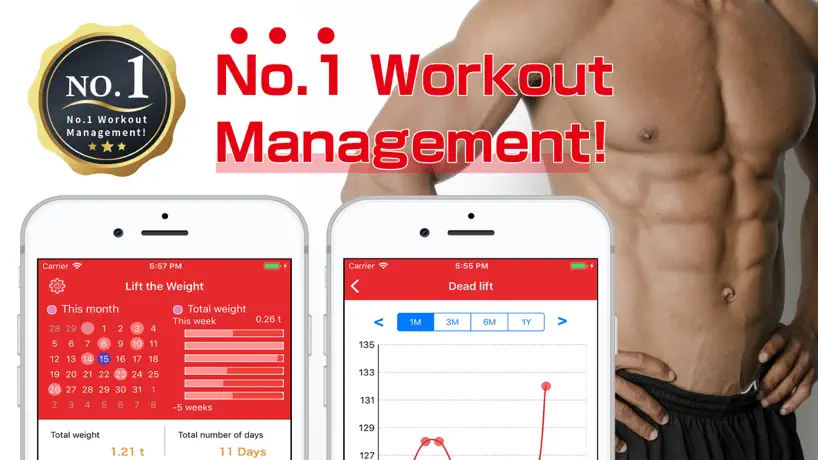  Kintore: Workout Log Kintore: Workout Log | 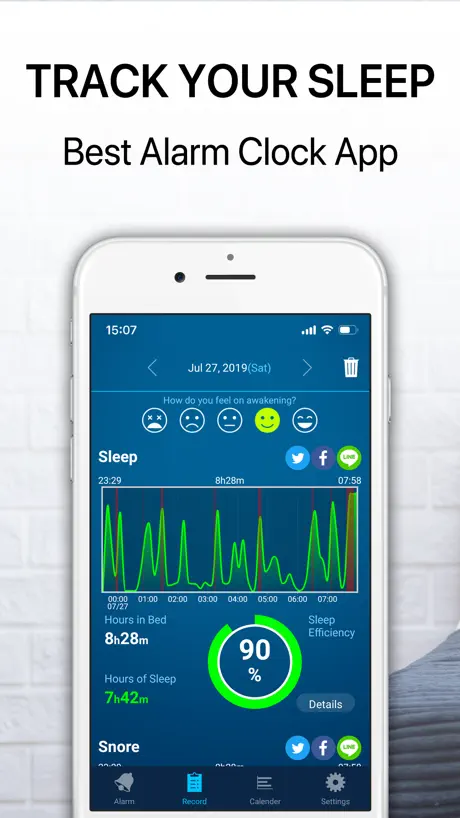  NightWell:Smart Sleep Tracker NightWell:Smart Sleep Tracker |   Habit Streak Tracker: DotHabit Habit Streak Tracker: DotHabit |   Blockin -Screen Time for Focus Blockin -Screen Time for Focus |   Renight: AI Sleep Sounds Renight: AI Sleep Sounds |   Music Alarm Clock for Spotify Music Alarm Clock for Spotify |   Sleep Timer – Smart alarm Sleep Timer – Smart alarm | |
|---|---|---|---|---|---|---|---|---|---|---|---|
| Rating / 5 | 4.4 | 4.5 | 4.6 | 4.8 | 4.6 | 4.2 | 4.7 | 4.6 | 4.1 | 4.2 | 4.6 |
| Reviews | 16K | 206K | 56K | 54K | 51K | 25K | 21K | 20K | 14K | 14K | 5.5K |
| Released | 2017 | 2015 | 2017 | 2016 | 2018 | 2014 | 2018 | 2023 | 2022 | 2019 | 2015 |
| Monthly price | $0.99 | — | $1.99 | $6.99 | $1.99 | $9.99 | $3.99 | $8.99 | $7.99 | $4.99 | $5.99 |
| Annual price | — | — | — | — | — | $39.99 | $24.99 | $49.99 | $59.99 | $29.99 | $29.99 |
| One-time price | $24.99 | $2.99 | — | $5.99 | $2.99 | $0.99 | $99.99 | $99.99 | — | — | $2.99 |
The going rate for each plan in United States, in its own currency, shaded from the cheapest price on the row to the dearest. Plans fewer than four in ten of the priced apps sell are left out.
Sleep Music Alarm reviews
4.4 out of 5, based on 16,229 reviews.
What people like
- Plays YouTube videos as alarm sounds
- Includes useful extras like weather and pedometer
- Allows custom playlists from various sources
What they complain about
- Ads block the screen and are hard to close
- Alarms often fail to ring or play music
- Drains battery extremely fast overnight
- App crashes frequently or freezes up
Love
Amazing I love how many songs I can choose from!
Tried to use for a week, never worked
The app was open but it never went off.
アプリの写真の動画もアラーム音に設定できるようにして欲しい
アラームがならない事はあまりなくなったのですが、写真の動画などに収めたものもアラームに設定できるようにしてみてはどうでしょうか。
最近使いずらい
明らかに最近のアップデートで使いづらくなった。YouTubeで音楽設定するにも画面がものすごく見ずらいし設定しにくい、切実に戻して欲しい…
まじかぁー
普段なんもない日に使うことをおすすめします。 朝一の用事がある日、このアプリを信頼して、アラームをこのアプリしかセットしませんでした。その結果…アラームならないで遅れそうになりました。 画面オンにしていても、たまにならないことがあります。なので、他のアラームと併用して使うことをお勧めします。 絶対鳴ればいいんですけどねぇ…
No complaints
I downloaded this app for the sole purpose of being able to play youtube videos as my alarm, and it works great!
Stopped working on my 14pro
Not sure why, but it’s just popping an error in the mornings now playing my Apple Music
とてもいい!
めちゃくちゃ良くてほんとに有難いです!毎日使ってます!製作者さんに直接ありがとうと言いたいほどです!しかし、星4にしたのは一つ理由があります!自分だけなのかわかりませんが、二度寝防止のやつが歩かないで、2度開いたら歩数計が止まってしまうという問題があったからです!できれば、直して欲しいです!それ以外はめちゃくちゃいい機能なのでほんとにこのままでいて欲しいと思ってます!中学3年生であまり、日本語上手くなく、わかりづらい文章になってしまいますが、理解していただけると幸いです!
アラームアプリなのにならない…
アラームアプリなのに正常に音楽ならないし、めっちゃ充電食うし、アラームを正しく鳴らしたいなら一晩中画面開いてアプリ開いといてってアホみたいなこと言うし、アラームアプリとは一体…?ってなってる 歩数計とかあって助かるけどYouTubeで音楽セットできるアラームアプリとしての基本のセットされた音楽を指定の時間に鳴らす。ができてないからどれだけ後付けしてもなぁ…って感じ ただ、他のアプリ使った事ないから無料でこれはいい方なのか?とか思ったので☆2
使えなくなった
結論から、YouTubeのアラームが全く鳴らなくなりました。というか、アラームとしての機能が壊れました。最初使ってた時はちゃんとアラーム鳴ってたんですがね。最近ではアラームが代替音みたいなちっちゃいのに変換されてばっかりで、使えなくなった模様です。 YouTubeの動画で起きる習慣が崩されたので、アプリ消しました。ご利用させて頂きありがとうございました。
I love this app
I love this app bc it allows me to wake up to music. Specifically my YouTube playlists. Alarm is reliable and comes on as programmed.
I LOVE this app, but PLEASE change this new update!
I love this app, but there was a recent update where they replaced setting the time for when you wanna wake up like at 7:00AM or 1:00PM for instead only being able to set a timer for an alarm to wake you up. PLEASE let me choose to set the time!!! It’s really annoying every night having to set myself to wake up based on how many hours of sleep before I wake up, I just want to set the exact time.
Love it, but it keeps crashing
I’ve only used this for two mornings and I’ve been waking up to a 2015 thing song whatever it’s called but I have to say I absolutely love it. However it keeps crashing sometimes and it will literally make the app open and then shut automatically. Don’t know what to do because I have to frequently change my alarm times and can’t do that when I can’t even open my app about 85% of the time but when it works, it’s amazing and helps me out because I’m in my 2015 era and love waking up to songs from that time
充電の消費
1年くらい使わせていただきました。最初の方は便利だったのですが、アップデートで機能が増えるにつれ不具合も多くなり、あくまで個人の意見ですが、機能は増えたのに初期よりも使いづらくなってしまったと感じました。 決定的だったのが、充電の消費です。朝起きるとiPhone16がとんでもなく発熱しており(触れないほど)3時間ほどで100%だった充電が60%ほどまで減っていました。設定→バッテリーで確認したところ、バックグラウンドで開かれていたこのアプリが悪さをしていたのが確認できました。決して高い頻度ではありませんが、この事象がたまに起こってしまうこと、以前よりも使いづらく、不具合が多くなってしまったことから使うのをやめました。他にも無料で十分使える目覚ましアプリがあるのでこれを無理に使う必要はないと思います。 色彩のゲームは好きでした。
まず、
アプデ出来ないんだけど、僕だけ?
Peak 🗣️🗣️🗣️🗣️🗣️🗣️🗣️
The fact that it works at all, PLUS the fun little addons and failsafes make this one of if not the best alarm clock apps.
I hate this....
The alarm won’t play anymore which is very annoying. I always hated when you had to fix the date thing before it goes off. Plus you can’t set the alarm in the morning when it’s a certain time.
Just what I was looking for
I was tired of waking up to annoying alarms, and I didn’t own any music on iTunes to set for the base iPhone alarms. I mainly listen to music on YouTube / YouTube music, so I was very happy to find this app! It lets you choose a single song, or a playlist to shuffle for alarms. It’s really easy to use, and I’ve ran into a few bugs occasionally, but it’s no big deal since the app is constantly being improved. Overall a very nice app 👍
広告が
広告が入ること自体は無料で使わせてもらってるため構わないんですが、朝寝起きでアラートを消してそのままうっかりまた寝落ちしちゃった時のために何回もかけてるのに、アラート消した後に出てくる広告を消せずに寝落ちたせいでその後のアラートが鳴らずに寝坊が何回もありました。 あと起きてアラート止めてすぐにアプリ閉じて他のことしたいのに広告待ちしなきゃいけないとかも嫌、もっと別の出し方にしてほしいです
よくわからないけど、 他のアプリをお勧めします
特定の目覚をかけられるということですダウンロードしたのですが… 選んだ曲が流れる時と流れない時があります 流れない時は他のアラームのようにピビピピッ⏰的な感じの音が鳴ります そんなのじゃ起きれないから設定してるのに意味ありませんほんとは、星2.5くらいにしたいです アプリを閉じたら 鳴らないシステム なんとかして欲しいです 「アプリ起動したまま電源切っても音なりませんでした」 とにかく本当に!!このアプリでほとんど起きた事ない です 5月頃入れたのに 指で数えられるくらいです そろそろ消そうか迷ってます
Great
Yes the ads are sometimes annoying but it works really well
Wen I opened the app every ting was in Japanese
Help
Great but 1 problem
I don’t know why this does this but it kills my phone really fast with this on if I close application it fixes the battery problem but it won’t sound that is my only problem everything else is great
操作が効かなくなる。
起きたときにストップは押せるがアプリの移動やホーム画面への移動ができなくなった。強制再起動させられる羽目になった。
アラームはいいけど
最近ちゃんと広告見てからアプリ消してんのに毎回起動すると、広告見てないよね?みて!!ってなるの地味にだるいからやめて欲しい笑笑笑
Great but one issue
Awesome app but it lets kids bypass the apple “screen time” limits when you go to YouTube through the app
where’s the sound???
None of the files in sounds manager make any sound. I tried tapping on sounds and hear nothing. I configured an alarm and still got no sound! I’m not having any other sound issues on my phone so something is not right with the app.
Would be 100,000,000/5 but…
I’ve loved this app for a while now as one of the few successful things that got me out of bed. My only issue it that this morning I was literally unable to turn off the music which was blasting to my whole family because of an ad covering the entire screen. The one second it takes for me to turn it off normally was perfectly fine but needing to watch an ad to turn off the music may make me look for a new alarm. I recognize that developers need to eat too but could there be a way to use background ads and such that don’t hinder the apps usability? I genuinely appreciate the developer putting in the time to make this YouTube alarm and I’ve already recommended it to most of my friends so it’s be a real shame to lose such an incredible alarm. Thnx for reading!
良かったのに広告入るようになってから使いづらい
しばらく使っていますが、アラーム鳴った後広告が入るようになって使いづらいです。
good spp
needs to automatically update other wise doesnt sound and i wale up late flr work
Awesome
Other than the ads it's great at playing songs that I hate for my alarms. If I could I would give it 5 gazillion stars - 👁
This is good but really?
The stop by notification action and the auto disable actions and weather are can only be used through premium? Why do that for the weather, that's unnecessary. Paying for ad free experiences is necessary!
Alarm sometimes wont go off
This app is amazing! I love being able to use YouTube videos and not having to pay for Apple Music. There’s only one issue. Sometimes the alarm doesn’t go off and just vibrates. Thankfully, I wake up after hearing the vibrations. But that’s all! Thanks for the awesome app!
バッテリーとバックラウンド(+画面ロック時)
かなりバッテリーを消費する 8時間ほど放置してたら60~70ほど消し飛んだ バックラウンド時アラームがならないのと画面ロック時YouTubeの音楽が鳴らない
Removes all my created alarms
Ive been using this app for years and its been working alright. Just recently after an update all my alarms have been removed. It took quite a while to set up all those alarms and Im honestly not gonna go through the hassle of doing that again. Fix your app.
Sleep & alarm clock has a lot of features
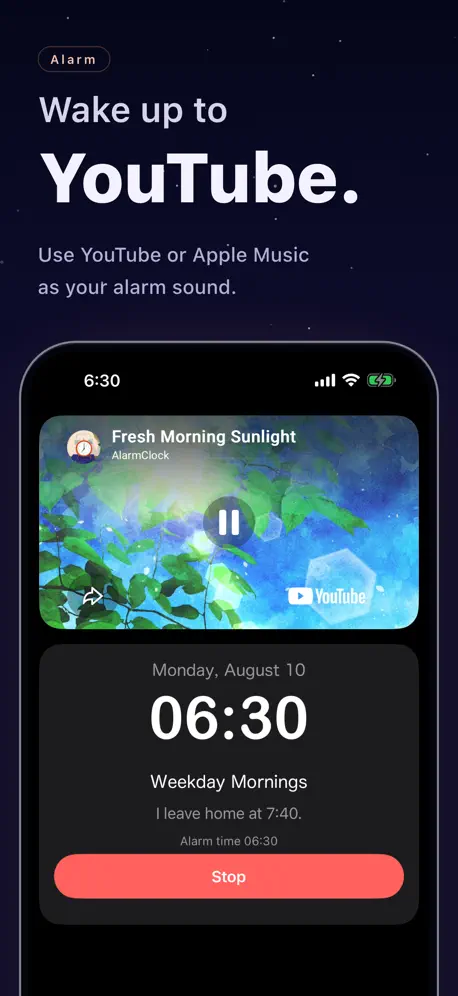
You can watch videos for your alarm or Spotify for music or you can play Apple Music for your alarm sound and there’s even a Pedometer to track your steps and it even tells you the weather which is kind of cool. There’s lots of features nice app.
Its Crashing
I redownloaded the app, and its crashing. How does a simple alarm clock app crash?!
Good for individual songs, but not playlists
song played perfectly, but i could not get my playlist to play because it said it needed a video ID in the URL. dissapointing, but otherwise, great app!
Alarm made me late twice
When it actually works it’s great but iv used this a week and a half and this morning it didn’t work again for the second time. I woke up on my own at 5:53 when I was supposed to be up at 4:30!!! The alarm said the craziest thing: Next Alarm today 4:30an -56705 sec remaining and counting….. It never went off. I loved walking to to my music but I’m going to be looking for a different app because I’M LATE
No music and ads ads ads
I used to be able to play my Apple Music but with each song I choose it says Apple Music can’t be played. After turning off my alarm I then have to listen to ads and try to figure out how to exit the ad , there isn’t always the X in the top left/right corner.
I Love This App!
Right now it’s the only app I could find that plays YouTube videos for the alarm. I like that it can play music or alarm sounds as a backup if the YouTube video doesn’t work.
Doesn't work
When I press "song selection" the screen freezes for a second and then doesn't do anything.
Fun
Hey this is super cool but can someone teach me how to set my sound and alarm? I’ve tried but it doesn’t seem to work! I’ve been saving a video from my camera roll but after that idk what to do
HELP
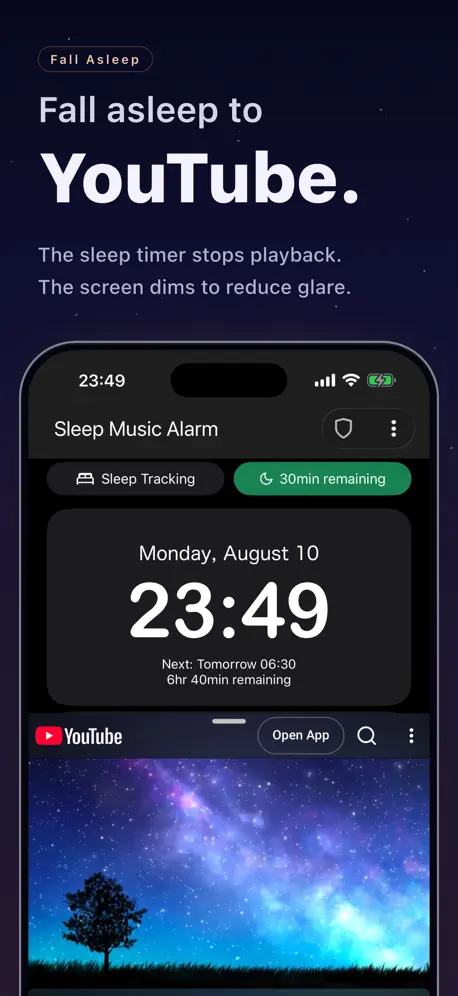
I’ve been using this app and it has worked well but recently I have been unable to add music from YouTube. I have redownloaded the app and made sure it stays open but when I press Sound Option it gives me this long list: Sound option is an option to play YouTube etc. It also works in sleep mode. at a specified time. This is the same mechanism that the navigation app guides you until you reach your destination, so if you forcibly close the app, it will not be playable. Forced termination of the app means swiping up from the app list to close it, updating the app (including automatic update), restarting the device, etc. The same applies to the screen time limit. (This can be avoided by setting 'Always allowed apps' in the Settings App> Screen time.) After updating the app, you need to start the app once. It also works in sleep mode, but there is also a way to put this app in the foreground and keep the screen on. If the clock screen of this app is at the forefront, it will not be locked automatically. This is the most consistent way sound options work. The clock screen has a slider to change the brightness at bedtime, a shield function to prevent malfunctions, music with sleep timer, and a video playback function. If it is dazzling even with the slider, turn the device over.
Ummm
Can’t hear anything when the alarms starts. Something I’m doing wrong?
Absolutely perfect!
This app has honestly been a staple of my mornings ever since I got it a year or two ago. My only issue with it is a rare bug where for some reason the alarm will be completely silent, but other than that, it’s a must have!
Will not import songs
I tried importing from my device and drop box, mp3s and mp4s. The app crashed every time and never uploaded anything.
Works Well
I love that this app allows users to add music from various sources, including YouTube. I personally use the app to wake up to different unreleased Michael Jackson songs everyday of the week - and it’s been fun looking forward to hearing my alarms go off in the morning. I would just prefer a more user-friendly and visually appealing interface with the next app versions.
Wow.
Couldn’t tell you the last time my alarm properly played Not to mention the ads-that I literally can’t get out of because the exit button is conveniently placed where I can’t tap it Not a reliable app in my experience but a good idea.
Couldn’t get music to play
I was looking for an app that would let me pick music to wake up to, and when I found this one I was excited. Unfortunately I could not get it to make any noise. I tried time after time to set a test alarm with a YouTube link and every time the notification would come up but there would be no sound. Anyone know what this problem is?
Sleep Music Alarm price by country
A monthly subscription costs $0.13 in Turkey and $1.37 in Denmark — 11× more for the same thing. Below is the going rate for each plan in every country that sells it — the middle price of what the app charges there, in the country's own currency with the dollar equivalent beneath it.
| Country | Monthly | One-time |
|---|---|---|
| Albania | $1.19 | $29.99 |
| Algeria | $0.99 | $24.99 |
| Angola | $0.99 | $24.99 |
| Anguilla | $0.99 | $24.99 |
| Antigua And Barbuda | $0.99 | $24.99 |
| Argentina | $0.99 | $24.99 |
| Armenia | $0.99 | $29.99 |
| Australia | A$1.49$1.05 | A$39.99$28.16 |
| Austria | €0.99$1.13 | €29.99$34.16 |
| Azerbaijan | $0.99 | $29.99 |
| Bahamas | $0.99 | $29.99 |
| Bahrain | $0.99 | $29.99 |
| Barbados | $0.99 | $29.99 |
| Belarus | $0.99 | $29.99 |
| Belgium | €0.99$1.13 | €29.99$34.16 |
| Belize | $0.99 | $24.99 |
| Benin | $0.99 | $29.99 |
| Bermuda | $0.99 | $24.99 |
| Bhutan | $0.99 | $24.99 |
| Bolivia | $0.99 | $24.99 |
| Bosnia & Herzegovina | €0.99$1.13 | €29.99$34.16 |
| Botswana | $0.99 | $24.99 |
| Brazil | R$3.90$0.75 | R$149.90$28.88 |
| British Virgin Islands | $0.99 | $24.99 |
| Brunei Darussalam | $0.99 | $24.99 |
| Bulgaria | €0.99$1.13 | €29.99$34.16 |
| Burkina Faso | $0.99 | $24.99 |
| Cambodia | $0.99 | $29.99 |
| Cameroon | $0.99 | $29.99 |
| Canada | CA$1.29$0.91 | CA$34.99$24.82 |
| Cape Verde | $0.99 | $24.99 |
| Cayman Islands | $0.99 | $24.99 |
| Chad | $0.99 | $24.99 |
| Chile | CLP 690$0.72 | CLP 29,990$31.14 |
| China | CN¥7.00$1.04 | CN¥168.00$24.96 |
| Colombia | COP 3,900$1.20 | COP 119,900$36.81 |
| Congo | $0.99 | $29.99 |
| Congo, Democratic Republic | $0.99 | $24.99 |
| Costa Rica | $0.99 | $24.99 |
| Cote Divoire | $0.99 | $29.99 |
| Croatia | €1.06$1.21 | €29.99$34.16 |
| Cyprus | €0.99$1.13 | €29.99$34.16 |
| Czech Republic | CZK 29.00$1.36 | CZK 699.00$32.69 |
| Denmark | DKK 9.00$1.37 | DKK 199.00$30.34 |
| Dominica | $0.99 | $24.99 |
| Dominican Republic | $0.99 | $24.99 |
| Ecuador | $0.99 | $24.99 |
| Egypt | EGP 15.99$0.31 | EGP 1,299.99$25.12 |
| El Salvador | $0.99 | $24.99 |
| Estonia | €0.99$1.13 | €29.99$34.16 |
| Fiji | $0.99 | $24.99 |
| Finland | €0.99$1.13 | €29.99$34.16 |
| Gabon | $0.99 | $24.99 |
| Gambia | $0.99 | $24.99 |
| Georgia | $0.99 | $29.99 |
| Germany | €0.99$1.13 | €29.99$34.16 |
| Ghana | $0.99 | $29.99 |
| Greece | €0.99$1.13 | €29.99$34.16 |
| Grenada | $0.99 | $24.99 |
| Guatemala | $0.99 | $24.99 |
| Guinea-bissau | $0.99 | $24.99 |
| Guyana | $0.99 | $24.99 |
| Honduras | $0.99 | $24.99 |
| Hong Kong | HK$8.00$1.02 | HK$188.00$23.98 |
| Hungary | HUF 399$1.24 | HUF 9,990$31.17 |
| Iceland | $1.23 | $29.99 |
| India | ₹79.00$0.82 | ₹2,499.00$26.06 |
| Indonesia | IDR 14,000$0.78 | IDR 499,000$27.88 |
| Iraq | $0.99 | $24.99 |
| Ireland | €0.99$1.13 | €29.99$34.16 |
| Israel | ₪3.90$1.28 | ₪79.90$26.28 |
| Italy | €0.99$1.13 | €29.99$34.16 |
| Jamaica | $0.99 | $24.99 |
| Japan | ¥100$0.64 | ¥4,000$25.40 |
| Jordan | $0.99 | $24.99 |
| Kazakhstan | KZT 379.00$0.86 | KZT 14,990.00$33.83 |
| Kenya | $0.99 | $29.99 |
| Kosovo | €0.99$1.13 | €29.99$34.16 |
| Kuwait | $0.99 | $24.99 |
| Kyrgyzstan | $0.99 | $29.99 |
| Lao Peoples Democratic Republic | $0.99 | $29.99 |
| Latvia | €0.99$1.13 | €29.99$34.16 |
| Lebanon | $0.99 | $24.99 |
| Liberia | $0.99 | $24.99 |
| Libya | $0.99 | $24.99 |
| Lithuania | €0.99$1.13 | €29.99$34.16 |
| Luxembourg | €0.99$1.13 | €29.99$34.16 |
| Macao | $0.99 | $24.99 |
| Macedonia | $0.99 | $24.99 |
| Madagascar | $0.99 | $24.99 |
| Malawi | $0.99 | $24.99 |
| Malaysia | MYR 3.90$0.96 | MYR 119.90$29.39 |
| Maldives | $0.99 | $24.99 |
| Mali | $0.99 | $24.99 |
| Malta | €0.99$1.13 | €29.99$34.16 |
| Mauritania | $0.99 | $24.99 |
| Mauritius | $0.99 | $29.99 |
| Mexico | MX$19.00$1.07 | MX$499.00$28.21 |
| Micronesia | $0.99 | $24.99 |
| Moldova | $0.99 | $29.99 |
| Mongolia | $0.99 | $24.99 |
| Montenegro | €0.99$1.13 | €22.99$26.18 |
| Montserrat | $0.99 | $24.99 |
| Morocco | $0.99 | $29.99 |
| Mozambique | $0.99 | $24.99 |
| Myanmar | $0.99 | $24.99 |
| Namibia | $0.99 | $24.99 |
| Nauru | $0.99 | $24.99 |
| Nepal | $0.99 | $29.99 |
| Netherlands | €0.99$1.13 | €29.99$34.16 |
| New Zealand | NZ$1.99$1.12 | NZ$49.99$28.24 |
| Nicaragua | $0.99 | $24.99 |
| Niger | $0.99 | $24.99 |
| Nigeria | NGN 350.00$0.26 | NGN 39,900.00$30.03 |
| Norway | NOK 11.00$1.16 | NOK 299.00$31.44 |
| Oman | $0.99 | $24.99 |
| Pakistan | PKR 160$0.58 | PKR 6,900$24.91 |
| Palau | $0.99 | $24.99 |
| Panama | $0.99 | $24.99 |
| Papua New Guinea | $0.99 | $24.99 |
| Paraguay | $0.99 | $24.99 |
| Peru | PEN 3.50$1.03 | PEN 99.90$29.38 |
| Philippines | ₱55.00$0.88 | ₱1,490.00$23.84 |
| Poland | PLN 4.99$1.30 | PLN 99.99$26.04 |
| Portugal | €0.99$1.13 | €29.99$34.16 |
| Qatar | QAR 3.69$1.01 | QAR 99.99$27.47 |
| Romania | RON 4.99$1.08 | RON 129.99$28.08 |
| Russia | RUB 75.00$0.89 | RUB 2,290.00$27.17 |
| Rwanda | $0.99 | $24.99 |
| Sao Tome & Principe | $0.99 | $24.99 |
| Saudi Arabia | SAR 3.99$1.06 | SAR 99.99$26.66 |
| Senegal | $0.99 | $29.99 |
| Serbia | €0.99$1.13 | €29.99$34.16 |
| Seychelles | $0.99 | $24.99 |
| Sierra Leone | $0.99 | $24.99 |
| Singapore | SGD 1.48$1.16 | SGD 34.98$27.33 |
| Slovakia | €0.99$1.13 | €29.99$34.16 |
| Slovenia | €0.99$1.13 | €29.99$34.16 |
| Solomon Islands | $0.99 | $24.99 |
| South Africa | ZAR 17.99$1.10 | ZAR 499.99$30.66 |
| South Korea | ₩1,200$0.88 | ₩44,000$32.42 |
| Spain | €0.99$1.13 | €29.99$34.16 |
| Sri Lanka | $0.99 | $24.99 |
| St. Kitts and Nevis | $0.99 | $24.99 |
| St. Lucia | $0.99 | $24.99 |
| St. Vincent & The Grenadines | $0.99 | $24.99 |
| Suriname | $0.99 | $29.99 |
| Swaziland | $0.99 | $24.99 |
| Sweden | SEK 12.00$1.21 | SEK 299.00$30.17 |
| Switzerland | CHF 1.00$1.21 | CHF 20.00$24.13 |
| Taiwan | NT$30.00$0.94 | NT$790.00$24.87 |
| Tajikistan | $0.99 | $29.99 |
| Tanzania | TZS 2,200.00$0.83 | TZS 69,900.00$26.31 |
| Thailand | THB 29.00$0.87 | THB 999.00$29.92 |
| Tonga | $0.99 | $24.99 |
| Trinidad and Tobago | $0.99 | $24.99 |
| Tunisia | $0.99 | $24.99 |
| Turkey | TRY 6.49$0.13 | TRY 1,299.99$26.58 |
| Turkmenistan | $0.99 | $24.99 |
| Turks and Caicos | $0.99 | $24.99 |
| Uganda | $0.99 | $29.99 |
| Ukraine | $0.99 | $29.99 |
| United Arab Emirates | AED 3.99$1.09 | AED 99.99$27.25 |
| United Kingdom | £0.99$1.31 | £24.99$33.10 |
| United States | $0.99 | $24.99 |
| Uruguay | $0.99 | $24.99 |
| Uzbekistan | $0.99 | $29.99 |
| Vanuatu | $0.99 | $24.99 |
| Venezuela | $0.99 | $24.99 |
| Vietnam | ₫22,000$0.85 | ₫799,000$30.79 |
| Yemen | $0.99 | $24.99 |
| Zambia | $0.99 | $29.99 |
| Zimbabwe | $0.99 | $29.99 |
Sleep Music Alarm FAQ
- Is Sleep Music Alarm free?
- Yes. The app and its basic features are free, in all 173 countries it sells in. Premium features are paid: they start from $0.99 (US), across 1 subscription and 1 one-time purchase.
- How much does Sleep Music Alarm cost per month?
- Premium Service is $0.99 (US).
- Does Sleep Music Alarm have a free trial?
- Yes — a 7 days free trial (US).
- Where is Sleep Music Alarm cheapest?
- A monthly subscription costs TRY 6.49 (≈$0.13) in Turkey and DKK 9.00 (≈$1.37) in Denmark, its cheapest and dearest countries.
- What are the best alternatives to Sleep Music Alarm?
- Step Counter Maipo - Pedometer (4.5 from 206,366 reviews, premium from $2.99), Simple Training Timer - STT - (4.6 from 56,395 reviews, premium from $1.99) and Habit: Goal & Streak Tracker (4.8 from 53,549 reviews, premium from $5.99).
Sleep Music Alarm download
Last updated 12 days ago.
Sleep Music Alarm sells in 173 countries. It was released 9 years and 8 months ago, on 9 Jan 2017. It holds a 4.4 rating from 16,229 reviews.
Supports 2 languages: English, Japanese.
How much does Sleep Music Alarm make?
Third-party estimates for the last 30 days, worldwide — not the store's own figures, which Apple publishes for nobody.
Revenue by plan
- Monthly 85%
- One-time 15%
Revenue by country
- Japan 94%
- United States 4%
- Canada 1%
- United Kingdom 0%