
Grainfather Community
How much does Grainfather Community cost?
Prices are current as of 16 Nov 2026.
Grainfather Community has no in-app products on record in the United States.
10+ alternatives to Grainfather Community
| Grainfather Community |   INKBIRD |   Brew Meister: Track Your Beer |   BBQ Go |   Proof Meister: Measure Spirits |   Wine Meister: Track Your Wine |   Lab Meister: Track Lab Data |   Beer Carbonation Calculator |   NFC E-Tag |   Calculate Alcohol by Volume |   BrewingCalc | |
|---|---|---|---|---|---|---|---|---|---|---|---|
| Rating / 5 | 4.1 | 3.9 | 4.7 | 2.9 | 4.7 | 4.7 | 4.8 | 4.8 | 3.4 | 4.8 | 4.6 |
| Reviews | 692 | 17K | 1.7K | 561 | 263 | 252 | 94 | 60 | 54 | 27 | 22 |
| Released | 2016 | 2021 | 2020 | 2016 | 2022 | 2022 | 2022 | 2020 | 2020 | 2023 | 2014 |
| Monthly price | — | — | $5.99 | — | $5.99 | $5.99 | — | — | — | — | — |
| Annual price | — | — | $39.99 | — | $39.99 | $39.99 | — | — | — | — | — |
The going rate for each plan in United States, in its own currency, shaded from the cheapest price on the row to the dearest.
Grainfather Community reviews
4.1 out of 5, based on 692 reviews.
What people like
- Connects seamlessly with your brewing equipment
- Useful calculators help plan your recipes
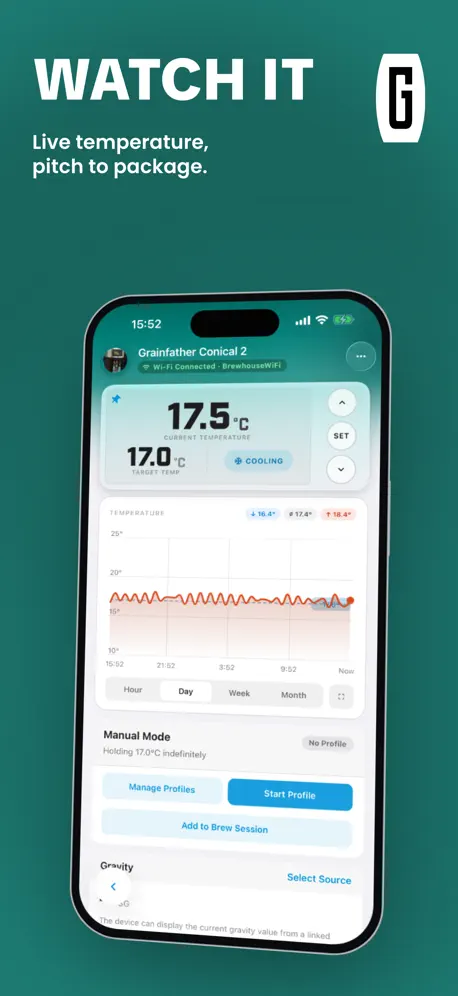
- Tracks temperature and gravity on one screen
What they complain about
- App crashes constantly when you open it
- Data and notes fail to save properly
- False alerts spam you during brewing
I think it’s awesome
I figured it’s about time to do a review since I bought my Grainfather G30 in 2015. I have upgraded it to match the version 3 currently on the market and I believe it is the best product on the market and at a great price point for what it does. Yes you can get cheaper systems out there for about half the price but I don’t believe any of those cheaper systems can do what my Grainfather does. And now that I can connect to the app with my recipe programmed , well I’m just all smiles when I’m brewing. Sometimes I’ll brew a 5.5 gallon batch of all grain and sometimes I’ll do a 15 gallon batch by using LME with specialty grains. This G30 is awesome, to do the 15 gallons I’ll have 7.5 gallons in the Grainfather that I transfer to my fermenters then top them off for a total of 15 gallons and the beer comes out fantastic. When I wear this one out I’ll definitely be buying another Grainfather, maybe a G40 but I’m very happy with my G30.
Keeps crashing
Just closes making this unusable. When is this going to be sorted?
Mostly good...
Good enough to use on brew day. Still a little buggy so some things don't save or update and force restarting the app might help. Small ask would be to have the option of simple lines on the fermentation tracking graph, rather than filled areas that make it harder to see. Big ask would be a more open API for data.
Why is this app so hard to use?
I have a G40 to simplify my brew day. The last time I used this app about 2 months ago it was okay, now I can’t even figure out how to start a brew session.
Keep getting phantom alerts
I’ve gotten over 100 brews under my belt and prior to this update, I’ve loved the app…..however…. Here’s my setup: G30 with GCast iPhone 14 Plus with iWatch Ultra 2 During my brew it starts off working as normal and a few minutes into the brew I start receiving notifications saying “Grainfather has experienced a power outage and will pick up where it left off” (or something very similar). It then follows up with other notifications saying “Mash temperature reached”, “Mash finished, heating up for Mash Out”, etc. It keeps giving alert after alert and the are all false. I’ve restarted the app (stopped the running app first), I’ve restarted my phone, I’ve deleted the app and reinstalled all to no avail. In the end I had to disable alerts until GF gets their app fixed.
Love the product, love the app
Just having a fantastic time, learning how to brew - it’s been a very exciting system and a fantastic application as well. All the tools you need and all the details in one place
Keeps crashing
A 17 year old plus app should have ironed out most of the bugs by now, every time you open app you get a message to connect Bluetooth even when your not near the unit and if you close that message the app crashes .
Now it works fine again (Crashes all the time, before)
Upgrade to the latest version, now I need to reinstall the app every time I what to look at recipes or follow my brews (Tilt and ispindel). I was very pleased with the app but now I am frustrated!!! The latest update works very well (5.4.6 built 2). Now the app doesn’t crash any more. Real good work with the new features also.
Annoyingly getting worse
Crashes Won’t save gravity readings Won’t acknowledge a brew session has finished. Instead I have to keep pairing back to the Grainfather, then saving the brew as fermenting. Yet it still somehow reverts back to the brew session being marked as “brewing” There’s a number of other issues with this app which become apparent the more you use it and the more steps you try to include in the brew day. I shouldn’t have to list them all. Grainfather, please fix this. The app integration was the deciding factor on whether I purchased Grainfather products or something else, years ago. It feels as though each release of this app creates more bugs and issues.
Since installing Gcast it keeps crashing
Not sure if it’s the G cast but it crashed when brewing and now crashes whilst monitoring the tilt in the conical fermenter
All in one app
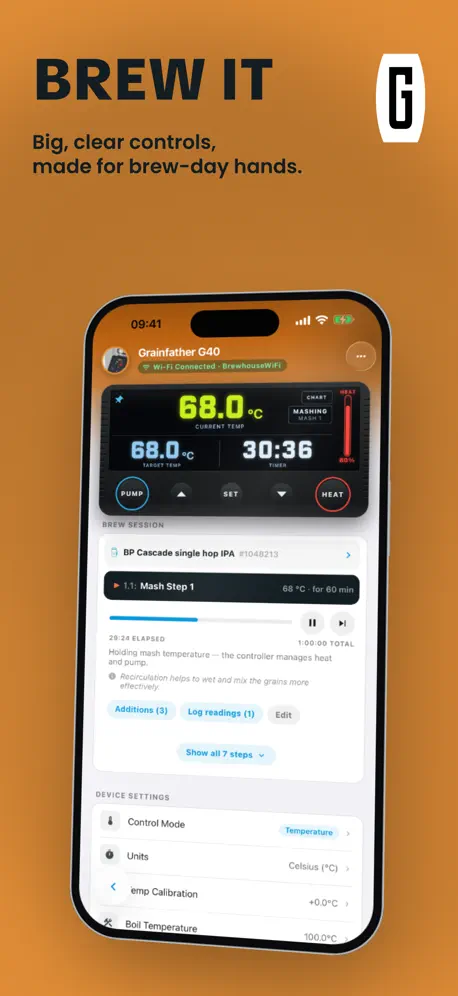
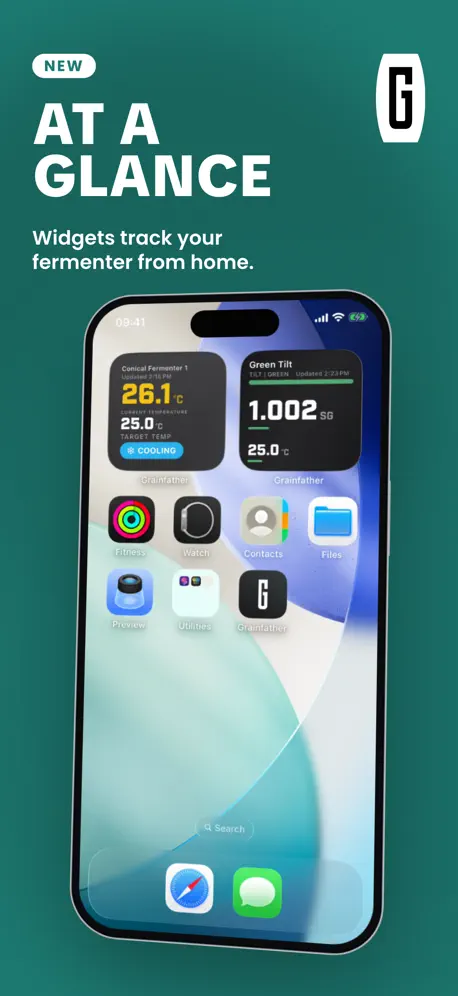
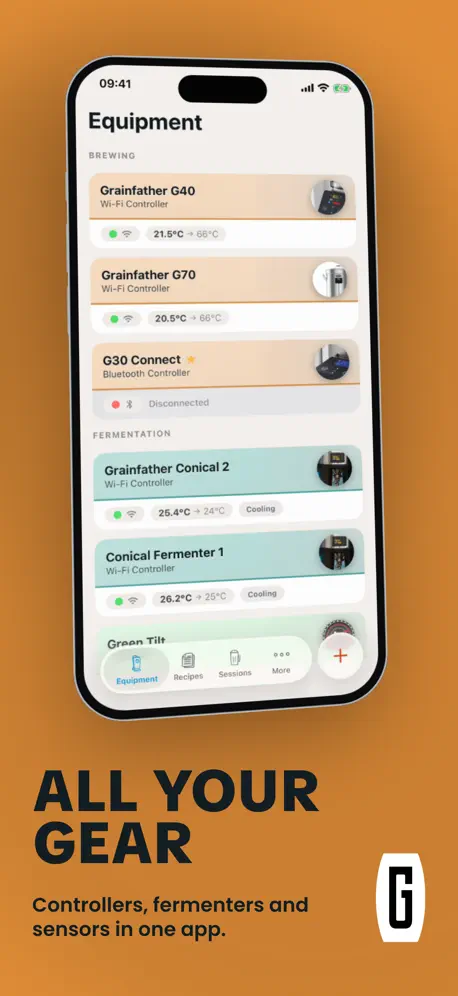
The app allows to you control and monitor all of your equipment and very convenient to have in one place. Since to launch of the GCAST adapter can now track the SG readings from multiple tilt’s and a G30 if have one.
Crashed
After the latest update every time I try to open the App it now constantly crashes and is unusable - really please sort this out !
Super quand elle ne plante pas
Super application pour mes brassages mais depuis la dernière mise a jour, elle plante au démarrage sur mon IPhone Xs, pas de problème sur IPad. Ce serait un plus d’avoir les articles en français.
Crash again
Same as last update it crashes soon after loading. I don’t remember how I might’ve got it to work or if I did but hopefully it works on my iPad. Don’t know if I remember how to brew manually 😁
I love it BUT
I use the app with my G40 setup and 2 conical fermenters on an ipad pro and it is great. However…..it crashes often now and cannot be restarted. The only fix is to delete and re install the app. I would love to keep on with it but am having to look to brewfather and see if i can get that to work as it is a real pain all the re installling.
All you need
This app is soooo much better than the old one. It has all your brew software/recipe and calculators you will need. And it seamlessly links to your GF device for brew day. I used to pay to use brewers friend for all that, but now I can do it all in app on my phone. Great job Grainfather! You’ve gone from 2 star to 5 IMO.
I only wanted one thing
The mash sparge calculator. And it doesn’t work. Enter 3 numbers and press calculate. Invalid number. Which?? They are all valid. Useless.
Grainfather is a great system.
I have a Grainfather G40 and a Grainfather conical pro fermenter with the glycol chiller as my system and after lots of research I have concluded that Grainfather has the simplest solutions to home brewing that is available. The app is an ongoing project as most apps are in an ever changing world and it gave me fits on the original connection process but once connected it seems extremely reliable. I think most of my problems were related to password issues with my Wi-Fi because I’m a security conscious person. The app itself has more advanced features than l am capable of using at this time to its fullest extent but looking forward to gaining more experience and knowledge.
Bluetooth
You need Bluetooth on just to open this app. Why? I’m not brewing just updating recipes. Even if it was on it wouldn’t connect as the controller isn’t on.
Conflicted love- hate relationship
Love the calculators, love the recipes, but the auto mode is unusable. Always wants to skip to the next step. Forced to use the app in manual mode. The status of the brew(fermenting, conditioning, serving) is quirky too. With a few tweaks this app could be awesome! Please make an Apple OS app so we can use it on the desk top.
Great App for great beer
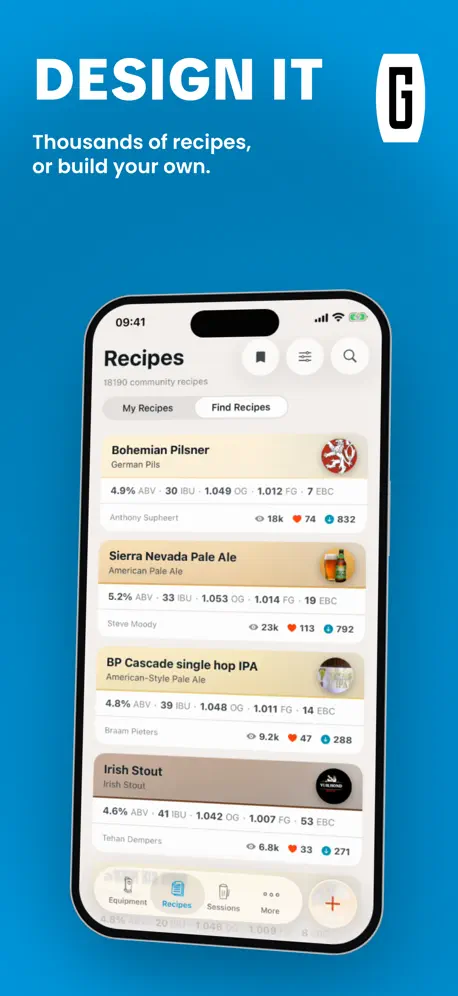
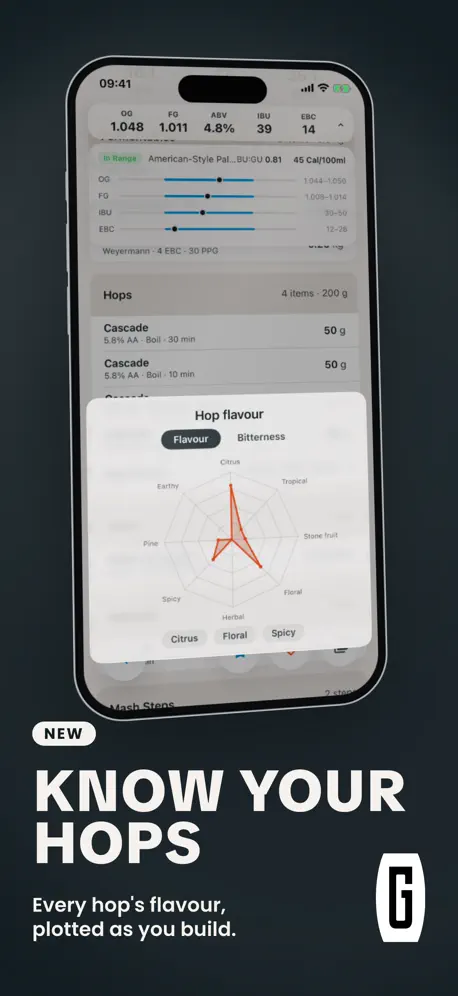
You can design a beer, compare with style guidelines, and set your Grainfather brewing....all from your mobile. Step mashes are a breeze. What’s not to like.
Keeps crashing - what’s going on?
What’s going on? The app just crashes every time i open it
Give ability to track Gravity
I love the app. Using Grainfather Gcast to connect my Tilts made all the difference in app use ability. The only downside is the app displays current gravity, but does not track gravity with temperature. This can be found when looking at the tilt, but it would be very nice to see it overlay in graph when selecting the conical fermenter.
Dreadful software update
The most recent update has obviously not been tested properly. Sorry to say that is typical with this app. It now crashes because it is looking for a brew date that the message says is invalid. Why not use the date from the device that is being used to connect. Do not release updates that cause user frustrations I will be using BrewFather from now on as I know that their brew tracker works unlike this app.
App keeps crashing
The app is excellent and integration with G70 very good however the current release keeps crashing. How to resolve please ?
Brilliant
Great App, love the fact I can add my recipes to it
No longer able to go through boil
Something has changed recently and now the sparge just completes the whole brew session For the price of a grainfather the app is very poor
Good job
The water calculator brings down the rating. Like and use the app on every brew.
Keeps Crashing
Been using for a few years. I like it when it works but lately it won't even stay open for more than a few seconds. App and phone are up to date. Unusable as it currently is, please fix.
Pretty good when it’s working
Chose this app for brewing because it did what I needed it to do better than the other options. Unfortunately, when I was trying to brew today, it kept shutting down. The app is up-to-date, the phone is updated, I restarted my phone, I repeatedly started the app, nothing I did seemed to work. The app makes some of the brew planning a little easier, but if it is not going to work, it turns out to be a complete waste of time. Now I don’t know if I’m going to get my notes from my previous brews back.
Great App for a brilliant product.
Im not sure why the majority of users are having a hard time with the updated App as it’s been great for me. Much better than the original one, loads of great features including editing recipes on the fly which I find really useful, there is also a whole bunch of calculators. Good work Grainfather!
Really awful and getting worse
Started off well. Numerous updates just put in more bugs. Culminating in the pump turning in randomly and now the sparge progress counter not working. New update now means I can’t import from BeerSmith and have to go over the recipe manually. Just give in lads and start again. It couldn’t be any worse.
Functional, but overly sensitive.
Great App, but is overly sensitive to touch input on an Apple IPhone X.
Poor app to a great machine
If you’re brewing an all grain recipe it’s not so bad to enter a recipe but if you’re brewing an extract kit I can’t seem to make it run correctly through. It wouldn’t be so bad if the way it’s set up doesn’t make sense to you if there was a work instruction but I’ve not been able to find one. There’s a big disconnect from the recipe entry page to the brewing info as well as editing. The layout of this app is a disaster. It’s like going from an Android phone to an iPhone navigation makes no sense. When it works it’s great as you’re not having to keep an eye on it as it notifies you. Need clarification on what’s a partial vs an extract and how to enter them.
Suggestions
thank you for the app. I am still using a cooler box and a urn, one day I will have a GF. 😀. But I like using your app. Thanks for making it available to the home brew community. It would be nice if there were more areas to areas to write notes per stage. So as that stage ends it asked u for notes about that stage. Then at the session I can review those per stage notes and add to some over all session notes. Also i am overwhelmed by all the different calculators out there. I like that you are adding more to your app. Pls continue. Can there be an option to add the calculation to the recipe? So if I calculate my stroke water, can I be given the option to then add that to the recipe and stage. Also if there was a way to share recipes between devices, that would be handy. Thank you!!!
Good system
Really like to use the system as a whole , never experienced any problems using like others seem to have done , totally recommend
Still clunky and erratic
Why on earth won’t Grainfather listen to the endless requests and complaints of countless users and re-release the original app so that we can just go back to brewing reliably? By all means keep the Community app for those that favour social media above brewing, but let brewers have straightforward, accurate brewing tools back again. It is such as shame that the one thing that set the Grainfather apart from all other brewing systems on the market has now been reduced to this.
Last few updates getting better
I used to have a bad experience with this app, but have done a few brews recently and it’s getting better. I think the recipe calculator still needs work but they’ve fixed a lot of the connectivity issues and step functionality which is critical if you’re trying to use during brew day. I like the app overall.
No recent reviews?
Shenanigans! No way I will update this app until actual reviews come out. Got burned the last time a major update came out. They took a perfectly working app and destroyed it with social nonsense and broke key functionality. This is a test to see if this review gets posted. Your move Apple / Grainfather.
Very sensitive
It’s a very good app but it seems overly sensitive. More so than other apps on the same phone.
Love it
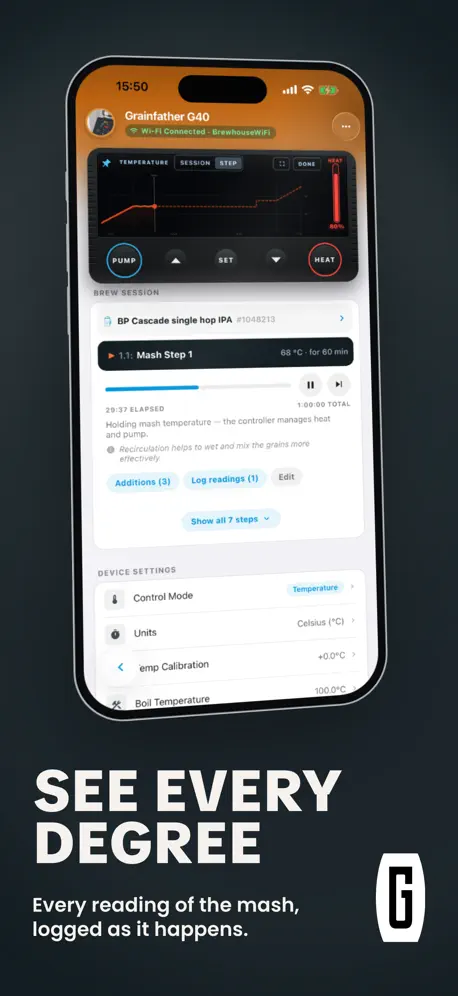
After original issues with this major revamp had been sorted. I can only say it’s excellent. Love the temperature graph plotting and the ability to add gravity and ph figures. Perfect for me.
Poor app
This app is not up to standard, I in have given it a second go but it’s still poor. Looking for something else 👎
Kanon
Jag har inte så bråttom i livet, så jag tycker det funkar kanon. och framför allt, jag hittar det jag söker.
Ok
It’s great to brew with but it is terrible to create with. Lags bounces around and sensitive all at the same time. Don’t forget to change you efficiency every time. I just got screwed on my last brew.
Broken with Missy recent update
Brewed with it 3 times since September but with the updated version in mid October I can no longer keep the app open more than a minute before it repeatedly crashes.
14/06/19
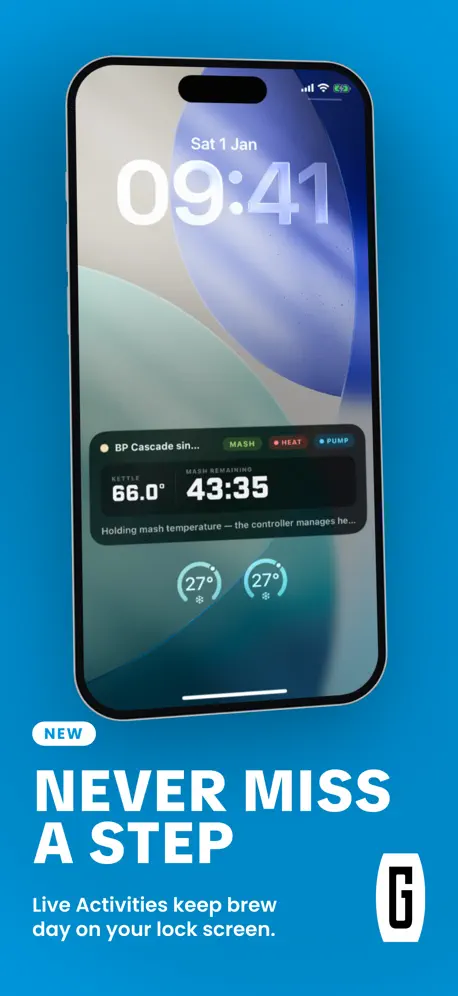
The app worked fine for me, where as the old version always failed somewhere. The recipe / session now defaults to private. You can see the recipe whilst brewing which helps. The only issue I had was that it doesn’t seem to send notifications.
Poor app
Again I reloaded this app as the one I had was useless, it seems that this one is just the same if only Grainfather would listen to it’s customers and completely revert back to version one. Yes it was not fancy but it worked and worked well, the poor quality of the app side of Grainfather’s business is the reason I have not invested in new kit. Come on Grainfather we deserve better.
Super useful app let down
Really useful app. Fantastic as a brew day helper when using the grainfather and using the various calculators provided, but please please sort out your woeful data management - for the past god knows how many updates the app refuses to save any information inputting regarding bottling/kegging. Other than that, Great job.
Please add in landscape mode for tablets
As above.
Love it but it’s not awesome.
It works well enough and I use it every brew. Needs some work on functionality and user experience. Also I can’t get it connected with my old iPad.
Grainfather Community FAQ
- Is Grainfather Community free?
- Yes. The app is free, in all 175 countries it sells in, and it sells nothing inside it.
- Does Grainfather Community have a free trial?
- No. None of its offers (US) come with a free trial.
- What are the best alternatives to Grainfather Community?
- INKBIRD (3.9 from 17,259 reviews), Brew Meister: Track Your Beer (4.7 from 1,669 reviews, premium from $5.99) and BBQ Go (2.9 from 561 reviews).
Grainfather Community download
Last updated 9 days ago.
Grainfather Community sells in 175 countries. It was released 10 years ago, on 1 Nov 2016. It holds a 4.1 rating from 692 reviews.
Supports 12 languages: English, Dutch, French, German, Italian, Norwegian Bokmål, Polish, Portuguese, Russian, Chinese, Spanish, Swedish.
How much does Grainfather Community make?
Third-party estimates for the last 30 days, worldwide — not the store's own figures, which Apple publishes for nobody.