
Bay Alarm Link
How much does Bay Alarm Link cost?
Prices are current as of 20 Nov 2026.
Bay Alarm Link has no in-app products on record in the United States.
10+ alternatives to Bay Alarm Link
| Bay Alarm Link |   Total Connect 2.0 |   DoorBird |   Virtual Keypad |   Intercom App Type B |   Venstar Skyport |   A3 Smart Home |   Luxor® Controller |   Sonato |   Lutron RadioRA 2 + HWQS App |   CHeKT.com | |
|---|---|---|---|---|---|---|---|---|---|---|---|
| Rating / 5 | 4.1 | 4.6 | 4.4 | 4.3 | 4.4 | 4.6 | 4.6 | 4.2 | 4.9 | 2.7 | 4.7 |
| Reviews | 932 | 340K | 71K | 14K | 10K | 4.5K | 1.8K | 634 | 301 | 238 | 13 |
| Released | 2017 | 2011 | 2015 | 2011 | 2018 | 2012 | 2020 | 2013 | 2021 | 2016 | 2020 |
Bay Alarm Link reviews
4.1 out of 5, based on 932 reviews.
What people like
- Very convenient for daily use and travel
- Staff finds it simple and effective
- Easy to arm or disarm remotely
- Great customer service support team
What they complain about
- Connection times out often
- Half the time it fails to connect
- Arming and disarming is painfully slow
- Alarms go off even when turned off
Great app
Love that I can Arm/disarm from the app. Easy to use
Weak
Pretty light on features. Clunky interface. No support for Google Home. Very little support over phone or email. Overall just constant disappointment.
Works great
Never had any issue with this app
Needs better UX
Not developed for consumer. App loses connectivity to server once a few weeks.
GM
Doesn’t connect on a regular bases
Love it!
So convenient
Non stop battery issues
Nonstop battery issues. System tells me that brand new batteries last less than a month. Volt meter says batteries are good. System won’t reset and I constantly have “low battery” issues.
Board member
Easy
Customer
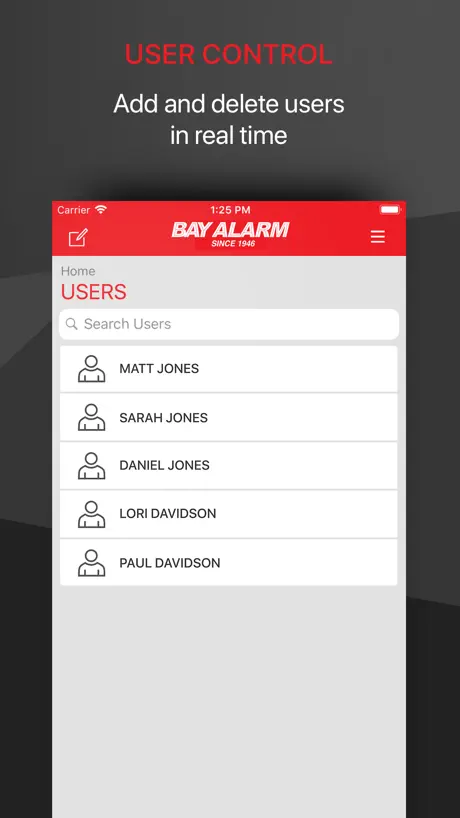
Bay ALARM
Main Arm/Disarm Display
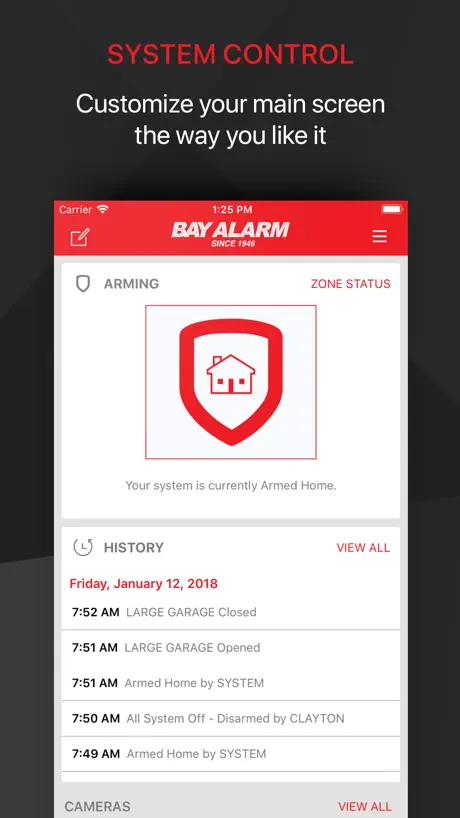
1. Dark red buttons and text on a black background. Too bad there aren’t color options. 2. The Arm/Disarm window was not intuitive at first use. It may require customers to ask their service technician how to arm and disarm the system remotely. Otherwise, information available such as door or window activity and code used to arm or disarm the system is very helpful.
Pastor
I appreciate the versatility and availability of this app
Insanely bad UX
Hard to believe they get away with it to be honest. It’s beyond bad.
Works fine but checking status can be slow
The app works fine but checking status can be slow
Work half the time
Half the time when I turn the alarms off they are still on and the alarms go off and the police come. They get mad at us when it’s the alarm company that they should be mad at.
Slow, buggy
Remote access is nice. But basic functionality is clunky. When alarm sounds, please display alarmed zone on app. Login is slow. Please enable changing order of multiple locations. Responsiveness is slow.
Alarm app
Easy to use
Don’t ask.
Don’t ask me to review your app.
Much Improved
The app offers an easy and convenient way to manage the alarm system at home or away. It is easy to use and bug free. This is a great improvement over the older Bay Alarm app that we used to have in our prior home.
Very unpredictable
Never know if it’s going to connect to my system to allow me to arm/disarm. It’s like 50/50 whether or not it works. Great when it does!
A tad antiquated
It’s good for the basic. But the app looks and feels old.
Service
Excellent service
Customer
Confusing app
Ok
Doesn’t always work
Unreliable
Times out frequently.
Works better then some
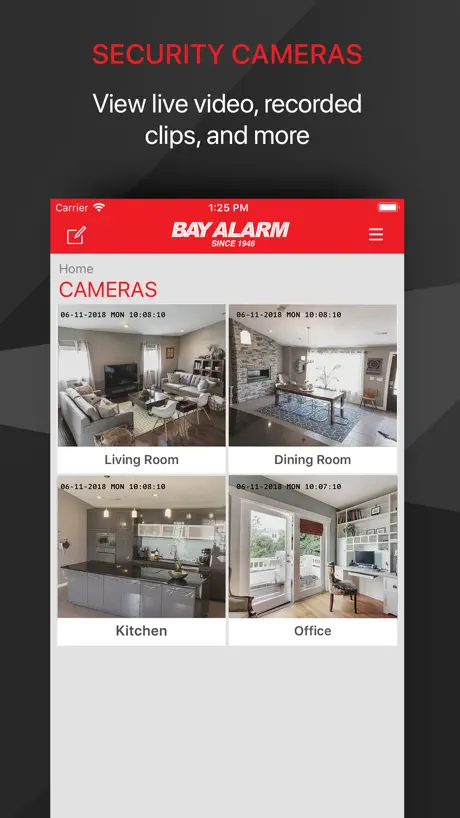
Bay alarm app is convenient. I can arm my system and check my doorbell camera from anywhere.. works 99% of the time. Yes I highly recommend this app.
Terrible app
This app is super slow and needs an update
Stop working several times a month
Several times a month I cannot log into the app which means I cannot remote shut off the alarm or turn on the alarm which is a feature I need so I don’t wake my family when I get home at 3/4/5 am.
Wish it worked better
We have had our system at our business for about 4 years. Periodically the app has been glitchy but for the most part it has worked, and it’s handy to get arming/disarming notifications as well as be able to do so remotely. But in the last few months it’s been mostly ineffective. A nice tech person came out (and our experience with people from bay alarm is positive), but we understand it has something to do with the radio and us not being Verizon customers. So for now, we have to remember to use the keypad, and wish we had a more reliable app for remote use. Seems like it should be better than that, but what can you do? Appreciate that there’s always a real person soon in the line if you need to call for help. Update9/24: we had a very long period of great functionality. In late august, the app and our system stopped communicating again. It took multiple calls to bay alarm and some time, but it seems to be back. Bay Alarm service is great, the app wonderful, when it works. Which it is again and am grateful for that. 9.25 update. Knock on wood, all has been functioning well. If it continues like this without those periodic glitches, I’m super happy with the app. And as usual the people at BayAlarm are great
Estate Manager
The app gives you all the info you need if you set it up that way. Set up can be a little tricky, but worth it.
App is barely functional
This app is stable at best. Half the time it doesn’t connect to my security system, whether I’m on wifi or data. The app is very slow and will often time out while trying complete a command.
Glitchy
Works sometimes
Pretty Good
The app is pretty good. The only thing that would really make it. Awesome would be if there was a panic button on it. For example, my keypad is downstairs and my bedroom is upstairs… If I heard a break in downstairs I would want to be able to hit a panic button on my phone upstairs instantly, notifying the police and setting off my alarm system. Also, it would be helpful if the App could tell you which "zone" has the low battery. But not just mention it by zone, but say the actual name of the physical location. For example, don’t call it "Zone 5", but rather zone was named during installation of the alarm… it should read "low battery front door" or wherever the exact battery is. Call it by its name, not zone. The reason I am specifying this, is because the panel states The zone which still makes it difficult to figure out, it should also read which exact battery location my name.
Easy and Efficient
I have a staff of 10 people, it makes using the alarm simple. When it is triggered, the response is swift. I feel my office is always safe.
Unreliable and barely works
Unreliable and barely works
Alarm
Took long time to arm and disarm not a faster
Sales mgr
Great system easy to use
Horrible app and products
Super unreliable and inconsistent operation. Would not recommend but it’s what we’re stuck with at work for now so I deal with it as best I can.
Bugs
The app doesn’t work all the time, and it’s important it does when I’m not on the premises
Works great
Super convenient both for every day use as well as travel.
Barely functional.
This app would be incredibly useful if it didn’t have such a hard time connecting to Bay Alarm’s servers. It’ll often say connection timed out after trying for more than a minute to get me online. When hoping to turn the alarm on and off, it is sincerely frustrating to sit there and stare at a loading screen that goes nowhere.
Bay Alarm Link FAQ
- Is Bay Alarm Link free?
- Yes. The app is free, in all 2 countries it sells in, and it sells nothing inside it.
- Does Bay Alarm Link have a free trial?
- No. None of its offers (US) come with a free trial.
- What are the best alternatives to Bay Alarm Link?
- Total Connect 2.0 (4.6 from 340,348 reviews), DoorBird (4.4 from 71,164 reviews) and Virtual Keypad (4.3 from 13,869 reviews).
Bay Alarm Link download
Last updated 1 month ago.
Bay Alarm Link sells in 2 countries. It was released 9 years and 8 months ago, on 21 Mar 2017. It holds a 4.1 rating from 932 reviews.
Supports 5 languages: English, Dutch, French, Greek, Spanish.
How much does Bay Alarm Link make?
Third-party estimates for the last 30 days, worldwide — not the store's own figures, which Apple publishes for nobody.