WeDJ for iPhone
Stream. Create. Experience.
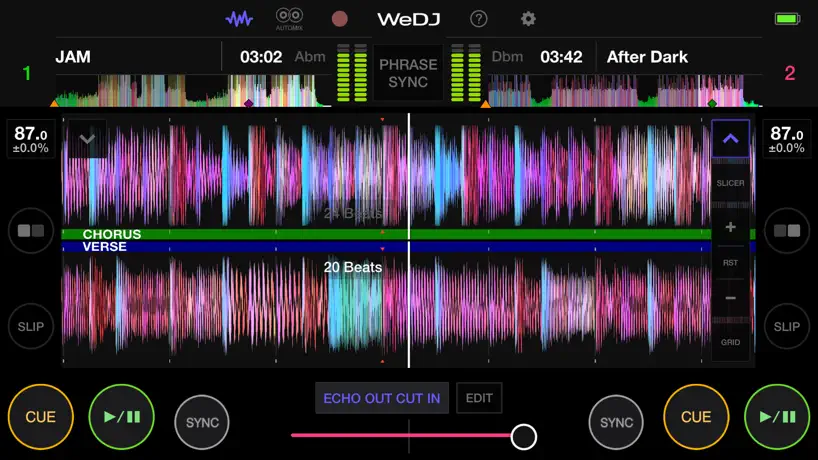
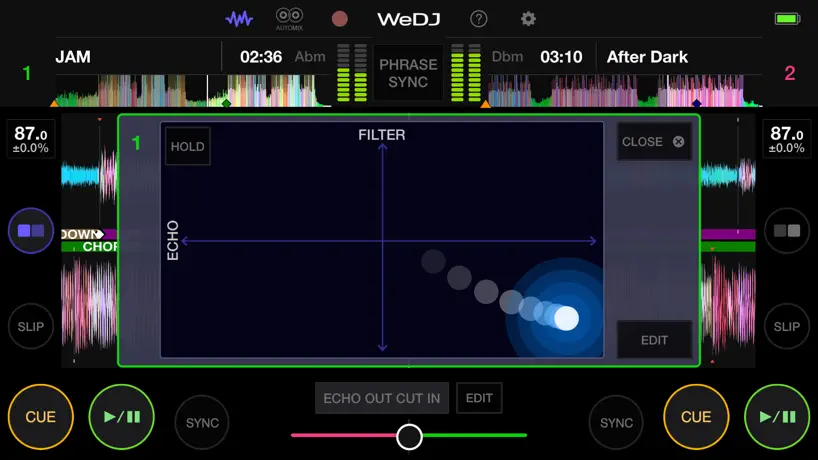
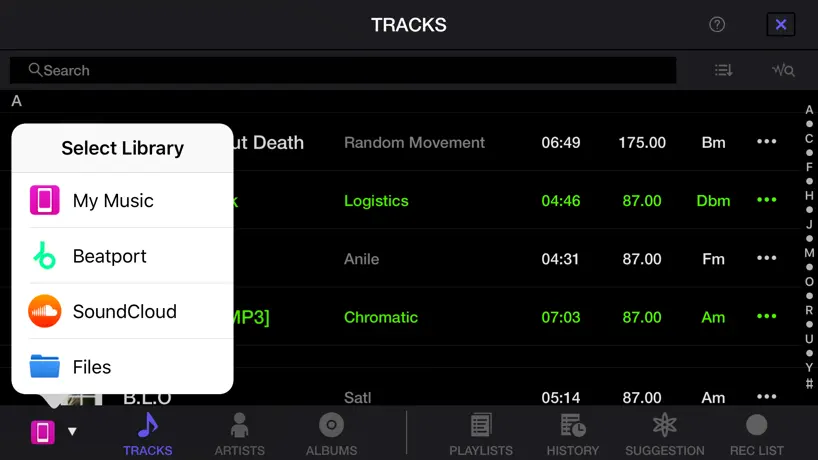
How much does WeDJ for iPhone cost?
Prices are current as of 29 Sept 2026.
10 one-time purchases from $1.99
In the United States, WeDJ for iPhone has 10 one-time purchases priced $1.99 – 14.99.
| Product | Price |
|---|---|
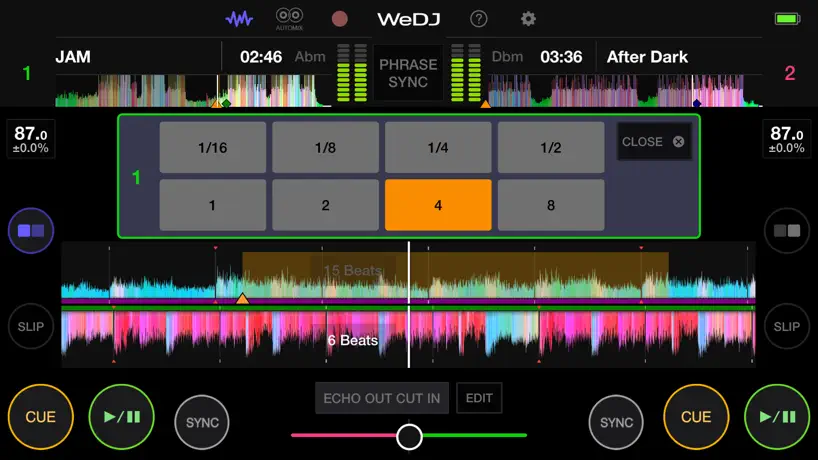
| ECHO OUT CUT IN | $1.99 |
| ECHO OUT MIX | $1.99 |
| ECHO SPIN MIX | $1.99 |
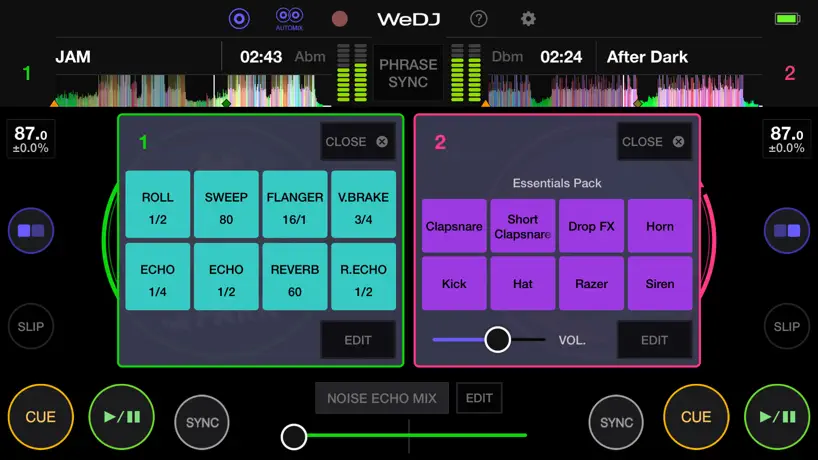
| NOISE ECHO CUT IN | $1.99 |
| NOISE ECHO MIX | $1.99 |
| NOISE SPIN MIX | $1.99 |
| ADVANCED AUTOMIX | $3.99 |
| HOT CUE SYNC | $3.99 |
| TRANSITION FX PACK | $9.99 |
| FULL PACK | $14.99 |
10+ alternatives to WeDJ for iPhone
| WeDJ for iPhone |   Edjing Mix: DJ Music Mixer App Edjing Mix: DJ Music Mixer App |   Mixcloud: Music, Mixes & Radio Mixcloud: Music, Mixes & Radio |   djay - DJ App & AI Mixer djay - DJ App & AI Mixer |   DJ it! Virtual Music Mixer app DJ it! Virtual Music Mixer app |   DJ Mixer Studio:Remix Music DJ Mixer Studio:Remix Music |   Evertag: Music Tag Editor Evertag: Music Tag Editor |   YouDJ Mixer - Easy DJ app YouDJ Mixer - Easy DJ app |   Cross DJ - Music Mixer App Cross DJ - Music Mixer App |   n-Track Studio DAW: Make Music n-Track Studio DAW: Make Music |   Cubasis LE 3 Cubasis LE 3 | |
|---|---|---|---|---|---|---|---|---|---|---|---|
| Rating / 5 | 4.7 | 4.5 | 4.8 | 4.6 | 4.5 | 4.6 | 4.6 | 4.8 | 4.0 | 4.3 | 4.4 |
| Reviews | 109K | 594K | 396K | 228K | 43K | 38K | 24K | 17K | 8.1K | 6.4K | 5K |
| Released | 2016 | 2012 | 2011 | 2011 | 2019 | 2018 | 2020 | 2019 | 2012 | 2016 | 2020 |
| Weekly price | — | $8.99 | — | — | $9.99 | — | — | — | — | $1.99 | — |
| Monthly price | — | — | — | $6.99 | $14.99 | — | $1.99 | — | $4.99 | $2.99 | — |
| Annual price | — | $40.99 | — | $49.99 | $39.99 | — | $12.99 | — | $19.99 | $29.49 | — |
| One-time price | $1.99 | $7.99 | — | — | $49.99 | — | $24.99 | — | $1.99 | — | $4.99 |
The going rate for each plan in United States, in its own currency, shaded from the cheapest price on the row to the dearest. Plans fewer than four in ten of the priced apps sell are left out.
WeDJ for iPhone reviews
4.7 out of 5, based on 108,704 reviews.
What people like
- Very easy for beginners to learn
- Great sound quality for mixing
- Perfect portable option instead of a laptop
What they complain about
- App crashes randomly during use
- SoundCloud integration is broken or buggy
- Cannot load music from Apple Music easily
Muy buen
Esta bien
It’s a good app if it would stop crashing. Especially while im djing
They need to fix the crashing part
Nhật
Phải có tất cả nhạc
.
T chơi nhạc bằng file mp3 thì ok mà chơi bằng file wav thì lại bị khựng 1 hồi lâu mới load nhạc và ko tua bài dc
La Bestia
Santi@@
Great
Nice app
WORST APP EVER
TERRIBLE DONT WASTE YOUR TIME
Hay va vui
Ok va de su dung
Good
A bit to good
Soundcloud issues
Was working perfectly fine but now when I load up the App, it keeps asking for me to subscribe to soundcloud go + and I already have a subscription and was already using it with the app. I can’t resolve it . Tried everything I could think of.
La app está súper
Está muy bonita
Can’t see my apple music playlist
Can’t see my apple music playlist
Amazing
Really good but when I downloaded Music from my Music, it would not let me play it because it said file type can’t be played other than that it’s really
App hasn’t been functional since iOS 26
This app is one of my favorite on the go apps for DJing ideas that I have. Unfortunately since the newest iOS it has been absolutely unusable. Nothing works in it. No response to actions, nothing. This needs to be addressed immediately. I’m not sure why’s taking so long to do so.
Menu
Please put the loop function back on the bottom of the screen it’s too hard to mix in going through the side settings to access the loop function
Hai
Chơi rất vui
CRASHES A LOT
Before the new IOS, it would crash twice and be fine. After the new update, it’ll play 3-4 songs and crash. I did a set recently and basically had to say “take a shot” everytime it crashes
BPM
I like this app alot but please please add the option to manually type in what BPM you want because the Wide option is inaccurate to what BPM you really want.
PLEASE FIX
Doesn’t work with SoundCloud go + !! Please fix this!! I got these decks for Christmas and I was super excited but the app just doesn’t work with SoundCloud!!
Crashing issue
I have been using WeDJ for a round a year now and when it works, it’s amazing however, I have noticed that the app has a major crashing problem. You will be playing a song and then all of a sudden the app crashes and your music stops. This can be problematic when you were trying to playlocally or for the public and then all of a sudden the music stops and you have to scramble to get it working again. Otherwise the app is amazing but it does need this fixed immediately.
dễ chơi
hay
Constantly crashing while mixing
The app crashes randomly ever 3-4 songs and is impossible to mix on. Get rekordbox or just a completely different brand entirely.
Mr
4 stars because I haven’t fully experienced the software reliability
Won’t load
Why won’t this load from SoundCloud.? Normally works well but the tap to load is not working.
Great app but crashing issues
New DJ, awesome onboarding, was in my second session and crashed in the middle of my set, only to crash immediately upon opening and reloading the songs. Not inspiring :/
Khá ổn
Quá tốt Đánh quá hay
App is worthless unless…
App is worthless unless you have a SoundCloud or Apple Music subscription. Even then it’s so difficult to use your music. Can’t use Spotify or other streaming services without subscribing to other apps. Just pay for another dj app.
Kicks me out
App was very good @one point but now it will kick you out in the middle of a set. Sometimes multiple times
Gutted.
It’s a shame because this is a awesome app but with problems, I can’t load soundcloud music at all and that’s where it’s all at, so could you fix this please?
No sound
The app when trying to attach to speakers and headphones does not work. I have gone through the audio and click split but there is no master volume. What is the issue?
Excellent
Easy to used
No tengo Orión de como lavar mis carpetas a esta aplicación
A quien pueda interesarle gracias
Good for beginners but…
Honestly the app is pretty great. It’s easy to use, easy to upload songs, and way easier to carry around your phone with a DJ app than a laptop. I’ve really only ran into minor issues, but those minor issues can turn into a huge buzzkill when you are trying to get the party bumping. The main issue that I’ve ran into is crashing problems. I’ll be practicing a set that I’ve worked really hard on, be in the middle of getting lit, and theeeeen… boom…Crash… it can get frustrating at times, but honestly it’s pretty rare when it happens. All in all, the app is pretty stinking good for being free and gives a great experience for beginners to get used to the feel of djing and mixing music.
Unable to connect iTunes
I have an iTunes subscription however it won’t let me load the songs I have downloaded only the ones I bought before buying the iTunes membership this is slightly annoying as I do not want to buy a soundcloud go membership on top of my iTunes maybe this if fixable but for now this app is not very useful for those who experience the same issue as me.
Need to fix this problem
The works good but it has a small problem when I use it.when loading music or during a mix it will glitch and will go shut down and close the app especially when choosing new music to load to the turn table other then that the app works good.
เรื่องการนำเข้าไฟล์เพลง add track & add tracks folder
ช่วยทำให้ import นำเข้าไฟล์เพลงแบบโฟลเดอร์ให้หน่อยได้ไหมครับถ้าได้จะดีมากเลยสำหรับ iOS ❤️🙏
iTunes
This app was great for beginners IMO, had this app for a few years now. Worked flawlessly on both my iPhone and iPad with my iTunes music. Recently upgraded to a iPad Pro and I can’t use my iTunes music anymore. Trouble shooting section states that this app won’t work with music downloaded from iCloud. Still works on my iPhone so it’s quite confusing. Use to be 5 stars.
Beatport issue
App looks good however can’t seem to load anything from Beatport into the app, rendering it fairly useless unless you pay for SoundCloud.
No rekordbox sync
It would be amazing if the app has a way to sync your library the same way as the rekordbox app for iphone..Thats why i gave up using the app..
Please add “DDJ-FLX4”.
-Please support “DDJ-FLX4”.
Good
Very good
Good app
Good app since u can stream but, Needs update. It randomly crashes.
We dj
I really love this app it has really good sound quality I enjoy dj in with it but the only problems I have is that I can’t set effects on it I want to be able to set my own effects on it and make the cue point stay on the 1st cue point and this app will be a perfect app
Upgrade?!
When trying to connect to my ddj 200 I am being told to upgrade to soundcloud go+ when I have already done so. Please fix this bug ASAP
Crashing!!
I’m building an entire new project around mobile DJing, and I’m a Pro DJ. It seems like this app was developed for beginner DJs, but the developers overlooked the potential for professionals to use this in creative ways. During my first initial test runs the app crashed three times on a live stream. not a good look pioneer, Do better.
付费后怎么一直又叫付费
为什么我购买一次性的后、一到特定的时间又叫再购买一次?麻烦解决方案一下、非常感谢、
Won’t let me get into my Souncloud
I have a SoundCloud + account and it keeps saying I have to upgrade. Every time I sign in, it says I already have an account. A trolling app
READ BEFORE INSTALLING!!!
The app good for a while after u log in ur email and make a password but when u play for a while a bug! Apears with log into we dj+ and I do then I play again and it keeps coming up again and again stopping u playing the music
Soundcloud
need to fix the soundcloud function everytime its says to upgrade even though i have soundcloud pro
It’s alright
No Spotify like it said and the other music doesn’t work
WeDJ for iPhone price by country
A one-time purchase costs $1.61 in Israel and $3.11 in Hungary — 1.9× more for the same thing. Below is the going rate for each plan in every country that sells it — the middle price of what the app charges there, in the country's own currency with the dollar equivalent beneath it.
| Country | One-time |
|---|---|
| Albania | $1.99 |
| Algeria | $1.99 |
| Angola | $1.99 |
| Anguilla | $1.99 |
| Antigua And Barbuda | $1.99 |
| Argentina | $1.99 |
| Armenia | $1.99 |
| Australia | A$2.99$2.09 |
| Austria | €1.99$2.27 |
| Azerbaijan | $1.99 |
| Bahamas | $1.99 |
| Bahrain | $1.99 |
| Barbados | $1.99 |
| Belgium | €1.99$2.27 |
| Belize | $1.99 |
| Benin | $1.99 |
| Bermuda | $1.99 |
| Bhutan | $1.99 |
| Bolivia | $1.99 |
| Bosnia & Herzegovina | €1.99$2.27 |
| Botswana | $1.99 |
| Brazil | R$12.90$2.49 |
| British Virgin Islands | $1.99 |
| Brunei Darussalam | $1.99 |
| Bulgaria | €1.99$2.27 |
| Burkina Faso | $1.99 |
| Cambodia | $1.99 |
| Cameroon | $1.99 |
| Canada | CA$2.99$2.12 |
| Cape Verde | $1.99 |
| Cayman Islands | $1.99 |
| Chad | $1.99 |
| Chile | CLP 1,990$2.07 |
| China | CN¥15.00$2.23 |
| Colombia | COP 9,900$2.97 |
| Congo | $1.99 |
| Costa Rica | $1.99 |
| Cote Divoire | $1.99 |
| Croatia | €1.99$2.27 |
| Cyprus | €1.99$2.27 |
| Czech Republic | CZK 49.00$2.29 |
| Denmark | DKK 19.00$2.90 |
| Dominica | $1.99 |
| Dominican Republic | $1.99 |
| Ecuador | $1.99 |
| Egypt | EGP 99.99$1.93 |
| El Salvador | $1.99 |
| Estonia | €1.99$2.31 |
| Fiji | $1.99 |
| Finland | €1.99$2.27 |
| France | €1.99$2.31 |
| Gabon | $1.99 |
| Gambia | $1.99 |
| Georgia | $1.99 |
| Germany | €1.99$2.27 |
| Ghana | $1.99 |
| Greece | €1.99$2.27 |
| Grenada | $1.99 |
| Guatemala | $1.99 |
| Guinea-bissau | $1.99 |
| Guyana | $1.99 |
| Honduras | $1.99 |
| Hong Kong | HK$18.00$2.30 |
| Hungary | HUF 999$3.11 |
| Iceland | $1.99 |
| India | ₹199.00$2.07 |
| Indonesia | IDR 39,000$2.18 |
| Ireland | €1.99$2.27 |
| Israel | ₪4.90$1.61 |
| Italy | €1.99$2.27 |
| Jamaica | $1.99 |
| Japan | ¥300$1.90 |
| Jordan | $1.99 |
| Kazakhstan | KZT 999.00$2.26 |
| Kenya | $1.99 |
| Kosovo | €1.99$2.27 |
| Kuwait | $1.99 |
| Kyrgyzstan | $1.99 |
| Lao Peoples Democratic Republic | $1.99 |
| Latvia | €1.99$2.27 |
| Lebanon | $1.99 |
| Liberia | $1.99 |
| Lithuania | €1.99$2.27 |
| Luxembourg | €1.99$2.27 |
| Macao | $1.99 |
| Macedonia | $1.99 |
| Madagascar | $1.99 |
| Malawi | $1.99 |
| Malaysia | MYR 9.90$2.43 |
| Maldives | $1.99 |
| Mali | $1.99 |
| Malta | €1.99$2.27 |
| Mauritania | $1.99 |
| Mauritius | $1.99 |
| Mexico | MX$39.00$2.20 |
| Micronesia | $1.99 |
| Moldova | $1.99 |
| Mongolia | $1.99 |
| Montenegro | €1.99$2.27 |
| Montserrat | $1.99 |
| Morocco | $1.99 |
| Mozambique | $1.99 |
| Myanmar | $1.99 |
| Namibia | $1.99 |
| Nauru | $1.99 |
| Nepal | $1.99 |
| Netherlands | €1.99$2.27 |
| New Zealand | NZ$3.99$2.25 |
| Nicaragua | $1.99 |
| Niger | $1.99 |
| Nigeria | NGN 3,200.00$2.41 |
| Norway | NOK 29.00$3.05 |
| Oman | $1.99 |
| Pakistan | PKR 500$1.81 |
| Palau | $1.99 |
| Panama | $1.99 |
| Papua New Guinea | $1.99 |
| Paraguay | $1.99 |
| Peru | PEN 9.90$2.92 |
| Philippines | ₱129.00$2.07 |
| Poland | PLN 9.99$2.68 |
| Portugal | €1.99$2.27 |
| Qatar | QAR 7.99$2.20 |
| Romania | RON 9.99$2.16 |
| Rwanda | $1.99 |
| Sao Tome & Principe | $1.99 |
| Saudi Arabia | SAR 9.99$2.66 |
| Senegal | $1.99 |
| Serbia | €1.99$2.27 |
| Seychelles | $1.99 |
| Sierra Leone | $1.99 |
| Singapore | SGD 2.98$2.33 |
| Slovakia | €1.99$2.31 |
| Slovenia | €1.99$2.27 |
| Solomon Islands | $1.99 |
| South Africa | ZAR 39.99$2.45 |
| South Korea | ₩3,300$2.43 |
| Spain | €1.99$2.27 |
| Sri Lanka | $1.99 |
| St. Kitts and Nevis | $1.99 |
| St. Lucia | $1.99 |
| St. Vincent & The Grenadines | $1.99 |
| Suriname | $1.99 |
| Swaziland | $1.99 |
| Sweden | SEK 29.00$2.92 |
| Switzerland | CHF 2.00$2.41 |
| Taiwan | NT$60.00$1.89 |
| Tajikistan | $1.99 |
| Tanzania | TZS 5,900.00$2.22 |
| Thailand | THB 79.00$2.36 |
| Tonga | $1.99 |
| Trinidad and Tobago | $1.99 |
| Tunisia | $1.99 |
| Turkey | TRY 99.99$2.04 |
| Turkmenistan | $1.99 |
| Turks and Caicos | $1.99 |
| Uganda | $1.99 |
| Ukraine | $1.99 |
| United Arab Emirates | AED 7.99$2.18 |
| United Kingdom | £1.99$2.63 |
| United States | $1.99 |
| Uruguay | $1.99 |
| Uzbekistan | $1.99 |
| Vanuatu | $1.99 |
| Venezuela | $1.99 |
| Vietnam | ₫59,000$2.27 |
| Yemen | $1.99 |
| Zambia | $1.99 |
| Zimbabwe | $1.99 |
WeDJ for iPhone FAQ
- Is WeDJ for iPhone free?
- Yes. The app and its basic features are free, in all 169 countries it sells in. Premium features are paid: they start from $1.99 (US), across 10 one-time purchases.
- Does WeDJ for iPhone have a free trial?
- No. None of its offers (US) come with a free trial.
- Where is WeDJ for iPhone cheapest?
- A one-time purchase costs ₪4.90 (≈$1.61) in Israel and HUF 999 (≈$3.11) in Hungary, its cheapest and dearest countries.
- What are the best alternatives to WeDJ for iPhone?
- Edjing Mix: DJ Music Mixer App (4.5 from 594,281 reviews, premium from $7.99), Mixcloud: Music, Mixes & Radio (4.8 from 395,826 reviews) and djay - DJ App & AI Mixer (4.6 from 228,065 reviews, premium from $6.99).
WeDJ for iPhone download
Last updated 1 month ago.
WeDJ for iPhone sells in 169 countries. It was released 9 years and 10 months ago, on 24 Nov 2016. It holds a 4.7 rating from 108,704 reviews.
Supports 2 languages: English, Japanese.
How much does WeDJ for iPhone make?
Third-party estimates for the last 30 days, worldwide — not the store's own figures, which Apple publishes for nobody.
Revenue by plan
- One-time 100%
Revenue by country
- Vietnam 22%
- Thailand 20%
- United States 16%
- Lao Peoples Democratic Republic 10%