
Video Delay Instant Replay
Live Slow Motion Sports Camera
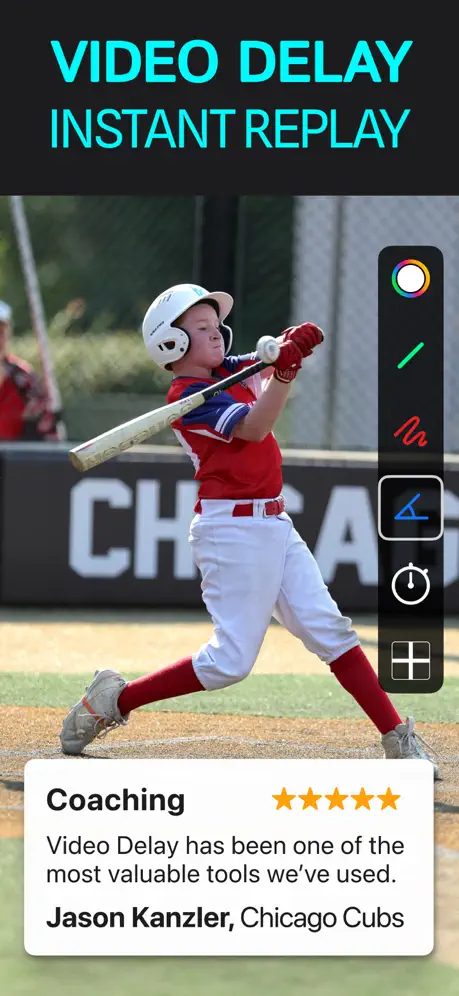
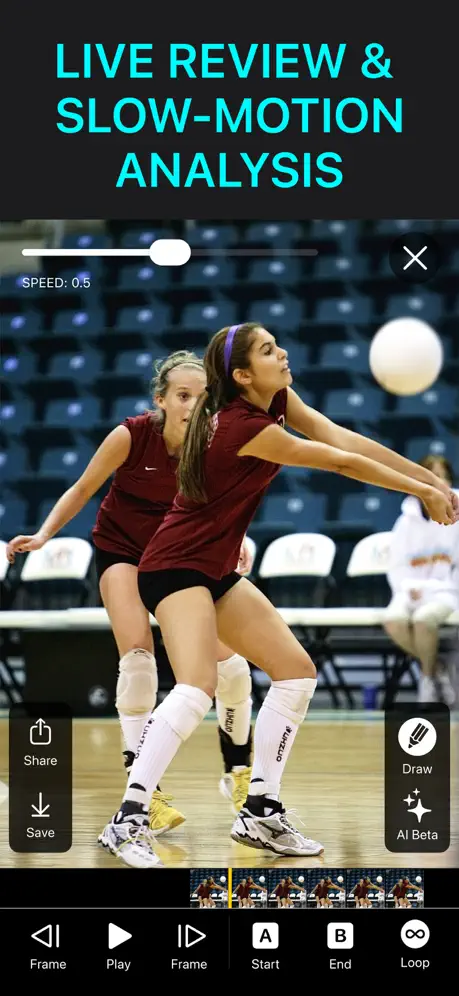
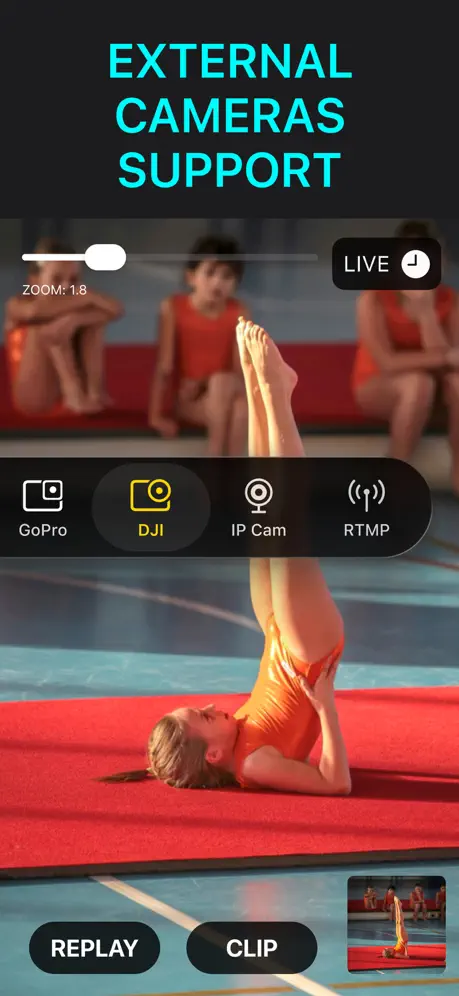
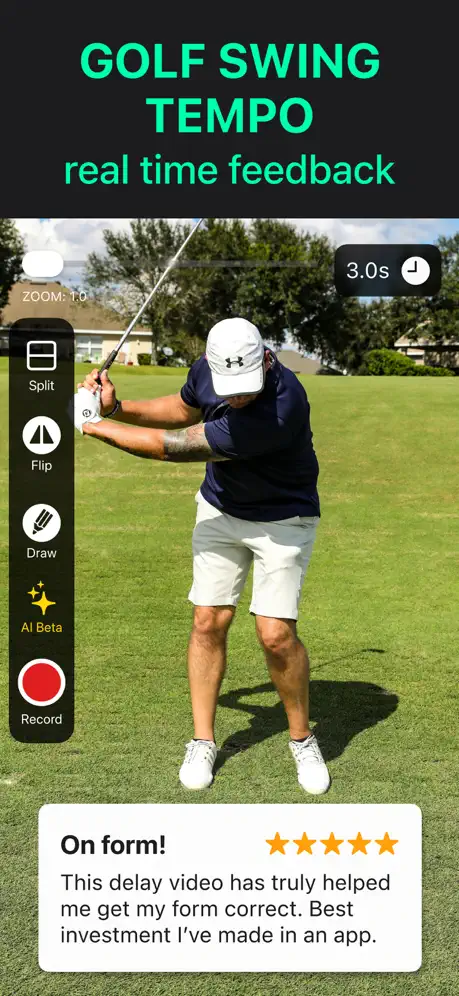

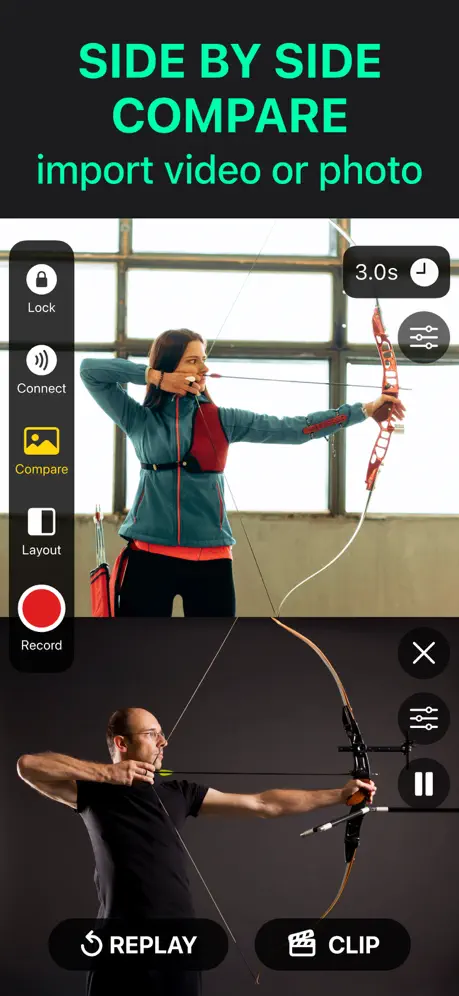
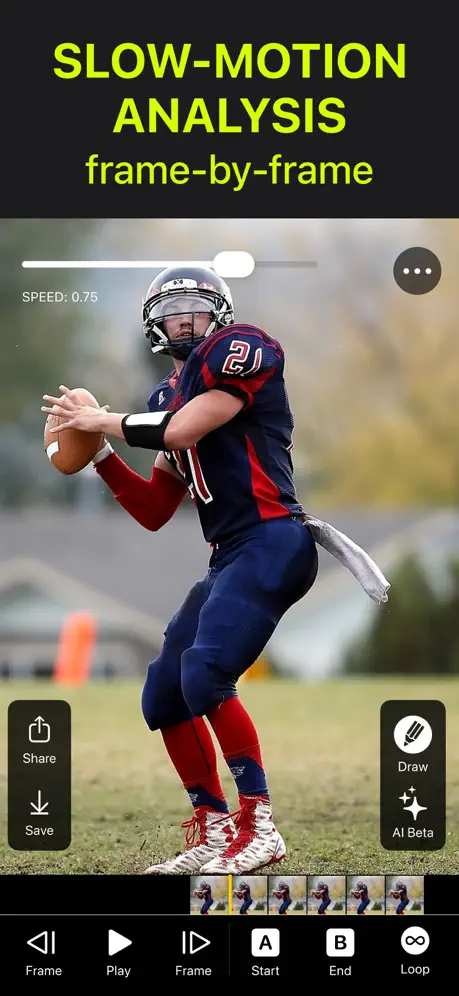
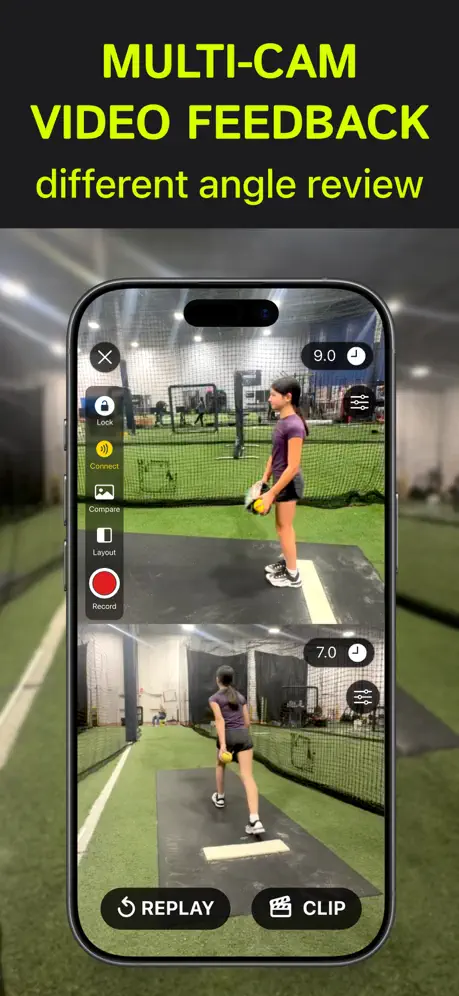
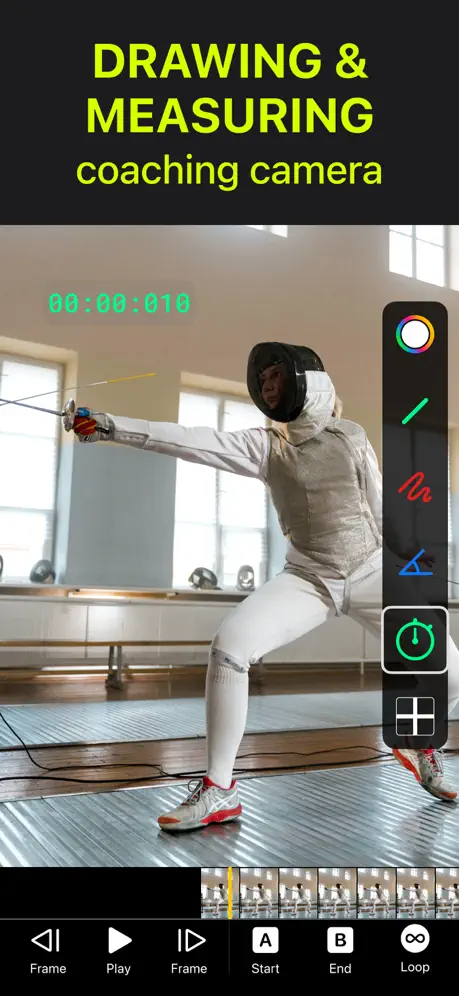
How much does Video Delay Instant Replay cost?
Prices are current as of 4 Oct 2026.
6 subscriptions from $5.99
In the United States, Video Delay Instant Replay has 6 subscriptions priced $5.99 – 99.99. It comes with a 7 days free trial.
| Subscription | Period | Price |
|---|---|---|
| Weekly | Weekly | $5.99 |
| Weekly (7 Days Free) | WeeklyTrial: 7 days | $5.99 |
| Monthly | Monthly | $12.99 |
| Monthly (1 Week Free) | MonthlyTrial: 7 days | $12.99 |
| Yearly | Annual | $49.99 – 99.99 |
| Yearly (1 Week Free) | AnnualTrial: 7 days | $99.99 |
See what Video Delay Instant Replay costs in all 175 countries →
10+ alternatives to Video Delay Instant Replay
| Video Delay Instant Replay |   SlowMo - Video Analysis SlowMo - Video Analysis |   CoachView Slowmo Video Player CoachView Slowmo Video Player |   VisualEyes: Video Coaching App VisualEyes: Video Coaching App |   iStatVball 3 iStatVball 3 |   DelayCam: Instant Replay DelayCam: Instant Replay |   myDartfish Express: Coach App myDartfish Express: Coach App |   CoachLens: Video Coaching App CoachLens: Video Coaching App |   Balltime AI Balltime AI |   Coach Bowman Coach Bowman |   V1 Baseball: Swing Analyzer V1 Baseball: Swing Analyzer | |
|---|---|---|---|---|---|---|---|---|---|---|---|
| Rating / 5 | 4.4 | 4.6 | 4.6 | 4.8 | 4.6 | 4.6 | 3.2 | 4.3 | 3.4 | 4.7 | 3.0 |
| Reviews | 2.1K | 3.7K | 1.8K | 1K | 646 | 323 | 220 | 147 | 48 | 34 | 27 |
| Released | 2016 | 2014 | 2023 | 2022 | 2020 | 2020 | 2015 | 2023 | 2023 | 2025 | 2020 |
| Annual price | $99.99 | — | — | $99.99 | — | — | $79.99 | — | — | — | — |
| One-time price | — | $5.99 | $9.99 | — | — | — | — | — | — | — | — |
The going rate for each plan in United States, in its own currency, shaded from the cheapest price on the row to the dearest. Plans fewer than four in ten of the priced apps sell are left out.
Video Delay Instant Replay reviews
4.4 out of 5, based on 2,096 reviews.
What people like
- Great for sports training
- Developer listens to users
- Easy to use features
What they complain about
- Ads interrupt you constantly
- Subscription feels too expensive
- App crashes regularly now
- Support never actually helps
Rob miller
Great app
Bananas
It’s bananas how much you are asking volunteer coaches to pay to use your app. Not everyone coaches mainstream sports that have money to throw around.
Great Tool
This is a great tool for coaches to aid with error correction. Players can execute a drill and watch themselves right afterwards, allowing them to see how they did. Ability to review live with coach as well is great. I would like the ability to tag and clip video by athletes for easy review.
Great app, no Support
I have sent several emails to VDIR support with no responses at all. I just installed the app on a new device but there’s no way for me to login so that I can use the pro features that I’ve paid for.
To expensive
The app is great and I used it a lot for my archery practice. But since the newest update it is a paid app with 8€ per month, which is ridiculously expensive. I wouldn‘t mind a one time payment, but a subscription? No! And also the option to watch a video to gain 20 Minutes of free App usage is poorly implemented. I don‘t have internet access on my iPad out on the field and nothing is more frustrating than to have to fiddle with an app to get free usage, while your primary goal in that moment is practicing. Gladly there are other apps to use.
Great app for baseball players!
It’s a great tool for the player to be able to see what they are doing in relation to what they are feeling. Must have for any baseball or softball player.
Schon wieder Abomodell
Dazu kompliziert und funktioniert nicht mehr wie früher. Kann die App für den Unterricht nicht mehr hernehmen.
Am I missing something here or what
When I load up the app it doesn’t really show how to use it and I downloaded the app for the instant replay feature
quite bade
everything requires premuim
Good app but how to record?
I like this app and use it for diving coaching. However it has a record button but doesn’t seem to record.
Fantastic App Using for Sports Live Stream Drawing Overlay
This App opens up the door to annotate on video during my broadcast just like the big guys at ESPN and the like. Incredible and powerful for a high school sports broadcaster. Thanks! Very responsive developer!
needs subscription
Would pay for an app. Will never pay for a subscription.
Replay delayed video , storage ??
The add allows you to start recording and have a delayed video feedback . The continuous mode allows for you to work and watch without adjusting the app. Question for the developer? How will this app impact my overall memory. Is there a way to have the video and once played then it removes itself . Or do I simply need to delete the video after each segment.
Lots of ads in ‘free’ version
Disingenuous to call this free. What they really mean is spam you with ads every few minutes until you upgrade to premium
Works, but stuck with adds I can’t get rid of. Frustrating.
Happy to pay for non advert version but no link in settings, very frustrating that when you are using video tool you get loads of adds from google. Tried blocking content, but they keep coming back
10/10 even on the free version
Had this app for about an hour and loving it, great to get instant feedback, any bad reviews are left by old heads, who don’t understand how to use it. Can be used for more than just practice too, anything you could just want an instant replay on! Great app.
No Free Version
This app no longer appears to have a free version. It used to allow you to use some features after watching some advertisements, but now doesn’t do anything other then send me to the option to buy page.
Wäre hilfreich, aber…
…die App stürzt leider regelmäßig ab. Seit kurzem kann ich das Delay-Video nicht mehr starten, außer ich wechsle in Premium… sorry, ist mir zu teuer!
Phenomenal app
The developers of this app have worked with my team in bettering this app to help our training analysis. I have absolutely nothing bad to say about this app, it runs very smoothly, it’s VERY easy to use, and the ability to select different camera resolutions is very beneficial. There isn’t a single person I wouldn’t recommend this app to. Quick note to the developers, you guys are amazing and I really appreciate everything you’ve done to help us.
Ripoff
Ripoff
Play back
There is no playback for this video
Amazing App, always getting better
This app is great. Does far more than just video delay. You can literally do anything in this app and it’s the first app I know with a 2k resolution. My specific use case, I use the zoom bar, delay, export videos everyday and stop to draw and analyze specific moves. It is truly impressive this app. The developer is also amazing and super receptive to new features. Love to see the evolution of the app and what else will be able to do in the future but still, what does now is already impressive.
Für Schule und Training nicht mehr zu gebrauchen
Ich habe die App sehr gerne im Schulsport genutzt, da sie sehr hilfreich war. Jetzt ist sie unbrauchbar, da man immer nach ca. einer Minute die Verzögerung neu einstellen muss. Das liegt daran, dass dann angeblich ein Werbevideo abgespielt wird, das aber im WLAN einer Schule natürlich geblockt wird, weshalb man komplett neu starten muss. Die App werden wir deshalb bei allen Schülern deinstallieren müssen.
Needs updating for iPhone X
Aspect ratio makes it unusable.
Be ready to pay and still be frustrated
Lots of problems getting this to delay both WITH and without paying money.
Thanks for the advertisement.
Deleted this app
So
Add seeing
Buggy. Unusable.
I can get the app to crash consistently when following these steps: 1) Set Delay Time to 9 sec 2) Go to settings: Set FPS to 240 in Settings 3) Go back into settings: Set Countdown to Off 4) Go back to settings: Set Remember Delay Time to Yes 5) Hit SLO “button”
Please read this, trust me it will pay off!!!!!
Can u please make a Vr mode, so that when u look through the camera of your phone from a headset everything is delayed, like just add two screens with a line down the middle!!!! So I can use my headset and make myself confused!!!!
Works OK. Lots of pop-up ads
Constantly getting pop-up ads that won’t go away on their own. I need to close the app and restart it. But get the same ads after a short amount of time. Screen also randomly switches from horizontal to vertical and I can’t switch it back manually. Need to wait for it to switch on its own. Usually at a bad time. Could be a really awesome app, with some work.
Awesome app.
Love everything about it. The only thing I’d add is the ability to draw on the screen and have the drawing remain in place. Would be first rate for golf.
Free Version is Useless
Unable to get to actually use the video delay because of the full page app ads that came up as I was trying to get my very first video delay session running. Deleted the app right away. Might as well be a virus.
Video Delay Instant Replay price by country
A weekly subscription costs $4.78 in the Philippines and $9.03 in Colombia — 1.9× more for the same thing. Below is the going rate for each plan in every country that sells it — the middle price of what the app charges there, in the country's own currency with the dollar equivalent beneath it.
| Country | Weekly | Monthly | Annual |
|---|---|---|---|
| Afghanistan | $5.99 | $6.99 | $59.99 |
| Albania | $6.99 | $7.99 | $69.99 |
| Algeria | $5.99 | $6.99 | $59.99 |
| Angola | $5.99 | $6.99 | $59.99 |
| Anguilla | $5.99 | $6.99 | $59.99 |
| Antigua And Barbuda | $5.99 | $6.99 | $59.99 |
| Argentina | $5.99 | $6.99 | $59.99 |
| Armenia | $6.99 | $7.99 | $69.99 |
| Australia | A$9.99$6.94 | A$9.99$6.94 | A$99.99$69.44 |
| Austria | €6.99$7.86 | €7.99$8.99 | €69.99$78.73 |
| Azerbaijan | $6.99 | $7.99 | $59.99 |
| Bahamas | $6.99 | $7.99 | $69.99 |
| Bahrain | $6.99 | $7.99 | $69.99 |
| Barbados | $6.99 | $7.99 | $69.99 |
| Belarus | $6.99 | $7.99 | $69.99 |
| Belgium | €6.99$7.86 | €7.99$8.99 | €59.99$67.48 |
| Belize | $5.99 | $6.99 | $59.99 |
| Benin | $6.99 | $7.99 | $69.99 |
| Bermuda | $5.99 | $6.99 | $59.99 |
| Bhutan | $5.99 | $6.99 | $59.99 |
| Bolivia | $5.99 | $6.99 | $59.99 |
| Bosnia & Herzegovina | €6.99$7.86 | €7.99$8.99 | €69.99$78.73 |
| Botswana | $5.99 | $6.99 | $59.99 |
| Brazil | R$39.90$7.64 | R$49.90$9.56 | R$299.90$57.45 |
| British Virgin Islands | $5.99 | $6.99 | $59.99 |
| Brunei Darussalam | $5.99 | $6.99 | $59.99 |
| Bulgaria | €6.49$7.30 | €7.49$8.43 | €64.99$73.10 |
| Burkina Faso | $5.99 | $6.99 | $59.99 |
| Cambodia | $6.99 | $7.99 | $69.99 |
| Cameroon | $6.99 | $7.99 | $69.99 |
| Canada | CA$7.99$5.79 | CA$9.99$7.24 | CA$79.99$57.96 |
| Cape Verde | $5.99 | $6.99 | $59.99 |
| Cayman Islands | $5.99 | $6.99 | $59.99 |
| Chad | $5.99 | $6.99 | $59.99 |
| Chile | CLP 6,990$7.12 | CLP 7,990$8.14 | CLP 59,990$61.09 |
| China | CN¥38.00$5.66 | CN¥48.00$7.15 | CN¥398.00$59.31 |
| Colombia | COP 29,900$9.03 | COP 29,900$9.03 | COP 299,900$90.55 |
| Congo | $5.99 | $6.99 | $59.99 |
| Congo, Democratic Republic | $5.99 | $6.99 | $59.99 |
| Costa Rica | $5.99 | $6.99 | $59.99 |
| Cote Divoire | $6.99 | $7.99 | $69.99 |
| Croatia | €6.99$7.86 | €7.99$8.99 | €69.99$78.73 |
| Cyprus | €6.99$7.86 | €7.99$8.99 | €69.99$78.73 |
| Czech Republic | CZK 149.00$6.86 | CZK 199.00$9.16 | CZK 1,290.00$59.39 |
| Denmark | DKK 49.00$7.37 | DKK 59.00$8.87 | DKK 399.00$60.00 |
| Dominica | $5.99 | $6.99 | $59.99 |
| Dominican Republic | $5.99 | $6.99 | $59.99 |
| Ecuador | $5.99 | $6.99 | $59.99 |
| Egypt | EGP 299.99$5.74 | EGP 399.99$7.65 | EGP 2,999.99$57.38 |
| El Salvador | $5.99 | $6.99 | $59.99 |
| Estonia | €6.99$7.86 | €7.99$8.99 | €69.99$78.73 |
| Fiji | $5.99 | $6.99 | $59.99 |
| Finland | €6.99$7.86 | €7.99$8.99 | €69.99$78.73 |
| France | €6.99$7.86 | €5.99$6.74 | €59.99$67.48 |
| Gabon | $5.99 | $6.99 | $59.99 |
| Gambia | $5.99 | $6.99 | $59.99 |
| Georgia | $6.99 | $7.99 | $69.99 |
| Germany | €6.99$7.86 | €5.99$6.74 | €59.99$67.48 |
| Ghana | $6.99 | $7.99 | $69.99 |
| Greece | €6.99$7.86 | €7.99$8.99 | €69.99$78.73 |
| Grenada | $5.99 | $6.99 | $59.99 |
| Guatemala | $5.99 | $6.99 | $59.99 |
| Guinea-bissau | $5.99 | $6.99 | $59.99 |
| Guyana | $5.99 | $6.99 | $59.99 |
| Honduras | $5.99 | $6.99 | $59.99 |
| Hong Kong | HK$48.00$6.11 | HK$58.00$7.39 | HK$488.00$62.17 |
| Hungary | HUF 2,490$7.60 | HUF 2,990$9.13 | HUF 24,990$76.31 |
| Iceland | $6.99 | $7.99 | $69.99 |
| India | ₹599.00$6.22 | ₹699.00$7.25 | ₹5,900.00$61.22 |
| Indonesia | IDR 99,000$5.54 | IDR 119,000$6.65 | IDR 999,000$55.86 |
| Iraq | $5.99 | $6.99 | $59.99 |
| Ireland | €6.99$7.86 | €7.99$8.99 | €59.99$67.48 |
| Israel | ₪19.90$6.52 | ₪24.90$8.16 | ₪199.90$65.54 |
| Italy | €6.99$7.86 | €5.99$6.74 | €69.99$78.73 |
| Jamaica | $5.99 | $6.99 | $59.99 |
| Japan | ¥1,000$6.34 | ¥1,100$6.97 | ¥9,000$57.03 |
| Jordan | $5.99 | $6.99 | $59.99 |
| Kazakhstan | KZT 3,490.00$7.86 | KZT 3,990.00$8.98 | KZT 29,990.00$67.53 |
| Kenya | $6.99 | $7.99 | $69.99 |
| Kosovo | €6.99$7.86 | €7.99$8.99 | €69.99$78.73 |
| Kuwait | $5.99 | $6.99 | $59.99 |
| Kyrgyzstan | $6.99 | $7.99 | $69.99 |
| Lao Peoples Democratic Republic | $6.99 | $7.99 | $59.99 |
| Latvia | €6.99$7.86 | €7.99$8.99 | €69.99$78.73 |
| Lebanon | $5.99 | $6.99 | $59.99 |
| Liberia | $5.99 | $6.99 | $59.99 |
| Libya | $5.99 | $6.99 | $59.99 |
| Lithuania | €6.99$7.86 | €7.99$8.99 | €69.99$78.73 |
| Luxembourg | €6.99$7.86 | €7.99$8.99 | €59.99$67.48 |
| Macao | $5.99 | $6.99 | $59.99 |
| Macedonia | $5.99 | $6.99 | $59.99 |
| Madagascar | $5.99 | $6.99 | $59.99 |
| Malawi | $5.99 | $6.99 | $59.99 |
| Malaysia | MYR 29.90$7.33 | MYR 29.90$7.33 | MYR 299.90$73.50 |
| Maldives | $5.99 | $6.99 | $59.99 |
| Mali | $5.99 | $6.99 | $59.99 |
| Malta | €6.99$7.86 | €7.99$8.99 | €69.99$78.73 |
| Mauritania | $5.99 | $6.99 | $59.99 |
| Mauritius | $5.99 | $6.99 | $59.99 |
| Mexico | MX$129.00$7.08 | MX$149.00$8.18 | MX$1,299.00$71.33 |
| Micronesia | $5.99 | $6.99 | $59.99 |
| Moldova | $6.99 | $7.99 | $69.99 |
| Mongolia | $5.99 | $6.99 | $59.99 |
| Montenegro | €5.99$6.74 | €6.99$7.86 | €59.99$67.48 |
| Montserrat | $5.99 | $6.99 | $59.99 |
| Morocco | $5.99 | $6.99 | $59.99 |
| Mozambique | $5.99 | $6.99 | $59.99 |
| Myanmar | $5.99 | $6.99 | $59.99 |
| Namibia | $5.99 | $6.99 | $59.99 |
| Nauru | $5.99 | $6.99 | $59.99 |
| Nepal | $6.99 | $7.99 | $69.99 |
| Netherlands | €6.99$7.86 | €7.99$8.99 | €59.99$67.48 |
| New Zealand | NZ$9.99$5.61 | NZ$12.99$7.30 | NZ$99.99$56.17 |
| Nicaragua | $5.99 | $6.99 | $59.99 |
| Niger | $5.99 | $6.99 | $59.99 |
| Nigeria | NGN 9,900.00$7.44 | NGN 9,900.00$7.44 | NGN 99,900.00$75.08 |
| Norway | NOK 79.00$8.21 | NOK 89.00$9.25 | NOK 599.00$62.27 |
| Oman | $5.99 | $6.99 | $59.99 |
| Pakistan | PKR 1,700$6.14 | PKR 1,900$6.86 | PKR 14,900$53.83 |
| Palau | $5.99 | $6.99 | $59.99 |
| Panama | $5.99 | $6.99 | $59.99 |
| Papua New Guinea | $5.99 | $6.99 | $59.99 |
| Paraguay | $5.99 | $6.99 | $59.99 |
| Peru | PEN 24.90$7.24 | PEN 29.90$8.69 | PEN 229.90$66.83 |
| Philippines | ₱299.00$4.78 | ₱449.00$7.17 | ₱3,490.00$55.74 |
| Poland | PLN 29.99$7.71 | PLN 29.99$7.71 | PLN 229.99$59.12 |
| Portugal | €6.99$7.86 | €7.99$8.99 | €69.99$78.73 |
| Qatar | QAR 19.99$5.49 | QAR 24.99$6.87 | QAR 199.99$54.94 |
| Romania | RON 29.99$6.33 | RON 39.99$8.44 | RON 299.99$63.29 |
| Russia | RUB 499.00$5.98 | RUB 599.00$7.17 | RUB 4,990.00$59.76 |
| Rwanda | $5.99 | $6.99 | $59.99 |
| Sao Tome & Principe | $5.99 | $6.99 | $59.99 |
| Saudi Arabia | SAR 24.99$6.66 | SAR 29.99$8.00 | SAR 249.99$66.66 |
| Senegal | $6.99 | $7.99 | $59.99 |
| Serbia | €6.99$7.86 | €7.99$8.99 | €69.99$78.73 |
| Seychelles | $5.99 | $6.99 | $59.99 |
| Sierra Leone | $5.99 | $6.99 | $59.99 |
| Singapore | SGD 8.98$7.02 | SGD 9.98$7.80 | SGD 89.98$70.30 |
| Slovakia | €6.99$7.86 | €7.99$8.99 | €69.99$78.73 |
| Slovenia | €6.99$7.86 | €7.99$8.99 | €69.99$78.73 |
| Solomon Islands | $5.99 | $6.99 | $59.99 |
| South Africa | ZAR 119.99$7.20 | ZAR 149.99$9.00 | ZAR 1,199.99$72.03 |
| South Korea | ₩8,800$6.53 | ₩9,900$7.35 | ₩88,000$65.31 |
| Spain | €6.99$7.86 | €7.99$8.99 | €69.99$78.73 |
| Sri Lanka | $5.99 | $6.99 | $59.99 |
| St. Kitts and Nevis | $5.99 | $6.99 | $59.99 |
| St. Lucia | $5.99 | $6.99 | $59.99 |
| St. Vincent & The Grenadines | $5.99 | $6.99 | $59.99 |
| Suriname | $6.99 | $7.99 | $69.99 |
| Swaziland | $5.99 | $6.99 | $59.99 |
| Sweden | SEK 79.00$7.87 | SEK 99.00$9.86 | SEK 599.00$59.66 |
| Switzerland | CHF 5.00$6.03 | CHF 6.00$7.24 | CHF 40.00$48.25 |
| Taiwan | NT$190.00$5.96 | NT$220.00$6.91 | NT$1,990.00$62.46 |
| Tajikistan | $6.99 | $7.99 | $69.99 |
| Tanzania | TZS 17,900.00$6.76 | TZS 19,900.00$7.51 | TZS 179,900.00$67.93 |
| Thailand | THB 199.00$5.93 | THB 249.00$7.42 | THB 1,990.00$59.30 |
| Tonga | $5.99 | $6.99 | $59.99 |
| Trinidad and Tobago | $5.99 | $6.99 | $59.99 |
| Tunisia | $5.99 | $6.99 | $59.99 |
| Turkey | TRY 249.99$5.09 | TRY 399.99$8.14 | TRY 2,299.99$46.81 |
| Turkmenistan | $5.99 | $6.99 | $59.99 |
| Turks and Caicos | $5.99 | $6.99 | $59.99 |
| Uganda | $6.99 | $7.99 | $69.99 |
| Ukraine | $6.99 | $7.99 | $69.99 |
| United Arab Emirates | AED 22.99$6.26 | AED 24.99$6.81 | AED 229.99$62.67 |
| United Kingdom | £5.99$7.92 | £6.99$9.25 | £49.99$66.12 |
| United States | $5.99 | $12.99 | $99.99 |
| Uruguay | $5.99 | $6.99 | $59.99 |
| Uzbekistan | $6.99 | $7.99 | $69.99 |
| Vanuatu | $5.99 | $6.99 | $59.99 |
| Venezuela | $5.99 | $6.99 | $59.99 |
| Vietnam | ₫149,000$5.74 | ₫199,000$7.67 | ₫1,499,000$57.76 |
| Yemen | $5.99 | $6.99 | $59.99 |
| Zambia | $6.99 | $7.99 | $69.99 |
| Zimbabwe | $6.99 | $7.99 | $69.99 |
Video Delay Instant Replay FAQ
- Is Video Delay Instant Replay free?
- Yes. The app and its basic features are free, in all 175 countries it sells in. Premium features are paid: they start from $5.99 (US), across 6 subscriptions.
- How much does Video Delay Instant Replay cost per month?
- Monthly is $12.99 (US). The annual plan works out cheaper per month: $49.99 – 99.99 a year.
- Does Video Delay Instant Replay have a free trial?
- Yes — a 7 days free trial (US).
- Where is Video Delay Instant Replay cheapest?
- A weekly subscription costs ₱299.00 (≈$4.78) in the Philippines and COP 29,900 (≈$9.03) in Colombia, its cheapest and dearest countries.
- What are the best alternatives to Video Delay Instant Replay?
- SlowMo - Video Analysis (4.6 from 3,728 reviews, premium from $5.99), CoachView Slowmo Video Player (4.6 from 1,753 reviews, premium from $9.99) and VisualEyes: Video Coaching App (4.8 from 1,015 reviews, premium from $4.99).
Video Delay Instant Replay download
Last updated 9 days ago.
Video Delay Instant Replay sells in 175 countries. It was released 10 years and 2 months ago, on 20 Jul 2016. It holds a 4.4 rating from 2,096 reviews.
Supports 6 languages: English, French, German, Japanese, Korean, Chinese.
How much does Video Delay Instant Replay make?
Third-party estimates for the last 30 days, worldwide — not the store's own figures, which Apple publishes for nobody.
Revenue by plan
- Monthly 43%
- Annual 30%
- Weekly 26%
Revenue by country
- United States 31%
- Germany 13%
- Netherlands 6%
- Switzerland 6%