
Blur Photo Editor
Auto Blur Face, Censor, Effect
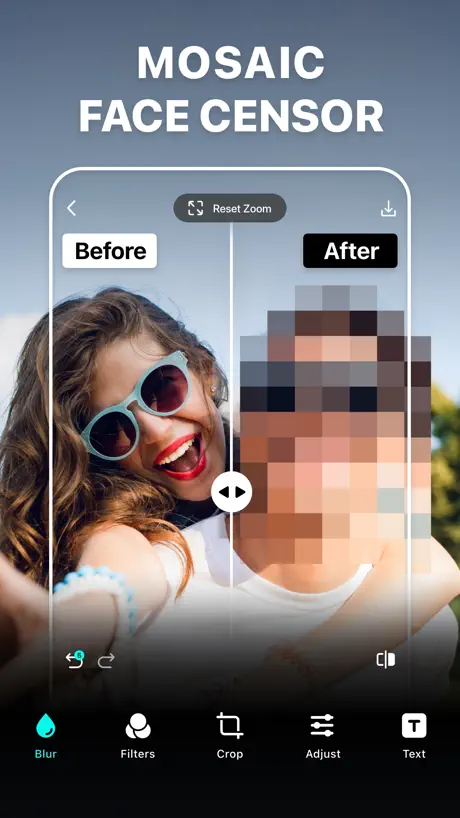
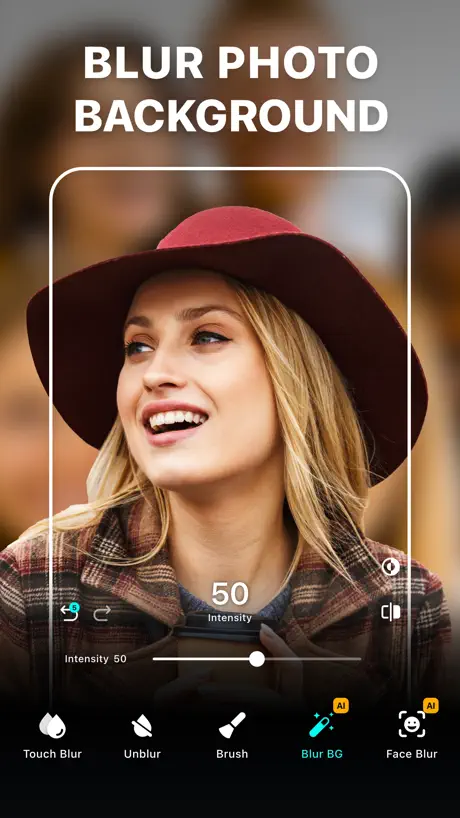

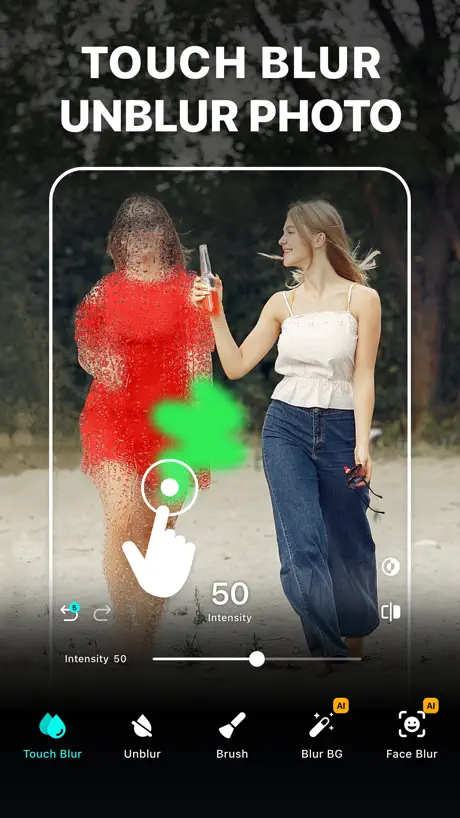
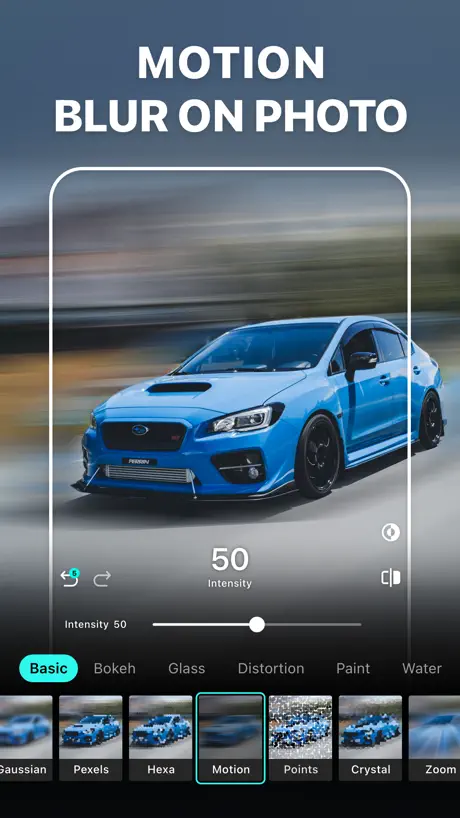
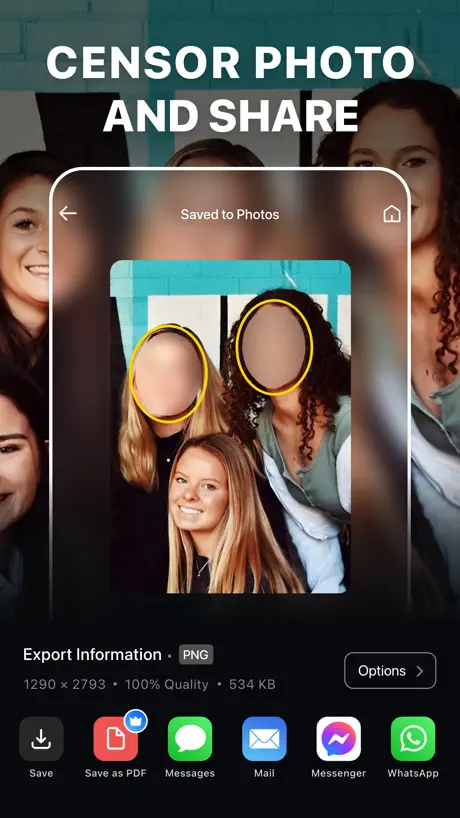
How much does Blur Photo Editor cost?
Prices are current as of 12 Sept 2026.
8 subscriptions from $2.99
In the United States, Blur Photo Editor has 8 subscriptions priced $2.99 – 49.99. It comes with a 3 days free trial.
| Subscription | Period | Price |
|---|---|---|
| Blur Photo | WeeklyTrial: 3 days | $2.99 |
| Blur Photo Monthly 2 | MonthlyTrial: 3 days | $2.99 |
| Blur Photo Monthly | MonthlyTrial: 3 days | $4.99 |
| Blur Photo VIP | WeeklyTrial: 3 days | $4.99 |
| Blur Photo Background | WeeklyTrial: 3 days | $7.99 |
| Blur Background | AnnualTrial: 3 days | $9.99 |
| Blur Photo VIP | AnnualTrial: 3 days | $14.99 |
| Blur Photo VIP Yearly | AnnualTrial: 3 days | $49.99 |
2 one-time purchases from $2.99
In the United States, Blur Photo Editor has 2 one-time purchases priced $2.99 – 19.99.
| Product | Price |
|---|---|
| Remove Ads & Unlock All Effects | $2.99 |
| Lifetime Membership | $19.99 |
10+ alternatives to Blur Photo Editor
| Blur Photo Editor |   Focos Focos |   Blur Photo Editor & Mosaic Blur Photo Editor & Mosaic | 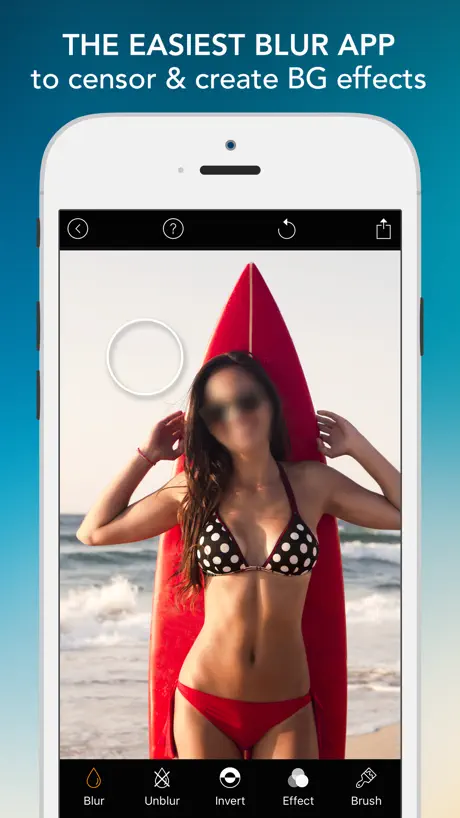  Blur Photo Effect Background Blur Photo Effect Background |   Blur Photo Blur Photo |   Blur Photo Background Blur Photo Background |   Blur-Video Blur-Video | 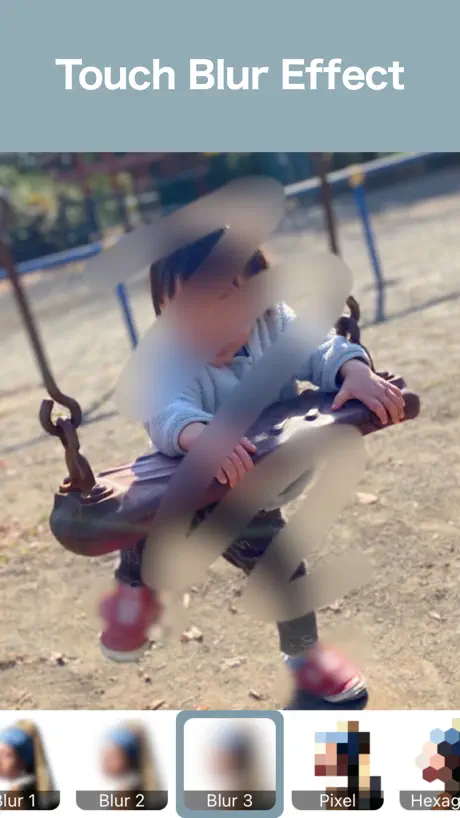  Blur Photo Editor: blur effect Blur Photo Editor: blur effect | 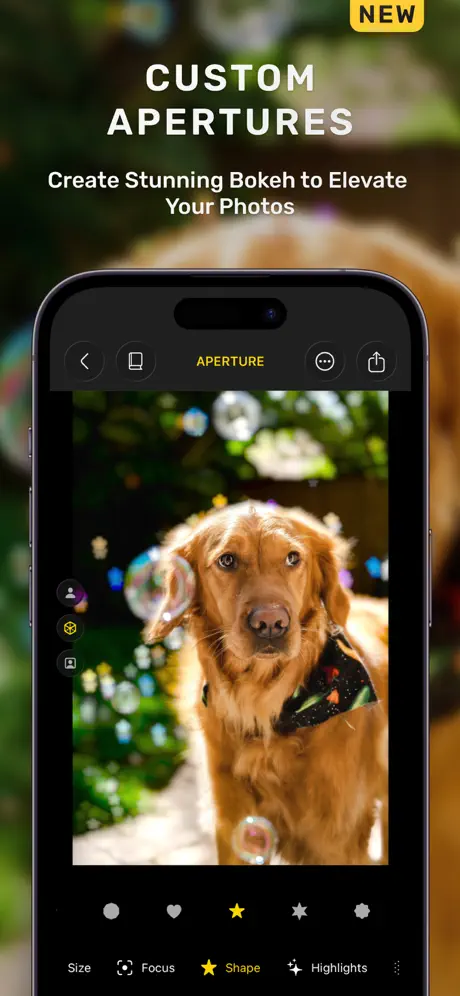  Phocus: DSLR Portrait Camera Phocus: DSLR Portrait Camera |   Blur Photo ◎ Blur Photo ◎ | 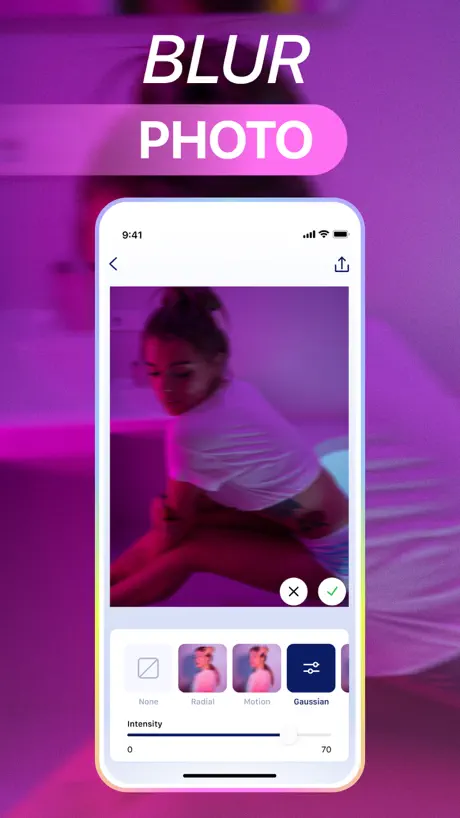  Blur Background Photo Editor Blur Background Photo Editor | |
|---|---|---|---|---|---|---|---|---|---|---|---|
| Rating / 5 | 4.5 | 4.7 | 4.7 | 4.7 | 4.4 | 4.3 | 4.8 | 4.6 | 4.5 | 4.7 | 4.5 |
| Reviews | 39K | 483K | 305K | 96K | 73K | 43K | 41K | 24K | 21K | 3.8K | 3.7K |
| Released | 2015 | 2017 | 2015 | 2015 | 2013 | 2016 | 2021 | 2021 | 2017 | 2019 | 2022 |
| Weekly price | $4.99 | $3.99 | — | — | $4.99 | — | — | — | $3.99 | — | $7.99 |
| Monthly price | $2.99 | — | $4.29 | $2.99 | $8.99 | $2.99 | $3.99 | — | $7.99 | $6.99 | $9.99 |
| Annual price | $14.99 | — | $29.99 | $11.99 | $29.99 | $11.99 | $9.99 | — | $19.99 | $14.99 | $29.99 |
| One-time price | $2.99 | $1.99 | $4.99 | $2.99 | — | $1.99 | — | $0.99 | $49.99 | $14.99 | — |
The going rate for each plan in United States, in its own currency, shaded from the cheapest price on the row to the dearest. Plans fewer than four in ten of the priced apps sell are left out.
Blur Photo Editor reviews
4.5 out of 5, based on 38,964 reviews.
What people like
- Very easy and quick to use
- Great for blurring faces in photos
- Offers high quality lossless saving options
What they complain about
- Ads pop up after every single tap
- You must pay to use most features
- App crashes and deletes your unfinished work
Good
Ez wooks good
Blur editor stole 2 hours of my time and ruined my photos for my grandfather’s funeral.
I had specific things I wanted to unblur in the foreground of a photo, meaning I had to manually blur the background of said photo for an order of service at my grandfather’s funeral. As soon I was about to finish, the app crashed and I was unable to recover my progress which took me 2 hours. This photo was for an order of service at a funeral. Needless to say I’ve cancelled my subscription and would advise anyone who intends to work on projects with this app to STAY AWAY. I never would’ve used this app if I knew this was going to happen. I can only try to let people know to stay away from it if you intend to do photo editing on this app
Great feature
Works a treat
Watermarks and paywalls
You have to pay unless you want a watermark on your picture. Not worth paying for
Toi viet
Sao chua chinh duoc
Hammy
Great get the vidio one too
Just one free photo
Just one free photo edit then you are forced to buy the paid plan
How it uses to me
So this is very useful because I love using it and it's not just for bluring thing's.
Service not working
I’ve tried to use their enhance feature, bought credits and it just says it’s has an issue and retry later, I’ve tried every day for 2 weeks and still does t work! Really poor show!
Review
The app is terrible you have to pay &8
Amazing
Amazing
Cannot get past first Ad
No matter how much I wait there is no button showing up that would allow me to get past the first Ad.
My review
It works so well it has the stuff I need And it helps with my YouTube videos
ancde
hm sửa được 1ảnh duy nhất rồi phải đăng kí Đã thế còn xem quảng cáo, rồi mới hiển thị phần khoá phải nạp vip. Sao từ đầu ko hiển thị luôn trời, bắt chờ xem quảng cáo chán chê🤦♀️
Amazing Results in Seconds!!
Great app, super easy and quick to use. Background blurring option is fantastic, excited to try out the other features!!
Not great
Spent ages blurring the parts of the photo I wanted blurring but when it came to saving it just saves the original photo not the blurred version so I dont see the point if you cant save it
Very Nice-Borat
Very Nice-Borat
The Best App
I Can Do Whatever I Want
Review
This is app is no good it has only aloud me to do one project and in order to do another I must pay a for a subscription which is unfair because I don’t need to pay for a subscription just to blur photos?
Ok
Good for pictures
La migliore nel suo genere
Una delle migliori app nel suo genere ed in oltre ha vari opzioni di salvataggi sia in jpg , Heif, ed in fine in Png lossless senza perdita di qualità con tante altre tante altre opzioni sia manuali che con filtri da applicare … Il top del top !
ads
way too much ads, every button you click an ad pops up
Perfect
Ok
Helped me make a photo of my died nana
10/10
Tiring
You either pay (which I think is ridiculous for something that does one thing) or put up with ads after EVERY tap you do. I’d be happy to put up with ads. But come on, no one wants to spend 10 mins blurring a bit of a photo just because there are 30-45-second adverts after every step. I rather delete than pay.
Good
Good app
Eve
Chujnia
App don’t give you the opportunity to work
Whats a feedback and ruin the work you doing. And you have to reset you phone in order to be able to carry on
Quite gud
Gud
Amazing
Its amazing for bluring stuff and faces, text and lots more I recommend this app because its amazing!!!
DREADFUL
I am EXTREMELY disappointed with this app, I blurred some people’s faces in the background of my photo (to protect their privacy) and it worked (alright)! Then I went to the next photo with people in the background, and the app said: You have reached the end of your trial, please pay £20 to continue!! That is RIDICULOUS!! I have deleted the app and will not be installing it again!! Thank you so much for reading this review, have a wonderful day🌸🌸
â
good
BEST THING EVEREE
I loveee this app it lets me post photos and videos and blur people that don’t want to be in it or there face showing in threat photo/video. Whenever I post a photo of my kids on facebook or something like that I can blur out there faces to keep that safe!!!! YOU NEED THIS APP 100% GET IT!!!
The worst
This app is terrible because it only lets you do one feature and all the effects are premium I even checked a review and the company said that sorry if you want to keep this app and all the features the you need to pay for only access like what people want free apps not paying apps there is no point
Great app
Give us what we need
Blur Photo Editor price by country
A weekly subscription costs $1.12 in Turkey and $8.02 in Poland — 7× more for the same thing. Below is the going rate for each plan in every country that sells it — the middle price of what the app charges there, in the country's own currency with the dollar equivalent beneath it.
| Country | Weekly | Monthly | Annual | One-time |
|---|---|---|---|---|
| Afghanistan | $4.99 | $4.99 | $14.99 | $14.99 |
| Albania | $5.99 | $3.59 | $11.99 | $4.99 |
| Algeria | $2.99 | — | $9.99 | $14.99 |
| Angola | $4.99 | $4.99 | $14.99 | $14.99 |
| Anguilla | $4.99 | $4.99 | $14.99 | $14.99 |
| Antigua And Barbuda | $2.99 | — | $14.99 | $14.99 |
| Argentina | $4.99 | $2.99 | $14.99 | $19.99 |
| Armenia | $2.99 | $3.49 | $17.99 | $17.99 |
| Australia | A$7.99$5.75 | A$4.99$3.59 | A$22.99$16.54 | A$4.99$3.59 |
| Austria | €5.99$6.96 | €3.49$4.05 | €11.49$13.34 | €22.99$26.70 |
| Azerbaijan | $2.99 | $2.99 | $14.99 | $17.99 |
| Bahamas | $4.99 | $3.49 | $14.99 | $3.99 |
| Bahrain | $4.99 | $3.49 | $14.99 | $3.99 |
| Barbados | $5.99 | $3.49 | $17.99 | $4.99 |
| Belarus | $2.99 | $3.49 | $11.99 | $4.99 |
| Belgium | €5.99$6.96 | €3.49$4.05 | €11.49$13.34 | €22.99$26.70 |
| Belize | $2.99 | $2.99 | — | $14.99 |
| Benin | $5.99 | $2.99 | $9.99 | $17.99 |
| Bermuda | $2.99 | $2.99 | $14.99 | $3.99 |
| Bhutan | $4.99 | $4.99 | $14.99 | $14.99 |
| Bolivia | $2.99 | $2.99 | $9.99 | $14.99 |
| Bosnia & Herzegovina | €3.49$4.05 | €3.49$4.05 | €9.99$11.60 | €17.99$20.89 |
| Botswana | $4.99 | $2.99 | $14.99 | $3.99 |
| Brazil | R$24.90$4.87 | R$15.90$3.11 | R$79.90$15.64 | R$129.90$25.42 |
| British Virgin Islands | $4.99 | $4.99 | $49.99 | $14.99 |
| Brunei Darussalam | $4.99 | $4.99 | $14.99 | $3.99 |
| Bulgaria | €3.29$3.82 | €3.29$3.82 | €14.99$17.41 | €17.99$20.89 |
| Burkina Faso | $2.99 | $4.99 | — | $14.99 |
| Cambodia | $2.99 | $3.49 | $10.99 | $2.99 |
| Cameroon | $5.99 | $5.99 | $17.99 | $17.99 |
| Canada | CA$6.99$5.07 | CA$3.99$2.89 | CA$19.99$14.49 | CA$3.99$2.89 |
| Cape Verde | $4.99 | $2.99 | — | $14.99 |
| Cayman Islands | $2.99 | $2.99 | $14.99 | $14.99 |
| Chad | $4.99 | $4.99 | — | $14.99 |
| Chile | CLP 5,900$6.36 | CLP 3,200$3.45 | CLP 14,990$16.16 | — |
| China | CN¥38.00$5.64 | CN¥21.00$3.12 | CN¥98.00$14.54 | CN¥148.00$21.96 |
| Colombia | COP 24,900$7.90 | COP 13,900$4.41 | COP 89,900$28.51 | — |
| Congo | $4.99 | $2.99 | $14.99 | $14.99 |
| Congo, Democratic Republic | $4.99 | $2.99 | $14.99 | $14.99 |
| Costa Rica | $4.99 | $2.99 | $14.99 | $19.99 |
| Cote Divoire | $5.99 | $2.99 | $14.99 | $17.99 |
| Croatia | €5.99$6.96 | €3.71$4.31 | €17.99$20.89 | €22.99$26.70 |
| Cyprus | €5.99$6.96 | €3.49$4.05 | €17.99$20.89 | €1.99$2.31 |
| Czech Republic | CZK 129.00$6.18 | CZK 89.00$4.26 | CZK 399.00$19.12 | CZK 499.00$23.91 |
| Denmark | DKK 39.00$6.07 | DKK 25.00$3.89 | DKK 129.00$20.09 | DKK 29.00$4.52 |
| Dominica | $4.99 | $4.99 | $14.99 | $14.99 |
| Dominican Republic | $2.99 | $2.99 | $14.99 | $19.99 |
| Ecuador | $2.99 | $2.99 | $14.99 | $19.99 |
| Egypt | EGP 129.99$2.59 | EGP 54.99$1.09 | EGP 499.99$9.95 | EGP 199.99$3.98 |
| El Salvador | $2.99 | $2.99 | $14.99 | $3.99 |
| Estonia | €5.99$6.96 | €3.49$4.05 | €17.99$20.89 | €1.99$2.31 |
| Fiji | $2.99 | $4.99 | $14.99 | $14.99 |
| Finland | €5.99$6.96 | €3.49$4.05 | €17.99$20.89 | €2.99$3.47 |
| France | €5.99$6.96 | €3.49$4.05 | €17.99$20.89 | €22.99$26.70 |
| Gabon | $4.99 | $4.99 | $14.99 | $14.99 |
| Gambia | $4.99 | $4.99 | $14.99 | $14.99 |
| Georgia | $2.99 | $3.49 | $11.99 | $17.99 |
| Germany | €5.99$6.96 | €3.49$4.05 | €11.49$13.34 | €22.99$26.70 |
| Ghana | $5.99 | $2.99 | $17.99 | $4.99 |
| Greece | €5.99$6.96 | €3.49$4.05 | €11.99$13.93 | €22.99$26.70 |
| Grenada | $4.99 | $2.99 | $9.99 | $14.99 |
| Guatemala | $2.99 | $2.99 | $14.99 | $14.99 |
| Guinea-bissau | $4.99 | $4.99 | $14.99 | $14.99 |
| Guyana | $2.99 | $4.99 | $9.99 | $14.99 |
| Honduras | $4.99 | $2.99 | $14.99 | $3.99 |
| Hong Kong | HK$38.00$4.85 | HK$23.00$2.93 | HK$88.00$11.22 | HK$148.00$18.88 |
| Hungary | HUF 1,990$6.33 | HUF 1,390$4.42 | HUF 4,790$15.25 | HUF 8,990$28.62 |
| Iceland | $5.99 | $3.71 | $17.99 | — |
| India | ₹499.00$5.22 | ₹499.00$5.22 | ₹1,499.00$15.69 | ₹299.00$3.13 |
| Indonesia | IDR 89,000$5.03 | IDR 49,000$2.77 | IDR 249,000$14.07 | IDR 49,000$2.77 |
| Iraq | $4.99 | $2.99 | $9.99 | $14.99 |
| Ireland | €5.99$6.96 | €3.49$4.05 | €17.99$20.89 | €3.99$4.63 |
| Israel | ₪17.90$5.89 | ₪9.90$3.26 | ₪49.90$16.41 | ₪69.90$22.99 |
| Italy | €5.99$6.96 | €3.49$4.05 | €17.99$20.89 | €22.99$26.70 |
| Jamaica | $4.99 | $2.99 | $14.99 | $3.99 |
| Japan | ¥300$1.94 | ¥400$2.59 | ¥2,200$14.26 | ¥3,000$19.45 |
| Jordan | $4.99 | $2.99 | $14.99 | $3.99 |
| Kazakhstan | KZT 2,490.00$5.36 | KZT 1,550.00$3.34 | KZT 4,990.00$10.75 | KZT 2,490.00$5.36 |
| Kenya | $5.99 | $5.99 | $17.99 | $1.99 |
| Kosovo | €3.49$4.05 | €3.49$4.05 | €9.99$11.60 | €17.99$20.89 |
| Kuwait | $4.99 | $2.99 | $14.99 | $19.99 |
| Kyrgyzstan | $4.99 | $3.49 | $9.99 | $14.99 |
| Lao Peoples Democratic Republic | $4.99 | $4.99 | $14.99 | $14.99 |
| Latvia | €5.99$6.96 | €3.49$4.05 | €17.99$20.89 | €1.99$2.31 |
| Lebanon | $4.99 | $2.99 | $14.99 | $3.99 |
| Liberia | $4.99 | $4.99 | $14.99 | $14.99 |
| Libya | $4.99 | $4.99 | $14.99 | $14.99 |
| Lithuania | €5.99$6.96 | €3.49$4.05 | €17.99$20.89 | €3.99$4.63 |
| Luxembourg | €5.99$6.96 | €3.49$4.05 | €17.99$20.89 | €3.99$4.63 |
| Macao | $2.99 | $4.99 | $14.99 | $14.99 |
| Macedonia | $2.99 | $2.99 | $14.99 | $14.99 |
| Madagascar | $4.99 | $4.99 | $14.99 | $14.99 |
| Malawi | — | $2.99 | $9.99 | $14.99 |
| Malaysia | MYR 22.90$5.68 | MYR 13.90$3.45 | MYR 69.90$17.34 | MYR 99.90$24.79 |
| Maldives | $4.99 | $2.99 | — | $14.99 |
| Mali | $4.99 | $4.99 | $14.99 | $14.99 |
| Malta | €5.99$6.96 | €5.99$6.96 | €17.99$20.89 | €22.99$26.70 |
| Mauritania | $4.99 | $4.99 | $14.99 | $14.99 |
| Mauritius | $4.99 | $2.99 | $14.99 | $4.99 |
| Mexico | MX$99.00$5.86 | MX$69.00$4.09 | MX$229.00$13.56 | MX$399.00$23.62 |
| Micronesia | $4.99 | $4.99 | $14.99 | $14.99 |
| Moldova | $2.99 | $3.49 | $17.99 | $17.99 |
| Mongolia | $2.99 | $4.99 | $14.99 | $14.99 |
| Montenegro | €3.49$4.05 | €2.99$3.47 | €9.99$11.60 | €12.99$15.09 |
| Montserrat | $4.99 | $4.99 | $14.99 | $14.99 |
| Morocco | $2.99 | $2.99 | $9.99 | $14.99 |
| Mozambique | $4.99 | $4.99 | $14.99 | $14.99 |
| Myanmar | $4.99 | $2.99 | $9.99 | $14.99 |
| Namibia | $2.99 | $2.99 | $14.99 | $3.99 |
| Nauru | $4.99 | $4.99 | $14.99 | $14.99 |
| Nepal | $5.99 | $4.99 | $14.99 | $17.99 |
| Netherlands | €5.99$6.96 | €3.49$4.05 | €17.99$20.89 | €2.99$3.47 |
| New Zealand | NZ$9.99$5.91 | NZ$5.49$3.25 | NZ$29.99$17.75 | NZ$4.99$2.95 |
| Nicaragua | $4.99 | $2.99 | $14.99 | $3.99 |
| Niger | $4.99 | $4.99 | $14.99 | $14.99 |
| Nigeria | NGN 2,900.00$2.17 | NGN 1,300.00$0.97 | NGN 7,900.00$5.90 | NGN 6,900.00$5.15 |
| Norway | NOK 59.00$6.30 | NOK 59.00$6.30 | NOK 199.00$21.26 | NOK 249.00$26.60 |
| Oman | $4.99 | $2.99 | $14.99 | $3.99 |
| Pakistan | PKR 1,250$4.50 | PKR 620$2.23 | PKR 3,900$14.03 | PKR 900$3.24 |
| Palau | $4.99 | $4.99 | $14.99 | $14.99 |
| Panama | $4.99 | $2.99 | $14.99 | $19.99 |
| Papua New Guinea | $7.99 | — | $9.99 | $14.99 |
| Paraguay | $4.99 | $2.99 | $14.99 | $19.99 |
| Peru | PEN 19.90$5.94 | PEN 10.90$3.25 | PEN 39.90$11.91 | PEN 89.90$26.84 |
| Philippines | ₱299.00$4.77 | ₱299.00$4.77 | ₱799.00$12.75 | ₱1,290.00$20.59 |
| Poland | PLN 29.99$8.02 | PLN 15.99$4.28 | PLN 79.99$21.39 | PLN 99.99$26.74 |
| Portugal | €5.99$6.96 | €3.49$4.05 | €11.49$13.34 | €22.99$26.70 |
| Qatar | QAR 19.99$5.49 | QAR 10.99$3.02 | QAR 49.99$13.73 | QAR 69.99$19.23 |
| Romania | RON 29.99$6.63 | RON 16.99$3.76 | RON 54.99$12.17 | RON 99.99$22.12 |
| Russia | RUB 449.00$5.22 | RUB 199.00$2.31 | RUB 1,290.00$14.99 | RUB 1,790.00$20.81 |
| Rwanda | — | $4.99 | $9.99 | $14.99 |
| Sao Tome & Principe | $4.99 | $4.99 | $14.99 | $14.99 |
| Saudi Arabia | SAR 19.99$5.33 | SAR 12.99$3.46 | SAR 59.99$16.00 | SAR 89.99$24.00 |
| Senegal | $5.99 | $4.99 | $9.99 | $17.99 |
| Serbia | €3.49$4.05 | €3.49$4.05 | €9.99$11.60 | €17.99$20.89 |
| Seychelles | $4.99 | — | $14.99 | $14.99 |
| Sierra Leone | $4.99 | $4.99 | $14.99 | $14.99 |
| Singapore | SGD 6.98$5.50 | SGD 4.48$3.53 | SGD 19.98$15.73 | SGD 3.98$3.13 |
| Slovakia | €5.99$6.96 | €3.49$4.05 | €11.49$13.34 | €22.99$26.70 |
| Slovenia | €5.99$6.96 | €5.99$6.96 | €17.99$20.89 | €22.99$26.70 |
| Solomon Islands | $4.99 | $4.99 | $14.99 | $14.99 |
| South Africa | ZAR 99.99$6.21 | ZAR 54.99$3.42 | ZAR 199.99$12.43 | ZAR 399.99$24.86 |
| South Korea | ₩4,000$2.97 | ₩6,600$4.91 | ₩22,000$16.36 | ₩33,000$24.53 |
| Spain | €5.99$6.96 | €3.49$4.05 | €17.99$20.89 | €22.99$26.70 |
| Sri Lanka | $4.99 | $2.99 | $14.99 | $3.99 |
| St. Kitts and Nevis | $2.99 | $4.99 | $9.99 | $14.99 |
| St. Lucia | $4.99 | — | $14.99 | $14.99 |
| St. Vincent & The Grenadines | $2.99 | — | $9.99 | $14.99 |
| Suriname | $4.99 | $4.99 | $14.99 | $14.99 |
| Swaziland | $4.99 | $2.99 | $14.99 | $14.99 |
| Sweden | SEK 69.00$7.21 | SEK 39.00$4.08 | SEK 129.00$13.48 | SEK 249.00$26.02 |
| Switzerland | CHF 5.00$6.19 | CHF 3.00$3.71 | CHF 15.00$18.56 | CHF 18.00$22.28 |
| Taiwan | NT$150.00$4.74 | NT$100.00$3.16 | NT$490.00$15.48 | NT$90.00$2.84 |
| Tajikistan | $4.99 | $5.99 | $17.99 | $14.99 |
| Tanzania | TZS 14,900.00$5.64 | TZS 6,900.00$2.61 | TZS 34,900.00$13.21 | TZS 11,900.00$4.50 |
| Thailand | THB 199.00$6.05 | THB 109.00$3.31 | THB 499.00$15.16 | THB 99.00$3.01 |
| Tonga | $4.99 | $4.99 | $14.99 | $14.99 |
| Trinidad and Tobago | $4.99 | $2.99 | $14.99 | $3.99 |
| Tunisia | $4.99 | $4.99 | $14.99 | $14.99 |
| Turkey | TRY 53.99$1.12 | TRY 65.99$1.36 | TRY 249.99$5.16 | — |
| Turkmenistan | $4.99 | $4.99 | $14.99 | $14.99 |
| Turks and Caicos | $2.99 | $2.99 | $49.99 | $14.99 |
| Uganda | $5.99 | $3.49 | $17.99 | $17.99 |
| Ukraine | $5.99 | $3.49 | $11.99 | $22.99 |
| United Arab Emirates | AED 19.99$5.45 | AED 11.99$3.27 | AED 59.99$16.35 | AED 12.99$3.54 |
| United Kingdom | £4.99$6.74 | £2.99$4.04 | £14.99$20.26 | £2.99$4.04 |
| United States | $4.99 | $2.99 | $14.99 | $2.99 |
| Uruguay | $2.99 | $2.99 | $14.99 | $3.99 |
| Uzbekistan | $4.99 | $3.49 | $9.99 | $14.99 |
| Vanuatu | $4.99 | $4.99 | $14.99 | $14.99 |
| Venezuela | $4.99 | $4.99 | $14.99 | $14.99 |
| Vietnam | ₫129,000$4.98 | ₫69,000$2.67 | ₫399,000$15.42 | ₫599,000$23.15 |
| Yemen | $4.99 | $4.99 | $14.99 | $14.99 |
| Zambia | $2.99 | $2.99 | $9.99 | $17.99 |
| Zimbabwe | $2.99 | $5.99 | $17.99 | $17.99 |
Blur Photo Editor FAQ
- Is Blur Photo Editor free?
- Yes. The app and its basic features are free, in all 175 countries it sells in. Premium features are paid: they start from $2.99 (US), across 8 subscriptions and 2 one-time purchases.
- How much does Blur Photo Editor cost per month?
- Blur Photo Monthly is $2.99 – 4.99 (US). The annual plan works out cheaper per month: $9.99 – 49.99 a year.
- Does Blur Photo Editor have a free trial?
- Yes — a 3 days free trial (US).
- Where is Blur Photo Editor cheapest?
- A weekly subscription costs TRY 53.99 (≈$1.12) in Turkey and PLN 29.99 (≈$8.02) in Poland, its cheapest and dearest countries.
- What are the best alternatives to Blur Photo Editor?
- Focos (4.7 from 482,805 reviews, premium from $1.99), Blur Photo Editor & Mosaic (4.7 from 304,684 reviews, premium from $0.99) and Blur Photo Effect Background (4.7 from 96,412 reviews, premium from $2.99).
Blur Photo Editor download
Last updated 1 month ago.
Blur Photo Editor sells in 175 countries. It was released 10 years and 10 months ago, on 13 Nov 2015. It holds a 4.5 rating from 38,964 reviews.
Supports 32 languages: English, Arabic, Catalan, Croatian, Czech, Danish, Dutch, Finnish, French, German, Greek, Hebrew, Hindi, Hungarian, Indonesian, Italian, Japanese, Korean, Malay, Norwegian Bokmål, Polish, Portuguese, Romanian, Russian, Chinese, Slovak, Spanish, Swedish, Thai, Turkish, Ukrainian, Vietnamese.
How much does Blur Photo Editor make?
Third-party estimates for the last 30 days, worldwide — not the store's own figures, which Apple publishes for nobody.
Revenue by plan
- Weekly 54%
- Monthly 29%
- Annual 16%
- One-time 1%
Revenue by country
- United States 46%
- United Kingdom 7%
- Brazil 4%
- Australia 3%