Model Household Revenue with Family Sharing for App Teams

Default to native Family Sharing for most apps, unless you have a specific reason not to. The exception: your marginal cost per additional user is high enough to eat your margin, or family use is itself the acquisition hook worth building a dedicated tier around. Everything else is a rounding error compared to those two decision drivers.
TL;DR:
- Native family sharing costs almost nothing to implement but caps revenue at one subscription per household, regardless of active members.
- A dedicated family tier can generate more revenue per household but requires additional localization, QA, and support resources.
- Household metrics like household ARPU, activation rate, and churn provide better insights than individual KPIs when evaluating family plans.
- Testing family plans should occur at the household level to avoid contamination, with a focus on household lifetime value and churn.
- Benchmark your family tier multipliers and revenue projections against market data using tools like Apppricer before development.
Table of Contents
- What Family Sharing Subscriptions Mean for App Businesses
- Native Family Sharing vs. a Dedicated Family Tier
- Pricing Conventions and Example Math for Family Tiers
- Metrics and Analytics to Measure Household Impact
- Shipping It: Setup, Paywall, and Support Checklist
- How to Test Family Plans Without Fooling Yourself
- Why Most Teams Overthink This Decision
- Model Your Family Tier Before You Build It
- Sources
What Family Sharing Subscriptions Mean for App Businesses
This guide treats “family sharing subscriptions” as a monetization and product design problem, not a consumer how-to. If you landed here looking for instructions on sharing a personal App Store subscription with relatives, that’s a different topic entirely. Here, the term refers to household or shared subscription models: pricing structures where one purchase covers multiple people under a single billing event.
That distinction changes how you forecast revenue. A per-seat SaaS model assumes one payer equals one user. A household model breaks that assumption on purpose, so your ARPU math, churn cohorts, and support flows all need to account for multiple humans behind one entitlement.
Three operational implications follow directly. First, your billing unit shifts from “user” to “household,” which affects how finance models recurring revenue. Second, entitlement semantics get more complex. One canceled purchase can strip access from five people simultaneously. Third, your support team now fields tickets about who’s included, how to add or remove members, and why a canceled card broke everyone’s access at once.
Native Family Sharing vs. a Dedicated Family Tier
The two paths solve the same problem with very different mechanics and cost profiles.
Native Family Sharing, Apple’s built-in system, lets one purchaser cover up to five additional family members on a single auto-renewable subscription. You opt each subscription product into Family Sharing inside App Store Connect, and Apple handles the entitlement plumbing automatically. The catch: you collect proceeds for exactly one subscription no matter how many people actually use the app, and if the purchaser cancels, every member loses access instantly.
A dedicated family tier is a separate product SKU priced above your individual plan, usually somewhere between 1.5 and 2 times the standard price. This gets you direct revenue tied to household size, but it costs you in setup: new localized metadata for every market, a fresh intro-offer configuration, and paywall copy that has to explain why someone would pay more when a free-to-you sharing option already exists on the same platform.
The trade-offs break down like this:
- Native sharing costs almost nothing to implement but caps your revenue per household at one subscription price.
- A family SKU captures more revenue per household but multiplies your localization and QA workload across every market you support.
- Support tickets skew toward “why did everyone lose access” with native sharing, and toward “why is this more expensive” with a dedicated tier.
- A hybrid model, running both simultaneously, only works if your paywall clearly separates the two so users don’t default to the cheaper option out of confusion. Practitioner accounts of hybrid rollouts consistently point to added paywall complexity and localization burden as the main cost of running both at once.
Pricing Conventions and Example Math for Family Tiers
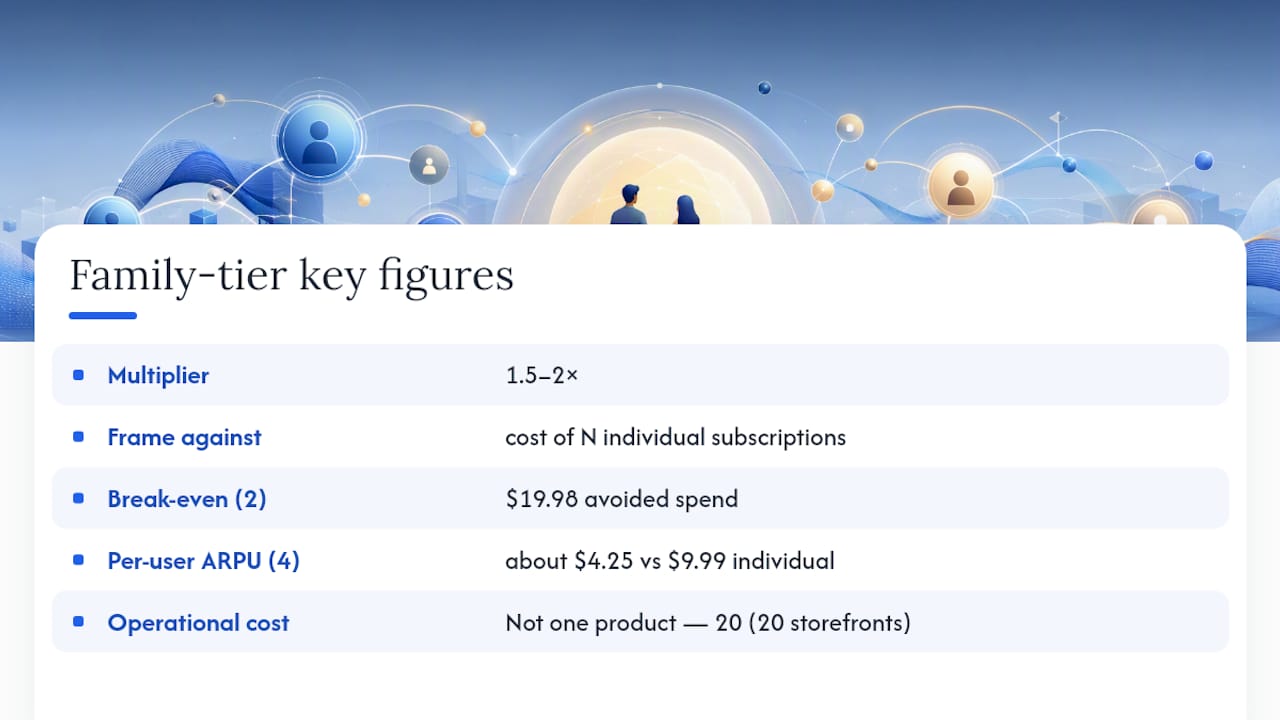
The 1.5 to 2 times multiplier isn’t arbitrary. It’s the range where a family tier reads as a genuine household discount rather than just a markup, and it’s the convention most developers converge on when framing the tier against buying multiple individual subscriptions separately.
Pro Tip: Frame the family price against “cost of N individual subscriptions,” not against your base plan alone. A $14.99 family tier sounds expensive next to a $9.99 individual plan, but it looks like a steal next to $9.99 times four.
If two people would have subscribed individually, the family tier already breaks even at $19.98 in avoided spend. At four active household members, your effective per-user ARPU on the family tier drops to about $4.25, versus $9.99 on an individual plan, but you’re now capturing revenue from users who likely never would have paid for individual accounts at all.
Plan cadence matters here too. Weekly plans now capture the largest share of in-app subscription revenue across categories, which means your family-tier math should be modeled at weekly, monthly, and annual cadences separately rather than assuming one multiplier fits every billing period.
Every additional SKU also means an additional line of metadata, screenshots, and intro-offer configuration per market. If you support 20 storefronts, a family tier isn’t one new product. It’s 20.
Metrics and Analytics to Measure Household Impact
Standard subscription KPIs miss the point when the paying unit isn’t the same as the using unit. You need household-level metrics layered on top of your existing funnel data.
- Household ARPU: total revenue per household, not per user, since one payment now covers multiple people.
- Household activation rate: the share of invited or added members who actually engage, not just accept an invite.
- Seat utilization: how many of the available member slots get used, a direct signal of whether your family tier is overpriced for the audience you’re attracting.
- Household churn vs. individual churn: households with cancellations tend to behave differently than solo cancellations, often clustering around specific triggers like a primary payer switching cards.
- Cross-product penetration: whether household members who join through sharing later convert to other products in your catalog.
- Household LTV: lifetime value calculated at the household level, which is the number that actually tells you if the model is working.
Building these requires a household identifier that doesn’t rely on personal data you shouldn’t be collecting, especially where minors are involved. Recommended practice is to use non-PII signals and voluntary profile attributes to detect household groupings rather than harvesting identity data you don’t need. Watch for double-counting: a household with five active seats shouldn’t inflate your total user count by five when calculating blended metrics against solo subscribers.
Benchmark your numbers against category norms before deciding if your family plan is under or over-performing. Aggregated pricing and revenue data across markets, the kind Apppricer tracks across 175 countries, gives you a reference point instead of guessing whether your household ARPU is competitive for your category.
Shipping It: Setup, Paywall, and Support Checklist
Whichever path you choose, the implementation work follows a predictable sequence.
- For native sharing: opt each subscription product into Family Sharing inside App Store Connect. This is a toggle, not a new SKU.
- Test entitlement propagation across every family member role, not just the purchaser’s account.
- Confirm your app handles the cancellation case correctly. When the purchaser cancels, every member should lose access cleanly, with no orphaned entitlements.
- For a family SKU: create the new subscription product, then localize its metadata for every storefront you support.
- Set intro offers for the new tier and update your pricing matrix so finance and marketing see it reflected consistently.
- Rewrite paywall copy to clearly differentiate the family tier from both the individual plan and native sharing, if both exist.
- Run QA against proration behavior when users upgrade or downgrade between individual and family tiers.
- Update help center articles before launch, since support volume on entitlement questions rises immediately after rollout.
How to Test Family Plans Without Fooling Yourself
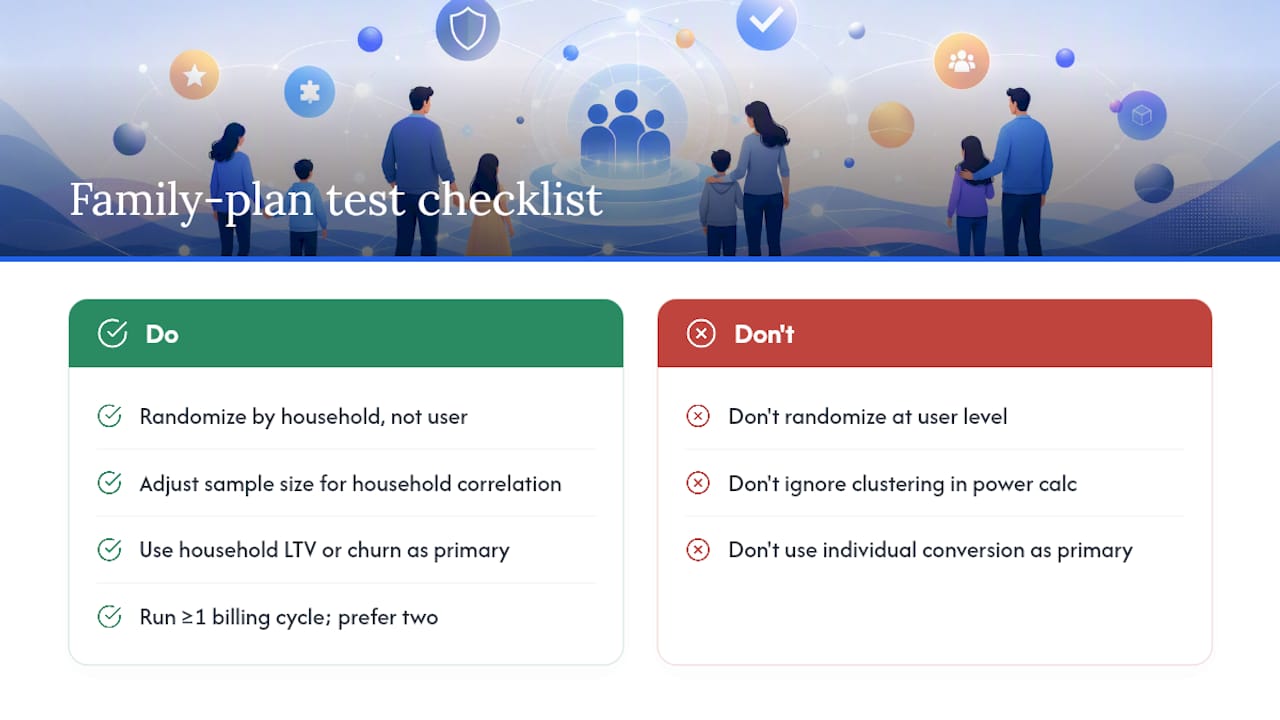
The single most common mistake in family-plan experimentation is randomizing at the user level instead of the household level. If two members of the same household land in different test arms, you get contamination: their behavior isn’t independent, and your statistics assume it is.
Randomize at the household level from the start, and adjust your sample-size calculations to account for intra-household correlation, which shrinks your effective sample size compared to a naive user-level count. A test that looks adequately powered at the user level can be badly underpowered once you correct for clustering.
Your primary outcome should be household-level LTV or household churn, not individual conversion rate. A family tier that converts fewer individual sign-ups but produces dramatically lower household churn is a win even if your top-line conversion metric looks worse.
For a practical runbook: run the test long enough to observe at least one full billing cycle past the intro period, ideally two. Segment cohorts by household size at entry, since a five-member household behaves differently from a two-member one. Watch for early signals of harm, like support ticket spikes or unusually high refund requests, that would justify stopping before the full duration completes.
Why Most Teams Overthink This Decision
Everyone treats the native Family Sharing versus dedicated tier decision as a strategic fork in the road. It usually isn’t. For most apps, the marginal cost of an extra household member is close to zero, and the localization tax on a new SKU outweighs the incremental revenue it captures. Family plans work best as a retention lever, not a pricing lever. Households with shared access churn less because canceling means disappointing more than one person.
Run a household-level experiment before committing to a family SKU, and check Apppricer’s category benchmarks first, so you’re pricing against real market data instead of a guess.
— Sergey
Model Your Family Tier Before You Build It
Apppricer gives you aggregated subscription pricing and revenue data across 175 countries, so you can see what family-tier multipliers competitors in your category are actually charging before you commit engineering time to build one.
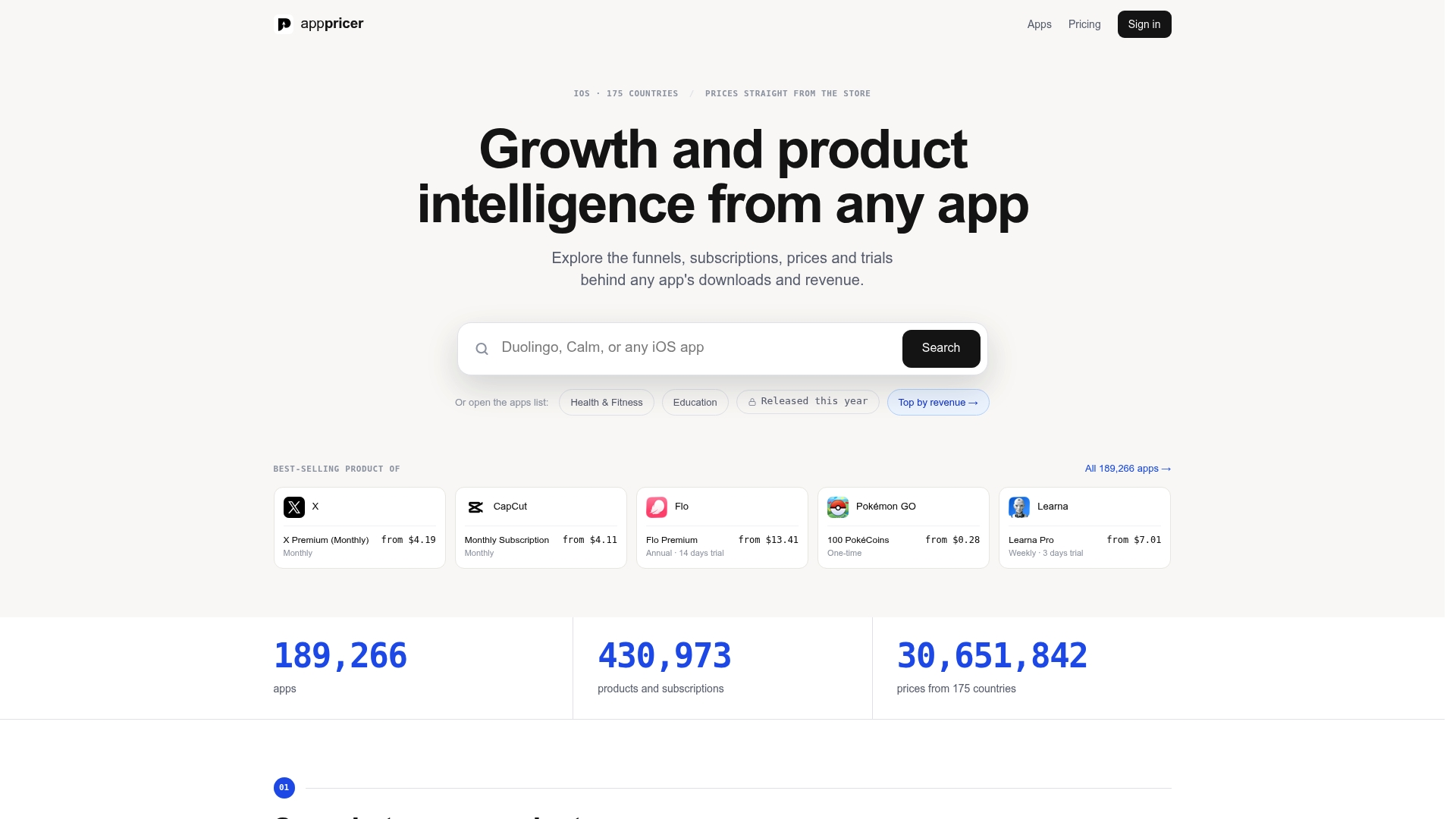
Pull up direct pricing and subscription snapshots for comparable apps to benchmark your planned family multiplier against what’s already working in your category. Run revenue projection scenarios to compare projected household ARPU under a native sharing model against a dedicated tier before your team writes a single line of App Store Connect configuration. If you’re still weighing whether the retention upside justifies the localization cost, the household-saving behavior patterns covered in Savings Grove’s subscription research are worth a look too. Start with Apppricer’s platform to model your scenario with real market data instead of internal assumptions.