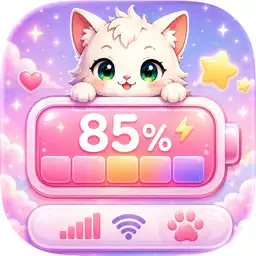
Emoji Battery: Icon Customize
Themes Battery Widgets & Icons
No in-app products collected for this app.
| Rating | |||
|---|---|---|---|
| United States | 42%277 | 4.00 | |
| United Kingdom | 10%67 | 3.61 | |
| Australia | 4%29 | 3.48 | |
| France | 4%27 | 4.07 | |
| Germany | 3%21 | 3.52 | |
| Canada | 3%19 | 3.68 | |
| India | 3%18 | 3.61 | |
| Italy | 3%17 | 4.00 | |
| Philippines | 2%14 | 4.43 | |
| Japan | 2%13 | 3.92 | |
| Mexico | 2%13 | 4.54 | |
| Thailand | 2%11 | 4.18 | |
| Spain | 1%9 | 4.78 | |
| United Arab Emirates | 1%8 | 3.75 | |
| Belgium | 1%7 | 3.71 | |
| Malaysia | 1%7 | 4.43 | |
| Saudi Arabia | 1%7 | 4.43 |
Description
Make every charge feel more personal.
Emoji Battery: Icon Customize transforms battery information into cute, expressive widgets for your Home Screen and Lock Screen. Choose a battery family, pair it with a matching character, add a beautiful scene, and fine-tune the details until the design feels completely yours.
CREATE YOUR BATTERY WIDGET
Build a distinctive battery widget with an easy visual editor. Preview your creation as you customize it, then apply the finished design and add it from the iOS widget gallery.
BATTERY FAMILIES WITH MATCHING STATES
Explore +1000 carefully designed battery families. Each family includes coordinated artwork for different percentage levels, helping your widget change its appearance as the battery level changes.
CUTE CHARACTERS AND EMOJIS
Pair your battery with a matching character for a playful, complete look. Adjust the character’s scale and position so it sits naturally with your chosen battery design.
BEAUTIFUL SCENES AND BACKGROUNDS
Choose from +100 colorful scenes, including cozy, dreamy, cosmic, minimal, and playful styles. Background selections belong to the widget design and remain independent from the app’s interface theme.
A POWERFUL CUSTOMIZATION STUDIO
Personalize the details that matter:
Battery family and percentage preview
Matching character
Widget background and layout
Battery scale and position
Character scale and position
Percentage position, style, and text color
Charging appearance and widget details
Live visual preview before applying
HOME SCREEN AND LOCK SCREEN WIDGETS
Create layouts for multiple WidgetKit sizes:
Small widgets
Medium widgets
Large widgets
Lock Screen circular widgets
Lock Screen rectangular widgets
Lock Screen inline widgets
SAVE YOUR FAVORITES
Keep favorite battery families and scenes close at hand, making it easy to return to the styles you love and create new combinations.
MAKE THE APP FEEL LIKE YOURS
Choose from a collection of app themes and appearance options, including Dark Mode support. App themes customize the app interface only—they never replace the battery artwork or widget backgrounds you select.
SIMPLE TO USE
1. Choose a battery family.
2. Pick a scene or background.
3. Customize the layout in the editor.
4. Preview and apply your design.
5. Add the widget from the iOS Home Screen or Lock Screen widget gallery.
Emoji Battery: Icon Customize is made for anyone who loves cute widgets, aesthetic Home Screen customization, emoji widgets, colorful themes, and expressive Ios setups.
Last collected from the App Store on