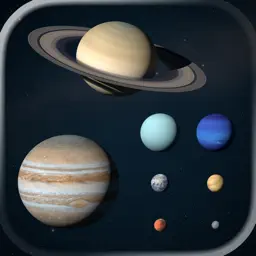
Solar Explorer 3D
Surface Atlas & Mission Replay
| Revenue % | |||||
|---|---|---|---|---|---|
| One-time purchase | 175 | $4.19 – $7.12 | 24.8% | +18.0% |
Description
Embark on an immersive journey through the solar system!
Solar Explorer brings the solar system to life with a stunning 3D simulation based on real astronomical data, featuring 60+ celestial bodies and spacecraft. Experience the grandeur and mysteries of the universe in the palm of your hand.
Key Features
Realistic Simulation – Explore the orbits of celestial bodies and spacecraft, along with the rotation of planets and moons, in an immersive 3D simulation.
Close-Up View – Observe surfaces and rotation up close, follow moons around their parent planets, and examine detailed 3D spacecraft models.
Size Comparison – Compare the Sun, planets, dwarf planets, and major moons side by side at true scale to appreciate the differences in size between celestial bodies.
Landing View – View a realistic starry sky and the Milky Way from selected surface locations on different celestial bodies.
Time Acceleration – Speed up time or run it backward to explore how celestial bodies and spacecraft move.
Mission Replay – Replay selected space missions with trajectory overviews and close-ups of key events.
Surface Features – Zoom in to discover surface features and place names on the Moon, Mars, and other celestial bodies.
Professional-Grade Experience
Planet, moon, and spacecraft positions are calculated using astronomical data and celestial mechanics, with information panel data updated to match the simulation time.
Inspect high-resolution surface textures up close and discover the varied landscapes of planets and moons.
Examine detailed 3D spacecraft models, including all five probes that have traveled beyond Neptune’s orbit, and track their speed and distance from Earth as simulation time changes.
Discover historic landing sites on the Moon, Mars, Venus, and other worlds, with details about landers and surface features.
Landing view uses celestial mechanics and viewing geometry to recreate the local sky and celestial motion, reflecting effects such as the Moon’s tidal locking and Venus’s retrograde rotation.
The Earth-Moon view extends to the Sun-Earth Lagrange points L1 and L2, with orbital paths for space telescopes such as JWST, Roman, and Euclid.
Enjoy detailed planetary rings, the Sun’s corona and glow, and sweeping views of the asteroid belt and Kuiper belt, along with shadows and transits.
Intuitive Controls
Tap a celestial body or its name label to enter close-up view, or browse celestial bodies and spacecraft in the catalog.
Drag with one finger to rotate the view, and pinch with two fingers to zoom.
In close-up view, use the location picker to choose a target landing site. On Earth, you can also use your current location.
Adjust the speed and direction of time in orbit view, close-up view, and landing view to observe rotation and orbital motion.
Whether you’re an astronomy enthusiast, an educator, or a curious explorer, Solar Explorer opens a gateway to the mysteries of the universe. Download now and begin your space adventure!
Last collected from the App Store on