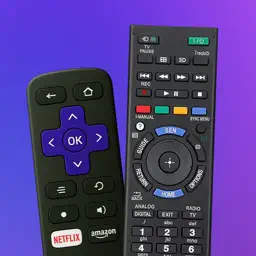
TV Remote Control – Universal
Smart Controller for All TVs
| Revenue % | |||||
|---|---|---|---|---|---|
| One-time purchase | 175 | $23.20 – $37.82 | 24.8% | +18.0% | |
| Weekly · 3 days trial | 175 | $4.46 – $7.85 | 24.8% | +18.0% | |
| Annual · 7 days trial | 175 | $7.83 – $15.74 | 24.8% | +18.0% | |
| Annual | 175 | $15.68 – $31.51 | 24.8% | +18.0% | |
| Weekly | 175 | $4.46 – $7.85 | 24.8% | +18.0% | |
| Weekly | 175 | $0.71 – $1.55 | 24.8% | +18.0% | |
| Annual · 3 days trial | 175 | $17.71 – $31.51 | 24.8% | +18.0% | |
| Annual · 1 month trial | 175 | $6.56 – $10.07 | 24.8% | +18.0% |
Description
Universal TV Remote Control.
--- Turn your iPhone or iPad into a powerful smart TV remote that does more than just switch channels!
--- Control your TV with style, convenience, and full customization — whether you’re at home, in the office, or anywhere in between!
--- Key Features:
► Works with all major smart TV systems — Supports Roku TV, WebOS, Tizen OS, VIDAA, Fire TV, and more.
► 100+ TV brands supported — Including Samsung, LG, Sony, TCL, Amazon, Google, Roku, Philips, Toshiba, Hisense, and many others.
► Quick and easy setup — Automatic detection of smart TVs on your Wi-Fi network.
► Power control — Turn your TV on and off directly from your iPhone.
► Full-function remote — Control volume, channels, search, play/pause, mute, and more.
► Smart tools built in — Use the keyboard, touchpad, and customizable favorite app list.
► Multiple TVs? No problem! — Easily switch between multiple connected TVs.
► Stylish remote themes — Choose a remote layout that fits your vibe: home, office, or custom look.
► Remote control from anywhere in your home — As long as your iPhone and TV are on the same Wi-Fi network, you can control the TV even from another room.
► Helpful for families — Gently manage screen time by turning off the TV when it’s time for a break, rest, or homework.
--- Connection method:
1. Turn on your TV and wait at least 30 seconds before it enters sleep mode.
2. Make sure your iPhone and TV are connected to the same Wi-Fi network.
3. Open the app and start controlling your TV instantly!
Note: This app is not an official product of Samsung, LG, Sony, TCL, Roku, Panasonic, Philips, Toshiba, Hisense, etc.
Take full control — download now and enjoy the remote you’ll actually love using!
Questions? Feedback? Reach us by email at [email protected].
Privacy Policy: https://auxilin.com/privacy
Terms of Use: https://auxilin.com/terms
Last collected from the App Store on