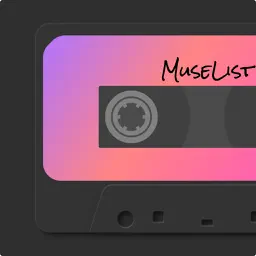
MuseList:Play your loved songs
A Vintage Cassette Player
| Revenue % | |||||
|---|---|---|---|---|---|
| One-time purchase | 175 | $7.19 – $41.69 | 24.8% | +18.0% | |
| Monthly | 175 | $0.90 – $4.50 | 24.8% | +18.0% | |
| Annual | 175 | $2.69 – $25.00 | 24.8% | +18.0% |
Description
MuseList is a playlist app presented in a vintage cassette player style.
You can use MuseList to play your loved songs in Apple Music: just mark the songs as favourites and add them to your library in Apple Music for them to sync successfully in MuseList.
Besides that, we offer a range of carefully curated preset playlists (some require Apple Music or Spotify connection) to suit your mood and activities:
1. Chill: Unwind and embrace relaxation during lazy afternoons and weekends.
2. Commute: Energize your daily travels with uplifting tracks.
3. Workout: Boost your energy levels and make your workouts more enjoyable.
4. Night night: Stay alert during late-night work, study, or writing sessions and beat loneliness.
5. Nap: Indulge in gentle, soothing piano melodies for power naps and relaxation.
6. Calm down: Relax your mind with nature's soothing sounds and beautiful melodies.
7. Nostalgia: Rediscover popular oldies with a nostalgic touch.
8. Driving: Sing along on a road trip or driving to work.
As a nod to Star-Lord's iconic Walkman from the "Guardians of the Galaxy" movies, MuseList's interface pays tribute to this vintage style. We've even crafted a special "Awesome Mix Vol. 1-3" that includes music from all three movies, adding an extra touch of homage.
Upgrade to MuseList Plus for exclusive features:
◎ Unlock all tapes and enjoy future updates by becoming a MuseList Plus member.
◎ Choose between monthly or annual subscriptions, with payment charged to your iTunes account. Auto-renewal will be enabled and charged within 24 hours before the end of each subscription period. You can manage auto-renewal settings by going to "Settings > [Your Name] > Subscriptions" on your device.
◎ Alternatively, make a one-time purchase for lifetime access to MuseList Plus, including all future updates.
Terms and Policies:
◎ Privacy Policy: https://mindfm.notion.site/MuseList-Privacy-Policy-1cc4d366fa0e48679760be31cb8f8d90
◎ Terms of Service: https://mindfm.notion.site/MuseList-Terms-of-Service-5a1c6afca4a44bfc91cbc1a1371b67fb
Last collected from the App Store on