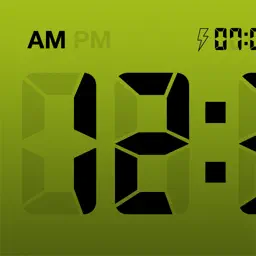
LCD Clock - Clock & Calendar
Clock & Calendar
| Revenue % | |||||
|---|---|---|---|---|---|
| One-time purchase | 174 | $1.64 – $3.20 | 24.8% | +18.0% | |
| One-time purchase | 174 | $28.26 – $48.04 | 24.8% | +18.0% | |
| One-time purchase | 174 | $3.62 – $6.34 | 24.8% | +18.0% |
Description
LCD Clock — Simple Clock & Calendar
LCD Clock combines a digital clock and a calendar into one beautifully retro LCD-style desk clock.
Just place your iPhone on a charging dock, and your desk instantly gets a clean, easy-to-read clock and calendar.
Perfect for your office desk, living room, or bedside table — adding convenience and clarity wherever you are.
Key Features
Large, easy-to-read digital clock (12/24-hour format)
Monthly calendar (view up to 7 months)
Public holidays for countries worldwide, automatically fetched and highlighted
Weather forecast for your chosen location (current location supported)
Japanese era (Reiwa) and rokuyō display
Customizable first day of the week
8 color themes plus a random theme
Adjustable screen brightness, shake-to-light backlight
Full-screen landscape clock mode
A True Alarm Clock (iOS 26 and later)
Powered by Apple's latest alarm technology (AlarmKit), the alarm has been dramatically upgraded.
Rings with a full-screen alarm even when the app is closed or your iPhone is locked
Breaks through Silent Mode and Focus — and keeps ringing until you stop it
Quick STOP / SNOOZE (5 min) buttons
Adjustable alarm volume in the app. Set it to mute for a silent, screen-only alert (with vibration while the app is open)
Notes
Weather requires location access; holiday display requires calendar access
On iOS 25 and earlier, alarms are delivered as notifications (no sound in Silent Mode, and the notification sound stops automatically after a short time)
Please refrain from making complaints regarding malfunctioning alarms.
Last collected from the App Store on