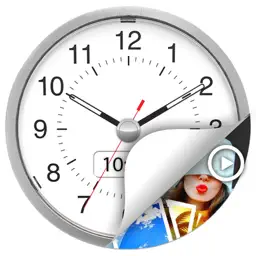
C Vault: Photo & Video Locker
Private Gallery & File Storage
| Revenue % | |||||
|---|---|---|---|---|---|
| One-time purchase | 175 | $13.73 – $21.61 | 24.8% | +18.0% | |
| One-time purchase | 175 | $4.46 – $7.58 | 24.8% | +18.0% | |
| One-time purchase | 175 | $2.68 – $4.55 | 24.8% | +18.0% | |
| Monthly | 175 | $1.78 – $5.45 | 24.8% | +18.0% | |
| Annual · 7 days trial | 175 | $5.74 – $18.23 | 24.8% | +18.0% | |
| One-time purchase | 175 | $17.48 – $30.40 | 24.8% | +18.0% |
| Downloads | Revenue | Top product | |||
|---|---|---|---|---|---|
| India | 3,884 | 24.8% | 24.8% | 1stAnnual · 7 days trialPremium Yearly$59.99 | |
| Pakistan | 877 | 24.8% | 24.8% | 1stMonthlyPro Monthly$9.99 | |
| United States | 381 | 24.8% | 24.8% | 3rdWeekly · 3 days trialUnlimited Weekly$4.99 | |
| Nigeria | 252 | 24.8% | 24.8% | 1stOne-time purchaseLifetime Unlock$29.99 | |
| Sri Lanka | 205 | 24.8% | 24.8% | 2nd6 monthsPlus 6 Months$34.99 | |
| Singapore | 204 | 24.8% | 24.8% | 4thOne-time purchaseStarter Pack$2.99 | |
| Tanzania | 203 | 24.8% | 24.8% | 1stAnnual · 14 days trialFamily Annual$119.99 | |
| Australia | 123 | 24.8% | 24.8% | 2nd3 monthsPro Quarterly$24.99 | |
| South Africa | 112 | 24.8% | 24.8% | 1stOne-time purchaseRemove Ads$6.99 | |
| United Arab Emirates | 101 | 24.8% | 24.8% | 1stMonthly · 7 days trialPremium Monthly$12.99 | |
| Philippines | 85 | 24.8% | 24.8% | 1stAnnual · 7 days trialPremium Yearly$59.99 |
Description
C Vault keeps your photos, videos and personal files in a private space protected by a unique clock-style password. Organize important moments, manage your media and access powerful editing tools—all in one app.
A PRIVATE SPACE THAT LOOKS LIKE A CLOCK
Set a time-based password using the clock hands. Unlock your vault when you need it, while your private content stays behind the clock screen.
YOUR PHOTOS AND VIDEOS, ORGANIZED
Import photos, videos and supported files into your vault.
Create folders and custom albums to organize your collection.
Choose album covers, view images and play videos inside C Vault.
MORE THAN A PHOTO LOCKER
Private Browser — Browse the web and save supported downloads to your vault.
Audio & Voice Notes — Keep recordings and audio files in one place.
Notes & Contacts — Organize personal information within the app.
POWERFUL IMAGE TOOLS
Edit images and apply photo filters.
Create collages and photo grids.
Remove image backgrounds.
Merge GIFs.
VIDEO EDITING MADE SIMPLE
Trim, merge, compress, reverse and mirror videos.
Add text and watermarks to your clips.
Adjust video speed for fast- or slow-motion effects.
Remove or extract audio, convert video to GIF and extract frames.
AUDIO TOOLS
Trim, merge and compress audio.
Extract audio from videos and adjust volume.
COMPLETE PDF TOOLKIT
Merge, split and compress PDF documents.
Rotate, reorder or remove PDF pages.
Lock and unlock PDFs, add watermarks and redact content.
Fill forms, sign, annotate and edit PDFs.
CONVERT FILES TO AND FROM PDF
Create PDFs from images, web links, Word, Excel, PowerPoint and text.
Convert PDF files to images, Word, Excel and text.
THOUGHTFUL PRIVACY FEATURES
Intruder Capture — Take a photo after an incorrect clock-password attempt.
Personal Drive Backup — Back up files to your own Drive account.
Device Migration — Move your files when switching devices.
Personalization — Choose themes and clock styles to suit you.
DESIGNED AROUND YOUR CONTROL
Your vault files are stored locally on your device unless you choose to back them up to your own Drive account. C Vault does not store your vault media on its own servers.
Important: Uninstalling C Vault may delete files stored only within the app. Export or back up important content before uninstalling or changing devices.
PREMIUM ACCESS
C Vault offers optional premium purchases and auto-renewable subscriptions. Available plans, features and localized prices are shown in the app before purchase.
Subscription payments are charged to your Apple Account and renew automatically unless canceled at least 24 hours before the current period ends. Manage or cancel subscriptions in your Apple Account settings.
Terms of Use:
https://clock-the-vault.web.app/terms-of-use-ios.html
Privacy Policy:
https://clock-the-vault.web.app/privacy-policy-ios.html
Your moments. Your space. Your C Vault.
Last collected from the App Store on