Piano Chords Master
Supports playing chords
| Revenue % | |||||
|---|---|---|---|---|---|
| One-time purchase | 175 | $1.53 – $3.03 | 24.8% | +18.0% | |
| One-time purchase | 175 | $0.69 – $1.51 | 24.8% | +18.0% | |
| One-time purchase | 175 | $6.99 – $12.03 | 24.8% | +18.0% |
Description
This app supports chord piano playing.
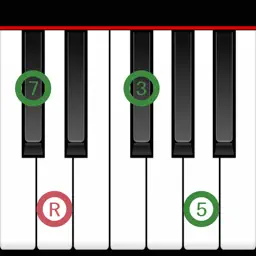
You can set the chord for each bar and check the chord tone and chord sounds on the keyboard.
You can also play a song (all bars).
We hope this app will help you practice songs that are composed of chords, such as pop music and jazz.
================================
Ver.3 New features:
Applying the concepts of "Bar" and "Song" (all bars).
"Bar" can contain a single chord or silence (N.C.).
"Song" can have any number of bars (previous version: 16).
Supports both portrait and landscape orientations.
*If you would like to use the specifications of the previous version, please use 'Piano Chords Master [Classic]'.
================================
[ Main Features ]
Set a chord per bar (including silence (N.C.))
Add bar editing features (Single: add, delete, paste; Range: cut, copy, delete multiple bars)
Display the chord tone of the selected chord (root, triad, 7th, tension, on-base) on the keyboard
Confirm the sound of the selected chord
Identify the chord when you press a key and display the chord name
Playback of song (all bars) (specifies BPM)
Save/load song (all bars)
[ Convenient Features ]
A variety of chord input methods:
Set from the key/chord selection view
Set from the on-screen keyboard
Set from a MIDI-compatible keyboard (Core MIDI compatible)
Convenient chord registration method:
Simply select a common chord progression (e.g., 1-6-2-5) and add it to a bar.
Select from presets (e.g., blues, jazz standards) and register them as templates for new songs.
Edit chords:
Transposition (change the key of the entire bar)
Keyboard UI:
6-octave keyboard (C2 - C7)
Adjustable keyboard width
MIDI features:
Supports MIDI message (note on/off) transmission
Supports Bluetooth MIDI connection
To enter and display all chord patterns, including tensions (b9, #9, 11, #11, b13, 13), In-app purchase is required.
There are 28 sounds in total (9 are available by default). To use them all, In-app purchase is required.)
[ Chord type ]
M, 7, 7(b5), 7(#5), 6, 6 9, 9, add9, M7, M9, M7(b5), M7(#5), m, m6, m6 9, m(#5), m add9, m7, mM7, m7(b5), m7(#5), m9, mM9, aug, dim, dim7, sus4, 7sus4, 9sus4, M7sus4, M9sus4, sus2, 7sus2, M7sus2
(To use below, you need In-App Purchase.)
7(b9), 7(#9), 7(#11), 7(b13), 7(13), 7(b9 #11), 7(b9 b13), 7(b9 13), 9(#11), 9(b13), 9(13), 7(#9 #11), 7(#9 b13), 7(#9 13), M7(#11), M9(#11), M7(13), M9(13), m7(11), m7(13), m9(11), m7(b5 11), m7(b5 13)
Last collected from the App Store on