
Princh
How much does Princh cost?
Prices are current as of 5 Nov 2026.
Princh has no in-app products on record in the United States.
10+ alternatives to Princh
| Princh |   Kivra |   e-Boks.dk |   mit.dk |   Quinyx Mobile |   OK Hjem: Dit elpris-overblik |   Ejerskifte |   Digital Post |   Timegrip TP |   Emento |   e-Wallet | |
|---|---|---|---|---|---|---|---|---|---|---|---|
| Rating / 5 | 4.7 | 4.6 | 4.4 | 4.5 | 4.5 | 4.5 | 4.7 | 3.2 | 1.6 | 2.6 | 2.9 |
| Reviews | 27K | 977K | 605K | 56K | 44K | 26K | 6.8K | 806 | 276 | 69 | 37 |
| Released | 2015 | 2013 | 2011 | 2022 | 2011 | 2022 | 2020 | 2022 | 2022 | 2017 | 2025 |
Princh reviews
4.7 out of 5, based on 26,561 reviews.
What people like
- Very convenient when you are in a hurry
- Easy to use and saves library trips
- Works well for quick one-off print jobs
What they complain about
- Can't queue multiple documents at once
- Must pay separately for every single file
- App forgets your payment details each time
- Scanner and printer selection feel very slow
Amazing service at FASTSIGNS DT MIAMI
I had to print a rush document and send it to them and just pick up. Love it.
Feedback
Add ability to save email id and printer id
Handy
Found some new very handy print with out a printer sitting with dry ink, this way is very handy.
Useless for printing multiple items
Please Princh developers add the function of printing multiple items like you can on the website.
Meh
Needed to print double sided but wasn’t an option even though it said it was. Waste of a few dollars but I just paid $50 instead which I was trying to avoid.
Printing made easy
Always convenient to sent prints and pick up.
Such a dumb app
This app is a very unintelligent app, why am I here spending 20 minutes trying to get it to do a simple simple job. It is a very dumb app, not well-made, not simple to use, way too much trouble.
Størrelse
Når man kan størrelses- bestemme sit dokument i appen får den topkarakter
Tricky glitchy app
Lots of complexity to achieve a simple task but it’s what my local library uses so no choice
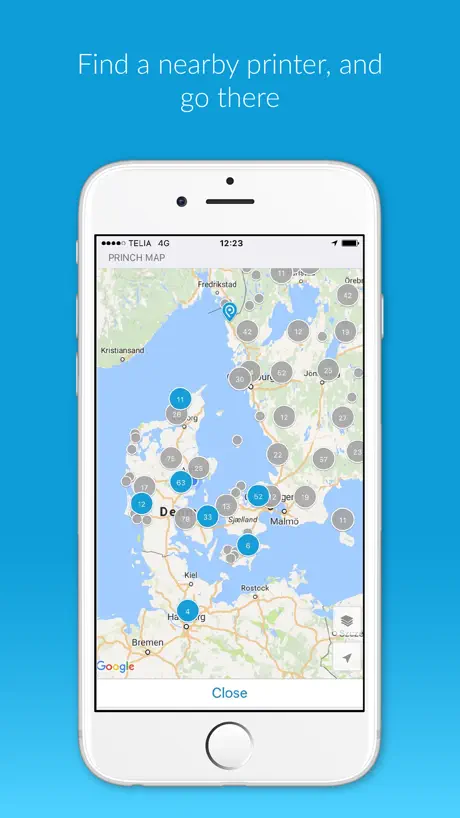
“Find a printer” doesn’t show the printer ID.
It should be possible to find the printer *from the printing screen.* It is not. It should be possible to *display the printer id* in the *find a printer* screen. It is not. I have to go outside the app and use google to find the printer id. This is half-baked.
Awesome app!!
First time trying this app it is legit, I once had trouble printing out files from my mac and had to retype my entire resume on a dell then trying to covert from pages to word…. The job took 2hrs but with this Amazing handy app things are easy. 🎯
Nice but worthless
I am trying to print out multiple pages for my tickets for a family cruise. I was not able to print straight from the website. Then I screenshot them and was not allowed to send all of them to the printer at once. So, I had to go and individually select then send through Princh then print.
Fin app, som kan forbedres med øget intuition.
Hvis app'en designes en anelse mere minimalistisk og med lidt mere fremhævning af hvad der er vigtigt at trykke på, ville det være så fint.
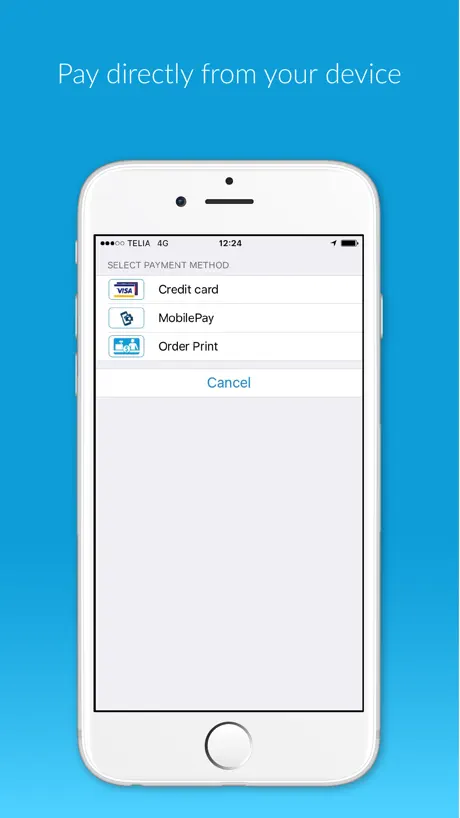
MobilePay integration poor
Half the time, it doesn’t realize that it has asked MobilePay for money. A good idea made difficult
Samprint
Jeg savner at kunne udskrive flere filer på en gang. Det er øv at man skal printe enkeltvis eller have alt på en PDF fil. Det er lidt bøvlet.
Air Print
It makes it so much easier than actually having to go to the library and having to print in person multiple documents at a time especially when you’re a busy person 👩🏼💼
Was not aware that the app was gonna cost money
0 stars
Nemt og overskueligt
Skulle printe på det offentlige bibliotek, nemt at installere og bruge
Pure garbage
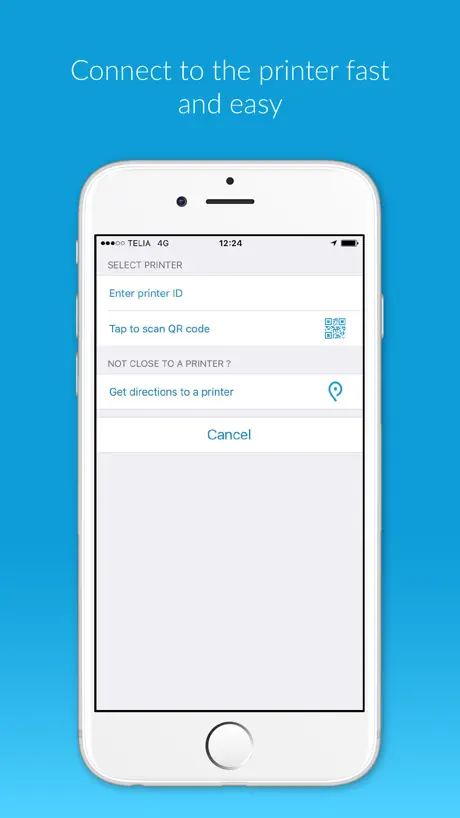
Very unintuitive and poorly made. Worst part is when needing to select a printer to print on. You stand there pressing your screen for 10 minutes trying to get the app to open a ID input or QR code scanner. At least inform it will take time and give some feedback that the press has been detected. 10 minutes of the screen asking you to press is not ok.
Langsomt, men printer trods alt
Selve app’en er ret langsom og man skal ugennemtænkt del langsomme processer, før man endelig har et print i hånden. Ærgerligt at man ikke kan smide flere dokumenter over på app’en og printe på en gang. Man skal gennem alle de langsomme processer for hver print. Der er plads til forbedring, men den får det printet trods alt….efter lang tid og en masse roden rundt på telefonen.
Great app
Convenient
Doesn’t work
What a useless app. Didn’t work when I needed it to. Such a horrible app.
Need to save info
App is very good Would be better if it saved the recently scanned printers so I didn’t have to re scan the barcode each time, especially for submitting several documents in one visit to the library. Similarly it should save my email address, as this is an app on my phone, not a public website. And lastly if I could pay for the printing in the app that would be better than going to the counter in the library and paying, but I understand if this would cause more difficulties than it solves due to businesses, people, money etc etc
Unable to chose A3
…
Klønete med kort
Få vipps og eller husk kort
Straight forward
It’s quick and easy to use.
Doesn’t work
Tried to use it to print return labels for Amazon. Would allow us to print it in color which needs to be in color because of a hazardous waste label. It has to go on the box. Also would not print any barcodes in black and white or color. Will only print the verbiage.
Marie
Would be wonderful if you offered different sizes! It’s not a “one size fits all” sometimes :)
The app could use some love
App works, but if you want to print several documents, it’s a chore. Right now one needs to print the document, switch to Princh, select printer, select payment method, pay. And repeat for each document. It would be great if app had following features: - ability to put multiple documents into a print queue, and then pay for all of them at once. - remember last printer used, and just reuse it by default. If I stand next to a printer that I just selected for previous file, I am unlikely to select a different one. - remember preferred payment method and reuse it between documents - don’t ask if I want to use Apple Pay twice (once at payment method selection, once on payment gateway page) - don’t let me check “accept terms and conditions” checkbox for each document. The app could use a settings page to preselect these options and to simplify the printing flow for multiple documents. Thank you!
Multi selection
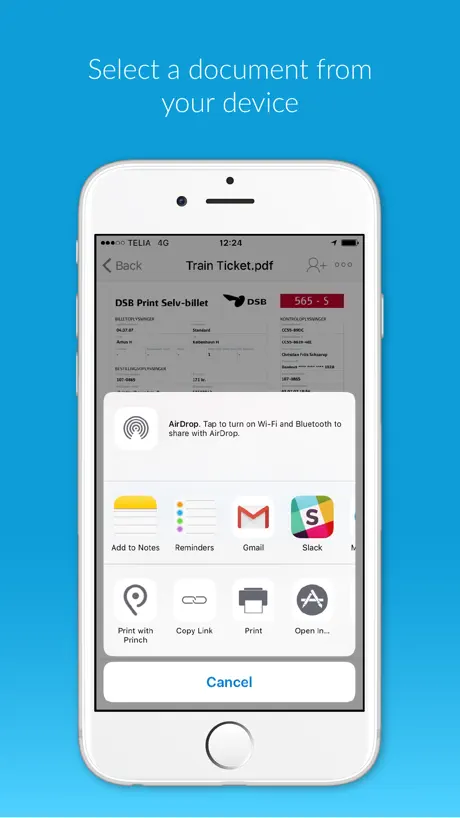
I can’t select several picture to send them to the App
Works Great!
Works Grest
Non working print button
Print button never works very frustrating
Udskrifter i kø.
Det er irriterende at man ikke kan sætte opgaverne i kø som på computeren. Det vil sige at jeg skal betale for hver enkelt opgave i stedet for at betale samlet til sidst.
Slow system
Can’t add multiple documents which leads to very slow printing process
1.gang….
Betalte 2 gange. Kunne ikke finde ud af det fik endeligt mine kopier. Til dobbelt pris. Næste gang bliver det nemmere
Awesome
I love this app and get the copies fast love it
Allow Bulk Printing to Save Time and Avoid Frustration
Feedback: The app currently allows only one print at a time, requiring payment for each page individually. This is extremely inconvenient, especially when printing multiple documents, and repeatedly charging your card can even trigger fraud alerts from your bank. Please allow users to select as many pages as possible and pay for all of them at once—this would save time, reduce frustration, and make the app much more user-friendly for everyone.
Virker fint
Virker fint, jeg kunne dog ikke rette fra A4 til A3 da jeg printede en mail ud fra mobilen. Ellers super smart!
Good but need more improvement
It won’t allow you to print multiple documents at same time and it wouldn’t save payment details you need to enter for each document printed. It took me 30 mins to print 4 documents.
Don’t forget your card at home 🙄
You will need to provide your card details. No paypal, no apple pay. No way to save card details.
W
W
No good
The app didn’t even work when I tried to use it at my local library today. The documents never showed in the app and it couldn’t find the library printers.
Very useful, but payments frustrating
Would get more ⭐️s if it had Apple Pay, or remembered card details for multiple documents.
Don’t used library bulwell
Take my 30 mins to done one pages printing ,base on the printer at library bulwell on a area low low low connection line !
Optional
Optional
Too many steps and windows
For some reason, miami dade public library switched to Princh and there are so many steps and windows just to print .
Great app, sometimes hard to pay!
Had to log in with PayPal twice
Check your settings after you preview
This is a good app, which I have had no issues with until today. When printing I chose double-sided printing and colour. Previewed the document first then sent it. What I didn’t notice was that between previewing and sending the document the app changed the job to black & white. This is a glitch that needs to be fixed.
Princh FAQ
- Is Princh free?
- Yes. The app is free, in all 64 countries it sells in, and it sells nothing inside it.
- Does Princh have a free trial?
- No. None of its offers (US) come with a free trial.
- What are the best alternatives to Princh?
- Kivra (4.6 from 976,979 reviews), e-Boks.dk (4.4 from 605,261 reviews) and mit.dk (4.5 from 55,882 reviews).
Princh download
Last updated 1 month ago.
Princh sells in 64 countries. It was released 11 years and 4 months ago, on 23 Jun 2015. It holds a 4.7 rating from 26,561 reviews.
Supports 12 languages: English, Arabic, Danish, Finnish, French, German, Latvian, Norwegian Bokmål, Portuguese, Russian, Spanish, Swedish.
How much does Princh make?
Third-party estimates for the last 30 days, worldwide — not the store's own figures, which Apple publishes for nobody.