Watch Tuner Timegrapher
How much does Watch Tuner Timegrapher cost?
Prices are current as of 7 Nov 2026.
Watch Tuner Timegrapher has no in-app products on record in the United Kingdom.
Watch Tuner Timegrapher download price by country
| Country | Price |
|---|---|
| United States | $1.99 |
| Germany | €1.99 |
| United Kingdom | £1.99 |
| Japan | ¥300 |
| China | CN¥15.00 |
| France | €1.99 |
| Australia | A$2.99 |
| Canada | CA$2.99 |
| Italy | €1.99 |
| Netherlands | €1.99 |
| Russia | RUB 199.00 |
| Turkey | TRY 99.99 |
| Switzerland | CHF 2.00 |
| Spain | €1.99 |
| South Korea | ₩3,300 |
| Romania | RON 9.99 |
| Austria | €1.99 |
| Hungary | HUF 999 |
| Taiwan | NT$60.00 |
| Mexico | MX$39.00 |
| Norway | NOK 29.00 |
| Philippines | ₱129.00 |
| Poland | PLN 9.99 |
| Thailand | THB 79.00 |
| Brazil | R$12.90 |
| Indonesia | IDR 39,000 |
| Israel | ₪4.90 |
| Saudi Arabia | SAR 9.99 |
| Sweden | SEK 29.00 |
| Singapore | SGD 2.98 |
| Ukraine | $1.99 |
| Vietnam | ₫59,000 |
| Argentina | $1.99 |
| Bulgaria | €1.99 |
| Colombia | COP 9,900 |
| Costa Rica | $1.99 |
| Czech Republic | CZK 49.00 |
| Denmark | DKK 19.00 |
| Finland | €1.99 |
| Greece | €1.99 |
| Hong Kong | HK$18.00 |
| Ireland | €1.99 |
| Lithuania | €1.99 |
| Luxembourg | €1.99 |
| Macao | $1.99 |
| New Zealand | NZ$3.99 |
| Portugal | €1.99 |
| South Africa | ZAR 39.99 |
| United Arab Emirates | AED 7.99 |
| Afghanistan | $1.99 |
| Antigua And Barbuda | $1.99 |
| Anguilla | $1.99 |
| Albania | $1.99 |
| Armenia | $1.99 |
| Angola | $1.99 |
| Azerbaijan | $1.99 |
| Bosnia & Herzegovina | €1.99 |
| Barbados | $1.99 |
| Belgium | €1.99 |
| Burkina Faso | $1.99 |
| Bahrain | $1.99 |
| Benin | $1.99 |
| Bermuda | $1.99 |
| Brunei Darussalam | $1.99 |
| Bolivia | $1.99 |
| Bahamas | $1.99 |
| Bhutan | $1.99 |
| Botswana | $1.99 |
| Belarus | $1.99 |
| Belize | $1.99 |
| Congo, Democratic Republic | $1.99 |
| Congo | $1.99 |
| Cote Divoire | $1.99 |
| Chile | CLP 1,990 |
| Cameroon | $1.99 |
| Cape Verde | $1.99 |
| Cyprus | €1.99 |
| Dominica | $1.99 |
| Dominican Republic | $1.99 |
| Algeria | $1.99 |
| Ecuador | $1.99 |
| Estonia | €1.99 |
| Egypt | EGP 99.99 |
| Fiji | $1.99 |
| Micronesia | $1.99 |
| Gabon | $1.99 |
| Grenada | $1.99 |
| Georgia | $1.99 |
| Ghana | $1.99 |
| Gambia | $1.99 |
| Guatemala | $1.99 |
| Guinea-bissau | $1.99 |
| Guyana | $1.99 |
| Honduras | $1.99 |
| Croatia | €1.99 |
| India | ₹199.00 |
| Iraq | $1.99 |
| Iceland | $1.99 |
| Jamaica | $1.99 |
| Jordan | $1.99 |
| Kenya | $1.99 |
| Kyrgyzstan | $1.99 |
| Cambodia | $1.99 |
| St. Kitts and Nevis | $1.99 |
| Kuwait | $1.99 |
| Cayman Islands | $1.99 |
| Kazakhstan | KZT 999.00 |
| Lao Peoples Democratic Republic | $1.99 |
| Lebanon | $1.99 |
| St. Lucia | $1.99 |
| Sri Lanka | $1.99 |
| Liberia | $1.99 |
| Latvia | €1.99 |
| Libya | $1.99 |
| Morocco | $1.99 |
| Moldova | $1.99 |
| Montenegro | €1.99 |
| Madagascar | $1.99 |
| Macedonia | $1.99 |
| Mali | $1.99 |
| Myanmar | $1.99 |
| Mongolia | $1.99 |
| Mauritania | $1.99 |
| Montserrat | $1.99 |
| Malta | €1.99 |
| Mauritius | $1.99 |
| Maldives | $1.99 |
| Malawi | $1.99 |
| Malaysia | MYR 9.90 |
| Mozambique | $1.99 |
| Namibia | $1.99 |
| Niger | $1.99 |
| Nigeria | NGN 3,200.00 |
| Nicaragua | $1.99 |
| Nepal | $1.99 |
| Nauru | $1.99 |
| Oman | $1.99 |
| Panama | $1.99 |
| Peru | PEN 9.90 |
| Papua New Guinea | $1.99 |
| Pakistan | PKR 500 |
| Palau | $1.99 |
| Paraguay | $1.99 |
| Qatar | QAR 7.99 |
| Serbia | €1.99 |
| Rwanda | $1.99 |
| Solomon Islands | $1.99 |
| Seychelles | $1.99 |
| Slovenia | €1.99 |
| Slovakia | €1.99 |
| Sierra Leone | $1.99 |
| Senegal | $1.99 |
| Suriname | $1.99 |
| Sao Tome & Principe | $1.99 |
| El Salvador | $1.99 |
| Swaziland | $1.99 |
| Turks and Caicos | $1.99 |
| Chad | $1.99 |
| Tajikistan | $1.99 |
| Turkmenistan | $1.99 |
| Tunisia | $1.99 |
| Tonga | $1.99 |
| Trinidad and Tobago | $1.99 |
| Tanzania | TZS 5,900.00 |
| Uganda | $1.99 |
| Uruguay | $1.99 |
| Uzbekistan | $1.99 |
| St. Vincent & The Grenadines | $1.99 |
| Venezuela | $1.99 |
| British Virgin Islands | $1.99 |
| Vanuatu | $1.99 |
| Kosovo | €1.99 |
| Yemen | $1.99 |
| Zambia | $1.99 |
| Zimbabwe | $1.99 |
10+ alternatives to Watch Tuner Timegrapher
| Watch Tuner Timegrapher | 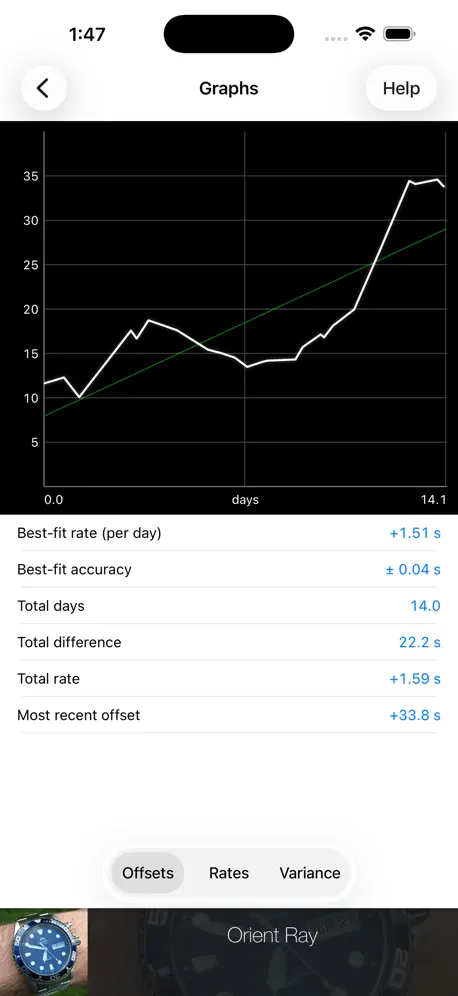  Watch Tracker | 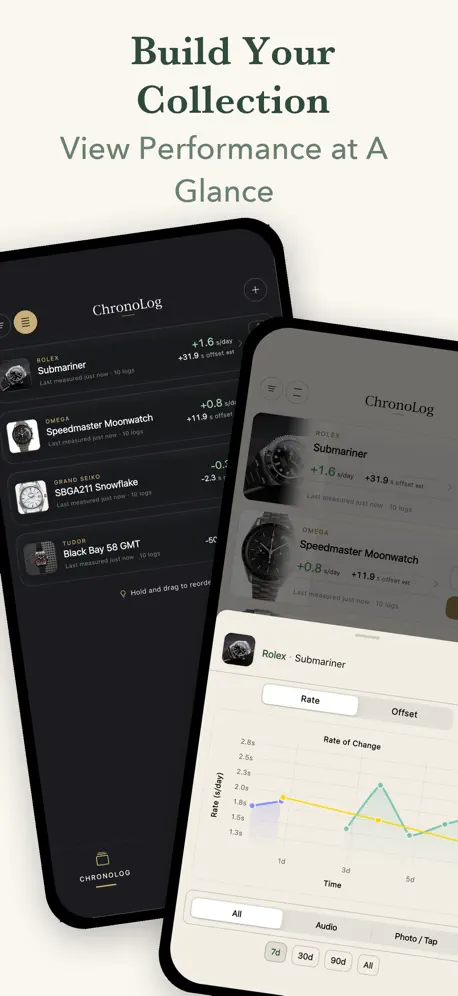  ChronoLog • Watch Accuracy |   Twelve O'clock |   Timegrapher - watch accuracy |   Clockwork - Watch app |   Magnetized Wristwatch Checker |   TickTracer - Watch Accuracy |   Timegrapher X |   Tickscope — Watch Accuracy |   Chronographer | |
|---|---|---|---|---|---|---|---|---|---|---|---|
| Rating / 5 | 3.9 | 4.7 | 4.6 | 4.6 | 3.3 | 4.3 | 4.3 | 4.4 | 4.1 | 4.5 | 4.4 |
| Reviews | 339 | 668 | 487 | 322 | 241 | 166 | 74 | 47 | 45 | 44 | 14 |
| Released | 2015 | 2013 | 2023 | 2021 | 2023 | 2022 | 2024 | 2024 | 2022 | 2026 | 2023 |
| One-time price | — | — | £5.99 | £1.99 | £5.99 | £5.99 | — | — | — | — | — |
The going rate for each plan in United Kingdom, in its own currency, shaded from the cheapest price on the row to the dearest.
Watch Tuner Timegrapher reviews
3.9 out of 5, based on 339 reviews.
What people like
- Saves money compared to real tools.
- Works well with Apple EarPods.
- Good for simple home regulation.
What they complain about
- Inconsistent readings make it useless.
- Requires absolute silence to work.
- Tricky setup and finicky settings.
Very accurate timegrapher
This has helped me tremendously see the health of vintage Omega watches. It is extremely sensitive data-in, so a quiet space is necessary. It has never failed me and remains a great tool for all watches, not just vintage. It continues to blow my mind with how accurate the amplitude is as well.
Not adequate
Lost my $ on this app
New to mechanical watches
Certainly a dynamic app. Has all the features of a professional watch grapher. It does take a little manipulation of the settings to gather data. I am having a little trouble in auto detect mode. If you enter a manual mode rate first and then switch back to auto detect, it recognizes the bph. One request would be an audible ticking as that would put it on par with the professional models. Worth the investment, thanks.
便利なソフトだが最新のiOSでは問題がある
Apple EarPodsをマイクロフォンとして時計に密着させて使用している。 iOS16.7の古いiPhone8では快適に動作するが、iOS26.5のiPhone14に全く同一の時計、マイクロフォン、測定環境のセットアップを接続すると、”too much noise”アラートが多発してしまう。特に検出アルゴリズムV3ではアラート多発で使用できない。2026年3月時点ではiPhone14と当時の最新iOSで正常に動いていたが、3月から6月の間にあったiOSアップデート以降”too much noise”アラートの多発が発生した。
バージョン1.28の効果
マイクゲイン設定の仕様変更により、1.27では"too much noise"が多発した条件(iOS 26 iPhone with EarPods mic)でも計測できるようになった。 ただしグイン調整は注意を要する。 Rate, Beat errorとamplitudeの3個の数値が安定して計測できるゲイン設定の範囲は狭く、私の時計と試験環境では特定のゲイン設定からプラスマイナス1外れただけで計測値が不安定になったり、全く計測できなくなった。
Great app, the best I have seen so far
The detection algorithms seem to work well. Depending on the watch, I had to play a bit among the three algorithms, but so far so good. I was able to measure every watch I tried. Can we please add a “monitoring” function to route the post-processed audio signal to the audio playback device? (Similar to the app Garage Band). This would allow us to use the audio output to optimize mic placement before measuring. Also it would allow the user to hear the ticks while taking the measurements.
Doesn’t work
Difficult to use takes for ever to obtain any data. Inconsistent reading. Do not buy
Works well… most of the time
When it works, it works really well but sometimes it can be quite finicky. Some watches it can’t really pick up the ticks even if I can hear it audibly. I would say it works 80% of the time hence the 4/5 star rating.
Only shows amplitude
I am considering a refund. Does not display beat error or rate. "collecting data" does not change for those parameters.
Limited to watches
This works ok for testing watches, which is its stated purpose. I wonder: could the beats rate range be extended to include mechanical clocks too?
Works well!
Got this to track the accuracy of my mechanical watches. In conjunction with a wired set of EarPods with mic, this app does a great job of measuring accuracy and beat error. The chart is easy to read, displays quickly, and overall tells me what I need to know. Not sure what the poor reviews are about but I’m finding this app to be excellent. Especially for the price.
Useless app
This app is useless and very difficult to try to get any accurate measurements. Using a phone to get the sound just doesn’t work even when using the Apple ear buds. Don’t waste your money.
Useful?
works well on my loud ticking Waltham pocket watch. Data collection worked fine, amplitude, lift angle, and beat accuracy all great. BUT, program says watch is losing 10sec / day when the watch is demonstrably and consistently gaining about that much per day. So how useful for regulating a watch? Developer says I should regulate my iPhone. No mention in HELP or directions as to how or why. If app runs on a phone it has access to internet time, what’s to calibrate?
Don’t waste your money
Provides poor and inconsistent readings using the phones microphone. Will recognise external microphone but won’t provide/analyse data (this external microphone works fine with another Timegrapher app).
Usable
I use this app for some years already and can achieve that my mechanical watches run very accurate. For this it takes some time, I need to repeat measures, play around with the settings and be very accurate with the mic position (cable headset). Comparing them with the PTB-clock and after some days make final movement adjustments will give great results. But, as said, be patient! Recently the app does not calculate averages anymore, although still activated in the settings!???
Great, cheap!
Just used this app to successfully regulate my watch from 1ms to .4ms of beat error and gaining 18 seconds per day to only 1! Intuitive, easy to use, adjust settings for sensitivity were helpful, especially after my kids got home from school and started making noise in the house. Used it iPhone headphones and it worked great!
Don’t buy this app
A waste of $15. This app give inconsistent readings and as a result I adjusted the Beat Error because it was telling me the BE was 3.5 to 7.5. The readings are drastically different depending on where you put the microphone and whether the case back is on or off. Before I started with this NH35 the amplitude was 274 and losing around 5spd real time. Now the amplitude is below 190 and the watch gains 5 minutes per day. I have double and triple checked for magnetism and there is none, even demagnetized to be sure. My NH35 is toast. That was the first NH35. The second NH35 is not quite as bad but after 3 times on the app I am still struggling to get it regulated. Consistently running 20-30spd slow no matter what I adjust it to with the app. I have used other apps before with better success. This is not the one and you will waste time and money trying to regulate your watch with this app. Buy a Weishi Timegrapher.
Geht gut
Mit dem eiphon und dem zugehörigen Headsetmikrofon kann man die Gangabweichung und die Amplitude ganz gut messen. Wichtig dabei ist eine leise Umgebung im Sinne von wirklich leise, selbst das Ein- und Ausatmen kann die Messung stören. Daher halte ich die App in der Praxis eher für ein lustiges Gimmick, wie früher vom Yps-Heft. Eine Zeitwaage wäre sinnvoller aber sehr viel teurer. Dann vielleicht doch mal zum Uhrmacher gehen.
Leider App startet nicht mehr
Gute und günstige alternative als ein echter messgäret aber leider startett nicht mehr
Fun app if you’re not serious.
As long as you’re not interested in accurate results this app is kinda fun to use. I have an ETA 2892 and C07.611 (H10), an NH34 and an NH35 that I have graphed over months. The 2892 has been +10 spd over the last year. The other three are -4 to -5 spd using real world data. This app is like throwing a dart at the wall. Might read +40, might read -15. Or anywhere in between. I’d expect a little variance with the NH movements but the 2892 has been EXACTLY +10. Every day. The H10 is pretty consistent too. It’s a shame that Androids “Watch Accuracy Meter” isn’t on iOS.
Great cost-effective App for Watch Tuning
Just bought & installed the App on my iPhone. I then connected the Apple Earbud with the built-in microphone. Initially, the App had difficulties acquiring the sample signal. It is either not able to acquire the signal at all or, when I turned-up the sensitivity, it became "too noisy". After some trial-and-error, I had great success by putting some Blue-Tak to hold the microphone in place making sure that the microphone is "ON the watch" with the Blue-Tak at the side to just hold it in place. I then cover the entire watch with a big soft pillow muffling the ambient sound. Wow!!!! the App works perfectly. I tested it with 3 of my mechanical watches for which I know "roughly" the error per day. The App was able to provide what I believe to be very accurate reading (of course, I don't have another instrument to calibrate this App). However, for $6.99, this App functions as expected. It is good for simple household use to provide a reasonable measurement of the performance of the mechanical watches & enable simple regulation to be done at home. Highly recommended!!!
Does not work
Just will not function-
Works well
This app works really well but it does take some experimentation to find the ideal settings and microphone placement. I’ve had good success with it, especially when working on a watch with the back cover off where the ticking sound is louder. The primary limitation of this app is the microphone. The developer may want to consider offering a dedicated microphone at an additional price.
Broken in latest iOS?
This appears not to work in the latest iOS. It appears to have the same problem as many audio spectrum analysers. Can you please test, fix and provide an update?
Works pretty good
Finally got it working with the built in microphone. I used it inside a glass top box to lower noise. Wasn’t able to get the quality as much as I would like. If it estimates the BPH, wrong you just get snow and have to start over. Some more set up help would be nice, probably get to 5 stars. Couldn’t get it to work with Bluetooth buds.
Genuinely shocked
Genuinely shocked at how well the app works, off the bat with the original settings it worked great, just use the apple ear buds with the microphone and set on top of the movement and it works a charm
Waste of time
Seemed to work for a bit. Just get too much noise error all the time even with lowest sensitivity settings. Don’t waste your time and money.
Useful but hard to use
The app works.... when there is no outside noise and the phone is hold at certain angles. So basically I need a quiet room and awkwardly hold my phone at various angles for the microphone to work. I noticed that “noice reduction” makes the app less accurate but maybe it’s only my case.
Pretty useless
Every time I use it, I get a completely different readout, for the same watch!!
Not bad
This is a bargain at $4. After playing with the settings, I got good results. But I do have a couple of complaints. First, when results are stored in history, my iPhone XR does not show the complete time because the screen is not large enough to show the seconds and there is no dynamic zoom to change the display size. My second complaint is that there seems no way to share the graph, print it, or output it to email. Still, I can recommend the product, but I had to subtract a star in the rating. Update: I’ve lowered my rating by one star because the app apparently cannot store more than 16 history files. After that, the save button is grayed out.
Great App. Saved $100s
Saved me over $100 on a timegrapher. Bought a $10 lapel microphone off Amazon, app takes a little playing around with on settings but once you find the sweet spot it works like a charm. Would love to be able to add more info about the test pieces and a picture. I’d purchase this app again.
Doesn’t work at all
Tried in completely quiet space, but always showing “too much noise”. Couldn’t get any reading neither via microphone nor using earbuds. Too bad..
Gets the job done!
Not the most accurate timegrapher, but certainly gets the job done. Its results are not same as when you actually measure over day. However the adjustment you can make are reliable. I.e. you measure with this app and it shows +2s/d. But in fact my watch was running +4. Then using the app I set it to -2s/d. Now my watch is running 0s/d. Does not work with back case on, you need to remove case.
Does not Work for Me
I spent 2 hours trying to get measurements for a Seiko automatic watch, while trying various combinations in the settings. I used the air pad pro microphone for the measurements . The best I could do was to get the amplitude which seemed reasonable, but the app stalled for the rate and the beat error, given me zero information. To say the least I’m disappointed that I paid $14 for something that’s not ready for prime time.
Potential is definitely there but…
It crashes my iPhone X. The app itself works well and I was able to significantly improve the accuracy of my vintage Seiko 7002. The beat error was too high as I had suspected. Love the graph readout. But like I said, once I opened the app, had to restart my phone as I couldn’t shut it off. Running IOS 14.6, so should be compatible. Advice if I’m doing something wrong welcomed. Needs a bug fix here I think. Otherwise good product.
Fantastic!
It works great under a particular setting. You will need to figure out it with your hardware. Try different settings and try lowering the sensitivity. Then it will work properly even in the normal room condition.
Doesn’t work
Inaccurate and can’t even get the bph right on a Rolex. It shows 1200bph when it’s really 28,000. It takes 10 minutes to analyze the data and it’s still off on everything. I’m placing the earpod microphone by the crown and it’s quiet in the room. If it’s too good to be true, it probably is . Don’t waste your money on this app.
It's actually rather good
Mixed reviews made me a little hesitant about this. I was about to spend £140 on a machine from eBay but decided at the last minute to give this app a try and I'm glad I did. I found it was quite adequate and very convenient for checking the health of the movements in my small collection of mechanical watches.
没有说明怎么使用,效果不好
还是没有弄清楚怎么使用,是话筒直接接触手表表冠吗?我这使用全部是麻点,还没有校表仪来的直接
Support?
I dont use facebook. Is a that the only path to getting support?
Bug in Quality Reading/Reporting
I purchased version 1.24. I agree with other positive reviews. Overall, 5*. But... While a watch reading is in progress the app continuously reports the quality for Beat Error, Amplitude and Rate. It does not report quality for Beats per Hour. After the reading is saved to History the app reports quality for Beat Error, Amplitude and Beats per Hour. It does not report quality for Rate, which it monitored above. So which is correct? Can you provide a patch for this bug?
Very in accurate
Picks up to much background noise trying to use headphone microphone you are better off just buying an actual Timegrapher
Works well- subject to a good microphone signal
Having been looking around at bespoke timegraphers but not wanting to spend a minimum of £130 for something that would only get used once in a while I decided to give this a try. I used an external microphone attached to the watches with an elastic band and that seems to keep the signal good enough to get a good signal. Having the back of the watch off yields a louder sound so gives better results. The signal quality really is critical- any noise in the mix and it looks as if the watch has a beat error. I found that having the microphone underneath the watch on a solid surface made the watch look worse than it is- possibly due to echo/reflection from the surface. External noise (talking, cars driving pas outside etc) do affect the rading. Total silence is a must. Overall, a good piece of software for the watch enthusiast. The gain/loss error is beleivable, but I would tend to take the beat error and magnitude readings only as indicative- the signal being critical for those aspects. There does seem to be a market for someone to manufacture a good transducer- similar to the hardware timegraphers- to interface to an ipad/iphone to improve performance.
Not for the average user.
While no watchmaker I’m mechanically inclined enough to conclude that this app without a contact microphone is not accurate enough to really tune a watch. For the average user it will be hopeless. I used a high quality lapel mic touching various parts of the watch. After a few minutes of adjusting settings I was able to get a reading but it did not seem repeatable. The window to even get a functional reading is very small. This needs a smarter auto range search so there is zero user input needed.
It looks like it’s working
Everything looks good, but readings are very inconsistent. I’m going to continue doing some testing with various setups. But it’s currently looking as though it’s so inconsistent that it’s almost useless. I’ve been graphing the timing on my watch for a very long time manually. My watch and manual measurements have been very consistent. I know my watch is not going from +24 s/d to -8 s/d and everything in between that this app is telling me. My watch runs at +1.8 secs per day according to my charts I’ve been keeping manually now for 3 months. At 2 months, I predicted exactly what my watch would read one month later. It was spot on. So I know my watch doesn’t vary as much as this app says that it does. I’m going to keep trying though.
Fantastic! Helped Me Get Beat Error To 0.3
I saw this app mentioned online, and I decided to give it a shot. $14 for this app if it worked is far better than a Weishu time graph ER for more than 10x that price. At first I tried using some headphones or Bluetooth headphones with the app. I then decided to just place the phone on a padded surface, with the watch case pressing against my iPhone’s mic. I was able to lower the mic sensitivity to 8/20 and it accurately picked up all the metrics of the watch movement. Very pleased with how this worked!
Inconsistent from device to device
I bought this app to look at how well my watches are running. The rate it reports is inconsistent between my iPad and iPhone. The iPhone reading appears to be reasonable but the iPad shows a rate that is -30 seconds different on the same watch measured simultaneously. Not sure what is the problem but since there are very few controls it appears to be an error in the app itself.
Lift angle only in 1° steps
Lift angle only in 1° steps, means many watches. Eg seiko divers can't always be accurately timed. Addendum- remedied in latest update. I'd give 4.5 stars if I could. Times vintage seikos and others with 0.5° lift angle variations now. Thanks
Not accurate
The beat error readings are inaccurate, which makes the graph that the app displays useless. The amplitude readings are also inconsistent with the readings from a proper timing machine. The frequency of the watch is most often identified correctly and the rate readings are usually within a few seconds of the values that a Witschi displays.
Useful if used correctly
Initially, I had far more failures than successes in trying to obtain good data from this app. Even worse, when using the built in microphone of my iPad, it magnetized my watch, causing a watch that typically runs at -1.1 sec./day to gain about 40 seconds in a day, and then to run about 5 sec./day slow. After purchasing a demagnetizer, my watch now appears to be back to normal. I also purchased an earbud with a microphone, and am having more success obtaining reasonably accurate results, keeping in mind that this is an inexpensive hobbyists tool rather than a professional tool costing hundreds of dollars. Although microphones do not create strong magnetic fields, speakers do create strong fields, and the speakers on an iPad are directly adjacent to the built in microphone. An iPhone appears to be a bit safer since the speakers and microphone are on opposite sides of the device, but caution would still be wise. Also, keep in mind that the earpieces of the earbuds emit a strong enough field to affect a compass needle, so keep the earpieces away when using the microphone. I would encourage the developers to revise their instructions to specify use of the earbud microphone only, and not the built in microphone.
Watch Tuner Timegrapher FAQ
- Is Watch Tuner Timegrapher free?
- No. Watch Tuner Timegrapher costs £1.99 (GB) to download.
- Does Watch Tuner Timegrapher have a free trial?
- No. None of its offers (GB) come with a free trial.
- What are the best alternatives to Watch Tuner Timegrapher?
- Watch Tracker (4.7 from 668 reviews), ChronoLog • Watch Accuracy (4.6 from 487 reviews, premium from $7.91) and Twelve O'clock (4.6 from 322 reviews, premium from $2.63).
Watch Tuner Timegrapher download
Last updated 1 month ago.
Watch Tuner Timegrapher sells in 175 countries. It was released 11 years and 6 months ago, on 14 May 2015. It holds a 3.9 rating from 339 reviews.
Supports 1 language: English.