
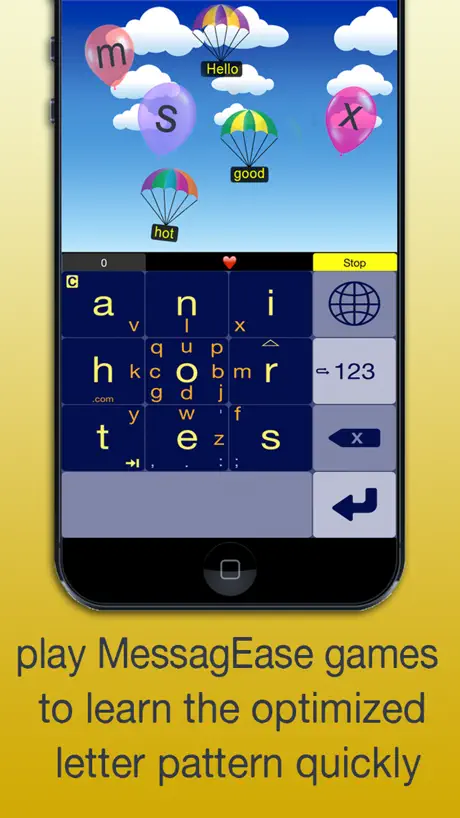
MessagEase Keyboard
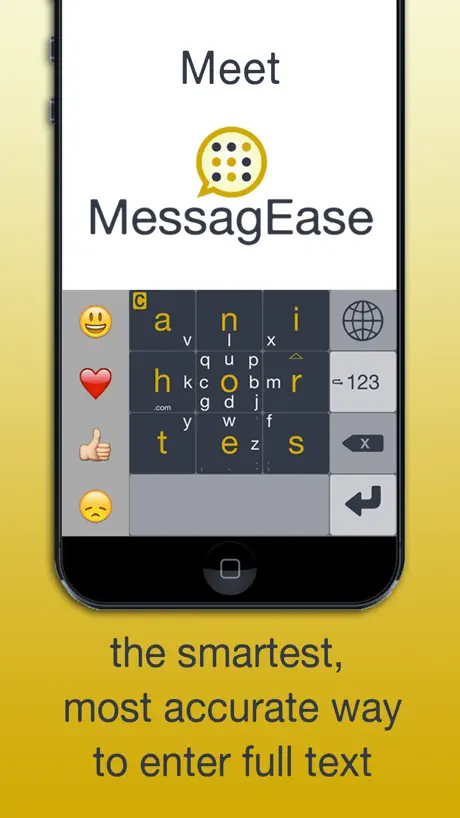
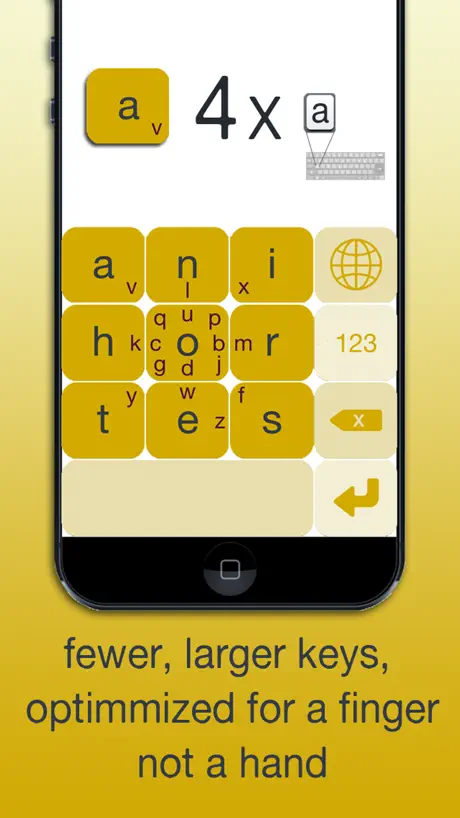
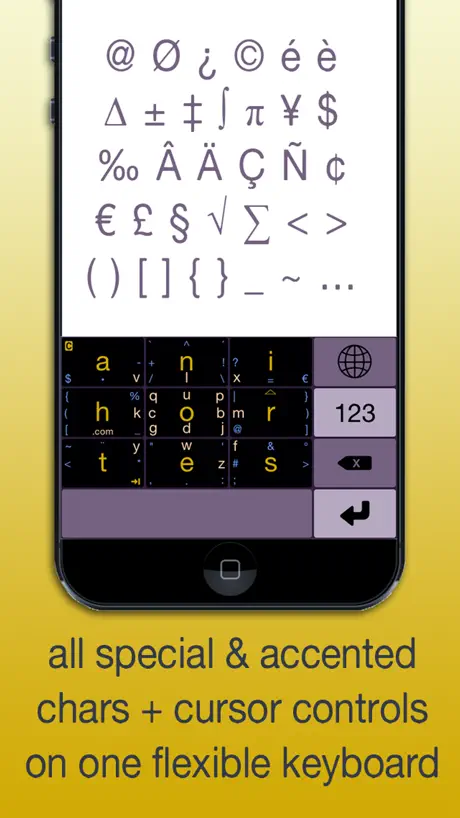
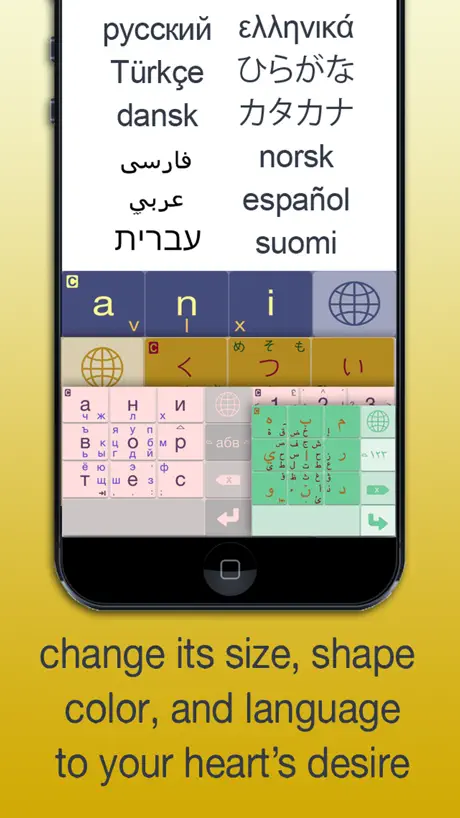
How much does MessagEase Keyboard cost?
Prices are current as of 8 Nov 2026.
MessagEase Keyboard has no in-app products on record in the United States.
10+ alternatives to MessagEase Keyboard
| MessagEase Keyboard | 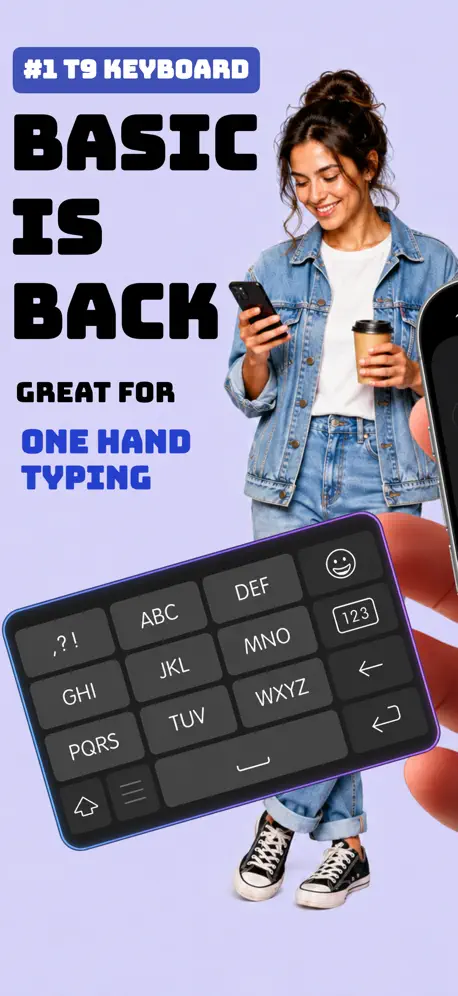  Type Nine - T9 Keyboard | 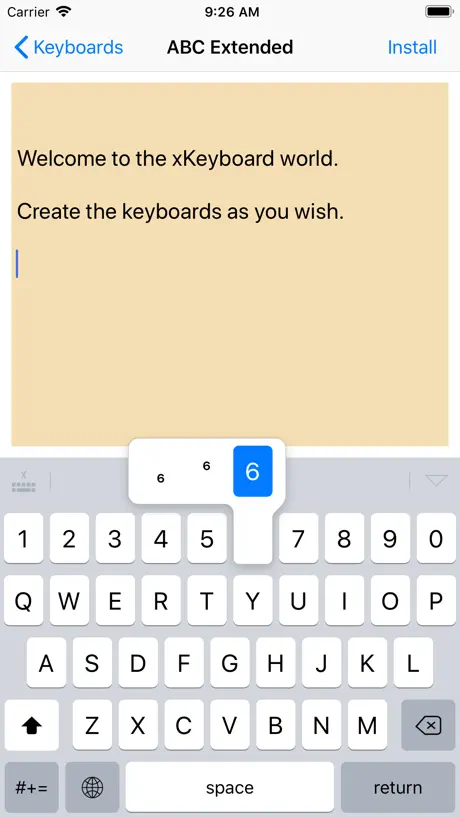  xKeyboard - Custom Keyboard | 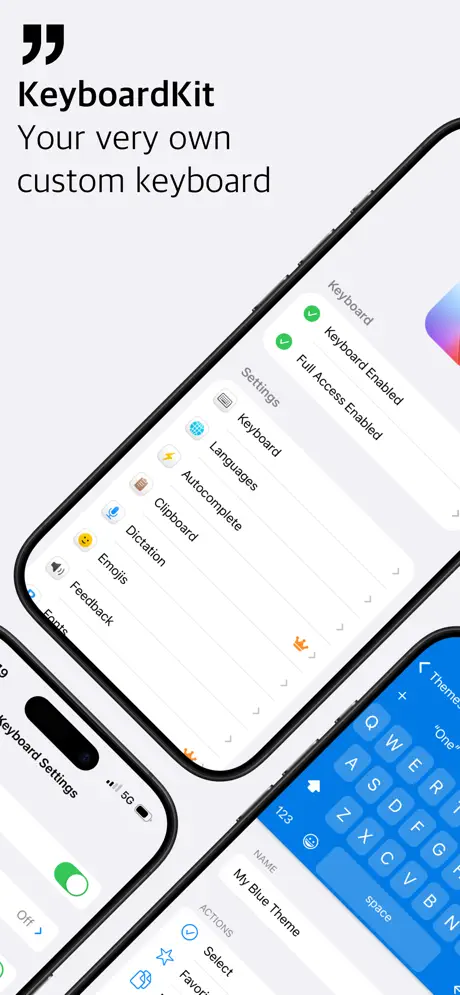  KeyboardKit |   Colemak |   zellopon keyboard |   Wurstfinger |   AEI Keyboard Note English |   MergeKey |   Swipeys Keyboard |   AEI Keyboard URL Note | |
|---|---|---|---|---|---|---|---|---|---|---|---|
| Rating / 5 | 4.2 | 4.3 | 3.3 | 4.2 | 3.5 | 4.1 | 4.9 | 1.7 | 5.0 | 4.3 | 4.5 |
| Reviews | 302 | 935 | 319 | 183 | 50 | 38 | 27 | 9 | 7 | 4 | 2 |
| Released | 2015 | 2014 | 2019 | 2021 | 2024 | 2018 | 2025 | 2009 | 2024 | 2026 | 2010 |
| Monthly price | — | — | $0.29 | $1.99 | — | — | — | — | — | — | — |
| Annual price | — | — | $2.99 | $19.99 | — | — | — | — | — | — | — |
| One-time price | — | — | $8.99 | — | — | — | — | — | — | — | — |
The going rate for each plan in United States, in its own currency, shaded from the cheapest price on the row to the dearest.
MessagEase Keyboard reviews
4.2 out of 5, based on 302 reviews.
What people like
- Much faster typing once you learn it
- Special characters are always easy to access
- Completely free with no ads on iOS
What they complain about
- Keyboard randomly expands to full screen
- iOS version lacks many Android features
- App has not been updated in years
- No autocorrect or word prediction support
Worthwhile
It is missing autocorrect and text prediction, and the color customization is a bit crude, but this is still a great way to type quickly on mobile. It takes a lot of practice, but it feels great when you start to master it. I keep a diary on my phone, and this makes it easier to use a broad vocabulary with a variety of particular formatting. The lack of some features, especially autocorrect, slows me down significantly. Still, the design is a great idea with good implementation, and I hope development continues.
1ofDbest KB on android but disgusting on iOS/iPadOS, why?
- Nothing like & pales in front of the Android version🤮😭 - Floating keyboard missing (Wurstfinger?) - Floating split keyboard missing - Transparency options missing - Ability/System to add new languages - Adding new characters a nightmare - Thanks for nothing for the iOS/iPadOS version + Thanks for the amazing & flawed yet beautiful much better Android version compared to iOS/iPadOS
Beg for update
Please update the keyboard for iOS, every now and then it gets huge and I have to reinstall it. I use this keyboard for at least ten years now. Please update and fix the buggies
Recent "fix" broke it
The recent fix changed the gesture to change the keyboard height from a "flick" do a "drag to resize". And the UX of that is terrible! I've been using this keyboard for ~10 years and have put up with its jumping height for so long, but at least it usually was "two flicks and it's the right height again". This new and improved gesture though is so much less predictible and harder to use, that I'm considering giving up. Please-please-please give us a setting for the keyboard height in the settings app and make it fixed size after that 🙏
Buggy but great
I love this app, but I have to delete and reinstall every week because the keyboard gets too big and I can’t adjust it back to normal
Can't live without it!
I've used this every day for over a decade, and love it with all my heart. By far the best way to type on a phone. Thank you so, so much for updating!!!
Keeps filling the screen
The keyboard takes up all the screen with no way of making it half the size. Starts of normal when downloaded then glitches and needs uninstalling and redownloading. Needs an update to fix this.
Please fix the bugs!!
This has been my preferred keyboard for many years but it desperately needs updating! Every so often, i open an app, go to type and the keyboard is humongous, taking up the whole screen and it can't be reduced when swiping down on the globe so i have to oelete the keyboard, re-download & reconfigure my settings. Where did you all go? Please update this app!!!!! I'm still going to use it as qwerty keyboards are awful
PLEASE FIX THE BUG
Right now for me whenever I try to use it, it just takes up the whole screen so it’s basically unusable. I was loving it before this started happening, so I WILL change my review once this is fixed!
Long-Time User Request: Please Upgrade the iOS Version
More than a suggestion, this is a sincere request. I would really appreciate it if you could customize the iOS version of this application to match the features available on Android. I have been using your keyboard on my Android device for the past 5–6 years, and it has become something I am completely used to. It is part of my daily typing routine, and the experience has always been excellent. When I recently switched devices and discovered that there is an iOS version available, I was genuinely excited. However, after using it, I noticed that the iOS version feels very different and lacks many of the features that make the Android version so great. On Android, the keyboard offers options such as adjustable keyboard size, customizable font colors, quick access to messaging apps, and several other helpful features. It would mean a lot to long-time users like me if the iOS version could be upgraded to offer similar customization and functionality as the Android version. I truly enjoy using your keyboard and would love to continue having the same experience on iOS as well. Thank you for your time and for building such a useful tool.
Please fix sudden resizing bug
I have used this keyboard for many years now and almost can't "type" on my phone any other way. It used to work perfectly until ios27, and now it occasionally bugs out and the keyboard appears huge with no way to resize it to normal other than uninstall and reinstall. Also, the punctuation characters used to show up on alphabet screen when swiping up from space bar, but now only a few do and the rest are on the number screen. Please fix that to the way it used to be!
No more letters
Updated to ios26 and now there are no letters visible
buggy on ios26
for anyone here looking for solutions to the ios26 update bugs try removing the default ios keyboard that fixed it for me
great tool. totally abandoned.
I'm currently on iOS 26.2 and, as of 26.0, this keyboard displays only in a slightly garbled full-screen mode. I want it back!! someone else suggested open-sourcing it, which would be great. I would also pay for a maintained version... is there a way to wrest this keyboard's design away and write our own version? I don't want to invite legal trouble but I'M NOT GOING BACK TO QWERTY!
needs essential feature
it needs to be resizable , and I need to be able to use my text replacement library .
♥️ THANK YOU ♥️
Thank you so much for the update! I have missed messagease SO much since ios 26. It took 2 months to get used to the regular iphone keyboard again and I still lamented the loss of ME amost daily. I just freaked my kids out with my shouts of joy on seeing the update 😂
Doesn't work on almost any app
I installed it on my iPhone 12 Pro Max, activated it in the keyboards section of the settings menu as instructed, and even gave it 'full access.' The only app I can get it to show up in is Discord. Notes, safari, Skype, and any others do not have it as an option. In MessagEase itself, the Settings option saysjIlmust grant it full access to open the menu. I have, and it still says that. So the app seems not to install properly.
Very Good, but have bug
I have problem - some times keyboard resize to max size (all screen) and I can’t change it back to normal size. Reinstall is the only thing that help with this bug. Please, fix it, because I very like your keyboard, but it’s difficult to reinstall it again and again every time…
Needs update
Please update to ios 26. The keyboard is massive on screen and can’t be resized.
BUGGYYYY
Pleaaaaaaseee update to fix into ios 26
This is the best mobile keyboard design, please keep it going!
I have used this keyboard years now and it really is the best once you get used to it. - The design gives you a small keyboard with large buttons - No need to switch between letter, symbol, and number keyboards. They are all available at the same time - Simple to adjust the keyboard size Please keep this app updated, even if no new features are added!
Abandoned?
Looks like the project is no longer supported. The keyboard completely broke with a recent update.
Make it open-source
Since no one has been maintaining this app it would be fair to open-source it so we can patch the current issues and achieve the long term support and compatibility for next versions of iOS. Alternatively, put a price on it, fix the bugs and keep it updated. I have been using this app for 10+ years and find it irreplaceable.
wth
I dont know what you did to this app, but my drags are being registered as clicks, it's all messed up, It took me 5 minutes just to type this, and I've been using messagease for yearse
This app is barely usable on iOS.
Much better experience on Android.
Unusable with iOS 26.2.1.
This issue seems to be fixed with iOS version 26.4 I have been using MessagEase since the days of the Palm Pilots. After a few minutes, becomes as large as the entire screen, making it too big to type on. Delete and reinstall, and the same thing happens.
Probably abandoned
I love this keyboard and it's the only one I use, however it hasn't been updated in four years and it's started to show. On my iphone 13 mini running iOS 16.6.1, the keyboard crashes and resizes at apparently random times and if I change the keyboard colors, it doesn't take effect until I've power cycled the phone. Uninstalling and reinstalling doesn't resolve anything. On my work phone, an iPhone 11 running iOS 16.6.1, the keyboard is permanently stuck at max size, taking up about 90% of the screen, so it's actually unusable. Uninstalling and reinstalling doesn't resolve it. Again, I love this keyboard, but the iPhone version looks to be abandoned. With no updated support in sight, it feels like it's only a matter of time until a new iOS update breaks it.
Layout is imperfect and not customizable
I just switched over from android and was happy to find something similar to Unexpected Keyboard. I have some problems with the layout in MessageEase though. It has every ASCII character except for the backtick, which is used all the time in certain programming languages. Instead it has several non-ascii characters and “.com”, which are just a bit random and I’ll never use them. I’m not saying you should change the layout, because this layout is perfect for someone and my layout would be imperfect for someone else. Instead, I think that you should make the layout customizable. You don’t need to create a UI for editing the layout. If you store the layouts in some text based format like JSON then you can just let users enter their JSON, since these will mostly be advanced users anyways. If you currently hardcode the layouts or use some binary format, then this might require some deeper code changes. But I’m guessing it would still be easier than building a whole UI. Something to consider. Thank you for creating something awesome! Edit: I was wrong, it does have the backtick, and you can turn off auto accents in the settings. And I see that customization was planned for future development. So then all I’m trying to say is that if anyone ever works on this again, they should consider using text instead of UI for the customization. Also, is anyone maintaining this? You guys should open source this, I would maintain it!
iPhone user
I’ve been using MessagEase over 11 years with Samsung phone. I love that it’s easy to write long emails, easy to switch to capital letters, numbers, and symbols. I recently switched to iPhone and the swipe is not consistent. I sometimes have to repeat a swipe to get the right letter. I hope there’s a new update soon to fix the issue. 😞
Amazing abandoned keyboard
It has some learning curve but once you get the hang of it there’s no going back to other ways of text input. I love the precision and that almost all special characters are readily available from the main keyboard. However, it pains me to see (and experience) how neglected this keyboard is on iOS compared to how awesome it is on Android... Random slowdowns and closures, random resizing, incomplete feature set (in terms of cursor control and some gestures that are just missing). That said, for me there is just no alternative, especially since English is not the only language I use and iOS keyboard only supports swipe for English. I guess I’m gonna keep suffering and hoping they find engineering resources to work on the iOS version at some point.
Amazing!
This makes using all parts of my phone easier! If no more updates will be released, please make the app open source!
Another Abandoned app.
Another app bites the dust.
Please catch up to Android version
I've used this as my primary keyboard on my android phones for almost 10 years. I've always thought this keyboard was revolutionary!! Friends always comment the first time they see me use it, and I'm happy to testify to them that it solved my fatfinger woes! I recently switched OS, and I'm disappointed that the iOS app is on v4, while I believe the Android app is on v11. Some features I miss are the gestures for "select all," "copy/paste," and resize/reposition, as well as the option to forego visible character for a "tracker ball" circle.
Excellent idea, but needs continuing maintenance
On iOS 15 and 16 I've had more issues with the keyboard resizing to oddball sizes. This is exceedingly frustrating. on iOS 16.4 it freezes at a size taking up more than half the screen, and will not respond to input to resize without un/re-installing, so I've been having to relearn the default apple keyboard after nearly a decade of happy messagease use.
Lazy
I’ve used this keyboard on my Android phones and was delighted to see it on the App Store. It was the best option on Android for easily typing normal text, special characters, and other languages efficiently. On iOS, however, it’s missing a number of options and features that made it so great. No quick swipes for select all/copy/paste, no macro options, and no option to type a number instead of a capital letter, depending on the direction of the circular swipe. It’s notably less efficient.
The ONLY usable keyboard!
After learning where most of its keys are, this unique keyboard lets me type faster and FAR more accurately than traditional screen keyboards, with much less hastle. This keyboard isn't just a novelty item. Without this keyboard, I'd literally almost never use my iPhone (or any other phone). I'm willing to pay $$$ for this totally free app. I BEG the programmer to continue maintaining this app or find a way to make it perpetually available. (Maybe sell the app's rights and code to Apple.) This keyboard is amazingly efficient. The only improvement I would make is on its cursor navigation, perhaps model it after the cursor navigation in iPhone's default keyboard. For the last few weeks this app was somewhat broken on my phone, but tonight I uninstalled and reinstalled the app, and now it works perfectly. I think the issue was just a corrupted file on my phone, but it scared me because I'm so reliant on this app that I use almost all the time. Note that this keyboard doesn't have voice typing or word prediction (which I don't care about), but these features are easily had by briefly jumping to a different keyboard. I've tried Microsoft SwiftKey, KBD Maker, and the iPhone's default keyboard, and they are each basically useless and prone to similar typing quirks.
Great....on android
Less than half the features on android. I've been using this keyboard for almost 10 years and now want to use it on my iphone but the dev plays favorites. No select all/copy/paste shortcuts. My keyboard randomly shrinks to the smallest setting. The base keyboard randomly loads in even though messagease is set as default. And no way to close the keyboard, it just switches keyboards instead? Even though there's a button for that already?
8 year user and just sad.
This keyboard, it's a beautiful and innovative invention. Yet the failure to motivate enough people to actually LEARN how to use it is very apparent. Last update was over a year ago. There are numerous features such as swipe inputs for select-all/copy/paste when using this keyboard on droid platforms that are non-existent for IOS users. It's just so sad to watch my beloved keyboard slowly die. Messagease seems to crash more and more with each and every IOS software update. Not to mention auto-resizing issues, unresponsive 'frozen' states. Others like me are now searching for alternative keyboards. The secret club is disbanding.
A bit outdated
Give us some updates please! Lot of bugs on latest OS...
Missing key features
The ios version has no macros, and no ctrl, alt, escape keys. There is a slider to set the width of the finger trace, but it doesn't work. Those are essential features available on Android, but missing here. The keyboard doesn't float.
After 6 years, I can't use anything else.
Hands down this keyboard is the best ever. Yes, it can be a little buggy and crash at times, but recovers itself soon. I love being able to type numbers from the main screen like in android, & the copy/paste stuff, so having that in the iOS port would be amazing if apple allows. I've owned a blackberry key2 and a planet computers gemini pda, and a small physical keyboard. while way better than stock screen keyboards, i just can't type as fast as on messagease, and I lose easy access to all the special characters that I use frequently when programming from my phone. I went from needing a physical keyboard on my phone to never wanting to use one on one again thanks to messagease. I wish it had all the android version features, but without them i'd rate the app a 6 out of 5 anyways. Seriously. download this, commit to it for a month, do typing speed tests to help learn, and by the end of the month you really won't want to switch back. Plus the dev is an awesome guy trying to make everyones lives better for free and doesn't have ads or collect data or anything on the iOS version, and for the android it's only when it helps & it's just looking at your list of custom presets and not what you are actually typing with it.
Glitch on day two
While I do like the idea, on my second day of using this keyboard I encountered a glitch which made it unusable. Instead of only displaying one keyboard, it displays two instances of the same keyboard, so all the icons have a quarter of the area that they should, which is… inconvenient, to say the least. It’s really a shame because I think this is such a cool idea.
There are pros and cons
I like how this keyboard can be shrunk and still perfectly usable. Once you adjust to it, you can type just as fast as with a normal keyboard, but you don't have to actually be looking at the keyboard unless you've shrunk it so much that it's tiny. It's also nice to have access to punctuation like quotation marks on the same keyboard as the letters. And it's super useful to retroactively capitolize the first letter of a word. On the other hand, I find that I make more mistakes with this keyboard, which is compounded by the fact it doesn't have autocorrect. The most prevelant one is not roving my thumb down far enough and typing an "e" instead of a space. It's also fairly common for it to read a swipe-to-and-back for a circle and give the wrong capitol letter. And it's more awkward to write at an angle because how your finger moves is just as important as where it lands, and that's more difficult when it's not head on. I do like the customisability. It really helps you choose a color scheme that works for you. I like that I can make a "…" by combining two periods, but I don't understand why I can't make an em-dash busy combining two dashes. Overall, I'd say my biggest issue is the increase in typos, but I do like this keyboard and it's also fun to seem arcane using it. Edit: I've been using it for a couple of years now and still really like it. I have noticed that occasionally when I activate a text field and the keyboard pops up, it has been resized for some reason and is now ridiculously tiny. Then I have to swipe up a number of times to get it to a usable size. I would love if either this bug were fixed or if they would add the option to lock the keyboard size, so that I don't have to deal with this. Otherwise, my review is the same as earlier, really enjoy using this keyboard, just some minor annoyances.
Sorely in need of an update
This is by far the best keyboard replacement out there. I’ve used it since the days of the Palm Pilot. However, it’s been long overdue for an update. My settings don’t stick between apps, so I have to reset them almost every time, which defeats the purpose of having an awesome keyboard replacement. If or when this gets updated, I’ll update this to five stars. (Written on iPhone using iOS 14.7.1)
Help - lost letters
This was fun to try and I was getting good word speeds but then I lost the letters on the keyboard and the swipe that is supposed to bring them back doesn't work. How can I contact developer with query? Is there a reset? Or do I uninstall/ reinstall ?
Best Keyboard Out There
I’ve been using this keyboard for years on both Android and iOS devices, and I love it. I’m not even able to use a regular keyboard on a phone anymore, and I kind of like how it confounds people who’ve never used it. It’s like an extra layer of security for the phone. My only complaint is that the keyboard suddenly became huge the other day, and it won’t go back to the original size. I’m having to reinstall it. That’s the only issue I’ve had in at least five years of using it, though.
4.3 version broken
Update yesterday left M-ease totally unusable on my iPhone 6s. Please fix it asap, qwerty is a clunker!
It is almost nostalgic...
I remember trying this out on my Palm m105 back in the day (and printing out the template to tape over the Graffiti area, which was super tiny on that device!), and was pleasantly surprised to find it on iOS. On my phone, I still prefer the iOS 13 swipe keyboard, but on the iPad it is much nicer and less glitch prone. Once you get used to it, it is pretty fast and requires much less finger movement than the stock board on tablets. A few thigs to improve: as mentioned earlier, better cursor controls. Also, with a case on it is hard to get the special characters on the screen edge to register. Lastly, it would be nice to change the color of the dead area when the keyboard is resized.
Privacy concerns
The app needs full access to your phone to run. The idea that they want and can see anything you type or typed is beggars belief. Download it if you are happy to leave your front door open !
Проблема
Не переключаются языки. Только английский стоит и все. Нет эмодзи, русский ставлю - игнорирует и все. Айфон 5.
MessagEase Keyboard FAQ
- Is MessagEase Keyboard free?
- Yes. The app is free, in all 175 countries it sells in, and it sells nothing inside it.
- Does MessagEase Keyboard have a free trial?
- No. None of its offers (US) come with a free trial.
- What are the best alternatives to MessagEase Keyboard?
- Type Nine - T9 Keyboard (4.3 from 935 reviews), xKeyboard - Custom Keyboard (3.3 from 319 reviews, premium from $0.29) and KeyboardKit (4.2 from 183 reviews, premium from $1.99).
MessagEase Keyboard download
Last updated 0 months ago.
MessagEase Keyboard sells in 175 countries. It was released 11 years and 5 months ago, on 11 Jun 2015. It holds a 4.2 rating from 302 reviews.
Supports 1 language: English.
How much does MessagEase Keyboard make?
Third-party estimates for the last 30 days, worldwide — not the store's own figures, which Apple publishes for nobody.