
MiHome – Energenie Smart Home
How much does MiHome – Energenie Smart Home cost?
Prices are current as of 11 Sept 2026.
MiHome – Energenie Smart Home has no in-app products on record in the United States.
10+ alternatives to MiHome – Energenie Smart Home
| MiHome – Energenie Smart Home |   Ms Astro - Astrology Ms Astro - Astrology |   Astromatik: AI Astrology Astromatik: AI Astrology |   Glamour:Color Analysis&Glow Up Glamour:Color Analysis&Glow Up |   Rumah123 Rumah123 |   Rukita: Coliving & Apartments Rukita: Coliving & Apartments |   Homend Smart Homend Smart |   PronetPlus PronetPlus |   Bilicra Smart Bilicra Smart |   Galataport İstanbul Galataport İstanbul |   Viomi Viomi | |
|---|---|---|---|---|---|---|---|---|---|---|---|
| Rating / 5 | 2.1 | 4.9 | 4.8 | 4.2 | 4.8 | 4.2 | 4.5 | 2.6 | 4.6 | 3.5 | 2.0 |
| Reviews | 166 | 41K | 8.3K | 7.6K | 5.9K | 1.7K | 1K | 590 | 366 | 90 | 8 |
| Released | 2015 | 2023 | 2024 | 2024 | 2013 | 2019 | 2021 | 2014 | 2020 | 2021 | 2024 |
| Monthly price | — | $5.99 | $14.99 | — | — | — | — | — | — | — | — |
| Annual price | — | $44.99 | — | $49.99 | — | — | — | — | — | — | — |
| One-time price | — | $3.99 | $1.99 | — | — | — | — | — | — | — | — |
The going rate for each plan in United States, in its own currency, shaded from the cheapest price on the row to the dearest. Plans fewer than four in ten of the priced apps sell are left out.
MiHome – Energenie Smart Home reviews
2.1 out of 5, based on 166 reviews.
What people like
- Works well with Amazon Alexa
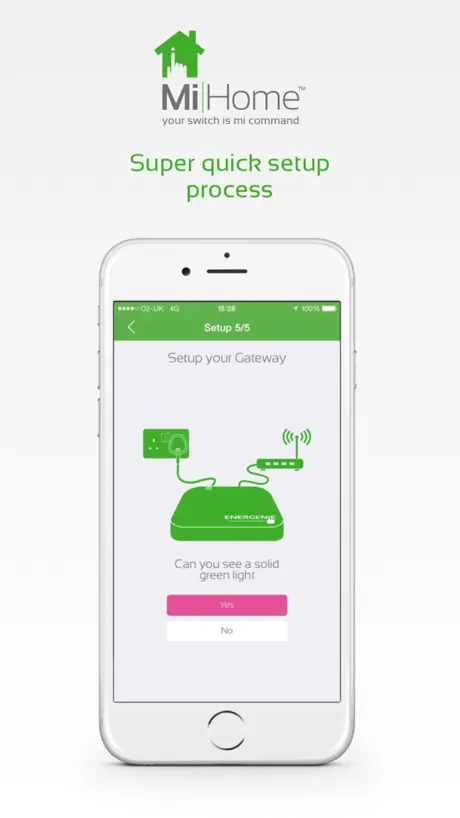
- Setup process is easy to follow
- Integrates nicely with Nest thermostats
- Physical hardware seems reliable and sturdy
What they complain about
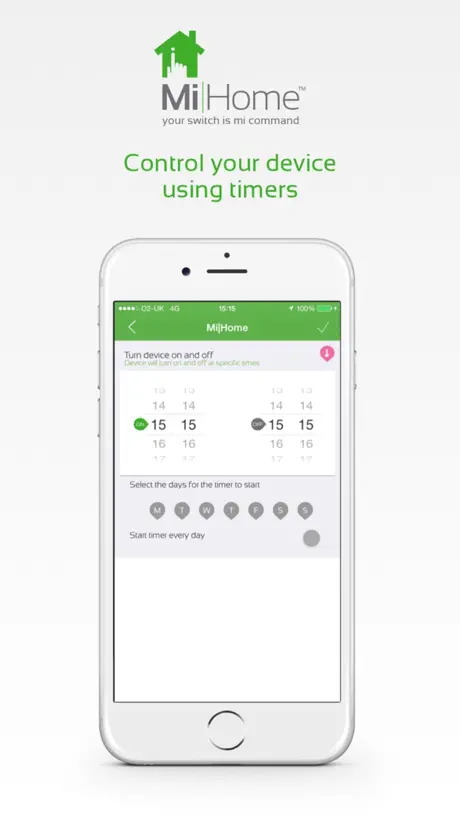
- Timers are buggy and often fail
- App feels slow to respond
- Support team is unhelpful or silent
- App doesn't show real device status
Misunderstood heating
Lots of comments (even on main review sites) that etrvs wont control the boiler but if setup correctly with the energenie thermostat the radiators will control the boiler by throwing a bypass to the thermostat resulting in individual heat control for each radiator and each room. Works flawlessly spread across three floors of my house, the setup isn’t intuitive and you do require the matching thermostat and etrvs but the ‘follow thermostat’ works by design. Regularly open the app just to check which radiator is heating up.
Terrible
Very rarely works, support none existent very poor software and devices look nice but are rubbish..keeps losing gateway..
A+ Except Cost calculator for Economy 7 or 10 non-existent
The ios app is near perfect, love the ease of use, the timers, the trustworthiness but as of Oct24 entering uk economy 7 (or 10)rates is impossible so in my opinion why not get rid of the calculator field altogether rather than miss an entire energy rate sector. Economy 7 (&10) exists in most if not all modern uk apartments for safety reasons (all electric homes)… standing charge, day rate, night rate are the 3 fields and of course there’s different economy7 or 10 start and end times.
Very basic
The app is very basic and outdated
Setting up nest
I am trying to get my TRVS setup to work with a Nest controller but when I try to logon to google I get an error message. How do I resolve this?
Great app
Use this to control lights and plugs. Have got sensor which will switch lights on at night if movement detected. Easy to use. Now have 7 plugs and 4 light switches. All controlled from phone. Easily change on/off times. Great!
Do not buy
It doesn’t work.
Timer Issue
Update: the latest version has fixed the problems mentioned below. A new issue affecting timers emerged though. I’d set up a timer while away on holiday and delete once I returned. Despite deleting the timers they continued to function, not great when you leave your windows open in summer and realise your bedroom light has been on for a couple of hours with open windows attracting every moth, mosquito and other flying insects in the neighbourhood into the room. I very almost removed all my devices but as a last ditch attempt I disabled the MiHome skill in Amazon Alexia, since then everything has been perfect. As far as manually switching things off and on by the app it’s OK. Problems occur when trying to put devices on a timer, despite setting an on time of 16:00 and a 21:00 off time the app decides to set the on time as 21:00 and a 20:00 off time??? Tried several times with different timings but without luck.
MiHome Thermostats
The app doesn’t allow me to add my gateway in iOS 14, the app will exit as soon as I hit okay, thermostats don’t communicate reliably either.
Glitchy
I’ve had the gateway and plugs for a while. The app made it very difficult to set the timer on the plugs and is limited to only 3 times a day. Otherwise the app and plugs did work well and could be controlled with Alexa or Google. Recently, the plugs have stopped coming on at the set times, which is annoying when I want to wake up or come home to a warm house. All my heating is electric. They do still work with Alexa and Google. Come on energenie sort your tech out!
Good system
System works and I can add the devices as long as I read everything carefully first Happy
It just doesn’t work
I have two plugs and have paired both with the app. although the app shows it turning off and on in the plug doesn’t do anything. It’s supposed to work with Alexa, I’ve migrated the settings over to Alexa and it doesn’t work either. I’ve contacted the manufacturer who have been able to replicate the problem and so (4 weeks ) and nothing has changed. I would suggest anyone thinking of buying this product should think again as they will be wasting their money completely.
A good work in progress
I have a good selection of Energenie products and they all work well. Occasionally latency will creep in and it can take up to 20 seconds to react to a voice command from Alexa. It has a lot of useful features for automation. The app and the online portal could do with a little tweaking but other than that I am very happy. The app does take a little time to get use to but I have found that the technical support is fast and excellent.
Trying to do too much
This same app is used to control my Me Home security camera, my M365 scooter, and a Bluetooth temperature sensor. This seems off to me, and goes a long way towards explaining why the app is, as of today, badly broken for camera control, with buttons that disappear, incorrect error messages, and terrible buffering. It worked great when I first got the camera but now it barely works. The developer would be better off with a suite of separate apps for their devices, perhaps sharing libraries for consistency. I can’t imagine the sort of integration hel that arises from trying to support dozens of different devices in a single app. Please fix the me camera interface!!!
Great idea but still has bugs
Downloaded this to control my 3 timers, great idea in principle and when it works it is handy but can be slow at times and if you want to switch them off or on on the app you gotta press a few times on some occasions. Timers work fine but once you change or take them off the timers are still active. Needs ‘polishing up’ but on the right tracks.
MiHome is a Smart Home
Much improved now very good.
Garbage
Terrible app, TrV’s hardly respond to commands. Can’t copy or paste schedules across multiple devices ie: same rooms
It’s a company to watch
I think Energenie are going the right way in home automation - I now have 4 light switches, 8 smart plugs and two door contacts and the system works well... most of the time. The triggers are great, sometime glitchey, but on the whole do what you tell them to. We have set so when you open the front door the hallway light turns on automatically. They work great with Alexa and actually controlling via Alexa I find to be quicker than using this app itself. they are perfect for the lazy human being like me that doesn’t want to have to get up to turn the light out or wants to know the house is safe while I’m out. Now to the unfortunate negative; - it’s slowww. It can take a few seconds (sometimes more) to actually do what you’ve asked it to do. - the timers do not work, don’t even attempt them which is a major negative for me and something I’ve raised on their helpdesk as it’s a fundamental selling feature for me. - Siri/ HomeKit/ shortcut integration isn’t there. I want to be able to have these set into my Apple home or as a shortcut to turn scenes on and off on my dashboard on my phone. They have done a great job with Alexa, let’s see some Apple support next! - door contacts, tell me in the app if it’s open or closed. And on a notification, tell me which door it’s against. It doesn’t at the moment and that can be frustrating. It might sound like the negative outweighs the positive but it’s quite on the contrary - I love my energenie home, yes I get frustrated with the app sometimes, but I know a startup British company will have teething problems (I’m sure their budget isn’t even Philips hues coffee budget!) I hope energenie take the comments on board and bring out software and firmware updates more regularly that fix these issues as they really do have a great product. I haven’t stopped buying the products yet but if there isn’t an update soon, I might start looking........
Gateway
Put it on my iPad then on to my kindle now won’t work with iPad
App modification
The system works ok. The operation of the plug in wall sockets should be able to be controlled with a one time duration timer. If I want to control a certain item I would want to go in to the app and turn on for 3 hours and then know it would go off and not come back on until a new command
Keeps getting better
The App and platform keep getting better - more new functions and now integration with my Nest; brilliant!
Awful
Just invested in TRV’s and adaptors. Setting timers on adaptors is full of bugs, on and off times set them self to the same time. Still working with the system, it’s taken me ages to set up TRVs, and adaptors seem very susceptible to even a chair being in the way. Hope it gets better. Update, here we are sometime later and their eTRVs are rubbish. I had one snap completely off the radiator rendering totally useless. I have 2 gateways as 1 doesn’t cover my house (2 bedroom flat) I have a gateway in a bedroom and another in the lounge, the bedroom radiator will not pair with the gateway in the same room, only the gateway in the lounge, and it doesn’t turn on when it’s programmed to. I have 2 radiators in the lounge both paired with the gateway in the lounge, one eTRV works as programmed the other doesn’t. I can manually boost the one that doesn’t work via the programming. Full of bugs, app is different to the web version different functions. App has geofencing, but no way of turning it off. Support is non existent. Avoid and just get simple Bluetooth TRVs or just bog standard ones, save your money, you won’t make it back in reduced gas bills.
Good app. Needs interface improvements
Firstly I really like Energenie Mi|Home ! I now have a multisocket, a number of wall switches and room sensors which all work well with Amazon Alexa. The hub is very easy to install and adding new devices is simplicity itself. Their step by step “walk through” interface can’t be faulted. Having used smart products by a number of other manufacturers I know that sometimes setup can be extremely challenging. Energenie you have got this part right. I have some constructive criticism however and hope that someone from Energenie takes note as their user interface could be so much better with minor changes. Firstly FONT SIZE. I view the app on an iPhone 8+ one of the largest screens available for iPhone users yet the typeface is TINY and then subheadings are MINISCULE. It makes the app very unpleasant to use and I wonder who thought it was necessary to try and fit so much onto a “page”. As a web developer myself I would have been told very quickly to improve page layout. The On/ Off Icons/ Buttons are equally small and partially greyed out making them unnecessarily hard to see. WHY? They should be big, bold and clear. Their purpose is to be seen. A lot of screen space is wasted allowing users to change the name of devices instead of offering big clear buttons. Device names are SECONDARY once they have been set and will for most people never be needed again once setup is complete. They should therefore be HIDDEN or placed together on a separate settings page. My final feedback is about exactly that...LACK OF USER FEEDBACK on the current state of devices. Are they currently ON or OFF. This is what all users want to know from a Smart interface. Ridiculously, once paired with Alexa, the ALEXA smart home interface GIVES THAT FEEDBACK for MiHome devices. I have to go there to see if a MiHome light switch is ON or OFF. Not very handy if you are 200 miles from home at the time. Why is this information not shown on your own APP. If it is a ploy to sell devices that are “enhanced” and provide “feedback” (and cost more) then shame on you ENERGENIE. If the data is already available to AMAZON ALEXA. Then the same data is available to you. So why not display it ? That said, Energenie products are well built, well packaged reasonably priced and I will be sticking with them for the forseable future. I look forward to seeing the interface improve over time though.
Cannot adjust timer days
Great app for turning on and off appliances but I can't time devices as the screen is squashed and overlapping, not allowing me to toggle which days I want.
Good system but could be better
I have installed a gateway and door sensors to my apartment, it was very easy to set up but I don’t understand why the sensor names are not included in the alert message in the app, you have to go into the app to find out which sensor was operated. Is this something that can be modified in the app?
Too many bugs
This is now a dangerous application and solution. You switch one device on/or off and another does the same. Imagine switching an adult bedroom light on late at night and your children’s light goes on, or worse! UI / UX is very rough. You only have to look at the frequency of releases to question the quality of their software delivery cycle. This needs a complete rewrite and fully tested. Nowhere near ready for safe public use. Use at your own peril.
Things are getting better
I’ve been using Energenie sockets and radiator valves (eTRV) for over a year and have seen things getting better over time. My only complaints are 1. Fitting the eTRV. I’ve fitted 7 to my radiators and had trouble with a couple of them falling off as it’s difficult to gauge how tight to screw them to the valve. The plastic lugs just pop out and the eTRV pushes off! 2. When power comes ON after a power cut the appliance remains off, which is not good!
Needs some work, but it does work.
I use it to simply control my sockets and connected lights. Sometimes it’s a little slow but it works. Setting the timers have a few bugs but once set works ok. Does need real time feed back. If you turn off the switch or socket with another device via the app, the RF remote etc. It won’t update as you open the app, and will show things as on, even if off and vice versa.
Unreliable
You can never be sure if turning something on or off is actually going to work. Timers work most the time but not always. The light switches are a waste of money.
Good app but needs polishing
I use this app for controlling my TRV's which help save energy by not heating the rooms that are not used and you can set timers and also link with Nest. The app is a bit confusing at first and could do with being a bit slicker and more user friendly. There also needs to be a decent help file as I'm not sure what on/off does but assume it is just for plug sockets which I don't have (I use WeMo) Also you can't set group temperatures that you can do through the web interface. The web interface also needs a maintenance option rather than having to type maintenance every time you want to check a particular TRV.
Great app
Good for eyebrows if room >12deg C
Unable to link with Nest
The app is far from slick, but not the end of the world. However, it doesn’t appeR possible to link with Nest. I constantly get, Oops! We’ve encountered an error. Please try again.
Needs a widget
Just okay.
Not Working Correctly with Dimmer Switches
This just refuses to work correctly for me. I installed the MiHome Gateway and added a dimmer switch and whilst the dimmer switch works when operated manually it does not via the app. For starters there is only an on/off option and then whilst off works, on turns the lights on then they dim back down on their own and then back up again and then remain on. Have spent quite a while trying to make this work the way it is supposed to but it just doesn't and it is supposed to work with their dimmers. Also noticed that sometimes lights randomly switch on themselves usually after going to bed so not great either.
Disappointed waste of money
So exited at the concept of this product but a year later find as about useful as a chocolate hotdog. A dimmer that doesn’t dim supplied without a ballast. Dim.....now there’s a word to describe someone we know at Mi Home 😡😡😡
MiHome – Energenie Smart Home FAQ
- Is MiHome – Energenie Smart Home free?
- Yes. The app is free, in all 171 countries it sells in, and it sells nothing inside it.
- Does MiHome – Energenie Smart Home have a free trial?
- No. None of its offers (US) come with a free trial.
- What are the best alternatives to MiHome – Energenie Smart Home?
- Ms Astro - Astrology (4.9 from 40,560 reviews, premium from $0.99), Astromatik: AI Astrology (4.8 from 8,316 reviews, premium from $0.99) and Glamour:Color Analysis&Glow Up (4.2 from 7,644 reviews, premium from $0.99).
MiHome – Energenie Smart Home download
Last updated 7 years ago.
MiHome – Energenie Smart Home sells in 171 countries. It was released 11 years and 6 months ago, on 8 Apr 2015. It holds a 2.1 rating from 166 reviews.
Supports 1 language: English.
How much does MiHome – Energenie Smart Home make?
Third-party estimates for the last 30 days, worldwide — not the store's own figures, which Apple publishes for nobody.