
Spendio - Spending Tracker for iPhone & Apple Watch
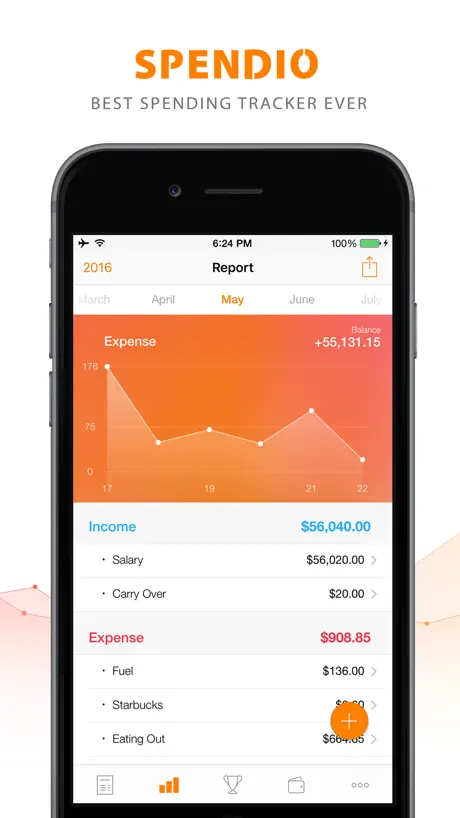
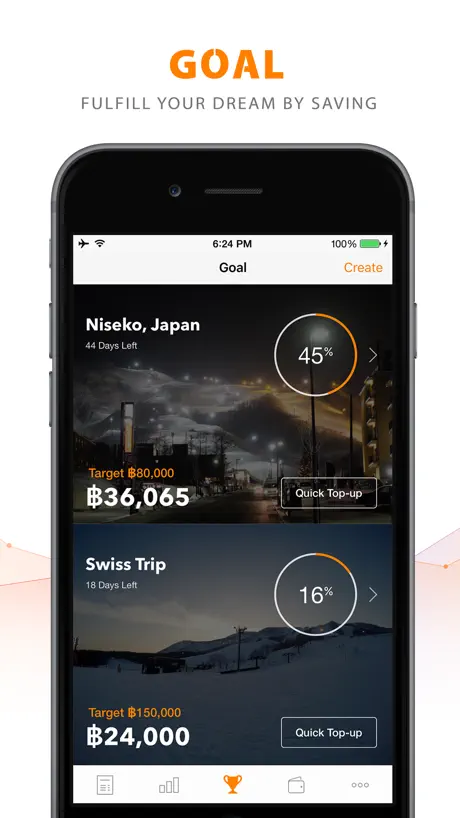
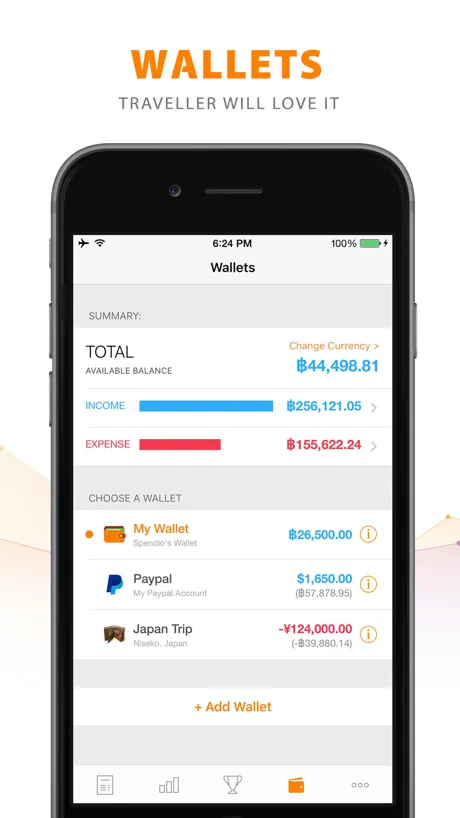
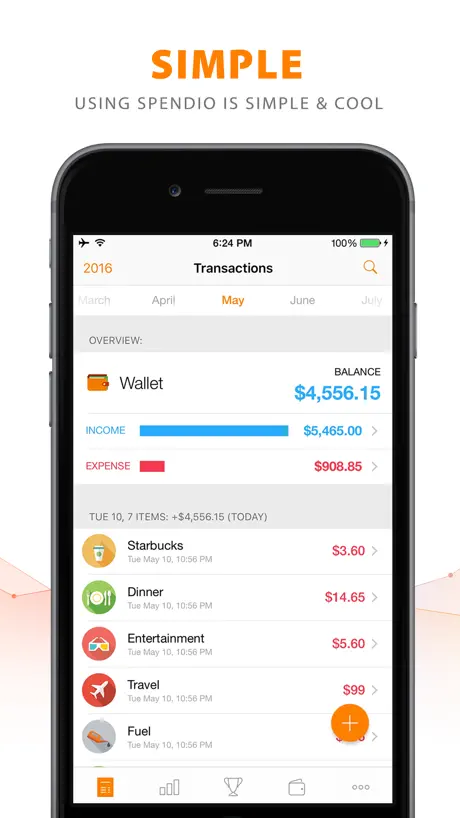
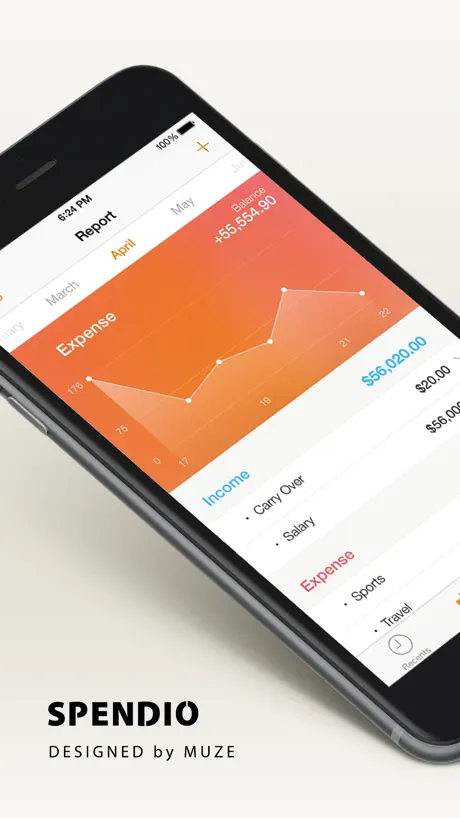
How much does Spendio - Spending Tracker for iPhone & Apple Watch cost?
Prices are current as of 6 Oct 2026.
1 one-time purchase from $1.99
In the United States, Spendio - Spending Tracker for iPhone & Apple Watch has 1 one-time purchase priced $1.99.
| Product | Price |
|---|---|
| Unlock Full Version | $1.99 |
See what Spendio - Spending Tracker for iPhone & Apple Watch costs in all 175 countries →
10+ alternatives to Spendio - Spending Tracker for iPhone & Apple Watch
| Spendio - Spending Tracker for iPhone & Apple Watch |   Expense Spending Tracker Expense Spending Tracker |   Track It - Money Tracker Track It - Money Tracker |   Quik: Budget App Money Manager Quik: Budget App Money Manager |   unspent unspent |   Income2Expense Income2Expense |   My Savings - Savings Tracker My Savings - Savings Tracker |   Money Tracker & Saver Money Tracker & Saver |   EarnDash EarnDash |   Expense Tracker - Finance Pro Expense Tracker - Finance Pro |   Income Target Income Target | |
|---|---|---|---|---|---|---|---|---|---|---|---|
| Rating / 5 | 3.2 | 1.0 | 5.0 | 5.0 | 5.0 | 5.0 | — | — | — | — | — |
| Reviews | 149 | 5 | 3 | 2 | 2 | 1 | — | — | — | — | — |
| Released | 2015 | 2018 | 2023 | 2024 | 2025 | 2022 | 2025 | 2025 | 2025 | 2025 | 2025 |
| One-time price | $1.99 | — | — | — | — | — | — | — | — | — | — |
The going rate for each plan in United States, in its own currency, shaded from the cheapest price on the row to the dearest.
Spendio - Spending Tracker for iPhone & Apple Watch reviews
3.2 out of 5, based on 149 reviews.
What people like
- Super easy to use on Apple Watch
- Clean, simple, and beautiful interface
- Great for quick expense tracking
- Very affordable price for premium features
What they complain about
- App crashes and won't open
- Watch app is slow and freezes
- Balance doesn't carry over to new month
- Transfers between wallets crash the app
รบกวนผู้เขียนแอพช่วยพัฒนาต่อ
ผมได้ทำสถิติ ไว้ตลอด แข้วตอนนี้ใข้ไม่ได้ครับ รบกวนช่วยพัฒนาต่อด้วยครับ ข้อมูลทั้งหมดที่ผมใส่ไปในแอพ จะศูนย์เปล่าครับ
Terrible
The app crashes when I try to view transactions from previous months. Until they fix this, I've lost all data and photos. Useless.
Great Expense Tracker
Simple with great oversight over expenses. Love that the watch app allows addition of notes! Would be great if we could manually set month start date (so that it can synchronise to pay day).
Bug found
Please fix the bug which we cant change the language while making the notes, tq.
notes feature for transfer transactions don’t work
* notes feature for transfer transactions don’t work * Detailed list of transactions does not show when you go to Report > Click on item for the previous year
Simplicity!
Fantastic app! Hope the developer will update it. This app is underrated.
Paid for this App & does not open
Everytime i try to open the app, it doesn't open. It close off automatically and thats it. If I hv to uninstall and reinstall everytime this happens, its not worthy plus i paid for this.
Great app
Works great on iPhone and Apple Watch. It's easy to add income or expense through Watch which saves time. Phone app is easy to use. I like how it breaks it up by different days that makes it easy to find things. Would love to see Ability to see year totals for income and expense for past years to see how much I made and spent last year. On the charts page I'd be nice to have option to see that in a year view too to easily see how much you spent on a category
Carry over issue
Spendio is very easy to use. I like it, but please fix this issue, money from previous month should carry over to the next month for easy monitoring of money. Thanks. :)
the app won't work
it was a great app when I download it, but after a few day the "goal" wasn't open then after six hours the whole app crash. Try to uninstall and install three times but its still the same
Get it !!!
I’ve been trying out different apps to help myself manage my finances easily and almost effortless but I always came across overly complicated apps that made my head hurt by just looking at it. This is by far the best app I have come across to. If you want something simple and effortless to record your expenses THIS IS THE APP FOR YOU! If you have an Apple Watch, this is the PERFECT APP FOR YOU!! It will literally record your expenses without having you type it in your phone or apple watch, you can just speak up on your apple watch and it’ll automatically put it in for you. Highly recommend this. I am actually surprised how cheap this app is if you decide to go with the ultimate full version of the app, which I highly recommend(it gives you more freedom to customize your app). Download it, it will change your life ! Literally lol
Broken apps
Apps brokens,unable to open,icon missing,please fix asap!
Enjoy using the app, missing a bit
This app is clean and functions for the most part. Occasional crashes. I like using it, so I bought the premium for 1.99 and I don't regret it but I do wish we could add a budget to eat expense category so we can keep track of how much we are allowed to spend. Thanks for a good app! Hope the updates keep coming!
Frustrating
When I tried to key in the back-dated expenses, I can’t change the time. Please fix it.
It’s good could improve a bit
I love this app however I hate that every new month I have to manually move the current balance to the new month. I also don’t like that the watch app doesn’t tell you your current balance. It only tells you income/expense you have to do the math to know how much money you have.
Brilliant app
The free app is brilliant. Keeps track of income and expenses. Love the graph that shows a clear pic. Simply icons which helps. Easy and quick login expenses. Certainly recommend. Will be buying the full version which is only a couple of pounds.
Can't open this app
After update to the latest version, app keep on crashing, please fix it.
Cents
Hope there's a decimal button where I can input certain amounts with cents.
Waste of money
It doesn't automatically carryover your balance from the previous month to current month. If I manually add in, it will affect my total summary. And I can't add note into transfer-type transaction.
Great UI!
I love the app. The only thing that’s bothering me is that the balance from the last month doesn’t immediately carry over to the next month. But you can still see the total cash in the wallets tab. If you could add that features, that would make this a five star review.
Great app!
Can’t find any other app like it and well worth the money. I love that it comes with the watch app, it’s very convenient. The app is simple, clean and easy to use. Great job! Hoping for new icons someday! Works and runs well on my iPhone SE running iOS 11.
App could not be opened
The app could not be opened.. And I got the premium version! Pls fix it ASAP!
Transfer crash
Every function works fine, but if I use transfer the software ceashes.
App crashes when I try to transfer between wallets
Crashes without fail whenever I try to transfer between wallets. Not sure how to bring this to their attention? Otherwise app is excellent and just what I was searching for, a spend tracking app with a beautiful user interface! Just need transfers to actually work 🤔
I love it but . . .
This app is very useful with beautiful UI so I want to purchase it but I change my mind as i think it should add sub-categories, calculator in app and also budget mode to control my money. Moreover, it could be link with cloud to back up data.
*UPDATED REVIEW*
There has been some great improvements to the app! Props to the developer and programmers! I still have a few suggestions though :) - Options to create budgets - Since there are credit cards and etc options on income, how about a way to actually link our cards to see exactly how much we have and spent? That way we don't have to keep inputting incomes/expenses... Still a great app though! Love the U.I and simplicity. 💛
Bad update
Can't open the app after most recent update. Please fix. Ridiculous
Love the latest version
Just updated to latest version! I am so in love to the new features. Add up different currency all in one glance ! With different bank logo! Hurray! So excited ! Good job spendio!
App shut down
There's a glitch whereby when you edit a transaction and saved it, it tells you error and it shut down. Please look into it. Thank you.
Add a Widget please?
Yeah, it goes down to that. Please add a Widget. Else, the rest is good. 5 stars if Widget is added. Widget to see daily update (expense or income) Another one to show the nice graph looking at a week view updates. Thank you in advance
Best financial tracker I've tried
Have tried a few similar apps but this one wins hands down. The ability to make custom categories for income and expense is exactly what I needed. Love the watch app too, being able to use Siri to quickly add expenses... Gold!
Great app, could use more flexibility
Changing my review cos the app doesn't even start. This is second time it's happened - all my customizations and data..GONE! Older review:Does most things right and has a great UI - just those two make this better than the rest. I find it irksome that cash doesn't carry over between months - surplus or shortage from Jan won't show up in Feb, which is a big of a pain. Also, the latest version with the new features totally doesn't work for me - the app crashes on load and I'm stuck without a way to get my transaction log out but it does appear to be working for other people. Would have given 4 stars but downgrading to a 3 cos of the crash-on-launch issue in the latest versions
Great! but improvement needed
I'm so happy that I can find this kind of app and it's free!! Though, the default year of the app is still 2015. Therefore, I have to change the year to 2016 every time I launch the app. Also, you should add the balance section to show on the apple watch's app instead of just income and expense. Hope that the dev. of this app fix these issues soon. Btw. I will consider upgrading a full ver. if these problem is solved!
No carry-over feature
...at first I thought it's ok, I'll just manually copy previous month's balance to the current one... but it messes up the outstanding balance in the wallet section. I bought it because it's easy to use...and they did a great job on that, but the carry-over feature? What's the use of logging every transaction if you can't see the correct total balances on all your wallet? Please fix it.
Balance does not carry over
goodnat at first but when u realize it does not carry over you balance to the following month,
Beautiful app still my favorite
Plain and simple. My favorite budgeting app. Of all the apps I have I use this the most. Excited for future updates to come. In all fairness, Muze has 0 contact with their customers. Learned that one. But thanks for a great app.
Latest update bug
Can't even open up the app on my iPhone.
Love the app but...
Whenever I go back to use the app after a few hours, the app opens with last year, January 2015. I have to manually switch to January 2016 and then I can see my transactions...
อัพเดทแล้วเปิดแอพไม่ได้
หลังจากที่อัพเดทเวอร์ชั่นแล้วไม่สามารถเปิดแอพได้เลย จะค้างและ crash ทันที ใช้ iPhone6 / iOS 9.3.2
ไหนภาษาไทย แอพคนไทยไม่ใช่หรอ
:(
One of the reasons I got the watch!
Very easily keeps track of my spending habits.. I just simply put in the amount spent in the watch and bam! There it is keeping tabs in the app. Expenditures are customizable by the icons and call them whatever you want. Buy the full version, as the free version is really restricted, but the full version is well worth it!
Won't work
Does not work for me at all, I even paid the 1.99 to unlock it because I thought features were locked in the free version
Great app, but....
Perfect for everything I need, just needs the finger print login feature!
Really want to upgrade full version but...
Could you fix the extremely slow respond problem on Apple Watch first? Everything is extremely slow especially when adding new transaction and loading category list 😩
ไม่มีการ back up ข้อมูล
อยากให้ sync กับ iCloud ได้
It’s great
This app makes my spending track easier. But some functional features require purchasing.
Love the app, but needs 1 feature
UPDATE: Just found out that the balance doesn't carry over from one month to the next... that ridiculous. Rating dropped and will search for a better app. -------------------------------- First off.. this app is great! Does what it says and works well with the Watch (why I got the app) - keep in mind all non-native apps have a lag time, I can't wait until it can become native. Only thing it needs is a checkbox or toggle on the iPhone app to mark a transaction as reconciled. That would be an awesome add-on by the devs of this app.
Almost perfect
Just wish the app had a category for bills. Have no category to log rent under
i can't use in apple watch
i can't use in apple watch it very slow and freezing app
More features
Good and simple app. If only there are more features, especially Touch ID lock.
Spendio - Spending Tracker for iPhone & Apple Watch price by country
A one-time purchase costs $1.65 in Indonesia and $3.19 in Hungary — 1.9× more for the same thing. Below is the going rate for each plan in every country that sells it — the middle price of what the app charges there, in the country's own currency with the dollar equivalent beneath it.
| Country | One-time |
|---|---|
| Afghanistan | $1.99 |
| Albania | $1.99 |
| Algeria | $1.99 |
| Angola | $1.99 |
| Anguilla | $1.99 |
| Antigua And Barbuda | $1.99 |
| Argentina | $1.99 |
| Armenia | $1.99 |
| Australia | A$2.99$2.15 |
| Austria | €1.99$2.31 |
| Azerbaijan | $1.99 |
| Bahamas | $1.99 |
| Bahrain | $1.99 |
| Barbados | $1.99 |
| Belarus | $1.99 |
| Belgium | €1.99$2.31 |
| Belize | $1.99 |
| Benin | $1.99 |
| Bermuda | $1.99 |
| Bhutan | $1.99 |
| Bolivia | $1.99 |
| Bosnia & Herzegovina | €1.99$2.31 |
| Botswana | $1.99 |
| Brazil | R$12.90$2.53 |
| British Virgin Islands | $1.99 |
| Brunei Darussalam | $1.99 |
| Bulgaria | €1.99$2.31 |
| Burkina Faso | $1.99 |
| Cambodia | $1.99 |
| Cameroon | $1.99 |
| Canada | CA$2.99$2.17 |
| Cape Verde | $1.99 |
| Cayman Islands | $1.99 |
| Chad | $1.99 |
| Chile | CLP 1,990$2.13 |
| China | CN¥15.00$2.23 |
| Colombia | COP 9,900$3.17 |
| Congo | $1.99 |
| Congo, Democratic Republic | $1.99 |
| Costa Rica | $1.99 |
| Cote Divoire | $1.99 |
| Croatia | €1.99$2.31 |
| Cyprus | €1.99$2.31 |
| Czech Republic | CZK 49.00$2.35 |
| Denmark | DKK 19.00$2.95 |
| Dominica | $1.99 |
| Dominican Republic | $1.99 |
| Ecuador | $1.99 |
| Egypt | EGP 99.99$1.96 |
| El Salvador | $1.99 |
| Estonia | €1.99$2.31 |
| Fiji | $1.99 |
| Finland | €1.99$2.31 |
| France | €1.99$2.31 |
| Gabon | $1.99 |
| Gambia | $1.99 |
| Georgia | $1.99 |
| Germany | €1.99$2.31 |
| Ghana | $1.99 |
| Greece | €1.99$2.31 |
| Grenada | $1.99 |
| Guatemala | $1.99 |
| Guinea-bissau | $1.99 |
| Guyana | $1.99 |
| Honduras | $1.99 |
| Hong Kong | HK$18.00$2.30 |
| Hungary | HUF 999$3.19 |
| Iceland | $1.99 |
| India | ₹199.00$2.10 |
| Indonesia | IDR 29,000$1.65 |
| Iraq | $1.99 |
| Ireland | €1.99$2.31 |
| Israel | ₪7.90$2.62 |
| Italy | €1.99$2.31 |
| Jamaica | $1.99 |
| Japan | ¥300$1.95 |
| Jordan | $1.99 |
| Kazakhstan | KZT 999.00$2.20 |
| Kenya | $1.99 |
| Kosovo | €1.99$2.31 |
| Kuwait | $1.99 |
| Kyrgyzstan | $1.99 |
| Lao Peoples Democratic Republic | $1.99 |
| Latvia | €1.99$2.31 |
| Lebanon | $1.99 |
| Liberia | $1.99 |
| Libya | $1.99 |
| Lithuania | €1.99$2.31 |
| Luxembourg | €1.99$2.31 |
| Macao | $1.99 |
| Macedonia | $1.99 |
| Madagascar | $1.99 |
| Malawi | $1.99 |
| Malaysia | MYR 9.90$2.44 |
| Maldives | $1.99 |
| Mali | $1.99 |
| Malta | €1.99$2.31 |
| Mauritania | $1.99 |
| Mauritius | $1.99 |
| Mexico | MX$39.00$2.30 |
| Micronesia | $1.99 |
| Moldova | $1.99 |
| Mongolia | $1.99 |
| Montenegro | €1.99$2.31 |
| Montserrat | $1.99 |
| Morocco | $1.99 |
| Mozambique | $1.99 |
| Myanmar | $1.99 |
| Namibia | $1.99 |
| Nauru | $1.99 |
| Nepal | $1.99 |
| Netherlands | €1.99$2.31 |
| New Zealand | NZ$3.99$2.33 |
| Nicaragua | $1.99 |
| Niger | $1.99 |
| Nigeria | NGN 3,200.00$2.42 |
| Norway | NOK 29.00$3.14 |
| Oman | $1.99 |
| Pakistan | PKR 500$1.80 |
| Palau | $1.99 |
| Panama | $1.99 |
| Papua New Guinea | $1.99 |
| Paraguay | $1.99 |
| Peru | PEN 9.90$2.96 |
| Philippines | ₱129.00$2.06 |
| Poland | PLN 9.99$2.69 |
| Portugal | €1.99$2.31 |
| Qatar | QAR 7.99$2.20 |
| Romania | RON 9.99$2.21 |
| Russia | RUB 199.00$2.30 |
| Rwanda | $1.99 |
| Sao Tome & Principe | $1.99 |
| Saudi Arabia | SAR 9.99$2.66 |
| Senegal | $1.99 |
| Serbia | €1.99$2.31 |
| Seychelles | $1.99 |
| Sierra Leone | $1.99 |
| Singapore | SGD 2.98$2.37 |
| Slovakia | €1.99$2.31 |
| Slovenia | €1.99$2.31 |
| Solomon Islands | $1.99 |
| South Africa | ZAR 39.99$2.50 |
| South Korea | ₩3,300$2.46 |
| Spain | €1.99$2.31 |
| Sri Lanka | $1.99 |
| St. Kitts and Nevis | $1.99 |
| St. Lucia | $1.99 |
| St. Vincent & The Grenadines | $1.99 |
| Suriname | $1.99 |
| Swaziland | $1.99 |
| Sweden | SEK 29.00$3.02 |
| Switzerland | CHF 2.00$2.47 |
| Taiwan | NT$60.00$1.90 |
| Tajikistan | $1.99 |
| Tanzania | TZS 5,900.00$2.23 |
| Thailand | THB 79.00$2.40 |
| Tonga | $1.99 |
| Trinidad and Tobago | $1.99 |
| Tunisia | $1.99 |
| Turkey | TRY 99.99$2.06 |
| Turkmenistan | $1.99 |
| Turks and Caicos | $1.99 |
| Uganda | $1.99 |
| Ukraine | $1.99 |
| United Arab Emirates | AED 7.99$2.18 |
| United Kingdom | £1.99$2.70 |
| United States | $1.99 |
| Uruguay | $1.99 |
| Uzbekistan | $1.99 |
| Vanuatu | $1.99 |
| Venezuela | $1.99 |
| Vietnam | ₫59,000$2.28 |
| Yemen | $1.99 |
| Zambia | $1.99 |
| Zimbabwe | $1.99 |
Spendio - Spending Tracker for iPhone & Apple Watch FAQ
- Is Spendio - Spending Tracker for iPhone & Apple Watch free?
- Yes. The app and its basic features are free, in all 175 countries it sells in. Premium features are paid: they start from $1.99 (US), across 1 one-time purchase.
- Does Spendio - Spending Tracker for iPhone & Apple Watch have a free trial?
- No. None of its offers (US) come with a free trial.
- Where is Spendio - Spending Tracker for iPhone & Apple Watch cheapest?
- A one-time purchase costs IDR 29,000 (≈$1.65) in Indonesia and HUF 999 (≈$3.19) in Hungary, its cheapest and dearest countries.
- What are the best alternatives to Spendio - Spending Tracker for iPhone & Apple Watch?
- Expense Spending Tracker (1.0 from 5 reviews), Track It - Money Tracker (5.0 from 3 reviews) and Quik: Budget App Money Manager (5.0 from 2 reviews).
Spendio - Spending Tracker for iPhone & Apple Watch download
Last updated 10 years ago.
Spendio - Spending Tracker for iPhone & Apple Watch sells in 175 countries. It was released 11 years and 5 months ago, on 1 May 2015. It holds a 3.2 rating from 149 reviews.
Supports 1 language: English.
How much does Spendio - Spending Tracker for iPhone & Apple Watch make?
Third-party estimates for the last 30 days, worldwide — not the store's own figures, which Apple publishes for nobody.
Revenue by plan
- One-time 100%
Revenue by country
- Singapore 19%
- United States 15%
- Malaysia 9%
- Thailand 6%