
CEL-FI WAVE
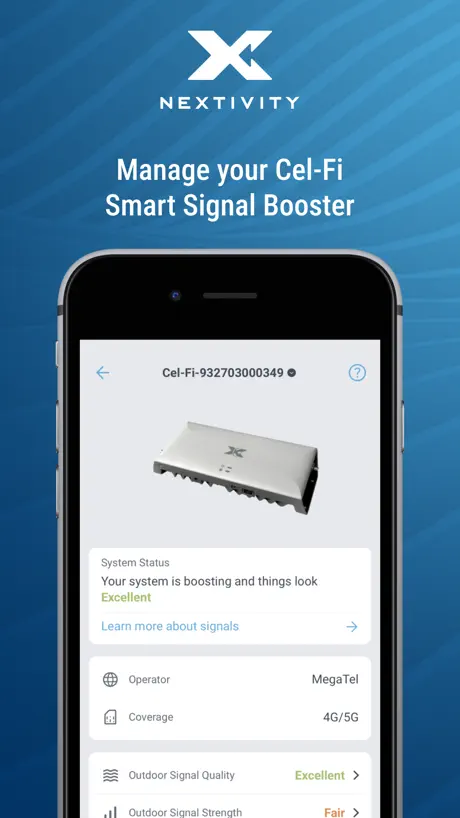
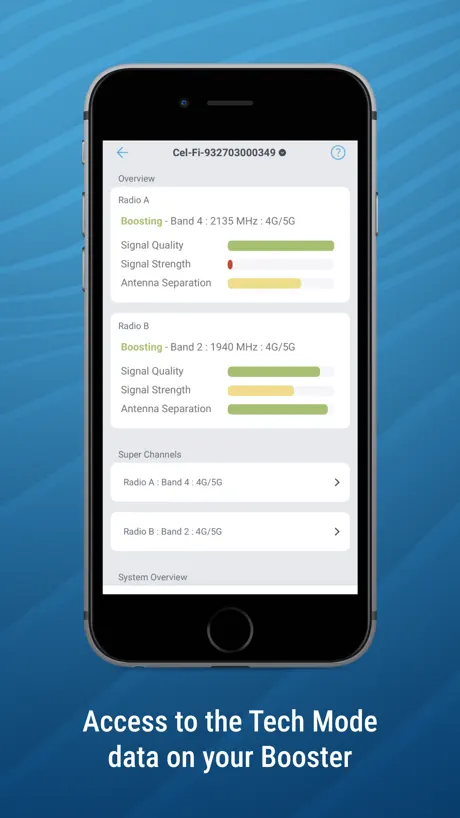
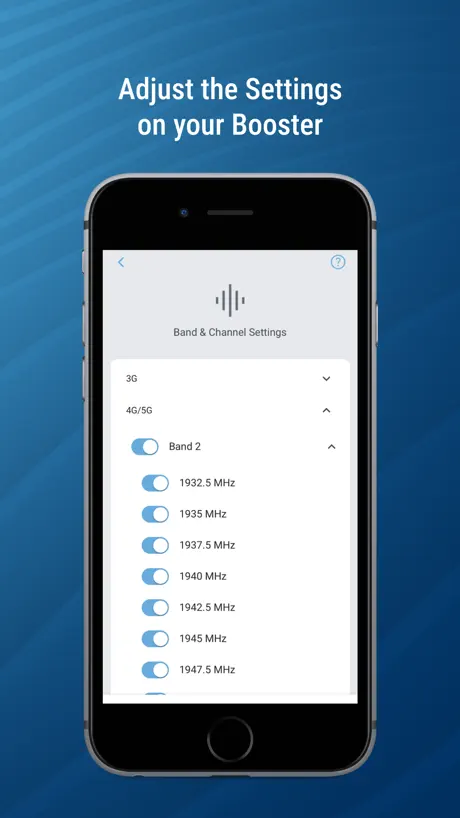
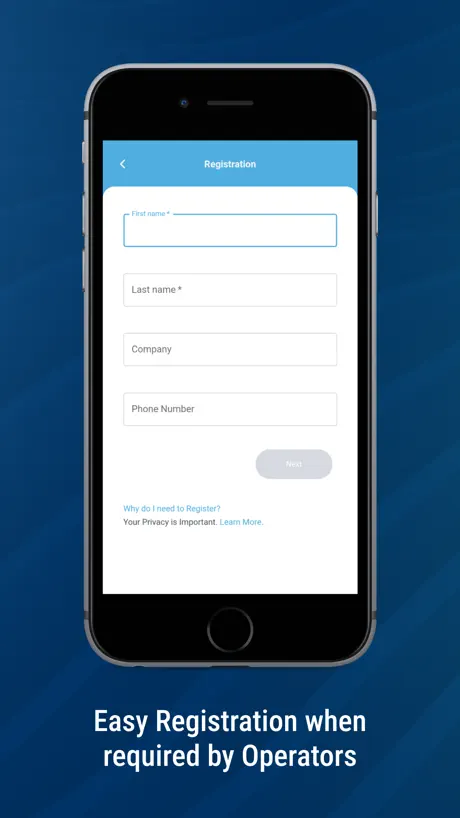
How much does CEL-FI WAVE cost?
Prices are current as of 11 Sept 2026.
CEL-FI WAVE has no in-app products on record in the United States.
10+ alternatives to CEL-FI WAVE
| CEL-FI WAVE |   ServiceM8 - Field Service App ServiceM8 - Field Service App |   Sitemate Sitemate |   Agworld for iPhone Agworld for iPhone |   AgriWebb AgriWebb |   Absco Sheds Assembly App Absco Sheds Assembly App |   CBUS Super CBUS Super |   Rapid Access Rapid Access | |
|---|---|---|---|---|---|---|---|---|
| Rating / 5 | 2.6 | 4.5 | 4.7 | 4.5 | 4.3 | 2.4 | 2.5 | 2.5 |
| Reviews | 208 | 8.3K | 2.3K | 1.1K | 159 | 77 | 62 | 40 |
| Released | 2015 | 2010 | 2020 | 2013 | 2017 | 2017 | 2014 | 2016 |
| Monthly price | — | $28.99 | — | — | — | — | — | — |
The going rate for each plan in United States, in its own currency, shaded from the cheapest price on the row to the dearest.
CEL-FI WAVE reviews
2.6 out of 5, based on 208 reviews.
What people like
- Fixes stubborn band selection issues easily
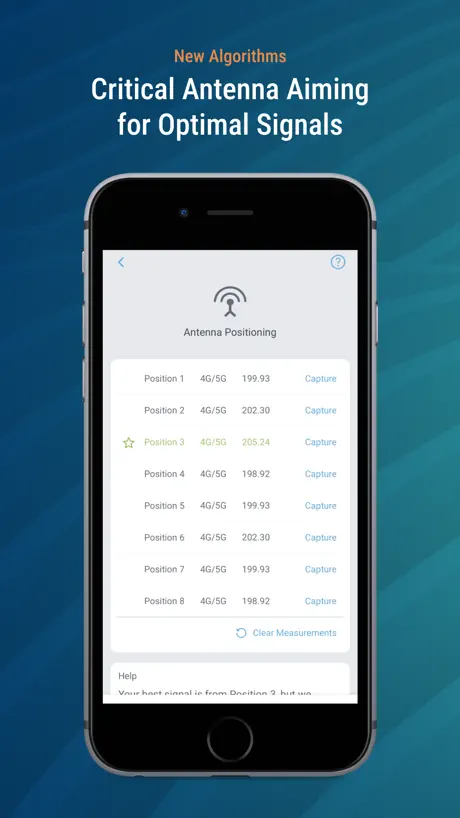
- Helps find best spot for antenna
- Customer service responds quickly and well
What they complain about
- Hard to connect to the device
- App crashes or goes offline often
- Shows zeros when booster is actually working
Update booster
Used the app to update firmware in a booster that had quit working. Worked great!
Would give 0 starts
App does not work making it useless
Thanks for fixing the dashboard
Please allow the user to see phone’s info (cell signal strength - bars) while the app is running. Sadly, many iPhones will not stay connected to your boosted signals. The iPhones connect, then revert to the much weaker signal coming from outside or the iPhones indicate no cellular service at all after disconnecting from your boosted signals.
Disappointed
When it works on Mobile it’s good, on stationary it’s great. You got rid of the old signal graphics why ? It was easy to to see at a glance.
Ok functional but time to upgrade.
OK functionality. Could do with some more polish on UX. Some things are not easy to find. Expect to wait for the legacy Bluetooth 4.2 hardware stack to provide settings. Often frustrating COULD WORK MUCH BETTER WHEN OFFLINE which is when I most need it to work. In some dark double brick shielded utility room in marginal MNO cell.
Все работает
В случаях с усилителем, который пропустил несколько версий обновлений, действительно необходимо обновление с помощью ПО. На оф.сайте есть. Ну или у дистрибьютера в сервисном центре.
Substantially Worse Experience
This app somehow got worse with each update. It displays multiple units while searching with the same name (a sequence of letter led and numbers at first good, luck deciphering that while you’re in a roof cavity), will not connect to said units without an hour of closing & reopening the app. You can now no longer flash the LED on a displayed device before connecting to it, instead you have to just connect and hope it’s the device you’re after or else wait for it to “download settings” which clearly does nothing. Once you’re finally in, the app is cumbersome to navigate and alter settings. If you’re not going to do the app properly and instead outsource its development (which I would hope it has been, since if this was in-house I’d be ashamed to put my name to it), just don’t have an app at all.
Update to review
The app now works, I had to delete the app and all its data since the recent app update. Once reinstalled it works as it should again.
Just wow
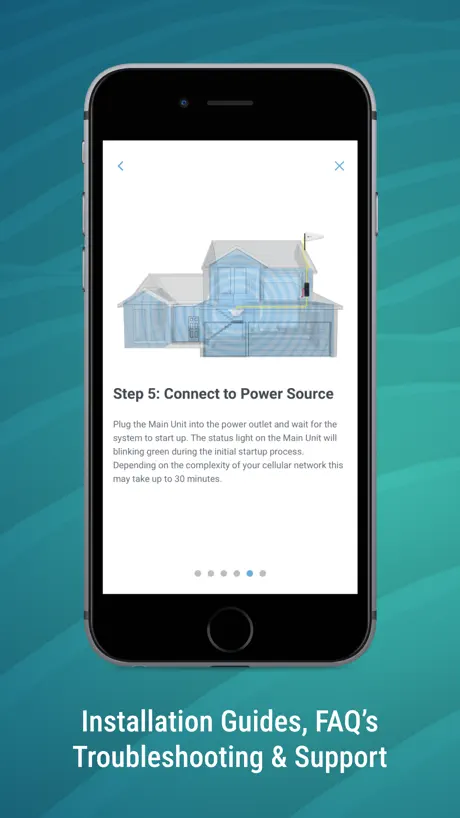
First, the app says it provides installation/setup instructions. However if you open the app before you set up your booster, the app hangs at looking for a booster with no option to do anything - one can only close the app. Secondly, the app does not agree with your tech/customer support. I set the booster up for the first time, and it continued to blink a green light which the app says, but if it does not go steady within 30 minutes to power down and power back up, which in my case did not solve the issue. The app continues to, tell you, you may need to register your device with your provider. I found instructions online on the Nextivity site for registering the booster with AT&T on the AT&T website that did not work AT&T customer service advised me to return the product and buy their booster when I got an email response from your customer service, they did not acknowledge the need to register and insist for me to try again.
Thanks, V2.0.3 fixed blank settings screen
Glad to see this update which returned settings screen.
Great booster
Great booster and cel fi customer service is very responsive. It can be a lot to install one of these and get it calibrated correctly. Most the negative reviews are from people who could not figure out installation or gave up and wanted to complain. Without this product I wouldn’t be able to work from home.
Buy Star link mobile don’t waste money
I have both cel fi roam and star link mobile set up in the car. Cel fi will let you down more times than you can count. Won’t connect to wave app so you can’t update and check on the function of the unit. Signal is boosted f all when it does and you make calls it drops out. For $1000 it is junk. Star link mobile cost $350 will connect anywhere no matter how remote you are, multiple people can be connected and once and pay so you go plans starting at $50 month with no lock in (before you go traveling depending on how long you are away just pay the $50 and then cancel when your back till the next trip away) and install of the star link takes 30 seconds. really disappointed in the cel fi because it let me down when I needed it the most and if I didn’t have the star link I would of had to of called emergency services because of the situation I was in. Don’t waste your time and money on this.
Good app
Overall pretty good, but keeps showing the need for an upgrade but the app keeps going in to offline mode. No sure why?
Connects 1 out of 10 tries
Only connects about 1out if 10 tries on iPhone 13. There is no information of what the screens mean only useful is the software update that are available for the booster and at that does say what the update does. Needs work.
Useful app for set up
Useful for band setting and aiming and setting the outdoor antenna and checking signal quality. Disadvantage is it only scans for one device. You need to restart your phone to pick up a different device.
Stay logged in
Each time you go back to the vehicle started up and go you have to keep logging back in. How do you auto log back in?
Latest ‘Update’ rendered the product Useless
Since the latest update, the R41 Roam is now an expensive paperweight! When trying to write to the support webform, it keeps erroring saying ‘this field is required’ despite the field being filled in! What the actual???? Pay nearly $1000 for this product and get less than useless support and a product that doesn’t work!
Need password
Need a password so nobody can Bluetooth in and play with the settings with this app
Disappointed
Slow claggy in need of an update disappointing like the device it supports I get to where 4g is at 4 bars via Telstra network and bam it loads contects and it sort of make one wonder the piont! After all no one bothered to fix the software or update it and I do wonder how the device and software retains such a huge price tag for the little it actually does.
Useful but unstable and buggy app
When it works it is quite useful. There are no guidelines how to use it and no explanation The most annoying part is that it will forget the Go and not find it again. The only remedy is to reboot the Go and then go though the registration process all over again. For a manufacturer that created the brilliant Go repeater I expected more than a buggy app. But on a positive side it is useful and connects to the Go rapidly and the registration process goes though successfully.
Works great
The booster hardware and this app are working great, boosting an intermittent 1 bar signal to a 3 bar usable LTE. I would like to see the app show more descriptive device state. It can take the booster several minutes to start up. This app will sit for a long time at “syncing data” and then show zeros for all incoming signal strength until the app is restarted. Meanwhile other users are getting signal and working, so we know the booster is functioning despite this app showing all zeros for incoming strength. I would like to see the app get to the signal strength meters faster, and to better identify the device state (“booting up” “scanning” “service detected”) so it’s clearer if I’m really getting zero signal vs device isn’t up yet.
Stay away
App implies my system is configured and working correctly, but not getting any additional signal strength. Whole system is a waste of money.
Works ok but doesn’t provide options for Canadian providers
When traveling and crossing the border from the US to Canada I cannot select the Canadian cell providers. If you look at the site for the product it says it should work there but not seeing it.
.
The app now states that it is not boosting but my phone has full signal. Basically the app doesn’t function properly now but the booster itself seems to perform a little better.
Living on the road
Top bit of gear, travel full time and still able to keep up with our business and keep in touch in more spots then just mobile service would allow us. Recommend highly!
Worse
This app has gone downhill after the last update or two. It rarely connects with the most recent update making it almost useless.
Over promises and under delivers
Yes it works BUT marginal improvement at best. Help email line is good and responsive but can’t overcome a mediocre product
Теперь не работает
Раньше был доступ для настройки и мониторинга Cel-Fi Pro. После нескольких обновлений доступа нет - требует обновить само устройство. А как это сделать? Предлагаемая программа WaveCelInstaller не скачивается.
Works for me.
I read the terrible reviews and wasn’t going to download it but found it was the quickest way to register the unit - to my surprise App works perfectly for me and my supplier said they use it all the time without any major problems. Would have saved me time and frustration if I had of downloaded it first up- give it a try.
Terrible app
One of the worst apps I’ve had the displeasure of using. Spending over a grand on their hardware which barely does what it supposed to and then the app is even worse. So hard to connect, without jumping through hoops. Even the tech help just say try turning it off and on again. That’s the best they can come up with. I use Victron gear and their app works flawlessly every time. They need to take a page out of their books and fire the current people in charge of apps Don’t waste your money on their devices, total waste of time.
Stationary to mobile
Stationary to mobile setting removed from app 🙁 not good should be put back in the app App worked ok for registering
Fixed my issue with 2 sets of Tmobile boosters
This simple app helped me fix issues I was having with 2 sets of boosters from Tmobile. The issue was that the boosters were defaulting to band 2 over band 12 or 4 and would not release it even after multiple resets. The first unit I thought the booster was defective because first power up it had 4-5 bars then boom down to one and LTE dropped off. Multiple resets and no change. I sent it back to Tmobile and they sent another. Same result I turned it in 5 bars I smile wait 5 min and jumps to one bar and my frustration starts. I thought it was defective as well. I called my networking friend and he said download this app and see if band 2 is checked! By simply downloading this app going to my coverage unit opening the app clicking the booster settings tab and I checking band 2 was all it took. It took me 1 min to fix the issue I was having for 6 weeks. This app also shows some basic networking statistics as well for you. It may not have every option a technician needs but it suited my needs nicely and by the way it was FREE. Thank you for this app!!!
It never connect to the app worse app ever
It never connect to the app 1/10 it might work n then disappear worse app ever the older model n app was much better to connect to .
Trev
Major accuracy and performance doubts .??
Very cool
Installed this today. I could connect to my Cel-Fi Pro in a few minutes. Very easy to use. This app does everything it is supposed to do. I found a better place for the network unit by reading the signal strength on the app. Now, signal boosters are part of The Internet Of Things family!
Expensive junk
Unit fails to boost any signal and since the app update, refuses to connect to Bluetooth
Needs improvement
I constantly get notifications for firmware updates but when I check in the app it says up to date for my device. 2) interface doesn’t support iPhone X/XS/XR. Opens in a small window
Absolutely useless waste of money device
Absolutely useless waste of money device Cel-fi go. Will not register
Poor interface for a good device
This app seems like a complete waste of time. Non-intuitive and seems to often throw up spurious alerts - the latest one involving my Bluetooth , which I know is fully functional. “Too close” appears with monotonous regularity, when nothing has changed spatially. Cel-fi would do better providing a useful and comprehensive user manual. The explanations in the ‘how to’ section are vague and ambiguous . I’m often receiving signal when the app says it’s non-existent! Please overhaul this.
CEL-FI WAVE FAQ
- Is CEL-FI WAVE free?
- Yes. The app is free, in all 175 countries it sells in, and it sells nothing inside it.
- Does CEL-FI WAVE have a free trial?
- No. None of its offers (US) come with a free trial.
- What are the best alternatives to CEL-FI WAVE?
- ServiceM8 - Field Service App (4.5 from 8,301 reviews, premium from $8.99), Sitemate (4.7 from 2,343 reviews) and Agworld for iPhone (4.5 from 1,078 reviews).
CEL-FI WAVE download
Last updated 1 month ago.
CEL-FI WAVE sells in 175 countries. It was released 11 years and 6 months ago, on 2 Apr 2015. It holds a 2.6 rating from 208 reviews.
Supports 1 language: English.
How much does CEL-FI WAVE make?
Third-party estimates for the last 30 days, worldwide — not the store's own figures, which Apple publishes for nobody.