Hi-Res music player-NePLAYER
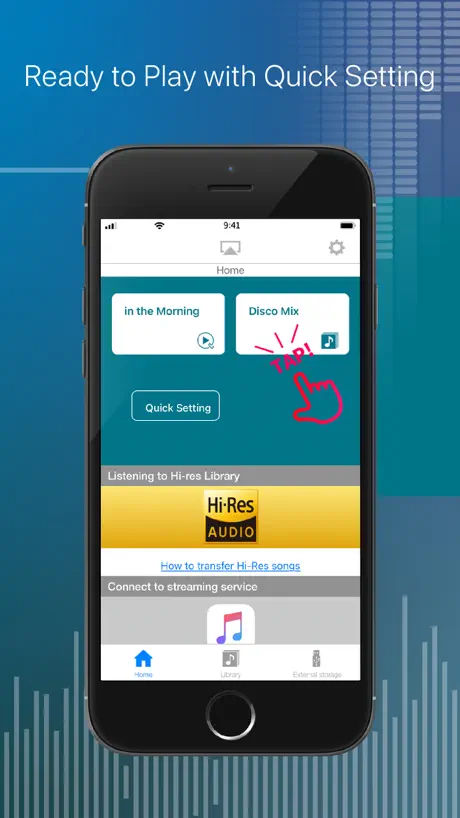
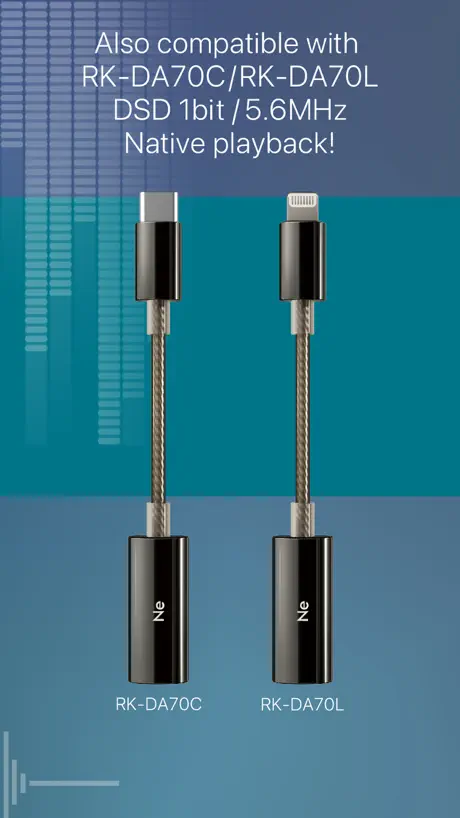
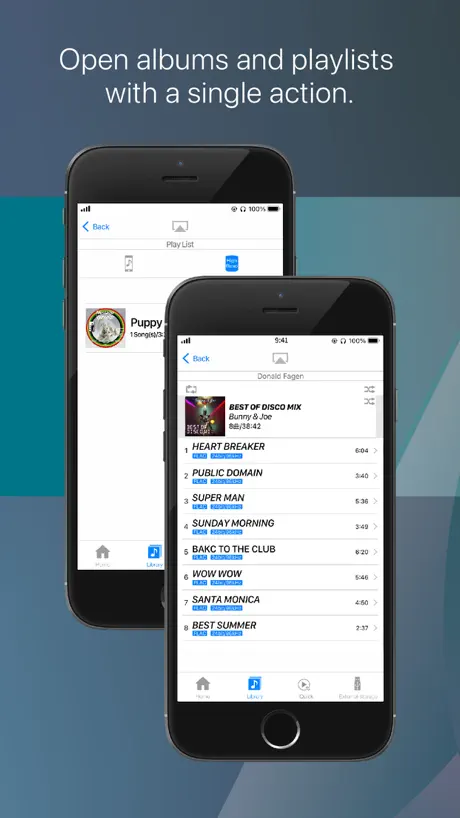
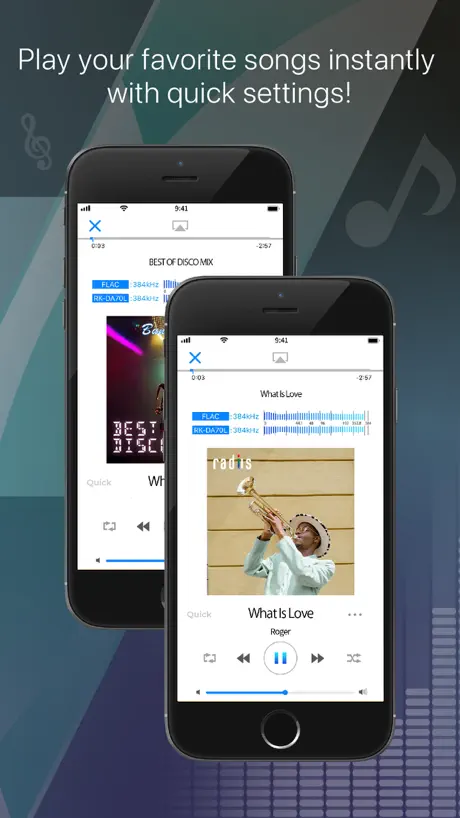
How much does Hi-Res music player-NePLAYER cost?
Prices are current as of 8 Sept 2026.
Hi-Res music player-NePLAYER has no in-app products on record in the United States.
Hi-Res music player-NePLAYER download price by country
| Country | Price |
|---|---|
| Japan | ¥2,500 |
| Taiwan | NT$490.00 |
| China | CN¥98.00 |
| Hong Kong | HK$118.00 |
| Thailand | THB 499.00 |
| Vietnam | ₫499,000 |
| United States | $14.99 |
| South Korea | ₩25,000 |
| Russia | RUB 1,290.00 |
| Germany | €17.99 |
| Mexico | MX$299.00 |
| Indonesia | IDR 249,000 |
| Singapore | SGD 19.98 |
| Turkey | TRY 799.99 |
| Canada | CA$19.99 |
| India | ₹1,499.00 |
| Australia | A$22.99 |
| Spain | €17.99 |
| Hungary | HUF 6,990 |
| Netherlands | €17.99 |
| United Kingdom | £14.99 |
| Philippines | ₱999.00 |
| Austria | €17.99 |
| Italy | €17.99 |
| Malaysia | MYR 69.90 |
| Belgium | €17.99 |
| Brazil | R$99.90 |
| Switzerland | CHF 14.00 |
| New Zealand | NZ$29.99 |
| Peru | PEN 69.90 |
| Poland | PLN 69.99 |
| Sweden | SEK 199.00 |
| Argentina | $14.99 |
| Bulgaria | €17.99 |
| Belarus | $17.99 |
| Chile | CLP 17,990 |
| Cyprus | €17.99 |
| Ecuador | $14.99 |
| Israel | ₪49.90 |
| Macao | $14.99 |
| Romania | RON 79.99 |
| Slovakia | €17.99 |
| Uruguay | $14.99 |
| United Arab Emirates | AED 59.99 |
| Afghanistan | $14.99 |
| Antigua And Barbuda | $14.99 |
| Anguilla | $14.99 |
| Albania | $17.99 |
| Armenia | $17.99 |
| Angola | $14.99 |
| Azerbaijan | $17.99 |
| Bosnia & Herzegovina | €17.99 |
| Barbados | $17.99 |
| Burkina Faso | $14.99 |
| Bahrain | $14.99 |
| Benin | $17.99 |
| Bermuda | $14.99 |
| Brunei Darussalam | $14.99 |
| Bolivia | $14.99 |
| Bahamas | $14.99 |
| Bhutan | $14.99 |
| Botswana | $14.99 |
| Belize | $14.99 |
| Congo, Democratic Republic | $14.99 |
| Congo | $14.99 |
| Cote Divoire | $17.99 |
| Cameroon | $17.99 |
| Colombia | COP 69,900 |
| Costa Rica | $14.99 |
| Cape Verde | $14.99 |
| Czech Republic | CZK 399.00 |
| Denmark | DKK 129.00 |
| Dominica | $14.99 |
| Dominican Republic | $14.99 |
| Algeria | $14.99 |
| Estonia | €17.99 |
| Egypt | EGP 799.99 |
| Finland | €17.99 |
| Fiji | $14.99 |
| Micronesia | $14.99 |
| Gabon | $14.99 |
| Grenada | $14.99 |
| Georgia | $17.99 |
| Ghana | $17.99 |
| Gambia | $14.99 |
| Greece | €17.99 |
| Guatemala | $14.99 |
| Guinea-bissau | $14.99 |
| Guyana | $14.99 |
| Honduras | $14.99 |
| Croatia | €17.99 |
| Ireland | €17.99 |
| Iraq | $14.99 |
| Iceland | $17.99 |
| Jamaica | $14.99 |
| Jordan | $14.99 |
| Kenya | $17.99 |
| Kyrgyzstan | $14.99 |
| Cambodia | $14.99 |
| St. Kitts and Nevis | $14.99 |
| Kuwait | $14.99 |
| Cayman Islands | $14.99 |
| Kazakhstan | KZT 8,990.00 |
| Lao Peoples Democratic Republic | $14.99 |
| Lebanon | $14.99 |
| St. Lucia | $14.99 |
| Sri Lanka | $14.99 |
| Liberia | $14.99 |
| Lithuania | €17.99 |
| Luxembourg | €17.99 |
| Latvia | €17.99 |
| Libya | $14.99 |
| Morocco | $14.99 |
| Moldova | $17.99 |
| Montenegro | €12.99 |
| Madagascar | $14.99 |
| Macedonia | $14.99 |
| Mali | $14.99 |
| Myanmar | $14.99 |
| Mongolia | $14.99 |
| Mauritania | $14.99 |
| Montserrat | $14.99 |
| Malta | €17.99 |
| Mauritius | $17.99 |
| Maldives | $14.99 |
| Malawi | $14.99 |
| Mozambique | $14.99 |
| Namibia | $14.99 |
| Niger | $14.99 |
| Nigeria | NGN 24,900.00 |
| Nicaragua | $14.99 |
| Norway | NOK 199.00 |
| Nepal | $17.99 |
| Nauru | $14.99 |
| Oman | $14.99 |
| Panama | $14.99 |
| Papua New Guinea | $14.99 |
| Pakistan | PKR 3,900 |
| Portugal | €17.99 |
| Palau | $14.99 |
| Paraguay | $14.99 |
| Qatar | QAR 49.99 |
| Serbia | €17.99 |
| Rwanda | $14.99 |
| Saudi Arabia | SAR 59.99 |
| Solomon Islands | $14.99 |
| Seychelles | $14.99 |
| Slovenia | €17.99 |
| Sierra Leone | $14.99 |
| Senegal | $17.99 |
| Suriname | $14.99 |
| Sao Tome & Principe | $14.99 |
| El Salvador | $14.99 |
| Swaziland | $14.99 |
| Turks and Caicos | $14.99 |
| Chad | $14.99 |
| Tajikistan | $14.99 |
| Turkmenistan | $14.99 |
| Tunisia | $14.99 |
| Tonga | $14.99 |
| Trinidad and Tobago | $14.99 |
| Tanzania | TZS 39,900.00 |
| Ukraine | $17.99 |
| Uganda | $17.99 |
| Uzbekistan | $14.99 |
| St. Vincent & The Grenadines | $14.99 |
| Venezuela | $14.99 |
| British Virgin Islands | $14.99 |
| Vanuatu | $14.99 |
| Kosovo | €17.99 |
| Yemen | $14.99 |
| South Africa | ZAR 299.99 |
| Zambia | $17.99 |
| Zimbabwe | $17.99 |
10+ alternatives to Hi-Res music player-NePLAYER
| Hi-Res music player-NePLAYER |   KaiserTone Audio Player +HiRes KaiserTone Audio Player +HiRes | 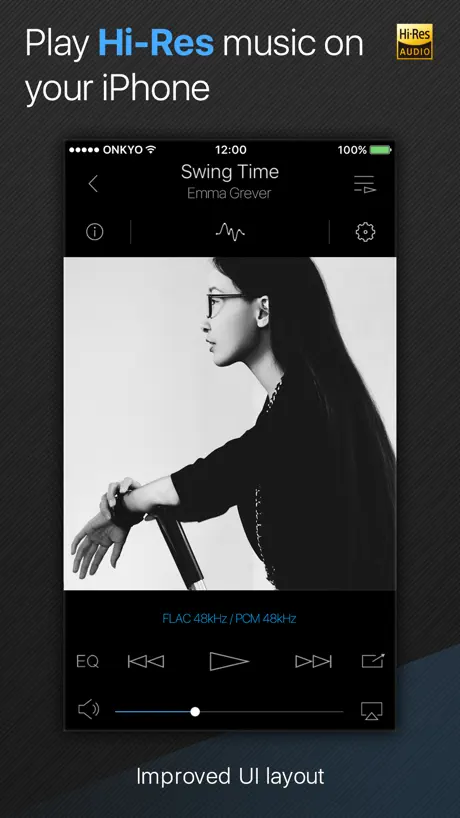  Onkyo HF Player - Hi-Res Music Onkyo HF Player - Hi-Res Music | 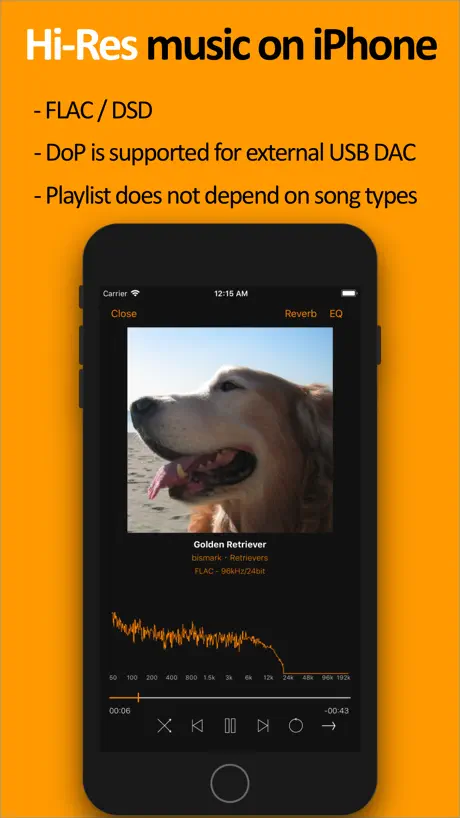  scylla - Hi-Res Music Player scylla - Hi-Res Music Player | 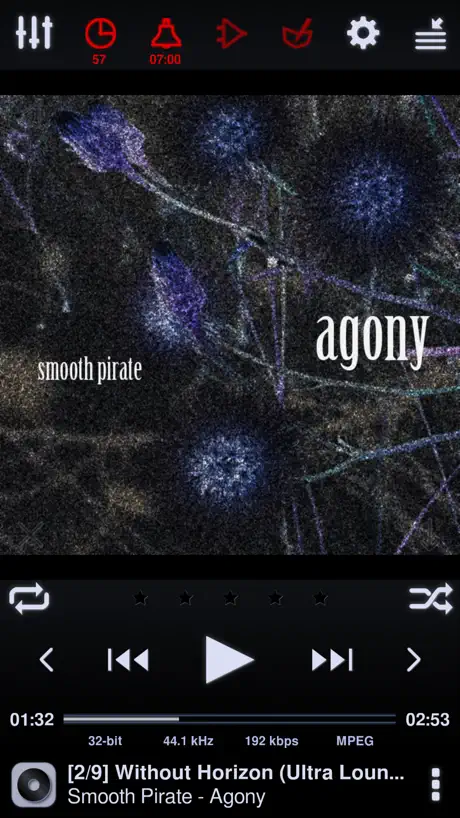  Neutron Music Player Neutron Music Player |   Onkyo HF Player Onkyo HF Player |   fidata Music App fidata Music App |   SoundHi +EQ30 HD Amp & Player SoundHi +EQ30 HD Amp & Player |   KaiserTone Medley -HiRes Audio KaiserTone Medley -HiRes Audio |   Audio Break-in Audio Break-in |   Noble FALCON MAX Noble FALCON MAX | |
|---|---|---|---|---|---|---|---|---|---|---|---|
| Rating / 5 | 3.9 | 4.6 | 3.5 | 4.4 | 4.0 | 3.2 | 2.7 | 4.2 | 4.1 | 4.2 | 1.3 |
| Reviews | 2K | 2.6K | 2.5K | 1.3K | 1.2K | 226 | 165 | 134 | 91 | 82 | 7 |
| Released | 2015 | 2013 | 2013 | 2017 | 2013 | 2018 | 2017 | 2019 | 2017 | 2013 | 2024 |
| One-time price | — | — | $2.99 | $4.99 | — | — | — | — | — | — | — |
The going rate for each plan in United States, in its own currency, shaded from the cheapest price on the row to the dearest.
Hi-Res music player-NePLAYER reviews
3.9 out of 5, based on 1,990 reviews.
What people like
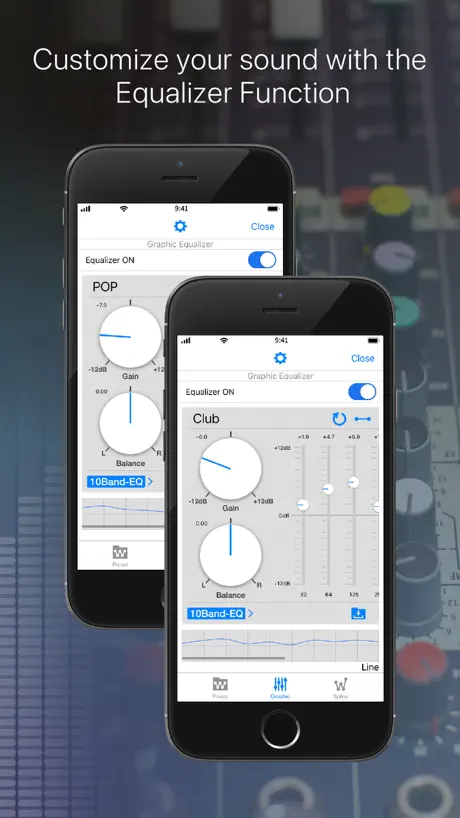
- Excellent sound quality with DACs
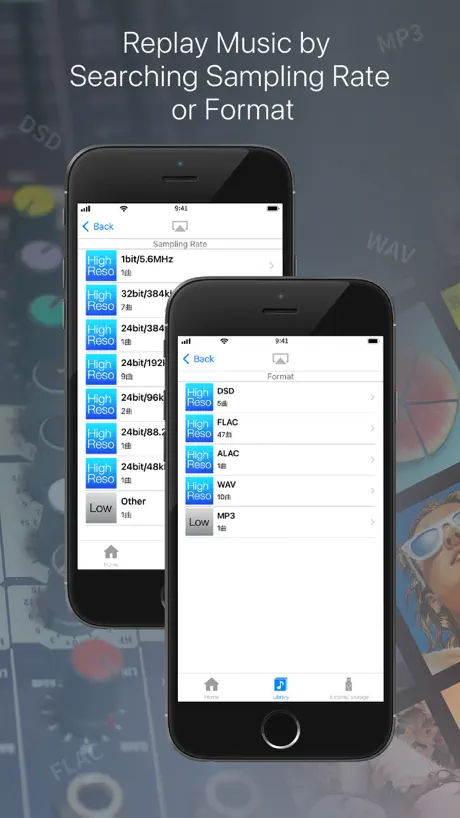
- Supports many high-res formats
- Great for audiophiles
What they complain about
- Ads interrupt you constantly
- App crashes frequently on updates
- NAS connection is unreliable
- Downsamples high-res audio incorrectly
楽しく音楽を鳴らしてくれる
音楽再生プレーヤーとして大事な事は何かと言えば、良く言われるのは原音再生。 でもマスターレベルですでに生の音とはちがうはずなのでなにをもって原音というのだろう。 そこで個人的な意見では聴いていてワクワクする音、聴き疲れしない事を基準にプレーヤーを選んでいる。 そこからいくとこのプレーヤーは合格点ではないかと思う。
ワイヤレスイヤホンでの操作
アプリのアップデートをしたらワイヤレスイヤホンでの一時停止が全くできなくなりました。 iOSアプリです
確かに音は良いが…
ユーザー設定でイコライザーを調整すると登録する際、勝手にdbがズレるんだが。他社プレイヤーが0.5dbずつしか設定出来ないから購入したのに…
新iPhoneではNASから接続が出来ない
新iPhoneではNASから接続出来ない。外出先からNASに繋がらないなど問題点が多い。 今は古いiPhoneでDACに接続して音楽専用として使っている。
お気に入りの音楽再生アプリ
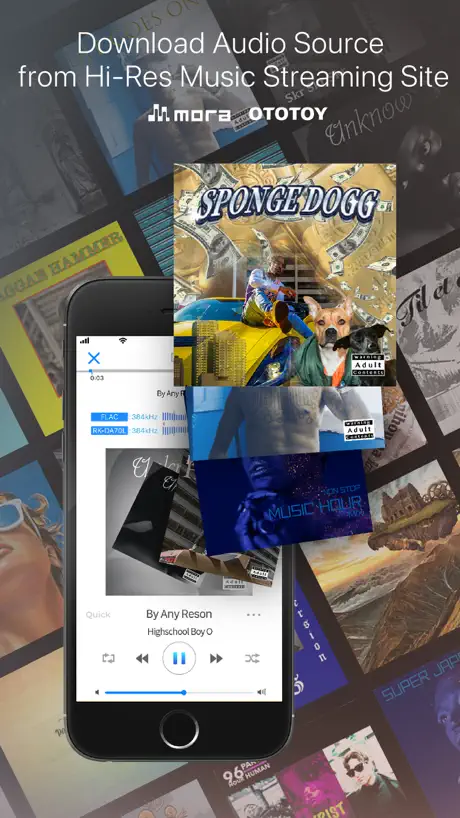
moraから購入したものを直接ダウンロード出来るし、プレイリストを作ったり出来るので、使いやすくて毎日のように使ってます。 不具合とこういう機能が欲しいというのを挙げてみます。 ・曲のサムネイル画像が出なかったり違うサムネイル画像が出ることが多い(曲はmoraで購入、再生画面とプレイリスト一覧で発生する) ・歌詞表示が欲しい
LOVE IT!
it’s a AUDIOPHILE Music Player. I Enjoy Using it! Worth The $$$
UIなんとかしてほしい
CDからの音源を取り込もうとしていますが、同じファイルがダブったり、一部だけ取り込まれたりと一貫性がなく使い物になりません。 有料でこれはどうかと思う
別のストリーミングにも対応してほしい
Flacの再生ですごくお世話になってました。 最近はAmazon musicばかり使ってますが、音質に物足りなさがあり このアプリ経由でイコライザー設定してUHDとかの楽曲を聴けるといいなと。
NASを認識しない
NAS接続していますが認識しないことが多くストレスです。
曲の再生
mp3やAACファイルの曲を聴くのに使用していますが、個人的にはアップルミュージックアプリよりクリアで音の分離が良いと思います。 ただ再生時に曲順どおり再生されずに曲がまるまる1曲飛ばされてしまうことがあるので、改善してほしい。
Really good.
It’s a little ugly but offers all options that the other app don’t have.
Apple Musicが聴けない
ストリーミング再生に大往生とあるのに聴けない これではお金を払った意味がない 返金して欲しい
文字コード
音楽を聴くということについて不満はないです。 shift-JISに対応してくれると嬉しいです
できない事は明確に書くように
DRM付きのファイルは、再生中できないとか、ビジュアライザーもストリーミングには使えない、排他モード、バイパスしているかのように印象操作しているが、読み込めないファイルの多さや、ただ管理ソフトを一つ増やしただけで、汎用的使用感は素晴らしく低い。使用DACもFiio製品すら読み込めない。結局、もともともってるファイルは当てにならず、ユーザーが新規でファイルを購入して、そのストアからシームレス化代を取る事が第一義。
プレイヤー画面でAirPlayのアイコンがなくなった
最新バージョンアップデートしたら、再生画面でAirPlayのアイコンが消えて使えなくなっ。
Top quality
Best music player
Bait & Switch
This app stops every ten minutes or so, each time it stops a pop up screen come up on the phone telling you to buy their DAC, your music will not play until you close the pop-up message, ten minutes later, it happens again,
SynologyのNASが見えなくなった
追記(アップデートにて)最近のバージョンでは少し待てばNASが見えるようになっていました。改修有難うございます。評価を⭐️→⭐️⭐️⭐️⭐️に変更しました。外部機器分の曲もプレイリストが作成出来るようになればと願っています。 ----- )結構気に入っていたのですが、久しぶりに使ったところアップデートの影響なのか、今まで見えていたStnologyのNASが見えなく(DLNAサーバーが見つかりません)なっていました。残念です。
一部の曲を読み込まなくなりました。。。
AppleMusicで購入した一部の曲が表示されません。。。iPhone14pro MAXです。
What’s wrong with updating?
When I touch the button at the bottom, it doesn’t work correct. I should touch other place to go to library. Please check immediately.
so far so good, keep it up
aaa
Keeps crashing
After the recent upgrade, the app crashes when playing through dlna... why they don’t do any test before updating the app???
Great app! But needs a UI update for better experience
Amazing apps loaded with features that any audiophile would want! One thing I feel it needs is the ability to hide the separate iPhone library and have that as a separate option in the settings. I use this as a standalone music app on my iPhone and it would be nice just to go to my library and it just be where I add my files not worrying to switch between iPhone and hi res library. Also one last tough would be to show name of connected dac other than it saying “other”. If these to features were added to this app it would be the icing on the cake!
歌詞が入らない!
iTunesでインストールした際、何度やっても歌詞だけがインストールされないので対策お願いします。
need ape format play support
need ape format play support
Buy this app instead of Hi Res player
If you have a good portable DAC: there's no need to buy expensive Hi Res player (Astell&kern) just buy this app then you're golden. Personally I use Chord Mojo as my All in one. And, music never sounded better. In addition, NePLAYER can almost accept any format, from 32bit wav 386Khz to flac 196Khz.
Keeps crashing again
Again after this update, app crashes when I try to play dlna... 😡😡😡 After every few updates, this happens. Making me tired
Nice player
NePlayer is a nice music player for iPhone. GUI is nice and I give high marks for audio quality. Areas where improvement is needed are: *Navigation from play window to Artist losing could use a button on play interface to allow quick navigation back fo Artist lineup. *Replay option for entire album play doesn’t work anymore, needs repair. Keep pounding and squeeze out all bugs...Thanks
Apple musicが…
Apple musicで今まで聴けていたのですが、 最近急にデジタル著作権管理で聴けなくなりました… 標準ミュージックアプリで聴いてとの事… DLしたばかりなので正直困りました…
Fell not good
Can support Wifi transmission?
Amazing
This is the number one music player ,good quality sound ,amazing music player 10 stars
Unstable
Crashes after playing 4-5 lossless audio
希望添加断点播放功能
关闭软件后重新进入软件不能继续播放关闭之前播放的音乐
イコライザーが使えないです。
Spotify内のイコライザーがイマイチだったのでこのアプリを入れました。ですが、イコライザーがいじれないです。
Dark mode
I Have Dark mode.
Awesome
Great App. Can definitely hear the difference.
Cannot create playlist
Spend 15$ for the hires app, and cannot creat your own playlist, the same problem with HFPlayer. Waste time and money. 1 star!
单声道
在iPhone x上用蓝牙连接后,播放MP3,耳机只有左边有声音。其它格式正常。
返金して頂きたい。
これまではSpotifyでの音質向上,イコライザーのために使ってきましたが、それが出来なくなるとはこのアプリの意味がありません。 最初にお金を払って買った時よりも悪くなってます。 残念です。
I can’t love the interface
Sorry, sound quality is ok, yes it outputs to my Chord Mojo, but the interface is a disaster. It calls aiff files wav files and is clunky as hell, not something you want to navigate through 7k of songs either. It just doesn’t work for me, not one little bit. All it did was make me appreciate KaiserTone more. Worst $14 I’ve thrown away on an app. Thoroughly tested, then immediately deleted. Not my cup of tea, and I seriously object to company advertising in a paid, and relatively expensive app. Once again, KaiserTone is much better.
Nice app for playing HiRes music
Much better and user friendlier than USB Audio Player Pro. It works well with my Micro iDSD and is able to output native HiRes signal to it.
Crashes all the time
The new version is having serious issues. The app crashes with in 5 seconds of playing the audio file.
Please add a option to disable iTunes backup
Every time I try to backup my phone in iTunes, the whole HD library music file will be backed up. Please add a option disable that like other Apps. (Like a player app called "nPlayer") And could you exchange the position of volume bar and timeline bar? I can easily adjust volume using volume button on my phone or on my DAC (since when I connect to my DAC the volume bar just disappeared but the timeline bar is way to far from my finger. ) :)
操作時に強制終了する
ハイレゾファイル再生開始時や、ダウンロード時によく落ちる。 再生が出来てしまうと普通に使えるんだが、何かやろうと操作を変えると落ちる 13Pro、最新OSでだめ。何か処理が追いついてない感じがする。アプリ自体の動作が重いのか、メモリ食いなのかは不明。
A promising app
It is good application but has long way to go to become a seriously solid hi-res player. Interface is very rudimentary with very few options. Presently the best hi-res player, in my opinion, is Neutron. It has tons of options and can handle DSD files natively.
Best in the category
This is truly the best app for listening to Hi-Res files on your idevice. Great features and continues to improve over time.
No support for Oppo HA-2 Headphone Amp
When playing a 192k/24bit track through my Oppo HA-2 headphone amp, the track gets down sampled to 48k. The same track plays without being down sampled through another Hi Res audio app. So this one gets removed.
It would have 5 stars if it was not so unuser friendly
Love the quality of music. Why not give better instructions for use? It took me a week to work out that you can only have continuous play for playlists. I can understand that shuffle is not so important. You don't need to shuffle opera or symphony but there should be better options, and they should be easier to work out.
Play mode
Great app but why does it have to stop at every song??? I have to hit play button at the end of each song. One stupid app. Shuffle mode mode didn't do a thing since it stopped at the end of each song Fix the program. I didn't pay 15 dollars so I can manually play each song in my iPhone 6+
i need a folder play
i like this player. nice sound, nice ui. could you add a folder play function?
Hi-Res music player-NePLAYER FAQ
- Is Hi-Res music player-NePLAYER free?
- No. Hi-Res music player-NePLAYER costs $14.99 (US) to download.
- Does Hi-Res music player-NePLAYER have a free trial?
- No. None of its offers (US) come with a free trial.
- What are the best alternatives to Hi-Res music player-NePLAYER?
- KaiserTone Audio Player +HiRes (4.6 from 2,647 reviews), Onkyo HF Player - Hi-Res Music (3.5 from 2,510 reviews, premium from $1.99) and scylla - Hi-Res Music Player (4.4 from 1,340 reviews, premium from $4.99).
Hi-Res music player-NePLAYER download
Last updated 3 months ago.
Hi-Res music player-NePLAYER sells in 174 countries. It was released 11 years and 6 months ago, on 6 Apr 2015. It holds a 3.9 rating from 1,990 reviews.
Supports 3 languages: English, Japanese, Chinese.
How much does Hi-Res music player-NePLAYER make?
Third-party estimates for the last 30 days, worldwide — not the store's own figures, which Apple publishes for nobody.