
Stanford Health Care MyHealth
How much does Stanford Health Care MyHealth cost?
Prices are current as of 7 Sept 2026.
Stanford Health Care MyHealth has no in-app products on record in the United States.
10+ alternatives to Stanford Health Care MyHealth
| Stanford Health Care MyHealth |   My Doctor Online (NCAL Only) My Doctor Online (NCAL Only) |   Blue Shield of California Blue Shield of California |   Carby Health Carby Health | 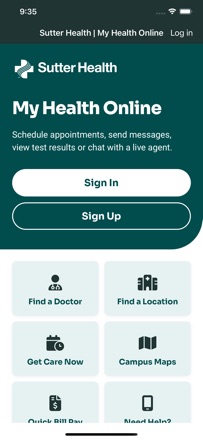  Sutter Health My Health Online Sutter Health My Health Online |   Alto Pharmacy Alto Pharmacy |   Stanford Children's Stanford Children's |   my portal. by Dignity Health my portal. by Dignity Health | 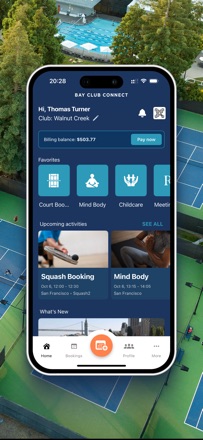  Bay Club Connect Bay Club Connect |   El Camino Health El Camino Health |   City Sports City Sports | |
|---|---|---|---|---|---|---|---|---|---|---|---|
| Rating / 5 | 3.9 | 4.8 | 4.8 | 4.8 | 4.5 | 4.8 | 4.6 | 1.5 | 4.8 | 4.4 | 2.1 |
| Reviews | 2K | 88K | 21K | 17K | 17K | 7.4K | 405 | 395 | 287 | 227 | 13 |
| Released | 2015 | 2012 | 2013 | 2016 | 2016 | 2017 | 2017 | 2016 | 2019 | 2019 | 2013 |
Stanford Health Care MyHealth reviews
3.9 out of 5, based on 1,971 reviews.
What people like
- Doctors reply quickly to messages
- Easy to check appointments and labs
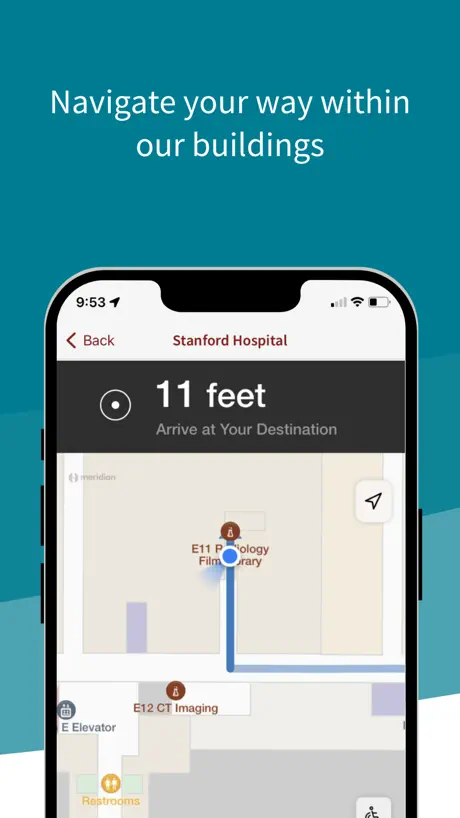
- Clear driving and parking directions included
What they complain about
- App crashes frequently on launch
- Forces password entry every single time
- Does not work with Apple Keychain
- Updates break older iPhone models
The Best Organization Ever
Stanford Medical Health in Emeryville is absolutely the best Healthcare system I have ever experienced. Simply superb in all aspects.
App is crashing after latest update
Looking at test results Tap Trends to see graphs… crashes on all three phones tested and iPad. Only crashed in one test so far.
Great app but missing one critical feature.
The world has shifted to Tap at point of sale and Apple Pay when online. I don’t have physical Visa cards any more so I can’t pay my copay in advance as neither the mobile app or web site supports Apple Pay. I always have to pay in person tapping my iPhone to the terminal at the doctor’s office. To streamline the physical check in process, you should bring Apple Pay to both the mobile app and web site. This would be amazing. Your acquiring bank should have info to help get you started with supporting Pay on both your mobile app and web site.
Terrible app. Poor iPad support
Had to fill out a looong questionnaire for an annual exam. Could not do this on my iPad. Form choices did not all fit on the screen in horizontal or vertical and could not be resized. Had to go to my desktop - where I had to go into full screen mode to see all the answers. Sutter’s my health online is SO much better. (Stanford care is better than Sutter though)
Login UI issue
From time to time, when it’s required to type username and password again, the login screen could only show useid portion, the password part is blocked by the keyboard, and there is no way to move the contents up a bit so I can type the password or use iPhone autofill feature. Both the iOS and myhealth app are with the latest version.
No integration with apple health
The standard apple health connection through MyChart doesn’t work due to a generic error, with Apple blaming Stanford who blames Apple. There’s also a separate way to make the connection through this app itself, but that requires you to “ask your provider” for an order and providers don’t even know what that means.
Do not like it
Need access to My Health
Opción para español
App is great but a Spanish interface option would make it that much better. Is that option/setting available?
Unable to login
The app continues saying it’s unable to access the servers so I’ve been unable to use it for several days now. Please fix! This is how I communicate with my medical team
Best App
Love it
Excellent app.
Used for the first time today! Absolutely easy to use. Love this app for Stanford.
Add Insurance feature broken
My insurance info cannot be submitted through the app. Please fix this bug.
iPad Pro 13”?
Love the app, but I wish it was usable on an iPad Pro 13” so that it is a full screen instead of the iPhone screen.
Confusing app
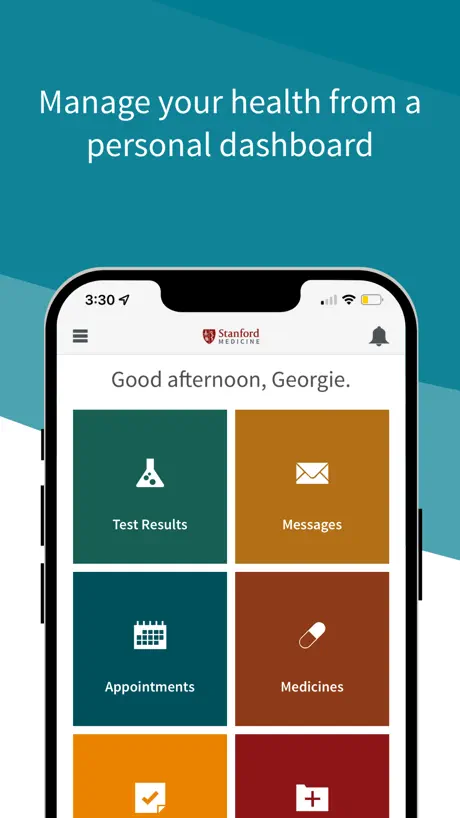
I regret to have to tell you this App is much too confusing. It looks easy and straightforward, and I like the way the icons for different services, messages, etc are displayed on the opening page. Nevertheless, I have trouble receiving and opening messages and test results - in particular, the most recent ones. The App needs to be much simpler in order for people less familiar with electronic gadgets to use.
Dermatology
I have never had a better Dr. than Dr Sarin.
Love this app
I love communication with my doctors when symptoms arise and they respond
Waisting time and money
No test result added to the app and they send paper copy instead. The letter from customer service remain wrong place which is so difficult to find. Medical record will not be in the right place. It is just sitting on billing info. Hope they will improve their app if they believe they are providing professional service.
Notifications
Notification is not working
Good app if care team used it
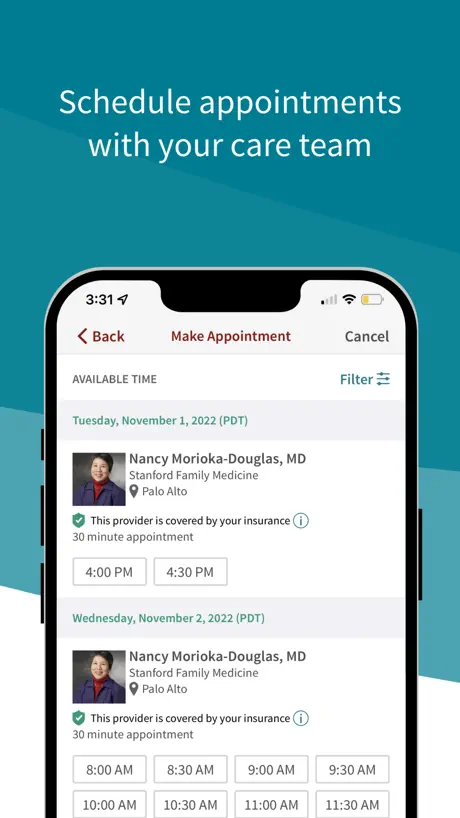
I have 3 issues: 1) I send messages that don’t get a response 2) when my Dr goes on maternity leave, the app does not allow me to book with covering physicians 3) I booked an appointment and arrived to the 3rd floor of the Palo Alto office 11 minutes late due to local construction. I was turned away due to a “strict 10 minute late policy”. I was baffled. I knew I’d arrive around 2:04 and would’ve not have wasted time driving for 45 minutes had I known I was so close to the cutoff. I later found the policy in tiny text at the bottom of an invisible scroll that isn’t visible if you simply click Book Appointment when shown time and location. A terrible oversight in my opinion. These kind of policies should be something you are forced to acknowledge when the appointment is booked. Every time I book an appointment I wait for 15 minutes minimum, sometimes 30 or 45. Having a “can’t be 10 minutes late policy” is draconian. However at a minimum, the app needs to make the policy VERY CLEAR to the user.
Needs subscribe to cal, no side scrolling
Subscribe to calendar feature would be fantastic so I don’t need to remember to add every appointment individually to my calendar. Reading appointment notes has become a horrendous pain now that the text is wider than the screen and can't be sized to the screen. Please fix!
Excellent!
I received the Harvard Newsletter with same article!
Unusable garbage
Everything about Stanford’s healthcare’s IT interfaces are just total junk.
Works for me.
This app works good enough for checking appointments, looking up tests & labs, and messaging with my medical team.
App keeps crashing
I have been using this app for a years and happy for the most part until now. Recently though, the app is crashing every time I tap on an after-visit summary from one of my doctors. I don’t see any place you can contact the developers to notify them of this issue, as the link to the developer website just takes you to the Stanford Health website. This is both annoying and frustrating. Please fix this.
Need more
Need select and copy function. And print function.
I love having access to My Health!
As a SHC patient for the last 20 years, I have found this portal very useful and reliable for connection to my doctors via messaging, for storing appointment times, for receiving test results, etc. I use it a lot and I like its simplicity & hope it never gets too complicated for users!
New update causing app to crash
Needs bug fixed
App keeps crashing
Even though I updated it to latest available update the keep is still very buggy and keeps crashing when setting filters while rescheduling appointment
Works but it could be better
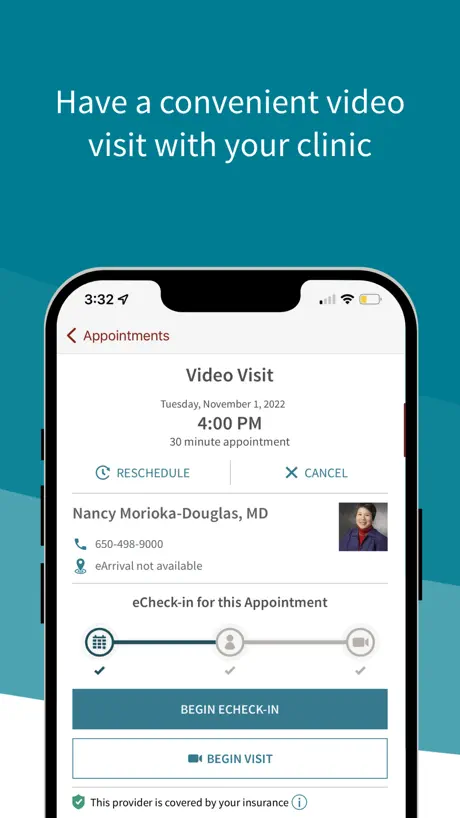
I am a patient for over 3 years now and I think it is great to have platform where you can find all the info and communicate to doctors and their teams. I totally dislike the fact that for all virtual appointments you have to pay to check in, even when you already have met your total out of pocket maximum, and you know if you pay you will not have any single communication about the extra credit you will have there. And the medical billing is already confusing enough. For procedures at first hour of the day, the telephone provided is the general line so if you have problems to arrive, you just can’t do anything, there is no message, no good way to communicate to the hospital and they threaten you if you get just little late that they will cancel (I normally have to drive two hours to be there and I plan and leave early but accidents can happen)
App freezing
I log in and the app keeps freezing after.
Stranded by IOS 16 requirement
On iPhone 7 iOS 15.8.4, now prevented from opening app.
Doesn’t support Apple passwords
Robust security is the most important feature in a health app, and the Stanford MyHealth app fails miserably. It does not support Apple password or keychain. Every time you sign in, it requires you to copy your password from the password settings in order to pasted in. Instead, it should offer the option to automatically insert the password using Face ID or your phone password. It’s easier to use the web, which does in fact support, Apple passwords.
Better in some ways, but not others
It is always a challenge to relearn a new or updated app, especially for seniors. First off, my 6S phone is too old to run the updated app. I get it on my iPad, which is newer. I liked the way the last version would let us know which section had something new for us to look at. There are a lot more categories and subcategories in the updated version. I was able to locate a letter that the old app didn’t show me. I appreciated reading it.
Stanford Health App
This app conveys information quickly and clearly. In addition, it provides clear driving/parking directions which are most appreciated.
The older app was fine
It was easy to use unlike this one.
Does not sync with iPhone
The latest version is no longer receiving health data from my Health app on my iPhone
Great
It is easy to use and very user friendly
IT failure.
Not even a bank is as hard to log onto and to access the app as Stanford’s my health. 👎👎👎
Too demanding
I got on this app because I was requested to, for a series of on line appointments. The provider doesn’t use it, they use zoom. The app is constantly messaging me and notifying me. It’s annoying and frankly, a chore. I’ll be deleting it as soon as it’s reasonable to do so. I don’t need to be a slave to yet another app. It strikes me that patients with cognitive issues would struggle with this app.
Cannot use this app on older iPhone that doesn’t have iOS 16
My iPhone works fine. The MyHealth app worked fine, until the latest update came out. This update requires 16.0 IOS, which my iPhone doesn’t use (it’s up to date at 15.8.4). Can’t use the prior version of the app anymore; it’s stuck in a continuous update loop. Frustrating.
App ok but needs work
The app is ok but needs some work in a few areas. There are a few things you can do on the online site but not through the app. But what I find most annoying is having to reenter my password every time I login. I have given the app all permissions including Face ID and camera. I also have the “remember me” button enabled, but every single time the app requires me to enter my password again manually. I tried changing my password to see if that made any difference but that didn’t work either. Out of the dozens of apps on my phone this is the only one that has this problem.
Stanford Health Care MyHealth FAQ
- Is Stanford Health Care MyHealth free?
- Yes. The app is free, in all 175 countries it sells in, and it sells nothing inside it.
- Does Stanford Health Care MyHealth have a free trial?
- No. None of its offers (US) come with a free trial.
- What are the best alternatives to Stanford Health Care MyHealth?
- My Doctor Online (NCAL Only) (4.8 from 88,454 reviews), Blue Shield of California (4.8 from 21,123 reviews) and Carby Health (4.8 from 17,052 reviews).
Stanford Health Care MyHealth download
Last updated 1 month ago.
Stanford Health Care MyHealth sells in 175 countries. It was released 11 years and 8 months ago, on 28 Jan 2015. It holds a 3.9 rating from 1,971 reviews.
Supports 3 languages: English, Chinese, Spanish.
How much does Stanford Health Care MyHealth make?
Third-party estimates for the last 30 days, worldwide — not the store's own figures, which Apple publishes for nobody.