DateStamper
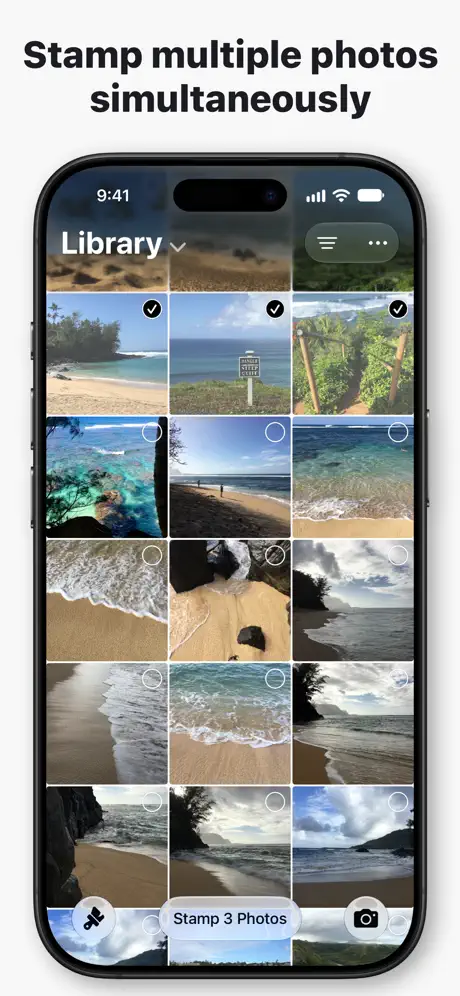
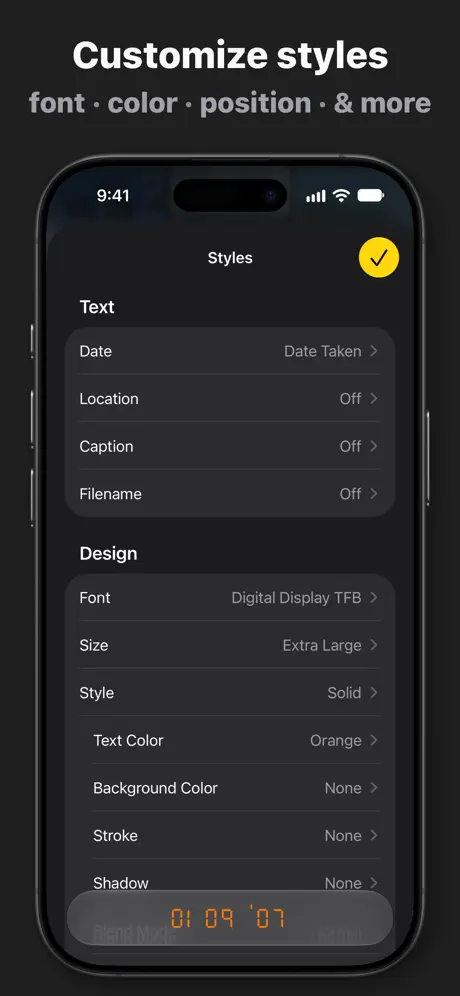
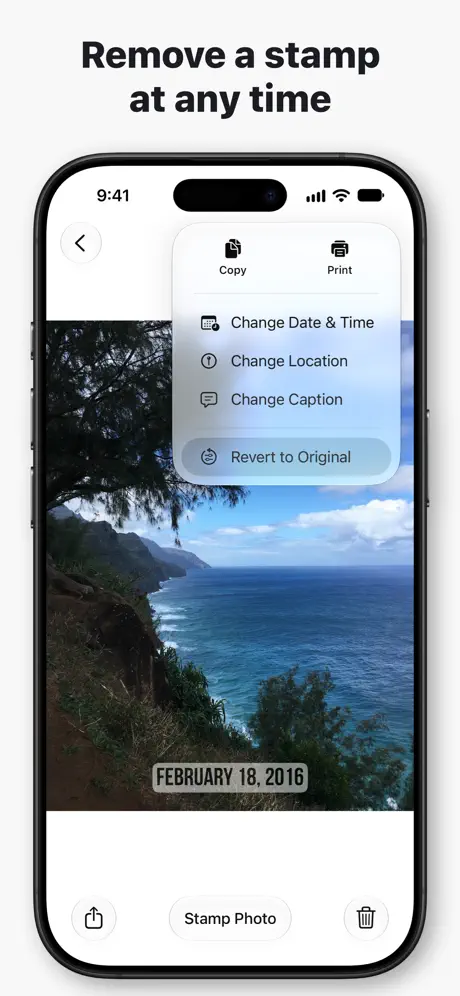
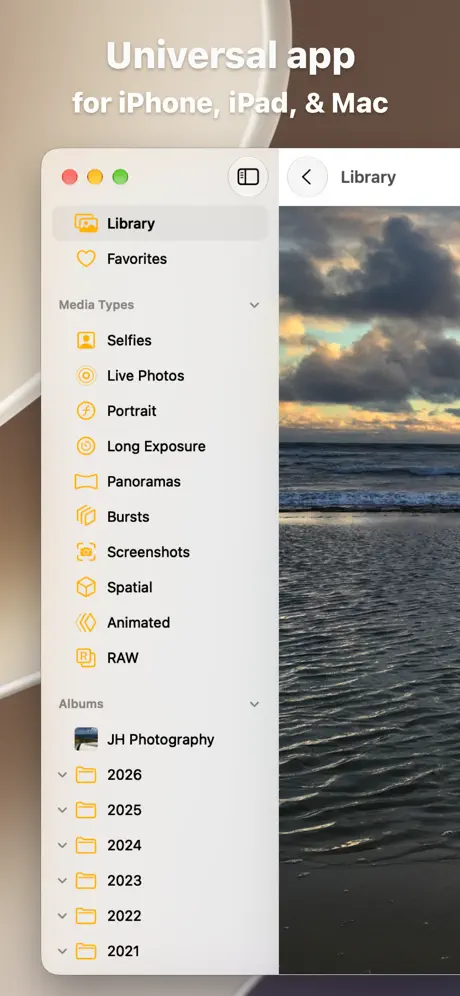
The modern photo stamper
How much does DateStamper cost?
Prices are current as of 2 Oct 2026.
2 one-time purchases from $4.99
In the United States, DateStamper has 2 one-time purchases priced $4.99 – 9.99.
| Product | Price |
|---|---|
| Premium Styles | $4.99 |
| Unlimited Batch | $9.99 |
10+ alternatives to DateStamper
| DateStamper |   Timemark: Photo Proof for Work Timemark: Photo Proof for Work |   Timestamp Camera Basic Timestamp Camera Basic |   Timestamp Camera: Photo Date Timestamp Camera: Photo Date |   Timestamp Camera Enterprise Timestamp Camera Enterprise |   Timestamp Camera: Time stamp Timestamp Camera: Time stamp |   Timestamp photo and video Timestamp photo and video |   Timestamp Camera: Photo GPS Timestamp Camera: Photo GPS |   Timestamp Camera: Date Stamper Timestamp Camera: Date Stamper |   Timestamp Camera: Photo&Video Timestamp Camera: Photo&Video |   Timestamp It - Proof Camera Timestamp It - Proof Camera | |
|---|---|---|---|---|---|---|---|---|---|---|---|
| Rating / 5 | 4.8 | 4.8 | 4.7 | 4.8 | 4.7 | 4.6 | 4.7 | 4.7 | 4.6 | 4.6 | 4.6 |
| Reviews | 20K | 444K | 289K | 180K | 35K | 19K | 15K | 13K | 13K | 12K | 10K |
| Released | 2014 | 2023 | 2014 | 2016 | 2017 | 2023 | 2014 | 2024 | 2020 | 2021 | 2009 |
| Monthly price | — | $4.99 | — | — | — | $7.99 | — | — | — | $4.99 | $6.99 |
| Annual price | — | $10.00 | — | $19.99 | — | $19.99 | — | $39.99 | — | $29.99 | $44.99 |
| One-time price | $4.99 | — | $4.99 | $2.99 | $9.99 | $29.99 | $2.99 | — | $5.99 | — | $79.99 |
The going rate for each plan in United States, in its own currency, shaded from the cheapest price on the row to the dearest. Plans fewer than four in ten of the priced apps sell are left out.
DateStamper reviews
4.8 out of 5, based on 20,240 reviews.
What people like
- Great for legal and contractor proof
- Very easy and quick to use
- Fixes missing date options in iPhone
What they complain about
- Photos get deleted or become inaccessible
- App crashes during large batch jobs
- Hidden fees for unlimited stamping
- Stamps don't show on computers
User friendly
This was clearly made with the user in mind. Thank you. It works with such ease, no popups. Just straight to the point easy to use.
Blame it on Apple
After purchasing this app so I can stamp more photos I get an error that they can’t stamp due to Apple
I love it when it works
I love having a date on my pictures so this app was fantastic until Apple upgraded their service. Now it’s a hot and miss as to which pictures the DateStamper will work on. I’m still waiting for that to be fixed and it’s extremely frustrating that it hasn’t been. Also, it would be nice to know what pictures have been stamped and which ones haven’t when it’s says it can’t stamp all the pictures. Thirdly is there some way to get a hold of somebody on this app? I misplaced the info to contact someone
Great but two annoyances
Great product that does its job. Top 3 complaints are 1. Why only 10/time free? Should be just free or 50-100 free/selection and $4 max for unlimited. 2. Why the annoying OK once it finishes? Should always silent return on success and err displayed only on failure 3. Why the Retake/Use photo when using DateStamper as default camera? Makes it frankly useless having to constantly babysit it Fix these and it’s a perfect product.
i can't figure out how to access styles to customize the stamp
i appreciate that the app is free bc I know devs put a lot of work into these apps so I hate to sound like i am complaining or ungrateful- i'm just giving you honest feedback. The ui isn't very user friendly, and i am pretty tech-savvy. I can't seem to locate where I can customize the stamp. I swear i have clicked every single button i can't find it lol!
DateStamper
It’s the best! I’ve used it for many years now.
Freezes after just a few pics
While the app does everything i need it to do… what is the point of using it if i can only process a few photos before getting stuck or frozen? Happens randomly between 1 and 9 photos
Ridiculous
I was going to use this to date-stamp my photos before transferring them to an external hard drive (since that seems to wipe all date info) so I tried the 10 free photos and they seemed to work so I paid the $9.99 for unlimited. Now when I go to send a photo in a message, the application stops responding and I have to force-quit. When I drag a few to the external hard drive, they are all HEIC files and have to be converted to PDF’s one by one! If I select a few to export at one time as PDF’s they export as ONE file. There is no option to export them as JPGs. This is all after I waited 6 hours today for all the photos to be stamped. What a disappointment! ** Revision 7/19 - developer reached out to me explaining the photo format stays the same as it was originally. I also found that later the dates pushed through to my Photos, which was a pleasant surprise. Complaints resolved and the developer clearly cares about user satisfaction! 5*
Does not date stamp all pics
I get to the point of having 5,995 pics out of 6,446 pics - just hangs and Never completes. I have the latest iPhone 16 pro max with latest operating system and DateStamper is also updated. Help please I must be doing something wrong!
Didn’t disclose deal upfront
It charge me $4.99 and then tell me I can only do 10 photo a time. Need to pay $9.99 for unlimited version. Should it let me know at beginning? I would like to pay $9.99 for full version if they refund me $4.99 part.
Efficient
This date stamper is one of the best I’ve had. I use it for business and the ease of the app allows for a quick date stamp.
Bad-doesn’t work
Every other photo errors when I try to stamp photos, what’s the point of this B.S.
Almost perfect
It needs to have EXIF write capabilities so when you put info onto photos it writes it as EXIF. Apps already do this but don’t write the exif.
Deleted photos
All my photos were deleted during an update. Please save them elsewhere
DateStamper
not intuitive at all
Works great :-)
Works as expected
Add 24 Hr clock in post
Difficult to add to my iPhone SE… on my iPhone 8. I could hit edits, then go directly to DateStamper, then add the date and the time. Not able to do that with this SE phone.
Use caption data as picture name.
Why don’t you add an option to use the caption data as picture file name?
Greedy
Need to pay twice to have multiple date stamp at a time
Не сохраняет дату при перенесении фото на виндовс 10
Ноутбук ASUS vivo book 17, до этого переносил на стационарный компьютер , очень старый , модель не помню , с виндовсом 10 тоже , дата сохранялась , но по моему через раз. Перенос делал через usb посредством программы проводник (на ноутбуке). При переносе на макбук про дата сохраняется всегда. Также заметил , что при проставлении даты файл автоматически меняет хайк формат на jpg, так как при выгрузке обработанных данной программой изображений на почту фото грузится в формате жпг , а не хайк, как в случае с необработанными фото. Тем не менее, дата все равно не сохраняется
Date stamper
Very accurate and wonderful!!
the app doesn’t work
unfortunately the app doesn’t work. it says it has modified my photo but unfortunately i cannot acces said photo in my camera role. a shame as i enjoyed the app the last time i used it
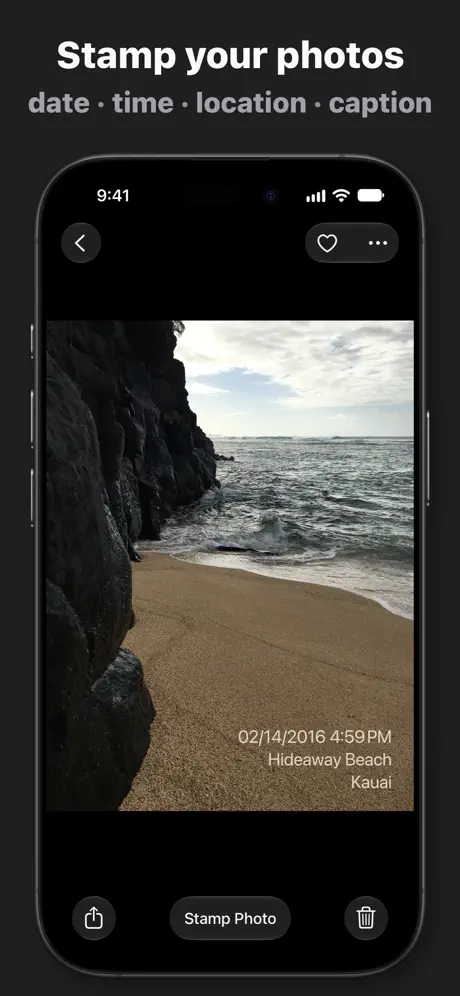
Stamps the date, the location and a caption
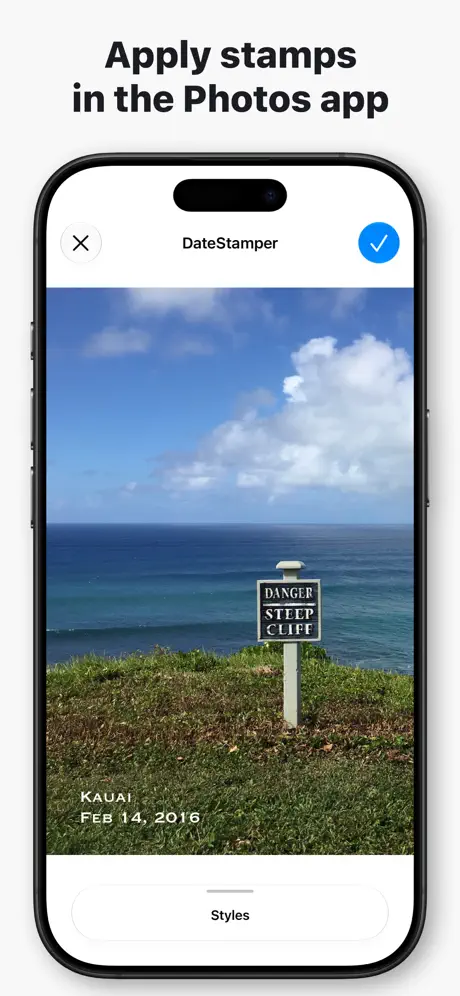
It took me a while to get used to how this works. It edits the photos in my Photo library - it doesn’t make a copy. Also, if I want to change the stamp, I can do it by going into Date Stamper and having another go. I can add captions via DateStamper, or if I want to change the caption I can do that by stamping again with a different caption. There are good options for formatting the text. It works quite quickly. I stamped 165 photo in about a minute. What it doesn’t do: it doesn’t have an option for adding the file name (“IMG_1234”) as a stamp, which would be really useful.
Почему не проставляется дата на портретных фото в айфоне?
Выделила все фото, в итоге выдало ошибку на 150 фото. Оказывается, они сделаны в режиме Портрета.
not too bad
this app is perfect but the only down fall is that whatver day you take the photo you have to stamp it as you cannot change the date of the stamp
Great app
This app is great since IOS does not give an option to stamp the photos. Just wish that there was an option to stamp in another color.
Majority of Photos Fail to Stamp
When trying to stamp 20+ photos the majority fail.
High quality product…
High quality product. Works exactly as it should! :-)
Purchasing App
The app does what it says. It advertises one-off life time purchase for £4.99. Once purchased it has another trick saying buy unlimited date stamping for £10.99!!! This is misleading to say the least.
Удобное и практичное, но слишком много места занимает!
Само по себе приложение прекрасное: всё, что нужно, можно и стиль написания изменить, и удобно фото выбирать. Но почему после добавления дат так сильно возрастает занимаемое место?!? После проставления дат на 1615 фото (все сразу решила проставить) объём свободной памяти уменьшился на 4 Гб!!! Может я что-то не так делаю или можно снизить как-то? Если бы не это, то оценка была бы 5!
Terrific app!
I have used this for a few years and it has worked flawlessly.
Erin
Doesn’t actually add the date stamp to the picture for me.
Good overall
It’s the best photostamper I’ve tried so far, it helped me with my coursework. But I wonder if I have to repurchase the premium version each month? I thought it was permanent when I bought it :? There was no sign saying that, you cannot afford to pay every month.
Устанете тыкать
Устанете тыкать в фото для простановки даты! Для способности выделения более 10 фото нужно заплатить 379 руб.
Не могу восстановить купленное приложение!!!!
Не могу восстановить купленное приложение!!!!
Exceptional!!!
Much needed & truly appreciated for IPHONES THAT DO NOT HAVE “ dated” pictures options in camera settings
I don't understand!!
My photos shown as all stamped correctly on my iPhone (date + time), but when I'm connected to my laptop to move them I can't see those photos stamped!! I don't understand what's going on !! If the app creator checking our reviews, plz get in touch !
Very Good and easy to use. Great Authentic look.
Yeah ok hi, me again... when I do fixes stamp and do what you suggested (‘enter text here’) there is still a time after it that is wrong. How do I get rid of the time so it’s exclusively text... no time. My previous message: “This product is great and does exactly what I expect it to do. Suggestions: Under date and time, then fixed... can you make it so words can be printed? So like a custom mode where any words or symbols in any order can be printed onto the photo? Other than that 5/5”
Язык
Когда будет русский язык !!! Ваш неандертальский 👎
Good but could be better
Does more or less what it says on the tin, but missing basic customisation like opacity. Overall end result looks rather processed.
An Essential Tool
As a Contractor, dated photography is an essential communication tool for customers and attorneys alike. No longer do I have to carry a special camera to employ that feature.
No longer works
Worked fine but now doesn't stamp as it 'can't find date photo was taken'
Help Help Help
This app is very good it interfaces very well with the iPhone photo library however when using my HP6510 printer it clips out the last two characters of the time I have contacted the developer and they are going to include a date time placement option in the near future
A little tedious
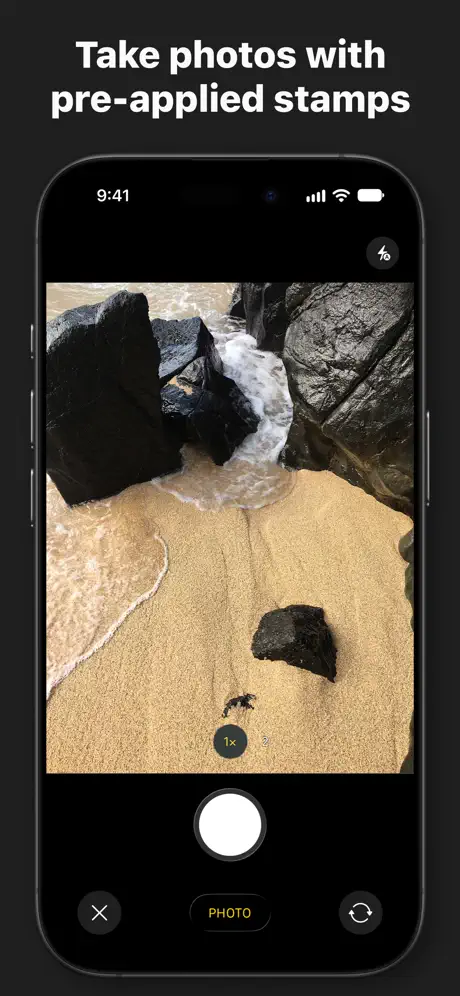
It’s certainly a convenient tool but it’s a little troublesome that it cannot be set to automatically stamp photos as they are taken. You have to physically select photos to stamp.
Было бы гораздо лучше если в камере сразу дата выходила
Было бы гораздо лучше если в камере сразу дата выходила
Great Time Saver
Dating and Time Stamping my documents for my employer is is so much easier now! I love this App!!!♥️
Terrible
Cost me time, and now maybe a client. All original copies of photos now will not open and the amended ones are converted to a format ive never even heard of. They will not open. Thanks, the £0.75 download fee was really worth the refund i have had to give to a £250 job
Great app
Very easy and effective to use with no problems. Great work and much appreciated. Thanks
Degrades the photos
It's a pity but date stamping degrades the photos. If developer can fix this it would be a great App,,,
Does what it's supposed to do!
Amazing app! Does exactly what it's supposed to do. Have paid for the extra so I could do more than 10-20 photo at once. Only problem I have with the app that it keeps crashing every so often and then you have to start the batch of photo again. If they can fix the crashes then this would be truly 5* But I do recommend to all. I don't normally write reviews but I have on this one so that they can fix the issues and point out how great it is! 👍🏻👍🏻👍🏻
DateStamper price by country
A one-time purchase costs $4.69 in Taiwan and $7.53 in Colombia — 1.6× more for the same thing. Below is the going rate for each plan in every country that sells it — the middle price of what the app charges there, in the country's own currency with the dollar equivalent beneath it.
| Country | One-time |
|---|---|
| Afghanistan | $4.99 |
| Albania | $5.99 |
| Algeria | $4.99 |
| Angola | $4.99 |
| Anguilla | $4.99 |
| Antigua And Barbuda | $4.99 |
| Argentina | $4.99 |
| Armenia | $5.99 |
| Australia | A$7.99$5.55 |
| Austria | €5.99$6.75 |
| Azerbaijan | $5.99 |
| Bahamas | $4.99 |
| Bahrain | $4.99 |
| Barbados | $5.99 |
| Belarus | $5.99 |
| Belgium | €5.99$6.75 |
| Belize | $4.99 |
| Benin | $5.99 |
| Bermuda | $4.99 |
| Bhutan | $4.99 |
| Bolivia | $4.99 |
| Bosnia & Herzegovina | €5.99$6.75 |
| Botswana | $4.99 |
| Brazil | R$29.90$5.76 |
| British Virgin Islands | $4.99 |
| Brunei Darussalam | $4.99 |
| Bulgaria | €5.99$6.75 |
| Burkina Faso | $4.99 |
| Cambodia | $4.99 |
| Cameroon | $5.99 |
| Canada | CA$6.99$4.92 |
| Cape Verde | $4.99 |
| Cayman Islands | $4.99 |
| Chad | $4.99 |
| Chile | CLP 5,990$6.15 |
| China | CN¥38.00$5.66 |
| Colombia | COP 24,900$7.53 |
| Congo | $5.99 |
| Congo, Democratic Republic | $4.99 |
| Costa Rica | $4.99 |
| Cote Divoire | $5.99 |
| Croatia | €5.99$6.75 |
| Cyprus | €5.99$6.75 |
| Czech Republic | CZK 129.00$5.94 |
| Denmark | DKK 39.00$5.89 |
| Dominica | $4.99 |
| Dominican Republic | $4.99 |
| Ecuador | $4.99 |
| Egypt | EGP 249.99$4.78 |
| El Salvador | $4.99 |
| Estonia | €5.99$6.75 |
| Fiji | $4.99 |
| Finland | €5.99$6.75 |
| France | €5.99$6.75 |
| Gabon | $4.99 |
| Gambia | $4.99 |
| Georgia | $5.99 |
| Germany | €5.99$6.75 |
| Ghana | $5.99 |
| Greece | €5.99$6.75 |
| Grenada | $4.99 |
| Guatemala | $4.99 |
| Guinea-bissau | $4.99 |
| Guyana | $4.99 |
| Honduras | $4.99 |
| Hong Kong | HK$38.00$4.84 |
| Hungary | HUF 1,990$6.09 |
| Iceland | $5.99 |
| India | ₹499.00$5.18 |
| Indonesia | IDR 99,000$5.51 |
| Iraq | $4.99 |
| Ireland | €5.99$6.75 |
| Israel | ₪14.90$4.84 |
| Italy | €5.99$6.75 |
| Jamaica | $4.99 |
| Japan | ¥800$5.07 |
| Jordan | $4.99 |
| Kazakhstan | KZT 2,990.00$6.75 |
| Kenya | $5.99 |
| Kosovo | €5.99$6.75 |
| Kuwait | $4.99 |
| Kyrgyzstan | $4.99 |
| Lao Peoples Democratic Republic | $4.99 |
| Latvia | €5.99$6.75 |
| Lebanon | $4.99 |
| Liberia | $4.99 |
| Libya | $4.99 |
| Lithuania | €5.99$6.97 |
| Luxembourg | €5.99$6.75 |
| Macao | $4.99 |
| Macedonia | $4.99 |
| Madagascar | $4.99 |
| Malawi | $4.99 |
| Malaysia | MYR 22.90$5.60 |
| Maldives | $4.99 |
| Mali | $4.99 |
| Malta | €5.99$6.75 |
| Mauritania | $4.99 |
| Mauritius | $5.99 |
| Mexico | MX$99.00$5.42 |
| Micronesia | $4.99 |
| Moldova | $5.99 |
| Mongolia | $4.99 |
| Montenegro | €4.99$5.63 |
| Montserrat | $4.99 |
| Morocco | $5.99 |
| Mozambique | $4.99 |
| Myanmar | $4.99 |
| Namibia | $4.99 |
| Nauru | $4.99 |
| Nepal | $5.99 |
| Netherlands | €5.99$6.75 |
| New Zealand | NZ$9.99$5.61 |
| Nicaragua | $4.99 |
| Niger | $4.99 |
| Nigeria | NGN 7,900.00$5.95 |
| Norway | NOK 59.00$6.13 |
| Oman | $4.99 |
| Pakistan | PKR 1,300$4.69 |
| Palau | $4.99 |
| Panama | $4.99 |
| Papua New Guinea | $4.99 |
| Paraguay | $4.99 |
| Peru | PEN 22.90$6.64 |
| Philippines | ₱299.00$4.76 |
| Poland | PLN 24.99$6.42 |
| Portugal | €5.99$6.75 |
| Qatar | QAR 19.99$5.49 |
| Romania | RON 29.99$6.41 |
| Russia | RUB 449.00$5.38 |
| Rwanda | $4.99 |
| Sao Tome & Principe | $4.99 |
| Saudi Arabia | SAR 19.99$5.33 |
| Senegal | $5.99 |
| Serbia | €5.99$6.75 |
| Seychelles | $4.99 |
| Sierra Leone | $4.99 |
| Singapore | SGD 6.98$5.45 |
| Slovakia | €5.99$6.75 |
| Slovenia | €5.99$6.75 |
| Solomon Islands | $4.99 |
| South Africa | ZAR 99.99$6.00 |
| South Korea | ₩7,700$5.66 |
| Spain | €5.99$6.75 |
| Sri Lanka | $4.99 |
| St. Kitts and Nevis | $4.99 |
| St. Lucia | $4.99 |
| St. Vincent & The Grenadines | $4.99 |
| Suriname | $4.99 |
| Swaziland | $4.99 |
| Sweden | SEK 69.00$6.87 |
| Switzerland | CHF 4.00$4.81 |
| Taiwan | NT$150.00$4.69 |
| Tajikistan | $4.99 |
| Tanzania | TZS 14,900.00$5.63 |
| Thailand | THB 199.00$5.91 |
| Tonga | $4.99 |
| Trinidad and Tobago | $4.99 |
| Tunisia | $4.99 |
| Turkey | TRY 249.99$5.09 |
| Turkmenistan | $4.99 |
| Turks and Caicos | $4.99 |
| Uganda | $5.99 |
| Ukraine | $5.99 |
| United Arab Emirates | AED 19.99$5.45 |
| United Kingdom | £4.99$6.59 |
| United States | $4.99 |
| Uruguay | $4.99 |
| Uzbekistan | $4.99 |
| Vanuatu | $4.99 |
| Venezuela | $4.99 |
| Vietnam | ₫149,000$5.74 |
| Yemen | $4.99 |
| Zambia | $5.99 |
| Zimbabwe | $5.99 |
DateStamper FAQ
- Is DateStamper free?
- Yes. The app and its basic features are free, in all 175 countries it sells in. Premium features are paid: they start from $4.99 (US), across 2 one-time purchases.
- Does DateStamper have a free trial?
- No. None of its offers (US) come with a free trial.
- Where is DateStamper cheapest?
- A one-time purchase costs NT$150.00 (≈$4.69) in Taiwan and COP 24,900 (≈$7.53) in Colombia, its cheapest and dearest countries.
- What are the best alternatives to DateStamper?
- Timemark: Photo Proof for Work (4.8 from 443,619 reviews, premium from $4.99), Timestamp Camera Basic (4.7 from 289,371 reviews, premium from $4.99) and Timestamp Camera: Photo Date (4.8 from 179,773 reviews, premium from $0.99).
DateStamper download
Last updated 20 days ago.
DateStamper sells in 175 countries. It was released 12 years ago, on 25 Sept 2014. It holds a 4.8 rating from 20,240 reviews.
Supports 1 language: English.
How much does DateStamper make?
Third-party estimates for the last 30 days, worldwide — not the store's own figures, which Apple publishes for nobody.
Revenue by plan
- One-time 100%
Revenue by country
- United States 58%
- United Kingdom 6%
- Australia 5%
- Canada 4%