
BlackBerry Work
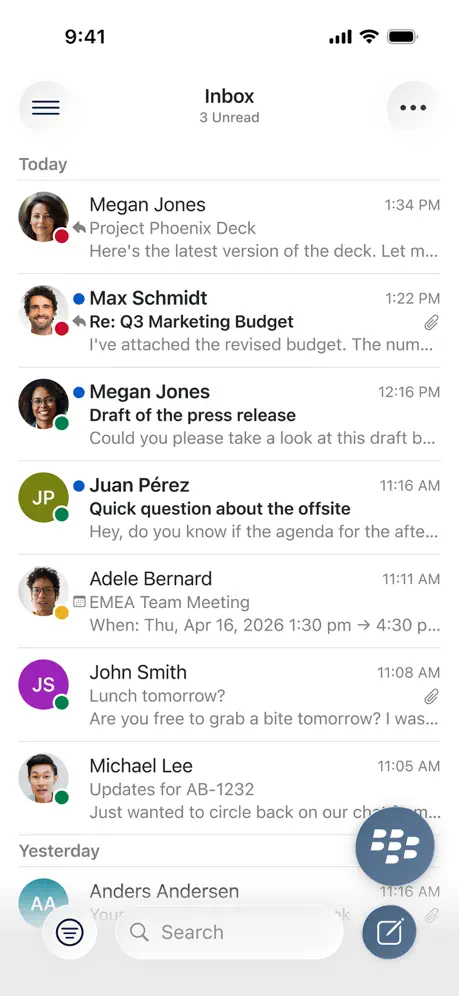
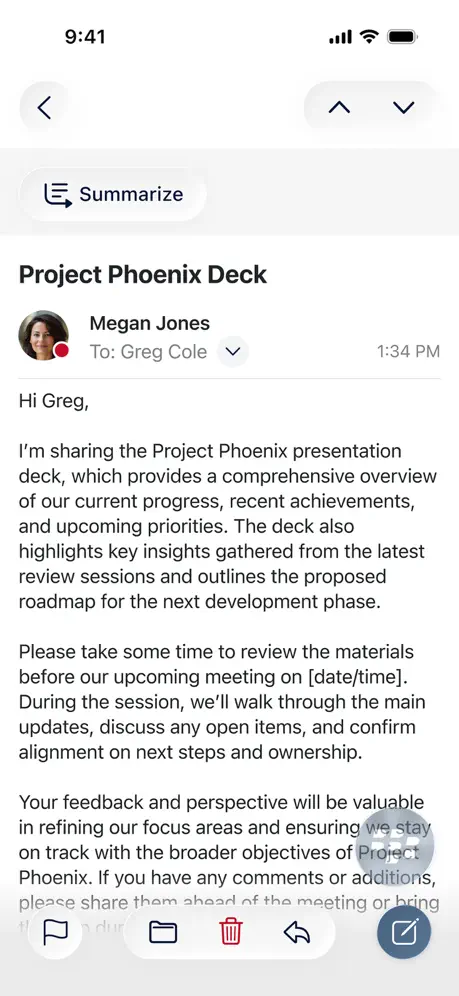
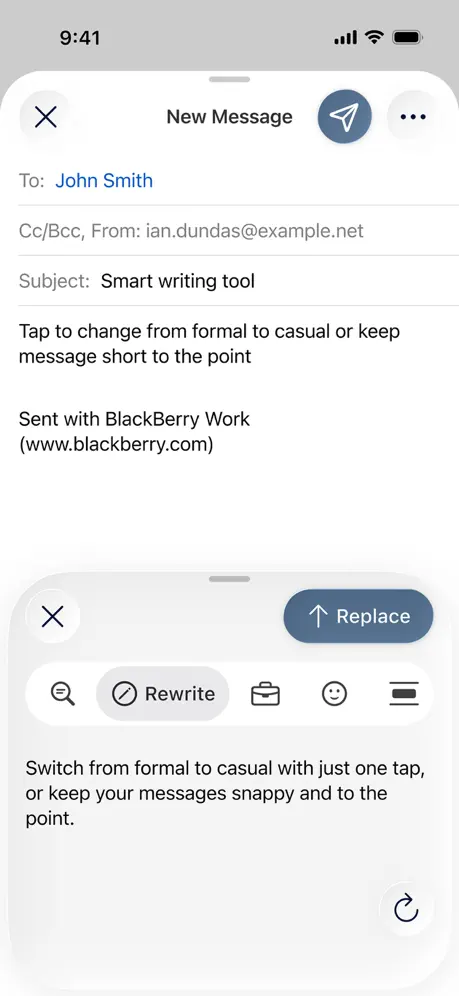
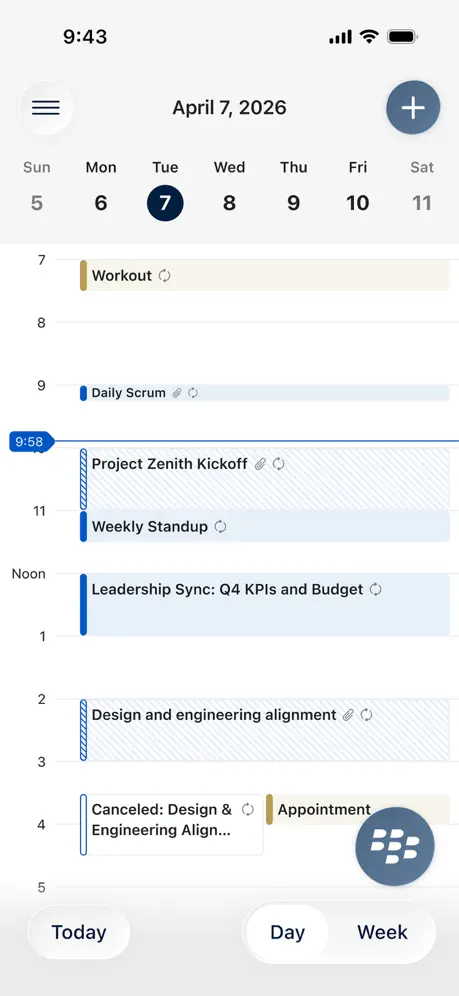
How much does BlackBerry Work cost?
Prices are current as of 11 Sept 2026.
BlackBerry Work has no in-app products on record in the United States.
10+ alternatives to BlackBerry Work
| BlackBerry Work |   Zoom for BlackBerry Zoom for BlackBerry |   Zimperium MTD Zimperium MTD |   SmartOffice for BlackBerry SmartOffice for BlackBerry |   Citi Workplace Citi Workplace |   Movius for BlackBerry Movius for BlackBerry |   Smart Log On Smart Log On |   Hearsay for Intune by Yext Hearsay for Intune by Yext |   MultiLine for Intune MultiLine for Intune |   Intapp Time Legacy BlackBerry Intapp Time Legacy BlackBerry |   Symphony Messaging BlackBerry Symphony Messaging BlackBerry | |
|---|---|---|---|---|---|---|---|---|---|---|---|
| Rating / 5 | 1.8 | 4.6 | 2.9 | 2.6 | 1.9 | 1.4 | 3.1 | 1.5 | 3.4 | 3.4 | 5.0 |
| Reviews | 1.5K | 1.4K | 400 | 135 | 70 | 69 | 38 | 23 | 21 | 8 | 1 |
| Released | 2014 | 2016 | 2015 | 2012 | 2022 | 2017 | 2024 | 2020 | 2019 | 2015 | 2016 |
BlackBerry Work reviews
1.8 out of 5, based on 1,477 reviews.
What people like
- Strong security features protect your data
- Works well on newer iPhones
- Design looks good in dark mode
What they complain about
- Notifications often fail or arrive late
- Badge counts show wrong unread totals
- App crashes or hangs frequently
Great — if your IT aren’t monkeys
I used this at my old job and it never ever worked right. New job, guess what “we use BB Work”… great… BUT it works so much better here that I have to give the five stars. I asked why and they said the server has to be set up right, when notifications and stuff don’t work it’s the IT’s fault.
Latest update
Email notifications are not processing creating delays in response time.
Läuft!
Einige Dinge sind sogar besser als beim Apple Mail Client. Out of Office, working Hours, schneller löschen,… Ich kapiere nicht, warum sich einige hier über fehlende Interoperabilität aufregen. Es geht alles. Nur, es ist eben eine grundsätzlich mal sichere Lösung und als solche konfiguriert. Fragt euren Admin, damit die Sicherheit aufgeweicht werden kann und der Client fast so läuft wie euer Maß der Dinge, Apple Mail. (Dann braucht ihr diese Software aber auch nicht!) Oder fragt einen BlackBerry Partner, der sich damit auskennt.
Alerts
Please considering separating alerts for new mail from alerts for upcoming events. I reduce too many emails each day to have my Apple Watch or phone vibrate every time I receive an email. I do like to have that alert for a reminder of an upcoming meeting. Would be great if you could select which feature has an alert. Thanks Jeff
Generally Poor
The app doesn’t start well - often hanging after authenticating or insisting on a password even though Face ID is enabled. Integration with other apps is poor (i.e pdf markup app is… buggy today the least). Functional but not a smooth user experience
Works Great!
Just started using this at work. It’s fast and let’s me add shared calendars!
You’ve got mail
Consistently gives me the wrong number of unread emails. Turn notifications off.
Problem beim Senden freigegebener Postfächer
Leider können wir seit dem letzten Update der WorkApp keine Mails mehr aus freigegebenen Postfächer versenden. Die Mail verbleibt mit einem Hinweis im Ordner Entwürfe des Postfaches. Bei älteren Versionen der WorkApp tritt diese Problem nicht auf. Genutzt werden iPads und iPhones. Ansonsten waren wir mit der App immer sehr zufrieden.
Widget is awful and tasks are separate
Not a very well thought out app. The widget for Apple shows only 2 or 3 when there is tons of room to show more. Instead they give you blank space. Tasks are a separate app. This app gives you the bare minimum functionality.
Watch screen shows the BlackBerry icon
I loved it, I could see what email I got without grabbing my phone or needing and extra hand, then an updated rolled out. Now it shows the icon and I need a 2nd hand to scroll and see who the email’s from, almost makes it not worth having on my watch.
Without sim
Does this app linked with SIM card? Will it work with just internet?
Terrible performance
This latest update really made this app unusable. Notifications take much longer to be delivered, and when you open the app, it says “updating” but nothing happens even after several minutes. This is unacceptable for professionals that need to be responsive and rely on their emails to work.
Notifications are not coming for emails
Hello, Email notifications are not coming. Each time need to open manually. Please advise on this..
Not Good for Bursiness
Notifications stop working all the time, they come and go which is terrible. App blinks and closes itself.
Email notifications not working
email notifications not working in the App.
Had to take my word back
Latest version is amazing fast especially on the new phone.
Icon Incompetence
Latest version switches to a bright white icon with no alternate for dark mode
Apple Watch support
To the developer. Is there anyway to get notifications on my watch for calendar events ? It pops up on my watch but has no data contained in it.
Need to restore Calibri to custom fonts
As another user mentions, prior versions of the app permitted Calibri as a custom font. Please restore this functionality, as it allowed emails to essentially mirror Outlook.
Feature Request for Improvement
Feature request to improve app functionality: Please build in a multiple signature feature that can be either based upon an internal or external recipient domain. When sending to external parties, I have to remove my mobile, private line, etc. Understanding it’s two different systems, but Outlook allows this. Please incorporate. Thanks.
Good
Good
App Icon Dark Mode Not Supported
The latest app icon design change does not support a dark mode icon.
Sicher und gut
Wir nutzen die App von Blackberry seit Jahren und sind sehr zufrieden. Bis jetzt konnten wir alles einstellen, was benötigt wird. Vor allem überzeugt mich nach wie vor der hohe Sicherheitsanspruch und die Umsetzung bei Blackberry. Wunsch: Mitteilungseinstellungen trennen von E-Mail und Kalender. Ich muss nicht über eingehende E-Mails informiert werden, aber über Termine! Danke! Weiterso! Dranbleiben!
No Calibri
Latest update deleted Calibri from the custom fonts. Odd decision given that that’s the default for Outlook… Definitely some glitches overall, but found the recent unexplained deletion of Calibri (while keeping fonts like Courier) quite upsetting.
FaceId Not Working
Hi Developer Team, It is observed that the FaceId is not working on my iPhone XS for Blackberry Work and Access. I can’t see these apps in the FaceId settings of the iPhone. It works only on iPhone 13.
Guter Container
Es tut, was es soll. Wer hier nörgelt, dass URL nicht an Meeting-Apps übergeben werden, oder Telefonie übergeben wird, wende sich bitte an den fähigen Administrator. Das geht alles, wenn man die Sicherheit aus den Augen lässt. Dass sich der Container von dem Datensumpf des privaten Gerätes raushält fern hält, ist perfekt gelöst, kann aber auch aufgeweicht werden.
Watch app never works
There is a watch app that doesnt show any emails or appointments. Ok
App is really good, But have few improvement suggestions
This App is excellent and has made it easy to remain connected. My few suggestions - I have rules set up so some specific regular emails get filed in specific folders. The ‘unread’ does not pick up those filed mails instead only shows me what is in my inbox - I need a way to sort emails by sender or subject sometimes either to find a relevant email or to go through a conversation thread. Such option is not available Both these options are normally in Outlook or other email applications that I use for private emails. Will be great if this could be added to Blackberry Work as well.
Doesn't load emails
Regardless of whether I'm on LTE or high speed home wifi messages take forever to load. Just says updating or connecting but doesn't finish. Despite multiple updates to the app this issue has remained for a LONG time.
Widget feedback
Great that this app now provides a large size widget for the calendar. However, it would be better if all my diary events were listed for the current day before going into tomorrow’s events - if that makes sense. For instance, if I have five events today, it’ll list the first two but then it’ll say +3 events as a summary (but doesn’t show them). It’ll then show the next day’s first two events. I’d rather you show me everything for today before getting to a certain point in the day before showing tomorrow’s. Maybe the way around this is to list everything for today on the large size widget but at the very bottom show tomorrow’s date and the number of events. As the time elapses ‘today’ then start to showcase the first and second events for tomorrow in a sequential manner. That would be more helpful, I think.
Smooth and user friendly
I really like this app. Smooth and elegant design.
Not user friendly app
Does not support folders sorting
It’s good - what’s with all the negative reviews?!
This app is perfectly good and pleasing to use in dark mode. It functions and performs well on iPhone XR. Really don’t know what’s up with all the negative reviews. Ok, the UI is not apple standard but it is pretty straightforward and perfectly functional. Don’t be put off by other comments!
Notifications do not work
For more than 3 years now the notifications are not working properly, appearing several hours later even for emails already read. As a result: 1. Doesn’t show a notification when email is actually received, so I have to open the app to actually check 2. Sends notifications that you have new emails, but when I open the app there are none. Notifications are related to old emails. Outdated and not convenient user interface is a separate subject, but it doesn’t bother me much. Would be good to be able to attach files from the phone’s own storage or at least copy/paste the text. Don’t see any safety concern which would prohibit to do that.
Email count on the folders not getting updated.
If a new email is automatically transferred via email rules of outlook, the same doesn’t reflect in count nor in the folder till you open the folder and then the email downloads in the folder… Email tone not working in this iOS in comparison to previous version.
Email gets deleted after accepting calendar invite
After i accept a calendar invite, the email containing that invite goes to deleted folder Why? Cannot find a setting to undo this.
Horrible app
The badges don’t work at all. Say I have 10 new emails show in badges in the morning. I open the app and view emails and the badge total clears. Then every time I get emails throughout the day those emails add to the 10 from the morning total and I could end up at 100 emails at the end of the day. I could have read all of those emails on my desktop and even deleted some and that total keeps adding up. I had a badge count of 500+ last week before they miraculously cleared! Now they are starting all over again. It’s ridiculous!
Pretty good
Still needs some polish but pretty good
Push notications don’t work
Push notifications for new emails etc don’t work - please fix this
Touch ID not working
Touch ID is not working for iPhone 8 and requires to put in password manually every time mail arrives. Developers, please help fix this.
Works Amazing!
In the latest version I get my work emails faster then I do on Outlook, and the security and authentication is great! Such a great secure app!
Worst App of All Time
CONSTANT issues. And whenever there’s an issue the only fix is to delete and redownload the app, which involves calling my company help desk and getting a super long login keys and then resetting all the preferences in the app (like why ON EARTH are the fonts different on mobile???) I hate this app so so so so so so much.
Works well apart from an annoying issue.
For some reason, push notifications are disabled by default when activating some iOS devices. However, once you enable them, the application seems to work quite well.
Good security, dreadful UI/usability
I understand why organisations use Blackberry apps — they are (supposedly) very secure and offer central control-and-command by IT functions. But what I don’t understand is why Blackberry has to offer such poor user interface design and usability. One of the fundamental tenets of mobile and tablet apps is their intuitiveness and simplicity and ease of use. Blackberry, unfortunately, hasn’t got a clue in this regard, providing apps with really awful UI and difficult-to-understand structures and screen/function design. Blackberry — hire some UI experts and put investment and time into improving the usability of your apps, then you might get some plaudits from us poor users who are obliged to use them by our employers but would so much prefer to use anything but your apps.
Lacks custom filters
Lacks custom filters and custom swipe
New version
New version fixed the critical issue with calendar. Thanks for fixing it.
Not synched since last 2 months
The app has not synched since last 2 months. I don’t know whether I should uninstall it since I am losing mobility with this app. Very bad support.
Very nice but please add this!
Needs reminder time setting for appointments. This would be a good opportunity to add 2 of them like Calendar for iPhone instead of 1 from the old Good App.
Too Slow
Since the update opening the app, typing, deleting is so slow and nearly unusable.
Normally good
Constantly have to delete and reinstall as notifications stop despite phone settings being correct - annoying as otherwise it’s good!
BlackBerry Work FAQ
- Is BlackBerry Work free?
- Yes. The app is free, in all 171 countries it sells in, and it sells nothing inside it.
- Does BlackBerry Work have a free trial?
- No. None of its offers (US) come with a free trial.
- What are the best alternatives to BlackBerry Work?
- Zoom for BlackBerry (4.6 from 1,419 reviews), Zimperium MTD (2.9 from 400 reviews) and SmartOffice for BlackBerry (2.6 from 135 reviews).
BlackBerry Work download
Last updated 1 month ago.
BlackBerry Work sells in 171 countries. It was released 12 years and 2 months ago, on 13 Jul 2014. It holds a 1.8 rating from 1,477 reviews.
Supports 12 languages: English, Danish, Dutch, French, German, Italian, Japanese, Korean, Portuguese, Chinese, Spanish, Swedish.
How much does BlackBerry Work make?
Third-party estimates for the last 30 days, worldwide — not the store's own figures, which Apple publishes for nobody.