PDF Reader - Edit And Storage
Document Viewer Editor Scanner
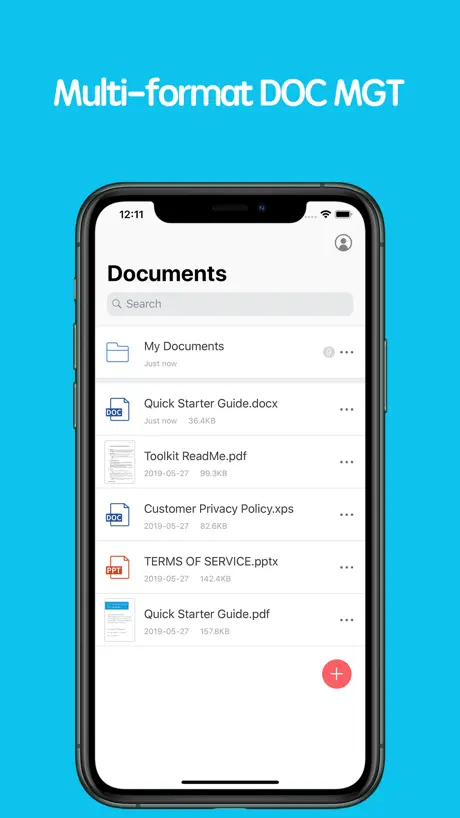
How much does PDF Reader - Edit And Storage cost?
Prices are current as of 1 Oct 2026.
2 subscriptions from $1.99
In the United States, PDF Reader - Edit And Storage has 2 subscriptions priced $1.99 – 14.49. It comes with a 3 days free trial.
| Subscription | Period | Price |
|---|---|---|
| Monthly VIP | Monthly | $1.99 |
| Annual VIP | AnnualTrial: 3 days | $14.49 |
See what PDF Reader - Edit And Storage costs in all 175 countries →
10+ alternatives to PDF Reader - Edit And Storage
| PDF Reader - Edit And Storage | 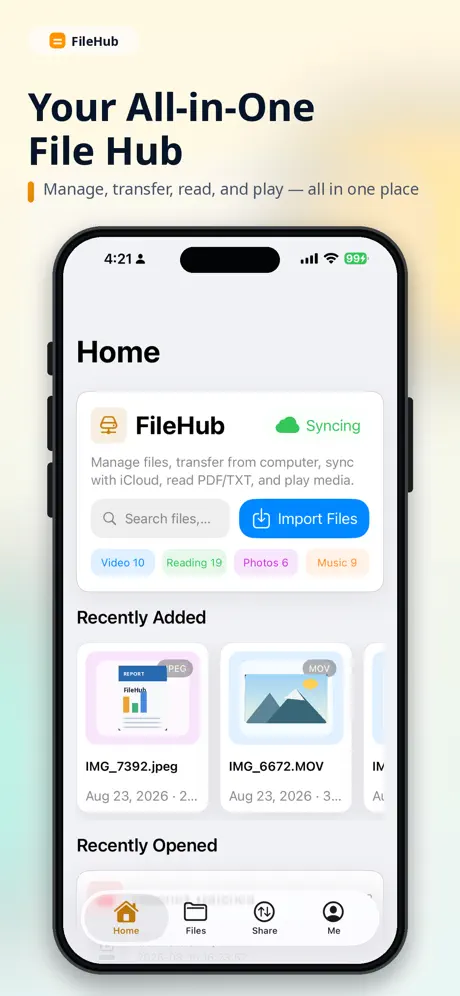  FileHub: File Manager FileHub: File Manager | 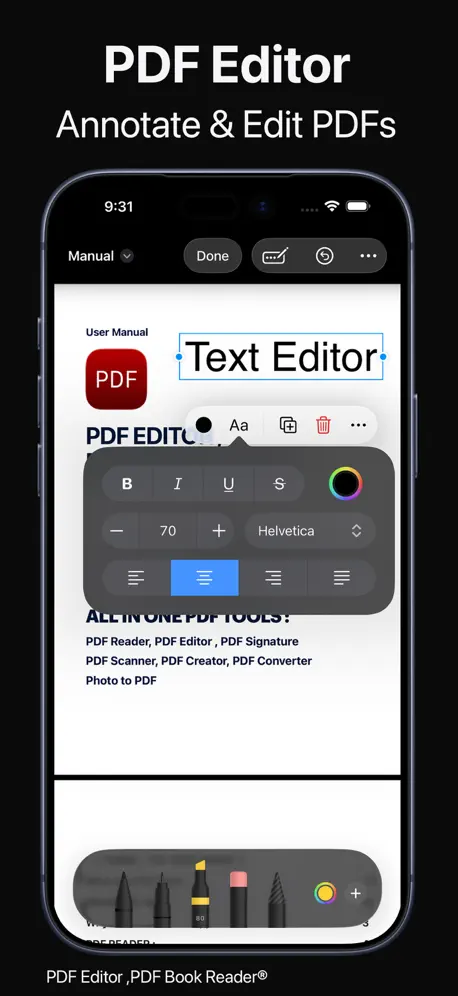  PDF Editor ,PDF Book Reader ® PDF Editor ,PDF Book Reader ® |   ZIP Extractor - Unzip, Unrar ZIP Extractor - Unzip, Unrar |   PDF Reader - Editor & Viewer PDF Reader - Editor & Viewer |   PDF Reader & Editor - GoPDF PDF Reader & Editor - GoPDF |   PDF Editor - Read & Edit PDF PDF Editor - Read & Edit PDF |   PDF Reader: Editor & Converter PDF Reader: Editor & Converter |   YDReader-EpubAndMobiReader YDReader-EpubAndMobiReader |   CCFile CCFile |   PDF Reader-simple PDF Reader-simple | |
|---|---|---|---|---|---|---|---|---|---|---|---|
| Rating / 5 | 4.4 | 4.8 | 4.3 | 4.4 | 4.5 | 4.4 | 4.4 | 4.6 | 4.6 | 4.6 | 4.6 |
| Reviews | 1.1K | 101K | 50K | 18K | 18K | 3.1K | 2.4K | 1.3K | 784 | 393 | 5 |
| Released | 2014 | 2013 | 2018 | 2018 | 2010 | 2022 | 2021 | 2021 | 2019 | 2017 | 2016 |
| Weekly price | — | — | — | $4.99 | — | $4.99 | $5.99 | $0.99 | — | — | — |
| Monthly price | $1.99 | $1.99 | $9.99 | $9.99 | $5.99 | — | $7.99 | $2.99 | — | — | — |
| Annual price | $14.49 | $9.99 | $39.99 | $49.99 | $39.99 | $29.99 | $29.99 | $9.99 | — | — | — |
| One-time price | — | $0.99 | $100.99 | — | $2.99 | $17.99 | $19.99 | $3.99 | — | — | — |
The going rate for each plan in United States, in its own currency, shaded from the cheapest price on the row to the dearest. Plans fewer than four in ten of the priced apps sell are left out.
PDF Reader - Edit And Storage reviews
4.4 out of 5, based on 1,099 reviews.
What people like
- Reads rare XPS files well
- Easy to use on mobile
- Good for storing documents
What they complain about
- Charges you even after canceling
- No easy way to cancel
- Very basic and clunky
- Hard to highlight or draw
很好
很好
You guys are scammers. This app doesn’t do anything.
Scammers. You lied. This is fake app
退订
你好,怎样退订。联系电话也没有,我的电话18087978036,麻烦联系我,告知下怎么退订
一般般
还行吧!
Alright
Not bad
很好用
真香
不要下,
希望看到评论的人千万小心,最好别下载这个软件,如果下载了也千万别点试用三天会员,如果点了试用三天会员,一定要在到期24小时前取消,如果没有提前取消将会扣一整年的会员费用,并持续续订。如果点了试用会员,想取消也将会非常复杂。希望更多人看见,浪费时间、浪费精力的软件!!小心避雷,差评!!!!!!
Helpful no frills
Very helpful little app to have on the go while traveling the world: all my boarding passes, bookings and reservations at the tip of my finger. Most valuable part id that it can also store .XPS files. Koodos! Suggestion for the developper: please make it possible to organize files into folders. That would help during trips.
可以
可以
Not bad
Decent
很好
很好
骗子公司
垃圾软件,点了试用还是扣钱了
So far so good
I tried a reader for xps for three times the cost and it was three times worse than this one! Get this one!!
Not user friendly
The app is incredibly rudimentary and isn't user friendly. Easy to figure out just annoying to use. There is no way to change the width or color of the drawing tool. Also, can't highlight on a PDFs unless the text is recognized.
還沒有使用
提示評論太頻繁
体验一般
明明pdf里面有词汇。有些并不能查找到
垃圾软件
从来没有见过这么垃圾的软件 干啥啥都不行 骗钱第一名
专门拿来读xps文档的。
读pdf用goodreader,读xps文档用这个。支持xps文档阅读的阅读器实在是太少了。。。。功能不多也无所谓了,能看已经不错了。偶尔不稳定,希望改进。
我也要退訂,為什麼自動扣款
我也要退訂
还不错
学生党用着还行,手机iPad各装一个,很方便,关键是功能也很齐全,好评
要钱的,功能还很简陋
要钱的,功能还很简陋
怎麼取消約定扣款?
約定扣款可以取消嗎?該怎麼做?
挺好用的PDF工具
找了那么多个PDF工具,就感觉这个最好用
别下
希望看到评论的人千万小心,最好别下载这个软件,如果下载了也千万别点试用三天会员,如果点了试用三天会员,一定要在到期24小时前取消,如果没有提前取消将会扣一整年的会员费用,并持续续订。如果点了试用会员,想取消也将会非常复杂。希望更多人看见,浪费时间、浪费精力的软件!!小心避雷,差评!!!!!!
誤扣款
請問我好像誤觸了免費試用三天然後就約定信用卡扣款,想請問怎麼取消我並沒有要扣款
good
good
Won't let me cancel
I cannot get anywhere in any of the settings to cancel before my renewal date, even though it stated I could. The directions it gives are incorrect and I have tried opening every category in settings to find the options. 0/10
功能一般。
功能太少,没法搜索。界面太简单。没有勾画工具。载入文章慢。基本功能可以,但是太简单。感觉不值
Wow...
Awesome and simply easy
This doesn’t open PDF files!
The only thing it needs to do
1 dollar,it is worth
PDF can be edited. amazing
Terrible app
I got it to try out. Didn’t like it so canceled my subscription same day and they still charged me for a year. The app itself is clunky and not worth $15 a year
great app
Very helpful, very good!
Beware!
Positive reviews are fake. Accidentally clicked the 14-day trial, canceled immediately, and was still charged. No contact info for support, no way to delete personal data from app, even by deleting the app.
PDF Reader - Edit And Storage price by country
A monthly subscription costs $0.31 in Turkey and $3.03 in the United Kingdom — 10× more for the same thing. Below is the going rate for each plan in every country that sells it — the middle price of what the app charges there, in the country's own currency with the dollar equivalent beneath it.
| Country | Monthly | Annual |
|---|---|---|
| Afghanistan | $1.99 | $14.49 |
| Albania | $2.39 | $17.39 |
| Algeria | $1.99 | $14.49 |
| Angola | $1.99 | $14.49 |
| Anguilla | $1.99 | $14.49 |
| Antigua And Barbuda | $1.99 | $14.49 |
| Argentina | $1.99 | $14.49 |
| Armenia | $1.99 | $14.49 |
| Australia | A$3.49$2.44 | A$22.49$15.73 |
| Austria | €2.49$2.82 | €15.49$17.56 |
| Azerbaijan | $1.99 | $14.49 |
| Bahamas | $1.99 | $14.49 |
| Bahrain | $1.99 | $14.49 |
| Barbados | $1.99 | $14.49 |
| Belarus | $1.99 | $14.49 |
| Belgium | €2.49$2.82 | €15.49$17.56 |
| Belize | $1.99 | $14.49 |
| Benin | $1.99 | $14.49 |
| Bermuda | $1.99 | $14.49 |
| Bhutan | $1.99 | $14.49 |
| Bolivia | $1.99 | $14.49 |
| Bosnia & Herzegovina | €2.49$2.82 | €15.49$17.56 |
| Botswana | $1.99 | $14.49 |
| Brazil | R$8.90$1.70 | R$54.90$10.52 |
| British Virgin Islands | $1.99 | $14.49 |
| Brunei Darussalam | $1.99 | $14.49 |
| Bulgaria | €2.29$2.60 | €14.99$17.00 |
| Burkina Faso | $1.99 | $14.49 |
| Cambodia | $1.99 | $14.49 |
| Cameroon | $1.99 | $14.49 |
| Canada | CA$2.99$2.11 | CA$18.99$13.37 |
| Cape Verde | $1.99 | $14.49 |
| Cayman Islands | $1.99 | $14.49 |
| Chad | $1.99 | $14.49 |
| Chile | CLP 1,600$1.65 | CLP 9,700$10.03 |
| China | CN¥16.00$2.38 | CN¥98.00$14.58 |
| Colombia | COP 8,900$2.64 | COP 52,900$15.71 |
| Congo | $1.99 | $14.49 |
| Congo, Democratic Republic | $1.99 | $14.49 |
| Costa Rica | $1.99 | $14.49 |
| Cote Divoire | $1.99 | $14.49 |
| Croatia | €2.52$2.86 | €15.93$18.06 |
| Cyprus | €2.49$2.82 | €15.49$17.56 |
| Czech Republic | CZK 59.00$2.74 | CZK 399.00$18.53 |
| Denmark | DKK 19.00$2.88 | DKK 119.00$18.06 |
| Dominica | $1.99 | $14.49 |
| Dominican Republic | $1.99 | $14.49 |
| Ecuador | $1.99 | $14.49 |
| Egypt | EGP 34.99$0.67 | EGP 279.99$5.38 |
| El Salvador | $1.99 | $14.49 |
| Estonia | €2.49$2.82 | €15.49$17.56 |
| Fiji | $1.99 | $14.49 |
| Finland | €2.49$2.82 | €15.49$17.56 |
| France | €2.49$2.82 | €15.49$17.56 |
| Gabon | $1.99 | $14.49 |
| Gambia | $1.99 | $14.49 |
| Georgia | $1.99 | $14.49 |
| Germany | €2.49$2.89 | €15.49$17.99 |
| Ghana | $1.99 | $14.49 |
| Greece | €2.49$2.82 | €15.49$17.56 |
| Grenada | $1.99 | $14.49 |
| Guatemala | $1.99 | $14.49 |
| Guinea-bissau | $1.99 | $14.49 |
| Guyana | $1.99 | $14.49 |
| Honduras | $1.99 | $14.49 |
| Hong Kong | HK$18.00$2.29 | HK$113.00$14.39 |
| Hungary | HUF 899$2.78 | HUF 5,190$16.04 |
| Iceland | $2.47 | $17.97 |
| India | ₹189.00$1.97 | ₹1,149.00$11.96 |
| Indonesia | IDR 29,000$1.62 | IDR 199,000$11.09 |
| Iraq | $1.99 | $14.49 |
| Ireland | €2.49$2.82 | €15.49$17.56 |
| Israel | ₪7.90$2.57 | ₪51.90$16.91 |
| Italy | €2.49$2.82 | €15.49$17.56 |
| Jamaica | $1.99 | $14.49 |
| Japan | ¥240$1.52 | ¥1,600$10.17 |
| Jordan | $1.99 | $14.49 |
| Kazakhstan | KZT 849.00$1.93 | KZT 5,490.00$12.49 |
| Kenya | $1.99 | $14.49 |
| Kosovo | €2.49$2.82 | €15.49$17.56 |
| Kuwait | $1.99 | $14.49 |
| Kyrgyzstan | $1.99 | $14.49 |
| Lao Peoples Democratic Republic | $1.99 | $14.49 |
| Latvia | €2.49$2.82 | €15.49$17.56 |
| Lebanon | $1.99 | $14.49 |
| Liberia | $1.99 | $14.49 |
| Libya | $1.99 | $14.49 |
| Lithuania | €2.49$2.82 | €15.49$17.56 |
| Luxembourg | €2.49$2.82 | €15.49$17.56 |
| Macao | $1.99 | $14.49 |
| Macedonia | $1.99 | $14.49 |
| Madagascar | $1.99 | $14.49 |
| Malawi | $1.99 | $14.49 |
| Malaysia | MYR 9.90$2.43 | MYR 57.90$14.19 |
| Maldives | $1.99 | $14.49 |
| Mali | $1.99 | $14.49 |
| Malta | €2.49$2.82 | €15.49$17.56 |
| Mauritania | $1.99 | $14.49 |
| Mauritius | $1.99 | $14.49 |
| Mexico | MX$45.00$2.50 | MX$279.00$15.48 |
| Micronesia | $1.99 | $14.49 |
| Moldova | $1.99 | $14.49 |
| Mongolia | $1.99 | $14.49 |
| Montenegro | €2.49$2.82 | €15.49$17.56 |
| Montserrat | $1.99 | $14.49 |
| Morocco | $1.99 | $14.49 |
| Mozambique | $1.99 | $14.49 |
| Myanmar | $1.99 | $14.49 |
| Namibia | $1.99 | $14.49 |
| Nauru | $1.99 | $14.49 |
| Nepal | $1.99 | $14.49 |
| Netherlands | €2.49$2.82 | €15.49$17.56 |
| New Zealand | NZ$3.99$2.25 | NZ$24.49$13.84 |
| Nicaragua | $1.99 | $14.49 |
| Niger | $1.99 | $14.49 |
| Nigeria | NGN 800.00$0.60 | NGN 5,100.00$3.84 |
| Norway | NOK 25.00$2.60 | NOK 155.00$16.15 |
| Oman | $1.99 | $14.49 |
| Pakistan | PKR 350$1.26 | PKR 2,000$7.22 |
| Palau | $1.99 | $14.49 |
| Panama | $1.99 | $14.49 |
| Papua New Guinea | $1.99 | $14.49 |
| Paraguay | $1.99 | $14.49 |
| Peru | PEN 7.50$2.18 | PEN 46.90$13.63 |
| Philippines | ₱115.00$1.84 | ₱749.00$11.96 |
| Poland | PLN 10.99$2.85 | PLN 67.99$17.66 |
| Portugal | €2.49$2.82 | €15.49$17.56 |
| Qatar | QAR 7.99$2.20 | QAR 52.99$14.56 |
| Romania | RON 10.99$2.36 | RON 72.99$15.70 |
| Russia | RUB 169.00$2.01 | RUB 1,090.00$12.97 |
| Rwanda | $1.99 | $14.49 |
| Sao Tome & Principe | $1.99 | $14.49 |
| Saudi Arabia | SAR 8.99$2.40 | SAR 54.99$14.66 |
| Senegal | $1.99 | $14.49 |
| Serbia | €2.49$2.82 | €15.49$17.56 |
| Seychelles | $1.99 | $14.49 |
| Sierra Leone | $1.99 | $14.49 |
| Singapore | SGD 3.48$2.72 | SGD 19.48$15.22 |
| Slovakia | €2.49$2.82 | €15.49$17.56 |
| Slovenia | €2.49$2.82 | €15.49$17.56 |
| Solomon Islands | $1.99 | $14.49 |
| South Africa | ZAR 37.99$2.32 | ZAR 229.99$14.02 |
| South Korea | ₩2,900$2.14 | ₩18,000$13.30 |
| Spain | €2.49$2.82 | €15.49$17.56 |
| Sri Lanka | $1.99 | $14.49 |
| St. Kitts and Nevis | $1.99 | $14.49 |
| St. Lucia | $1.99 | $14.49 |
| St. Vincent & The Grenadines | $1.99 | $14.49 |
| Suriname | $1.99 | $14.49 |
| Swaziland | $1.99 | $14.49 |
| Sweden | SEK 29.00$2.90 | SEK 165.00$16.52 |
| Switzerland | CHF 2.50$3.00 | CHF 15.50$18.59 |
| Taiwan | NT$70.00$2.20 | NT$480.00$15.08 |
| Tajikistan | $1.99 | $14.49 |
| Tanzania | TZS 4,900.00$1.87 | TZS 32,900.00$12.58 |
| Thailand | THB 69.00$2.06 | THB 459.00$13.67 |
| Tonga | $1.99 | $14.49 |
| Trinidad and Tobago | $1.99 | $14.49 |
| Tunisia | $1.99 | $14.49 |
| Turkey | TRY 14.99$0.31 | TRY 94.99$1.94 |
| Turkmenistan | $1.99 | $14.49 |
| Turks and Caicos | $1.99 | $14.49 |
| Uganda | $1.99 | $14.49 |
| Ukraine | $1.99 | $14.49 |
| United Arab Emirates | AED 7.99$2.18 | AED 54.99$14.98 |
| United Kingdom | £2.29$3.03 | £12.99$17.18 |
| United States | $1.99 | $14.49 |
| Uruguay | $1.99 | $14.49 |
| Uzbekistan | $1.99 | $14.49 |
| Vanuatu | $1.99 | $14.49 |
| Venezuela | $1.99 | $14.49 |
| Vietnam | ₫52,000$2.01 | ₫329,000$12.69 |
| Yemen | $1.99 | $14.49 |
| Zambia | $1.99 | $14.49 |
| Zimbabwe | $1.99 | $14.49 |
PDF Reader - Edit And Storage FAQ
- Is PDF Reader - Edit And Storage free?
- Yes. The app and its basic features are free, in all 175 countries it sells in. Premium features are paid: they start from $1.99 (US), across 2 subscriptions.
- How much does PDF Reader - Edit And Storage cost per month?
- Monthly VIP is $1.99 (US). The annual plan works out cheaper per month: $14.49 a year.
- Does PDF Reader - Edit And Storage have a free trial?
- Yes — a 3 days free trial (US).
- Where is PDF Reader - Edit And Storage cheapest?
- A monthly subscription costs TRY 14.99 (≈$0.31) in Turkey and £2.29 (≈$3.03) in the United Kingdom, its cheapest and dearest countries.
- What are the best alternatives to PDF Reader - Edit And Storage?
- FileHub: File Manager (4.8 from 100,550 reviews, premium from $0.99), PDF Editor ,PDF Book Reader ® (4.3 from 49,742 reviews, premium from $9.99) and ZIP Extractor - Unzip, Unrar (4.4 from 18,308 reviews, premium from $4.99).
PDF Reader - Edit And Storage download
Last updated 6 months ago.
PDF Reader - Edit And Storage sells in 175 countries. It was released 12 years and 3 months ago, on 22 Jun 2014. It holds a 4.4 rating from 1,099 reviews.
Supports 2 languages: English, Chinese.
How much does PDF Reader - Edit And Storage make?
Third-party estimates for the last 30 days, worldwide — not the store's own figures, which Apple publishes for nobody.
Revenue by plan
- Annual 82%
- Monthly 18%
Revenue by country
- China 36%
- Taiwan 21%
- United States 20%
- Singapore 2%