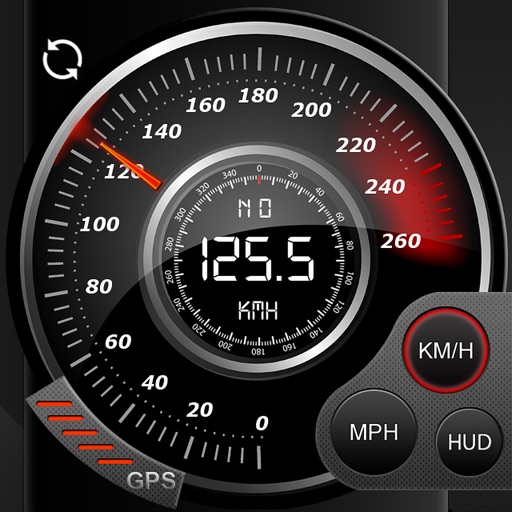
Speedo GPS Speed Tracker, Car Speedometer, Cycle Computer, Trip Computer, Route Tracking, HUD
No in-app products collected for this app.
| Rating | Price | |||
|---|---|---|---|---|
| Germany | 31%13 | 2.31 | €0.99 $1.14 | |
| Australia | 10%4 | 2.00 | A$1.99 $1.40 | |
| Japan | 7%3 | 2.33 | ¥150 $0.94 | |
| United States | 7%3 | 3.00 | $0.99 | |
| Vietnam | 7%3 | 3.00 | ₫29,000 $1.11 | |
| Argentina | 5%2 | 1.00 | $0.99 | |
| China | 5%2 | 3.00 | CN¥8.00 $1.18 | |
| Denmark | 5%2 | 2.50 | DKK 9.00 $1.39 | |
| United Kingdom | 5%2 | 3.00 | £0.99 $1.34 | |
| Belgium | 2%1 | 1.00 | €0.99 $1.14 | |
| Switzerland | 2%1 | 1.00 | CHF 1.00 $1.23 | |
| Hong Kong | 2%1 | 5.00 | HK$8.00 $1.02 | |
| Italy | 2%1 | 5.00 | €0.99 $1.14 | |
| Sweden | 2%1 | 1.00 | SEK 9.00 $0.94 | |
| Thailand | 2%1 | 5.00 | THB 29.00 $0.87 | |
| Taiwan | 2%1 | 1.00 | NT$30.00 $0.93 | |
| Ukraine | 2%1 | 5.00 | $0.99 |
Description
Speedo GPS is a fancy and unique combination of GPS Speedometer and Trip computer in one application.
What you get when buying Speedo GPS
A lot of great features built-in. Speedo GPS gather all the necessary trip/route statistics. Just start the application and Speedo GPS will automatically record your geo data (longitude latitude), speed, average speed, start time, elapsed time, distance, altidute and many more.
Use the Speedometer App in your car, on your bicycle, in the train or airplane or when you are walking or wander. The app will help you to log all the nessecary data of your trips.
NO ADS
no advertising in the app, that i guaranteed!!!
Universal App
Buy once and use it on your iPhone and iPad. High resolution graphics for Retina Display (iPhone4, iPhone 5 (s) and new iPads.
HUD
Head-up display – this cool feature is also available. Just enable HUD and put your iPhone or iPad under the windshield. The device projects the current speed to the windshield. So you are no longer distracted from looking ahead and have everything in sight.
Orientation
The view adapts to the orientation of the iPhone.
GPS Navigation with map display
You ever have the possibility to switch to the map (satellite or hybrid view), so you see where you are or where you will go.
Real Time Statistics
Get graphical statistics about speed, average speed, altitude, average altitude.
Export data
Export all the recorded data via email or iTunes file sharing. (CSV, XML, KML, GPX) and analyse the data on your mac or pc.
Please NOTE:
GPS usage will dramatically reduce device battery life. Its recommend to use a charger.
GPS isn't always accurate due to device hardware sensor limitations.
To see the map a data connection is required.
Make sure that you have location services enabled for the application.
Enable it in - Settings> General> Location Services
Videos:
iPhone: http://youtu.be/YdOuA482SyQ
iPad: http://youtu.be/It5axbiohTs
HUD: http://youtu.be/xniJyVQFmSQ