QuickCard AI: Learn English
Education

QuickCard AI: Learn English

Juan Santillan · released 22 May 2026 · Open in App Store ↗

Revenue 30d not estimated
Downloads 30d not estimated
Rating 4.67 3 reviews

No in-app products collected for this app.

Rating
United States67%24.50
Mexico33%15.00
United Arab Emirates<1%0
Afghanistan<1%0
Antigua And Barbuda<1%0
Anguilla<1%0
Albania<1%0
Armenia<1%0
Angola<1%0
Argentina<1%0

The store shows a different set in every country

Description

Speak English with an AI tutor, master vocabulary with smart flashcards, and learn from real videos, music, and audiobooks. All in one app.

QuickCard AI combines artificial intelligence with the methods polyglots use: daily exposure to real English, spaced repetition (SRS), and active practice.

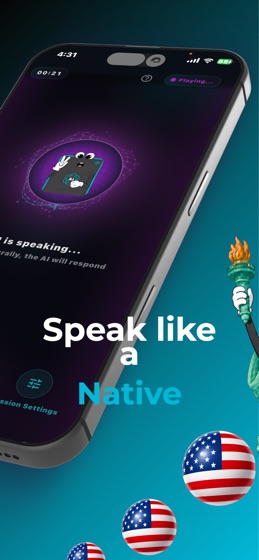
SPEAK ENGLISH WITH AN AI TUTOR

Practice real conversations anytime: job interviews, travel, daily life. Get instant pronunciation feedback with phonetics (IPA) and build confidence without fear of judgment.

FLASHCARDS WITH SPACED REPETITION (SRS)

Create your own flashcards from words and phrases you find in videos, songs, or books. The algorithm shows them to you right before you forget.

LEARN ENGLISH WITH MUSIC

Turn your favorite songs into lessons. Interactive lyrics: tap any word for an instant translation and save it as a flashcard.

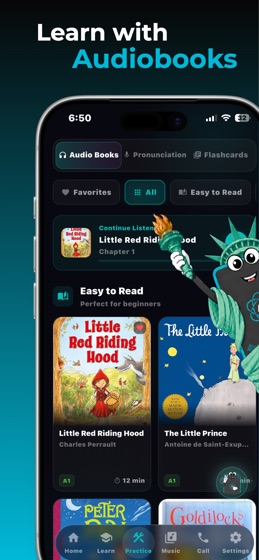
AUDIOBOOKS FOR EVERY LEVEL

Improve your listening with audiobooks organized by level (A1-C2), with interactive transcripts.

REAL ENGLISH FROM VIDEOS

Watch videos with interactive transcripts. Understand native speakers and learn natural expressions.

AI WRITING CORRECTION

Write in English and get instant corrections that explain the why behind every mistake.

REINFORCE WHAT YOU LEARN

Interactive quizzes, daily goals, XP, and streaks keep your practice consistent.

Whether you are a beginner or aiming to speak fluently at work, QuickCard AI adapts to your level.

Download QuickCard AI and transform the way you learn English, just like polyglots do.

A Premium subscription unlocks all features.

Terms of Use: https://www.apple.com/legal/internet-services/itunes/dev/stdeula/