Unraid Deck - Server Manager
No in-app products collected for this app.
| Rating | |||
|---|---|---|---|
| United States | 33%23 | 4.70 | |
| Germany | 20%14 | 4.93 | |
| United Kingdom | 10%7 | 4.86 | |
| Canada | 9%6 | 4.17 | |
| China | 4%3 | 3.67 | |
| Spain | 4%3 | 5.00 | |
| Netherlands | 4%3 | 5.00 | |
| Australia | 3%2 | 4.50 | |
| France | 3%2 | 5.00 | |
| Poland | 3%2 | 5.00 | |
| Brazil | 1%1 | 5.00 | |
| Switzerland | 1%1 | 5.00 | |
| Czech Republic | 1%1 | 5.00 | |
| New Zealand | 1%1 | 5.00 | |
| Sweden | 1%1 | 5.00 |
Description
Securely control your Unraid server from your iPhone and iPad.
Unraid Deck is a native iOS client for monitoring dashboards, managing files, Docker containers and Compose stacks, controlling VMs, receiving instant server alerts, streaming live Docker logs, and accessing your server through a built-in SSH terminal.
Built for direct server connections, privacy-first workflows, and a fast native iOS experience.
Key Features:
Built-In File Manager
Browse and manage files directly on your Unraid server.
Download, upload, move, rename, preview, copy paths, view file details, and delete files.
Built on SSH/SFTP for secure direct access to your server.
SSH Terminal
Open an SSH terminal directly inside the app for remote access and command-line workflows.
Run Docker log shortcut actions with one tap when SSH is configured.
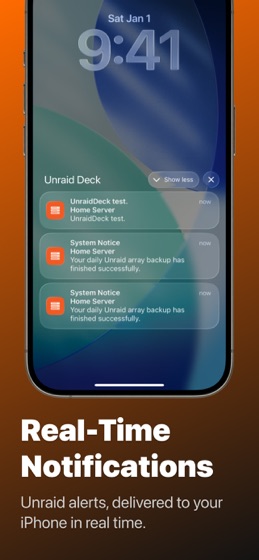
Real-Time Push Notifications
Receive critical Unraid server notifications instantly via Apple APNs.
Powered by a lightweight Unraid companion plugin for reliable message delivery.
Archive, restore unread, and manage notifications in batches.
Smart Connect
Automatically switch between local and remote server addresses based on your current network.
Home Screen Widgets
Monitor CPU, memory, and array usage at a glance.
Control Docker containers directly from your Home Screen with start, stop, and restart actions.
Stunning Dashboard
Monitor CPU, memory, network traffic, and storage array usage in real time.
View CPU temperature, power telemetry, network throughput, array health, parity status, and disk temperatures.
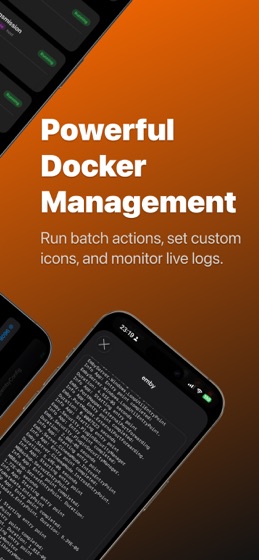
Powerful Docker Management
Docker Compose Stacks: Group containers by Compose project with grouped rows, preview badges, and representative icons.
Stack Icons: Choose service icons, custom images, or online icon libraries with a unified picker.
Search & Filter: Quickly search Docker containers to find the right service faster.
View container status, port mappings, and volume mounts.
Start, stop, restart, pause, resume, and update containers.
Perform batch actions across multiple containers.
Live Logs: Stream Docker container logs directly on your device.
Customization: Set custom container icons from your photo library or online icon libraries.
Virtual Machine Control
Search VMs quickly to find the right machine faster.
Start, pause, resume, and force stop VMs.
Run batch operations across multiple VMs.
Monitor VM status instantly.
Security & Privacy
Direct Connection: The app communicates directly with your Unraid server. No traffic is routed through third-party servers.
Secure Storage: API keys are encrypted and stored in the iOS Keychain.
Biometric Lock: Protect access with Face ID or Touch ID.
Custom Headers: Access servers behind authenticated reverse proxies such as Authelia.
iCloud Sync: Securely sync configuration across your Apple devices.
API Key Access Control
Create API keys with custom permission groups.
Use the Unraid Deck preset to auto-fill required permissions.
View and copy API key details in the app.
REQUIREMENTS
Unraid OS v6.12 or later, v7.2+ recommended
Unraid API enabled on your server
Valid API key for authentication
Network access to your Unraid server
SSH access required for Terminal, Docker log shortcuts, and File Manager features