
Video To Mp3: Ringtone Maker
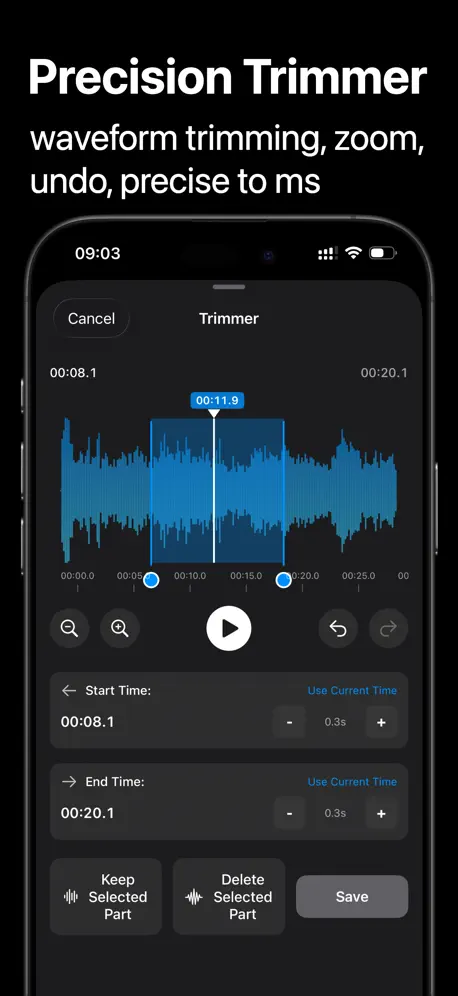
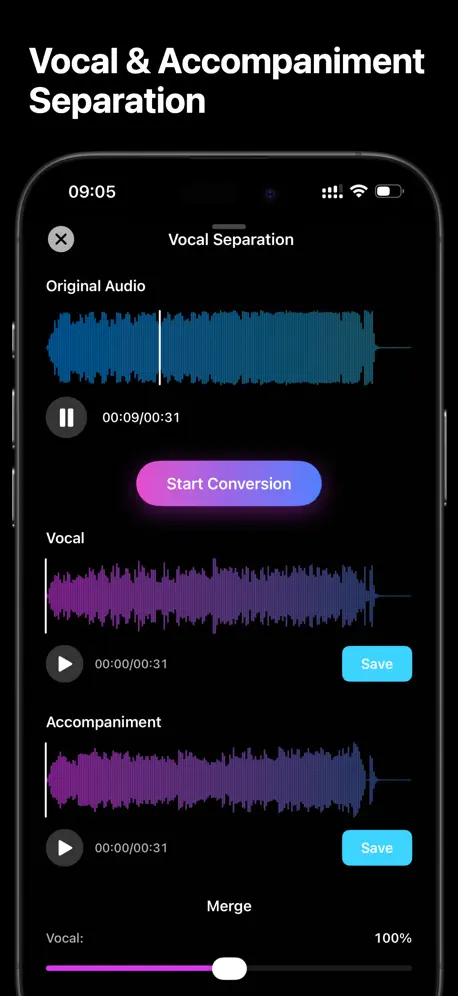
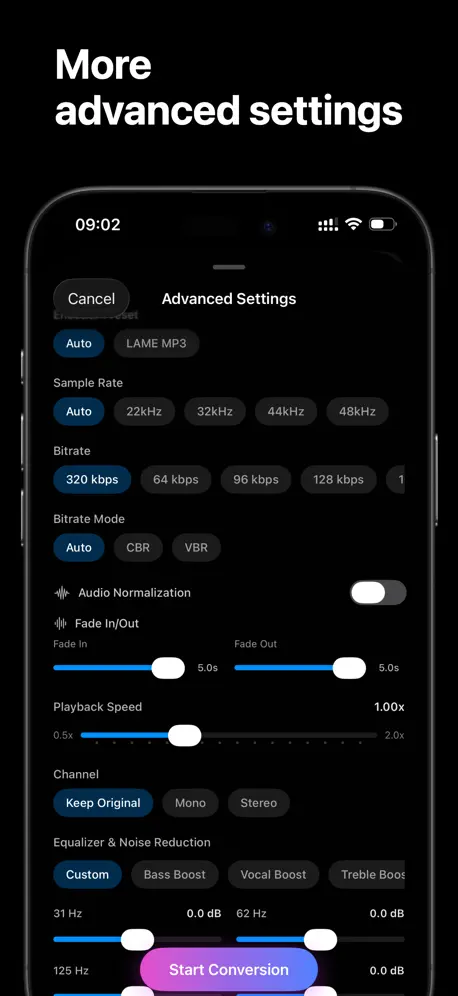
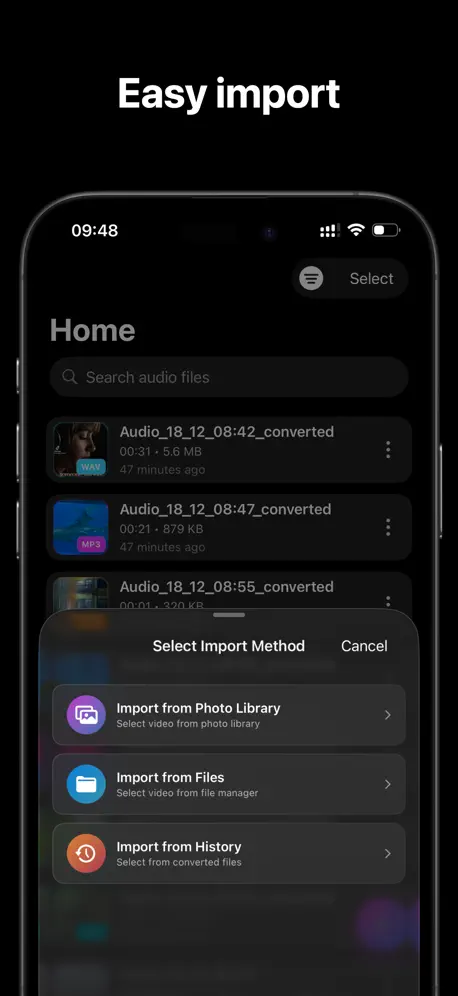
Audio Trimmer, MP3 Converter
How much does Video To Mp3: Ringtone Maker cost?
Prices are current as of 6 Oct 2026.
2 subscriptions from $5.99
In the United States, Video To Mp3: Ringtone Maker has 2 subscriptions priced $5.99 – 11.99.
| Subscription | Period | Price |
|---|---|---|
| Weekly Membership | Weekly | $5.99 |
| Annual Membership | Annual | $11.99 |
1 one-time purchase from $27.99
In the United States, Video To Mp3: Ringtone Maker has 1 one-time purchase priced $27.99.
| Product | Price |
|---|---|
| Lifetime Membership | $27.99 |
See what Video To Mp3: Ringtone Maker costs in all 175 countries →
10+ alternatives to Video To Mp3: Ringtone Maker
| Video To Mp3: Ringtone Maker |   Swish Clear: Photo Organizer Swish Clear: Photo Organizer |   ImageFlux: Multiple Exposure ImageFlux: Multiple Exposure |   Procreate Brushes & Stamps Hub Procreate Brushes & Stamps Hub |   Photo Vault & Locker: iLockBox Photo Vault & Locker: iLockBox |   Photo Delete Swipe: Gallid Photo Delete Swipe: Gallid |   video to audio converter all video to audio converter all |   Brackt: RAW to HDR Merge Brackt: RAW to HDR Merge |   Extract Text From Video: OCR Extract Text From Video: OCR |   Resolution Changer: Image Size Resolution Changer: Image Size |   HippoCam: Remember Every Thing HippoCam: Remember Every Thing | |
|---|---|---|---|---|---|---|---|---|---|---|---|
| Rating / 5 | 4.6 | 4.8 | 4.7 | 4.5 | 4.4 | 4.8 | 4.8 | 3.4 | 4.2 | 4.9 | 4.8 |
| Reviews | 141 | 379 | 134 | 115 | 84 | 68 | 57 | 49 | 47 | 40 | 34 |
| Released | 2025 | 2025 | 2025 | 2025 | 2015 | 2025 | 2025 | 2025 | 2025 | 2024 | 2025 |
| Weekly price | $5.99 | — | $4.99 | $5.99 | — | — | — | — | — | — | — |
| Monthly price | — | — | $9.99 | — | — | — | — | — | — | — | — |
| Annual price | $11.99 | — | $49.99 | — | — | — | — | — | — | — | — |
| One-time price | $27.99 | — | $69.99 | $4.99 | — | — | — | — | — | — | — |
The going rate for each plan in United States, in its own currency, shaded from the cheapest price on the row to the dearest.
Video To Mp3: Ringtone Maker reviews
4.6 out of 5, based on 141 reviews.
What people like
- Super easy to use and fast
- Audio quality sounds really great
- Clean, simple, and reliable interface
- Trimming feature is very precise
What they complain about
- Uses way too much storage space
- Editing often freezes or crashes
- Small interface loses work easily on iPad
- Ads interrupt you constantly
Good app
It’s great to edit audio. I often use it cut and merge many music. There are many features, ajust speed, reverb. Nice
Ringtone maker
I love it. I never thought that Apple would make an app like that.
標題
一開始沒有導出就會要看廣告,後來怎麼都會要?
Great Audio Converter
I love how simple and reliable this app is! Converted multiple files without any issues, and the editing tools are surprisingly robust. Best audio converter I’ve used!
应用为铃声时不要加前缀ringtone
直接用为铃声就可以了
It's almost impossible to edit audio
1. It takes up too much space. A small audio clip that hasn't even been successfully edited yet takes up 2 to 3 GB of space in the iPad settings. 2. The audio editing often freezes. 3. The most incredible thing is that the audio editing interface is not full-screen on the iPad's large screen. If you accidentally touch another part of the screen, this small interface disappears directly, and the results of a long editing session are lost. 4. This waveform is not the usual waveform displayed by audio editing software, which makes it very inconvenient to operate and often leads to inaccurate editing positions. 5. The waveform cannot be zoomed in freely, which makes it difficult to operate.
so easy to use
great app to use. So easy to convert each format. Can’t thank the developers enough
This is the app I'm looking for
I searched for many apps to convert videos to MP3 and I'm really happy with this one. The functions are clear and easy to use. Very smooth.
Great for ringtones
I had some funny videos of my kid trying to say people’s names and this helped me convert them into ringtones. I get lots of compliments every time people hear them.
Every nice video tool app
I like the all-in-one features to all of my family members. You can use it to convert videos to music with mp3 or mp4 formats. It deserves more than 5 stars.
very useful
clean interface and easy to use
Amazing!
Great app, thanks!
Amazing audio conversion tool with great quality
This is hands down the best video to audio converter app. I use it to extract music from concert videos and the audio quality is incredible. The trimming feature is precise - I can cut exactly what I need. Supports all the formats I use (MP3, WAV, AIFF). The conversion speed is impressive too. If you're looking for a professional audio converter, this is it!
Perfect for easy MP3 ringtones
Super easy to use and works exactly as expected. I was able to convert videos to MP3 in just a few taps, and the audio quality is great. Clean interface, fast conversions, and no hassle at all. Definitely a handy app to have!
Video To Mp3: Ringtone Maker price by country
A weekly subscription costs $5.49 in Qatar and $9.62 in Colombia — 1.8× more for the same thing. Below is the going rate for each plan in every country that sells it — the middle price of what the app charges there, in the country's own currency with the dollar equivalent beneath it.
| Country | Weekly | Annual | One-time |
|---|---|---|---|
| Afghanistan | $5.99 | $11.99 | $27.99 |
| Albania | $6.99 | $14.99 | $34.99 |
| Algeria | $5.99 | $11.99 | $27.99 |
| Angola | $5.99 | $11.99 | $27.99 |
| Anguilla | $5.99 | $11.99 | $27.99 |
| Antigua And Barbuda | $5.99 | $11.99 | $27.99 |
| Argentina | $5.99 | $11.99 | $27.99 |
| Armenia | $6.99 | $14.99 | $34.99 |
| Australia | A$9.99$7.24 | A$19.99$14.49 | A$44.99$32.60 |
| Austria | €6.99$8.13 | €12.99$15.10 | €29.99$34.87 |
| Azerbaijan | $6.99 | $14.99 | $34.99 |
| Bahamas | $6.99 | $12.99 | $29.99 |
| Bahrain | $6.99 | $12.99 | $29.99 |
| Barbados | $6.99 | $14.99 | $34.99 |
| Belarus | $6.99 | $14.99 | $34.99 |
| Belgium | €6.99$8.13 | €12.99$15.10 | €29.99$34.87 |
| Belize | $5.99 | $11.99 | $27.99 |
| Benin | $6.99 | $14.99 | $34.99 |
| Bermuda | $5.99 | $11.99 | $27.99 |
| Bhutan | $5.99 | $11.99 | $27.99 |
| Bolivia | $5.99 | $11.99 | $27.99 |
| Bosnia & Herzegovina | €6.99$8.13 | €12.99$15.10 | €29.99$34.87 |
| Botswana | $5.99 | $11.99 | $27.99 |
| Brazil | R$39.90$7.82 | R$79.90$15.67 | R$199.90$39.20 |
| British Virgin Islands | $5.99 | $11.99 | $27.99 |
| Brunei Darussalam | $5.99 | $11.99 | $27.99 |
| Bulgaria | €6.99$8.13 | €12.99$15.10 | €29.99$34.87 |
| Burkina Faso | $5.99 | $11.99 | $27.99 |
| Cambodia | $6.99 | $12.99 | $29.99 |
| Cameroon | $6.99 | $14.99 | $34.99 |
| Canada | CA$7.99$5.63 | CA$14.99$10.56 | CA$39.99$28.16 |
| Cape Verde | $5.99 | $11.99 | $27.99 |
| Cayman Islands | $5.99 | $11.99 | $27.99 |
| Chad | $5.99 | $11.99 | $27.99 |
| Chile | CLP 6,990$7.57 | CLP 12,990$14.06 | CLP 29,990$32.46 |
| China | CN¥38.00$5.65 | CN¥88.00$13.08 | CN¥198.00$29.42 |
| Colombia | COP 29,900$9.62 | COP 59,900$19.28 | COP 129,900$41.81 |
| Congo | $5.99 | $11.99 | $27.99 |
| Congo, Democratic Republic | $5.99 | $11.99 | $27.99 |
| Costa Rica | $5.99 | $11.99 | $27.99 |
| Cote Divoire | $6.99 | $14.99 | $34.99 |
| Croatia | €6.99$8.13 | €12.99$15.10 | €29.99$34.87 |
| Cyprus | €6.99$8.13 | €12.99$15.10 | €29.99$34.87 |
| Czech Republic | CZK 149.00$7.15 | CZK 299.00$14.35 | CZK 699.00$33.54 |
| Denmark | DKK 49.00$7.62 | DKK 99.00$15.40 | DKK 249.00$38.72 |
| Dominica | $5.99 | $11.99 | $27.99 |
| Dominican Republic | $5.99 | $11.99 | $27.99 |
| Ecuador | $5.99 | $11.99 | $27.99 |
| Egypt | EGP 299.99$5.86 | EGP 599.99$11.72 | EGP 1,499.99$29.30 |
| El Salvador | $5.99 | $11.99 | $27.99 |
| Estonia | €6.99$8.13 | €12.99$15.10 | €29.99$34.87 |
| Fiji | $5.99 | $11.99 | $27.99 |
| Finland | €6.99$8.13 | €12.99$15.10 | €29.99$34.87 |
| France | €6.99$8.13 | €12.99$15.10 | €29.99$34.87 |
| Gabon | $5.99 | $11.99 | $27.99 |
| Gambia | $5.99 | $11.99 | $27.99 |
| Georgia | $6.99 | $14.99 | $34.99 |
| Germany | €6.99$8.13 | €12.99$15.10 | €29.99$34.87 |
| Ghana | $6.99 | $14.99 | $34.99 |
| Greece | €6.99$8.13 | €12.99$15.10 | €29.99$34.87 |
| Grenada | $5.99 | $11.99 | $27.99 |
| Guatemala | $5.99 | $11.99 | $27.99 |
| Guinea-bissau | $5.99 | $11.99 | $27.99 |
| Guyana | $5.99 | $11.99 | $27.99 |
| Honduras | $5.99 | $11.99 | $27.99 |
| Hong Kong | HK$48.00$6.12 | HK$88.00$11.22 | HK$228.00$29.08 |
| Hungary | HUF 2,490$7.96 | HUF 4,990$15.96 | HUF 12,990$41.55 |
| Iceland | $6.99 | $14.99 | $34.99 |
| India | ₹599.00$6.30 | ₹1,199.00$12.61 | ₹2,999.00$31.53 |
| Indonesia | IDR 99,000$5.66 | IDR 199,000$11.37 | IDR 499,000$28.51 |
| Iraq | $5.99 | $11.99 | $27.99 |
| Ireland | €6.99$8.13 | €12.99$15.10 | €29.99$34.87 |
| Israel | ₪19.90$6.59 | ₪39.90$13.21 | ₪99.90$33.08 |
| Italy | €6.99$8.13 | €12.99$15.10 | €29.99$34.87 |
| Jamaica | $5.99 | $11.99 | $27.99 |
| Japan | ¥1,000$6.51 | ¥2,000$13.02 | ¥4,500$29.30 |
| Jordan | $5.99 | $11.99 | $27.99 |
| Kazakhstan | KZT 3,490.00$7.68 | KZT 6,990.00$15.38 | KZT 14,990.00$32.98 |
| Kenya | $6.99 | $14.99 | $34.99 |
| Kosovo | €6.99$8.13 | €12.99$15.10 | €29.99$34.87 |
| Kuwait | $5.99 | $11.99 | $27.99 |
| Kyrgyzstan | $6.99 | $12.99 | $29.99 |
| Lao Peoples Democratic Republic | $6.99 | $12.99 | $29.99 |
| Latvia | €6.99$8.13 | €12.99$15.10 | €29.99$34.87 |
| Lebanon | $5.99 | $11.99 | $27.99 |
| Liberia | $5.99 | $11.99 | $27.99 |
| Libya | $5.99 | $11.99 | $27.99 |
| Lithuania | €6.99$8.13 | €12.99$15.10 | €29.99$34.87 |
| Luxembourg | €6.99$8.13 | €12.99$15.10 | €29.99$34.87 |
| Macao | $5.99 | $11.99 | $27.99 |
| Macedonia | $5.99 | $11.99 | $27.99 |
| Madagascar | $5.99 | $11.99 | $27.99 |
| Malawi | $5.99 | $11.99 | $27.99 |
| Malaysia | MYR 29.90$7.35 | MYR 59.90$14.72 | MYR 129.90$31.92 |
| Maldives | $5.99 | $11.99 | $27.99 |
| Mali | $5.99 | $11.99 | $27.99 |
| Malta | €6.99$8.13 | €12.99$15.10 | €29.99$34.87 |
| Mauritania | $5.99 | $11.99 | $27.99 |
| Mauritius | $5.99 | $11.99 | $34.99 |
| Mexico | MX$129.00$7.63 | MX$249.00$14.73 | MX$599.00$35.44 |
| Micronesia | $5.99 | $11.99 | $27.99 |
| Moldova | $6.99 | $14.99 | $34.99 |
| Mongolia | $5.99 | $11.99 | $27.99 |
| Montenegro | €5.99$6.97 | €9.99$11.62 | €24.99$29.06 |
| Montserrat | $5.99 | $11.99 | $27.99 |
| Morocco | $5.99 | $11.99 | $27.99 |
| Mozambique | $5.99 | $11.99 | $27.99 |
| Myanmar | $5.99 | $11.99 | $27.99 |
| Namibia | $5.99 | $11.99 | $27.99 |
| Nauru | $5.99 | $11.99 | $27.99 |
| Nepal | $6.99 | $14.99 | $34.99 |
| Netherlands | €6.99$8.13 | €12.99$15.10 | €29.99$34.87 |
| New Zealand | NZ$9.99$5.84 | NZ$19.99$11.69 | NZ$49.99$29.23 |
| Nicaragua | $5.99 | $11.99 | $27.99 |
| Niger | $5.99 | $11.99 | $27.99 |
| Nigeria | NGN 9,900.00$7.47 | NGN 19,900.00$15.01 | NGN 49,900.00$37.63 |
| Norway | NOK 79.00$8.59 | NOK 149.00$16.20 | NOK 349.00$37.93 |
| Oman | $5.99 | $11.99 | $27.99 |
| Pakistan | PKR 1,700$6.13 | PKR 3,500$12.62 | PKR 7,900$28.49 |
| Palau | $5.99 | $11.99 | $27.99 |
| Panama | $5.99 | $11.99 | $27.99 |
| Papua New Guinea | $5.99 | $11.99 | $27.99 |
| Paraguay | $5.99 | $11.99 | $27.99 |
| Peru | PEN 24.90$7.43 | PEN 49.90$14.90 | PEN 119.90$35.79 |
| Philippines | ₱399.00$6.38 | ₱799.00$12.78 | ₱1,790.00$28.63 |
| Poland | PLN 29.99$8.08 | PLN 49.99$13.47 | PLN 129.99$35.04 |
| Portugal | €6.99$8.13 | €12.99$15.10 | €29.99$34.87 |
| Qatar | QAR 19.99$5.49 | QAR 39.99$10.99 | QAR 99.99$27.47 |
| Romania | RON 29.99$6.63 | RON 69.99$15.48 | RON 149.99$33.18 |
| Russia | RUB 499.00$5.85 | RUB 999.00$11.71 | RUB 2,490.00$29.18 |
| Rwanda | $5.99 | $11.99 | $27.99 |
| Sao Tome & Principe | $5.99 | $11.99 | $27.99 |
| Saudi Arabia | SAR 24.99$6.66 | SAR 49.99$13.33 | SAR 119.99$32.00 |
| Senegal | $6.99 | $14.99 | $34.99 |
| Serbia | €6.99$8.13 | €12.99$15.10 | €29.99$34.87 |
| Seychelles | $5.99 | $11.99 | $27.99 |
| Sierra Leone | $5.99 | $11.99 | $27.99 |
| Singapore | SGD 8.98$7.13 | SGD 17.98$14.27 | SGD 39.98$31.73 |
| Slovakia | €6.99$8.13 | €12.99$15.10 | €29.99$34.87 |
| Slovenia | €6.99$8.13 | €12.99$15.10 | €29.99$34.87 |
| Solomon Islands | $5.99 | $11.99 | $27.99 |
| South Africa | ZAR 119.99$7.48 | ZAR 249.99$15.59 | ZAR 599.99$37.41 |
| South Korea | ₩8,800$6.54 | ₩17,000$12.64 | ₩44,000$32.72 |
| Spain | €6.99$8.13 | €12.99$15.10 | €29.99$34.87 |
| Sri Lanka | $5.99 | $11.99 | $27.99 |
| St. Kitts and Nevis | $5.99 | $11.99 | $27.99 |
| St. Lucia | $5.99 | $11.99 | $27.99 |
| St. Vincent & The Grenadines | $5.99 | $11.99 | $27.99 |
| Suriname | $6.99 | $12.99 | $29.99 |
| Swaziland | $5.99 | $11.99 | $27.99 |
| Sweden | SEK 79.00$8.24 | SEK 149.00$15.54 | SEK 349.00$36.39 |
| Switzerland | CHF 5.00$6.17 | CHF 10.00$12.35 | CHF 25.00$30.86 |
| Taiwan | NT$190.00$6.04 | NT$390.00$12.39 | NT$990.00$31.46 |
| Tajikistan | $6.99 | $12.99 | $29.99 |
| Tanzania | TZS 17,900.00$6.77 | TZS 34,900.00$13.20 | TZS 79,900.00$30.21 |
| Thailand | THB 199.00$6.05 | THB 399.00$12.13 | THB 999.00$30.36 |
| Tonga | $5.99 | $11.99 | $27.99 |
| Trinidad and Tobago | $5.99 | $11.99 | $27.99 |
| Tunisia | $5.99 | $11.99 | $27.99 |
| Turkey | TRY 299.99$6.18 | TRY 599.99$12.37 | TRY 1,499.99$30.92 |
| Turkmenistan | $5.99 | $11.99 | $27.99 |
| Turks and Caicos | $5.99 | $11.99 | $27.99 |
| Uganda | $6.99 | $14.99 | $34.99 |
| Ukraine | $6.99 | $14.99 | $34.99 |
| United Arab Emirates | AED 22.99$6.26 | AED 49.99$13.62 | AED 99.99$27.25 |
| United Kingdom | £5.99$8.12 | £11.99$16.25 | £29.99$40.64 |
| United States | $5.99 | $11.99 | $27.99 |
| Uruguay | $5.99 | $11.99 | $27.99 |
| Uzbekistan | $6.99 | $12.99 | $29.99 |
| Vanuatu | $5.99 | $11.99 | $27.99 |
| Venezuela | $5.99 | $11.99 | $27.99 |
| Vietnam | ₫199,000$7.70 | ₫399,000$15.43 | ₫899,000$34.77 |
| Yemen | $5.99 | $11.99 | $27.99 |
| Zambia | $6.99 | $14.99 | $34.99 |
| Zimbabwe | $6.99 | $14.99 | $34.99 |
Video To Mp3: Ringtone Maker FAQ
- Is Video To Mp3: Ringtone Maker free?
- Yes. The app and its basic features are free, in all 175 countries it sells in. Premium features are paid: they start from $5.99 (US), across 2 subscriptions and 1 one-time purchase.
- Does Video To Mp3: Ringtone Maker have a free trial?
- No. None of its offers (US) come with a free trial.
- Where is Video To Mp3: Ringtone Maker cheapest?
- A weekly subscription costs QAR 19.99 (≈$5.49) in Qatar and COP 29,900 (≈$9.62) in Colombia, its cheapest and dearest countries.
- What are the best alternatives to Video To Mp3: Ringtone Maker?
- Swish Clear: Photo Organizer (4.8 from 379 reviews), ImageFlux: Multiple Exposure (4.7 from 134 reviews, premium from $4.99) and Procreate Brushes & Stamps Hub (4.5 from 115 reviews, premium from $4.99).
Video To Mp3: Ringtone Maker download
Last updated 2 months ago.
Video To Mp3: Ringtone Maker sells in 175 countries. It was released 10 months ago, on 26 Nov 2025. It holds a 4.6 rating from 141 reviews.
Supports 22 languages: English, Danish, Dutch, Finnish, French, German, Greek, Hindi, Indonesian, Italian, Japanese, Korean, Malay, Norwegian Nynorsk, Portuguese, Russian, Chinese, Spanish, Swedish, Thai, Turkish, Vietnamese.
How much does Video To Mp3: Ringtone Maker make?
Third-party estimates for the last 30 days, worldwide — not the store's own figures, which Apple publishes for nobody.
Revenue by plan
- One-time 70%
- Weekly 21%
- Annual 9%
Revenue by country
- United States 45%
- Taiwan 18%
- Hong Kong 5%
- Canada 4%